
I’m a sim racer and amateur racer with a passion for Motorsport, good racecraft and the technical and setup aspect of sim racing.
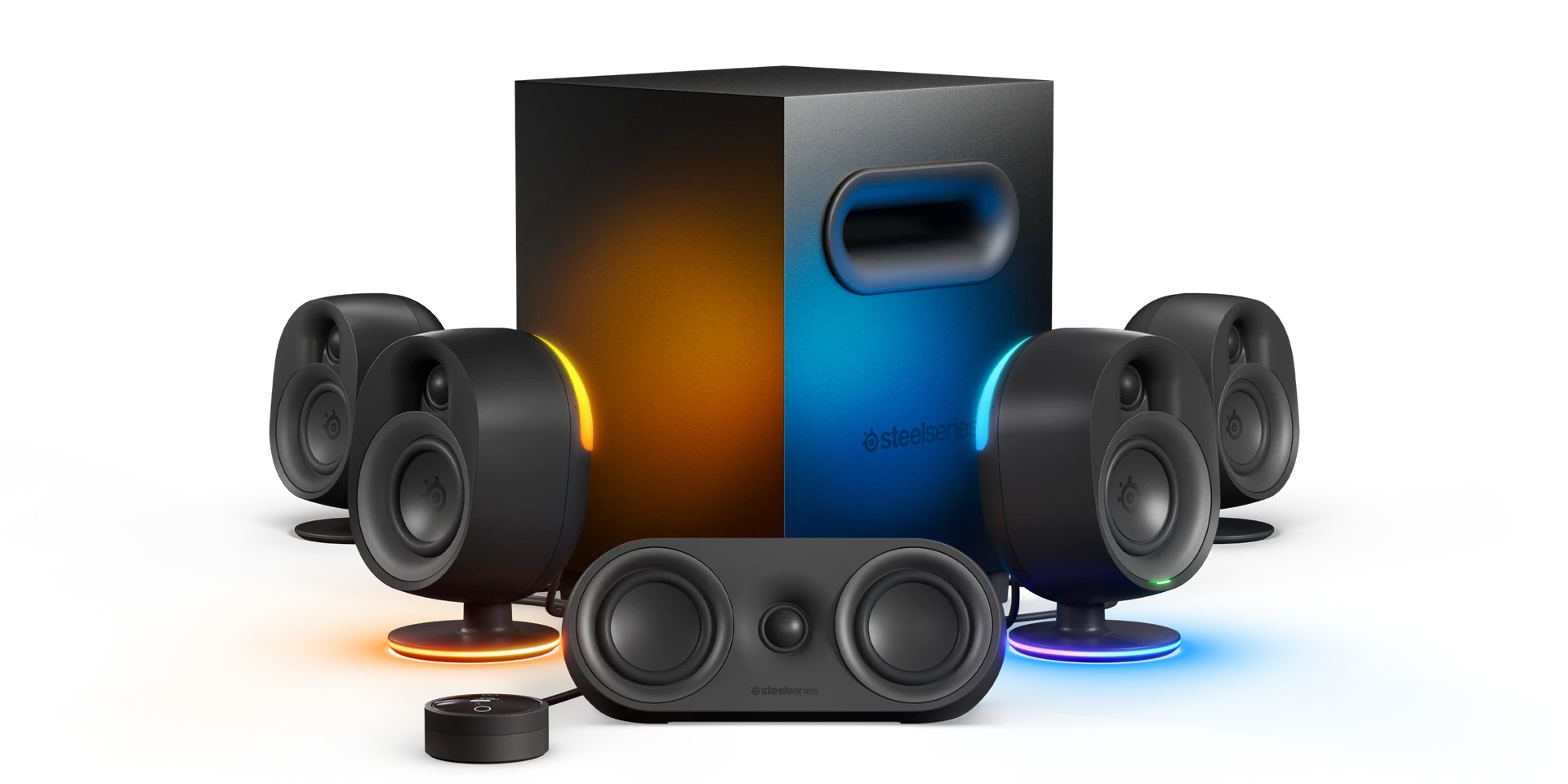
Featured Image: SteelSeries Arena 9
For most sim rigs, the answer is a 2.1 on a cable, with a bass shaker under the seat for the low end you feel rather than hear. A 2.1 is a pair of speakers plus a subwoofer. A bass shaker is a motor that shakes the seat instead of moving air. If the room and the PC can take it, a 5.1 (five satellites and a sub) goes further, and if the desk is tight, a small USB-powered 2.1 will do the job.
At home I run a Logitech Z407 on the shelf beside the rig and a ButtKicker Gamer Plus under the seat, with a pair of Kanto YU2 speakers and an old Tannoy sub on my desk, so that’s where I’ll start.
Quick Navigation
Jump directly to what you’re looking for:
My speakers |
What to look for |
Creative Pebble |
Z313 and CA-3810 |
Logitech Z407 |
Audioengine HD3 |
Razer |
Logitech Z906 |
Rig mounts |
Bass shakers |
Which speakers should you buy?
The speakers beside my rig and on my desk
The Logitech Z407 is my go-to set of speakers – they’re great on a budget and they just work. There are two satellites and a subwoofer, and you can run them over Bluetooth or a cable. I think they’ve been on my shelf for three or four years now.

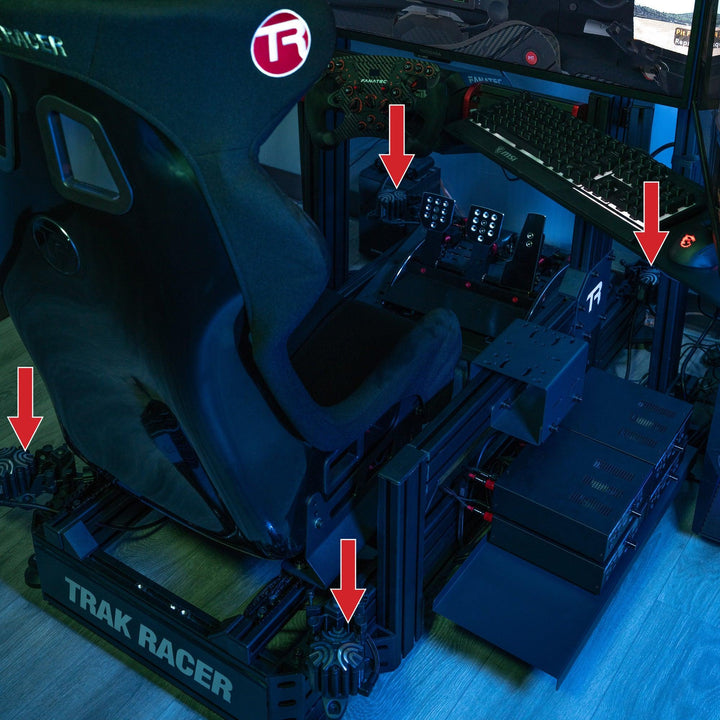
Under my seat, a ButtKicker Gamer Plus is clamped to the aluminium profile crossbar. I reviewed it back in 2022, and there’s more on it in the ButtKicker section further down.

On my desk I run a pair of Kanto YU2 powered speakers, with an old Tannoy HTS subwoofer sat underneath. The Tannoy takes its signal on a single lead from the subwoofer output on the back of the YU2. Kanto has stopped making the YU2, and once the last of the stock at retailers has gone it’s discontinued for good, so it isn’t one of the picks below.


What to look for in a sim racing sound system
A speaker that runs off the PC’s USB port doesn’t have much power to work with, because a standard USB 2.0 port supplies 5 V at up to 500 mA, which is 2.5 W, and a USB 3.0 port manages up to 900 mA, or 4.5 W. Against that, the Logitech Z313 further down is rated at 25 W RMS and the Cyber Acoustics CA-3810 at 40 W RMS. RMS is the continuous figure a speaker can hold, and peak is the brief maximum, so compare RMS with RMS.
Besides the 2.1 and the 5.1, you’ll come across 2.0 sets, which are just the pair of speakers with no sub, and soundbars, which put everything in one bar that sits in front of or under the screens.

For driving, a cable beats Bluetooth because of the delay. Qualcomm quotes about 40 ms of latency for aptX Low Latency and about 80 ms for aptX Adaptive, and it gives no figure at all for aptX HD. None of the speakers in this guide lists aptX Low Latency, so plug in over USB, 3.5 mm or optical for driving and keep Bluetooth for music.
Speakers or a headset is the other decision, and some sim racers settle it by running both. In iRacing, the sound options let you choose the output device for voice chat, and iRacing users say the spotter can be sent the same way. So the car can play on the speakers while the spotter and the chat go to the headset.
Creative Pebble Plus and Pebble X Plus – best for a small desk
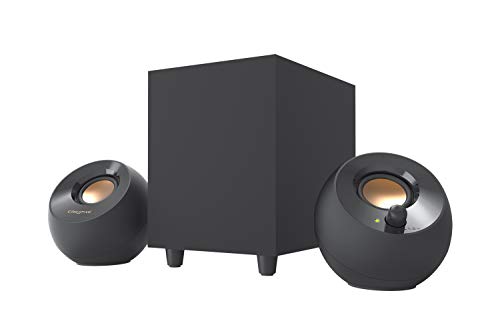
The Creative Pebble Plus is a USB-powered 2.1 with a 4″ subwoofer that fires downwards, and its sound goes in over a 3.5 mm AUX cable. It only reaches its full 8 W RMS on a 5V 2A USB adapter, and Creative doesn’t put one in the box. Off a PC’s USB port it gets less than that, and if there’s a free socket near the desk, the adapter is worth buying with it.

The Pebble X Plus gets up to 15 W RMS straight from a PC’s USB-C port, which means the speakers don’t need a wall socket of their own. With a USB-PD adapter of 30 W or more (again, not in the box) it goes up to 30 W RMS. It has Bluetooth 5.3 and a 3.5 mm AUX input as well. Its subwoofer driver works with passive radiators and reaches down to 45 Hz, against 50 Hz on the Pebble Plus.

As an Amazon Associate, SimRacingCockpit earns from qualifying purchases.
Logitech Z313 and Cyber Acoustics CA-3810 – wired 2.1 with a control pod
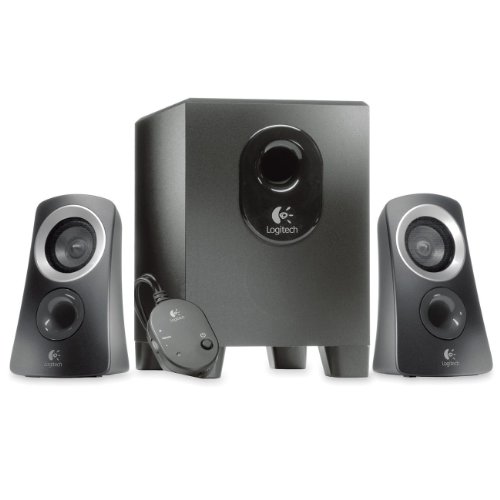
The Logitech Z313 is a 2.1 rated at 25 W RMS (50 W peak), fed from the PC’s 3.5 mm output. Its wired control pod carries the power switch, the volume and a headphone jack, so the pod is where a headset plugs in when you’d rather have the car in your ears than in the room.

The Cyber Acoustics CA-3810 runs to 40 W RMS (80 W peak) through two 2″ satellites and a 5.25″ ported subwoofer that fires out of its side. Its control pod has a separate bass control as well as the master volume, which is handy when the sub is tucked under the rig and out of reach. The pod also has a headphone jack and a 3.5 mm aux input.

As an Amazon Associate, SimRacingCockpit earns from qualifying purchases.
Logitech Z407 – the 2.1 beside my rig
Logitech rates the Z407 at “80W” without saying whether that’s RMS or peak, so it can’t be set against the Z313’s or the CA-3810’s RMS figures. The subwoofer does get a figure of its own, 20 W.
The Z407 takes its sound over Bluetooth, micro-USB or 3.5 mm. The control is a wireless dial you press and spin to play, pause, mute and set the volume and the bass. Because it’s wireless, the dial can sit within reach of the seat.
The only issue I have with the Z407 is the Bluetooth. My son’s got a gaming PC in the house as well, and whoever boots up first usually gets the connection. Apart from that, they’re excellent speakers.

Logitech Z407
The 2.1 I run, with Bluetooth as well as a cable input.
As an Amazon Associate, SimRacingCockpit earns from qualifying purchases.
Audioengine HD3 – best 2.0 with a built-in DAC
The Audioengine HD3, now sold as the HD3 Next Gen, is a 2.0 pair with a built-in DAC (the chip that turns the digital signal from the PC into an analogue one) at 24-bit and up to 48 kHz. Over USB the HD3 takes the audio straight from the PC through that DAC, so the motherboard’s own sound output is out of the chain. It has RCA and 3.5 mm inputs too, and a headphone output on the speaker itself.

The HD3 has Bluetooth with aptX HD, AAC and SBC, but not aptX Low Latency. There’s no subwoofer in the box.

Audioengine HD3
A 2.0 with its own DAC, and no sub in the box.
As an Amazon Associate, SimRacingCockpit earns from qualifying purchases.
Razer Nommo V2 X and Leviathan V2 X soundbar
The Razer Nommo V2 X is a 2.0 pair with full-range drivers (3.2″, per Razer’s guide) and bass ports at the back of each speaker, and it supports THX Spatial Audio. It plays from the PC over USB audio or Bluetooth 5.0. Power comes from its own mains adapter, so there has to be a socket near the rig. In the UK it’s in stock at Stormforce Gaming, and so is the Leviathan V2 X.
The Razer Leviathan V2 X is a soundbar 400 mm long, with two full-range drivers and two passive radiators, and that length is the number to measure against the gap under your screens. One USB-C cable carries both the power and the audio, so it’s a single lead back to the PC. Razer lists no virtual surround on the V2 X, and it reaches down to 85 Hz, so the low end on a rig with the Leviathan is a job for a bass shaker.
Logitech Z906 – best 5.1 surround
The Logitech Z906 is a 5.1, five satellites and a subwoofer at 500 W RMS (1000 W peak) between them, with 165 W RMS in the sub and 67 W in each satellite. A 5.1 puts speakers behind you as well as in front, so the five satellites have to be placed round the seat. The Z906 is THX certified, and THX says a certified system passes over 700 tests and needs a subwoofer that reaches at least 35 Hz.

The PC has to send the Z906 5.1, or the rear satellites have nothing of their own to play. It takes up to six devices across its 3.5 mm, RCA, six-channel direct, coaxial and optical inputs, so the rig PC can share it with whatever else is in the room. It comes with a remote and a control console, and it has 2.1, 4.1 and 3D surround listening modes. The Z906 is in stock at Trak Racer at the moment.
SimSportGadget makes an extended arm mount for the Z906 satellites, designed for an aluminium-profile rig. It’s CNC anodised aluminium, and it bolts to the profile through two M6 slot holes. The SteelSeries Arena 9 is the other 5.1 to look at, and its rear speakers are wireless.
Mounting speakers on a sim rig
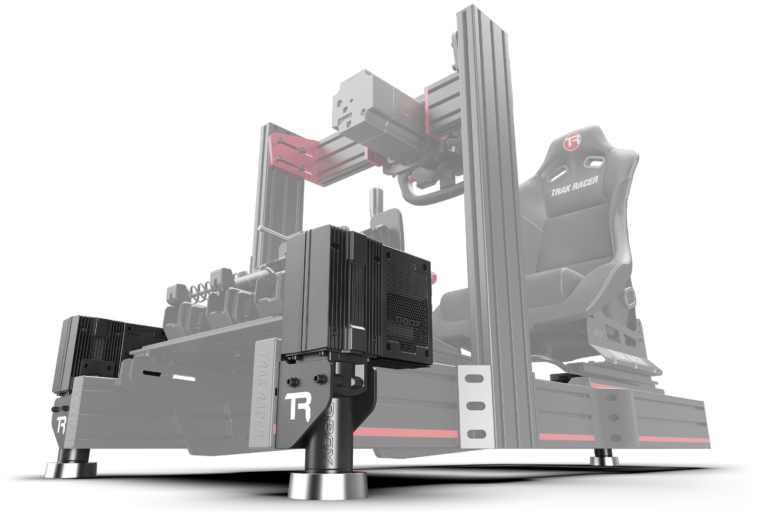
Trak Racer’s 5-speaker mount kits use five laser-cut steel brackets. There’s a universal kit for extruded aluminium rigs, with the T-nuts and screws included, and kits made for the Trak Racer TR8 PRO and TRX. They fit most speakers that have a wall-mount option, Logitech’s included, and for speakers without a rear mount there’s double-sided tape.
Sim-Lab’s speaker brackets come as a pair, left and right, for an aluminium frame, with the bolts and nuts included. They’re made for speakers with an M6 mounting hole. Before buying brackets of any kind, check the back of the speaker for a threaded insert or a keyhole.
Sim-Lab discount code: use SIMRACINGCOCKPIT at checkout for 5% off at sim-lab.eu.
Some sim racers skip the rig altogether and put the front speakers on the monitor stand and the rears on stands behind the seat, because brackets at rig height can leave the speakers sitting low.
ButtKicker and bass shakers
I’ll admit that, despite the length of time the ButtKicker brand has been around in the sim racing community, I had never tried a rig with one installed until I previewed the Gamer Plus in March 2022. Finally getting the chance to install and use one was a revelation, and it really adds something to your driving. As a track driver myself, I really like the feeling of the engine in a stiff chassis like the Radical SR3. You feel every single RPM vibrate the car as a whole, and every gearshift has a kick to it as the torque curve is reset and the acceleration begins again.

I mounted mine comfortably to a 40×40 aluminium profile bar under my seat. I was impressed by how quiet the system actually is. I’d been warned they can be noisy, and I totally disagree with that. You get a lovely smooth response from your seat as you pull away, and the volume on the amplifier can be turned down if you’re racing at night and don’t want to cause too much of a fuss! Even at a low level, the feedback is instantaneous and very useful, particularly for rumble strips, track detail, gearshift and wheelslip events. The system handles the gearshift in an extremely lifelike manner, literally like a kick in the seat. In my review I called it a no-brainer for any budget to high-end sim that isn’t already fitted with something like a D-BOX motion system (20x more expensive).

At the moment, the ButtKicker Gamer Plus and the Gamer Pro are both sold out, at ButtKicker’s own store and at Advanced Sim Racing. The Gamer Plus runs a 90 W RMS amp with a 5-200 Hz transducer and a universal clamp, and the Gamer Pro steps the amp up to 150 W RMS. Trak Racer’s bass shaker kits are in stock, though. There’s a 40 W four-channel amp with two 10 W shakers and rig mounts, and a 200 W two-channel amp with a 100 W shaker and room on the amp for a second. One version of the 200 W kit adds a universal mount. There’s more on tactile kit in the tactile feedback guide.
Which speakers should you buy?
For a small desk, it’s the Creative Pebble Plus or the Pebble X Plus, because both run off USB. For a wired control pod, the Logitech Z313, or the Cyber Acoustics CA-3810 for more power and a separate bass control. The Logitech Z407 beside my rig adds Bluetooth and a wireless dial for the volume and the bass. The Audioengine HD3 is the 2.0 to pick if you want a built-in DAC and you’re happy to leave the low end to a bass shaker. In the UK, Razer has the Leviathan V2 X, a soundbar that runs over USB-C, and the Nommo V2 X, a 2.0 pair with THX Spatial Audio. If the room is built round the rig, it’s the Logitech Z906.
Whichever set you pick, add a bass shaker under the seat. If the rig itself is still in progress, the cockpit guide comes first, and the PC guide covers the machine that feeds all of this. Let me know what you end up running in the comments.
Related Articles
Should Sim Racers Wait for the Pimax Crystal Pro, or Buy Today?
Sim Racing Wheel Stands and Folding Cockpits: Why I’d Skip One, and What to Buy Instead
The Best Direct Drive Sim Racing Bundles (2026)
Best Thrustmaster Wheel and Pedal Mods (2026)
ButtKicker and Tactile Feedback for Sim Racing: The Highest-ROI Upgrade You Shouldn’t Skip (2026 Beginner’s Guide)