
I’m a sim racer and amateur racer with a passion for Motorsport, good racecraft and the technical and setup aspect of sim racing.
A dashboard puts your gear, your speed, your lap times and the flags right in front of you while you’re driving, without any of it cluttering up the main screen. A DDU (dash display unit) is a small screen that shows the live data coming out of the game. Nearly all of them run on SimHub, which pretty much sorts out the software side. What you’re really choosing between is a flag display, a standalone DDU, a premium unit or the free route with a tablet you already own.
My first dash was an old Nexus Android tablet running SimHub, back in November 2020. These days SimHub just gets on with running my Grid DDU5 and my Grid Brows on the rig. In today’s post I’m taking a look at the dashes worth buying now, and at how to get the tablet route going for free if you’d like to start where I did.
Quick Navigation
Jump directly to what you’re looking for:
SimHub software |
Screen specs |
Flag displays |
Standalone DDUs |
Premium displays |
Corsair Xeneon Edge |
Tablet dash |
Stream Deck |
Mounting |
Which to buy
What software runs a sim racing dash?
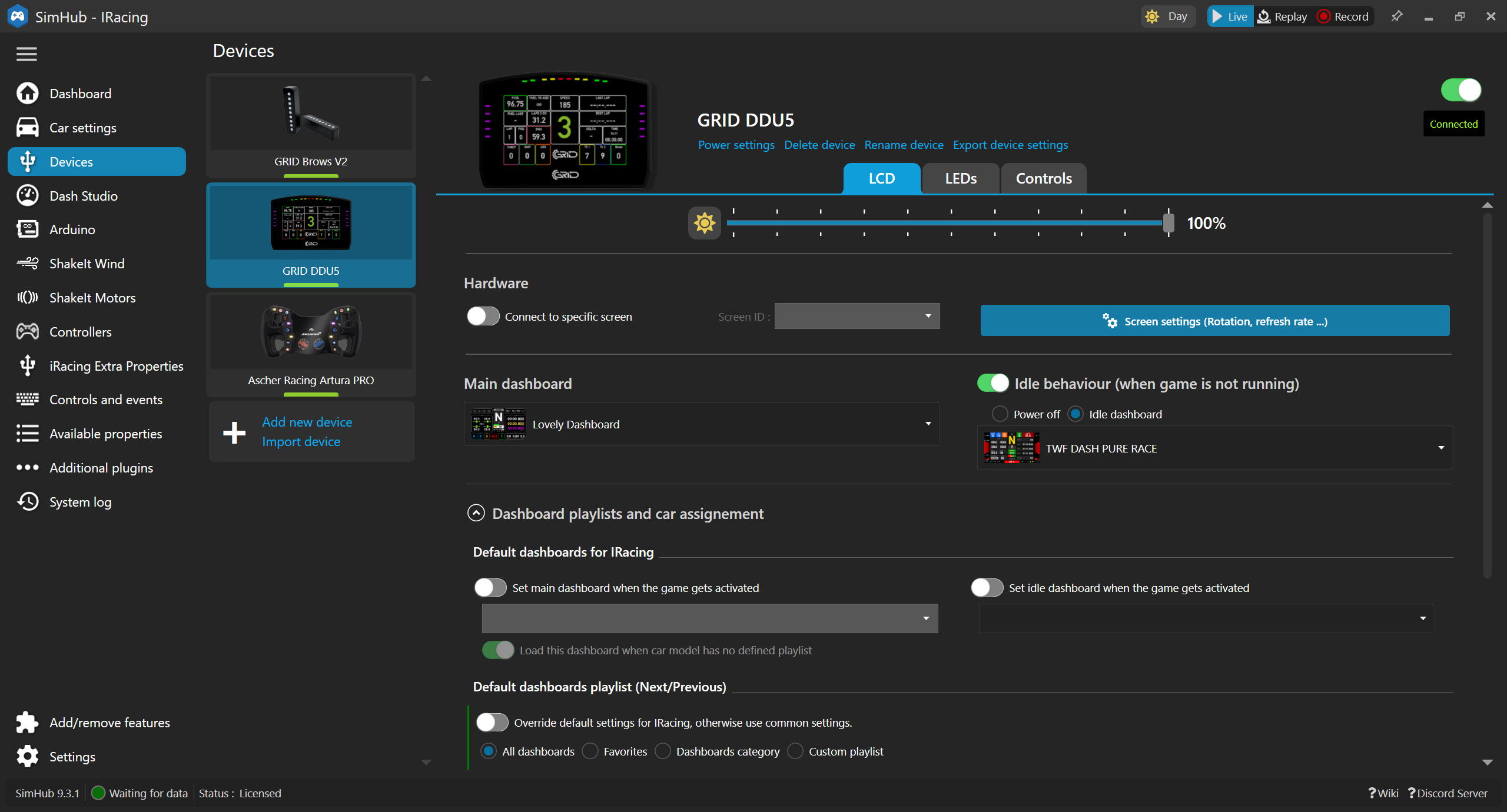
SimHub is a clever bit of software where you can add external hardware to your simulator, from dashboards to bass shakers, and lots of home-made stuff with Arduino. It reads the telemetry from the game and sends it to whatever you’ve plugged in. Telemetry is the live data the game sends out, like your speed, gear, RPM, lap times and tyre temperatures. SimHub is free to use, and the free version drives displays and hardware at 10 frames per second. A licence is pay-what-you-want and yours for good once you’ve paid for it, and it takes that up to 60 frames a second, switches games for you automatically and gets rid of the nag screens. SimHub doesn’t list running a dash in a browser or downloading community dashboards as licence features.
Dashboards live in Dash Studio, where you can build your own or download ones the community has made. TWF is a free dashboard pack on GitHub, but it hasn’t had a release since 2023, and these days Lovely Dashboard is the one you’ll see mentioned more often. Back in 2024, the DDU5 on my rig was running Lovely Dashboard in SimHub.
The odd one out is the Moza CM2 HD, which runs on Moza’s own Pit House software. If you’re starting from scratch, our SimHub setup guide takes you through installing SimHub and getting your first device running.
What to look for in a dash screen
The Grid DDU5 and the Apex GT3R are both 5-inch screens, at 854×480 and 800×480, and the smaller 4-inch Simagic MagicDash 4 is 800×480 as well. The Moza CM2 HD is 5-inch too, but steps up to 1280×720. On paper there’s not much in it for brightness, with 300 lumens on the DDU5 and 350 on the GT3R and the Ascher 8-inch.
Dan Suzuki reckons on his YouTube channel that most 5-inch DDUs use the same VoCore 854×480 panel, and that VoCore panels typically run at roughly 30Hz even when they’re advertised at 60Hz. If he’s right, two 5-inch dashes can have much the same screen inside them, and what you’re paying for is the case, the LEDs and the bracket.

Some have a touchscreen and some don’t, and the number of LEDs varies a lot. Most run on a single USB cable, but the Porsche 911 GT3 Cup DDU needs HDMI and power as well, and the Corsair Xeneon Edge takes HDMI or a USB-C cable that carries the video. Then there’s the bracket, and whether one for your wheelbase comes in the box or has to be bought separately.
Flag displays
A flag display is usually the cheapest bit of dedicated dash hardware you can buy. There’s no screen on one, just a grid of LEDs that SimHub lights up for flags, spotter warnings and shift lights. It won’t show you a lap time, but it will tell you there’s a car alongside or a yellow flag ahead. If you’d rather spend nothing at all, the tablet route is further down.
RaceBox RaceFlag
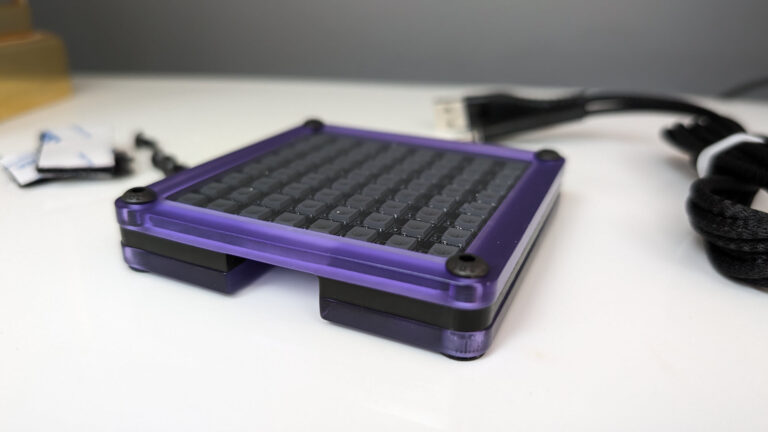
The RaceBox RaceFlag is an 8×8 RGB LED matrix with 10 inputs on it, including a 7-way funky switch and a rotary encoder with a push function, so it doubles as a small button box. It mounts vertically or horizontally and connects over USB. The flags and the data come from SimHub, and the free version is enough. RaceBox supplies a SimHub RGB Matrix profile for it, so you aren’t building the layout from nothing.
Apex Race Flag Pro V2
The Apex Race Flag Pro V2 is a CNC anodised aluminium LED kit on a carbon fibre mount. It shows flags, spotter signals, your gear and a red-line warning. Plug it in over USB and it shows up in SimHub under Arduino > My Hardware, and you set it up in the RGB Matrix tab. The hex tools and mounting hardware come with it. You can buy it as a single kit or a double, and Apex has LED profiles for both to download. It has no buttons, though, so unlike the RaceFlag it won’t double as a button box.
Standalone DDUs
A standalone DDU is a proper screen, usually with shift lights built in, and most of them run off a single USB lead to your PC. The screens are close enough that it usually comes down to whether there’s a bracket for your base, so that’s the first thing to look for on the maker’s list.
Grid DDU5
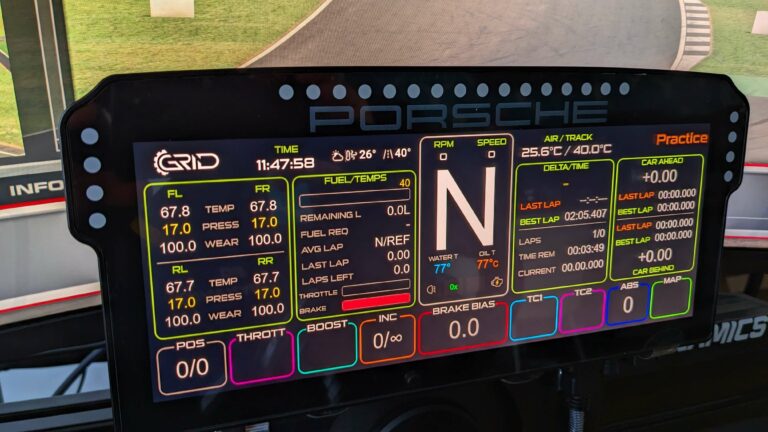
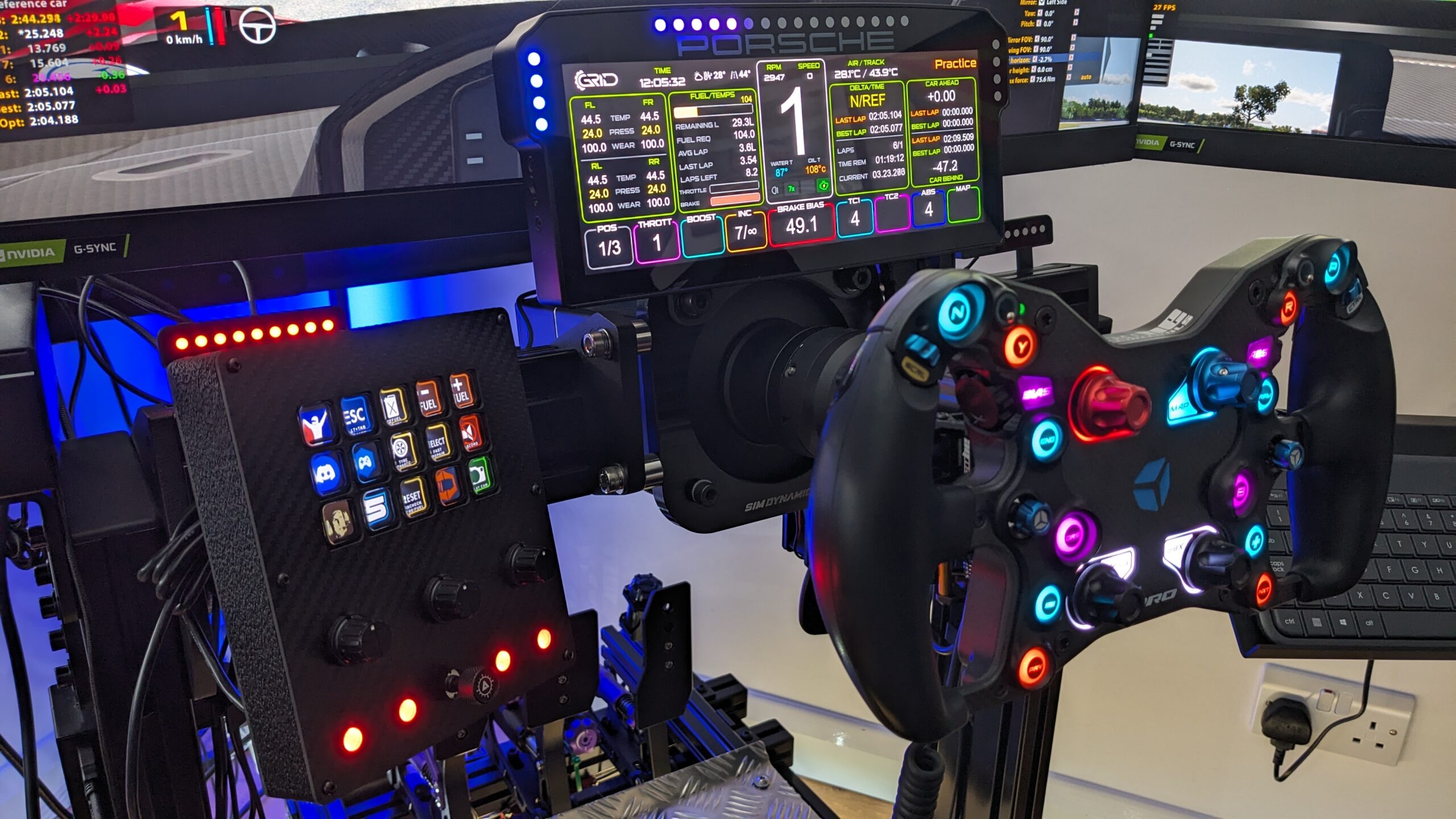
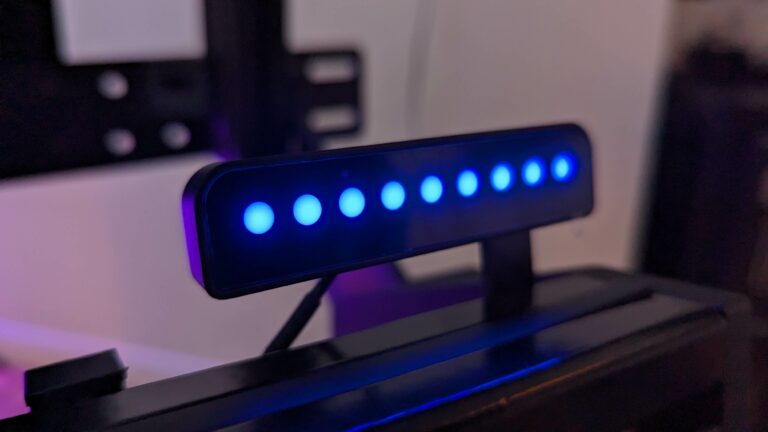
Grid, owned by Sim-Lab, makes some really nice gear, and the Grid DDU5 is no exception. It’s the dash on my rig today, sat next to my Grid Brows. The full write-up is in our Grid DDU5 review.
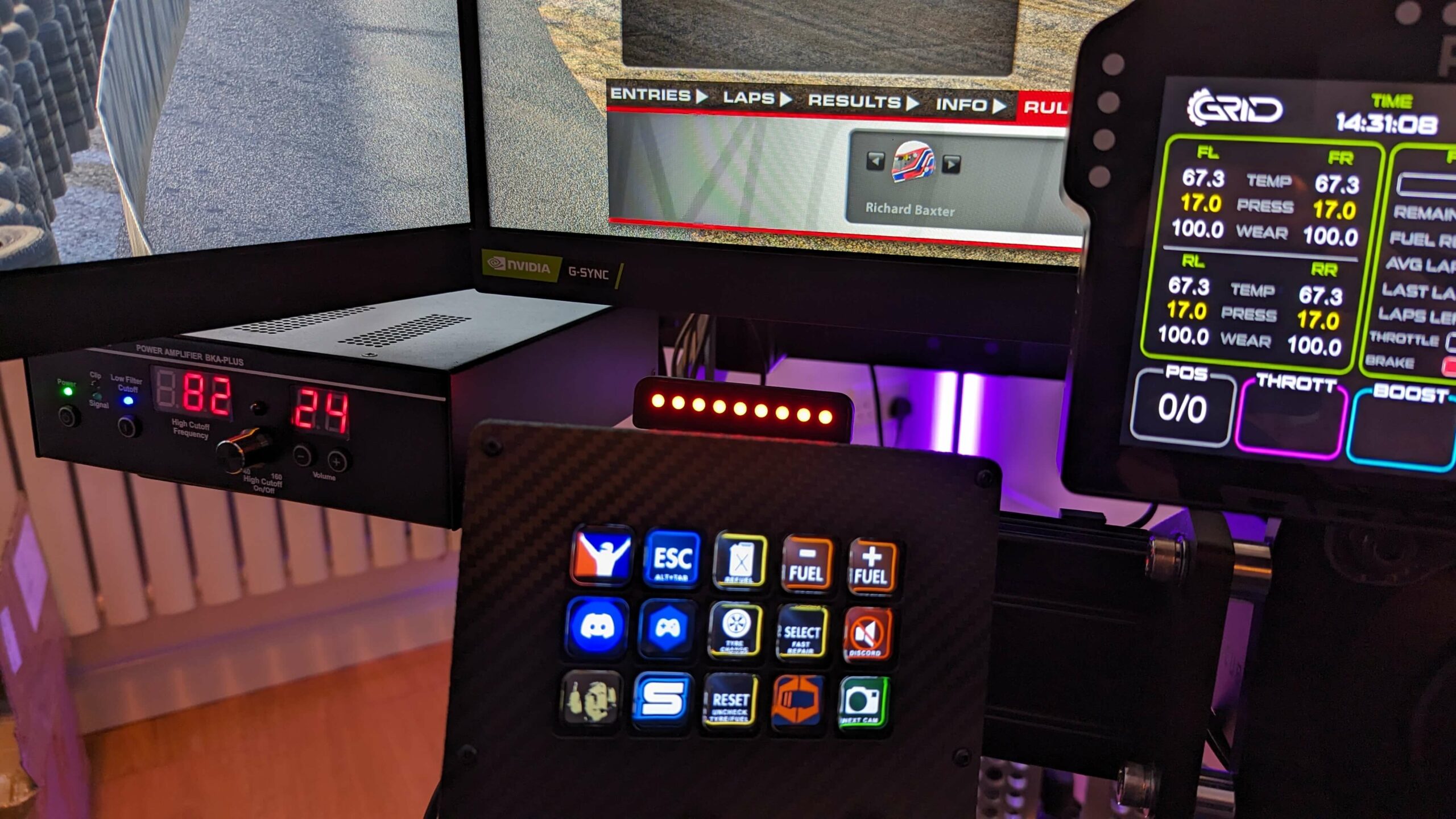
The DDU5 has a 5-inch 854×480 screen with a 300-lumen backlight and 20 RGB LEDs, in a machined, anodised 6061 aluminium case with borosilicate glass on the front. It works with SimHub, JRT and Z1. One carbon bracket comes in the box, for OSW and Fanatec bases, and Sim-Lab lists it as compatible with SC1, VRS and OSW, the Simucube 2 Sport, Pro and Ultimate, Fanatec’s CSL and CSW, and the DD1 and DD2. If you’re on a Simagic Alpha, the bracket is sold separately.
Sim-Lab discount code: use SIMRACINGCOCKPIT at checkout for 5% off at sim-lab.eu.
Apex GT3R 5-inch DDU V2
Apex builds the GT3R 5-inch DDU V2 around an 800×480 screen with an adjustable 350-lumen backlight and 34 RGB LEDs, and it needs just the one USB cable to the PC. The case is black anodised 6061 aluminium, and the front is tempered glass.
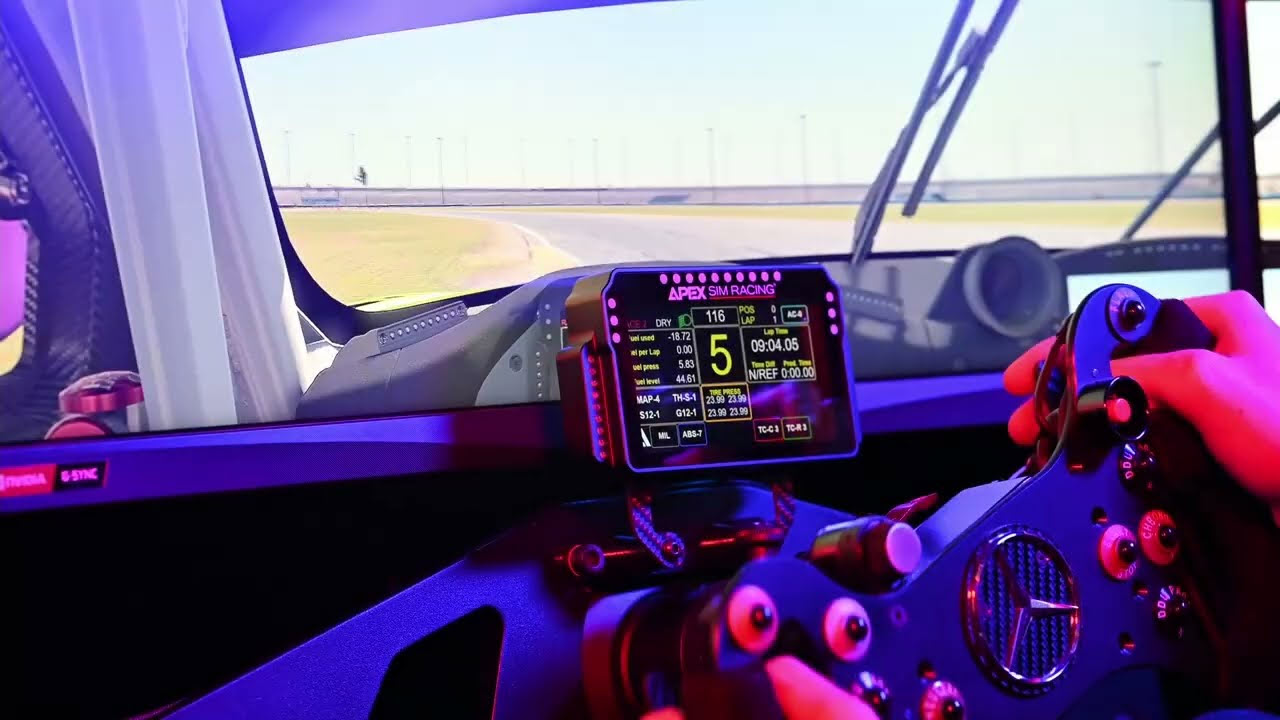
A real carbon fibre bracket for your base comes with it, and you pick which one when you order. The choice covers the Simagic Alpha, the Alpha EVO (which needs the MB-F front mount), Moza’s R5, R9 and R12, the R21 and R25 Ultra, Simucube and Fanatec. It’s a native SimHub device, and our GT3R review goes into it in more detail.
Moza CM2 HD
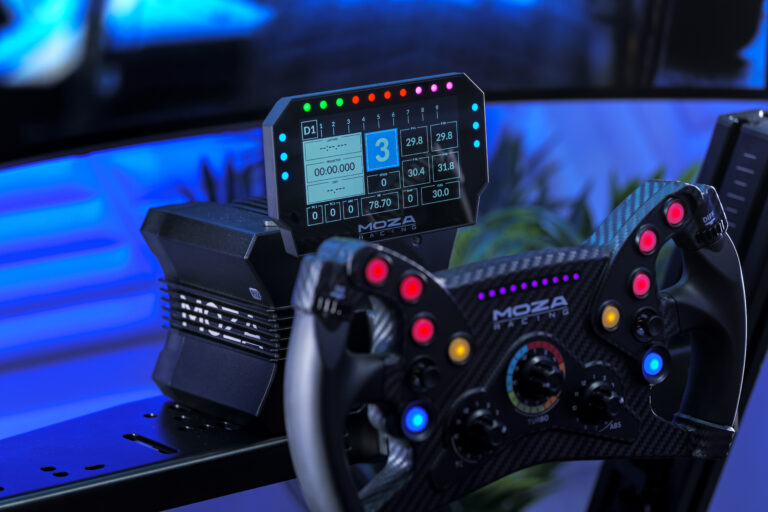
The Moza CM2 HD has a 5-inch 1280×720 capacitive touchscreen running at 60Hz, with 10 RGB shift lights and 6 RGB flag lights. It plugs into any Moza wheelbase over RJ11, or straight into the PC over USB, which Moza says means it’ll work with non-Moza setups too. You set up the layouts in Moza Pit House.
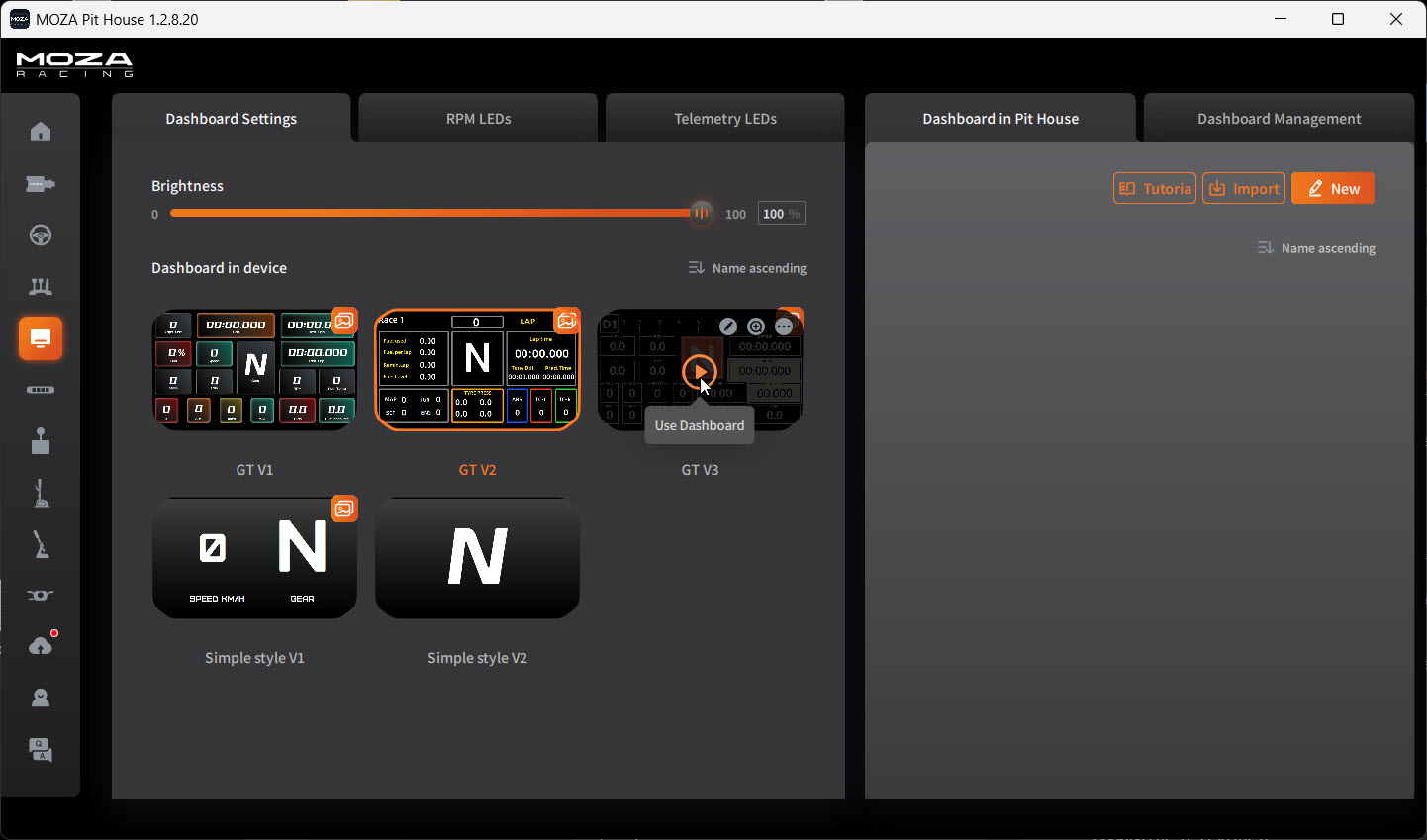
The CM2’s mount is made for Moza bases, so on anything else you’d most likely be making your own bracket.
Moza discount code: use SIMRACINGCOCKPIT at checkout for 3% off at mozaracing.com.
Simagic MagicDash 4
The Simagic MagicDash 4 is the smallest screen here, a 4-inch 800×480 touchscreen with 15 shift LEDs along the top and 6 side LEDs. It fits Alpha EVO bases and Zeus wheels as standard, and other bases with front mounting holes through the MagDock, which is sold separately. You can run it from SimPro Manager or SimHub, over USB or wirelessly through Simagic’s AirLink, which saves you a cable running across the rig. There’s a built-in touchpad on it as well, which you can use to control the PC desktop.
BavarianSimTec DDU5
The BavarianSimTec DDU5 comes with more in the box than most. Alongside the display there’s a MagicArm with 1/4-inch threads, an M8 adapter and T-nut for aluminium profile, a wheelbase mounting bracket, Asetek mounting extensions and a USB A to C cable. That means you can put it on the base or on an arm off the rig, whichever suits your cockpit. SimHub supports it natively. You’ll find it through Advanced Sim Racing in Canada.
Premium displays
At the top end you’re choosing between a wide, slim standalone dash that works with any car in any sim and a replica of one real car’s dashboard. If you race a bit of everything, it’s the wide one you’ll want.
Ascher Racing 8-inch Dashboard
Ascher sent me the Ascher Racing 8-inch Dashboard to test in 2026. It has a 7.85-inch 1280×400 screen that runs at up to 60Hz with a 350-lumen backlight, and 26 RGB LEDs (16 for RPM and 10 for flags). Ascher puts each LED in its own housing so that the colours don’t bleed into each other.
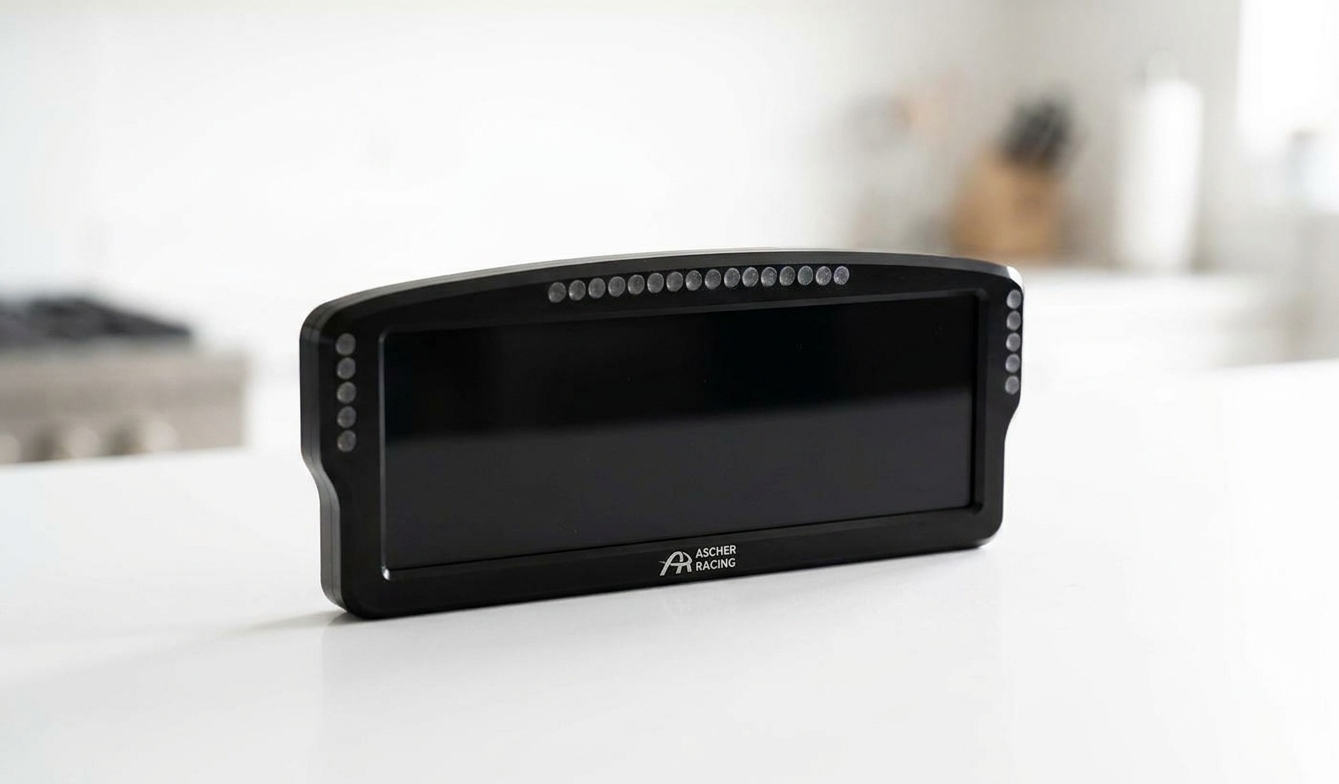
The Ascher 8-inch connects over USB-C with an angled cable, and on the back there’s an on/off button and a 1/4-inch mount. It’s 225 x 87mm and only 18mm thick. Two carbon brackets come in the box, for Simucube 1, 2 and 3, Asetek, Fanatec, VRS, Simagic Alpha, MiGE and Lenze bases. SimHub support is official, through Ascher’s own plugin. There’s more in our Ascher 8-inch Dashboard review.
Porsche 911 GT3 Cup DDU
The Porsche 911 GT3 Cup DDU is an officially Porsche-licensed replica of the display in the 992 GT3 Cup car. The screen is 10.3 inches, at 1920×720 and 60Hz, and it sits in a one-piece milled aluminium housing. It runs in SimHub or RaceDirector.

It needs three cables, for HDMI, power and USB, which means your PC runs it as another monitor. According to Sim-Lab, it fits the Simucube 2 Sport, Pro and Ultimate, Fanatec’s CSL, CSL DD, DD1 and DD2, the Simagic Alpha, and small and large OSW MiGE bases. It’s the Cup car’s display, though, so it’s really one for you if you do most of your racing in a Porsche. Our Porsche 911 GT3 Cup DDU review has the detail.

The Corsair Xeneon Edge
Fanatec sells the Corsair Xeneon Edge on its own or bundled with a Fanatec bracket set. Corsair has owned the Fanatec product line since 23 September 2024. The Xeneon Edge is a 14.5-inch 2560×720 (32:9) touchscreen at 60Hz, on an AHVA panel with 350 cd/m2 peak brightness and 5-point capacitive touch. It connects by HDMI, or by a single USB-C cable carrying power, data and video if your graphics card supports DisplayPort Alt Mode.
You can run it through iCUE, Corsair’s software, which has a SimHub widget you can resize and put alongside your other widgets. Or you can treat the Xeneon Edge as a second monitor and put a SimHub dash on it. Either way, Windows sees it as a display.
Fanatec’s bracket fixes to the front threaded holes on Fanatec bases, in portrait or landscape. It also suits the ClubSport GT Cockpit accessory mount and most aluminium profile rigs, which means you don’t need a Fanatec base to use it.
Fanatec discount code: use SIMRACINGCOCKPIT5 at checkout for 5% off at fanatec.com.
How to make a sim racing dashboard with a tablet
I’d wanted to give making a dashboard for my sim a go for ages. As it turns out, it’s really, really easy to get started. All you need is a tablet or a mobile phone, your sim PC and SimHub. It’s actually pretty mind-blowing how powerful SimHub is, and how many problems it solves.
SimHub has a web view, which serves a dashboard to any browser on your network. Actually doing this is so easy it’s almost unbelievable.
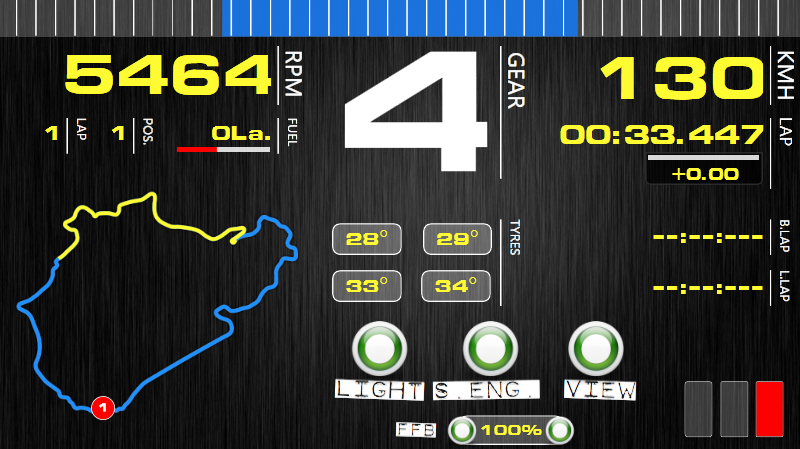
Pick your game and a dashboard
To make a sim racing dashboard with your tablet, install SimHub, select your sim, then head to Dashboards and click start on whichever dashboard you want to run. Here’s the step by step.
Once you’ve installed SimHub, open it and select your racing sim from the “Games” list.
Next, open Dash Studio. There are lots of dashboards available, all free, so it’s easy to get started. Choose one and click start.

When you start a dashboard, select the “To a phone or tablet” option in the drop-down, and this popup appears.

Open the dash on your tablet
Then open a browser on the tablet (being sure that it’s on the same network as your PC) and type in the IP address SimHub gave you when you started the dashboard, including the “:8888” (the port number). It might not work first time (which is OK, we’ll get to that). If it does work, just select your dash and make it fullscreen with the options that appear at the top of the window. Your dash is now ready and will spring to life when you open iRacing (or whatever sim racing software you use). SimHub auto-detects when the sim starts to run.

If the tablet can’t connect
If the browser can’t open SimHub, it’s probable that SimHub doesn’t have permission to open an external network connection. The fix is simple: open Windows Firewall and click “Allow an app or feature through Windows Defender Firewall”.

You’ll be given a list of apps in Windows and a set of checkboxes next to each app name, which gives permission to access the network. Find SimHub and tick both checkboxes to the right.

If you’re running a slightly older version of Windows, your firewall options might look like this.

SimHub uses port 8888 for the web view by default, and you’ll want ports 8888 and 8889 allowed through the firewall. Once you’ve OK’d the firewall settings, go back to your tablet and refresh the browser. That’s it – a quick and easy racing dash for your sim.
Can a Stream Deck work as a dash?
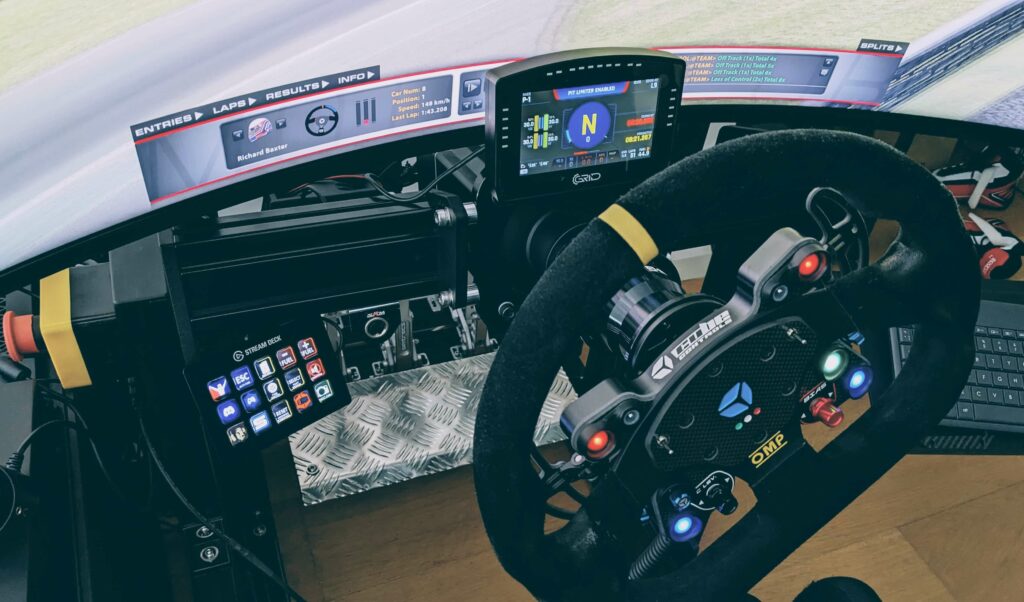
One of the things I find more than a little cumbersome about sim racing is the constant back and forth between apps and settings, mostly using the mouse or my keyboard. That’s why I put an Elgato Stream Deck on my rig back in 2021, set up to start iRacing and Discord and open Crew Chief, SimHub and the Heusinkveld SmartControl app. It can do something button boxes don’t, because a button box is a game controller and the Stream Deck launches apps and runs hotkeys. There’s more on how mine is set up in Stream Deck for sim racing.
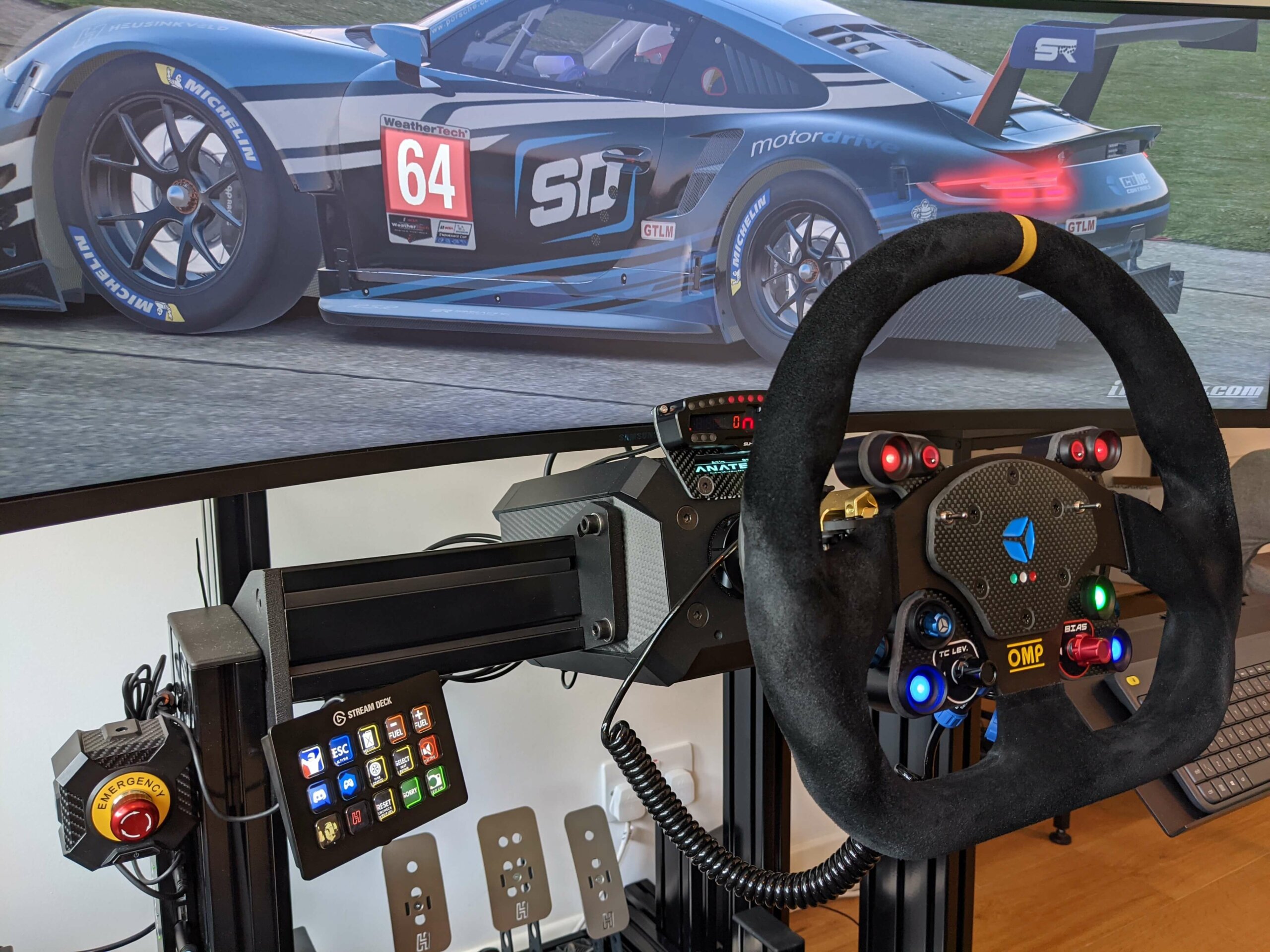
It can show data as well, through a free third-party plugin by the GitHub user pre-martin that lets a key show a SimHub value like fuel or tyre temperatures instead of only firing a macro. For that, SimHub’s Property Server plugin has to be running. The keys are small, though, and you’ll want most of them for controls. So it’ll work as a readout next to a dash, but it won’t replace one.
Mounting a dash to your wheelbase or cockpit
Most DDUs bolt to the front of the wheelbase on a bracket made for that base. The Grid DDU5 comes with a bracket for OSW and Fanatec bases, and you pick the Apex GT3R’s bracket when you order. The Simagic MagicDash 4 fits Alpha EVO bases as standard and anything else with front mounting holes through the MagDock, and the Moza CM2 HD is made for Moza bases.
If you’d rather keep the dash off the base altogether, the BavarianSimTec DDU5 and the Ascher 8-inch both take a 1/4-inch mount, so an arm off the rig works. The Corsair Xeneon Edge goes on Fanatec’s bracket, which fits Fanatec bases and most aluminium profile rigs.
Whichever one you go for, find your exact wheelbase on the maker’s list before you order, and if it isn’t there, ask them.
Which dash should you buy?
If you’ve never had a dash, start with the tablet you already own. That’s where I started, and all it takes is SimHub, plus a trip into the firewall settings if the tablet won’t connect. If you want a proper dash, get a USB DDU with a bracket for your base and let SimHub run it. My own rig runs a Grid DDU5, and at the top end I’ve tested the Ascher 8-inch, which is the wider option. If you’re on a Moza base, the CM2 plugs straight into it over RJ11 and saves you hunting for a bracket. The Corsair Xeneon Edge gives you a far bigger screen, and on a Fanatec base it mounts with Fanatec’s bracket. A flag display like the RaceBox RaceFlag or the Apex Race Flag Pro V2 costs a lot less than any of the DDUs, and it’s enough if the flags and the spotter are all you’re after.
So dig out that old tablet and give it a go, and let me know in the comments what you end up running.
Related Articles
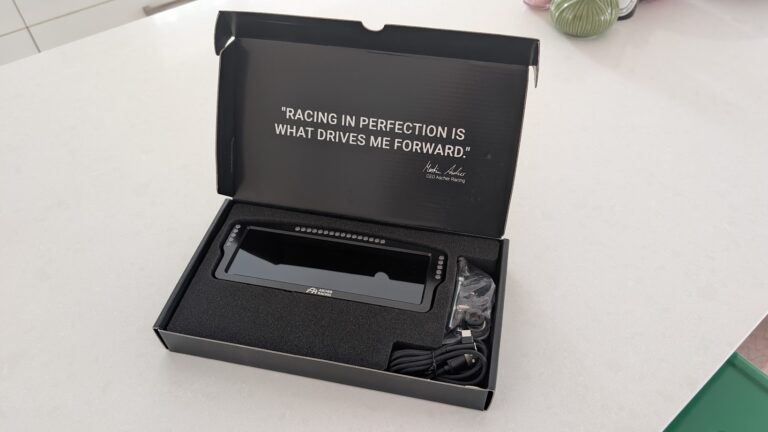
Ascher Racing 8-inch Dashboard Review: Recommended DDU
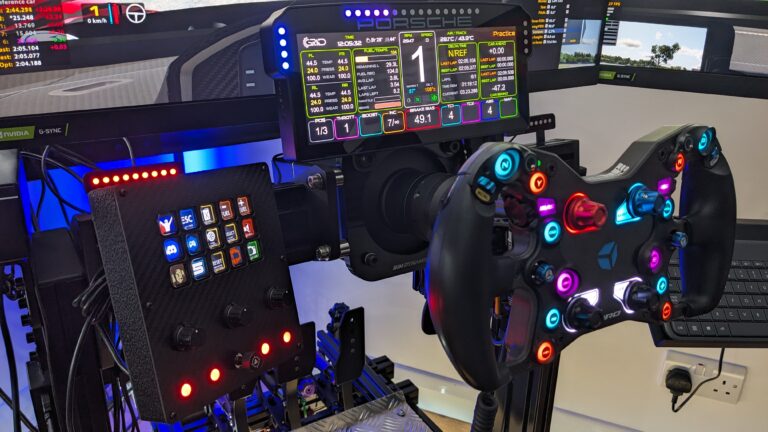
The Best Sim Racing Dashboards and DDUs for 2026
MOZA Racing FSR2 Formula Wheel and CM2 Dash Review
Reaperware iFlag: Test Drive
Grid Brows: A “Must Have” Accessory for Your Sim