


I’m a sim racer and amateur racer with a passion for Motorsport, good racecraft and the technical and setup aspect of sim racing.
Featured image: Moza Vision GS wheel fitted to my Simucube 2 Pro
While I have no intention of parting with my Simucube 2 Pro direct drive wheelbase, there are now numerous options for the beginner to intermediate sim racer on a budget to go racing with.
Here at SIMRACINGCOCKPIT HQ, I have a few options (sorry for the flex there!). Fanatec’s CSL DD which is, in my opinion, the best low-budget wheelbase, my Simucube 2 Pro is a more expensive but higher-end device (and the best overall choice in my opinion). I’ve also tested the SIMAGIC Alpha and I own a Moza R5, and I’ve just tested and own the new Moza R3. Since then, the Moza R21 Ultra and R25 Ultra and Fanatec’s Podium DD have joined them, and I’ve reviewed the Logitech RS50.

So, what’s on the market? The reason I’m still on the Simucube 2 Pro is that no manufacturer since has put a compelling enough offer in front of me to migrate. I’ve spent so much seat time with it that I’m very used to how it feels, and therefore I’m fastest in it. But if you’re just starting out, or choosing an upgrade – or, if I was starting again and building a new cockpit today – which way would I go at the various budgets?
Your buying choices have never been better than they are today, leaving you to answer the question – which direct drive wheel is best for your skill level? And of course, what fits my budget criteria? In the list below, I’ve tried my best to balance pure force feedback performance and price.
Quick Navigation
Jump directly to what you’re looking for:
Find your wheelbase |
What’s changed |
My picks for 2026 |
The right DD for you |
Firmware and tuning |
Direct Drive Bundles |
How to choose |
The main differences |
Key factors |
Why direct drive |
What torque means |
What’s inside |
Fanatec CSL DD |
ClubSport DD |
Podium DD |
Simucube 2 Pro |
Simucube 3 |
Moza R21 / R25 Ultra |
Moza R12 |
Moza R5 / R5 Pro |
Simagic Alpha Evo |
Logitech RS50 |
Sim-Lab DDS |
Specs compared |
Time to choose
Find your direct drive wheelbase
Filter by platform, torque and budget, then check today’s price.
What’s changed since I last wrote this (September 2026)
A fair bit has moved since I last updated my guide. Fanatec’s ClubSport DD went from 12 to 15 Nm and the DD+ from 15 to 18 Nm in May 2026, via a free firmware update, and the Podium DD has replaced the DD2 at the top of Fanatec’s range. Simucube launched the Simucube 3 (Sport 15 Nm, Pro 25 Nm, Ultimate 35 Nm) and still sells the SC2 Pro alongside it. Moza has added the R5 Pro above the R5 and replaced the R12 with the R12 V2, and its Ultra range now runs from the R16 Ultra through the R21 Ultra to the R25 Ultra. At Simagic the Alpha Evo range has taken over, Logitech has turned up with the RS50, and Sim-Lab’s DDS is still a pre-order. The mechanism underneath – a servo motor, an encoder, a controller board – has remained largely unchanged in principle. What has changed is that 21-bit encoders and cogging-free motors are now standard at Moza and Simagic right down to the $400 bases (which is astonishing – it seems like only a few years ago that direct drive wheels were somewhat unobtainable for most), and the differences between them have narrowed to the point where, once the force feedback is set up, a few hours of seat time will have you up to speed on any of them. The Simucube 3 class of kit is better – cleaner, faster, with telemetry effects the cheaper bases don’t have – but the gap is a lot smaller than the price gap, and, in every case, the money isn’t where your laptime comes from.
My picks for 2026
Like many other reviewers and sim racers in the community, I’ve always enjoyed the Fanatec feedback, but I’m yet to see a reason to dispose of my Simucube 2 Pro. At the high end, I would love a Simucube 3, but the reality is the expensive new QR, potentially new wheels and a different fitting challenge – it just isn’t on my periphery today. If I was starting from scratch with a new high-end rig, I probably would go for the Simucube 3.
On the budget side, I think the budget Fanatec gear is pretty unbeatable, but it’s also quite easily matched by its equivalent Moza platform. I’d be happy with the latest 15 Nm Fanatec direct drive wheel, the ClubSport DD – the one they’ve updated the firmware on and found an extra three newton metres.
The all-rounder for me is the Moza R21 Ultra, just because it’s 21 Nm of torque. There’s plenty of headroom, it isn’t an overpoweringly powerful wheelbase, and it just works and runs.
| Pick | Wheelbase | Torque | Platforms | Discount code | More |
|---|---|---|---|---|---|
| The benchmark | Simucube 2 Pro | 25 Nm | PC | – | More |
| Starting from scratch at the top | Simucube 3 (Sport / Pro / Ultimate) | 15 / 25 / 35 Nm | PC | – | More |
| The all-rounder | Moza R21 Ultra | 21 Nm | PC | SIMRACINGCOCKPIT (3% off) | More |
| Budget | Fanatec CSL DD | 5 Nm (8 Nm with the Boost Kit) | PC, Xbox | SIMRACINGCOCKPIT5 (5% off) | More |
| Budget with headroom | Fanatec ClubSport DD | 15 Nm | PC, Xbox | SIMRACINGCOCKPIT5 (5% off) | More |
The right Direct Drive for you
I’ve always struggled with the idea of “the best” direct drive wheel, because the bottom line is that whichever wheel you own, you get used to its unique pattern of force feedback anyway. It’s much the same as a real car. No two actual racing cars feel the same at the steering rack, or communicate the track detail through the front tyres in the same way. Different cars are different things, different wheelbases are different things, and whichever one you choose, within the parameters of which ones the reviewers prefer, you’re going to get used to it and get quick on it simply by getting seat time in your sim.
It’s the firmware and tuning, not the motor
A well set up wheelbase, in terms of the tuning, will usually win in the end. You adapt to the more unique attributes of each wheelbase’s force feedback spectrum. Seat time plus refinement over time is better than simply expecting to buy the best direct drive wheel according to lots of reviewers, and thinking that buying the newest device will make you faster. No one will say this in a YouTube video, because they’re motivated to sell the device – unless the consensus on the device is that it’s terrible, in which case they may even refuse to review it. In my history I was sent one wheelbase that I refused to review and returned, because it was rubbish. I won’t disclose the manufacturer, to save their blushes.
Direct Drive Bundles
If you truly are just getting started out and you have a fixed budget, buying a bundle makes an awful lot of sense because you get the pedals, the steering wheel, and the direct drive wheelbase, leaving you only to choose the cockpit, preferably with a seat. And, of course, your gaming PC and monitor. Bundles weren’t really a thing when I got started, but they are a very cost-effective way to begin today. We’ve picked the best direct drive bundles by budget and platform, from the MOZA R3 all the way up to a Simucube 2 Pro.
How to Choose a Direct Drive Wheel
If you ask for a recommendation in the majority of the sim racing forums, you will end up with a bit of a competition amongst owners to declare their wheel the best. You could be singularly unimpressed by a wheel because it wasn’t set up by the owner correctly.

The cheapest bases start under 500 ($/£/€) and most of the rest come in under 1,000. Over 1,000 you’ll find the Simucube 2 Pro, all three Simucube 3 bases, Sim-Lab’s DDS and, at its list price, Fanatec’s Podium DD. Spending more mostly buys you more torque, though past roughly 10 to 15 Nm the returns get smaller.
What are the main differences between Direct Drive wheels?
Torque is the number everyone quotes, but the bigger differences between one direct drive base and the next tend to be the hub, the software and the support. By software I mean the firmware updates and how easy the tuning app is to live with, whether that’s Simucube Tuner, Moza Pit House or the Fanatec App. Support means the customer service behind the base, and whether the maker has sold enough of them to iron out the problems.
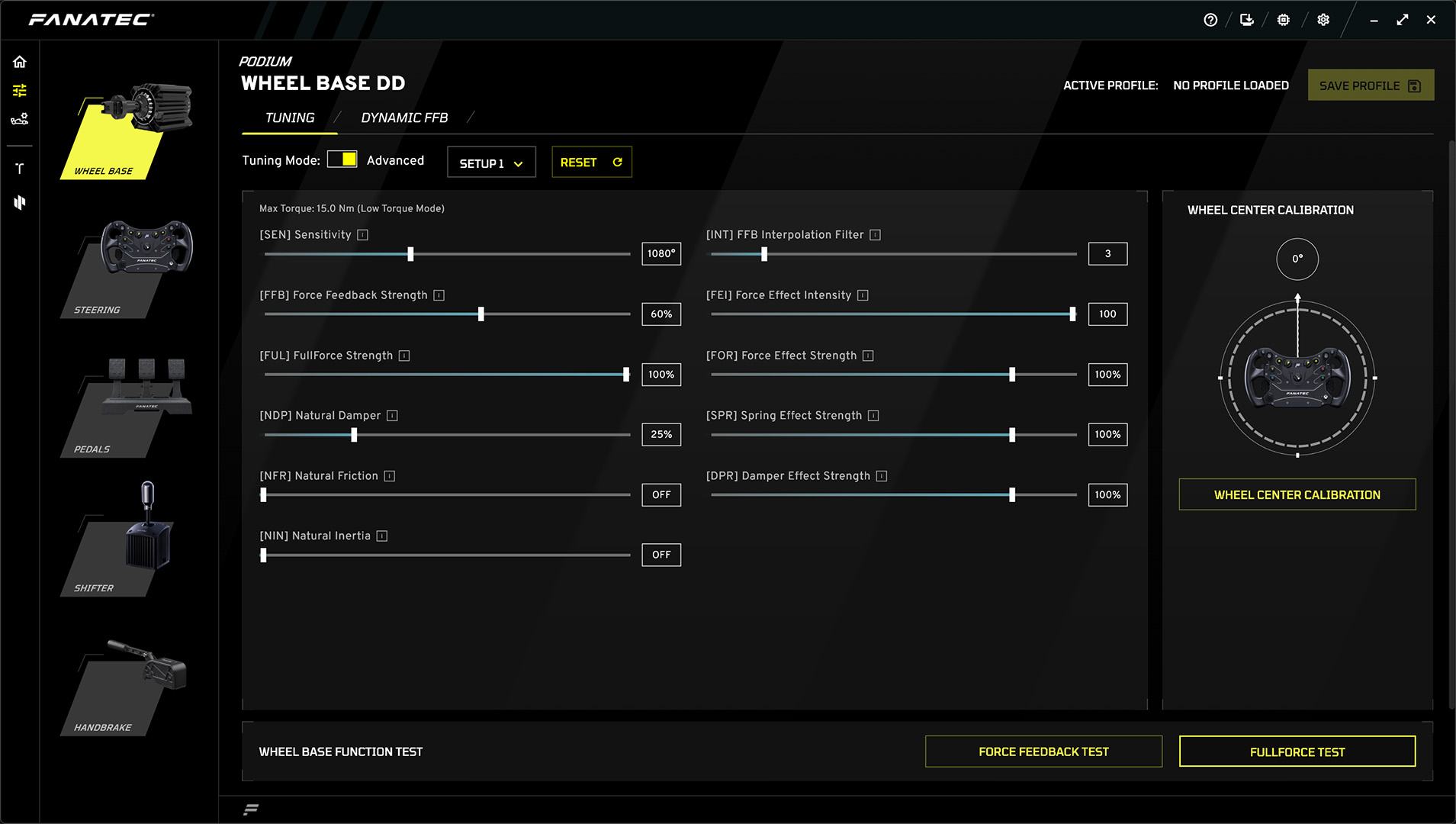
Each brand’s community offers online support for troubleshooting, and owners in the forums share their FFB settings for your favourite racing game.
Simucube’s Paddock is where you upload, share or download FFB profiles, sorted by game. It now lives inside Simucube Tuner 3.0, which has replaced True Drive and runs both the Simucube 2 and the Simucube 3. Your existing profiles carry across, and the old True Drive Paddock is being discontinued later in 2026.
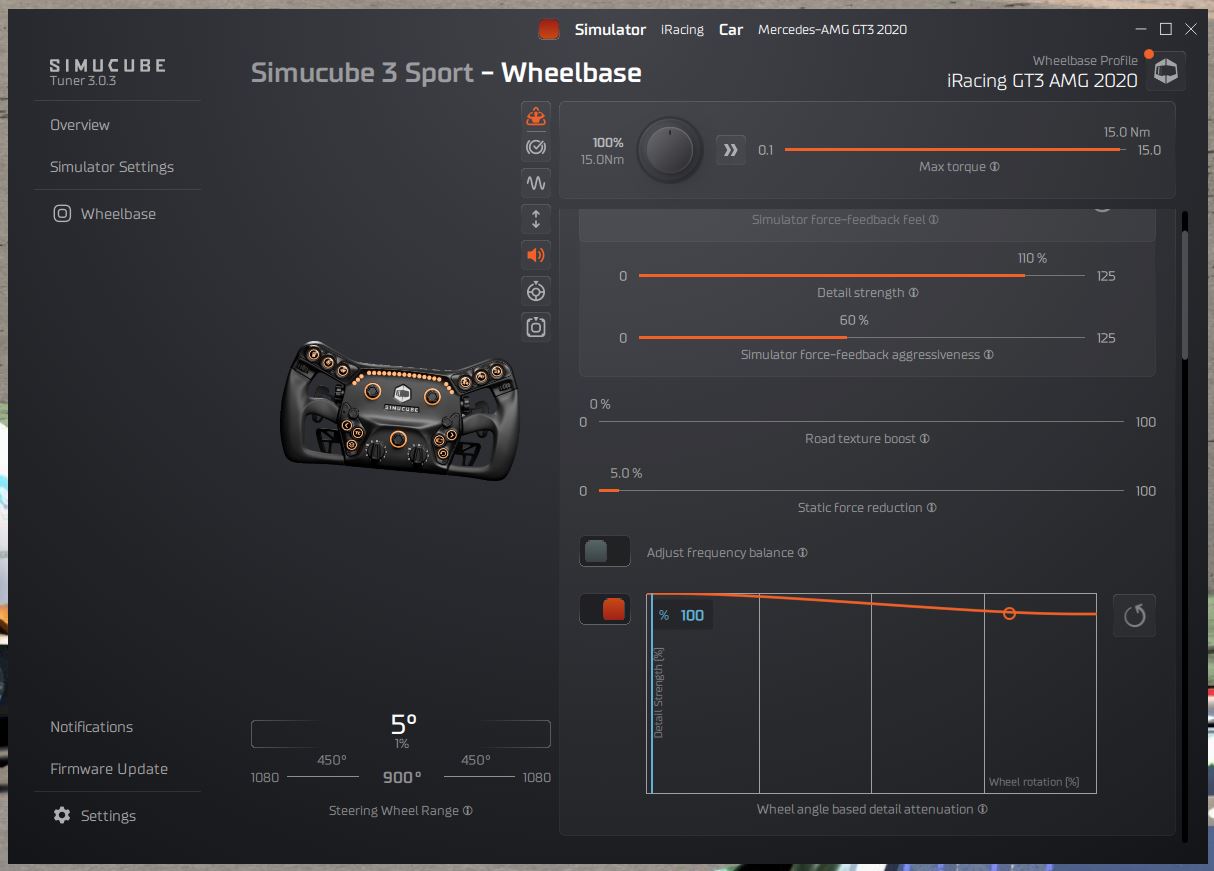
If you have force feedback properly set up, there is rarely any significant difference between wheels that would fundamentally affect your enjoyment or performance in your simulator.
That’s not to say that different manufacturers don’t have their own characteristics, but they’re such subtle differences that few of even the most professional and particular drivers would actually be bothered by them.
Factors that are Important to the Typical Sim Racer
Critically, I want my DD wheel to work! If you’ve spent enough time in the sim, you’ll know that from time to time, things can go wrong.
If you’re quite technically inclined (perhaps you build your own OSW wheels or you’re just interested in the software and technology), then occasional problems aren’t a big deal. But if something stops working just before qualifying, it can be frustrating.

Mainstream equipment providers like Fanatec and Simucube are well-developed and ultra-reliable.
That’s because they’re not particularly niche and offer good support. They’ve sold enough volume to iron out the problems.
Hub compatibility might be an issue, too. The QR (quick release) hub is the part that connects the wheel to the wheelbase.

I own several Fanatec wheels, and they’re only compatible with Fanatec wheelbases.
Racing on a console adds one more thing to check, which is where the licence lives. On PlayStation it’s built into the base, as it is on the ClubSport DD+, the GT DD Pro and the PlayStation version of the Logitech RS50. On Xbox, a Fanatec base needs an Xbox-licensed Fanatec steering wheel on it, while the Xbox/PC version of the RS50 and Moza’s Xbox R3 bundle carry the licence in the base itself. If you’d rather race at a desk than on a rig, Moza’s desk clamp is made for the R3, R5, R9 and R12, and Fanatec’s is made for the CSL DD.
Why is Direct Drive better for Sim Racing?
Direct Drive wheel motors have no “lash”. Lash is a momentary, if subtle relaxing and tensioning on a belt within most conventional belt-driven sim steering systems. The absence of lash in a direct drive wheel results in the ability to crank the steering weight up without losing any of the feedback quality.
All of the wheel movement is as intended by the simulation software. There’s less lag in the system and no mechanical play. The speed at which a direct drive wheel can deliver feedback means you can respond more quickly to slides, so you’ll feel like you can handle slides and sudden events quickly and competently. Once you’re used to the forces involved with a DD sim wheel, you’ll likely feel more confident, make fewer mistakes and eventually find a sweet spot where you’re really enjoying the driving.
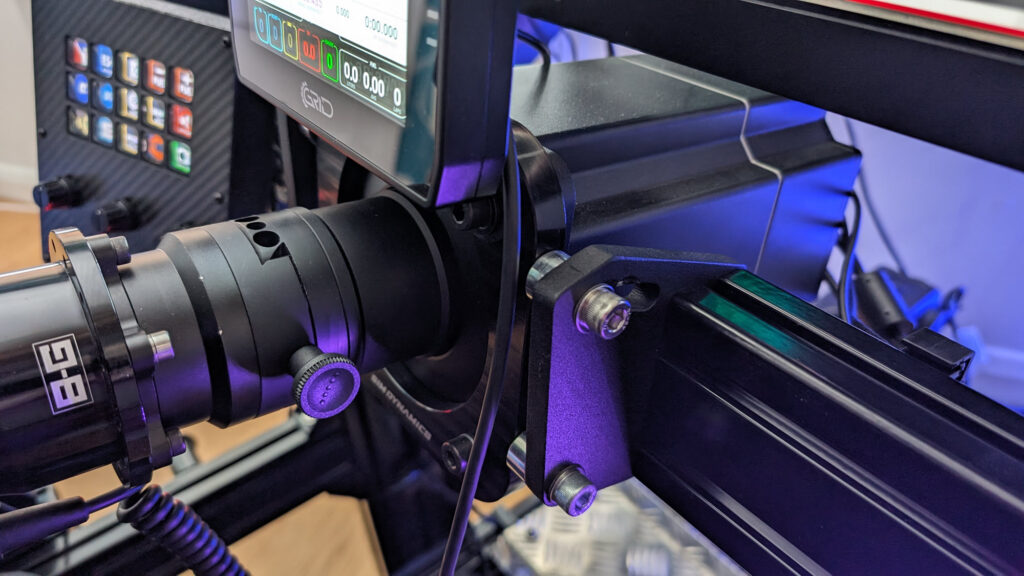
Direct-drive wheels can deliver higher peak and nominal (holding) torque levels. The availability of torque does open the opportunity to give more concise force feedback effects (see: what is FFB?) – as a driver, I like to feel when the car is losing its available grip, and I like that sensation to manifest itself through an opposing force, especially in the mid-corner. Direct-drive wheels do this exceptionally well, whereas something like a Logitech G29 would barely let you know you were sliding by comparison.
I absolutely love feeling the track detail as I’m driving. Kerbs and rumble strips are there to tell you you’re on the track limit with your car. To feel the vibration through the wheel is great. By their nature, the motor and motor control electronics can operate the motor at very high frequencies. High enough, in fact, that the Simucube 2 Pro can beep at you simply by sending a high frequency through the motor. And most DD wheels feel heavy, industrial by design, and as a result, feel like they’ll stand the rigours of time.

What does torque mean?
Torque is the most important aspect when it comes to direct drive systems. Manufacturers tend to talk about two types of torque values: peak torque, and holding (or constant) torque.
“Peak torque” refers to the maximum output of the wheel motor in short bursts. You might experience peak torque when you drive over a high kerb, during a high-speed direction change, or in a crash.
“Holding torque” refers to the strength of the motor in resisting rotation.
In sim racing, the driver is regularly resisting the car’s self-aligning torque through a corner, causing the motor to heat up. High holding torque performance is crucial to a consistent driving experience.
“Torque ripple” is a very subtle vibration you would feel in the steering wheel during constant rotation.
What’s inside a Direct Drive Wheelbase?
Most of us would never dream of unscrewing our wheelbase cases to find out what’s inside. Fortunately, YouTubers like Barry Rowland at Sim Racing Garage do regularly!
In any DD wheelbase, fundamentally, you have a motor, a power supply, a motherboard, a digital motor drive and a USB converter.
Types of motor
You’ll encounter a few different types, arrangements, and manufacturers of the motor in a DD wheelbase. Here’s what you’ll commonly come across.

Conventional in-runner motors have stator coils on the inside of the case, and the magnets are attached to a rotor in the centre. The shaft rotates with the magnets. This is a typical motor arrangement found in a DD wheel.
Outrunner motors have their magnets attached to an outer casing that rotates around the stator.
The motor shaft when spun would also spin the outer motor case. The permanent magnets on the outrunner are placed on the rotor and the rotor spins on the outside case. On the inside of the motor are the stator windings which do not rotate, they are fixed in position.

Outrunners can produce more torque but have a lower RPM per volt. The Fanatec DD1 and DD2 used outrunner motors as their preferred component choice as they felt the outrunner could deliver more torque at low RPMs.
A servo motor is not a motor type per se, but a motor that has an encoder built into its casing to measure position, torque and rotation. This is critical for fine control of the output rotation and sensing the driver’s inputs (resisting forces, steering inputs and so on) through the digital motor drive.
MiGE is a popular servo manufacturer in the sim racing community, and their products tend to form the basis of most OSW wheel kits. With an optional Fanatec hub adapter and a USB conversion board, you could make a start on building your own direct-drive sim wheel quite cheaply.

So, now we know how direct drive wheels work, let’s take a look at what’s available on the market today.
Fanatec CSL DD
Fanatec rocked the sim racing industry with its CSL DD wheelbase. As a sub $500 / 500EUR device, it plays directly in the usual stomping grounds of Logitech and Thrustmaster. As the CSL DD was launched, so was the ClubSport and CSL Elite range of belt drive wheelbases made obsolete.
Fanatec has staked its future on direct drive-only equipment.

Fanatec is cleverly making direct-drive wheels more affordable, and, by getting to market earlier than its competition, this little direct-drive unit has become the entry-level unit. If I were building a budget sim rig, I’d choose this wheelbase and a Sim-Lab GT1 Evo sim racing rig making a strong starting point for barely more than $1000!
The idea of a $1000 wheelbase and cockpit would have been pure fantasy a few years ago. Yet, here we are. But, is the CSL DD any good? I had my doubts, but when I tried it I found it very smooth and surprisingly detailed for an 8 Nm peak torque wheelbase.

This is a brilliant starter wheelbase – and comes recommended by me. The CSL DD gives you 5 Nm of peak torque as standard, or 8 Nm with the Boost Kit 180, and both versions ship with the QR2 Lite base side. That base side takes the Lite, regular and Pro versions of the QR2 wheel side. It runs on PC, and on Xbox with an Xbox-licensed Fanatec steering wheel, but it doesn’t work on PlayStation out of the box. You can run it through a Collective Minds Drivehub, though the Drivehub needs a licensed PlayStation controller in PS4 mode (a HORI or NACON one) plugged in to authenticate.
Fanatec ClubSport DD and DD+
The ClubSport DD and DD+ sit between the CSL DD and the Podium DD in Fanatec’s range, and neither has been on my rig.

So, what’s the difference between the two?
ClubSport DD
The ClubSport DD now delivers 15 Nm of holding torque, up from the 12 Nm it launched with, via a free firmware update in May 2026 (V1.4.2.3 or later, through the Fanatec App). It runs on PC and on Xbox, and it won’t work on a PlayStation, so if that’s your console, the one to look at is the ClubSport DD+.
ClubSport DD+
The ClubSport DD+ works on PC and PlayStation (PS4 and PS5) rather than Xbox. It also has 3 Nm more holding torque than the ClubSport DD, at 18 Nm since the same firmware update.

Fanatec Podium DD (and the DD2 it replaced)
When I owned one, I was a huge fan of my Fanatec DD2. The DD2 was extremely easy to install and set up making it ideal for the first-time direct drive wheel user. In fact, I upgraded from a CSL Elite to the DD2 and have always felt that this was a good choice.
Fanatec’s outrunner-style motor was unique in sim racing and allowed for a really convincing torque delivery throughout the torque range.
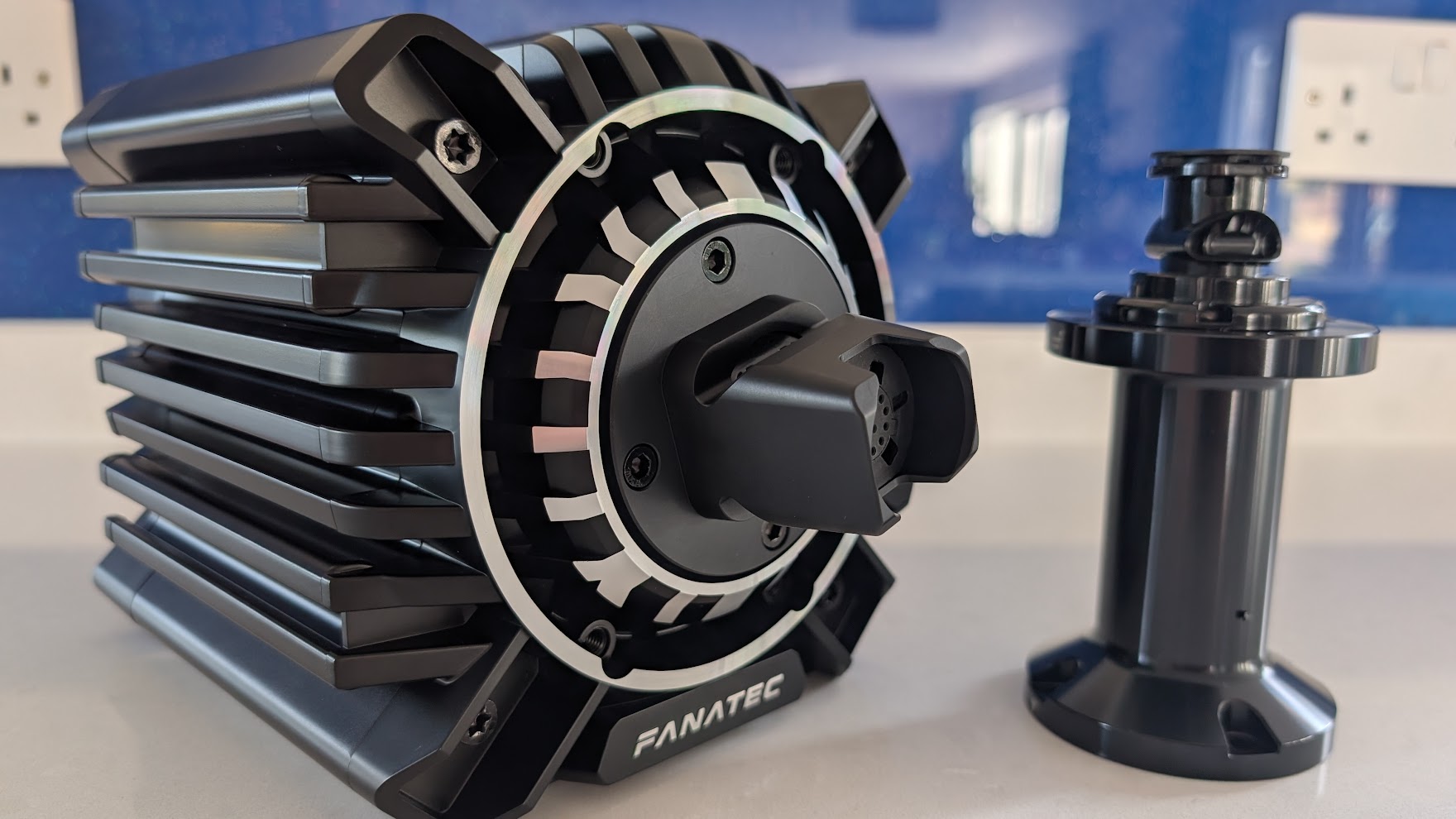
I own a Podium DD, the base that replaced the DD2 as Fanatec’s flagship. It has 25 Nm of holding torque (with a peak overshoot to 33 Nm), Fanatec’s second-generation architecture with FluxBarrier, passive cooling and the QR2 base side preinstalled. It works on the same platforms as the Fanatec CSL DD, which means PC and Xbox but not PlayStation.
Simucube 2 Pro

Simucube’s Direct Drive brushless torque motor is super smooth, and you can tell that the build quality and componentry in this wheel are of an exceptionally high standard.
The entry-level Simucube 2 Sport has a peak torque of 17 Nm and a slew rate of 4.8 Nm/ms, against 25 Nm and 8.0 Nm/ms for the Simucube 2 Pro.

The SQR hub leaves absolutely no flex on the table, and there are just a bunch of amazing features including their ARM CPU and motor control electronics that make this thing so fast and responsive, it’s a surprise when you first start using it.
I ended up using my Simucube much more than the DD2. It seemed to outperform the DD2 on the details and smoothness of the FFB.
Personally, it’s the SQR hub that does it for me. I’ve always found the Fanatec hub lacking in stiffness – there’s always a tiny bit of play between the wheel and the hub. The SQR quick-release system is literally rock solid, and I love it for that.

For more information on the Simucube 2 family, I’ve written a guide to this favourite direct drive unit including installation and setup tips. Simucube also sells pre-owned Simucube 2 Pro units, marked down for visual defects.
Simucube 3
Simucube launched the Simucube 3 Sport (15 Nm) and Pro (25 Nm) on 9 October 2025, and the 35 Nm Ultimate followed in 2026. All three have a 23-bit encoder. A 23-bit encoder reads the wheel’s position in 8,000,000 steps. The quick release isn’t in the box, though: Simucube’s Link Quick Release, the part that carries its LightBridge power and data connection, is sold separately. Every one of them also needs the Simucube Link Hub to run, and the hub is sold separately (EUR97.20 including VAT on Simucube’s store on 28 September 2026).
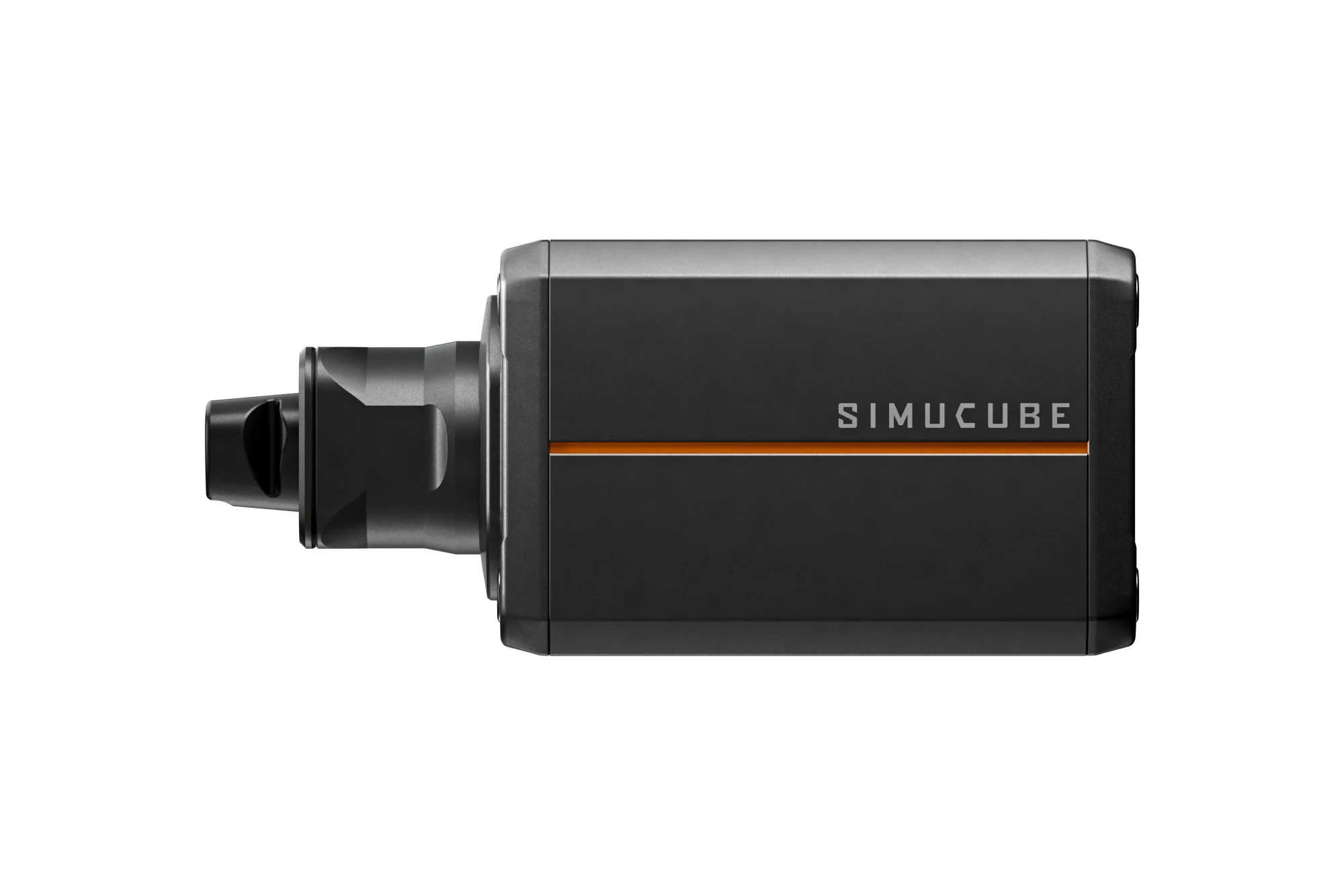
I would love a Simucube 3. But the reality is the expensive new QR, potentially new wheels and a different fitting challenge – it just isn’t on my periphery today. If I was starting from scratch with a new high-end rig, I probably would go for it.
Moza R21 Ultra and R25 Ultra
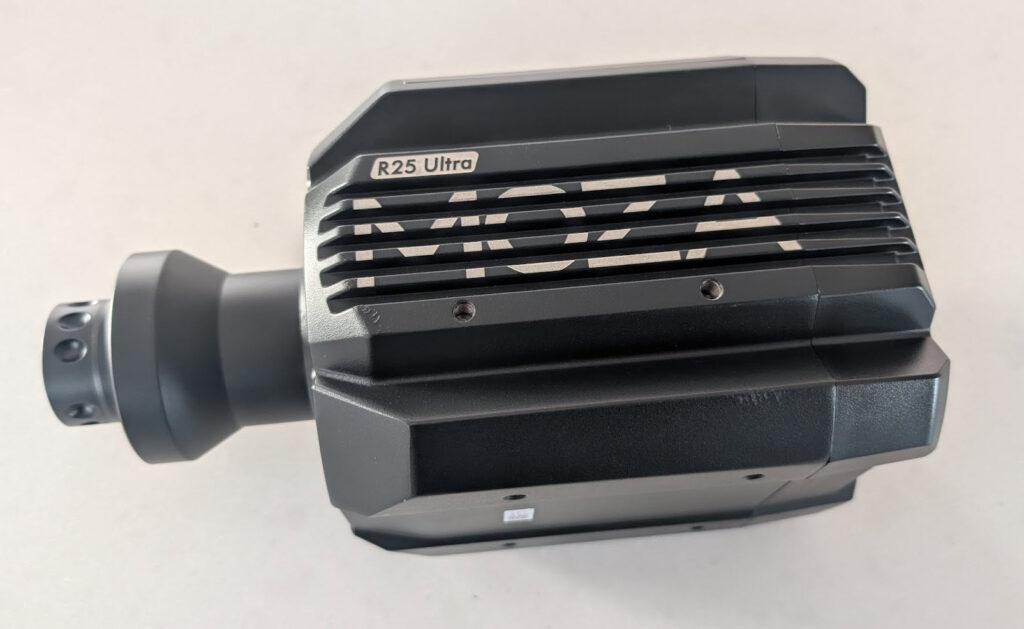
I own the Moza R21 Ultra and the R25 Ultra, two of Moza’s three Ultra bases (the R16 Ultra is the third), and I’ve written up my thoughts on both.
Moza launched the two in August 2025, the R21 Ultra at 21 Nm and the R25 Ultra at 25 Nm. The R25 Ultra adds a true torque sensor.

The Moza R21 Ultra and R25 Ultra share a flat-wire, zero-cogging motor, which Moza says has 26% higher torque density than similarly sized competitors. Both read the wheel’s position with a 21-bit encoder.
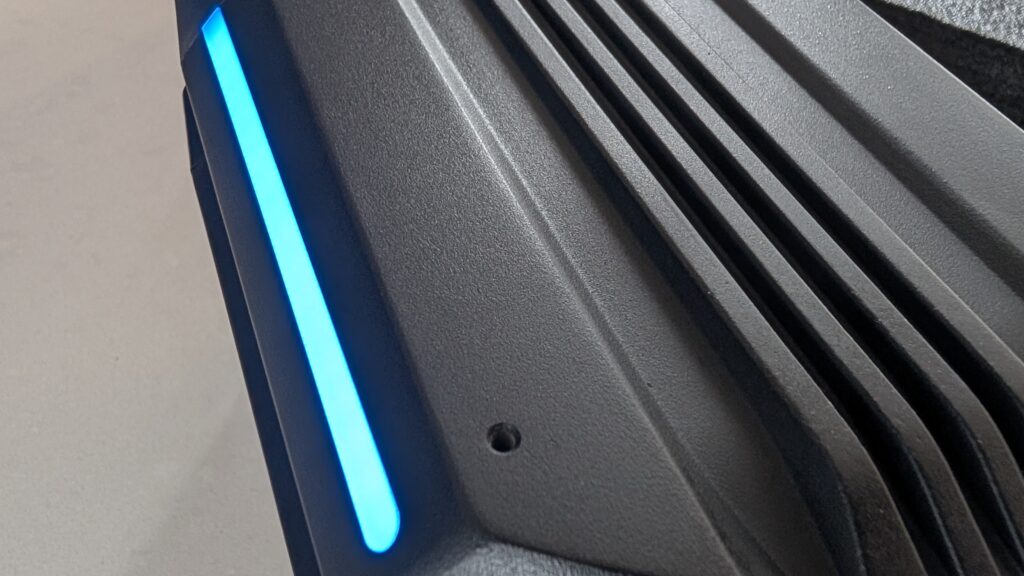
If you’re already invested in the Moza ecosystem and looking to upgrade, the R21 Ultra is an easy recommendation. The R25 Ultra costs $200 more, and for that you get another 4 Nm and the true torque sensor.
Moza R12 (now the R12 V2)
With 12 Nm of peak torque, the Moza R12 is a step up from the 9 Nm R9, and the R16 Ultra is the next base above it.

The R12 I reviewed was the original, and Moza has since replaced it with the R12 V2. The V2 has a 21-bit encoder, a slanted-pole servo motor and support for iRacing’s 360 Hz force feedback signal.
Moza R5 and R5 Pro
The Moza R5 is the match for the Fanatec CSL DD, with 5.5 Nm of peak torque to the standard CSL DD’s 5 Nm. The Moza R3 sits below it in the range, and the 9 Nm R9 V3 above. The R5 comes as a bundle, with the ES steering wheel, SR-P Lite pedals (no clutch) and a table clamp in the box. The 5 Nm CSL DD listing at Fanatec is the wheelbase alone, which means adding a wheel and pedals before you compare the two on price. Fanatec also sells the CSL DD in its Ready2Race bundles.
I’ve had the R5 in for review and, for the money, it’s another great way to start sim racing.

Moza’s Pit House software gives you plenty of settings to tune the R5 with.

The Moza R9 compares well with the CSL DD, though Fanatec has the edge, marginally, on FFB quality and software. The R5 Pro arrived in July 2026 with 6 Nm, a 21-bit encoder, and an ES Lite wheel and SR-P Lite2 pedals in the box. Its pedals use Hall sensors and have no load cell (a load cell brake measures how hard you press, not how far), so the brake is the first thing you’ll want to upgrade. The original R5 bundle is still on sale alongside it, and the R5 I own is the original.
Simagic Alpha Evo
Simagic’s Alpha Evo range has taken over from the Alpha Mini, the Alpha (the one I tested) and the Alpha-U. There are four of them, the Evo Sport at 9 Nm, the Evo at 12 Nm, the Evo Pro at 18 Nm and the Evo Ultra at 28 Nm. On 28 September 2026 the Evo was $519, the Evo Pro $699 and the Evo Ultra $969, across Apex Sim Racing and Trak Racer. All four run a 21-bit encoder. Simagic lists active cooling and support for its own QR50, QR70 and QR-A quick releases on the Evo Sport, the Evo and the Evo Pro, but it doesn’t say either for the Evo Ultra. None of the Evo range has been on the rig here yet.
Logitech G RS50
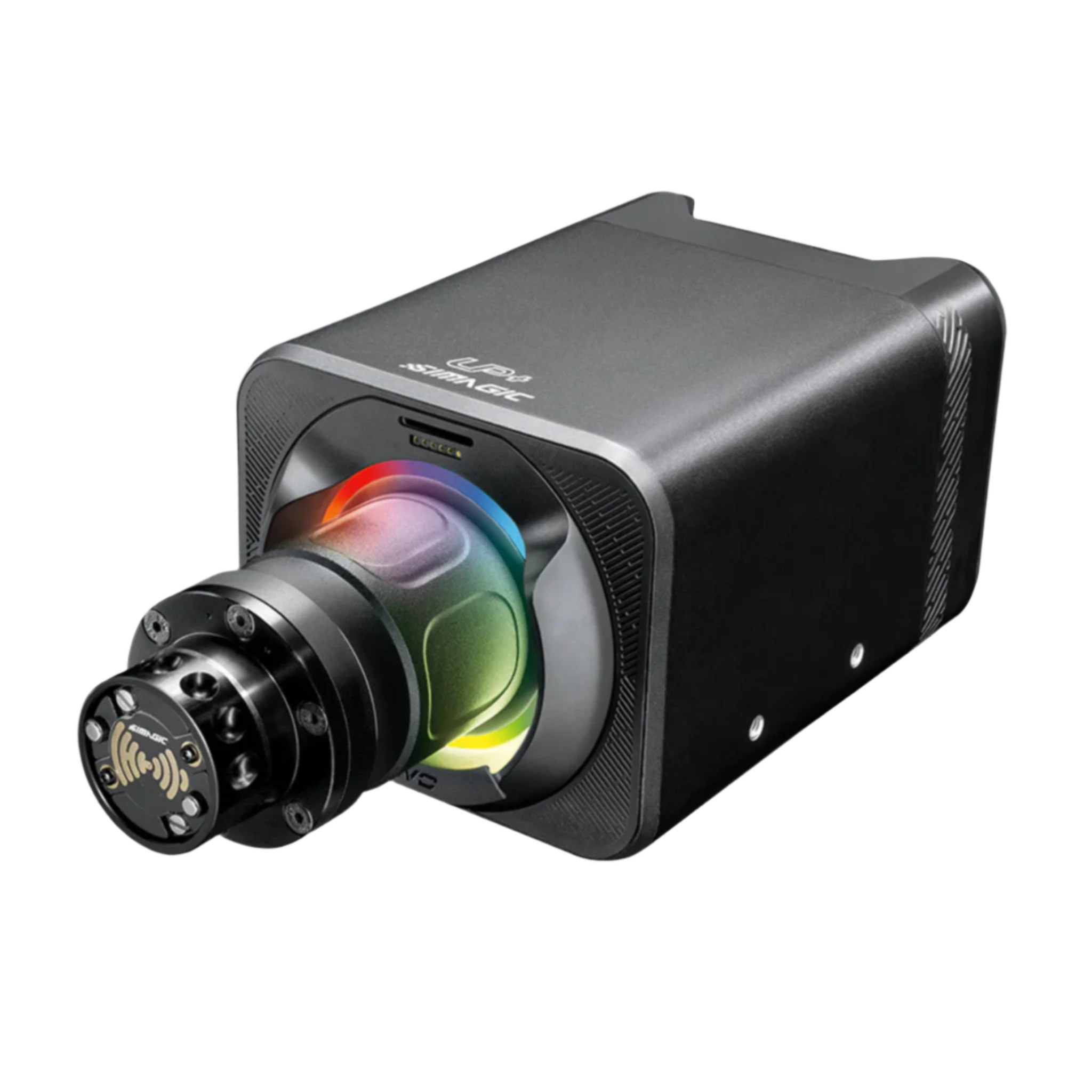
Logitech’s RS50 is a direct drive base with up to 8 Nm of peak torque, TRUEFORCE and an OLED settings display. It’s sold in three versions (PC-only, PlayStation/PC and Xbox/PC), and on the two console ones the licence lives in the base.
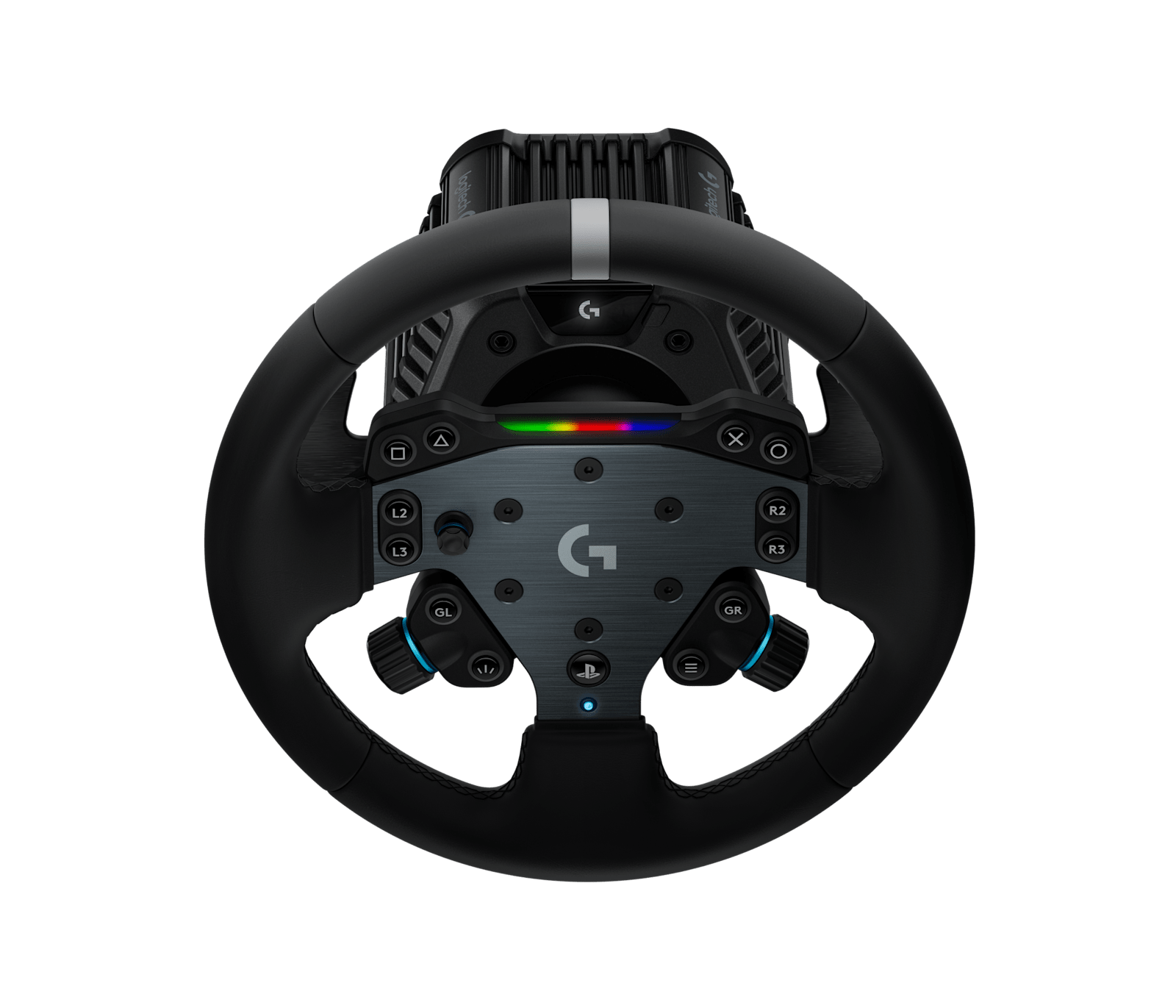
Logitech G RS50 System
The base, the RS hub and the round wheel in one box.
As an Amazon Associate, SimRacingCockpit earns from qualifying purchases.
Sim-Lab DDS TorqueSync
Sim-Lab’s first direct drive wheelbases are the DDS26 and the DDS39, rated at 26 Nm and 39 Nm peak, and each comes with the company’s Xero-Play QR V2 quick release.

On 28 September 2026 the DDS was still a pre-order Founders Edition, and Sim-Lab says new orders ship from the end of October.
Direct drive wheelbases compared
| Wheelbase | Torque (maker’s rating) | Encoder | Platforms | Quick release | Discount code | More |
|---|---|---|---|---|---|---|
| Fanatec CSL DD | 5 Nm / 8 Nm peak (Boost Kit) | – | PC, Xbox | QR2 | SIMRACINGCOCKPIT5 (5% off) | More |
| Fanatec ClubSport DD | 15 Nm holding | – | PC, Xbox | QR2 | SIMRACINGCOCKPIT5 (5% off) | More |
| Fanatec ClubSport DD+ | 18 Nm holding | – | PC, PlayStation | QR2 | SIMRACINGCOCKPIT5 (5% off) | More |
| Fanatec Podium DD | 25 Nm holding (33 Nm peak) | – | PC, Xbox | QR2 | SIMRACINGCOCKPIT5 (5% off) | More |
| Simucube 2 Sport / Pro | 17 Nm / 25 Nm peak | 22-bit | PC | SQR | – | More |
| Simucube 3 Sport / Pro / Ultimate | 15 / 25 / 35 Nm max | 23-bit | PC | LightBridge (Link Hub required) | – | More |
| Moza R5 Pro | 6 Nm | 21-bit | PC | Moza QR | SIMRACINGCOCKPIT (3% off) | More |
| Moza R9 V3 | 9 Nm | 21-bit | PC | Moza QR | SIMRACINGCOCKPIT (3% off) | More |
| Moza R12 V2 | 12 Nm | 21-bit | PC | Moza QR | SIMRACINGCOCKPIT (3% off) | More |
| Moza R21 Ultra / R25 Ultra | 21 Nm / 25 Nm sustained (R25 adds a torque sensor) | 21-bit | PC | Moza QR | SIMRACINGCOCKPIT (3% off) | More |
| Simagic Alpha Evo Sport / Evo / Pro / Ultra | 9 / 12 / 18 / 28 Nm max | 21-bit | PC | Simagic QR50 / QR70 / QR-A | – | More |
| Logitech G RS50 | 8 Nm peak | – | PC only, PC + PlayStation 5, or PC + Xbox (three versions) | RS hub | – | More |
| Sim-Lab DDS26 / DDS39 | 26 Nm / 39 Nm peak | – | PC | Xero-Play QR V2 | SIMRACINGCOCKPIT (5% off) | More |
Time to choose
Good luck and let me know how you get on in the comments!
Related Articles
Should Sim Racers Wait for the Pimax Crystal Pro, or Buy Today?
Sim Racing Wheel Stands and Folding Cockpits: Why I’d Skip One, and What to Buy Instead
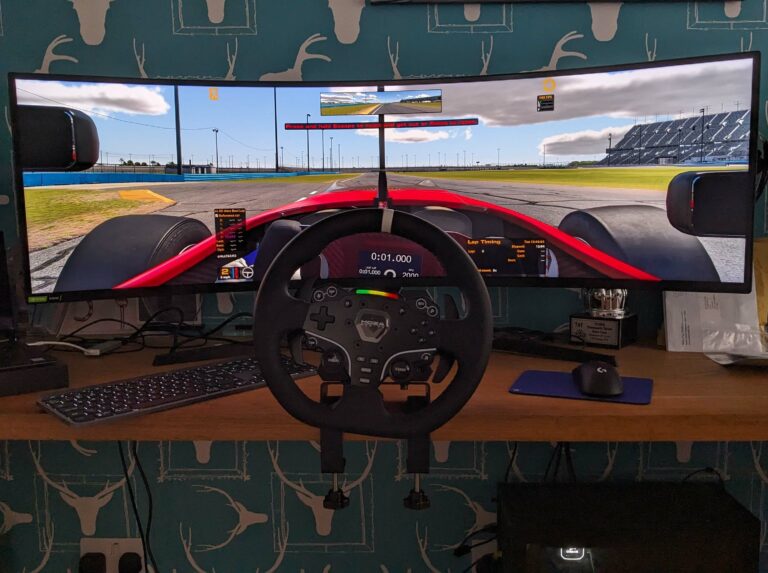
The Best Direct Drive Sim Racing Bundles (2026)
Best Thrustmaster Wheel and Pedal Mods (2026)
ButtKicker and Tactile Feedback for Sim Racing: The Highest-ROI Upgrade You Shouldn’t Skip (2026 Beginner’s Guide)
Sim Racing Motion Platforms: A Beginner’s Guide to Adding Motion to Your Rig (2026)
Topic: Direct Drive Wheels