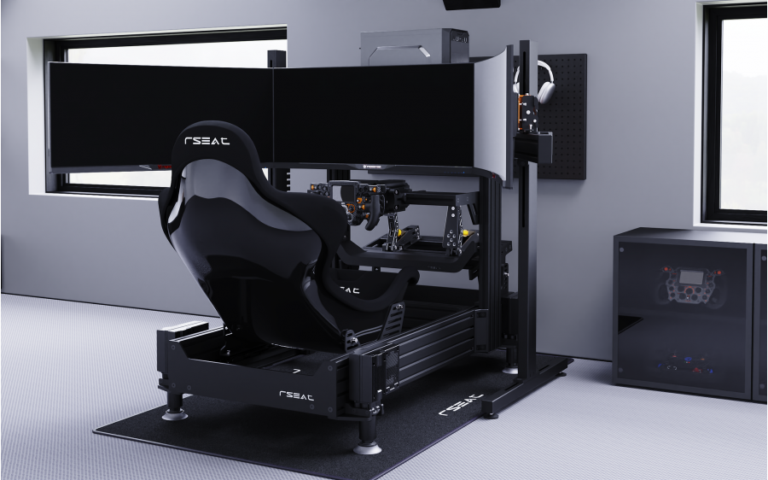
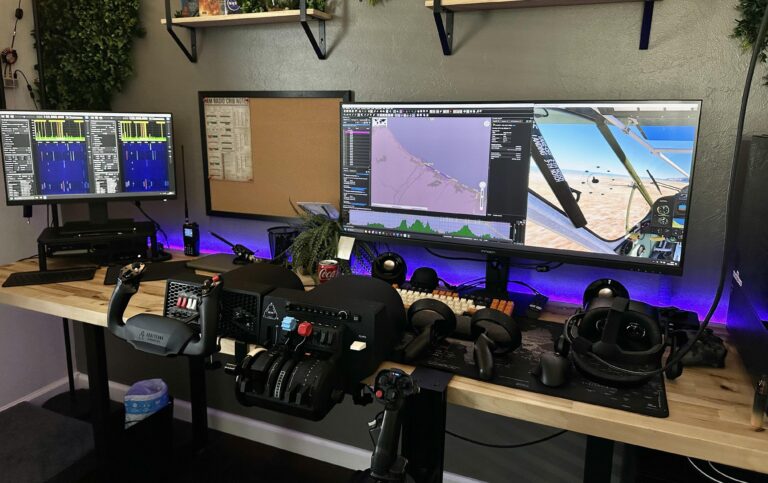
Featured image: AOC Gaming U34G3XM 34″ monitors on my Trak Racer triple stand
Monitors for sim racing come in many shapes and sizes, and because manufacturers offer such a wide array of features and technical specifications these days, it’s hard to keep up with every product release. Today I’m going to give you a comprehensive roundup of what monitors are available, what each technical feature actually means in practice, and honest assessments of value across different price points.
My three 32-inch AOCs at arm’s length give me about 165 degrees of horizontal vision – close to the 180-degree FOV you’d get in a real race car. After running this triple setup for years alongside my Simucube 2 Pro, I’ve learned what genuinely matters for immersive sim racing and what’s just marketing noise.
Quick Navigation
Jump directly to what you’re looking for:
Understanding Monitor Tech |
Sim Racing Partner Deals |
Entry Level Monitors (Under £150) |
Sweet Spot Monitors (£150-£300) |
Premium Monitors (£300-£700) |
No Compromise Monitors (£700+) |
Amazon Best Sellers |
Triple Monitor Setup Guide |
FOV Calculator & Tips

AOC CU34G4V 34″ Curved Ultrawide Gaming Monitor
- 34″ WQHD 3440×1440 curved 1500R display
- 180Hz refresh rate with 0.5ms MPRT response
- AMD FreeSync Premium for tear-free gaming
- Height adjustable stand with full ergonomics
Understanding Gaming Monitor Technology
When you think about it, whichever monitor you use will have a significant impact on your overall immersion in your sim rig. Unless you’re using VR, the importance of a good gaming monitor to your overall sim-racing experience cannot be overstated.
Monitor technology has evolved significantly since I last updated this article. Understanding these specifications will help you make informed choices – particularly as panel technology has become surprisingly nuanced. What looked like clear advantages a generation ago have shifted in unexpected ways.

Samsung 27″ Odyssey G55C QHD 1000R Curved Gaming Monitor
- 27″ QHD 2560×1440 with 1000R curve
- 165Hz refresh rate with 1ms MPRT response
- AMD FreeSync Premium for tear-free gaming
- HDR10 with deep blacks and luminous whites
Screen Resolution Standards
Resolution determines how many pixels your monitor displays, directly affecting image clarity and GPU requirements. For sim racing, you’re balancing visual detail against the performance impact on your system.
1080p (1920×1080 – Full HD): The entry point for sim racing monitors. Whilst it’s dated by today’s standards, 1080p still delivers acceptable clarity on 24-inch displays and requires far less GPU power than higher resolutions. Budget triple 1080p setups remain achievable at $100+ per monitor with high refresh rates and IPS panels.
1440p (2560×1440 – QHD): The sweet spot for most sim racers in 2025. At 32 inches, 1440p provides significantly better clarity than 1080p whilst requiring 36% less GPU power than 4K. That efficiency matters when you’re pushing triple monitors or aiming for high refresh rates. My three 32-inch monitors run at 1440p, and I’d argue it’s the optimal balance for immersive racing without crippling your frame rates. This resolution offers 78% more pixels than 1080p whilst remaining reasonably manageable for mid-range GPUs.
4K (3840×2160 – UHD): Exceptional clarity, particularly on larger displays, but it comes at a substantial performance cost. Triple 4K setups require serious GPU muscle – we’re talking RTX 4080 or RX 7900 XTX territory at minimum. Even then, you’ll face constraints I’ll cover in the triple setup section.
| Resolution | Pixels | Best For | Performance Impact |
|---|---|---|---|
| 1080p | 2,073,600 | Budget builds, high refresh | Low |
| 1440p | 3,686,400 | Sweet spot (78% more pixels than 1080p) | Moderate |
| 4K | 8,294,400 | No compromise clarity | High |
Monitor Panel Technology Comparison
Panel technology determines colour accuracy, response time, viewing angles, and contrast. The landscape has shifted considerably in the past year, with OLED variants showing unexpected strengths and weaknesses.
IPS (In-Plane Switching): The workhorse of gaming monitors. IPS panels deliver excellent colour accuracy and wide viewing angles – essential for triple setups where you’re viewing side monitors at an angle. Response times on modern IPS panels have improved dramatically, reaching 1-2ms GtG (grey-to-grey) performance. They’re reliable, affordable, and avoid the quirks of newer panel types.
VA (Vertical Alignment): Strong contrast ratios and deep blacks make VA panels attractive for single-monitor setups, particularly in darker racing environments. The motion performance isn’t quite at the level of today’s fast IPS panels, but it’s very solid with minimal dark smearing. VA panels typically cost less than IPS at equivalent specifications.
OLED – The Complicated Reality: Here’s where things get interesting. The OLED category has split into two competing technologies – W-OLED and QD-OLED – and they behave quite differently in practice.
Fourth generation W-OLED panels hit 330 nits in SDR content, whilst QD-OLED sits at 250 nits. That’s a 32% brightness advantage that reverses what we saw in earlier generations, when QD-OLED was consistently brighter. The newer 500Hz QD-OLED panels have improved brightness, exceeding 300 nits in SDR content – noticeably brighter than the 240-360Hz variants from earlier generations.
But here’s the thing about QD-OLED’s famous deep blacks – they don’t stay deep in typical room lighting. Ambient light reflects off the panel, raising black levels and giving the screen a greyish cast. It’s a bit disappointing in practice, particularly after you’ve paid a premium for those perfect blacks. W-OLED handles ambient light better, maintaining its contrast advantage in real-world conditions rather than just in darkened rooms.
Mini-LED: Traditional LCD backlighting enhanced with thousands of dimming zones. Modern Mini-LED monitors with 1,152 zones provide peak brightness exceeding 1,000 nits at the $250 US price point. They don’t match OLED’s per-pixel control, but they’ve closed the gap considerably whilst avoiding burn-in concerns entirely.
| Panel Type | Response Time | Contrast | Viewing Angles | Price |
|---|---|---|---|---|
| IPS | 1-2ms | Good | Excellent | Mid |
| VA | 2-4ms | Excellent | Moderate | Low-Mid |
| W-OLED | <0.1ms | Perfect (ambient light dependent) | Excellent | High |
| QD-OLED | <0.1ms | Perfect (degrades with ambient light) | Excellent | High |
| Mini-LED | 1-2ms | Very Good | Excellent | Mid-High |
Refresh Rate & Response Time Explained
Refresh rate measures how many times per second your monitor updates the image (measured in Hz). Response time measures how quickly pixels change colour (measured in milliseconds). Both matter for sim racing, though not always in the ways marketing suggests.
60Hz baseline: The minimum acceptable for sim racing. Adequate for casual racing, but you’ll notice the improvement immediately when moving to higher refresh rates.
120-144Hz sweet spot: The jump from 60Hz to 144Hz is dramatic and immediately obvious. You’ll see smoother motion, clearer details during fast movements, and generally more fluid racing. This is the range I’d recommend for most sim racers.
240Hz and beyond: The jump from 144Hz to 240Hz is measurable but subtle. Many users report they genuinely can’t tell the difference – it’s not like competitive FPS where every frame matters for twitch aiming. A 240Hz monitor shows a new image 2.77ms faster than a 144Hz display, but sim racing’s motion characteristics don’t benefit as dramatically as other gaming genres.
Response times: Target below 5ms to reduce ghosting and motion blur. Modern IPS and OLED panels typically achieve 1-2ms or better. Variable overdrive produces optimal speed across the entire refresh rate range, which benefits monitors with wide refresh capabilities.
Adaptive Sync Technology in 2025
Adaptive sync eliminates screen tearing by synchronising your monitor’s refresh rate with your GPU’s output. AMD’s FreeSync and NVIDIA’s G-Sync have largely converged – most modern monitors support both GPU manufacturers without issue.
My 32-inch monitors are G-Sync compatible with my NVIDIA GPU, which matters for maintaining smooth frame delivery when rendering rates fluctuate. The technology works seamlessly in practice, preventing visible tearing without the input lag penalty of traditional V-Sync.
HDR Standards
HDR (High Dynamic Range) expands the range of colours and brightness levels your monitor can display. The standards have proliferated somewhat confusingly, but here’s what matters for sim racing:
HDR400: Entry-level HDR certification. Honest assessment: it’s marginally better than SDR in most gaming scenarios. The brightness requirements are modest, and you won’t see dramatic improvements.
HDR600/HDR1000: More meaningful certifications with higher peak brightness requirements. HDR600 reaches 600 nits peak brightness, whilst HDR1000 targets 1,000 nits. These make a noticeable difference in supported games, particularly for cockpit details and bright environmental elements.
OLED HDR reality: QD-OLED’s peak brightness specs look impressive on paper, but you’ll encounter frustrating panel dimming during bright HDR scenes. W-OLED maintains more consistent brightness when it matters. These aren’t academic differences – they’re noticeable in daily use, challenging the assumption that higher peak brightness automatically delivers better HDR performance.
| HDR Standard | Peak Brightness | Local Dimming | Real-World Benefit |
|---|---|---|---|
| HDR400 | 400 nits | No | Marginal |
| HDR600 | 600 nits | Yes | Noticeable |
| HDR1000 | 1,000 nits | Yes | Significant |
Connectivity
Modern gaming monitors include multiple input options, but for sim racing you’ll primarily use DisplayPort or HDMI. DisplayPort 1.4 supports 1440p at 240Hz comfortably, whilst HDMI 2.1 has closed the gap with similar bandwidth capabilities.
Triple monitor consideration: You’ll need enough GPU outputs to drive three displays simultaneously. Most modern GPUs include three DisplayPort outputs and one HDMI, which works perfectly for triple 1440p setups. We’ll cover bandwidth limitations for triple 4K in the setup guide section.
USB hub features: Many monitors now include USB hubs for connecting peripherals. Useful for sim racing peripherals like button boxes, though the USB bandwidth is modest compared to direct motherboard connections.
Current Amazon Gaming Monitor Deals
ASUS TUF Gaming 24″ 1080P Monitor (VG247Q1A)
- 165Hz (supports 144Hz) refresh rate
- 1ms response time (MPRT) with Adaptive-sync
- FreeSync Premium technology
- Shadow Boost for dark scene detail
Sceptre Curved 27″ FHD 165Hz Gaming Monitor
- 1800R curved display for immersion
- 165Hz refresh rate with 3ms response
- AMD FreeSync Premium compatibility
- Built-in speakers included
AOC C24G1A 24″ Curved Frameless Gaming Monitor
- 1500R curved VA panel for immersion
- 165Hz refresh with 1ms MPRT response
- FreeSync Premium support
- Height adjustable stand with quick release
ASUS TUF Gaming VG27VQ 27″ Curved Monitor
- 27″ curved 1080P with 165Hz refresh
- 1ms response with Extreme Low Motion Blur
- FreeSync for smooth gameplay
- Ergonomic stand with full adjustment
AOC 24G2 24″ Frameless Gaming IPS Monitor
- IPS panel for wide viewing angles
- 144Hz refresh with 1ms MPRT response
- AMD FreeSync Premium included
- 3-year zero-bright-dot guarantee
BenQ Mobiuz EX2510 24.5″ 144Hz IPS Gaming Monitor
- 24.5″ 1080P 144Hz IPS panel
- HDRi optimization for enhanced contrast
- Built-in speakers with premium audio
- FreeSync Premium technology
Dell 27″ Curved Gaming Monitor (S2721HGF)
- 27″ 1500R curved FHD display
- 144Hz with 1ms MPRT response
- Nvidia G-SYNC Compatible certified
- Height and tilt adjustable stand
BenQ MOBIUZ EX2710 27″ 144Hz IPS Gaming Monitor
- 27″ 1080P IPS with 144Hz refresh
- HDRi technology with Light Tuner
- Built-in speakers with treVolo audio
- Console-compatible (PS5/Xbox Series X 120Hz)
Suitable Gaming Monitors for Sim Racing

Sim racing places specific demands on monitor choice that differ from general gaming or productivity work. Here’s what actually matters when selecting monitors for your rig.
Size Recommendations
A 32-inch gaming monitor is generally recommended as the minimum to avoid heavily limiting your FOV for sim racing. At typical viewing distances (65-80cm), 32 inches provides sufficient screen real estate for peripheral vision without requiring excessive head movement.
27-inch consideration: Viable for single-monitor setups if space or budget is constrained, but you’ll sacrifice some immersion and peripheral awareness.
34-inch ultrawide: An excellent middle ground between single 32-inch and triple setups, providing expanded horizontal FOV in a single panel.
Curvature Benefits
Curved monitors follow the natural curvature of human vision, reducing focus shifting and eye strain during long sessions. The wrap-around effect improves immersion, particularly on larger displays viewed at close distances.
For single monitors 32 inches or larger, I’d strongly recommend curved variants. The difference is noticeable – edges remain in focus without requiring eye movement, and the display feels more enveloping. Flat screens, especially larger ones viewed up close, can distort images at the edges. Curved monitors eliminate this distortion.
Optimal Viewing Distance
The optimal sim racing monitor distance is 25.5-31.5 inches (65cm-80cm) from your eyes to the screen. This range balances sufficient FOV for spatial awareness, comfortable focal distance for extended sessions, practical ergonomics for rig mounting, and natural head movement patterns.
Closer than 65cm can cause eye strain during long sessions. Further than 80cm reduces immersion and peripheral vision effectiveness.
Essential Features for Sim Racing
Thin bezels: Critical for triple monitor setups where bezels interrupt your peripheral vision. Modern gaming monitors typically feature bezels under 5mm.
Low input lag: Target under 10ms total input lag for responsive steering and braking. Most modern gaming monitors achieve this easily.
High refresh rate: Minimum 120Hz, ideally 144Hz or higher. The motion clarity improvement over 60Hz is immediately noticeable in sim racing.
Adaptive sync: Essential for smooth frame delivery when GPU render rates fluctuate. Prevents tearing without V-Sync input lag.
Good colour accuracy: Helps with judging track conditions, reading track limit markers, and spotting opponents’ liveries in peripheral vision. IPS and OLED panels typically excel here. Drivers have very different tastes and there’s no one, perfect answer to a setup. Take a look the comments in this reddit thread to see what I mean!
Should I choose single, triple-screen or ultrawide gaming monitors?

The monitor configuration you choose fundamentally shapes your sim racing experience. Each approach offers distinct advantages and practical trade-offs worth considering before investing.
Single Monitor Setups
A single 27-inch or 32-inch monitor at 56cm viewing distance achieves roughly 130 degrees horizontal FOV. That’s respectable for sim racing, particularly if you’re space-constrained or budget-conscious.
Advantages: Lower GPU requirements (one display to render), simpler setup and cable management, more flexibility for non-racing PC usage, easier to achieve very high refresh rates, and lower total cost (one monitor, no mounting hardware).
Limitations: Reduced peripheral vision affects spatial awareness, less immersive than triples or wide ultrawides, harder to judge relative positioning to other cars, and limited sense of speed and environmental presence.
Curved vs flat consideration: Flat screens, especially larger ones viewed up close, can distort images at the edges. Curved monitors eliminate this distortion, wrapping the image more naturally around your field of view. For single monitors 32 inches or larger, I’d strongly recommend curved variants.
Triple Monitor Setups
Triple 32-inch monitors at 70cm viewing distance achieve approximately 165° horizontal FOV, closely mimicking the ~180° FOV of real race cars. The peripheral vision fundamentally changes how you race.
Advantages: Maximum immersive FOV for flat panel displays, natural spatial awareness for judging car positioning, better sense of speed and environmental motion, proper side mirror visibility (critical for online racing), and each monitor individually useful for other tasks.
Practical realities: Requires significant desk or cockpit space, cable management becomes more complex, GPU requirements scale substantially, initial setup and alignment takes time, and bezels between monitors (though you stop noticing quickly).
The curvature problem: I’ve found that the aggressive curves on Samsung’s Odyssey G7 and G8 don’t form a smooth arc when you set up three of them side by side. The mismatched curvature creates visible distortion at the bezels – something you’d never notice on a single monitor. For triple setups, either choose flat panels or moderate curves (1500R or gentler) that align properly when angled.
Getting closer to your screen does increase your physical FOV, but you’ll need to adjust your in-game FOV settings to match. Otherwise you’ll get a zoomed-in, tunnel vision effect that defeats the purpose. The physical and software FOV must work together.
Ultrawide Monitors

Ultrawide displays (34-inch 21:9 or 49-inch 32:9) offer a compromise between singles and triples. They provide expanded horizontal FOV without bezels or the complexity of multiple displays.
34-inch ultrawides (21:9): Roughly 140-150° FOV depending on viewing distance. Good peripheral awareness without triple monitor cost or complexity. Single cable, single GPU output, simpler setup.
49-inch super ultrawides (32:9): Approaching triple monitor FOV in a single panel. Excellent for cockpit mounting with clean aesthetics. No bezels interrupting the view. But you’ll pay a premium, and these massive panels require substantial desk space.
Samsung 49″ Odyssey OLED G9 (G93SC) Gaming Monitor
- 49″ DQHD (5120×1440) QD-OLED 1800R curve
- 240Hz refresh with 0.03ms response time
- DisplayHDR True Black 400 with infinite contrast
- G-Sync Compatible and FreeSync Premium Pro
Practical considerations: Some sim racing titles handle ultrawide resolutions better than others. Most modern sims support 21:9 natively, but check compatibility before investing in 32:9 panels.
Exclusive SimRacing Partner Deals
Working with select partners allows me to highlight specific monitors that represent genuine value in the current market. These aren’t sponsored placements – they’re products I’d genuinely recommend based on specifications and value positioning.
MSI MAG 27CQ6F – Budget OLED Entry Point

Fourth gen W-OLED at around £600 represents a 10% premium over QD-OLED at £500, but it’s a premium worth paying for the superior panel. The 330 nits SDR brightness versus QD-OLED’s 250 nits makes a meaningful difference in typical room lighting.
Glossy coating preserves black levels with fantastic clarity and no grain, but reflections can be an issue in some circumstances. The matte coating alternative is better at eliminating reflections, but I’d personally prefer the glossy coating and accept the £50 premium for the visual quality improvement.
MSI G32CQ4 E2 – Sweet Spot VA Panel

For those not ready to invest in OLED, this VA panel delivers strong contrast ratios and respectable motion performance at a significantly lower price point. It’s a solid option for triple setups where buying three OLEDs would strain the budget.
The 170Hz refresh rate sits comfortably in the sweet spot for sim racing, and the 1500R curvature is moderate enough to align properly in triple configurations without the distortion issues of more aggressive curves.
MSI MAG 321UP QD-OLED – Premium Option

QD-OLED technology still has its place, particularly in controlled lighting environments. This panel delivers exceptional colour vibrancy and response times that satisfy even the most demanding sim racers.
The caveat is the ambient light handling I mentioned earlier – if your rig sits in a room with windows or bright lighting, consider whether the QD-OLED’s weaknesses might frustrate you. In a dimmed room, though, it’s genuinely impressive.
Complete SimRacing Monitor Selection by Price
2025 has been a difficult year for monitor recommendations due to significantly more price volatility than previous years. What looked like good value six months ago might now be overpriced, whilst former premium options have dropped into sweet spot territory.
OLED prices continue to fall, making the category one of the most competitive across the entire market today. It’s common to see tonnes of budget 1440p options sitting below $200 US in late 2025, which would have seemed impossible just two years ago.
Entry Level (Under £150)
Budget 1440p LCD should cost roughly 60% less than the cheapest OLED – if OLED is £500, your LCD target is around £200. Budget triple 1440p setups remain achievable under £500 (~$630 USD) including stand hardware.
The AOC Q27G40XMn deserves mention with a caveat about the panel lottery – early units suffer from poor firmware tuning that cannot be updated. If you’re considering this model, verify you’re getting a recent production unit or have a solid return policy.
AOC Q27G4XN 27″ Gaming Monitor QHD (180Hz)
- 27″ QHD (2560×1440) VA panel
- 180Hz refresh rate with 1ms GtG response
- Adaptive-Sync with 127.8% sRGB color gamut
- 3-sided frameless design, height adjustable
Sweet Spot (£150-£300)
High refresh LCD versus OLED should cost 30-40% less to justify the performance downgrade. This price range delivers the best value for most sim racers – solid IPS or VA panels with 144-180Hz refresh rates and good colour accuracy.
At this tier, prioritise refresh rate and panel quality over features you won’t use. A reliable 165Hz IPS panel will serve you better than a 240Hz VA panel with inferior motion clarity.
Premium (£300-£700)
OLED territory begins here, and the value equation gets complicated. At the premium end, you’ll see 500Hz and even 540Hz refresh rates. The 540Hz W-OLED costs around £1,100 versus £750 for 500Hz QD-OLED – that’s an 83% price increase for refresh rate gains you won’t notice at 1440p.
Unless you’re consistently rendering above 280 FPS, jumping from 280Hz (£600) to 540Hz (£1,100) represents somewhat diminishing returns. For what? Marginal motion clarity gains that most sim racers genuinely cannot distinguish from 240Hz in actual racing scenarios.
No Compromise (£700+)
Flagship territory where specifications become increasingly academic. The extreme refresh rates like 500Hz+ show minimal perceptible improvement at 1440p – it’s questionable value unless you’re also using the monitor for competitive FPS titles that might benefit from the additional responsiveness.
At this price point, focus on the fundamentals: panel quality, build quality, warranty coverage, and real-world performance in your lighting conditions. The numbers stop mattering as much as the actual experience.
Amazon Best Sellers & Alternatives
Amazon’s best-seller rankings reflect genuine market demand and competitive pricing. These represent what sim racers are actually buying rather than just what manufacturers are promoting.
Best Value 27″ Monitors (Under £250)

The jump from 60Hz to 144Hz is dramatic and immediately obvious – frame times drop from 16.7ms to 6.9ms. Moving from 144Hz to 240Hz is measurable but subtle, with frame times reducing from 6.9ms to 4.2ms. That 2.77ms difference matters more in competitive FPS than sim racing.
At this price point, prioritise panel quality and proven reliability over extreme specifications. A well-tuned 180Hz IPS panel often delivers a better racing experience than a poorly calibrated 240Hz VA panel.
Best 32″ Curved Monitors (The Jaxer Sweet Spot)

32 inches hits the sweet spot for sim racing – large enough for immersive single-monitor setups, manageable in triples without requiring massive desk space, and commonly available with appropriate curvature ratings (1500R or 1800R) that work well when angled together.
From Our Partners: Complete 32″ Selection
Premium 32″ Options

Samsung’s Odyssey line deserves mention with the curvature caveat I raised earlier. The G5 with its 1000R curve works brilliantly as a single monitor but creates alignment challenges in triple configurations. Verify your intended use before committing to extremely curved panels.
Ultrawide Options
34-inch ultrawides represent excellent value for single-monitor sim racers wanting expanded FOV without triple monitor complexity.
49-inch super ultrawides approach triple monitor FOV in a single seamless panel, though at premium pricing.
Quick Comparison: Best 32″ Curved Monitors for Triple Setups
Based on specifications, value positioning, and suitability for triple configurations:
| Monitor | Panel | Resolution | Refresh | Curve | Triple-Friendly |
|---|---|---|---|---|---|
| MSI G32CQ4 E2 | VA | 1440p | 170Hz | 1500R | Excellent |
| Dell S3222DGM | VA | 1440p | 165Hz | 1800R | Excellent |
| Samsung Odyssey G5 | VA | 1440p | 144Hz | 1000R | Moderate (curve issues) |
| AOC CU34G2X | VA | 1440p UW | 144Hz | 1500R | Single only |
Quick Buying Guide: For triple setups, prioritise moderate curvature (1500R or gentler) that aligns properly when angled. Aggressive curves (1000R) are brilliant for singles but create distortion problems in triples. Verify bezel width – thinner is better but you’ll adapt to reasonable bezels within hours of racing.
Field of View for Sim Racing
Proper FOV configuration is critical for accurate depth perception and natural car placement judgment. Get this wrong and you’ll struggle with braking points and overtaking distances.
Triple 32-inch monitors at 70cm viewing distance achieve approximately 165° horizontal FOV, closely mimicking the ~180° FOV of real race cars. Single 27-inch or 32-inch monitors at 56cm viewing distance achieve roughly 130 degrees horizontal FOV.
Moving your monitors closer increases your physical FOV, but you’ll need to adjust your in-game FOV settings to compensate. Skip this step and you’ll end up with a zoomed-in, tunnel vision effect that defeats the purpose. The physical distance and software FOV must work together – they’re not independent variables.
FOV Calculator: Use a dedicated FOV calculator that accounts for your monitor size, viewing distance, and whether you’re running singles or triples. Most sim racing titles include FOV adjustment in their settings – take the time to configure this properly rather than accepting defaults.
The optimal sim racing monitor distance remains 25.5-31.5 inches (65cm-80cm) from your eyes to the screen. Closer positions increase FOV but can cause eye strain. Further positions sacrifice immersion and peripheral awareness.
Triple Monitor Setup Guide
Triple monitor setups deliver the most immersive flat-panel sim racing experience, but they require careful planning around GPU capabilities, mounting hardware, and software configuration.
GPU Requirements
Triple 1440p monitors require an RTX 4070 Super or RX 7900 XT for a good experience across modern sim racing titles. My RTX 3080 delivers 80-100 FPS in Assetto Corsa on triple 32-inch 1440p monitors – playable but not ideal for competitive racing.
1440p requires 36% less GPU power than 4K whilst offering 78% more pixels than 1080p. That efficiency matters enormously when you’re rendering three displays simultaneously.
Here’s something interesting about triple 4K setups – even an RTX 4090 gets capped at 120Hz on triple 4K displays. Not because the GPU can’t render fast enough, but because DisplayPort bandwidth hits its limit first. The cable standard becomes your bottleneck before GPU processing power does.
Refresh Rate Considerations
Many sim racers report they genuinely can’t tell the difference between 144Hz and 240Hz. It’s not like competitive FPS where every frame matters for twitch aiming. Sim racing’s motion characteristics are different – the camera movement is smoother and more predictable, making extreme refresh rates less impactful than in other gaming genres.
For sim racing specifically, refresh rates above 120-144Hz often become overkill unless your system can consistently render at those frame rates anyway. Save your budget for GPU power or better panels rather than chasing diminishing returns at 240Hz+.
Budget Triple Setup
Three of these gets you into OLED triple territory at around £1,800 total. That’s premium pricing, but it’s achievable if OLED’s motion clarity and contrast are priorities. Budget triple 1440p setups remain possible under £500 including mounting hardware if you target value-focused IPS or VA panels.
Sweet Spot Triple Setup
Three of these VA panels deliver excellent value – strong contrast, respectable motion performance, and moderate 1500R curvature that aligns properly in triples. Total investment around £900 including mounting hardware.
Premium Triple Setup
Dell’s offering sits in premium VA territory with proven reliability and 1800R curvature that works brilliantly in triple configurations. The gentler curve eliminates the alignment problems of more aggressive curves whilst still providing improved immersion over flat panels.
Mounting Hardware
Dedicated triple monitor stands from manufacturers like Trak Racer, Sim-Lab, or Next Level Racing provide the most flexible mounting solutions. They allow independent angle and position adjustment for each monitor, critical for achieving proper alignment and consistent viewing angles.
Standard desk-mount arms work but often struggle with the weight and positioning requirements of three 32-inch displays. If taking this route, verify weight capacity and range of motion before purchasing.
Gaming Monitors for Flight Simulation
Flight simulation has different requirements from sim racing, though there’s significant overlap in suitable hardware. Understanding these differences helps optimise monitor selection for flight sim enthusiasts.
Flight simulation emphasises stable, detailed visuals for cockpit instruments over quick reaction times to rapidly changing conditions. The perceived motion is generally slower and more fluid, making extreme refresh rates less impactful than in sim racing.
Refresh rates above 120-144Hz are often considered overkill for flight simulation unless your system can consistently render at those frame rates anyway. The slower camera movements and focus on detailed instrument panels mean you won’t perceive the same benefits from 240Hz+ that you might in faster-paced genres.
1440p is a strong sweet spot for flight sim – sufficient resolution for reading cockpit instruments without excessively burdening your GPU. Response times below 5ms remain important to reduce ghosting and motion blur during head movements or banking manoeuvres.
For flight simulation specifically, prioritise resolution and colour accuracy over extreme refresh rates. A well-calibrated 144Hz IPS panel often delivers a better experience than a 240Hz VA panel with inferior image quality.
The 2025 Verdict
Final summary note: November 2025 sees continued OLED price reductions making the category increasingly competitive. Budget 1440p options proliferate below $200 US, whilst premium OLED panels have dropped into previously mid-range pricing territory.
My current setup: Three 32-inch AOC monitors at 1440p 165Hz have served me brilliantly for years alongside my Simucube 2 Pro. Would I change anything? Perhaps move to OLED when prices drop another 20%, but the current VA panels deliver excellent immersion and reliability.
The monitor market in late 2025 offers unprecedented choice across every price tier. Budget sim racers can build respectable triple setups for under £500. Premium buyers get genuine OLED performance at prices that seemed impossible two years ago. The sweet spot between £150-£300 delivers exceptional value with high-refresh IPS and VA panels.
For most sim racers, I’d recommend 32-inch 1440p at 144-165Hz as the optimal balance. Single monitor if space-constrained, triples if budget and desk space allow, ultrawide as a compelling middle ground. Save extreme refresh rates (240Hz+) and 4K resolution for specific use cases where the benefits justify the substantial cost and performance impact.