
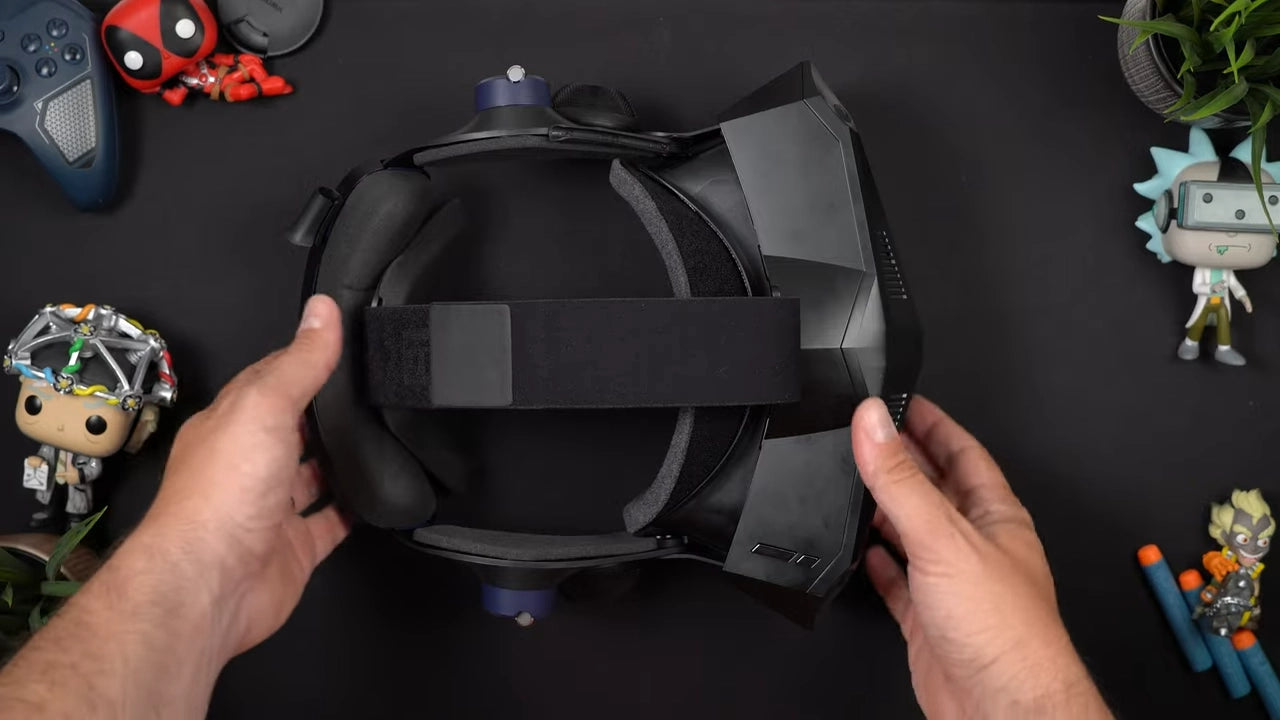

I’m a sim racer and amateur racer with a passion for Motorsport, good racecraft and the technical and setup aspect of sim racing.
The Meta Quest 3 costs around $500. The Pimax Crystal Light sits between $700 and $900 depending on whether you buy direct or through a retailer and the options you choose. I’ve been running the Quest 3 for iRacing for ages, and I recently noticed something that annoyed me more than it should: distant brake markers shimmer. Not blur exactly, shimmer. It’s a compression artefact, and once you see it, you can’t unsee it. So when Pimax sent over the Crystal Light, I plugged it in expecting incremental improvement. What I got instead was a reality shock.
For most people, the Quest 3 remains the better all-rounder. It does standalone VR, it’s comfortable out of the box, and it works without fiddling. But if you’re serious about sim racing, own an RTX 4080 or 4090, and you’re tired of visual compromises, the Pimax Crystal Light is the definitive upgrade.
I’m not calling this a win on raw specs alone. I’ve spent time comparing both headsets in iRacing, Assetto Corsa Competizione, and Automobilista 2. The Quest 3 is brilliant for what it does. The Crystal Light is for people who’ve outgrown what the Quest 3 can do.
This isn’t a fight between bad and good. It’s a comparison between a mass-market headset that does everything well and a PCVR-only device built for people with the GPU horsepower to push it. I’ll walk through where each headset wins, where they’re matched, and whether the price gap justifies the upgrade. Minimum spec for the Pimax? RTX 4080. Ideally, a 4090.
The Resolution vs. Compression Gap: Why Sim Racers Are Upgrading
The difference between the Meta Quest 3 and the Pimax Crystal Light isn’t just resolution or refresh rate, it’s architectural. The Quest 3 is a standalone headset that can connect to a PC when you want better graphics. The Crystal Light is a dedicated PCVR device. It has no onboard processor, no battery-powered game library, and no ability to function without a cable tethered to your rig. That fundamental split defines everything else.
When you run the Quest 3 in PCVR mode, either via the official Link cable or wirelessly through Air Link, you’re streaming compressed video from your GPU to the headset’s decoder chip. Your PC renders the frame, encodes it into H.264 or H.265, sends it over USB-C or Wi-Fi 6E, and the headset decodes it before displaying the image. That encode-transmit-decode loop introduces latency. Testing consistently shows 90,110ms of added delay compared to a native DisplayPort signal. In slower-paced VR experiences, that’s manageable. In sim racing, where you’re tracking apexes at 150mph and reacting to the car sliding under braking, those extra milliseconds stack up. You feel it as a disconnect between steering input and visual response, the world lags slightly behind your hands.
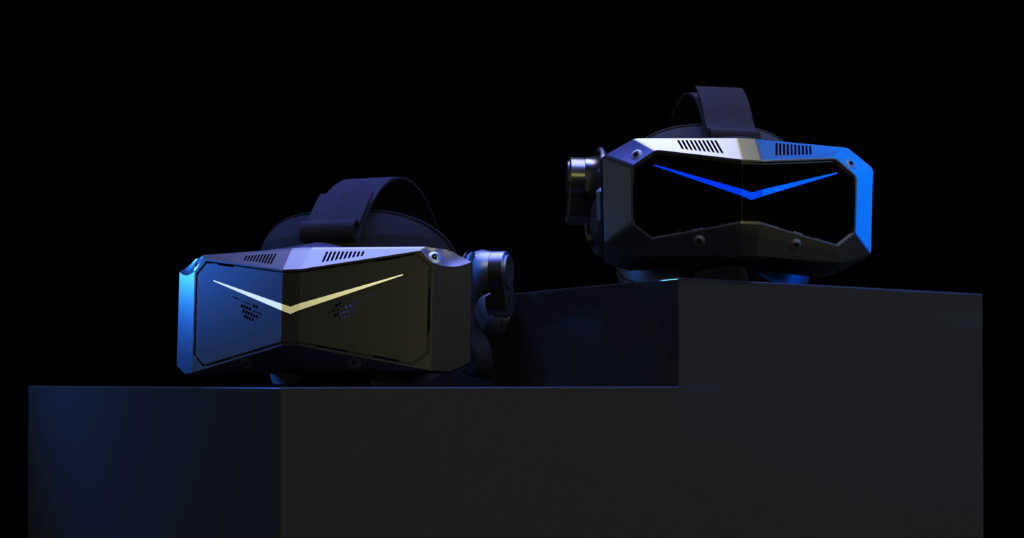
The Pimax Crystal Light, by contrast, uses DisplayPort 1.4. The signal path is direct: GPU to headset, no compression, no wireless handoff, no decoding step. Latency drops to sub-30ms, which puts it in line with a high-refresh monitor. The difference isn’t academic. When you’re trail-braking into Eau Rouge and need to feel whether the rear tyres are about to let go, that tighter feedback loop between what you see and what you feel through the wheel matters. The Quest 3’s compression also introduces visual artefacts during fast panning, the kind of motion that happens constantly in racing sims when you check mirrors or scan for braking markers. Pimax’s uncompressed feed holds detail better mid-motion.
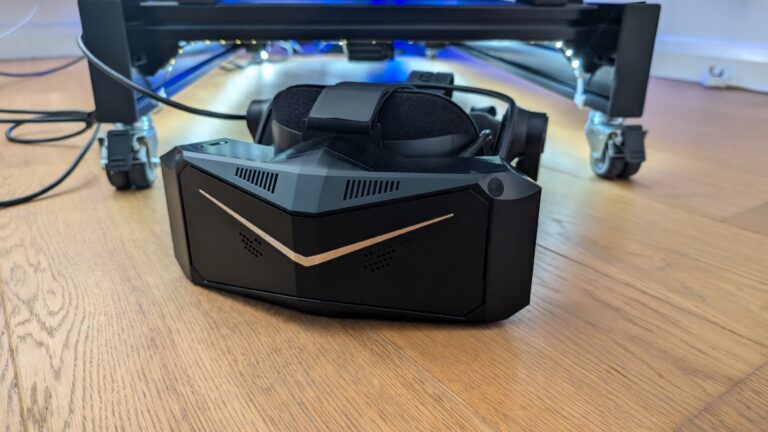
Both headsets use inside-out tracking, which means they map your play space using outward-facing cameras rather than requiring external base stations. The Quest 3 runs Meta’s proprietary SLAM (Simultaneous Localisation and Mapping) algorithms to build a 3D model of your room and track your head position within it. The Crystal Light uses a similar approach but pairs it with support for SteamVR Lighthouse tracking if you already own base stations from an earlier Valve Index or Vive setup. For seated sim racing, inside-out tracking works fine on both, you’re not moving around the room, so the system just needs to handle small head movements and the occasional lean forward to check a dashboard readout.
The common mistake I see is buyers comparing panel specs, 2064×2208 per eye on the Quest 3 vs 2880×2880 on the Crystal Light, and assuming higher resolution automatically means better clarity. It doesn’t, not when one headset is compressing that image to fit through a wireless connection. The Crystal Light’s resolution advantage only shows up if your GPU can push native frames to those panels without bottlenecking. That’s why the floor for this headset is a 4080. Ideally, a 4090. Below that, you’re paying for pixels you can’t fully render, and the Quest 3’s lower resolution paired with smarter encoding might actually deliver a better experience.
If your rig is high-end and you’re chasing fidelity, trackside detail, readable dash text, clean mirrors, the Pimax makes sense. If you want flexibility, portability, or you’re running a mid-tier GPU, the Quest 3’s hybrid approach is the better fit.
The Quick Recommendation: Which One Should You Buy?
Choose the Meta Quest 3 if you want wireless freedom, a library of standalone titles, and you’re willing to accept pancake lens sharpness over absolute resolution. It’s the sensible pick for most people, especially if your GPU isn’t a 4080 or higher, or if you value mixed reality features and the ability to run Beat Saber between iRacing sessions. The trade-off is visual fidelity. You’re getting excellent clarity in the sweet spot, but you’re not getting 2880×2880 per eye.
Choose the Pimax Crystal Light if you’re running a serious sim setup and your GPU can actually drive the resolution. I’m talking RTX 4080 minimum, realistically a 4090 if you want headroom for ACC or MSFS. The Pimax delivers trackside detail the Quest can’t match, readable dash text three cars ahead, clean mirrors at speed, grass texture you can actually see. You’re trading ease of use for that fidelity. The setup is fussier, the lenses are less forgiving if you shift position, and you lose wireless convenience.
What you’re really choosing between: convenience versus ceiling. The Quest 3 works brilliantly within its limits. The Pimax only makes sense if your rig and GPU are already high-end, and you’ve hit the point where visual compromise bothers you more than setup hassle.
Meta Quest 3: Specs and Background
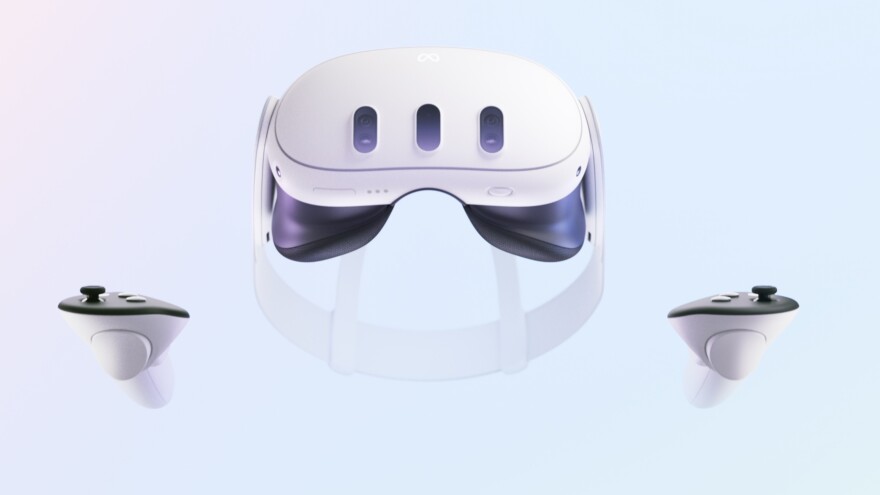
The pancake lenses are where the Quest 3 earns its reputation. Edge-to-edge clarity, minimal distortion, and a sweet spot that covers basically the entire field of view. I’ve tested fresnel lenses across multiple headsets, Reverb G2, older Rifts, and they all share the same problem: turn your eyes thirty degrees off-centre and the image falls apart into chromatic aberration and blur. The Quest 3 doesn’t do that. You get uniform sharpness whether you’re looking dead ahead at the apex or flicking your eyes to check a side mirror. For sim racing, where you’re constantly scanning the environment rather than staring at a fixed point, that uniformity matters more than raw pixel count.
Best VR Headsets for Sim Racing

Meta Quest 3 512GB — 4K Infinite Display
- 30% sharper resolution with 4K Infinite Display
- 2X graphical processing power (Snapdragon XR2 Gen 2)
- 2+ hours battery life with 8GB RAM
- Full-colour high-fidelity passthrough for mixed reality

Meta Quest 2 — Advanced All-In-One Virtual Reality Headset — 256GB
- 3D positional audio with hand tracking and haptic feedback
- Over 250 titles across gaming, fitness and entertainment
- Wireless headset with intuitive controls and built-in battery
- No PC or console needed for standalone gaming
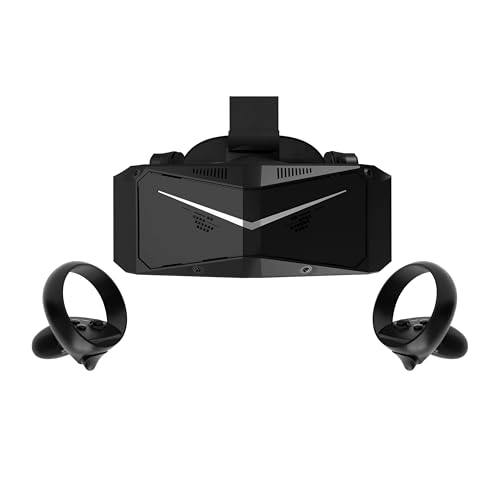
Pimax Crystal Light VR Headset — 8K QLED with Controllers
- Ultra HD 2880×2880 per eye with 35 PPD razor-sharp clarity
- Optimised for flight and racing sims (MSFS, iRacing)
- 30% lighter than Crystal with balanced weight distribution
- Advanced local dimming for deeper blacks and higher contrast

HTC Vive XR Elite with Deluxe Pack — Mixed Reality Headset
- 3840 x 1920 combined resolution with 110° field of view
- Low-latency PC VR gaming via DisplayPort connection
- Hot-swappable battery for up to 2 hours continuous use
- Includes Deluxe Pack: Face Gasket, Strap, Temple Clips, MR Gasket
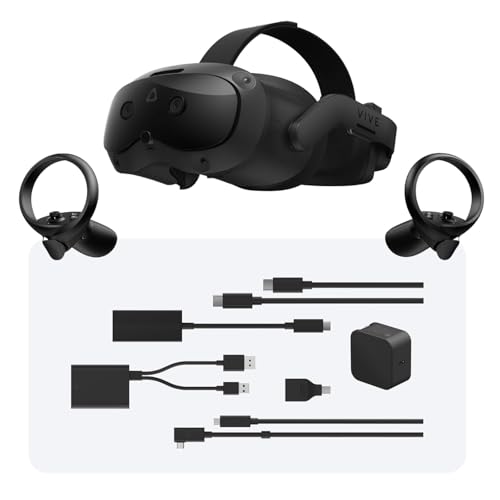
HTC Vive Focus Vision Wired Bundle — XR Headset with DisplayPort
- 5K resolution (2448 x 2448 per eye) with 120° FOV
- Built-in eye tracking and low-light hand tracking
- DisplayPort mode for lossless, high-fidelity PC VR
- 3D spatial audio with open-back dual-driver speakers
The catch is that none of that lens quality survives the compression gauntlet of PCVR streaming. Even with the Link Cable maxed out, you’re looking at a compressed video feed rather than a native DisplayPort signal. Fine detail, the kind you need to judge braking markers or spot a dive-bombing opponent in your peripheral vision, gets smudged by encoding artefacts. It’s not catastrophic, but it’s noticeable if you’ve ever used a wired PCVR headset. The Crystal Light’s tethered connection delivers a mathematically lossless image. The Quest 3 delivers convenience and comfort, then claws some of that back with visual compromise.
Tracking holds up well for most scenarios. Meta’s inside-out system uses four cameras embedded in the headset, and for seated sim racing, where your head stays mostly forward and your hands are on a wheel, it’s flawless. The problems start when you reach behind your head or hold your hands close to your chest for more than a second or two. The cameras lose line of sight, and the controllers start drifting. Not a deal-breaker for racing, where your hands stay planted on the wheel, but if you’re switching between racing sims and standing VR games, you’ll notice the “Bermuda Triangle” effect the moment you try to grab something from behind your shoulder.
| Specification | Meta Quest 3 |
|---|---|
| Resolution (per eye) | 2064 x 2208 |
| Weight | 515g |
| Lens Type | Pancake |
| Refresh Rate | 90Hz (120Hz experimental) |
| Tracking | Inside-out (4 cameras) |
Weight-wise, 515g sounds reasonable on paper. In practice, after two hours in an iRacing endurance stint, you start feeling it. The headset sits front-heavy, and Meta’s default strap does almost nothing to redistribute that load. I’ve found that an aftermarket elite strap or a battery counterweight on the back makes a noticeable difference, not just for comfort, but for reducing the slow neck fatigue that builds up over long sessions. Without that modification, the Quest 3 feels fine for an hour, borderline for ninety minutes, and actively uncomfortable past two hours.
Pimax Crystal Light: Specs and Background

The moment I first plugged in a native PCVR headset via DisplayPort, in this case the Pimax Crystal Light, I understood what I’d been missing compared to the Quest 3. Cockpit labels that were readable-ish on the Quest became sharp. Road signs at Spa that I squinted at became legible two corners earlier. The difference isn’t subtle. It’s the difference between watching a YouTube stream and looking through a window.
The Crystal Light delivers 35 PPD (Pixels Per Degree) through custom glass aspherical lenses, which is the kind of number that sounds like marketing until you’re actually wearing the thing. What it means in practice: instrument clusters in a GT3 cockpit render with the kind of clarity where you can read secondary indicators, oil pressure, brake bias, without leaning forward. The Quest 3’s pancake lenses are excellent by standalone standards, but they’re still working with a compressed, wireless image. The Crystal Light is pulling an uncompressed DisplayPort signal at 2880×2880 per eye. It’s a different category of visual fidelity.
| Spec | Pimax Crystal Light | Meta Quest 3 |
|---|---|---|
| Resolution (per eye) | 2880×2880 | 2064×2208 |
| Display Technology | QLED with Local Dimming | Standard LCD |
| Connection | DisplayPort 1.4 | Wireless (compression required) |
| Refresh Rate | Up to 120Hz | 90Hz (PCVR mode) |
| PPD (Pixels Per Degree) | 35 | ~25 |
The QLED display with local dimming zones is where the Crystal Light pulls further ahead for night racing. True blacks matter when you’re running Le Mans at 3am in the virtual rain, headlights cutting through fog, dashboard backlight the only reference point. The Quest 3’s LCD does fine in daylight tracks, but it can’t turn off individual zones to render actual darkness. Everything glows faintly. The Pimax can render a pitch-black sky with lit cockpit elements in the same frame, and the contrast sells the immersion in a way I didn’t anticipate mattering as much as it does.
That said, you’re paying a GPU tax for this. The Crystal Light requires an RTX 4080 or 4090 to maintain 120Hz at native resolution. I’ve tested it on a 4070 Ti, and while it technically works, you’re either dropping the resolution scaling or accepting judder in heavy scenes, neither of which feels worth it when the whole point of the headset is maximum visual fidelity. Pimax’s FFR 2.0 (Fixed Foveated Rendering) helps if you’re running a 3080, but honestly, if you’re on a 3080, the Quest 3 is probably still the smarter choice. The Crystal Light is for serious hardware. It doesn’t apologise for that.
Weight distribution is better than I expected given the size. The Crystal Light is heavier than the Quest 3, no question, but the mass sits further back on your head rather than cantilevered out front. After hour-long stints at Nürburgring, I notice less forehead pressure and significantly less fogging. The larger internal volume means more air circulation. I’ve run the Quest 3 with a VR Cover interface and an aftermarket fan mod, and it still fogs faster than the Crystal Light does stock. Likely because the Pimax dissipates heat through a larger surface area rather than trapping it against your face.
The cable is the honest trade-off. You’re tethered. In a sim rig, where you’re strapped into a seat and not moving more than arm’s reach, this matters less than it sounds, but it still matters. I’ve routed the DisplayPort cable through an overhead mount, and it works, but I’m aware of it. Lean forward to adjust a setting on the wheel, and the cable shifts. Glance over your shoulder during a replay, and there’s a moment of resistance. The Quest 3’s wireless freedom is real freedom, and going back to a cable after months of wireless does feel like a regression, even when the visual payoff is significant.
If your rig is already high-end, 4080 or 4090, direct drive base, load cell pedals, the Crystal Light is the headset that matches your hardware. It doesn’t make sense to pair a flagship GPU with a compressed wireless image when you can push native resolution at 120Hz. But if you’re running mid-tier hardware, or if you value the flexibility to use the headset for non-sim experiences, the cable and GPU demand start feeling like limitations rather than acceptable costs. The Crystal Light is the high-ceiling option. The Quest 3 is the practical one.
Side-by-Side: Quest 3 vs. Pimax Crystal Light

| Feature | Meta Quest 3 | Pimax Crystal Light | Winner |
|---|---|---|---|
| Resolution (per eye) | 2064×2208 | 2880×2880 | Pimax |
| Optics | Pancake | Aspherical | Pimax |
| Connection | USB 3.0 / Wi-Fi 6E | DisplayPort 1.4 | Pimax |
| Latency | +90,110ms (wireless) | <10ms (native) | Pimax |
| Refresh Rate | 90Hz (120Hz experimental) | Up to 120Hz (native) | Pimax |
| Field of View | ~110° horizontal | ~135° horizontal | Pimax |
| Best For | Social/Casual VR | Sim Racing | , |
The table tells most of the story. The Pimax Crystal Light wins on every metric that matters for sim racing, resolution sharp enough to read dashboard text without leaning in, optics that hold clarity edge-to-edge, DisplayPort connection that delivers the signal without compression or added delay, and a field of view that wraps your peripheral vision naturally instead of forcing you to look through a letterbox.
That FOV difference matters more than the numbers suggest. The Quest 3’s ~110° feels like peering through a window. You’re aware of the edges. The Crystal Light’s 135° pushes those boundaries far enough out that you stop noticing them, especially when you’re scanning apex markers or checking mirrors mid-corner. It’s the difference between being in a headset and being in the car.
The Quest 3 wins where flexibility counts. If you want to use the same headset for Beat Saber, watching movies on a virtual screen, or jumping into standalone experiences without firing up the PC, the Quest’s and portability make sense. For sim racing specifically, though, those advantages evaporate. You’re tethered to the rig anyway. You need the PC running. The standalone capability and social features don’t factor.
The GPU requirement is the Crystal Light’s real gatekeeper. To push 2880×2880 per eye at 120Hz without throttling back settings, you need serious horsepower. I really think the minimum viable GPU is a 4080. A 4090 is ideal. Below that, you’re either dropping refresh rate to 90Hz, reducing render scale, or dialling down in-game settings to the point where you’ve negated the resolution advantage. The Quest 3, meanwhile, runs acceptably on a 3060 Ti or 4070 because the compression and lower native resolution reduce the load.
On balance, if your GPU clears the 4080 bar and you’re building a dedicated sim rig, the Pimax headset delivers more of what actually matters on track. The Quest 3 is the smarter pick for mixed-use setups or mid-tier hardware.
Sources
- PC VR vs. Standalone VR: Which VR Headset Should You Buy in 2026?
- Pimax Day 2026: Which Pimax Crystal is Right for YOU?
Related Posts
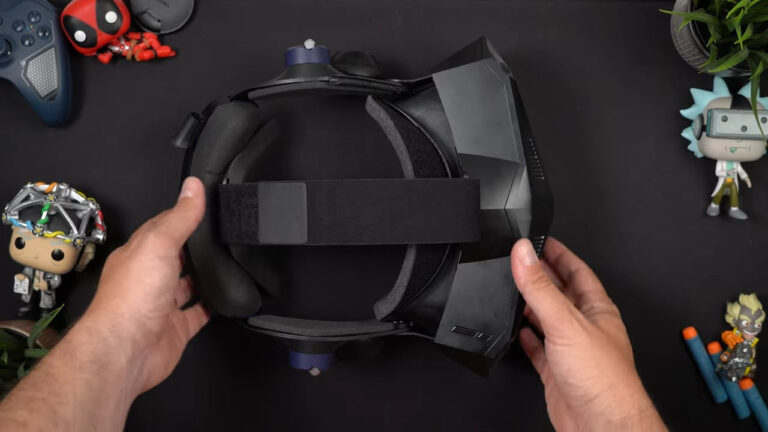
Quest 3 vs Pimax Crystal Light – What Do You Need to Know before an Upgrade?
Pimax Play 2.0: Is the ‘Fiddle Factor’ Finally Vanishing for Sim Racers?
MOZA Lamborghini Revuelto Steering Wheel Review: Form Over Function
MOZA SRP2 Pedals Review: The Budget Load Cell Set to Beat
Complete Guide to Direct Drive Wheel Settings – Every Manufacturer, Every Sim
MOZA CS Pro Steering Wheel Review – A $329 Wheel With a Screen That Changes Everything
Topic: VR Headsets