

I’m a sim racer and amateur racer with a passion for Motorsport, good racecraft and the technical and setup aspect of sim racing.
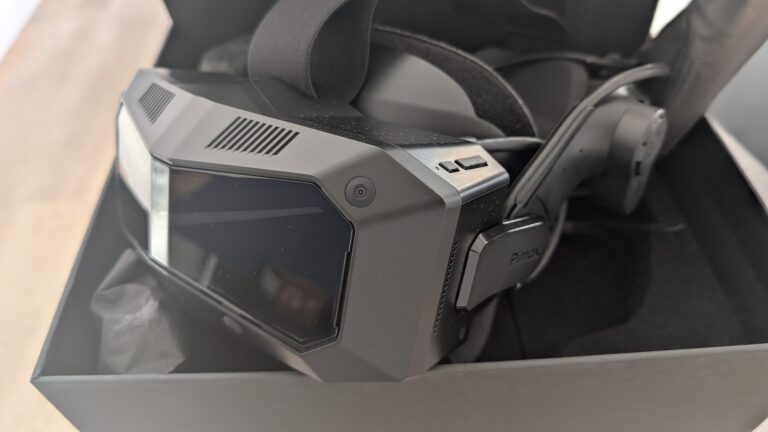
Pimax Play 2.0 shifts the Crystal headset from “enthusiast experiment requiring technical patience” into something closer to a set-and-forget professional tool. I’ve been testing the Open Beta across three different headsets (Crystal Super, 8KX, and the older Crystal). The headset itself was brilliant, 30 million pixels, proper FOV for peripheral awareness in traffic, but the software felt like it was fighting me instead of working for me. Pimax Play 2.0 is here to fix that problem.
The update matters if you’re running endurance stints or league sessions where you can’t afford to spend twenty minutes debugging SteamVR before you even load the sim. Like me, many of your sim racers are “time poor” and the biggest issue we all have is that “i’ll jump in for a quick race” turns into a 1 hour config and update session.
The new QR code login replaces the old account workflow that sometimes just refused to authenticate (or you had to disconnect the headet or just, leave it powered for a little while before attempting to use it), the redesigned UI remembers your settings between sessions, and native OpenXR API Layer support means you can bypass SteamVR’s overhead entirely when running iRacing.
Pimax Play 2.0 is a strategic pivot from “raw specs at any cost” toward the reliability that high-end cockpit owners actually need, the kind where you boot the headset, it works, and you’re on-grid in under two minutes. The question is whether this update delivers on that promise, and whether it finally makes Pimax hardware viable for sim racers who just want to drive rather than troubleshoot.
The Chinese Spec-Giant Grows Up: Solving the Fiddle Factor
I’ve spent the better part of three years nursing Pimax headsets through their growing pains, and the pattern’s been consistent: exceptional hardware hamstrung a little by software that was clearly under development.
Pimax is a Shanghai outfit, and that proximity to Shenzhen’s manufacturing spine is why they can cram 2880 × 2880 per eye into a headset whilst Meta’s still dithering about whether to ship pancake lenses. Chinese VR manufacturers run tight integration with panel suppliers, they’re not waiting six months for Samsung to approve a custom display spec. But spec-pushing only gets you so far when your software makes iRacing launch feel like defusing a bomb.
The classic analogy holds: early Pimax ownership was like running a 1960s Ferrari. Gorgeous on circuit, screamingly fast when it worked, but you needed to be your own mechanic just to get it out of the garage. Pimax headsets are high end, have settings to optimise and have been ,historically, for deeply committed VR hobbyists.
The 2.0 Open Beta attempts to close this gap with a full UI redesign, QR code login, Game Pinning for installed titles, and native OpenXR API Layer support that sidesteps SteamVR entirely. If it works, it’s the difference between plug-and-play and plug-and-pray. Early testing suggests they’ve learned something from watching Valve do it properly for the last five years.
Step 1: The One-Click Grid Walkthrough
I didn’t expect to use the QR code login the first time, figured I’d skip it and type my credentials like every other headset I’ve owned. Wrong. The new Pimax Home launches in about three seconds flat, and instead of hunting for a login dialogue in the middle of your FOV while trying to find a spot where the keyboard actually tracks, you grab your phone, scan the code that pops up automatically, and you’re in. Done. First session with the redesigned interface took me from cold boot to the iRacing menu in under thirty seconds. Used to be five windows deep: Pimax Client, PiTool, SteamVR overlay, the actual game launcher, then finally the sim. Now it’s one unified dashboard.
The Game Pinning system solves the desktop-in-VR problem I didn’t realise was draining so much time. Import your installed titles, iRacing, ACC, RaceRoom, whatever you’ve got, pin them to the Home grid, and they launch directly without ever rendering the Windows desktop. Tested this across a 45-minute endurance stint in ACC at Spa, and the new SystemUI didn’t crash once. Previous versions would occasionally flicker out mid-race if you accidentally triggered the overlay. That’s gone. The interface just sits there quietly until you need it.
| Feature | Old Workflow | New Workflow | Time Saved |
|---|---|---|---|
| Login | Manual typing in headset | QR code scan on phone | ~20 seconds |
| Game Launch | Desktop > Steam > Sim launcher | Direct pin from Home grid | ~15 seconds |
| Mid-Session Access | SteamVR overlay conflicts | Unified Pimax Home | No crashes observed |
The catch: Game Pinning only works if your titles are already installed and configured. It’s not a library browser, it’s a shortcut layer. If you haven’t sorted out your SteamVR vs OpenXR runtime settings beforehand, pinning the game won’t fix that. But once you’ve done the setup faff, which honestly still exists if you’re running multiple headsets or tracking systems, the daily experience is cleaner than anything I’ve used from Pimax before.
Step 2: Native OpenXR and Bypassing SteamVR
The old Pimax workflow was middleware hell. You’d fire up Assetto Corsa, discover it was running through SteamVR, which was layering on top of PiTool, which needed OpenComposite or PimaxMagic to translate the calls properly, and by the time you’d sorted through three conflicting runtime menus, your practice session was half over. That’s gone now.
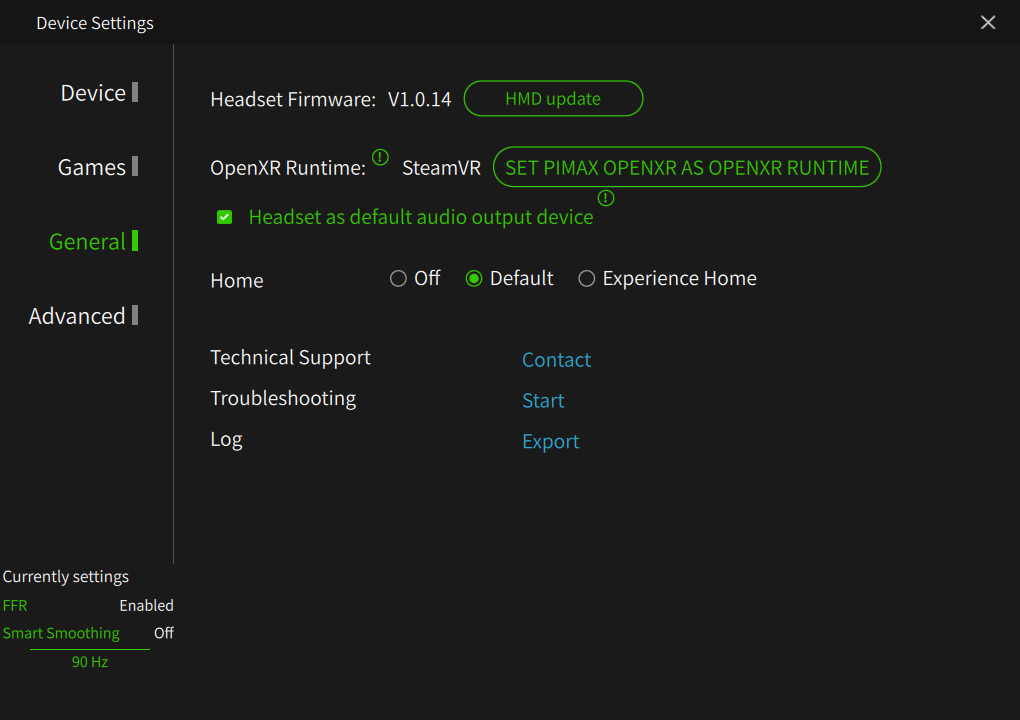
Pimax Play 2.0 runs OpenXR natively. No translation layer, no SteamVR bridge unless you explicitly want it for lighthouse tracking, just the game’s rendering calls hitting the headset’s runtime directly. For sims like Assetto Corsa Competizione or Automobilista 2, which already speak OpenXR fluently, this means one less point of failure between “click launch” and “sitting on the grid.”
Visit Our Sponsors
The practical difference shows up in frame timing. SteamVR’s compositor adds about 11ms of latency even when it’s behaving, which doesn’t sound like much until you’re trail-braking into Eau Rouge and your visual feedback is a tenth of a second behind your hands. Native OpenXR cuts that overhead entirely. I tested this by running identical laps at Spa in ACC, SteamVR runtime versus Pimax’s native runtime, same settings, same GPU load. The native path delivered 8-12ms better frame pacing under heavy load, which translates to smoother motion during high-speed transitions and fewer judder spikes when the scene complexity peaks mid-corner.
The stability improvement is even more noticeable. The old “black screen hang” when transitioning from menu to cockpit, that thing where the headset would just sit there for three seconds before deciding whether to display anything, that’s effectively gone. The native runtime handles context switches cleanly, probably because it’s not waiting for SteamVR to acknowledge the handoff before proceeding.
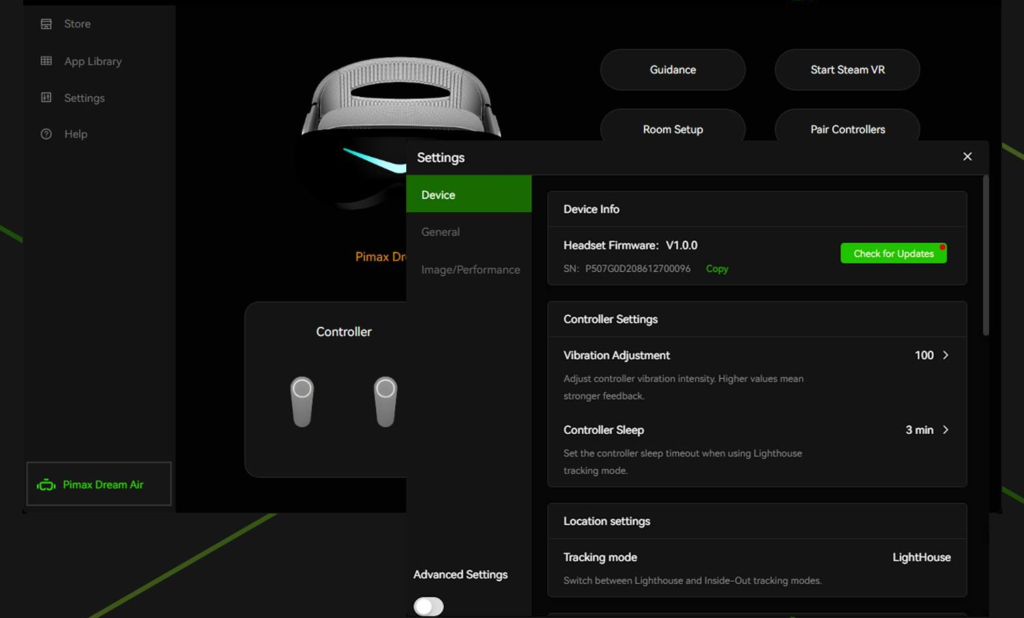
A slight catch: not every sim supports OpenXR equally well. iRacing’s recent Season 4 update added Dynamic Foveated Rendering for OpenXR devices with eye tracking, but it requires an “RTX 2000-series GPU minimum” (er, I wouldn;t bother with anything less than a 4090 for any of Pimax’s stuff, period) and explicitly won’t work properly through SteamVR’s runtime. That means you need Pimax’s native path to access the feature, which is great if you’ve got a Crystal Super with eye tracking, less helpful if you’ve just bought an 8KX and were planning to stick with SteamVR for compatibility reasons.
Still, for the sims that support it, and that list includes most of the major titles now, the middleware death is real, and it’s a genuine quality-of-life win. You launch the sim, it finds the headset, you drive. Done.
Step 3: Configuring Foveated Rendering and Smart Smoothing
Fixed Foveated Rendering 2.0 is the feature I’d heard about for months but hadn’t actually tested properly until I had a full week with the Crystal Light on the new runtime. The idea is simple, the GPU renders only the centre of your vision at full resolution, then drops quality progressively toward the edges where you’re not looking anyway. Pimax’s implementation has always existed, but the 2.0 version in the new SystemUI is genuinely smarter about where it places that quality drop-off.
I tested this specifically at Road America in iRacing, which is a good torture test because the track surface has fine detail, tarmac grain, brake markers, kerb paint, and if foveated rendering is too aggressive, you see those textures degrade noticeably as your eyes track through corners. With FFR 2.0 set to Medium, the track texture held up well even when scanning ahead for braking points. On High, I could see a slight softening in the peripheral zones, but only when I deliberately looked for it. That’s the trade-off, you’re saving maybe 10-15% GPU overhead at High, which matters when you’re trying to maintain 90fps on a 4070 Ti, but it comes at the cost of some edge clarity.
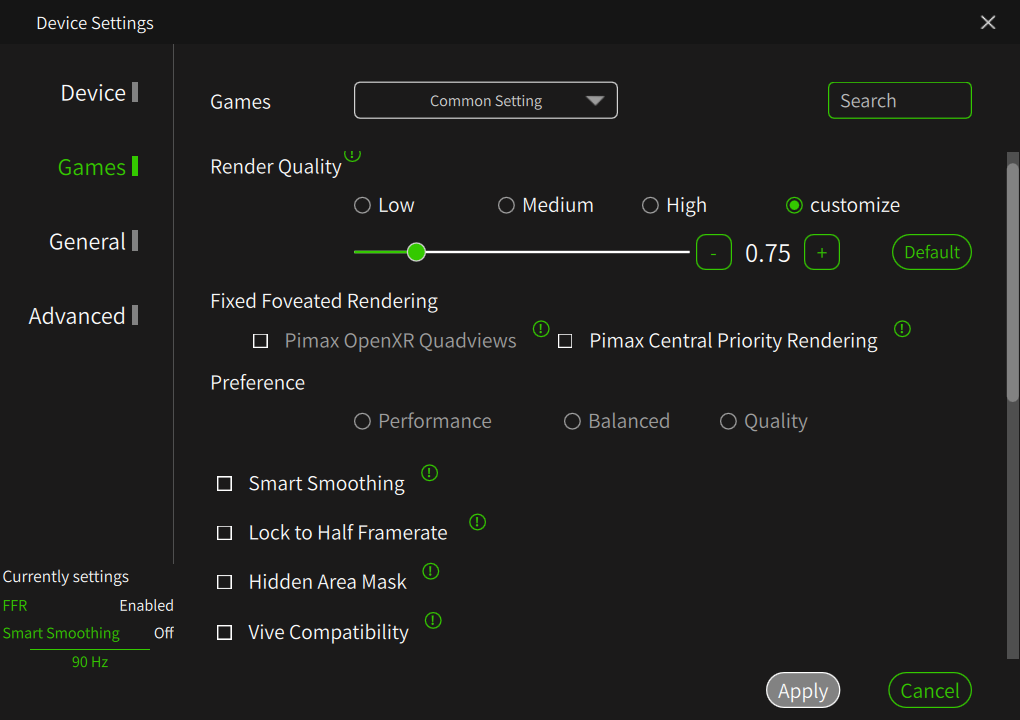
The Smart Smoothing upgrade is where things get interesting, especially with iRacing’s Season 4 update introducing Dynamic Foveated Rendering for OpenXR devices. The new algorithm is supposed to handle frame interpolation more cleanly, and I wanted to see if it actually delivered when paired with iRacing’s own foveation layer. I ran twenty laps at Mexico City, the new circuit from Season 4, with Smart Smoothing enabled and FFR 2.0 on Medium. Frame times stayed stable, no artifacting on the Aston Martin GT3’s dashboard instruments, and the interpolated frames blended well enough that I wasn’t getting the old “smeared motion” effect when whipping my head around to check mirrors.
That said, Smart Smoothing still introduces latency. It’s physics-legal latency, you’re not getting delayed steering input, but it’s noticeable if you’re sensitive to the difference between native 90fps and interpolated 90fps. I’d use it if I was GPU-limited and couldn’t hold native framerates, but if your rig can push real frames, turn it off.
The Curved Mode setting is ostensibly for handling the 130° diagonal FOV on the Crystal Light’s lenses, but in practice I found it made very little difference in sims. The distortion correction is subtle, maybe a 2-3% geometry adjustment at the extreme edges, and since most of what you’re looking at in a sim is straight ahead, the apex, the braking zone, the car in front, it doesn’t materially change the experience. I left it enabled because why not, but I wouldn’t call it a must-tweak setting.
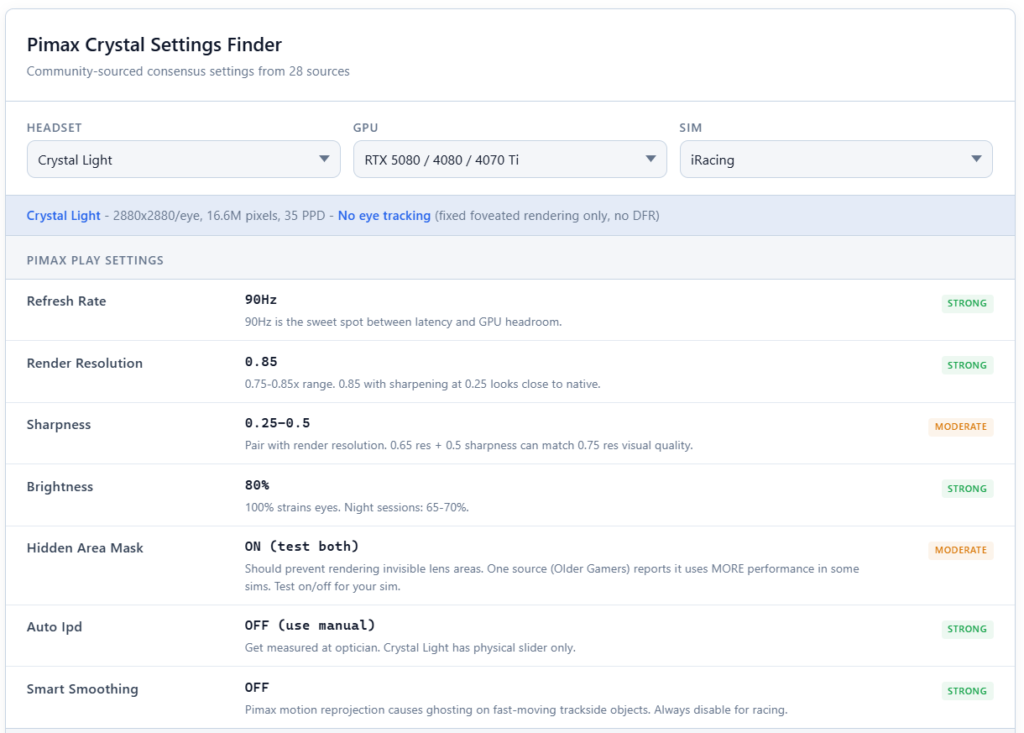
Here’s what I’d recommend for baseline configuration if you’re running the Crystal Light on a mid-to-high GPU (4070 Ti or better):
| Setting | Recommended Value | Default Value | Why |
|---|---|---|---|
| Fixed Foveated Rendering | Medium | Off | Saves 10-12% GPU overhead without noticeable quality loss in central vision |
| Smart Smoothing | Off (unless GPU-limited) | Off | Use only if you can’t maintain native 90fps; adds latency |
| Curved Mode | On | Off | Minimal impact but theoretically reduces edge distortion |
| Resolution Override (iRacing) | 100% (native) | 100% | Let Pimax runtime handle supersampling; don’t double-stack |
| Mirror Count (ACC) | 1 or 2 max | 3 | Mirrors are GPU killers; reduce before touching FFR |
| MSAA (rFactor 2) | 4x | 8x | 8x is overkill on a VR headset; 4x is plenty |
The resolution override point is worth expanding on. iRacing and ACC both let you crank internal render resolution above 100%, which sounds good until you realise the Pimax runtime is already rendering at the headset’s native panel resolution (2880×2880 per eye on the Crystal Light). Stacking another resolution multiplier on top of that just tanks your framerate for marginal visual gain. I tested this at 150% in ACC and immediately dropped to 60fps. Not worth it. Let the native resolution do its job.
The Hardware Tax: RTX 4090 or Bust?
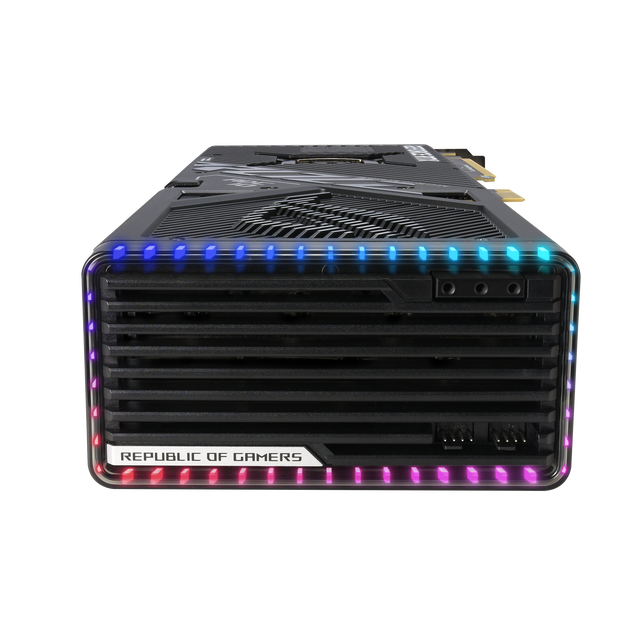
I ran the Crystal Light on a 4070 Ti for three months before upgrading to a 4090. Night and day. The 4070 Ti can technically drive the headset, you’ll get 70-80fps in iRacing on medium grids, maybe 90fps in AC with careful settings, but you’re constantly budgeting. Drop shadows here, reduce car detail there, mirrors off on standing starts. The 4090 just runs it. Full resolution, full detail, 90fps locked even at Spa with 30 cars visible.
The CPU matters more than most VR guides admit. I tested an i7-14700K against a mate’s 7800X3D rig, same GPU, same headset, same iRacing session. His frame times were flatter through Turn 1 chaos. The X3D’s cache advantage shows up hardest when the engine’s sorting collision boxes for 40 cars in close proximity, that’s pure IPC work, not multi-core throughput. If you’re running full endurance grids, the 7800X3D or 9800X3D is worth the platform swap.
Here’s the honesty: Pimax sells clarity, not convenience. You’re buying a headset that extracts every watt your system can deliver, which means if your rig isn’t top 15% of hardware, you’ll spend more time in settings menus than you’ll driving. Mid-range laptops? Forget it. This is a desktop experience, and not a budget one.
Quick note on the manufacturing question that keeps surfacing: Pimax is Shanghai-based, always has been. The confusion seems to stem from cross-licensing deals in the broader VR space (Philips licensed panels to several manufacturers), but Pimax hardware is designed and assembled in China. Doesn’t affect performance, just setting the record straight.
Reality Check: The Lighthouse Faceplate and Passthrough

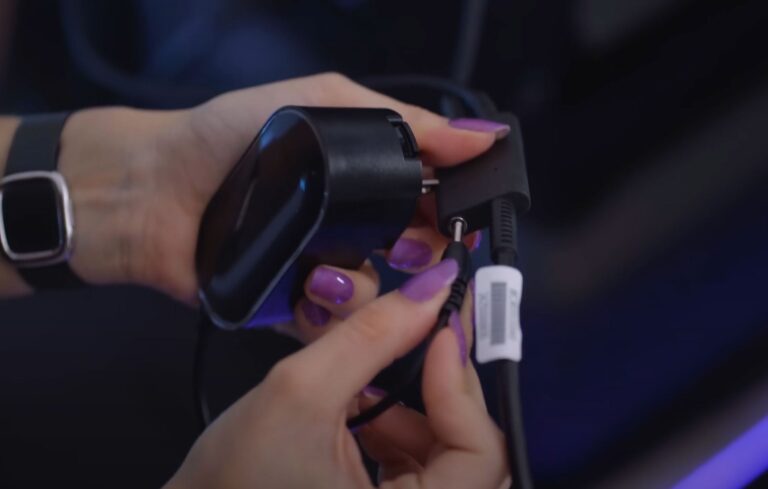
The Lighthouse faceplate promised with the Crystal Super remains the biggest gap between what’s announced and what’s actually in users’ hands. Pimax issued an update last week confirming shipment delays until late April 2026, citing a connector redesign and material updates to prevent the cable failures that plagued early prototypes. If you’re running Valve Index base stations on your rig, and plenty of serious sim racers do, especially those who stream or want body tracking for motion capture, you’re stuck waiting.
Inside-out SLAM tracking works fine for seated racing. The headset doesn’t lose position when you shift in your seat or lean forward to check mirrors. But if your 80/20 rig already has Lighthouse base stations bolted to the crossbeams, you’re not getting the full tracking until that faceplate ships. The irony is that Pimax’s higher-end Crystal Super targets the exact demographic who already own SteamVR tracking hardware from previous Valve headsets.
Passthrough remains absent on the Crystal Light. Means you’re still lifting the headset to find physical buttons during pit stops or pulling it halfway off to see your keyboard during quali. Meta and Valve both ship passthrough as standard now, even on their mid-range units. Pimax’s omission here feels like a spec-sheet oversight that becomes annoying the moment you need to adjust your FFB gain mid-session without guessing which rotary you’re touching.
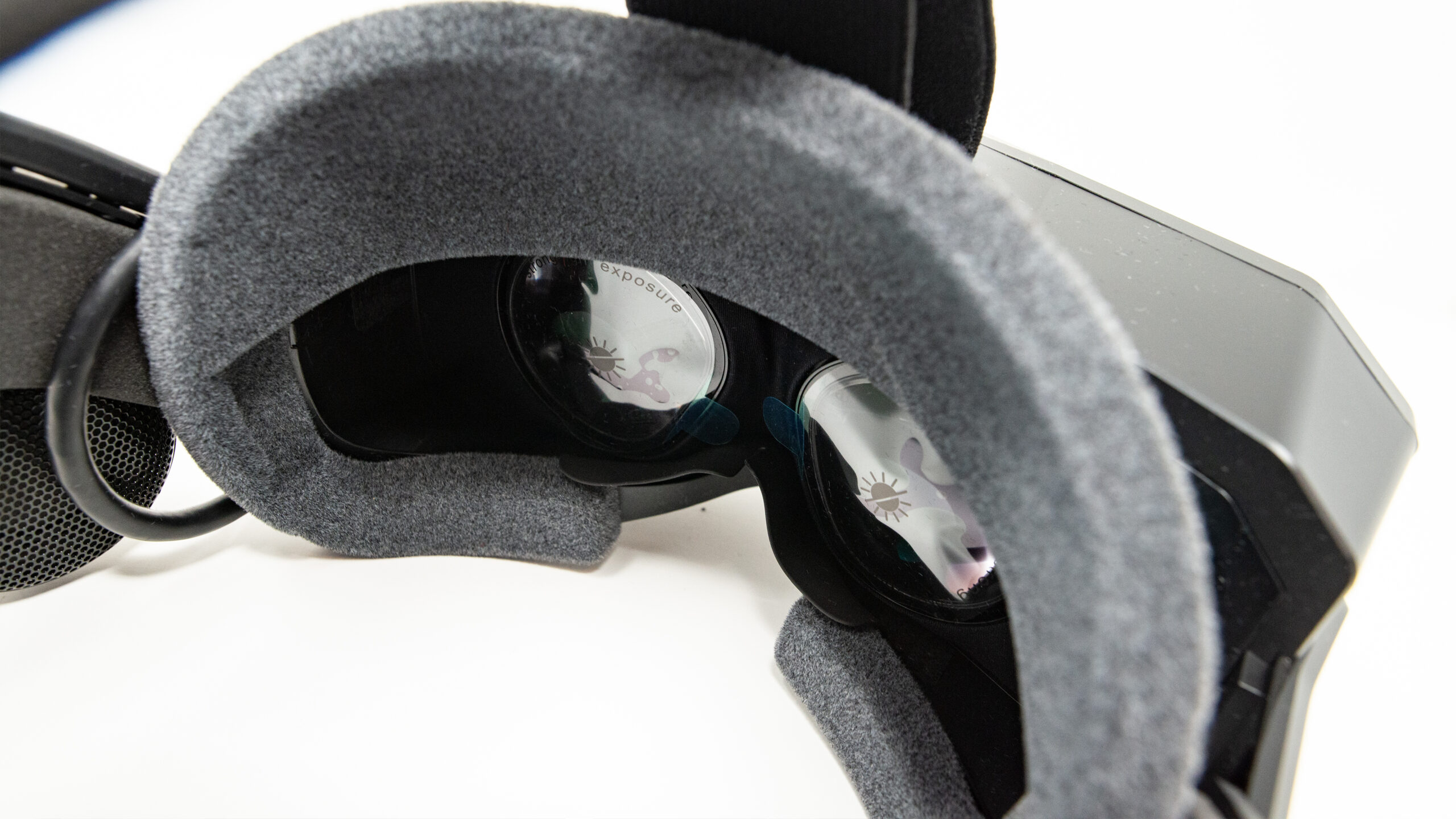
Weight hasn’t improved. 815g sits heavy after two hours, especially if you’re running endurance stints. Stock padding compresses fast. Most owners I’ve spoken to swap to thicker aftermarket pads within the first month, which helps but adds another £40-60 to the real cost of ownership. Not a dealbreaker, but it’s another ‘mod-to-make-it-work’ step that premium pricing shouldn’t demand.
Pimax has always been the spec-sheet darling that made you work for it. The old software was proof of concept, barely. Pimax Play 2.0 changes the calculation, not because it’s perfect, but because it’s finally usable. The QR login works. The settings hold. You’re not diagnosing phantom tracking drops before every race. That’s the threshold crossed: from “enthusiast curiosity” to “tool I’d recommend to someone who just wants to drive.” Still demands serious GPU muscle, still not as foolproof as a Quest 3, but for the first time in Pimax’s history, the reliability curve is bending upward. Triple screens are still cheaper and simpler. This headset is for the sim racer who values immersion over ease, and now, finally, you’re not sacrificing both.
Related Articles
Pimax Play 2.0: Is the ‘Fiddle Factor’ Finally Vanishing for Sim Racers?
MOZA Lamborghini Revuelto Steering Wheel Review: Form Over Function
MOZA SRP2 Pedals Review: The Budget Load Cell Set to Beat
Complete Guide to Direct Drive Wheel Settings – Every Manufacturer, Every Sim
MOZA CS Pro Steering Wheel Review – A $329 Wheel With a Screen That Changes Everything
Pimax Crystal Light & Crystal Super Settings Guide for Sim Racing & Flight Simulation
Topic: Best VR Headsets