I’m a sim racer and amateur racer with a passion for Motorsport, good racecraft and the technical and setup aspect of sim racing.
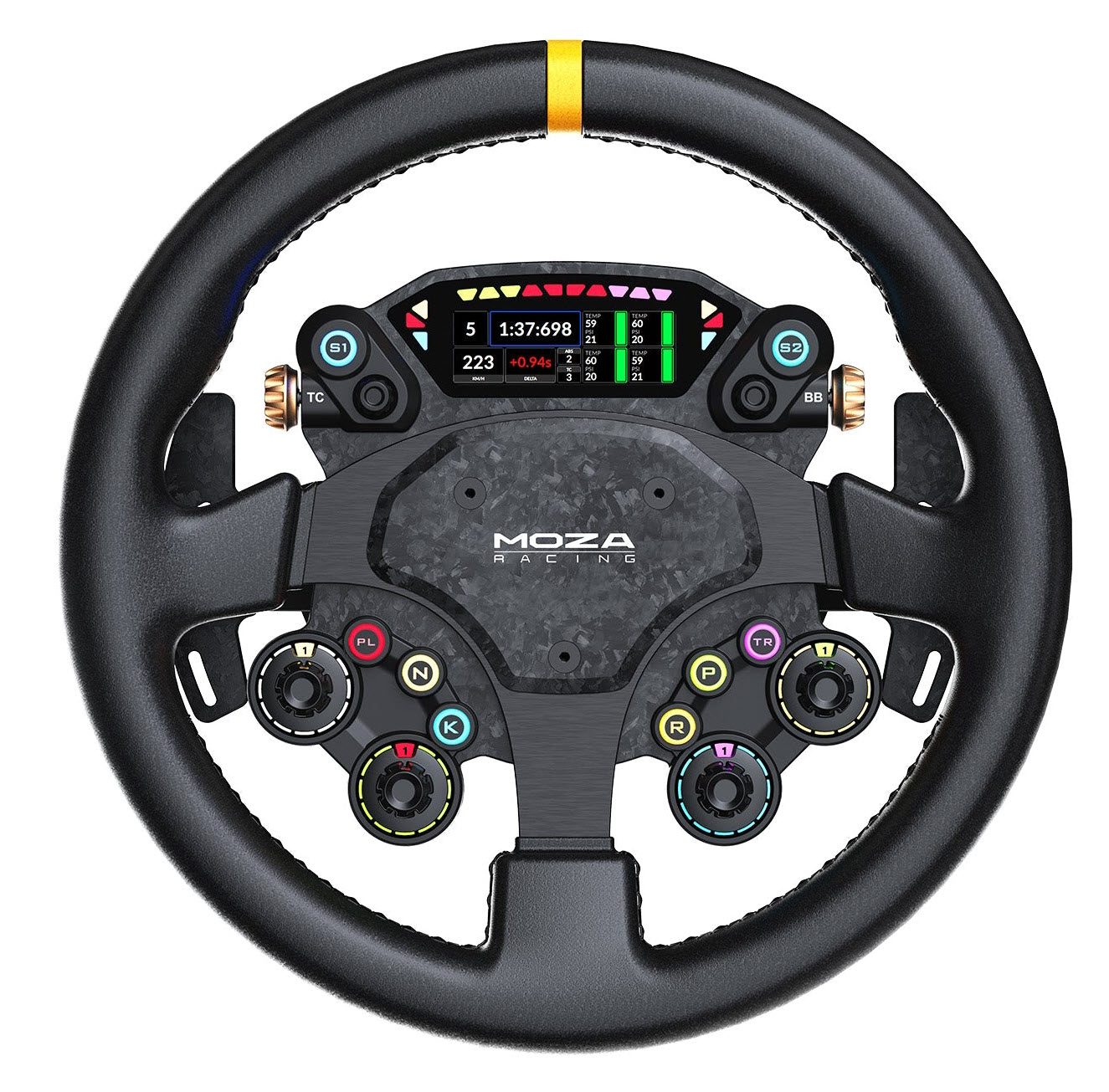
MOZA’s CS Pro costs $329 and flat-out replaces their own RS V2. A 325mm round wheel with a 2.99-inch display, 8 backlit buttons, 4 rotary encoders, and forged carbon paddle shifters with Hall sensors – for $40 less than the wheel it makes redundant. I’ve been running for three weeks now. Here’s what I found.
Technical Specifications
| Specification | Value |
|---|---|
| Wheel Diameter | 325mm |
| Back Plate Material | Carbon fibre-reinforced composite |
| Front Plate Material | Carbon fibre-reinforced composite |
| Frame Material | Aluminium alloy |
| Grip Material | Eco-friendly microfiber leather |
| Display | 2.99-inch screen (780×248 pixels) |
| UI Interface | Fully customisable via Pit House |
| Backlit Short-Travel Buttons | 8 |
| RGB Backlit Button Colours | 16.7 million |
| Rear Buttons | 2 |
| Rotary Encoders | 4 (12-position, backlit) |
| Thumb Encoders | 2 (with push function) |
| 7-Way Funky Switches | 2 |
| Flag Lights | 6 side-mounted RGB LEDs |
| Rev Lights | 10 top-mounted RGB LEDs |
| Shifter Paddles | Magnetic forged carbon with Hall sensors |
| Dual-Clutch Paddles | Forged carbon with Hall sensors |
| Expandable Paddle Config | Up to 6 paddles (optional add-on ~$45-50) |
| Quick Release | All-aluminium NRG-style |
| Communication | Wired via conductive slip ring |
| Bolt Pattern | 6x70mm (standard, removable rim) |
| Total Weight (with paddles) | ~2,150g |
| Rim Weight (alone) | ~780g |
| Compatibility | All MOZA wheelbases; 3rd party via MOZA Hub Kit |
| Platform | PC (no native console support) |
Two numbers jump out of that spec sheet. That 2.99-inch display? 780×248 pixels. Sharp enough to read tyre temps without squinting – I noticed that on my first lap out. Weight? 780g for just the rim. Once you’ve bolted on every paddle – shifters, dual-clutch, the lot – you’re looking at about 2,150g. Not light. Barry Rowland at Simracing-PC measured the rim alone with precision scales – it’s the optional paddle hardware that pushes the total up. On my Simucube at 17Nm I felt it. Lighter bases will feel it more.
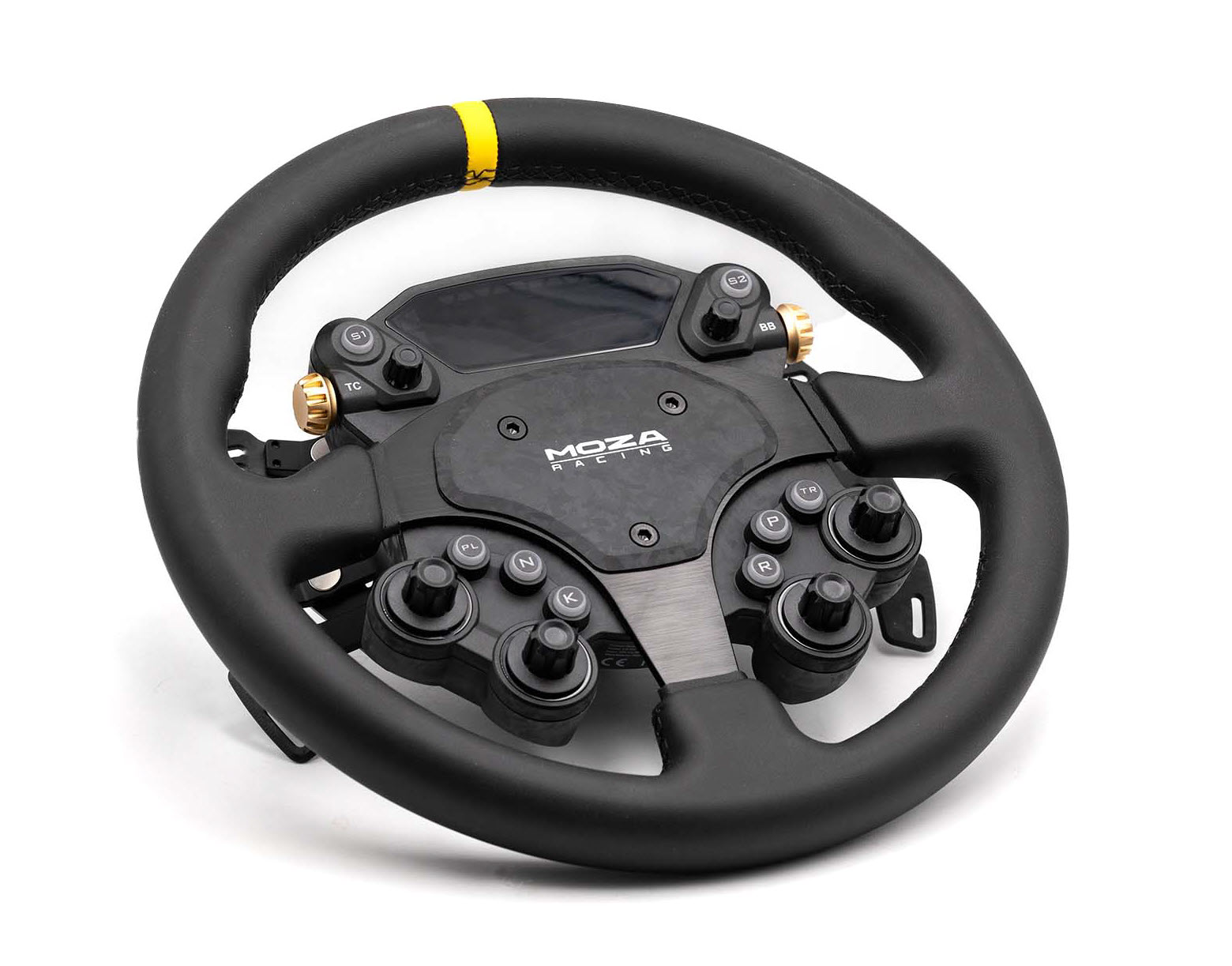
The plates on both sides are carbon fibre-reinforced composite – aluminium alloy frame behind those. Sturdy stuff. Grips are microfiber leather, not genuine leather like the RS V2. Grippier when your hands are sweating, though, and probably more durable in the long run. I’d take practical over pretty here.
Compatibility and Ecosystem
The CS Pro works natively with every MOZA wheelbase in the current range – R3, R5, R9, R12, R16, and R21. Wireless connection through the conductive slip ring in the QR, so there’s no USB cable dangling off the back.
Not on a MOZA base? No problem. The Universal Hub Kit ($49) sorts that out. I’ve been running the CS Pro on my Simucube 2 Pro through the Hub Kit for three weeks, and everything comes through on USB – display, buttons, encoders, shifter paddles. No drama at all. Rich from SimRacingSetups ran it on a Simucube too – same result, no problems. Handy if your next base might be a different brand entirely.
Platform support? PC only. If you need PlayStation or Xbox, you’re either routing through a MOZA R3 base (Xbox only, with limited functionality) or using a third-party adapter like the Cronus. Bit of a pain if you’re on console.
If you’re on PlayStation or Xbox primarily, this isn’t the wheel for you.
Software-wise, you’ll need MOZA’s Pit House app – the January 2026 update or later. The display is Pit House-only, which means no SimHub dashboards. If you’ve built a custom SimHub dashboard you love, it won’t carry over here. That limits your customisation compared to wheels with open display protocols.
Here’s something nobody mentions: the rim’s on a 6x70mm bolt pattern and you can unbolt it entirely. Swap in a different rim if you fancy. For the money, that kind of modularity is unusual. Stick it on an R12 or R21 and you’ve got a properly capable GT rig.
Build Quality and First Impressions
Out of the box, this wheel looks purposeful. The combination of forged carbon on the shifter paddles and the aluminium alloy frame gives it a serious feel – and there’s zero torsion in the chassis when you’re driving. I had it on the R21 at one point, 21Nm of force feedback pushing through it, and the thing didn’t flex. At all. Rock solid.
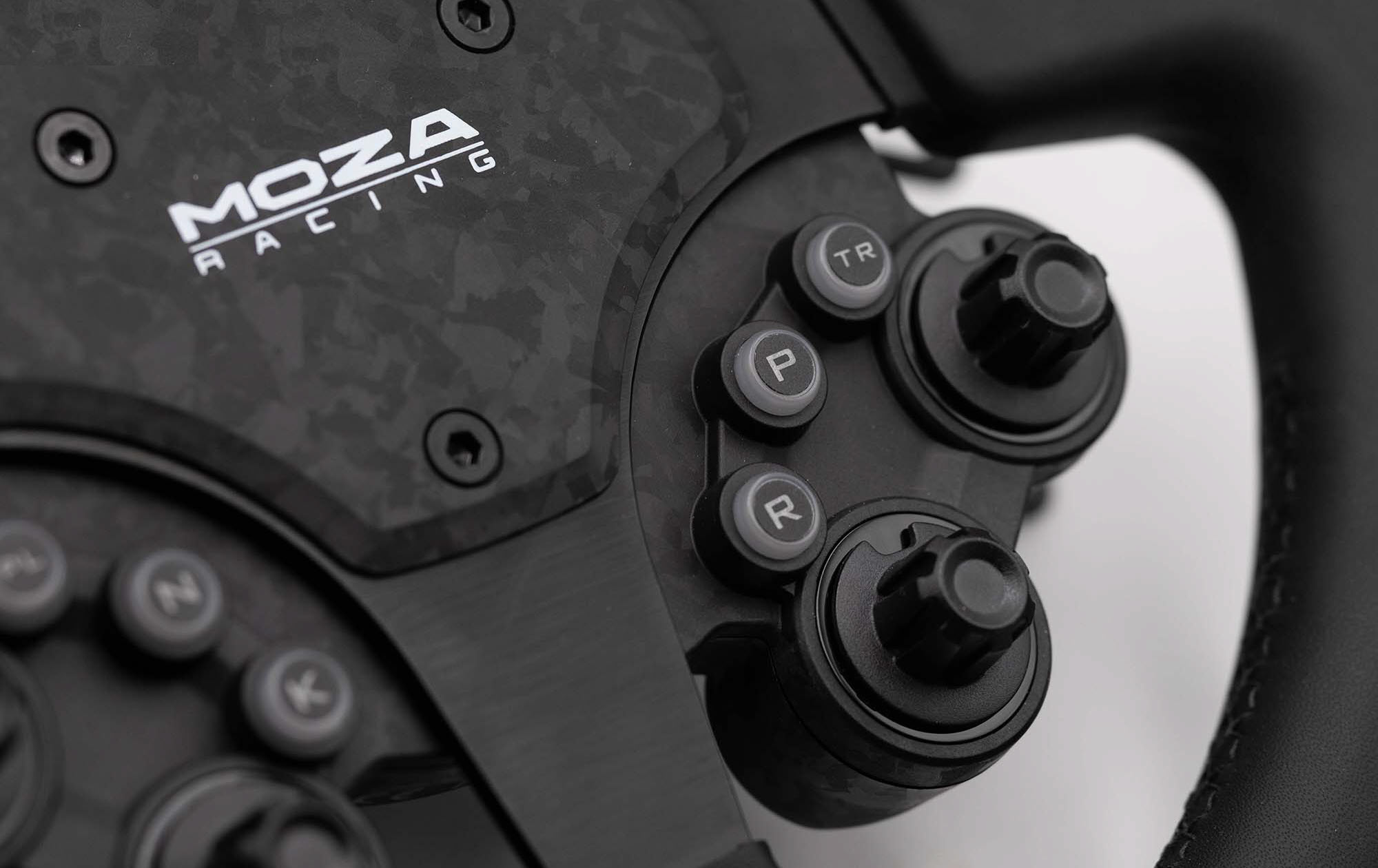
Buttons? Much better than the CS V2. Snappier. More tactile. A satisfying click that reminds me of what Simagic have been doing with their wheels for a while now. Eight backlit buttons on the front face, four 12-position rotary encoders (also backlit), two thumb encoders with push function, and two 7-way funky switches. That’s a lot of controls crammed onto a $329 round wheel.
Those gold thumbwheels, though. They look like machined aluminium in the product photos. They’re not – painted plastic. Same story with the funky switches. It’s a minor gripe, but when the marketing makes everything look metallic and the rest of the wheel genuinely is well built, finding plastic underneath is slightly deflating.
The microfiber leather grips are firmer than I expected. Harder than the compound on my Fanatec McLaren wheel, which uses a softer touch. Not uncomfortable (I got used to it within a couple of sessions), but if you’ve been using a softer-gripped wheel, you’ll feel the difference straight away. After about an hour of driving, you sink into it though – everything ends up where you expect it to be, and the grip thickness sits in a comfortable middle ground. Not too chunky, not too thin.
Performance – How It Feels on Track
Put it on track and the CS Pro disappears. Best compliment I can give any steering wheel, that – you forget it’s there and just drive. 325mm is the sweet spot for GT and touring. Sporty enough for GT3 cars, comfortable enough for longer road-car stints in a Porsche 911 or Aston Martin. No weird weight bias either – fast left-right-left transitions don’t pull the wheel off-centre.
Most of my testing was in ACC – GT3 cars mostly, plus a few hours in iRacing’s GTE. The feedback through the rim is clean – no buzzing, no weird resonance through the grips, just road surface and kerb detail coming through clearly. If you want to dial in your MOZA FFB settings for iRacing, the CS Pro gives you enough tactile information to do it properly.
A few laps at Spa in ACC and it felt natural through Eau Rouge and the Bus Stop – corners where you need precise input, not a fight with the hardware.
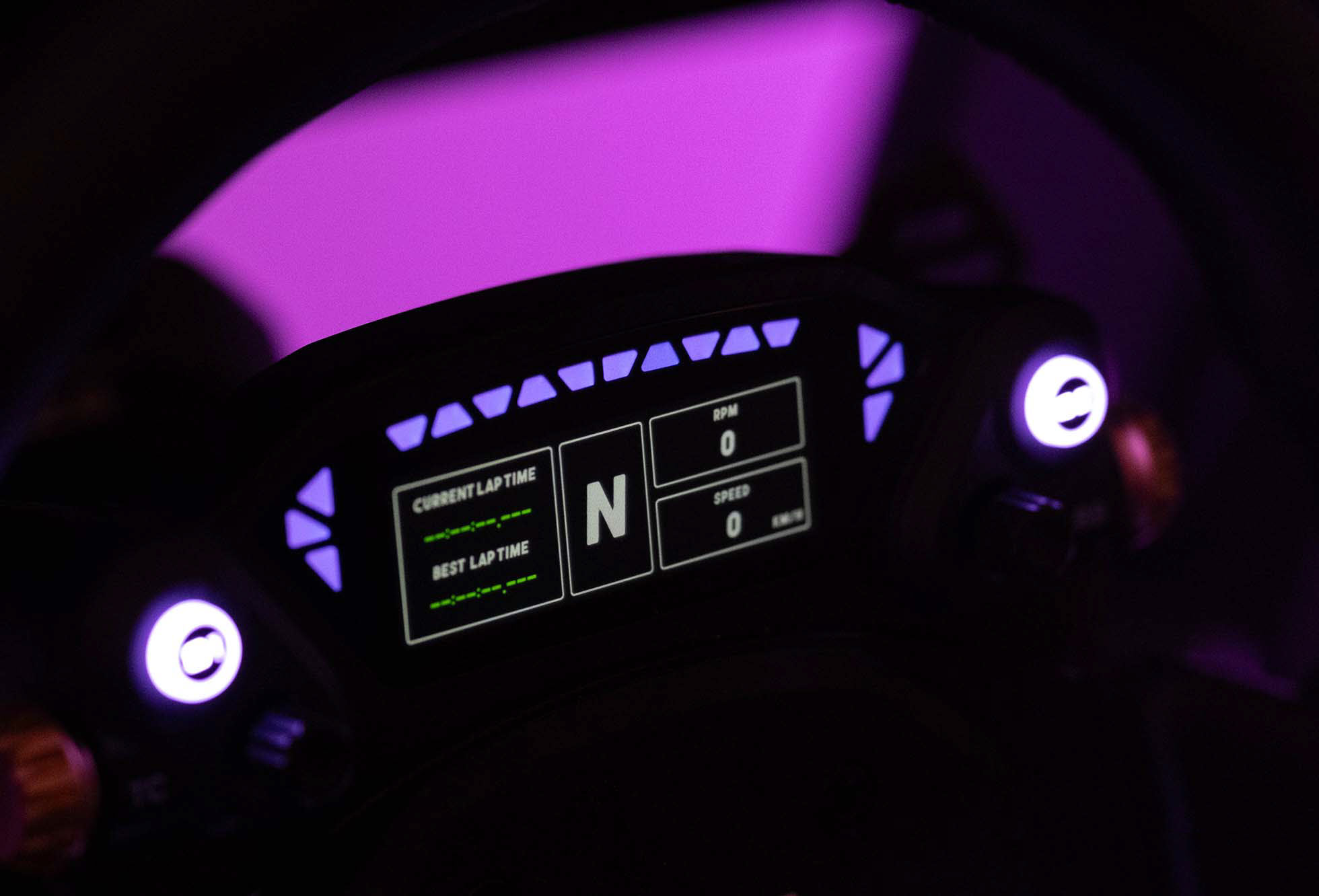
The screen surprised me. Having tyre temps, fuel load, and lap delta right there on the wheel meant I was glancing at my Samsung G9 less during chicanes. 780×248 pixels. Sounds small on paper. Turns out it’s sharp enough to read tyre temps mid-corner. No squinting. One niggle: the screen brightness sits lower than the LED brightness on the rev lights, so in a bright room, you’ll catch the LEDs before you catch the display data.
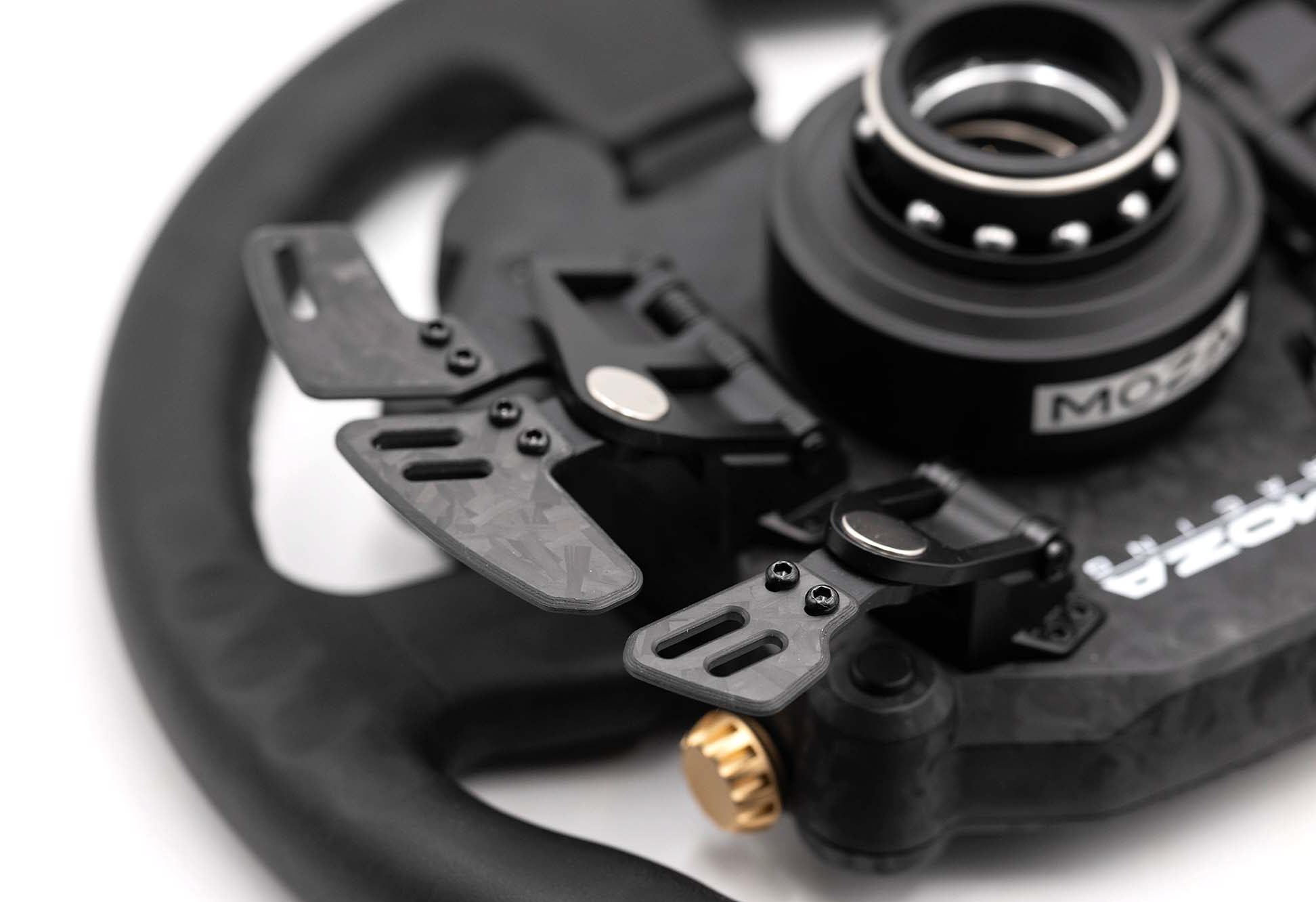
Shifter paddles next – because they deserve their own mention. MOZA say these are the best dampened shifters they’ve produced to date – and having used the RS V2’s paddles as a comparison, I’d agree. The magnetic mechanism with Hall sensors gives a clean, consistent throw with a definite end point. No mush. No ambiguity. You know you’ve shifted.
Rev lights and flag indicators: 10 across the top, 6 on the sides, all fully customisable through Pit House. Bright enough to catch in peripheral vision, and they work well if you’re in VR.
After longer stints – 90 minutes or so – the weight becomes apparent. 2,150g with everything bolted on. That’s not light. On my Simucube 2 Pro at around 17Nm, the inertia is manageable. But on a lower-torque base like the R5 or R9, you’d feel that extra mass more, and it could dampen some of the finer FFB detail. Something to factor in if you’re on a lighter base.
I caught myself nudging the thumb encoders mid-corner a few times. Just resting my thumbs in the wrong spot. Took me a few sessions to stop doing it. Depending on your hand size, the lower buttons can be a stretch too – I’ve got average-sized hands and had to reach a bit for the bottom rotary encoders whilst keeping my thumbs on the wheel.
Issues and Things to Know
No product at this price is flawless.
The upshift paddle didn’t always register with a soft press. Not every time – maybe one in twenty shifts. I had to put some intention behind it, more than a tap. Kireth flagged the same issue in his video – he had to press harder than expected too. A firmware calibration pass in Pit House sorted most of it on my end, but it’s something to be aware of in the first few days.
Pit House updates? Slow sometimes. One firmware update took three goes before it finished. Frustrating. Not a CS Pro-specific issue – it’s a Pit House thing – but worth knowing if you’re new to the MOZA ecosystem.
Weight and button density make this less suited to rally or drifting. Aggressive counter-steering with quick hand-over-hand movements? All those buttons and encoders can get in the way. It’s a GT wheel. Touring, road cars, endurance stuff. For rally, I’d point you towards the MOZA Vision GS or something simpler with fewer inputs and less mass.
And the display limitation: Pit House only. No SimHub. If you’ve invested time building custom dashes in SimHub, that work doesn’t transfer. Deal-breaker for some, I imagine.
How It Compares
First comparison everyone makes: the RS V2. And the CS Pro wins. The RS V2 costs $369, has genuine leather grips and a forged carbon faceplate, but no screen, fewer encoders, and no backlit buttons. For $40 less, the CS Pro gives you a display, more inputs, and better button feel. The maths is straightforward. Unless you specifically want the RS V2’s leather and don’t care about a screen, the CS Pro is the better buy.
Against the Fanatec Porsche VGT ($349), the CS Pro wins on inputs and the integrated display but loses on console compatibility. The Fanatec works natively with PlayStation and Xbox. PC-only? CS Pro. Need console support? Go Fanatec if that matters to you.
The Simagic GT Neo sits at roughly $340 and competes on build quality and materials. Well-made, but screenless. At $340, I want a screen – and the GT Neo doesn’t have one.
Where things get interesting: at $329 to $350, nobody else is putting an integrated display on a circular wheel. The Fanatec VGT? Screenless. RS V2? Also screenless. Only the Conspit 300 GT ($399) includes a screen, and that’s $70 more expensive. The screen is the CS Pro’s trump card – and at this price, it’s hard to argue against it.
In the broader steering wheel market, the CS Pro is probably the most attractive overall package in MOZA’s entire lineup for GT and touring sim racers. Not their fanciest wheel. But pound for pound, nothing else in the MOZA range comes close on value.
Who Should Buy the MOZA CS Pro
Already running MOZA gear and after a round wheel? Buy this. Done. It’s the best circular steering wheel MOZA make, and it costs less than the RS V2 it replaces. Pair it with an R12 or R21 and you’ve got a seriously capable GT setup.
Thing is, you don’t need a MOZA base. The Hub Kit opens it up to Simucube, Simagic, Fanatec, and Asetek. Three weeks on the Simucube now. Not a single hiccup. If you want a well-specced circular wheel with a screen and you’re on PC, the CS Pro should be on your shortlist regardless of what wheelbase you’re running.
This is the wheel I’d recommend to anyone building a mid-range to high-end PC sim racing setup who wants a round wheel (like me). That’s straightforward. The price-to-feature ratio is the best I’ve seen in a circular wheel at this price, and the third-party compatibility through the Hub Kit means you’re not locked into any single brand.
Who should skip it? Console racers, for starters – no native PlayStation or Xbox. People with smaller hands who find button-dense wheels uncomfortable. And anyone doing primarily rally or drifting, where a simpler, lighter wheel makes more sense.
Pros
- 2.99-inch display with live telemetry, tyre temps, and lap delta right on the wheel
- Forged carbon magnetic paddle shifters with Hall sensors – the best MOZA’s produced
- $329 gets you a screen, backlit encoders, and more inputs than the $369 RS V2
- Works on any wheelbase via the $49 Universal Hub Kit – not locked to MOZA
Cons
- Lower buttons and encoders need a grip adjustment to reach – worse for smaller hands
- No SimHub support for the display – Pit House dashboards only
- 2,150g total weight adds noticeable inertia, particularly on lower-torque wheelbases
Pricing and Where to Buy
The MOZA CS Pro retails at $329 (EUR349 / GBP319) direct from MOZA Racing. Right now, MOZA’s website is the only place to buy it. Expect roughly 10 business days for delivery.
Want all six paddles? The dual-clutch add-on is another $45-50. And if you’re putting it on a non-MOZA base, the Universal Hub Kit adds $49. All-in cost for a third-party wheelbase setup with six paddles: roughly $425. Still competitive against anything else at this spec level.
For what you’re getting – screen, forged carbon paddles, backlit encoders, 8 buttons, 2 funky switches, Hall sensors throughout – this is strong value. Name another wheel with this spec list at a lower price. You can’t.
MOZA News and What’s Coming
MOZA launched the CS Pro on January 15, 2026, straight out of CES. It arrived alongside the KS Pro ($329) – MOZA’s new butterfly-style wheel – and the Porsche Mission R ($1,299) at the very top of the range.
At GDC 2026, MOZA debuted the HMA150 Motion Actuator and Racing Lab AI Coach. The motion actuator is interesting for rig builders, and the AI coaching tool could change how people practise in the sim. Early days for both. But it shows where MOZA are putting their R&D money – beyond wheels and bases.
First-gen product, this. Brand new, no refresh yet. But MOZA have a decent track record of improving things through firmware – the R9 got noticeably better over its first year. My guess is the Pit House display layouts will grow over time – they usually do with MOZA.
Video Review
Karl Gosling’s team at Traxion went hands-on with the CS Pro too. Worth 15 minutes:
Racing Cockpits Buyer’s Guide
Best VR Headsets for Flight Simulation
Fanatec ClubSport Steering Wheel GT3 for Xbox Review
Simagic Sim Racing: The Complete Buyer’s Guide (2026)
Corsair for Sim Racers: Ecosystem Buyers Guide 2026