

I’m a sim racer and amateur racer with a passion for Motorsport, good racecraft and the technical and setup aspect of sim racing.
Today, although I’m a little late, I finally get round to writing up my thoughts on the R25 Ultra wheelbase, recently released from our friends at Moza. Somewhat fortuitously, I got send the R21 too (I think by mistake – which is of course absolutely fine).
It’s yet another leap forward for Moza Racing in the direct drive wheelbase market, replacing the old R21 and introducing the R25 Ultra with it’s 25Nm of promised torque. The R21 delivers 21Nm of torque whilst the R25 pushes to 25Nm. The R25 Ultra retails at £899/$899, vs £1499 for the Simucube 3 – which looks to be a pretty good deal. The R21 retails at £699/$699.

Today, I’m taking a close look at both models, with particular focus on real-world driving feel, competitive positioning, and a bit of an assessment on where Moza now stands amongst established players like Simucube (I know the SC2 Pro very well), Fanatec (I’ll be testing their new DD release shortly!), and naturally, Simagic.
Quick Navigation
Jump directly to what you’re looking for:
First Impressions |
Installation & Mounting |
Motor Technology |
True Torque Sensor |
Pit House Software |
Driving Feel |
Wrap Up
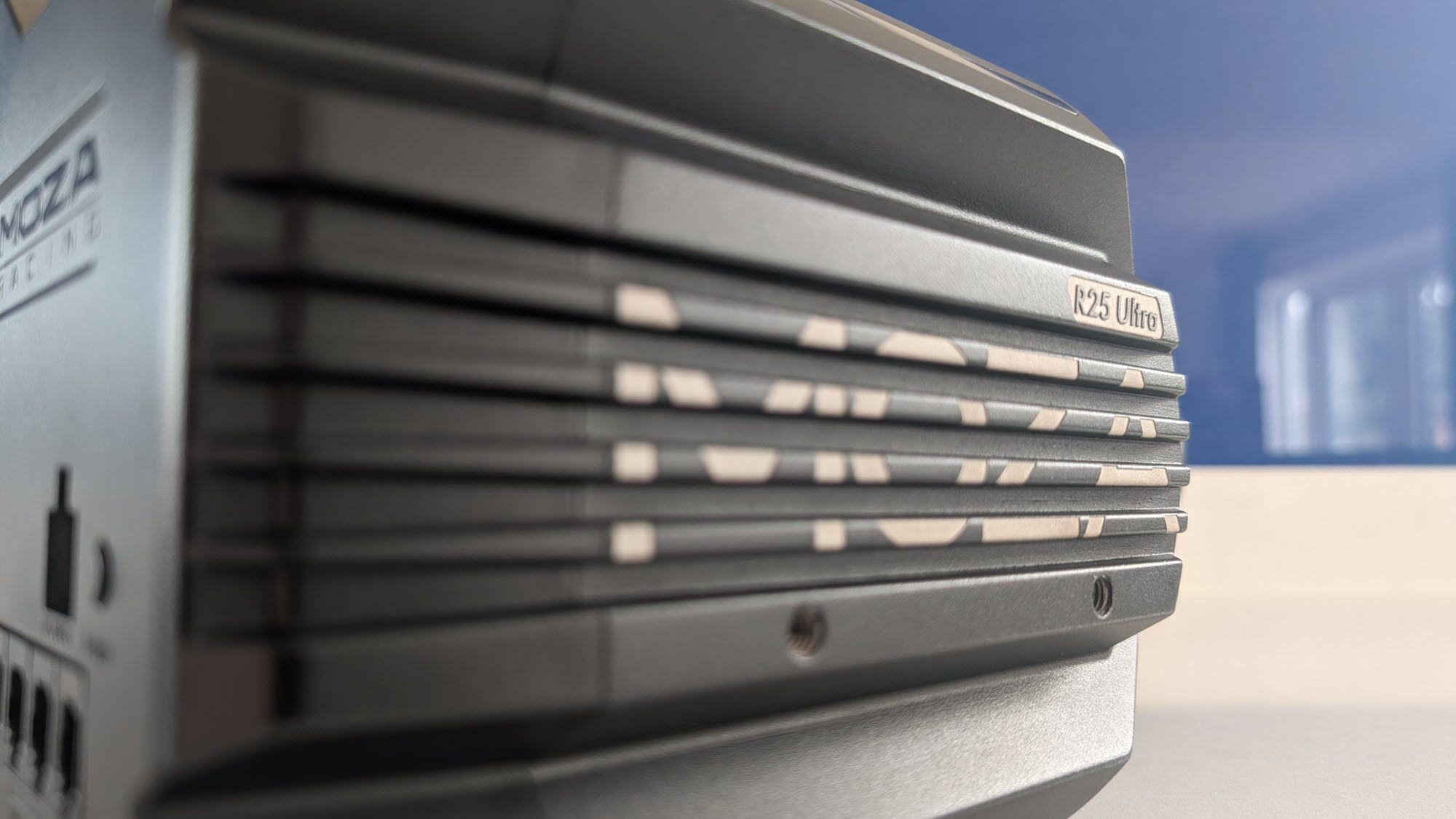
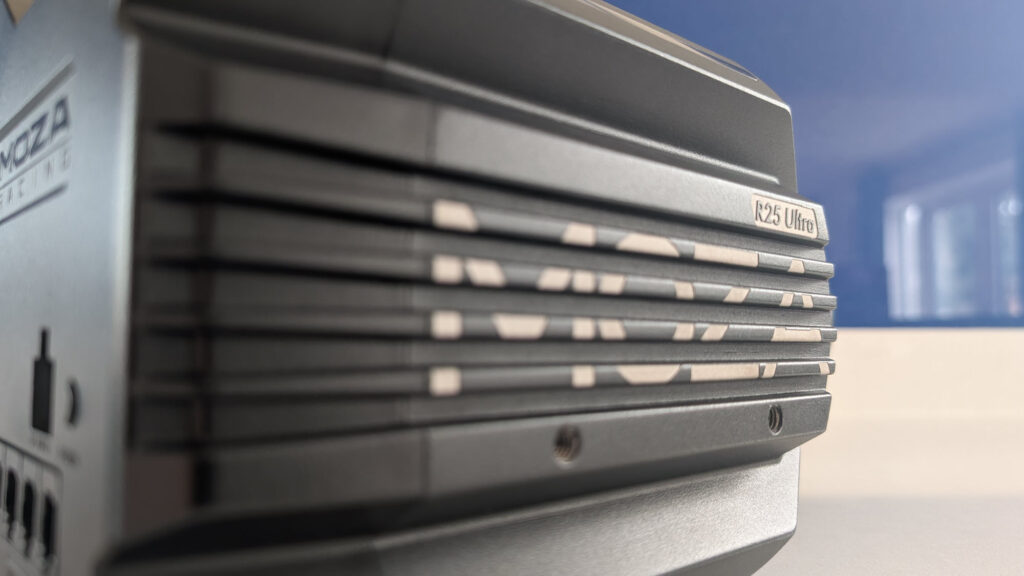
Moza has evolved considerably since I first tested their R5. The early bases felt good for the money but sometimes lacked the polish and refinement of their premium competitors. The R21 and R25 Ultra change that narrative a fair bit. Manufacturing quality is at this point, not something we need to dwell on for a long time, both wheelbases are really well finished, built like rocks and to perfect the look, have customisable RGB lighting along the top of the chassis on both units.
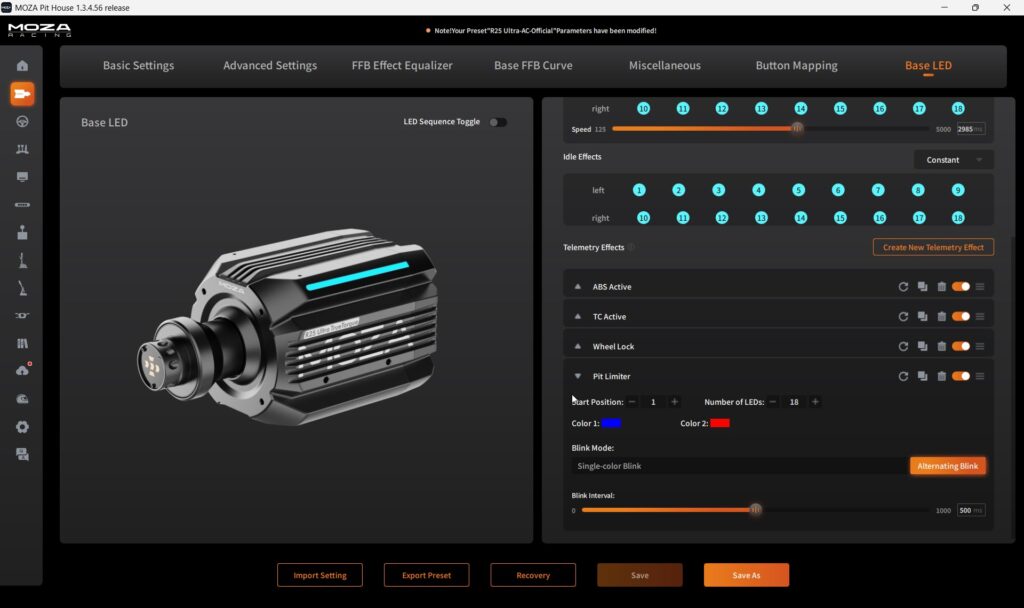
You can (for example) have the RGB change colour or flash in pit lane, or when the ABS kicks in. Very similar in nature (although simpler) to lighting effects we were tinkering around in SimHub with LED eyebrows just a year or so ago.
The R21 and R25 are barely larger than my test R12, and noticeably smaller than the original R21. I like this compactness – generally the larger an accessory is, the bigger the installation challenge (mBooster is a good example of this, it works really well but it is massive and not necessarily compatible with your sim setup).
First Impressions: Build Quality and Design
As I mentioned earlier: the first thing that hits you is the build quality. Drag one of these bases out of their foam inserts and you’ve got a fully CNC-machined aluminum housing DD wheelbase in your hands. They are heavy (which for an industrial servo motor chassis is a good thing). Moza has nailed the design language though; they’ve clearly put a lot of thought into the design package. Compared to the original R21, which was starting to look a bit awkward next to their modern lineup, the Ultra series feels cohesive and purposeful.
The weight of these things really is substantial so, do be cautious lifting it out of the box. The R25 Ultra weighs 9.2kg – or maybe I just need to get in the gym… It goes without saying you’ll need a decent sim cockpit because neither unit is going to be happy on a flimsy rig. If you’ve got a proper aluminium profile rig though, the compact footprint works well.
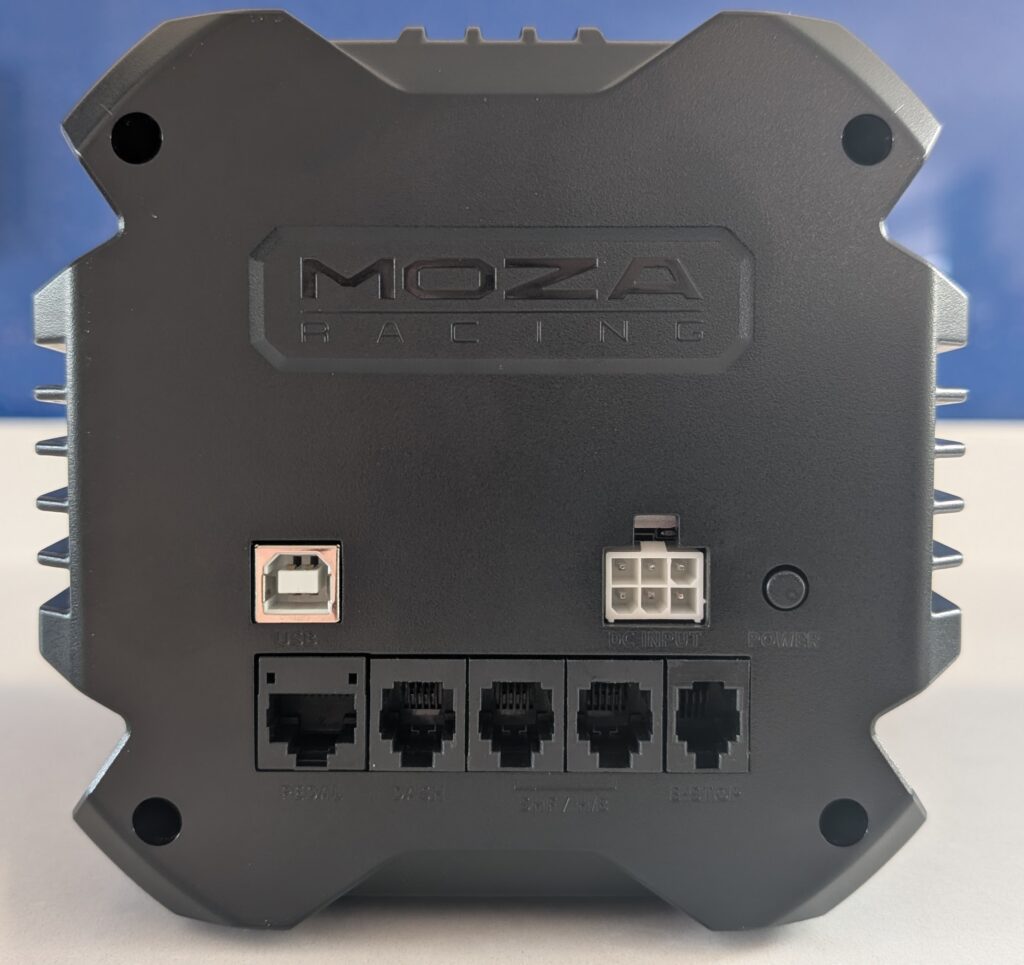
As you’d expect, the rear panel houses all connections: power input, emergency stop button, pedal and shifter inputs. It’s dense plastic rather than metal, but the construction feels solid. My only gripe; the power button is still on the back. The reach-around to fumble your way towards the power button can be a bit fiddly but it’s a minor ergonomic issue we can forgive.
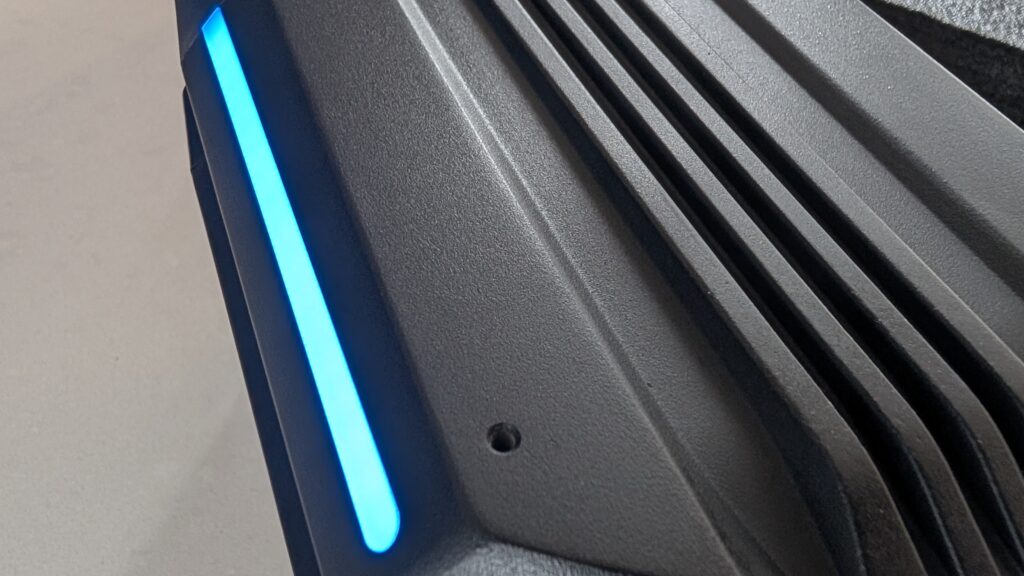
I really liked the RGB lighting feature – it’s such a nice touch. RGB is programmable and telemetry-responsive and can be configured in Pit House. The RGB features display shift indicators, ABS activation, traction control and flag warnings.
Installation and Mounting
Installation was straightforward with standard bottom mounting. The underside pattern aligns with most wheel decks out there, using the same Fanatec-established hole pattern (78.4mm lateral, 66mm vertical) that virtually every modern rig supports. As usual, Moza includes all the mounting hardware in the box. For most users, it should be a quick and easy job.
I was able to position the base precisely where I wanted without the bulk that larger competitors impose. Small wins matter when you’re trying to achieve proper seating position and monitor distance.
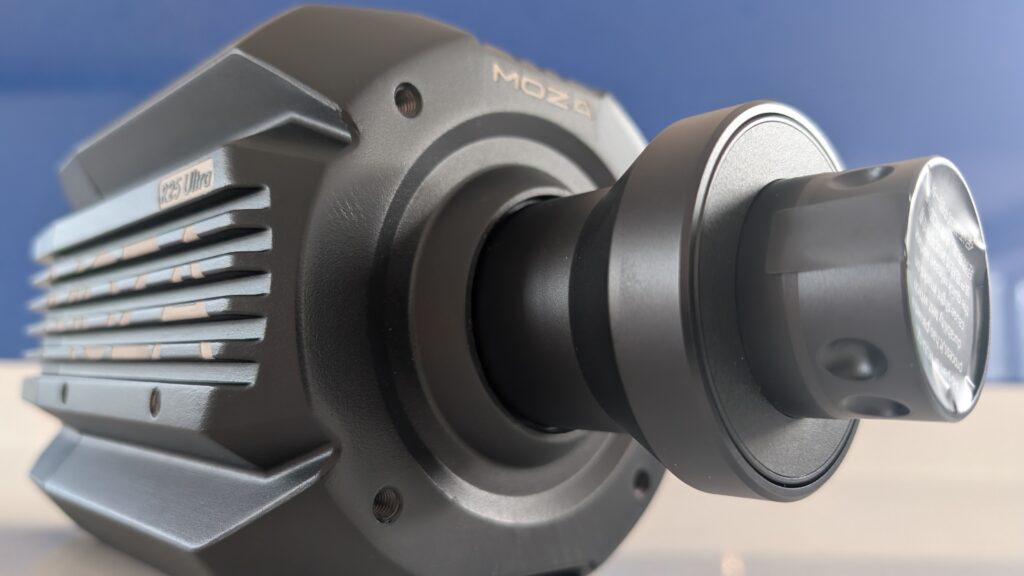
I’ll add that Moza explicitly state when mounting to the wheeldeck, if the aluminum plate is 6mm thick, use M6x12 bolts. For 8mm thick plates, use M6x14. No washers are needed in either case. Please be careful not to overtighten the bolts during installation. That’s a good reminder that overtightening a bolt (using too much torque) can do more harm than good during installation. I always do this by feel, as you feel the bolt resisting, give it another quarter turn and stop. Roughly!
One note on the side and front mounting options: these require Moza’s own brackets, which aren’t included in the box. I’ve seen reports from owners of Next Level Racing and Sim-Lab rigs who found their existing side mount hardware sits a few millimetres off the Moza hole pattern. Bottom mounting works universally; the alternative mount options are a nice addition but worth checking compatibility before assuming your rig’s existing hardware will bolt straight on.
Motor Technology: Flatwire Design and “Zero Cogging”
The motor is where I think Moza has made a ton of technical progress. The flatwire design eliminates cogging entirely (that’s the torque ripple you sometimes feel at low speeds with traditional motors). In practice, this translates to smoother force delivery across the entire torque range. No notchiness, no dead spots.
The 21-bit encoder provides roughly 2 million measurable positions per revolution. That’s ten times the resolution of previous-generation encoders. What that means in real terms: finer steering detail, subtle texture that doesn’t get compressed when multiple force effects combine. You feel road imperfections and tyre load changes simultaneously without one drowning out the other.
Moza claims a 26% higher torque density than their competitors in the marketing material. Obviously I don’t have the equipment here to measure this, all I can really do is nod agreeably. It just feels solid, very powerful and pretty detailed in the FFB output.
True Torque Sensor: R25 Exclusive Feature
The R25 includes Moza’s True Torque sensor. This is a hardware torque sensor operating to a 0.1% accuracy with a 2kHz response rate. As I learned while doing my research, most wheelbases estimate the force you’re applying based on motor current; a torque sensor senses torque directly.
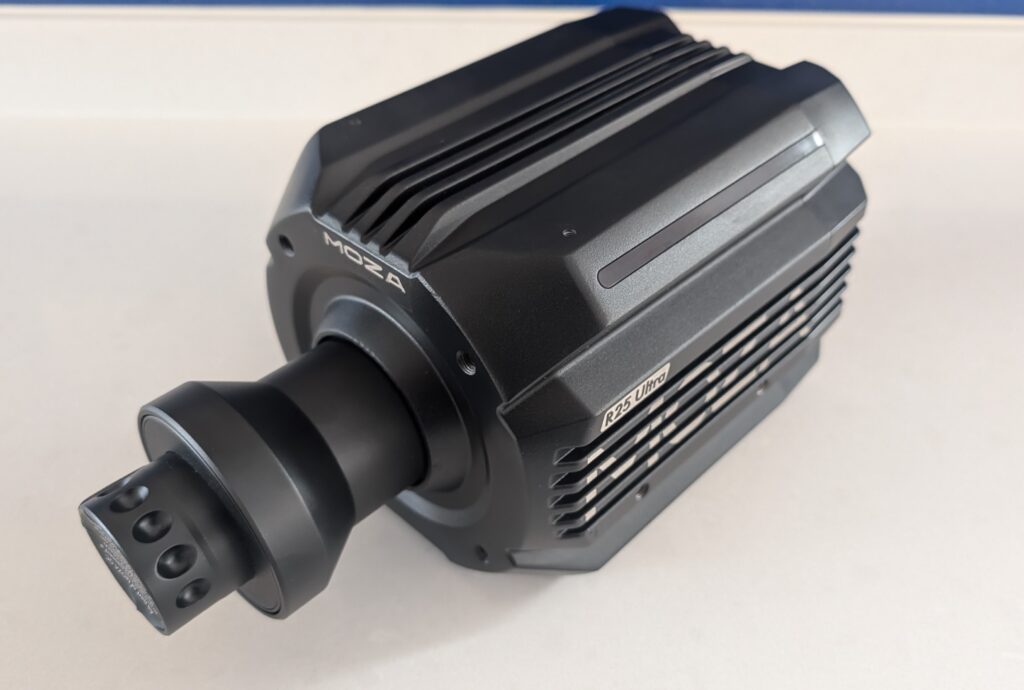
If you’re a precision-focused driver or competing at the top end, it might justify the price difference. For most sim racers though, the R21’s encoder resolution is already more than adequate. Unless you’re pushing for every tenth of a second or competing professionally, the True Torque sensor is a luxury rather than a necessity – I do get the sense that the R25 Ultra sits comfortably in the pro setup category.
Pit House Software: Power with Complexity
Pit House is Moza’s software hub for firmware updates, device management, lighting control, and force feedback tuning. It has matured significantly over the last couple of years and now exposes a huge array of tuning parameters. For advanced users, that’s excellent. For beginners? Might be a bit overwhelming.
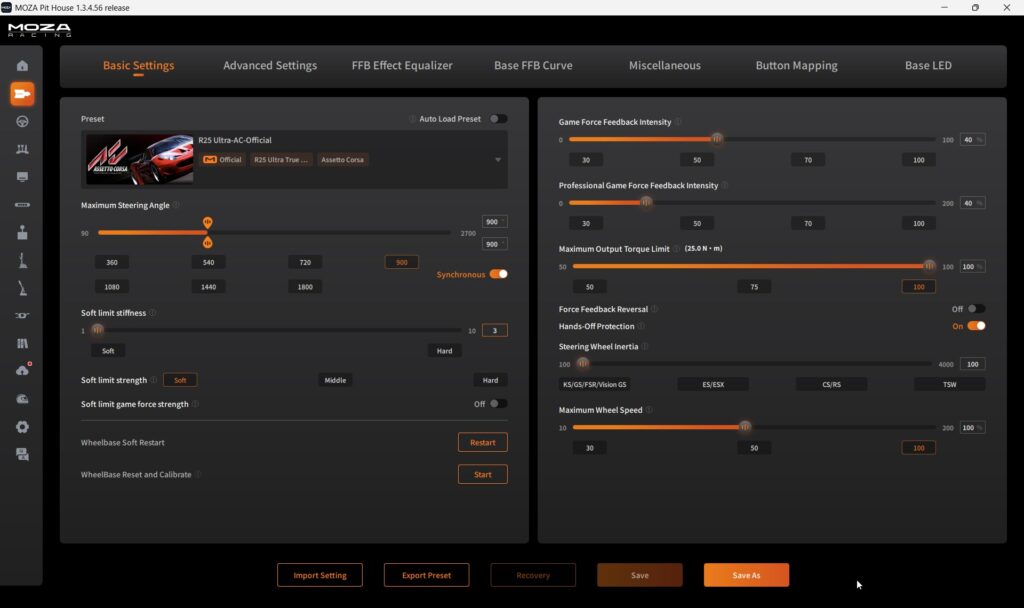
The UI is maturing; and for beginners (these are not beginner wheels) or intermediate drivers, Moza includes an array of one-click presets for most major sims. In iRacing, my main sim, the default profile was actually really good.
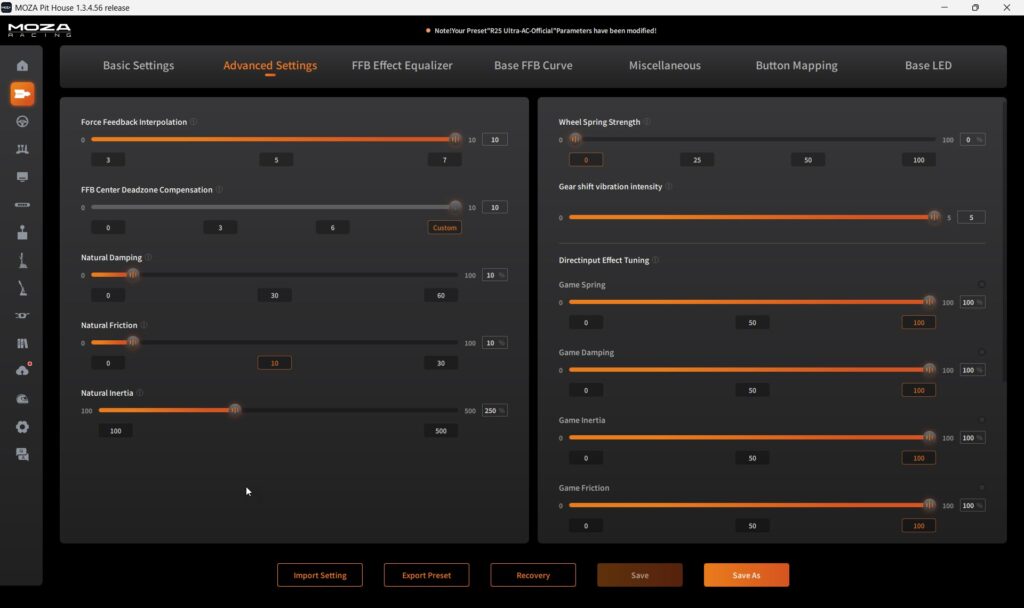
What I do recommend is turn Hands-off protection to OFF if you feel a “disconnected” sensation in the wheel centre. It appears the safety sensor can sometimes dampen small vibrations even when your hands are on the wheel.
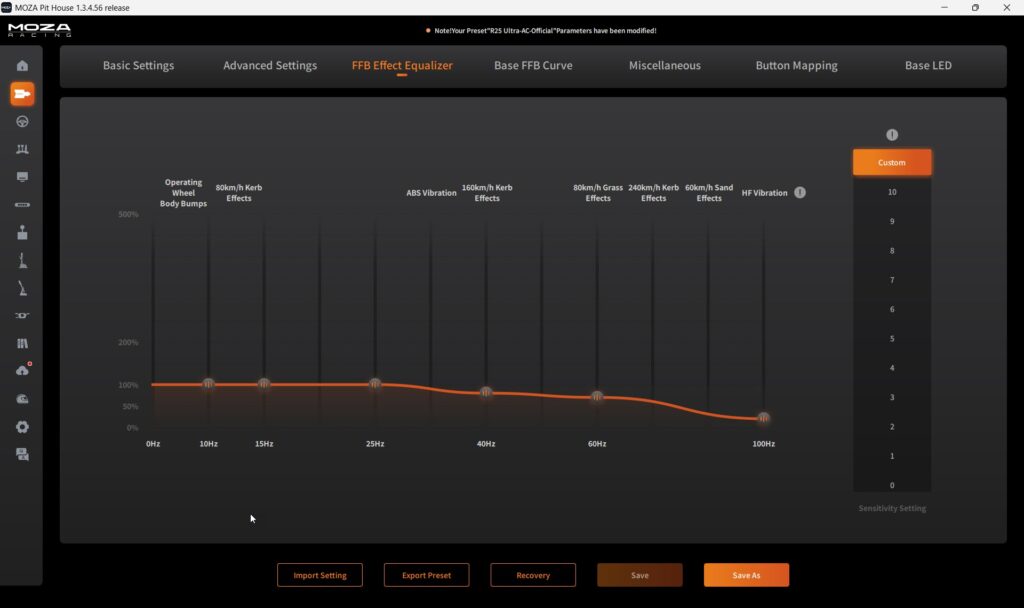
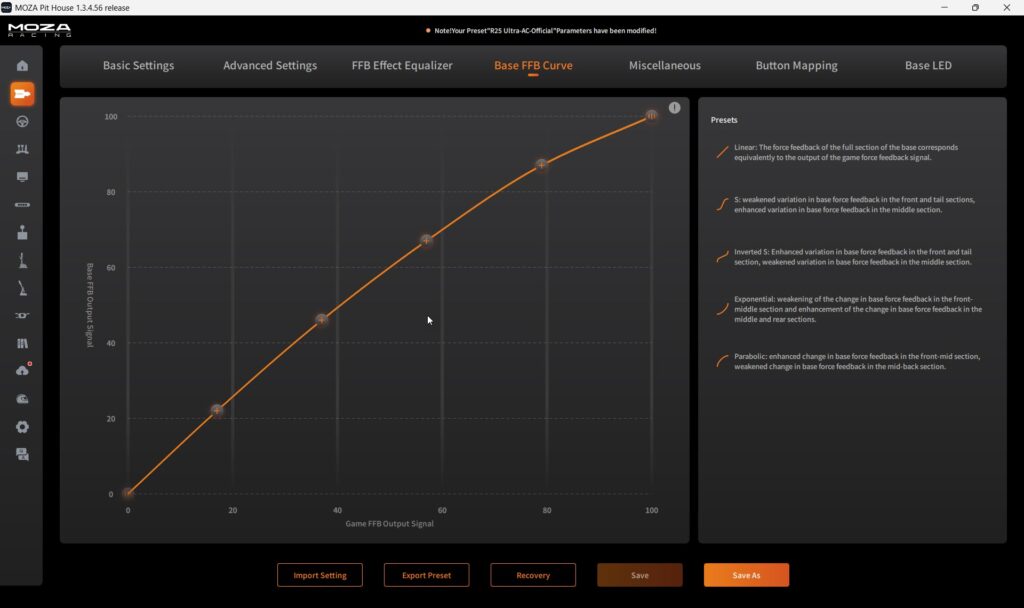
What I appreciate about Pit House is the depth available once you understand it. Damping, friction, inertia, spring settings, FFB curves: everything is adjustable. Two features worth highlighting specifically: the FFB Equalizer lets you amplify or reduce individual frequency bands in the force feedback signal – genuinely useful for dialling out harshness without losing low-speed detail. And the Base FFB Curve lets you reshape the overall FFB output via a graph, so you can run an exponential response rather than linear if you prefer a more progressive feel. If you enjoy the tuning process, you’ll love it. If you want plug-and-play perfection, you’ll be disappointed initially.
One more thing worth knowing: iRacing now also supports Low Frequency Effects (LFE) through the base – essentially haptic feedback layered into the wheelbase motor. Engine vibrations on startup feel noticeably more present, and curb strikes have an extra tactile dimension. It’s iRacing-exclusive for now (no SimHub support yet), but it’s a genuine step forward for immersion.
What Are the Moza R21 and R25 Ultra Like to Drive?
Every time I grab the wheel, the first thing that hits me is the sharpness. The base feels super sharp and quick with virtually no detectable latency. It’s quite aggressive and lively, especially when running without additional damping. At zero filters, the wheel can oscillate more than expected, so some tuning is necessary.
As I mentioned earlier, Moza includes single click presets for most major sims which are always a good starting point. In iRacing, the default 360Hz profile felt a bit too peaky initially. The wheel just felt hyper-active on straights because the Ultra motor is so responsive that it reacts to the high-fidelity signal faster than you can physically resist.
What I think might be happening is the motor is responding to 360Hz telemetry data with virtually no latency, but the default Natural Damping sits too low at around 5-10%. Without sufficient damping, the wheel hunts for centre and oscillates rather than settling.
The fix is easy enough. Increase the Wheel Damper in Pit House from default up to 20-30%. If you feel a strange deadness in the centre, check Hands-Off Protection – and I mean really check it. The default setting (Mode 2) was discovered post-launch to be the root cause of the “disconnected” FFB feel that a number of R21 and R25 Ultra owners reported. Boosted Media’s Will ran an extensive investigation and traced it back to this single setting. Turn it OFF entirely rather than just lowering it. The improvement is significant once you do.
Once properly dialled in with those adjustments, the base feels excellent. The spikiness disappears entirely and you’re left with sharp, detailed feedback that feels natural rather than artificial.
The road surface communication is excellent too. Every little imperfection, loss of grip, over or under steer – I feel like it’s transmitted very well. Thanks to the incredibly fast responsiveness and detail, I found myself catching more slides quicker and earlier than I typically would.
Time to Wrap it up:
Pros:
- Strongest price-per-Nm value in high-torque direct drive market (R21: $33/Nm, R25: $36/Nm vs Simucube $58/Nm)
- Premium CNC-machined aluminum build quality feels really high-end
- Compact footprint barely larger than R12
- 21Nm provides plenty of torque for vast majority of sim racers
- Sharp, detailed FFB with virtually no detectable latency across all tested sims
- Zero cogging from flatwire motor design delivers smooth force delivery across entire torque range
- Passive cooling means silent operation with no fans to fail or create noise
- Growing Moza ecosystem with wheels, pedals, shifters, dashboards expanding rapidly
- 360Hz FFB support in iRacing with LFE haptic layer – engine vibrations and curb detail through the base itself
- Pit House FFB Equalizer and Base FFB Curve give advanced users genuinely useful tuning tools
- True Torque sensor on R25 provides measurable precision improvement for catching slides
Cons:
- Out-of-box FFB needed work – there’s a bit of tuning required for optimal feel, particularly the Hands-Off Protection setting (turn it off)
- Pit House UI isn’t immediately intuitive for beginners with overwhelming parameter exposure (maybe a setup wizard might help?)
- Power button located on back needs you to reach around to power on
- Side and front mounting requires Moza’s own brackets; some popular rigs (NLR, Sim-Lab) have a ~5mm hole spacing mismatch that needs working around
- Extremely heavy requiring dedicated sim cockpit – at this torque level this is a complete given
- RGB lighting offers minimal functional value despite looking cool
- Ecosystem lock-in concerns with no USB passthrough and NRG QR limiting third-party wheels
Overall, I had a blast and I think for what it costs the R21 is a particularly safe bet. If you’re already invested in the Moza ecosystem and looking to upgrade, the R21 Ultra is an easy recommendation. If you’re at the absolute top end and want that last 5% of precision with the True Torque sensor, the R25 justifies its premium while staying on an unimaginably low budget (relative to what we had just a few years ago!). Either way, you’re getting performance that would normally require a significantly larger investment. Nicely done, Moza Racing!
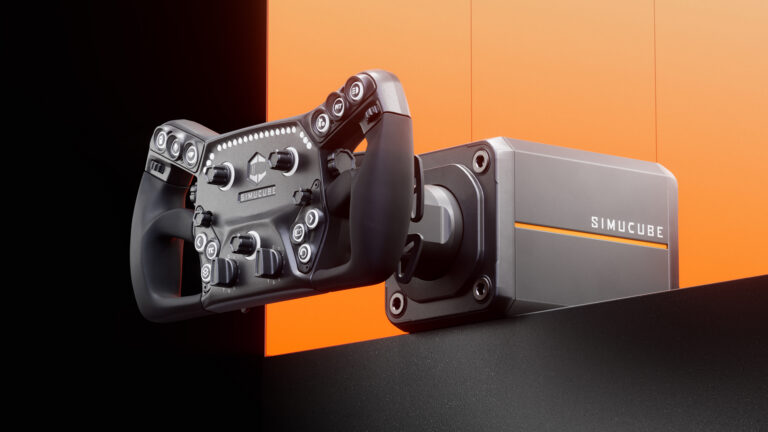
Simucube 3 Direct Drive Wheelbase: What 13 Reviews Really Say
Logitech RS50 Settings for PlayStation & Xbox (Every Supported Game
Logitech RS50 Settings for Every PC Game (Tested Baselines)
Logitech RS50 Review: First Proper Direct Drive from Logitech

Racing Cockpits Buyer’s Guide

Best VR Headsets for Flight Simulation
Topic: Direct Drive Wheels