
I’m a sim racer and amateur racer with a passion for Motorsport, good racecraft and the technical and setup aspect of sim racing.
ProDeskSim is one of those brands you find through word of mouth. A San Diego-based maker specialising in Honeycomb Bravo throttle quadrant addons, they’ve built a reputation for aircraft-specific overlays that actually feel like the real thing. Having gone through the comparison videos, forum threads, and community write-ups, there’s a clear case for what they do – with a few caveats worth flagging before you order.
ProDeskSim sits at the premium end of the Bravo addon market. The range runs $49 to $249 USD across Boeing, Airbus, and regional aircraft types, all 3D printed in-house with metal components in the right places. One thing to state upfront: every throttle addon here needs a Honeycomb Bravo Throttle Quadrant ($299.99, sold separately). No Bravo, no point.
Quick Navigation
Jump directly to what you’re looking for:
Why ProDeskSim? |
Flagship Throttle Addons |
Boeing Throttle Range |
Airbus Throttle Range |
Beyond the Bravo: Standalone Hardware |
Accessories |
Compare by Investment Level
This guide covers ProDeskSim’s full product range – from their core throttle overlays for Boeing and Airbus aircraft through to the newer standalone panels like the FMC CDU. Covered here: the flagship products, what community reviews actually say about build quality, and where the value sits across the range.
Why ProDeskSim?
ProDeskSim started around 2020-2021 as a small operation making Bravo addons, and grew almost entirely through flight sim forums and YouTube reviews. It’s likely a one-person or very small team operation, which explains both the quality attention and the shipping timelines (more on that shortly). The engineering philosophy is clear: aircraft-specific designs with functional mechanisms, not generic throttle overlays.
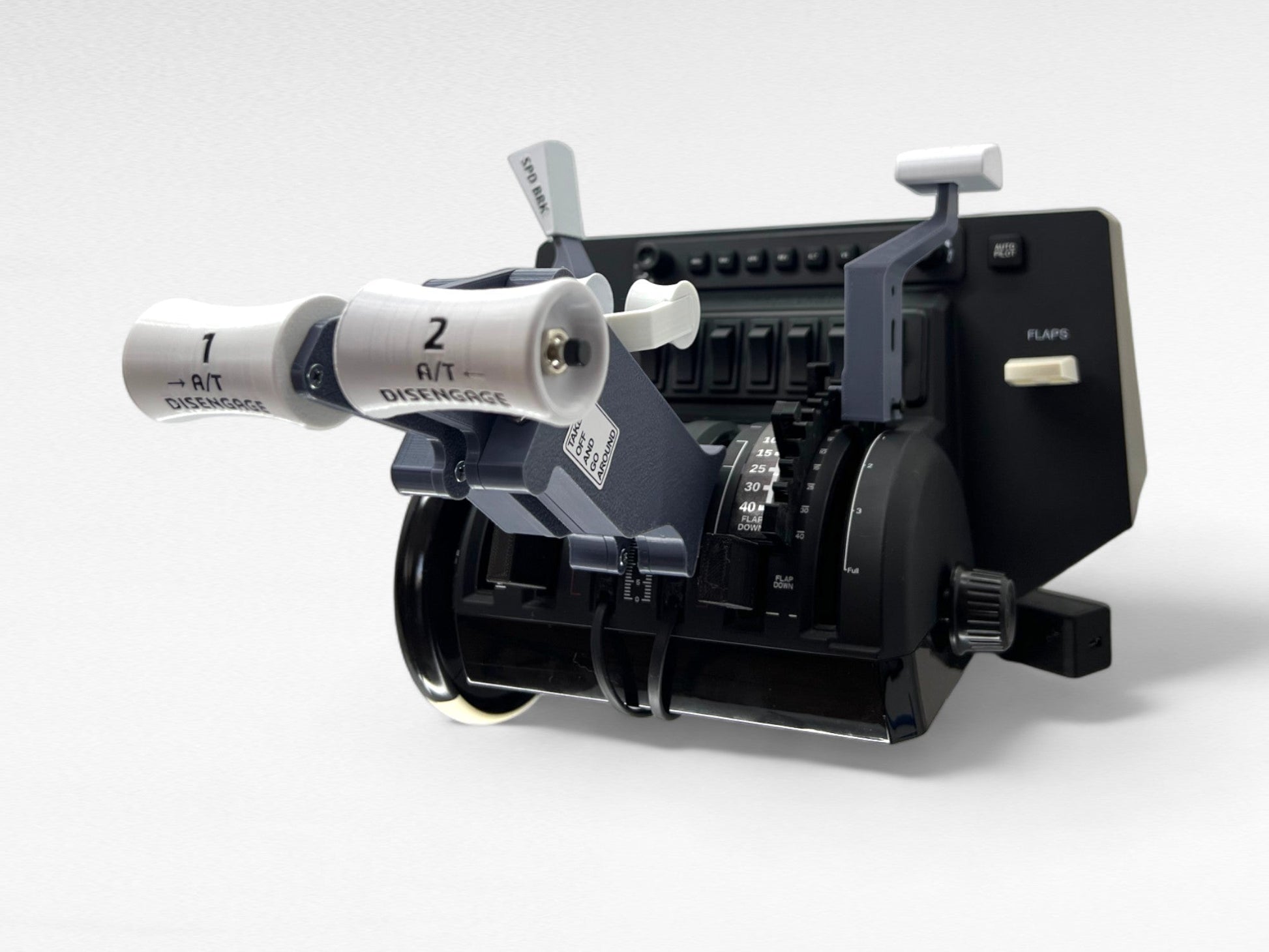
The technical standout is their hidden spring mechanism. FlightSimFactory runs visible external springs; ProDeskSim routes everything internally, which makes for a cleaner finish. Their spring-loaded flaps provide proper tactile feedback at each detent position, and the thrust reversers are consistently praised as smoother than the competition. Tool-free installation is another selling point – most products snap directly onto the Bravo without any fiddling.
Community Sentiment
Across the YouTube reviews and forum comparisons, the consensus holds up well. Build quality is the consistent win in head-to-head tests. SimFanatic called their A319-A321 Advanced “the best product I’ve tried from ProDeskSim.” FSElite’s 737 comparison praised the “better thrust reversers” and “smoother action” versus HomeCockpit. CST FlightDeck noted “excellent print quality” across the range.
The criticism is equally consistent, though. Tight tolerances can cause rubbing on some units – mostly a bedding-in issue but worth knowing. Caps don’t always clip on solidly across all models. Then there’s shipping – the bigger gripe. Items show as “in stock” on the site, but they’re made to order. Five weeks or more is a common wait, and that catches people out. Worth knowing before you commit.
ProDeskSim is roughly 27% more expensive than HomeCockpit for equivalent products – the 737 addon runs about $130 versus $102 from HomeCockpit. For most buyers the quality gap justifies the price difference. Budget-first? HomeCockpit is the obvious call. For accuracy over aesthetics, FlightSimFactory on Etsy leans harder into realism on some aircraft types.
ProDeskSim’s Flagship Throttle Addons
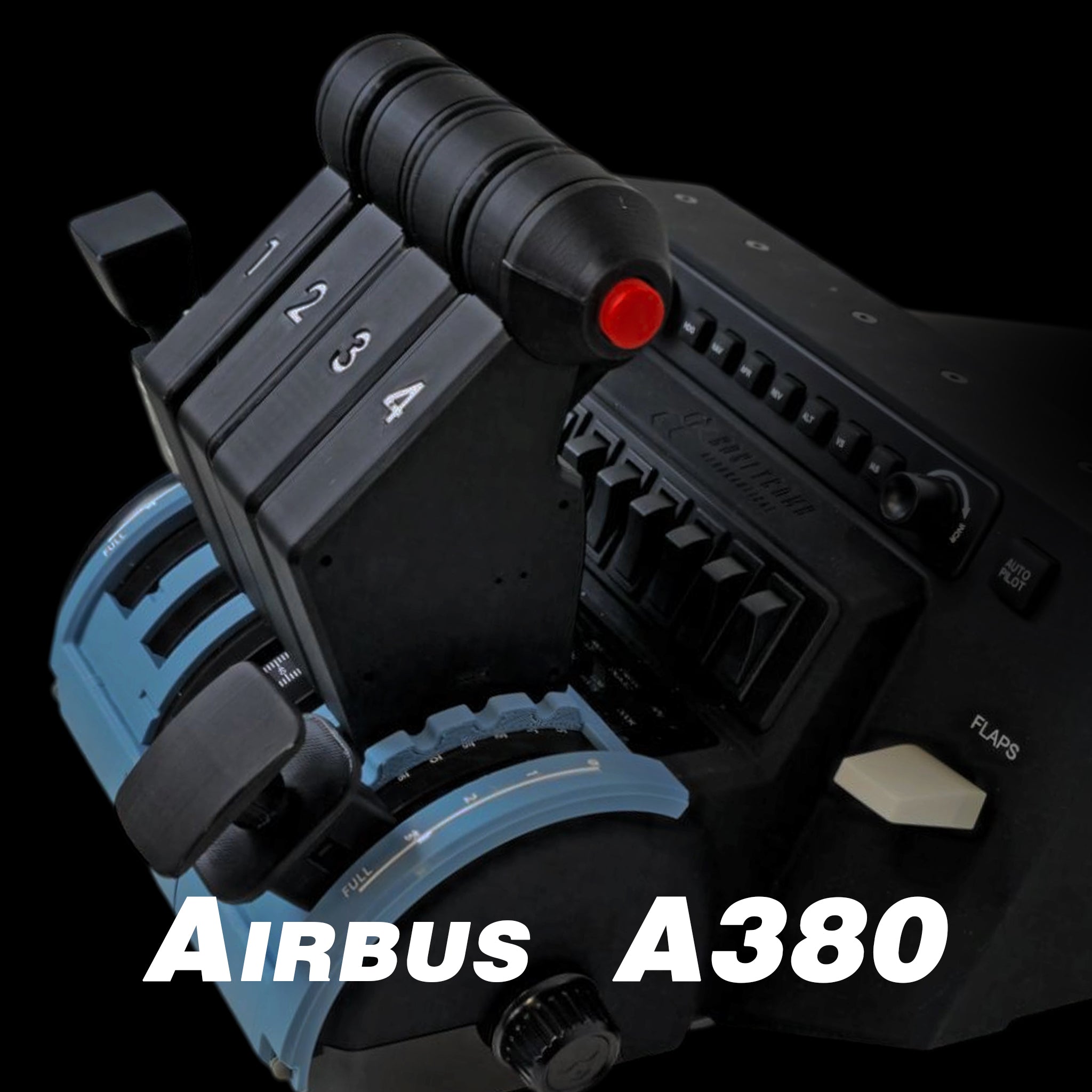
ProDeskSim’s throttle addons are the core business. Each is aircraft-specific – flap mechanisms, detents, and reversers are all tailored to the airframe rather than generic. “Advanced” variants get the full set: spring-loaded flaps, working reversers, decorative hardware.
A380 Advanced Throttle
The A380 Advanced is ProDeskSim’s most expensive throttle addon at $169. It covers the wide-body Airbus quad-engine configuration with spring-loaded flaps and functional thrust reversers. The internal spring keeps the front panel uncluttered – something you’ll appreciate on a long-haul sector in MSFS or X-Plane.
For A380 pilots specifically, this is the only game in town at this quality level. The internal spring design and decorative screw details set it apart from anything else available for the Bravo.
- Aircraft: Airbus A380 (quad engine)
- Price: $169 USD
- Spring-loaded flaps with tactile detents
- Functional thrust reversers
- Hidden internal spring mechanism
- Tool-free Bravo installation
A319-A321 Advanced Throttle
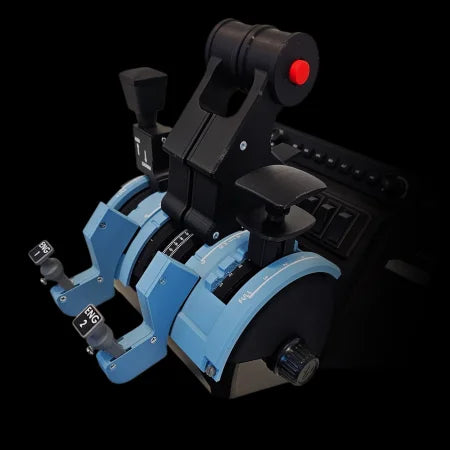
At $167.45, the A319-A321 Advanced covers the A320 family – which is probably the most popular aircraft in flight sim right now. SimFanatic’s review of this one was particularly positive, calling it the best product in ProDeskSim’s lineup. The spring-loaded flap system and functional reversers work well for the narrow-body configuration.
If you fly the FlyByWire A32NX in MSFS (and let’s be honest, most Airbus simmers do), this is the addon that’ll see the most use. Given how much time most Airbus simmers rack up on the A320 family, the value case is straightforward.
- Aircraft: Airbus A319, A320, A321
- Price: $167.45 USD
- Covers the full A320 family
- Spring-loaded flaps with detent positions
- Functional thrust reversers
- Community-rated as ProDeskSim’s best product
747 Advanced Throttle
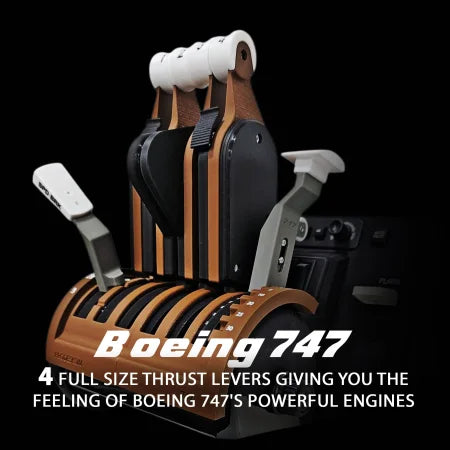
The Boeing flagship. At $141.95, the 747 Advanced is a quad-engine throttle overlay with ProDeskSim’s full feature set. Boeing fans will appreciate the aircraft-specific detent positioning and thrust reverser action. The build quality here matches the Airbus side of the range – same hidden springs, same tool-free installation.
The 747 is a proper bucket-list aircraft for sim pilots. Flying the PMDG 747 in MSFS or the Felis 747 in X-Plane, aircraft-specific throttle feel makes a real difference – a generic Bravo overlay doesn’t replicate the quad-engine detent arrangement.
- Aircraft: Boeing 747 (quad engine)
- Price: $141.95 USD
- Aircraft-specific detent positioning
- Functional thrust reversers
- Hidden spring mechanism
- Compatible with PMDG and Felis variants
FMC CDU
ProDeskSim’s most expensive product at $249 – and the clearest sign they’re moving beyond pure Bravo addons. The FMC CDU is a standalone flight management computer panel, not a Bravo overlay. Different market entirely from the throttle addons: this one’s aimed at simmers building out more complete cockpit setups.
Worth noting this is newer territory. The standalone panels don’t have the same depth of community reviews behind them yet – the throttle range has years of forum validation, the CDU doesn’t. Early signs are positive, but the track record simply isn’t there yet.
- Type: Standalone panel (not a Bravo addon)
- Price: $249 USD
- Boeing FMC CDU functionality
- 3D printed with metal hardware
- Part of ProDeskSim’s avionics expansion
Boeing Throttle Range
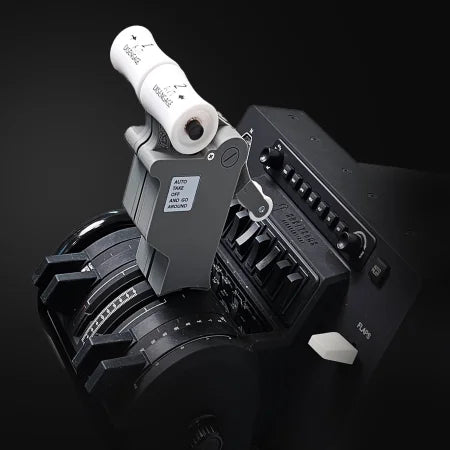
ProDeskSim covers the main Boeing fleet: 737, 747, 777, and 787. The 737 is where most buyers start – it’s the most popular Boeing in sim and the B737 Ultra at $101.60 represents a more accessible entry point than the Advanced models. FSElite ran the ProDeskSim and HomeCockpit 737 overlays side by side – ProDeskSim came out ahead on build quality, with smoother thrust reversers and better overall finish called out specifically.
777 and 787 addons round out the twin-engine Boeing side. All of them use aircraft-specific detent positioning – that’s the point of the ProDeskSim approach versus a generic overlay that treats every airframe the same.
Airbus Throttle Range
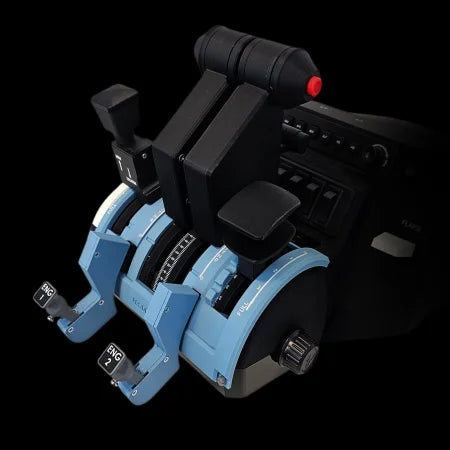
The Airbus side covers the A319-A321 (A320 family), A350, and A380. The A320 family addon is arguably ProDeskSim’s strongest product based on community feedback, and the A350 is where the ProDeskSim versus FlightSimFactory debate gets interesting. CST FlightDeck’s comparison noted that FlightSimFactory offers “slightly more realistic shapes” and external spring-loaded reversers, whilst ProDeskSim wins on aesthetics with hidden springs and decorative screws.
One honest caveat on the A350: CST FlightDeck pointed out that ProDeskSim includes an idle detent which the real A350 doesn’t have. If pure accuracy matters to you, that’s worth considering. For most simmers, the functional benefit of the detent outweighs the accuracy concern – but it’s the kind of detail accuracy purists will notice.
Beyond the Bravo: Standalone Hardware
ProDeskSim has moved beyond pure Bravo addons into standalone avionics panels. The FMC CDU ($249) and MCDU Unit ($139) are proper standalone panels – no Bravo required. There’s also a Multi Axis Controller ($109) and a Desk Mount ($149) for more permanent cockpit builds. It’s a meaningful product line expansion.
The throttle addon range has years of community validation. The standalone panels don’t – they’re newer and review coverage is thin. Worth watching if you’re building out a full cockpit; if ProDeskSim holds their quality standard here, it’ll expand the options available at this price point.
Accessories
ProDeskSim’s largest category by product count is accessories – individual levers, replacement caps, adapter pieces, and add-on components. Good if you’re building a custom configuration piece by piece, or replacing worn parts on an existing setup. The CRJ 500-1000 Advanced at $189.60 sits here despite being a full throttle addon, because it ships as bundled components.
Compare by Investment Level
ProDeskSim’s range splits into three tiers. The entry level ($49-$89) covers individual accessories, replacement parts, and basic addon components – worth considering if you want to extend an existing setup or try the brand before spending on a full overlay. The mid tier ($89-$150) is where the standard and Ultra throttle addons land; the B737 Ultra at $101.60 is a sensible starting point – most-flown Boeing, solid build, no premium price.
The premium tier ($150-$249) is the Advanced throttle addons and standalone panels. A319-A321 Advanced at $167.45 and A380 Advanced at $169 are the full ProDeskSim spec – spring-loaded flaps, functional reversers, the lot. FMC CDU at $249 is for cockpit builders going further. For most people, the 737 Ultra or A319-A321 Advanced hit the right balance of quality and spend.

Racing Cockpits Buyer’s Guide
Best VR Headsets for Flight Simulation
Fanatec ClubSport Steering Wheel GT3 for Xbox Review
Simagic Sim Racing: The Complete Buyer’s Guide (2026)
Corsair for Sim Racers: Ecosystem Buyers Guide 2026