
I’m a sim racer and amateur racer with a passion for Motorsport, good racecraft and the technical and setup aspect of sim racing.
Setting up the RS50 on console involves a bit more friction than PC. Games use whitelists, compatibility modes behave differently between PlayStation and Xbox, TrueForce detection is game-dependent rather than universal, and occasionally the whole thing just needs a power cycle to start cooperating. I’ve pulled Logitech’s RS50-specific baselines for all 20 PlayStation titles and 24 Xbox titles below, along with community tips where they’re worth knowing.
If you’ve already read the PC settings guide, the format here is the same – but the values are often different, even for the same game. And if you want the full hardware rundown, that’s in my Logitech RS50 review.
Console-Specific Setup Notes
Before you start tweaking per-game settings, three things that trip up a lot of console RS50 owners:
- RS vs PRO compatibility mode. Most console games work in RS mode, but a handful use a whitelist system that only recognises the Pro Wheel. If the game isn’t detecting the RS50 properly, switch to PRO mode on the OLED screen before launching. One Reddit user put it well: “Some games operate a whitelist system rather than being open, so you need to switch the base to PRO mode.” On console, ACC and GRID Legends both need PRO.
- Power cycle after changing settings. This one catches people out on Xbox especially. After you’ve adjusted settings on the wheel’s OLED, turn the base off with the rear button, wait a few seconds, then turn it back on before starting your session. It sounds daft, but it fixes the majority of “my FFB isn’t working” issues.
- TrueForce is game-dependent. The RS50 supports it, but the game has to support it too. On Xbox, the wheel gets picked up as a generic steering controller in some titles, so TrueForce won’t always kick in automatically. Where TrueForce isn’t supported for a game, the setting shows N/A below.
All settings assume the RS50 is running at 8Nm strength. If you’re at a lower torque, scale the dampener values down proportionally.
Assetto Corsa
The original AC on console runs in RS mode on both platforms. PlayStation dampener sits at 70, Xbox pushes it right up to 100 – the highest dampener value across any console title. TrueForce isn’t in the picture for AC on console, so that’s left at N/A. Angle is car-dependent on both.
PlayStation Settings
- Compatibility Mode: RS
- FFB Filter: 9
- Dampener: 70
- TrueForce Audio: N/A
- Angle: Set Per Car
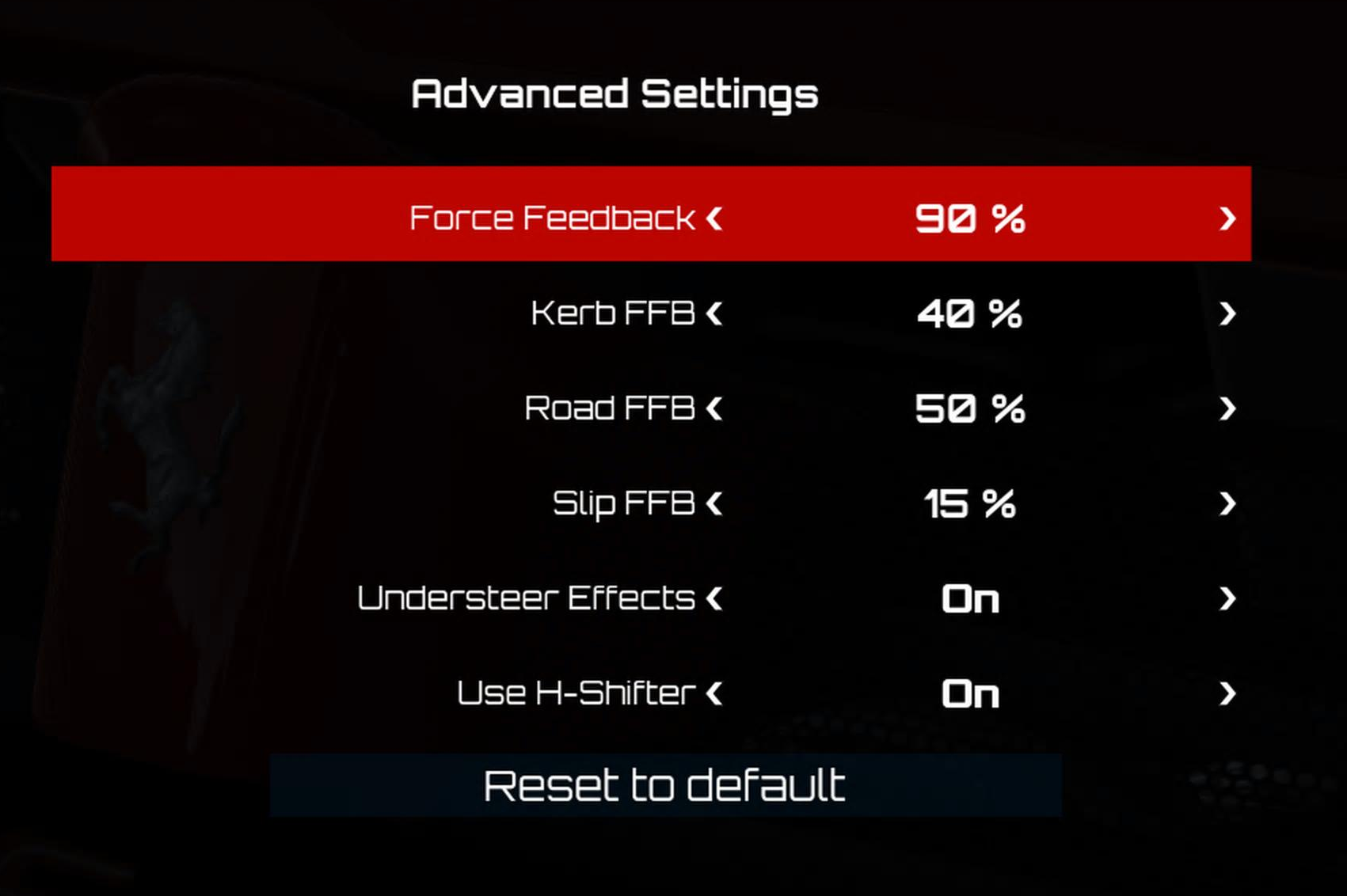
Xbox Settings
- Compatibility Mode: RS
- FFB Filter: 4
- Dampener: 100
- TrueForce Audio: N/A
- Angle: Set Per Car
Assetto Corsa Competizione
PRO mode on both consoles for ACC. One thing to watch: the PS4 version isn’t supported – you need the PS5 build. Settings differ quite a bit between platforms. PlayStation gets TrueForce at 50 with dampener at 25, while Xbox pushes dampener up to 70 with TrueForce at 30. Both run at 1080°.
PlayStation Settings
- Compatibility Mode: PRO
- FFB Filter: 7
- Dampener: 25
- TrueForce Audio: 50
- Angle: 1080°
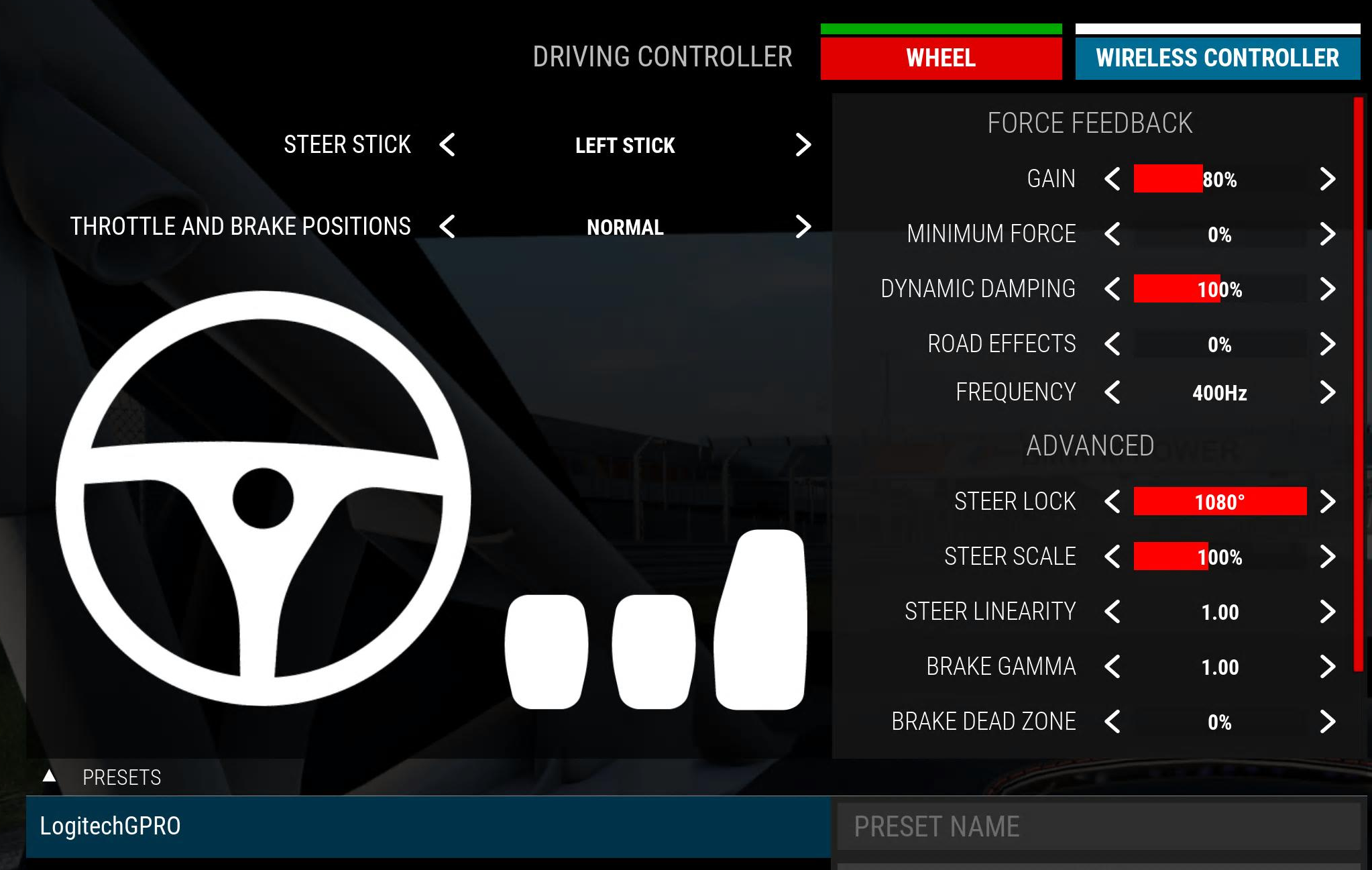
Xbox Settings
- Compatibility Mode: PRO
- FFB Filter: 8
- Dampener: 70
- TrueForce Audio: 30
- Angle: 1080°
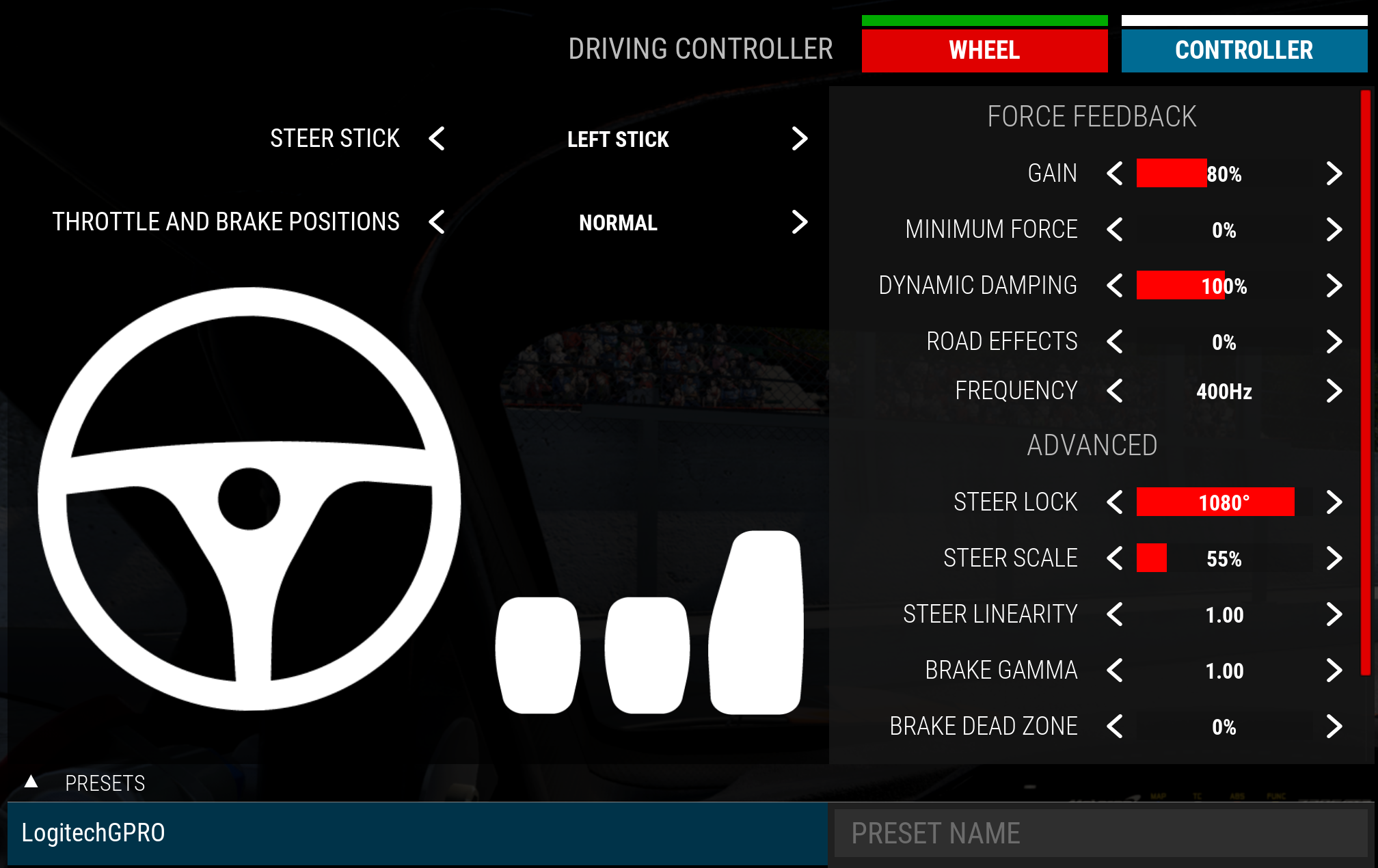
CarX Drift Racing Online
This one’s PlayStation-exclusive on console. RS mode, filter at 7, dampener kept low at 15 so the wheel snaps back quickly mid-drift. TrueForce isn’t supported. You get the full 1080° of rotation, which is plenty for holding long slides.
- Compatibility Mode: RS
- FFB Filter: 7
- Dampener: 15
- TrueForce Audio: N/A
- Angle: 1080°
Dakar Desert Rally
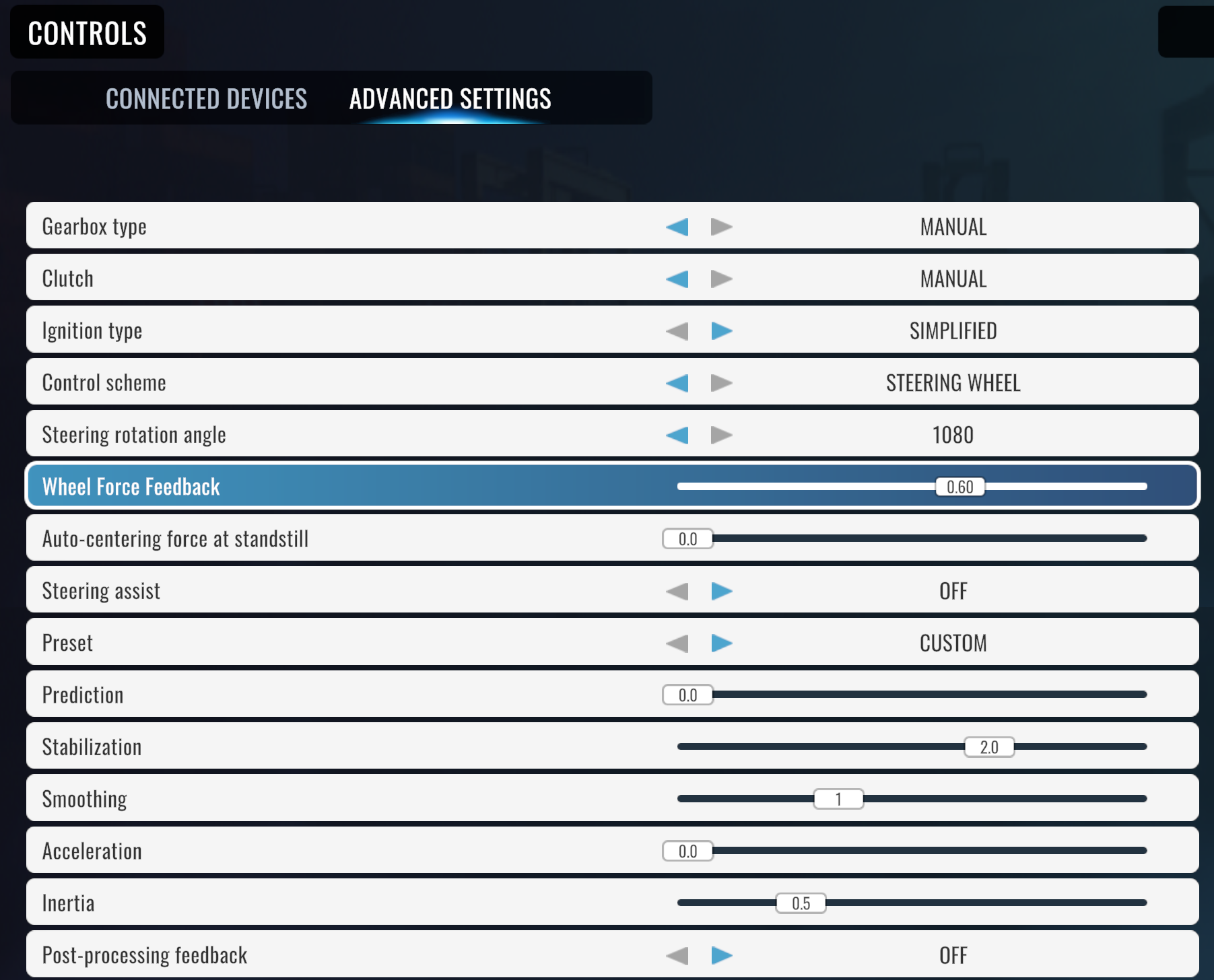
One of the rare cases where PS and Xbox get identical settings: RS mode, filter at 7, dampener off, TrueForce left at N/A, 900° angle. Logitech’s values match exactly on both consoles here, which almost never happens.
PlayStation Settings
- Compatibility Mode: RS
- FFB Filter: 7
- Dampener: OFF
- TrueForce Audio: N/A
- Angle: 900°
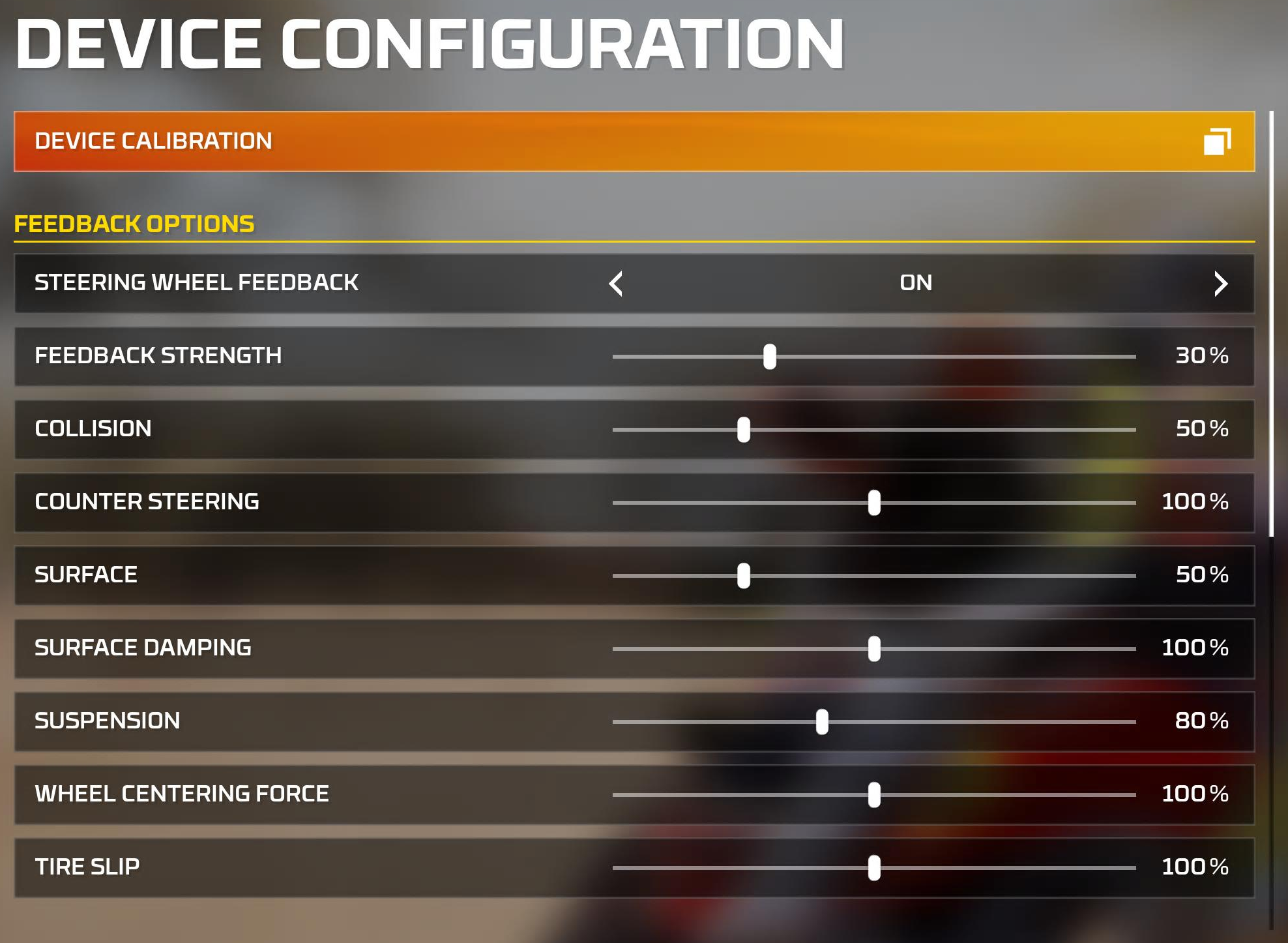
Xbox Settings
- Compatibility Mode: RS
- FFB Filter: 7
- Dampener: OFF
- TrueForce Audio: N/A
- Angle: 900°
DIRT 5
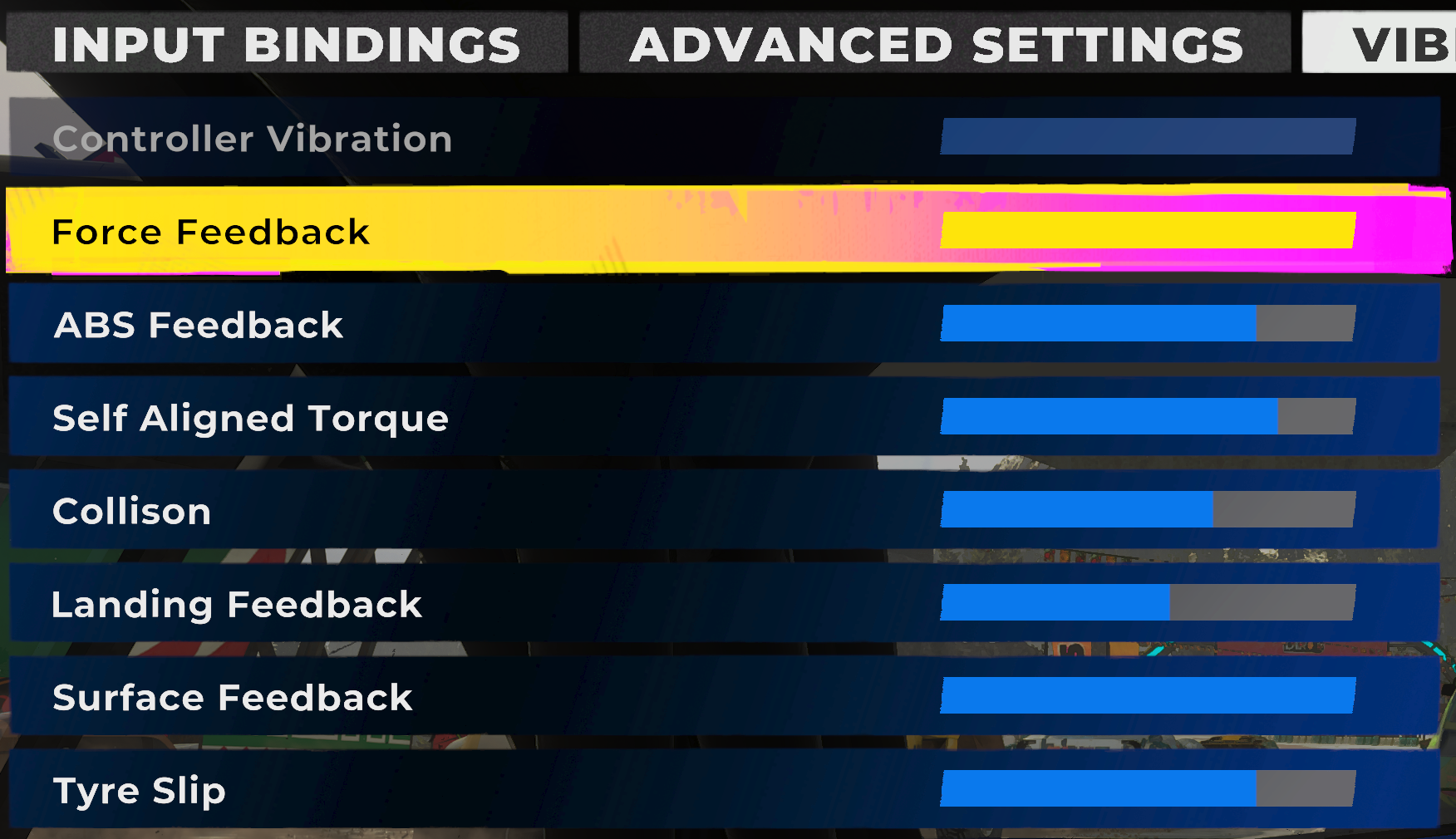
Xbox exclusive. Codemasters’ arcade-leaning offroader uses a narrow 600° angle with dampener at 50 and filter at 5. TrueForce isn’t part of the equation. Dead simple setup – RS mode and crack on.
- Compatibility Mode: RS
- FFB Filter: 5
- Dampener: 50
- TrueForce Audio: N/A
- Angle: 600°
Dirt Rally 2.0
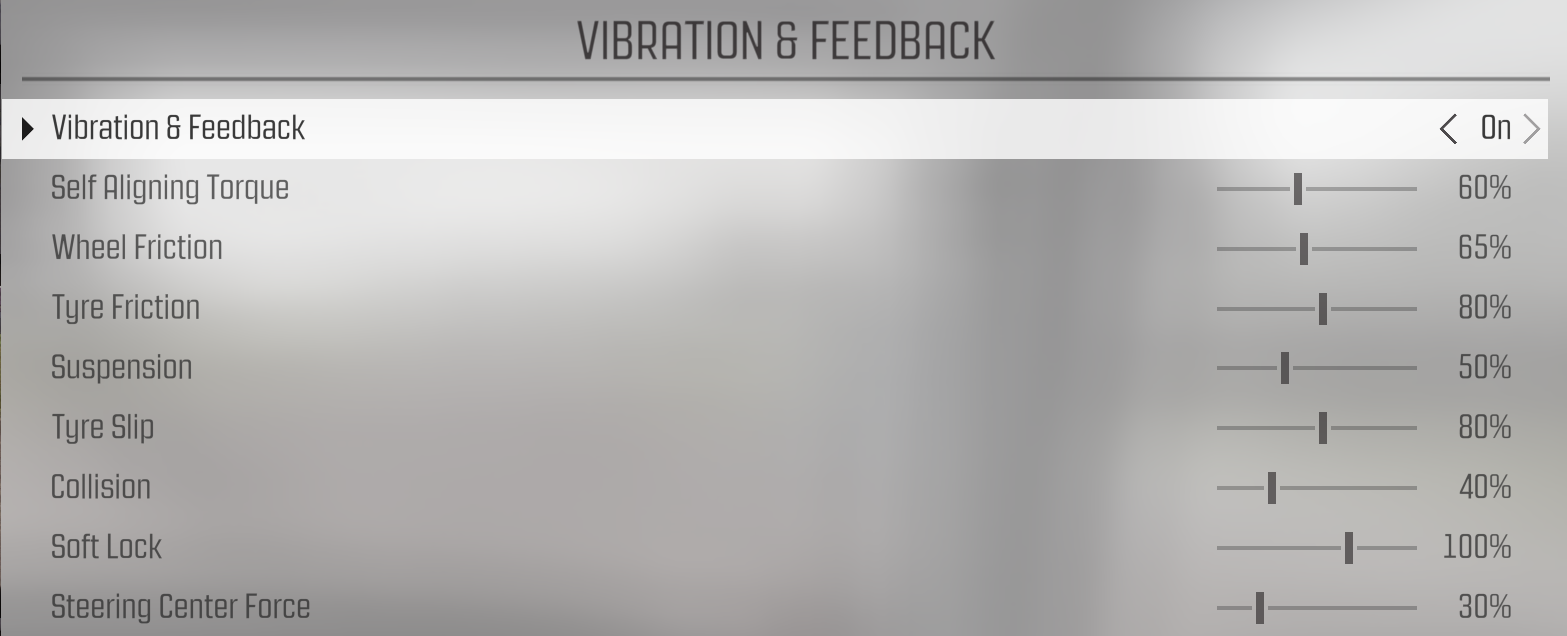
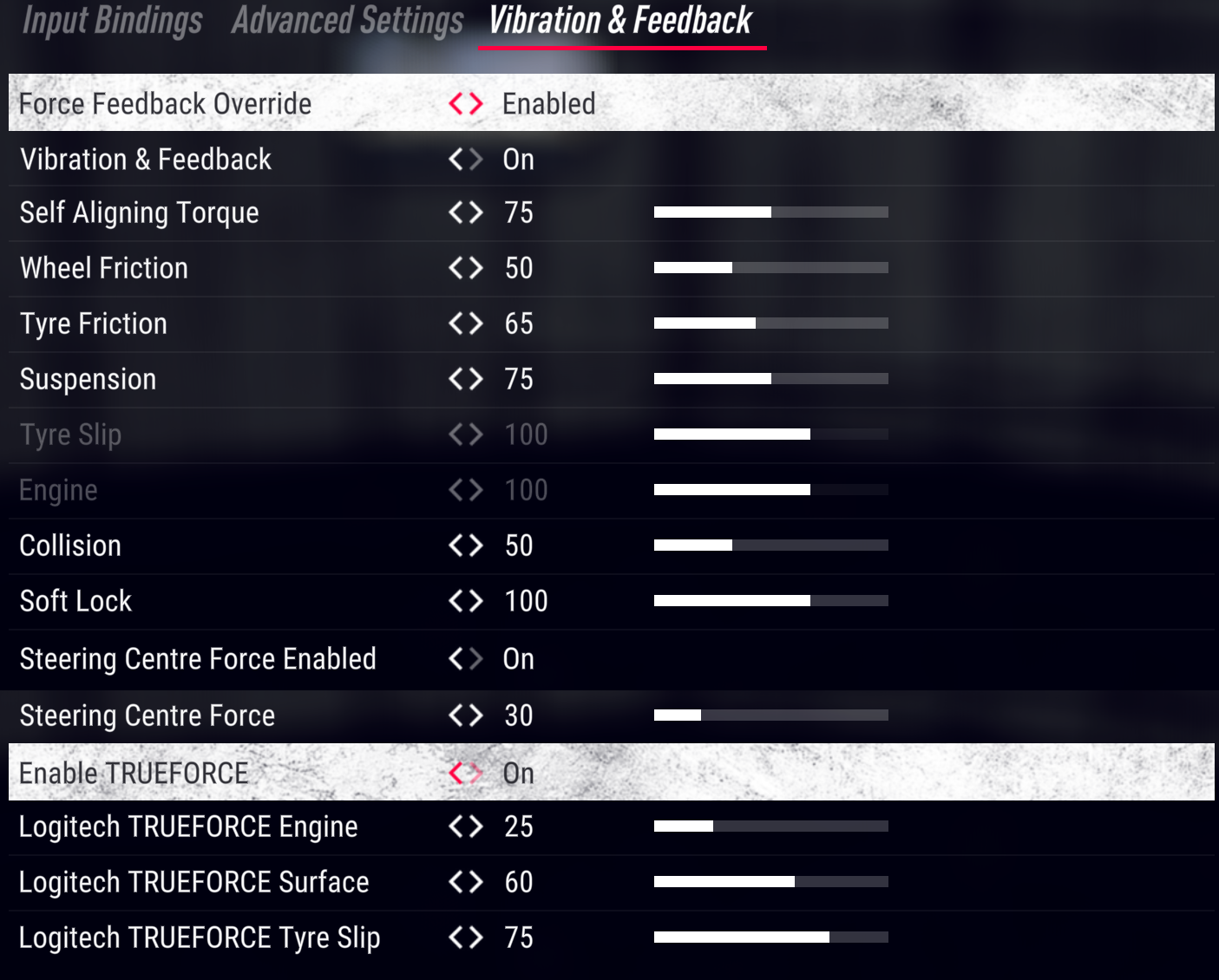
Both platforms get TrueForce here, though the values split: PlayStation at 25, Xbox at 50. Dampener differs too – 25 on PS, 20 on Xbox. Both use car-dependent angle, which works well for the mix of Group A, R5, and historic rally cars.
PlayStation Settings
- Compatibility Mode: RS
- FFB Filter: 4
- Dampener: 25
- TrueForce Audio: 25
- Angle: Set Per Car
Xbox Settings
- Compatibility Mode: RS
- FFB Filter: 6
- Dampener: 20
- TrueForce Audio: 50
- Angle: Set Per Car
EA Sports WRC
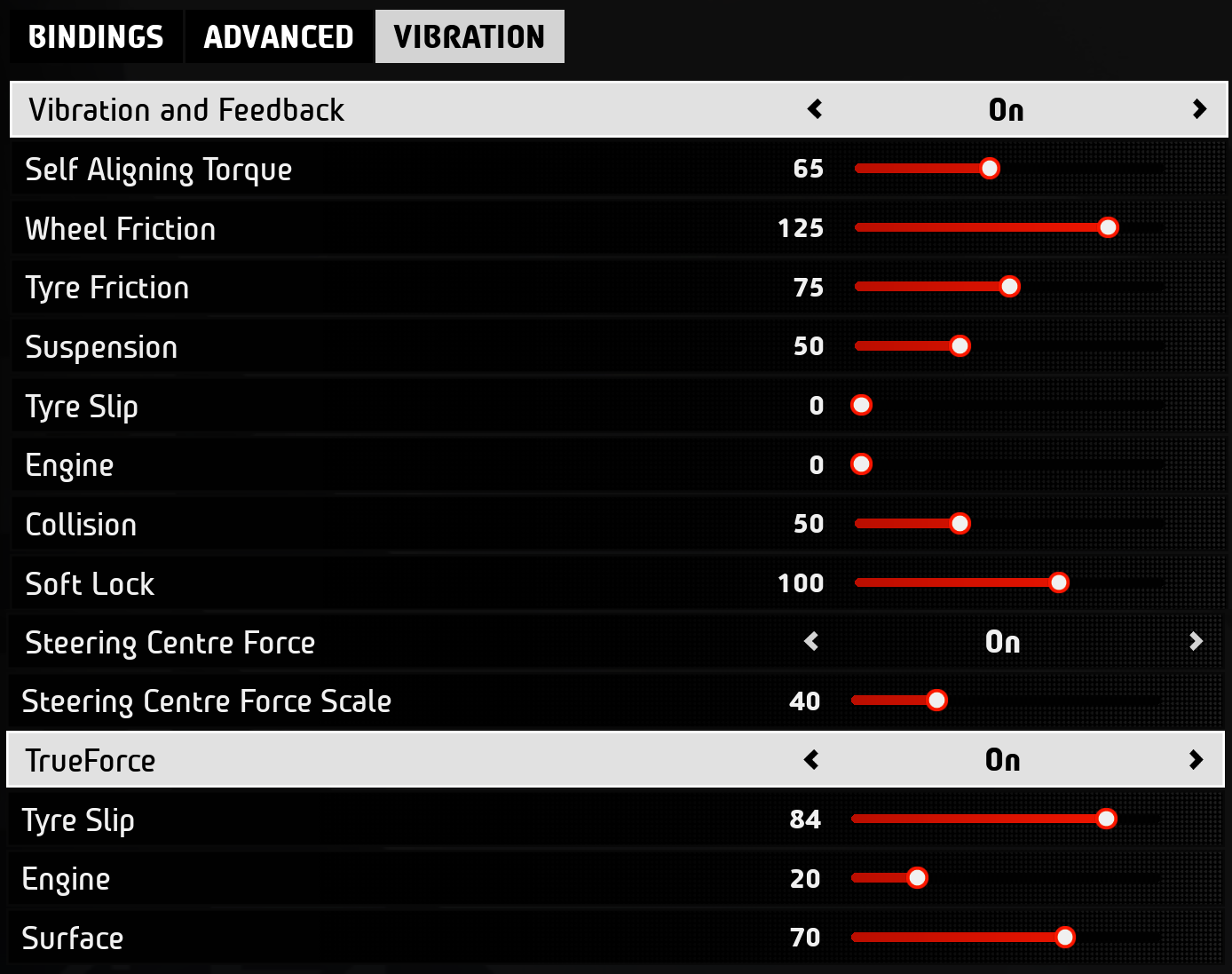
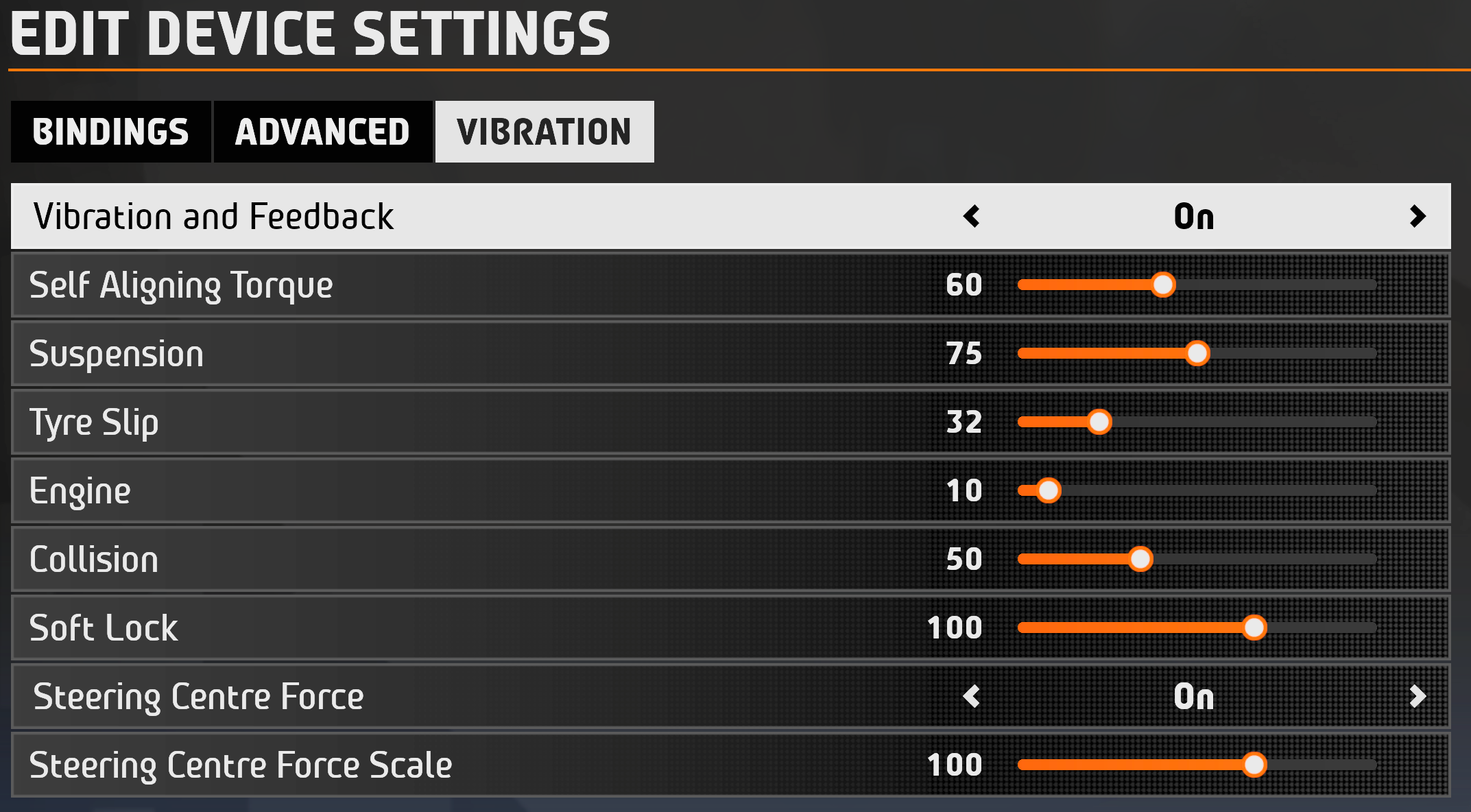
RS mode on both consoles – interesting, since the PC version needs PRO mode. The big difference is angle: 900° on PlayStation, 2700° on Xbox. TrueForce at 35 on PS, not available on Xbox. If the Xbox angle seems excessive, the game narrows it per car class internally.
PlayStation Settings
- Compatibility Mode: RS
- FFB Filter: 4
- Dampener: 25
- TrueForce Audio: 35
- Angle: 900°
Xbox Settings
- Compatibility Mode: RS
- FFB Filter: 6
- Dampener: 15
- TrueForce Audio: N/A
- Angle: 2700°
F1 25
Probably the biggest cross-platform settings gap on this entire list. PlayStation gets 360° angle – correct for a Formula 1 car. Xbox gets 2700°. I know that looks wrong, but it isn’t. The Xbox version of F1 25 handles angle mapping differently, so you leave the wheel wide open and let the game manage the lock internally. If you manually set 360° on Xbox it’ll feel completely off. YouTube creator Kireth also notes you may need to switch to PRO mode for F1 titles on PlayStation if the wheel isn’t being recognised.
PlayStation Settings
- Compatibility Mode: RS
- FFB Filter: 1
- Dampener: 70
- TrueForce Audio: 20
- Angle: 360°
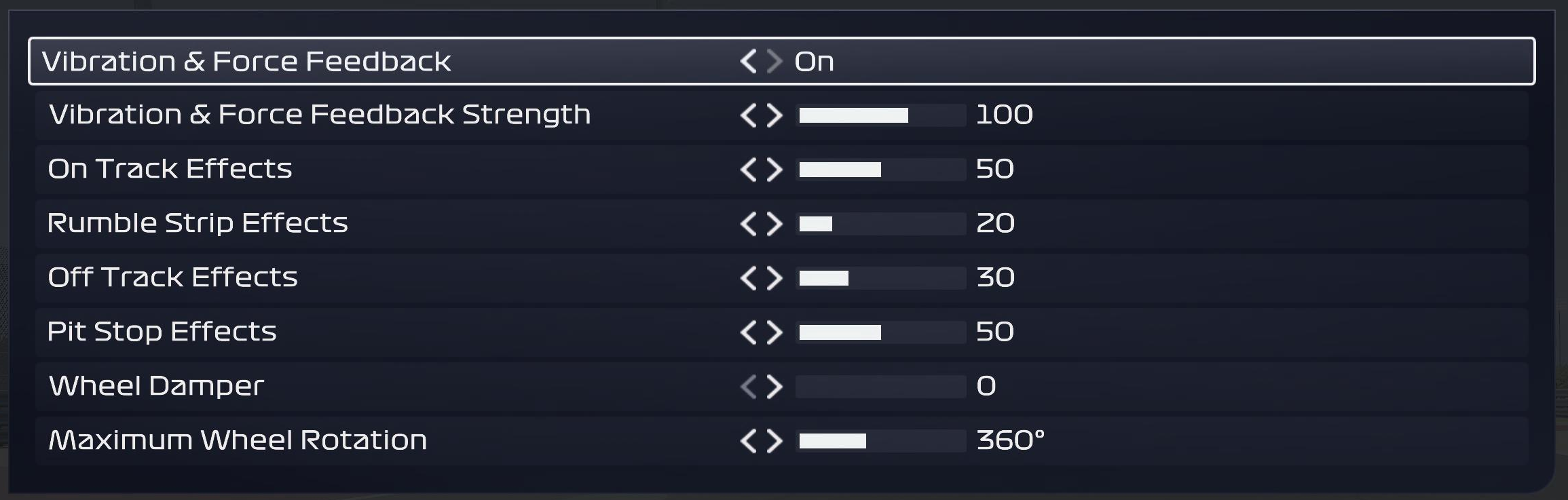
Xbox Settings
- Compatibility Mode: RS
- FFB Filter: 5
- Dampener: 70
- TrueForce Audio: 20
- Angle: 2700°
Forza Horizon 4
This one’s Xbox-exclusive. RS mode, dampener at 30, filter at 8, and a 1080° angle for all that open-world driving. TrueForce hasn’t been added to FH4. Worth noting Logitech didn’t publish a settings screenshot for this title – just punch the values in on the wheel’s OLED screen.
Visit Our Sponsors
- Compatibility Mode: RS
- FFB Filter: 8
- Dampener: 30
- TrueForce Audio: N/A
- Angle: 1080°
Forza Horizon 5
RS mode on both consoles here, which is interesting because the PC version actually needs PRO. Both platforms run at 900° with dampener at 30. PlayStation’s filter is cranked to 9 while Xbox sits at 6. Playground Games hasn’t wired TrueForce into FH5 on console.
PlayStation Settings
- Compatibility Mode: RS
- FFB Filter: 9
- Dampener: 30
- TrueForce Audio: N/A
- Angle: 900°
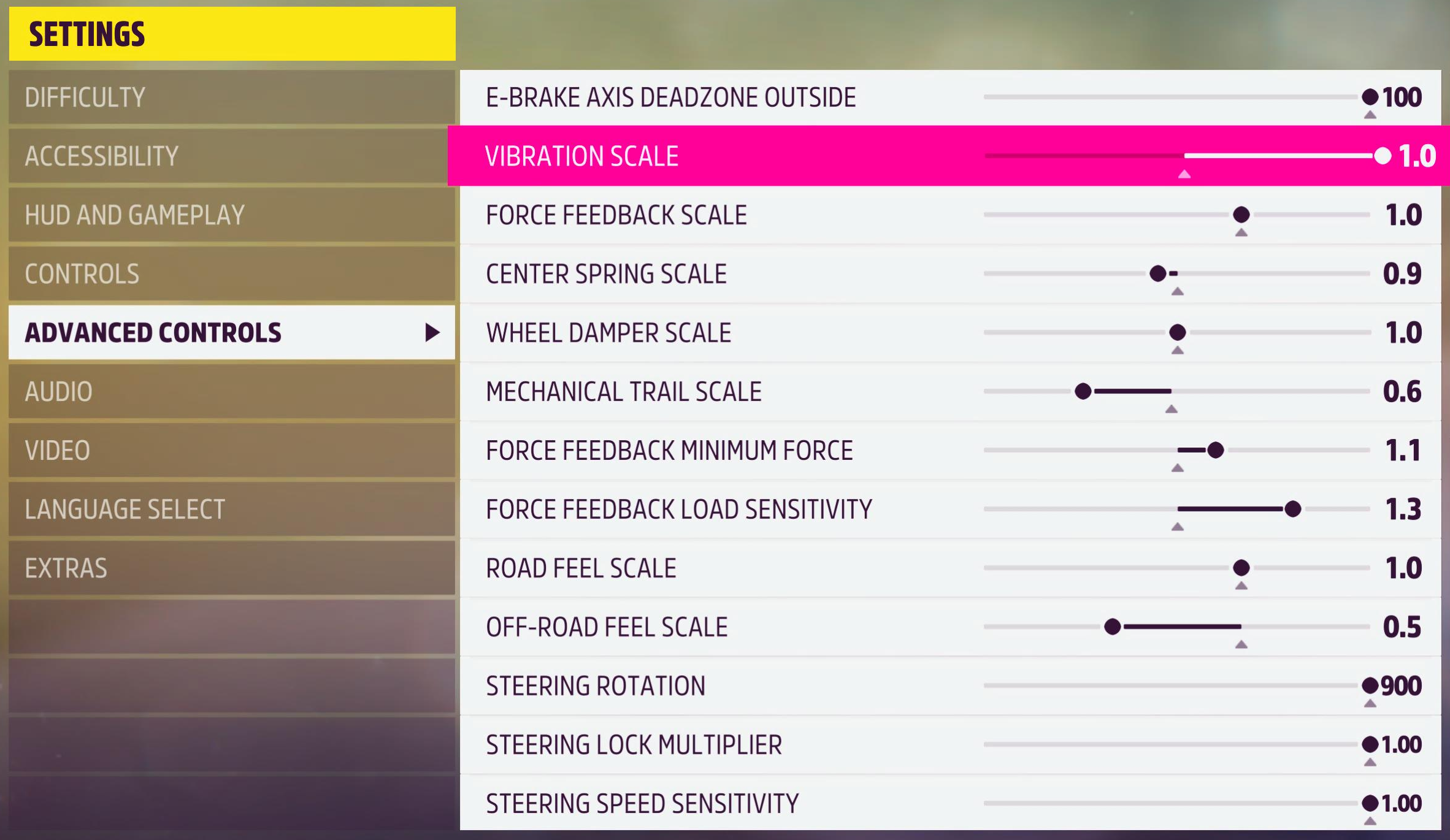
Xbox Settings
- Compatibility Mode: RS
- FFB Filter: 6
- Dampener: 30
- TrueForce Audio: N/A
- Angle: 900°
Forza Motorsport (2023)
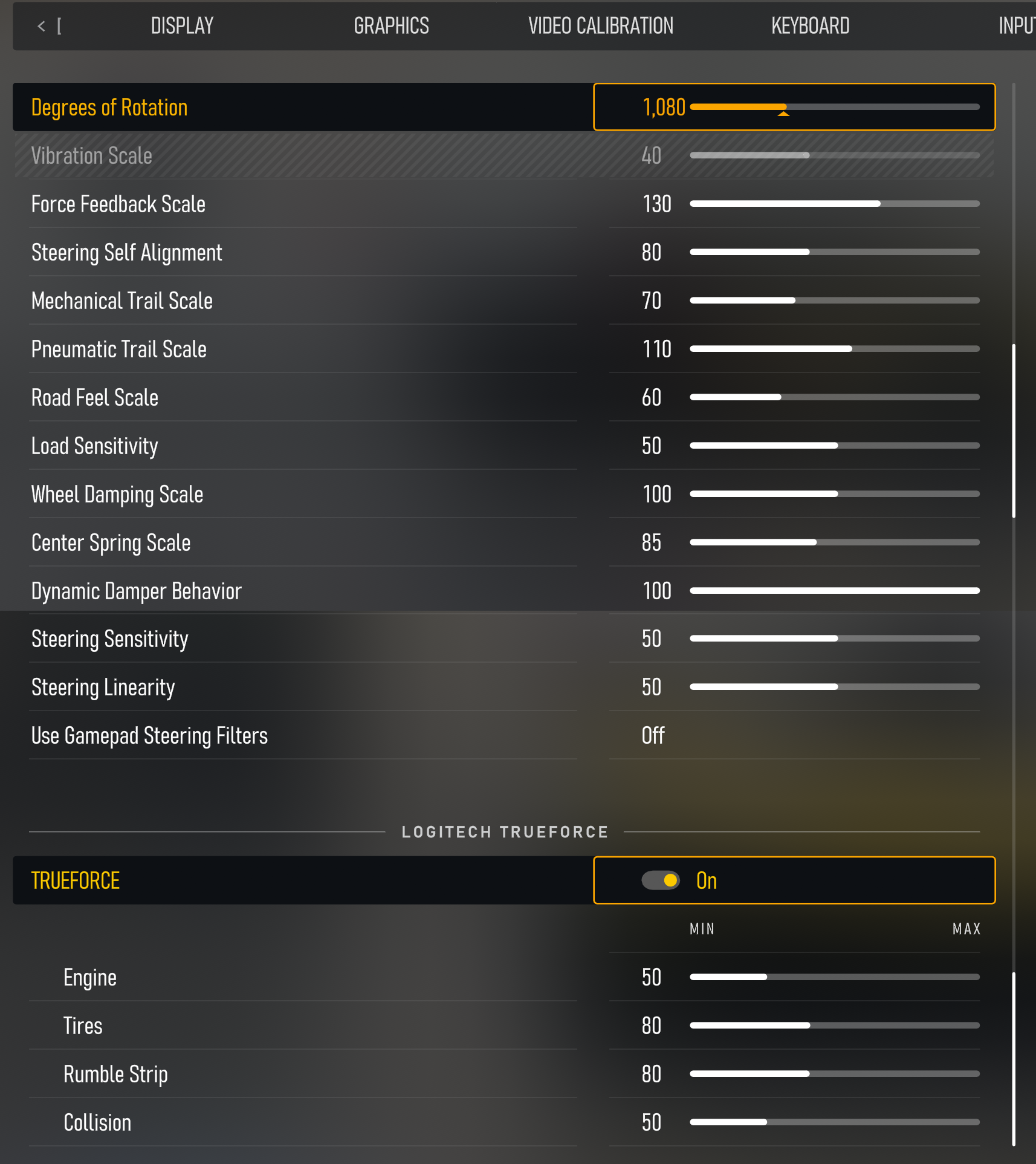
Forza Motorsport’s console version is Xbox-only. RS mode with filter at 8, dampener at 15, and TrueForce cranked to 100 – the joint-highest TrueForce value alongside GT7. That 2700° angle is the usual Xbox approach: let the game sort out how much lock each car actually gets. One Reddit user found that switching to RS mode and enabling “FFB inverted” in-game fixed their detection issues, so try that if the wheel’s being stubborn.
- Compatibility Mode: RS
- FFB Filter: 8
- Dampener: 15
- TrueForce Audio: 100
- Angle: 2700°
Gran Turismo 7
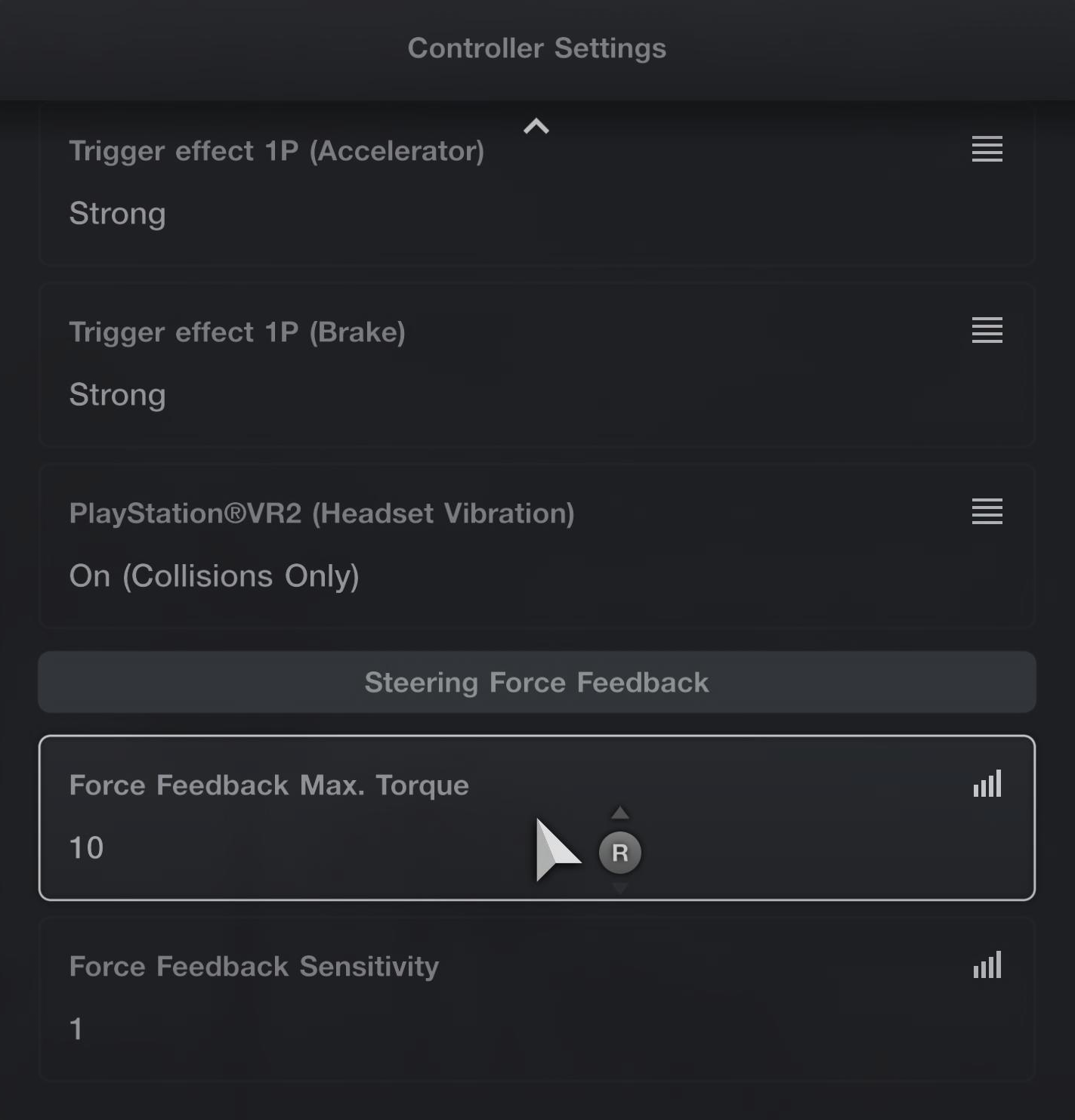
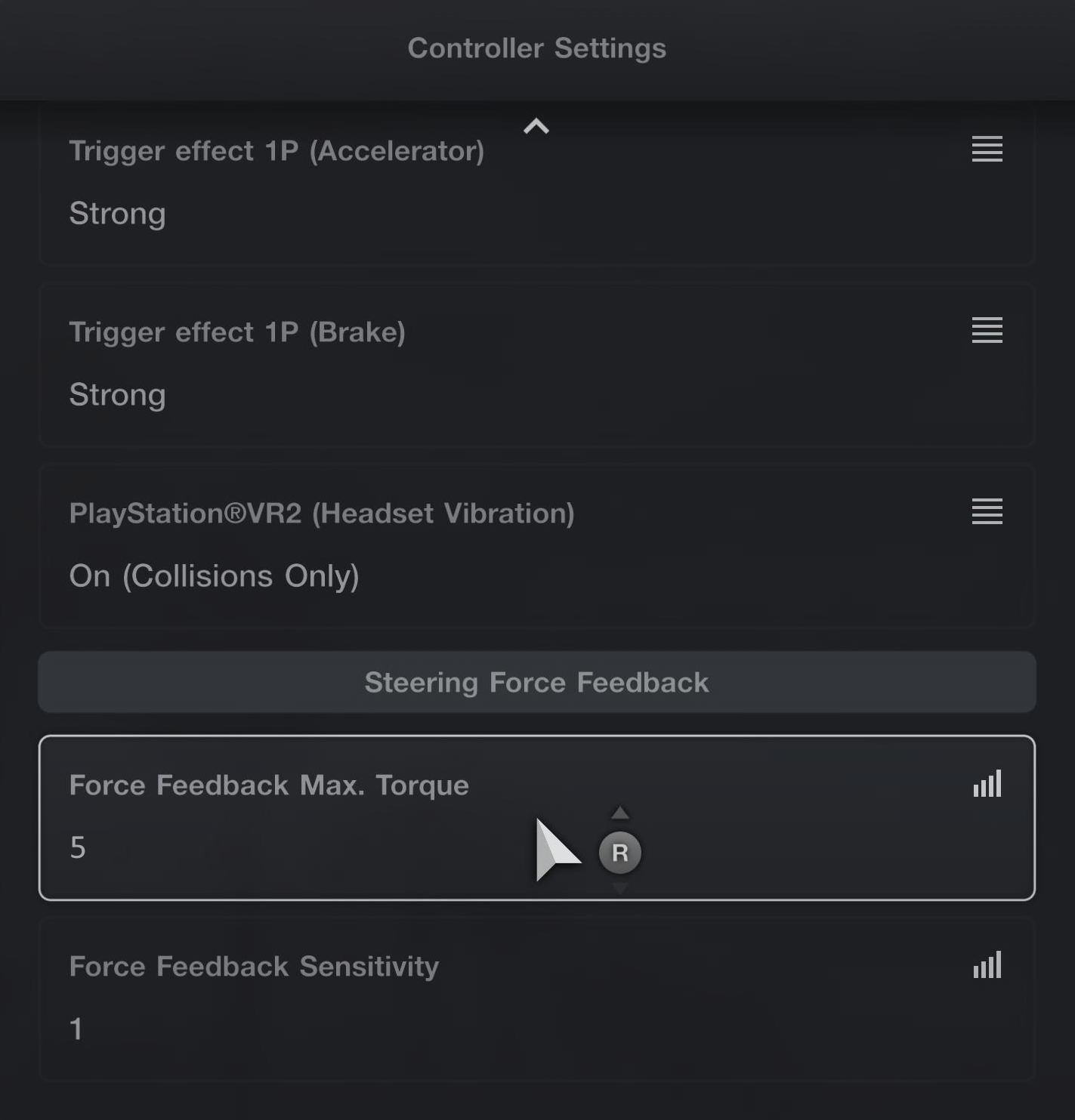
PlayStation exclusive, obviously. GT7 manages steering angle automatically per car – don’t touch the angle setting on the wheel. Logitech splits the settings into two categories: road cars and Gr.x (Group 1-4, prototype, etc.) racing cars. In practice the base settings are identical for both, but the in-game screenshots differ. TrueForce at 100 is the highest value on any PlayStation title, and it’s one of the better implementations – you’ll feel every kerb and surface change. YouTuber Kireth’s philosophy with GT7 is worth noting: “The dampener I’ve turned off… I believe you should go for the most responsive feeling.” One GTPlanet user tried community settings but ended up back on Logitech’s defaults, settling on Strength 8, TF Audio 100, FFB Filter 15, Dampener OFF.
Road Cars
- Compatibility Mode: RS
- FFB Filter: 6
- Dampener: 20
- TrueForce Audio: 100
- Angle: Set by game per car automatically
Gr.x Racing Cars
- Compatibility Mode: RS
- FFB Filter: 6
- Dampener: 20
- TrueForce Audio: 100
- Angle: Set by game per car automatically
GRID (2019)
RS mode on both, and Codemasters kept the filter and dampener identical across platforms (7 and 15 respectively). Where they diverge is TrueForce: 20 on PlayStation, 45 on Xbox. Xbox also lets you set angle per car while PlayStation shows N/A – the PS version seems to handle rotation on its own.
PlayStation Settings
- Compatibility Mode: RS
- FFB Filter: 7
- Dampener: 15
- TrueForce Audio: 20
- Angle: N/A
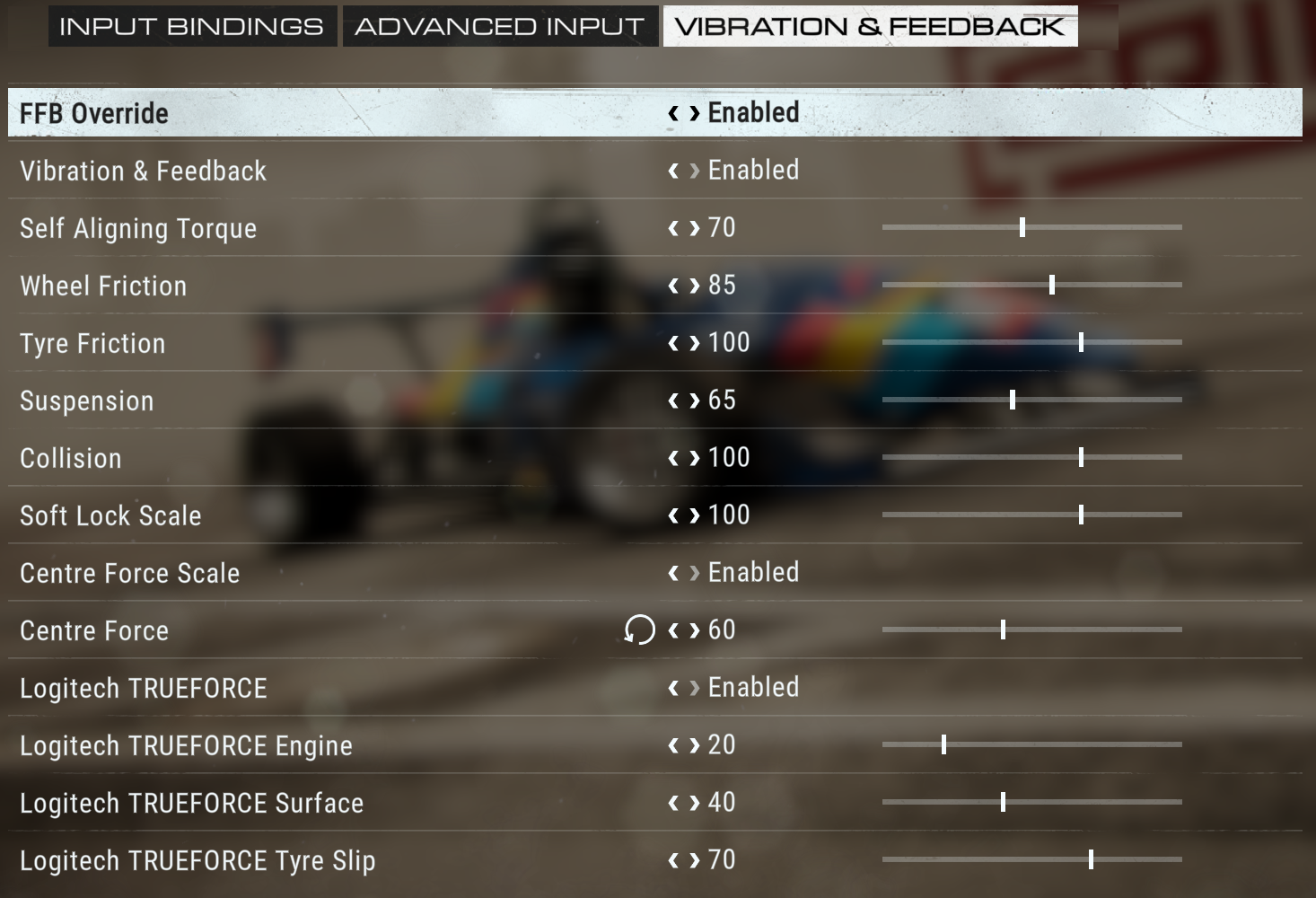
Xbox Settings
- Compatibility Mode: RS
- FFB Filter: 7
- Dampener: 15
- TrueForce Audio: 45
- Angle: Change Per Car
GRID Legends
PRO mode on both consoles – one of just two titles (alongside ACC) that need it. Settings diverge quite a bit: PlayStation’s filter sits at 13, which is one of the highest values on this entire list, with dampener at 30 and 900° angle. Xbox drops the filter to 7, dampener to 15, and uses per-car angle instead. TrueForce? Not wired in on either console.
PlayStation Settings
- Compatibility Mode: PRO
- FFB Filter: 13
- Dampener: 30
- TrueForce Audio: N/A
- Angle: 900°
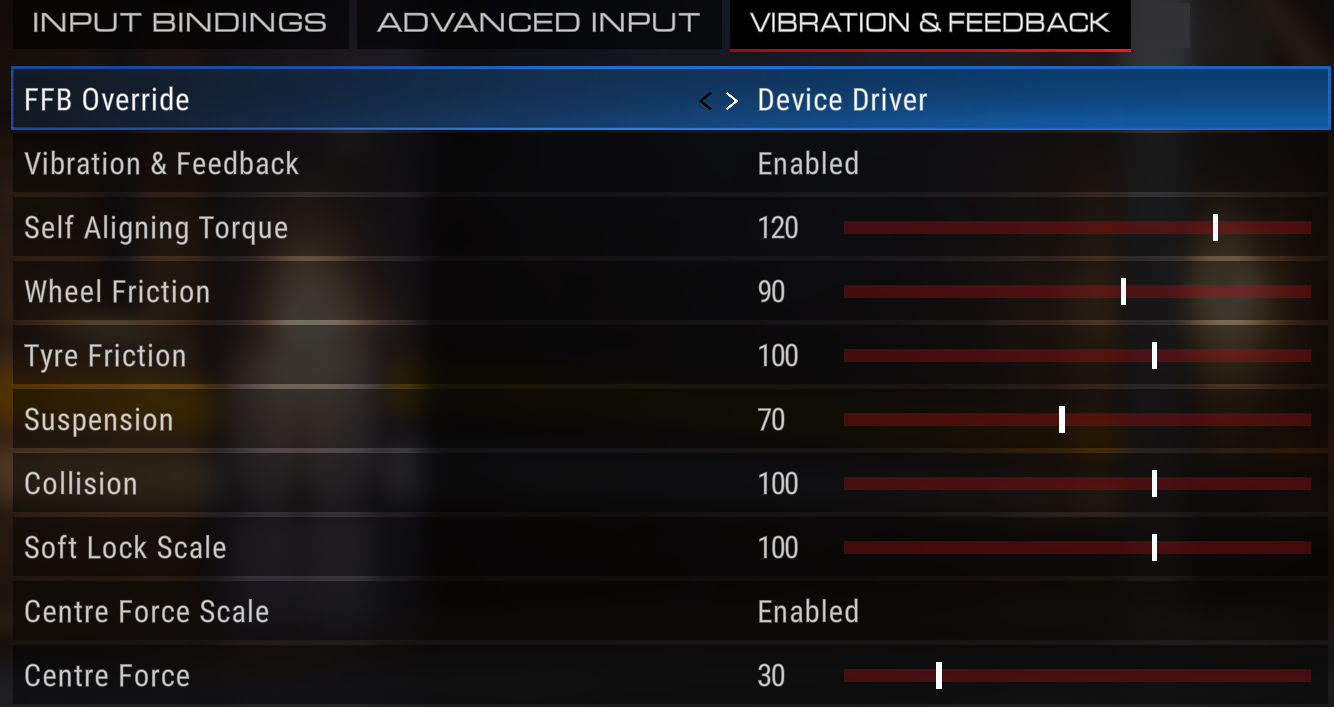
Xbox Settings
- Compatibility Mode: PRO
- FFB Filter: 7
- Dampener: 15
- TrueForce Audio: N/A
- Angle: Change Per Car
Monster Truck Championship
RS mode on both, and the core values are actually consistent for once: filter at 11, dampener at 25, TrueForce at 25 on both platforms. The only difference is angle – N/A on PlayStation (the game handles it), 1080° on Xbox. Refreshingly straightforward by console standards.
PlayStation Settings
- Compatibility Mode: RS
- FFB Filter: 11
- Dampener: 25
- TrueForce Audio: 25
- Angle: N/A
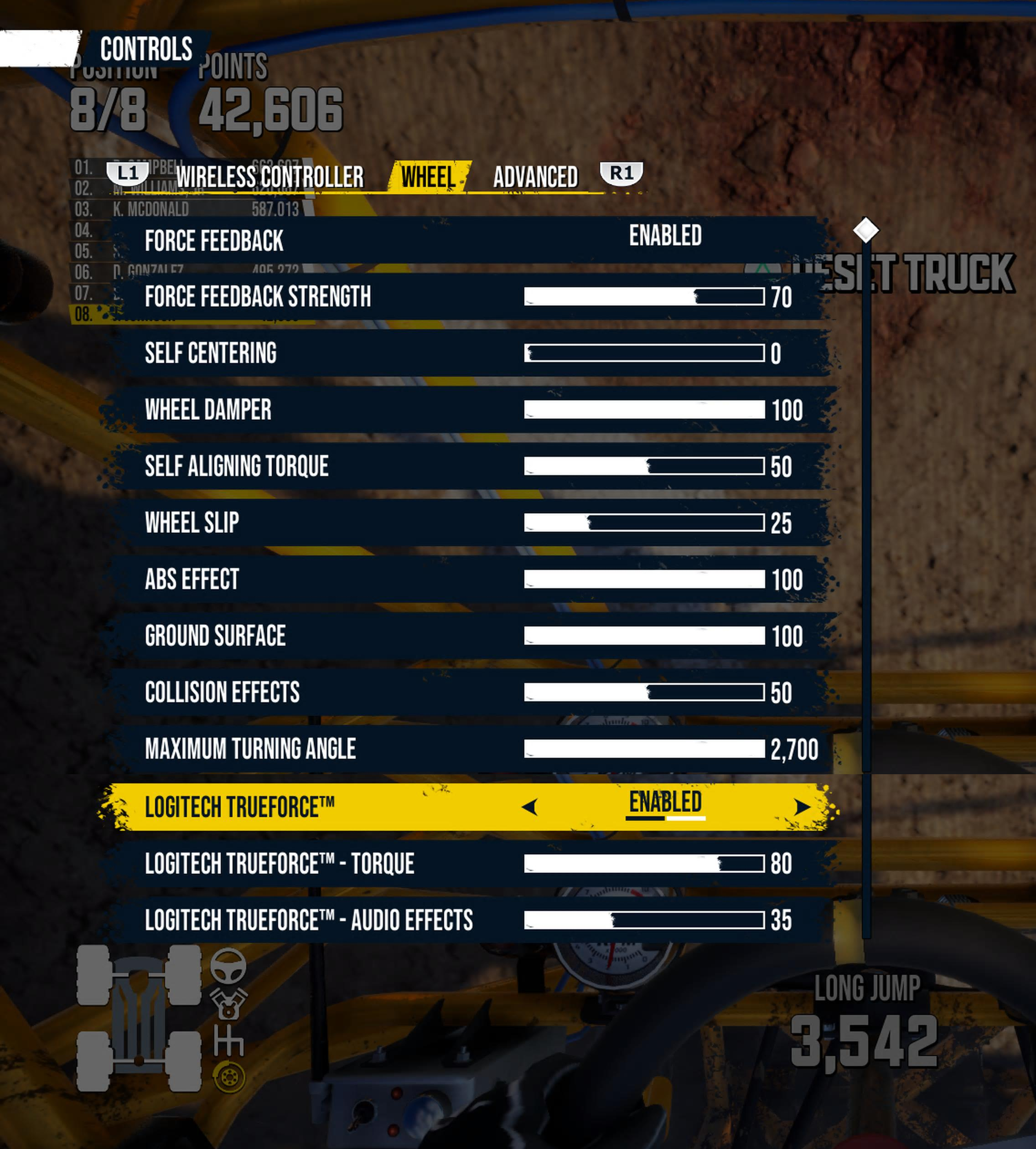
Xbox Settings
- Compatibility Mode: RS
- FFB Filter: 11
- Dampener: 25
- TrueForce Audio: 25
- Angle: 1080°
NASCAR 25
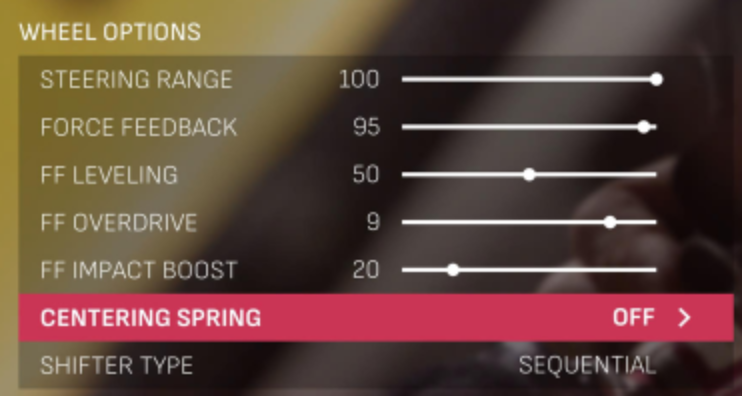
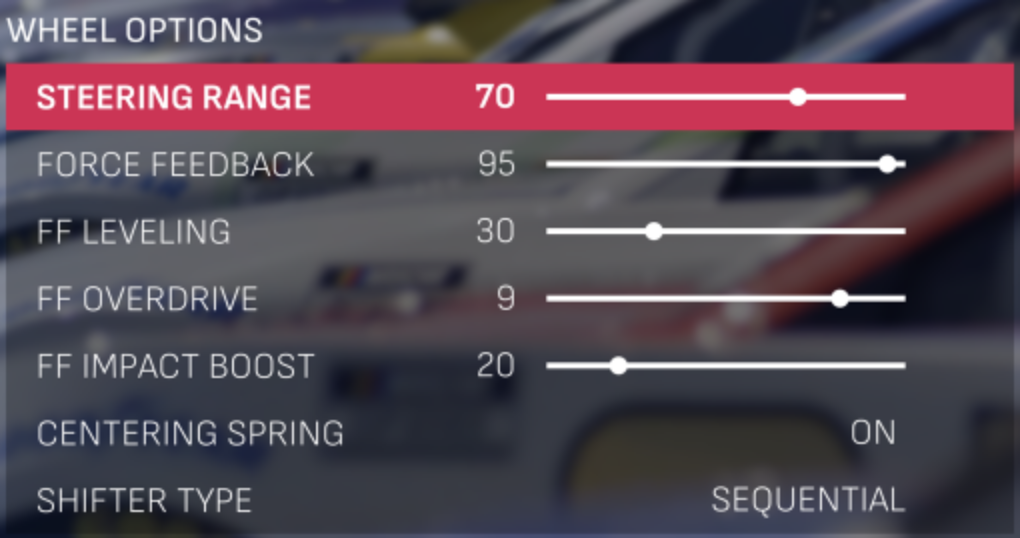
RS mode on both. The values nearly match except for angle: 450° on PlayStation, 2700° on Xbox. Same Xbox pattern you’ll see throughout this guide – wide open rotation, let the game handle the lock per car. TrueForce doesn’t feature on either console for NASCAR 25.
PlayStation Settings
- Compatibility Mode: RS
- FFB Filter: 5
- Dampener: 30
- TrueForce Audio: N/A
- Angle: 450°
Xbox Settings
- Compatibility Mode: RS
- FFB Filter: 5
- Dampener: 30
- TrueForce Audio: N/A
- Angle: 2700°
NASCAR Heat 5
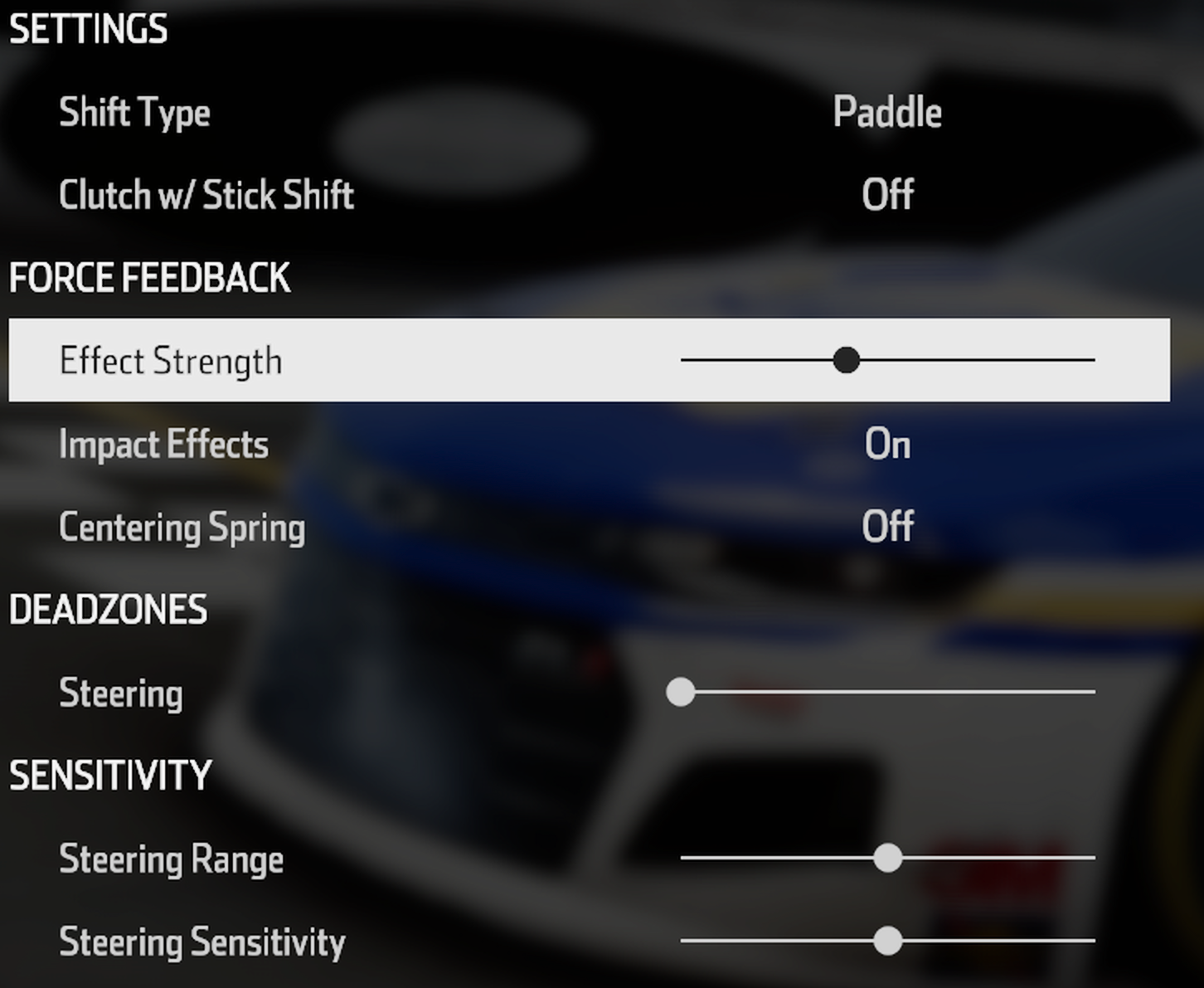
The older NASCAR title, and it’s Xbox-only on console. RS mode, filter at 4, dampener at 50. That 2700° angle is the game managing rotation for you. TrueForce isn’t there.
- Compatibility Mode: RS
- FFB Filter: 4
- Dampener: 50
- TrueForce Audio: N/A
- Angle: 2700°
Need For Speed: Heat
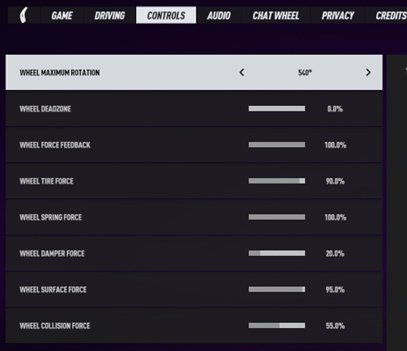
RS mode on both consoles, but the settings split in some odd ways. PlayStation filter at 12 with dampener at 30 and 540° angle. Xbox drops the filter to 8, pushes dampener up to 70, and narrows the angle to 360°. Neither console gets TrueForce here. The different angle/dampener balance probably reflects something in how each platform handles controller input under the hood.
PlayStation Settings
- Compatibility Mode: RS
- FFB Filter: 12
- Dampener: 30
- TrueForce Audio: N/A
- Angle: 540°
Xbox Settings
- Compatibility Mode: RS
- FFB Filter: 8
- Dampener: 70
- TrueForce Audio: N/A
- Angle: 360°
Project Cars 2
RS mode on both, though Slightly Mad Studios’ settings differ more than you’d expect between consoles. PlayStation runs filter at 8 with dampener at 40 and a fixed 1080°. Xbox drops the filter to 5, pushes dampener up to 50, and opens the angle to 2700°. TrueForce isn’t a thing for Project Cars 2.
PlayStation Settings
- Compatibility Mode: RS
- FFB Filter: 8
- Dampener: 40
- TrueForce Audio: N/A
- Angle: 1080°
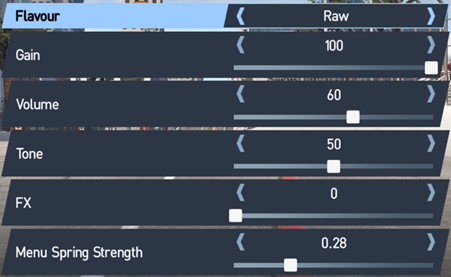
Xbox Settings
- Compatibility Mode: RS
- FFB Filter: 5
- Dampener: 50
- TrueForce Audio: N/A
- Angle: 2700°
Project Cars 3
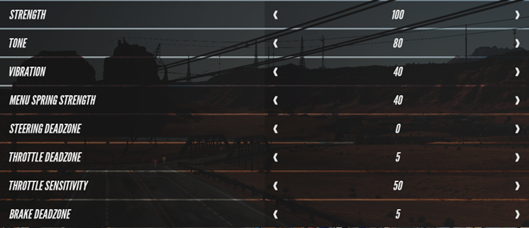
Another Xbox exclusive. RS mode with filter at 5, dampener at 50, and 900° angle. PC3 went more arcade-focused than its predecessor, and the FFB reflects that. TrueForce hasn’t been added.
- Compatibility Mode: RS
- FFB Filter: 5
- Dampener: 50
- TrueForce Audio: N/A
- Angle: 900°
Project Motor Racing
RS mode on both with nearly identical settings: filter at 1, dampener at 20, TrueForce left off. The only real difference is angle – 900° on PlayStation and 2700° on Xbox. Logitech published two separate settings screenshots for this one across both platforms.
PlayStation Settings
- Compatibility Mode: RS
- FFB Filter: 1
- Dampener: 20
- TrueForce Audio: N/A
- Angle: 900°
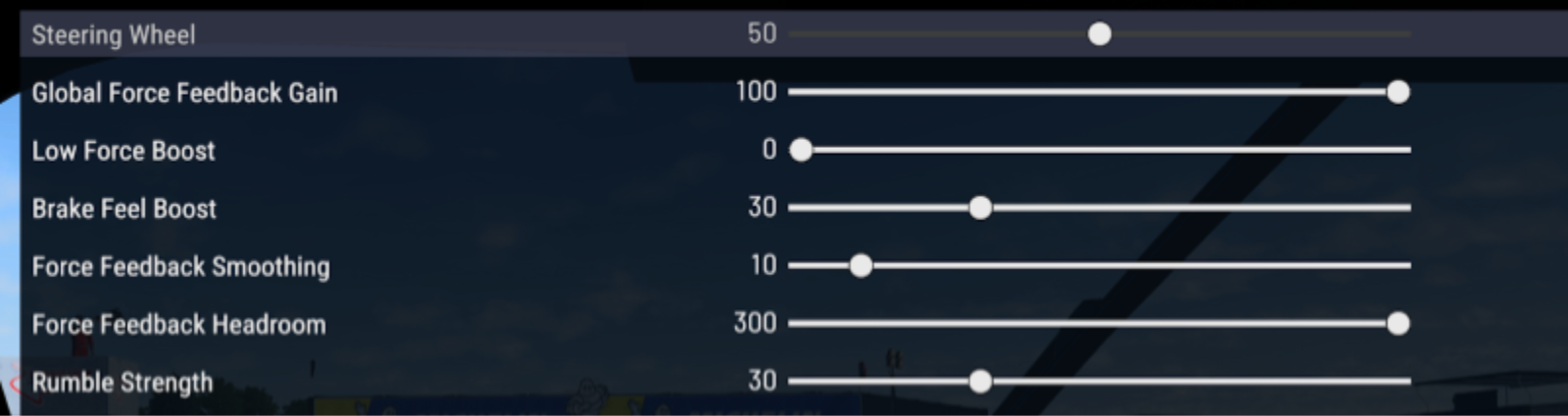
Xbox Settings
- Compatibility Mode: RS
- FFB Filter: 1
- Dampener: 20
- TrueForce Audio: N/A
- Angle: 2700°
Roadcraft
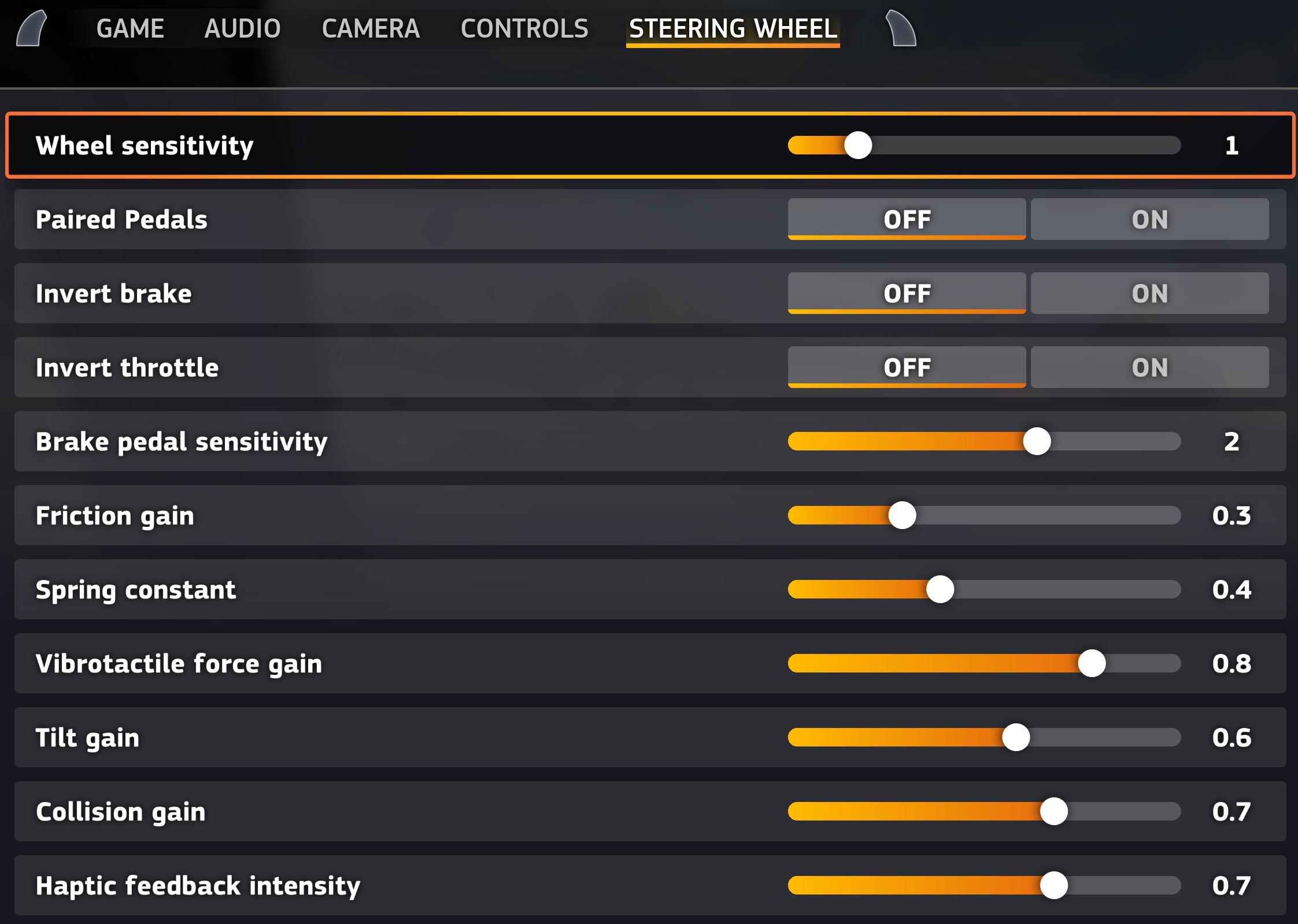
Xbox exclusive, and one of the handful of Xbox titles where TrueForce actually works – cranked to 85 here. RS mode with a narrow 700° angle, filter at 5, dampener at 30. Roadcraft’s a fairly recent addition to Logitech’s supported list.
- Compatibility Mode: RS
- FFB Filter: 5
- Dampener: 30
- TrueForce Audio: 85
- Angle: 700°
Taxi Life
Xbox only. Yes, a taxi driving simulator with RS50 support – I didn’t expect this one either. RS mode, 900° angle, dampener at 20. TrueForce isn’t wired in. About as far from competitive sim racing as you’ll get on this list, but fair play to Logitech for including it.
- Compatibility Mode: RS
- FFB Filter: 6
- Dampener: 20
- TrueForce Audio: N/A
- Angle: 900°
The Crew Motorfest
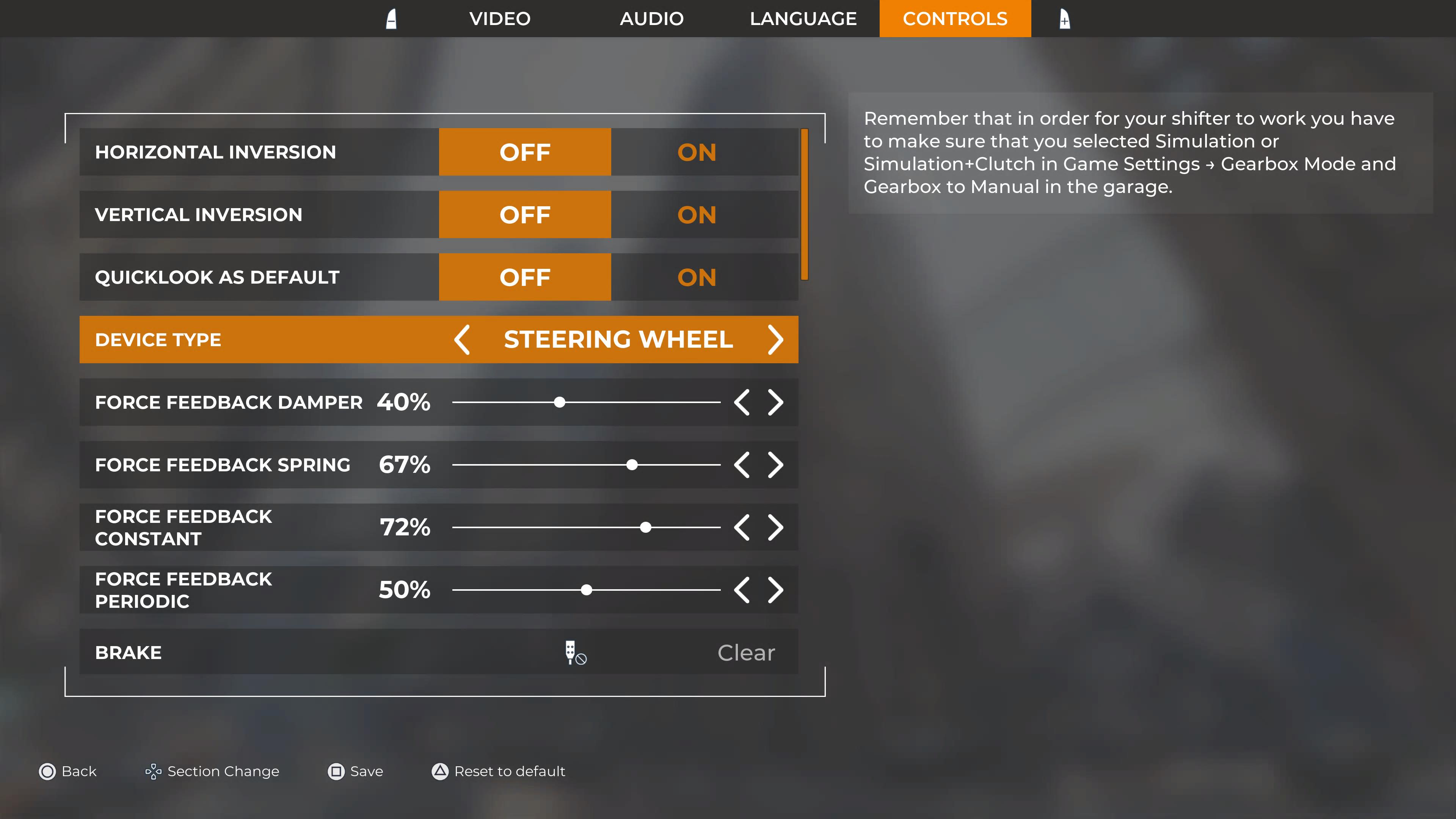
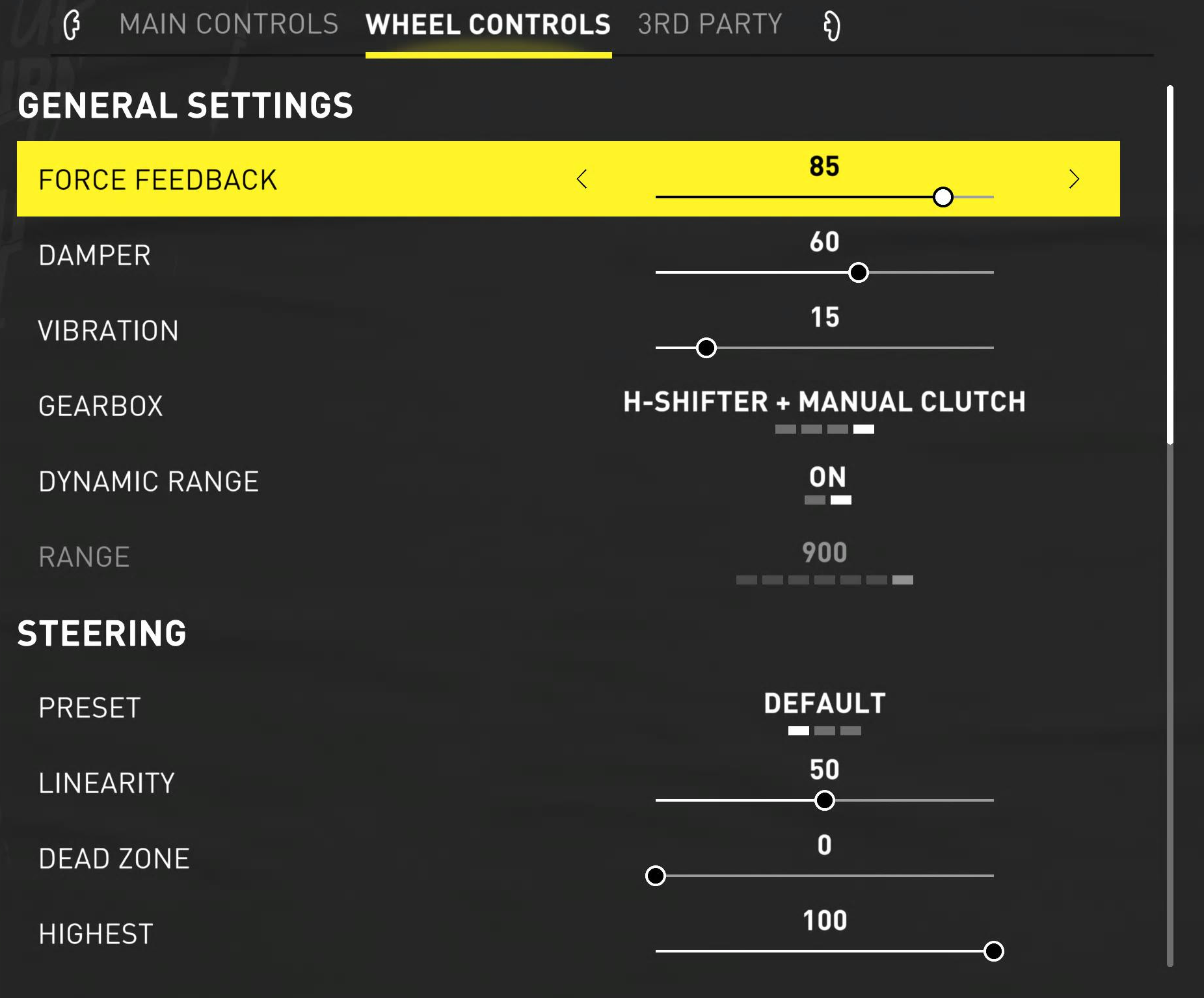
RS mode on both consoles. PlayStation runs dampener off with filter at 8 and 1080° angle. Xbox pushes dampener to 50, drops the filter to 5, and opens the angle to 2700°. TrueForce? Not on either console for this one. It’s Ubisoft’s open-world racer so precision isn’t really the point – either set of values will feel fine.
PlayStation Settings
- Compatibility Mode: RS
- FFB Filter: 8
- Dampener: OFF
- TrueForce Audio: N/A
- Angle: 1080°
Xbox Settings
- Compatibility Mode: RS
- FFB Filter: 5
- Dampener: 50
- TrueForce Audio: N/A
- Angle: 2700°
World Of Outlaws
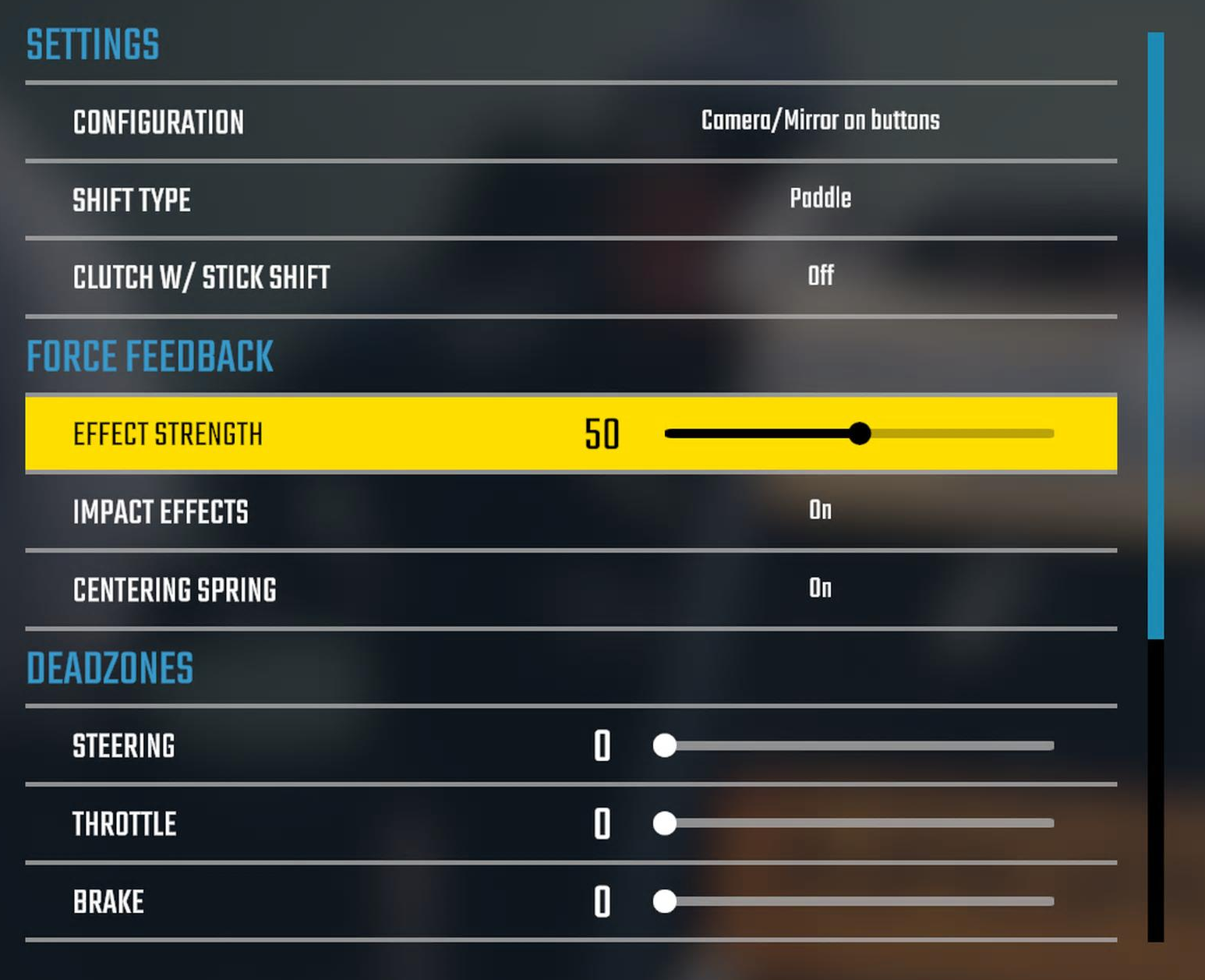
Sprint car dirt racing on both platforms. Identical settings across PS and Xbox: RS mode, filter at 8, dampener at 80 (one of the highest values on the list), no TrueForce, 2700° angle. The heavy dampening makes sense – sprint cars generate violent FFB effects that’d be exhausting without it.
PlayStation Settings
- Compatibility Mode: RS
- FFB Filter: 8
- Dampener: 80
- TrueForce Audio: N/A
- Angle: 2700°
Xbox Settings
- Compatibility Mode: RS
- FFB Filter: 8
- Dampener: 80
- TrueForce Audio: N/A
- Angle: 2700°
Wreckfest
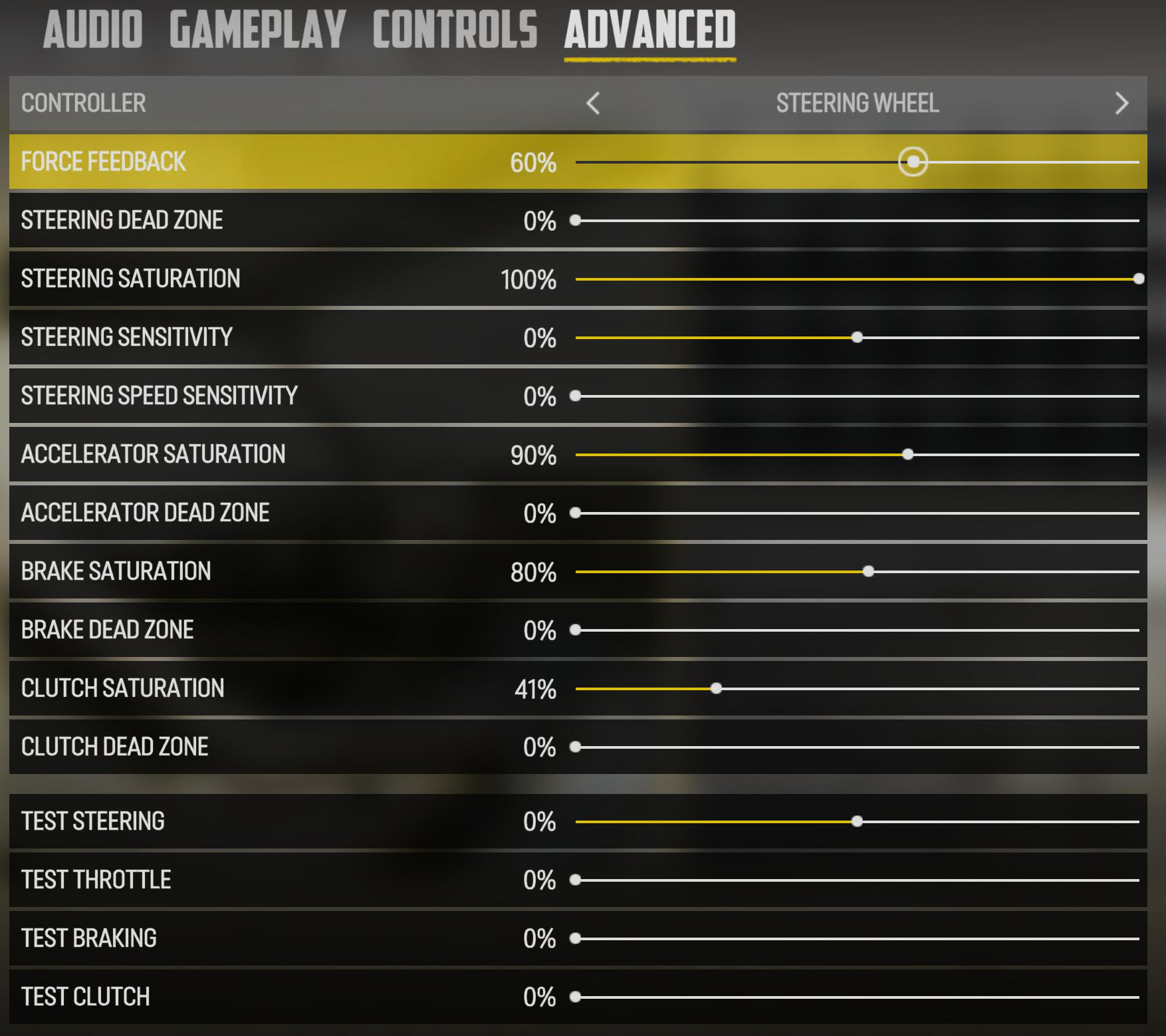
RS mode on both, but look at that dampener gap: 50 on PlayStation, 90 on Xbox. Wreckfest’s demolition derby physics absolutely batter a direct drive wheel, and the Xbox version apparently needs even more dampening to keep things from getting wrist-breaking. PlayStation runs at a fixed 900° while Xbox uses per-car angle. TrueForce hasn’t made it to Wreckfest on console.
PlayStation Settings
- Compatibility Mode: RS
- FFB Filter: 5
- Dampener: 50
- TrueForce Audio: N/A
- Angle: 900°
Xbox Settings
- Compatibility Mode: RS
- FFB Filter: 8
- Dampener: 90
- TrueForce Audio: N/A
- Angle: Set Per Car
Tips for Console RS50 Owners
- Use Logitech’s baselines as your starting point. These are tested on the RS50 hardware specifically. I’ve seen plenty of Reddit threads where people tried community settings, spent hours tweaking, and ended up right back on the official numbers.
- Set compatibility mode before launching. PRO mode for ACC and GRID Legends on both consoles. Everything else runs in RS mode. Switching mid-game doesn’t always register.
- Power cycle fixes most FFB problems. Rear button off, wait a few seconds, back on. Do this every time you change base settings, especially on Xbox. Five seconds of your time, saves twenty minutes of troubleshooting.
- Xbox 2700° angles aren’t a mistake. Several Xbox titles use maximum angle and let the game handle the actual steering ratio per car. If you manually restrict the angle on Xbox for these games, the steering will feel off.
- GT7 handles angle per car automatically. Don’t override it. The game knows how much lock each car should have.
- No G HUB on console. All RS50 settings are configured directly on the wheel’s OLED screen. Kireth’s YouTube walkthrough shows the full process if you’ve not done it before – all done without a PC connected.
That’s the lot – all 20 PlayStation and 24 Xbox titles on Logitech’s RS50 compatibility list as of writing. If you’re also playing on PC, the values are often different for the same game, so check the PC settings guide separately. And for the full RS50 hardware review, that’s over in my Logitech RS50 review.
Running different settings that work better for you on console? Drop them in the comments – particularly keen to hear from GT7 and Forza Motorsport players who’ve found their sweet spots.
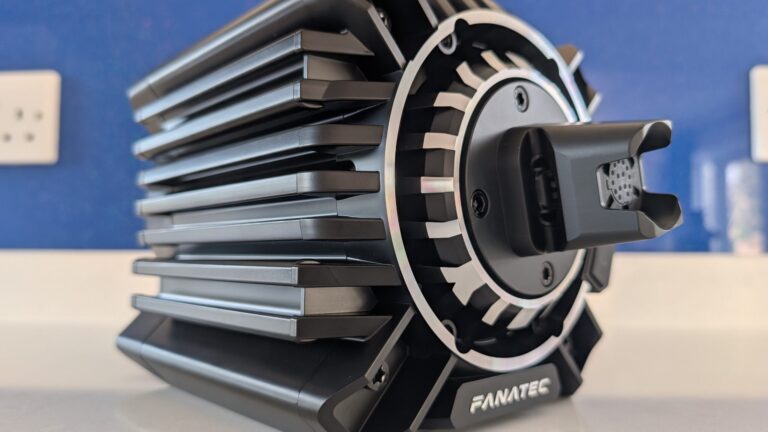
Complete Guide to Direct Drive Wheel Settings – Every Manufacturer, Every Sim
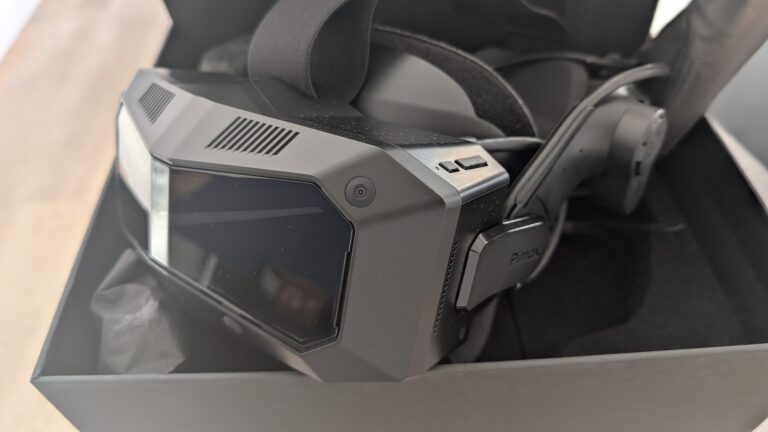
Pimax Crystal Light & Crystal Super Settings Guide for Sim Racing & Flight Simulation
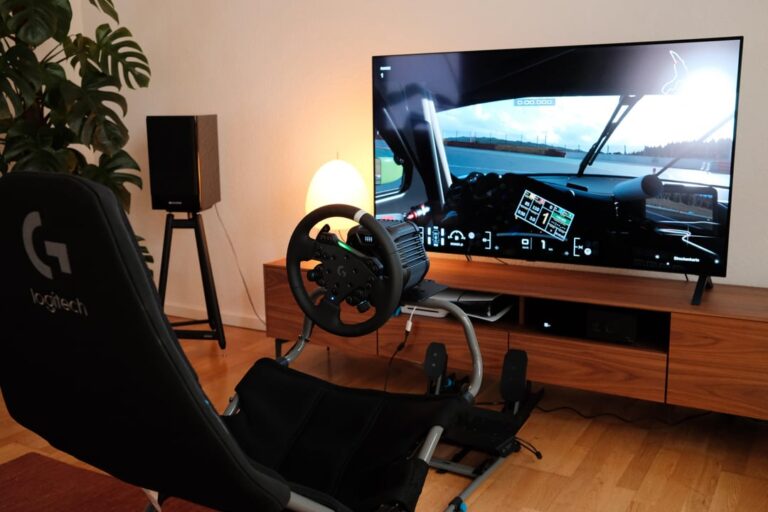
Logitech RS50 Settings for PlayStation & Xbox (Every Supported Game
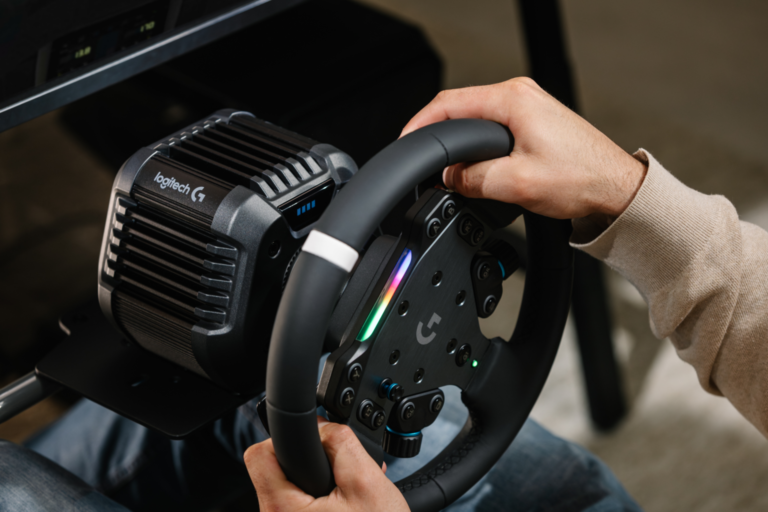
Logitech RS50 Settings for Every PC Game (Tested Baselines)
Pro Sim Racer FFB Settings: Why the Fastest Drivers Use Less Force