

I’m a sim racer and amateur racer with a passion for Motorsport, good racecraft and the technical and setup aspect of sim racing.
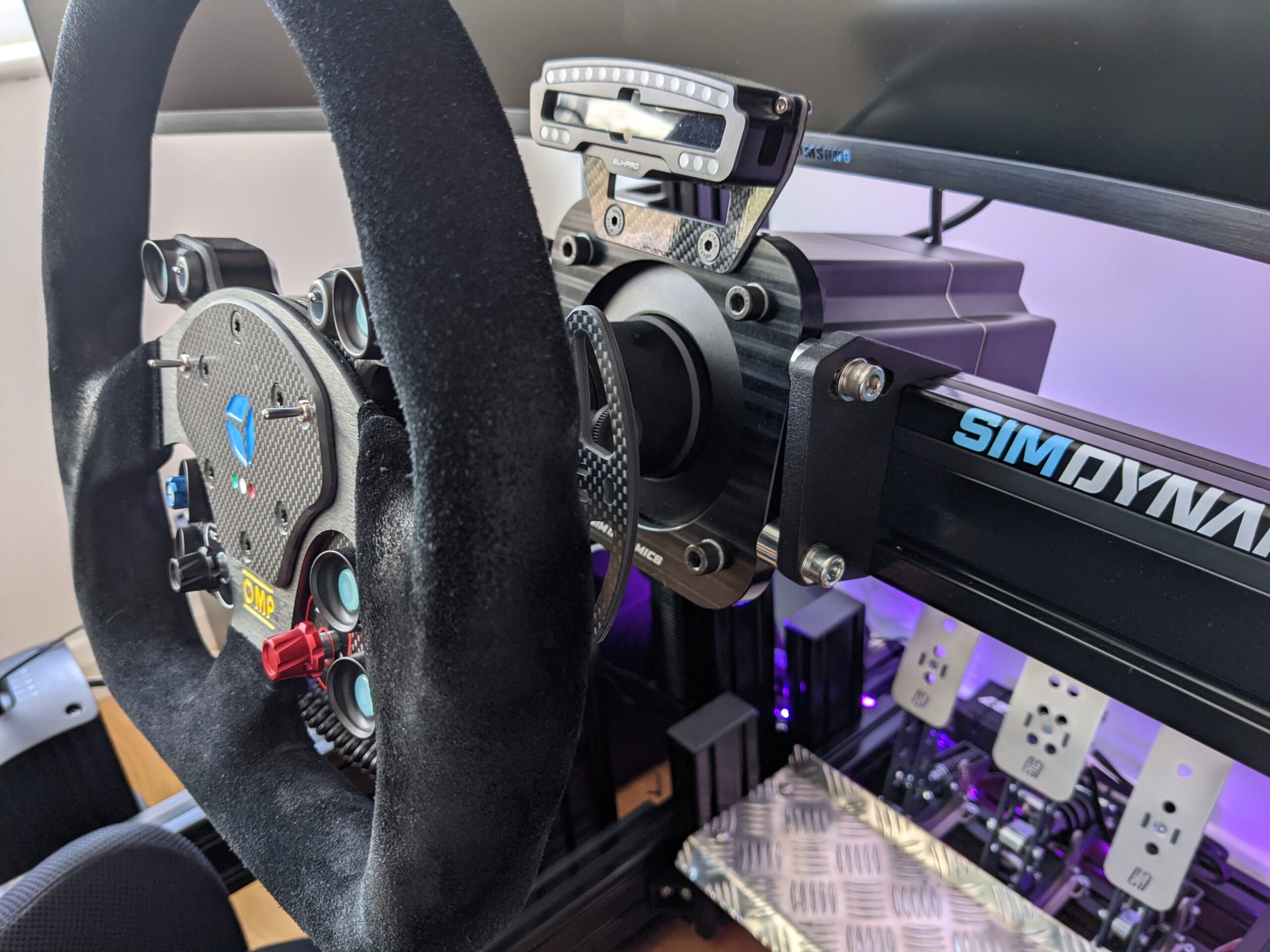
Featured image: my Simucube 2 Pro with the wheel attached, ready to go
You’ve probably heard that the fastest sim racers run their force feedback surprisingly low, and there’s a good chance you’ve got (or you’re about to buy) a direct drive base that can give more torque than you’d ever want at full strength. In today’s post we’re taking a look at what clipping does to the detail in your wheel, what three well-known sim racers have shown on camera, whether less really is faster, and how to set your own strength.

Quick Navigation
Jump directly to what you’re looking for:
Clipping |
Their settings |
Is less faster? |
Set your strength
When I wrote my force feedback guide back in 2020, I was running a Fanatec DD2, and my approach was less is more. I don’t like bags of resistance to input and high-strength settings. If you’re struggling to turn the wheel, you’re hardly going to feel the subtle early warning signs of a car about to slide. Don’t feel that just because you have a wheel that can deliver a peak of 30 Nm, you need to use all 30 Nm – but don’t just turn FFB off, either.
What clipping does to force feedback
iRacing’s setup guide describes clipping as “a loss of force feedback resolution that occurs when additional force feedback is required by the simulator, but the wheel is already providing maximum force”. In other words, the sim asks for more force than the wheel is set to give, so the force flattens out at the top, which means you lose the detail riding on it.
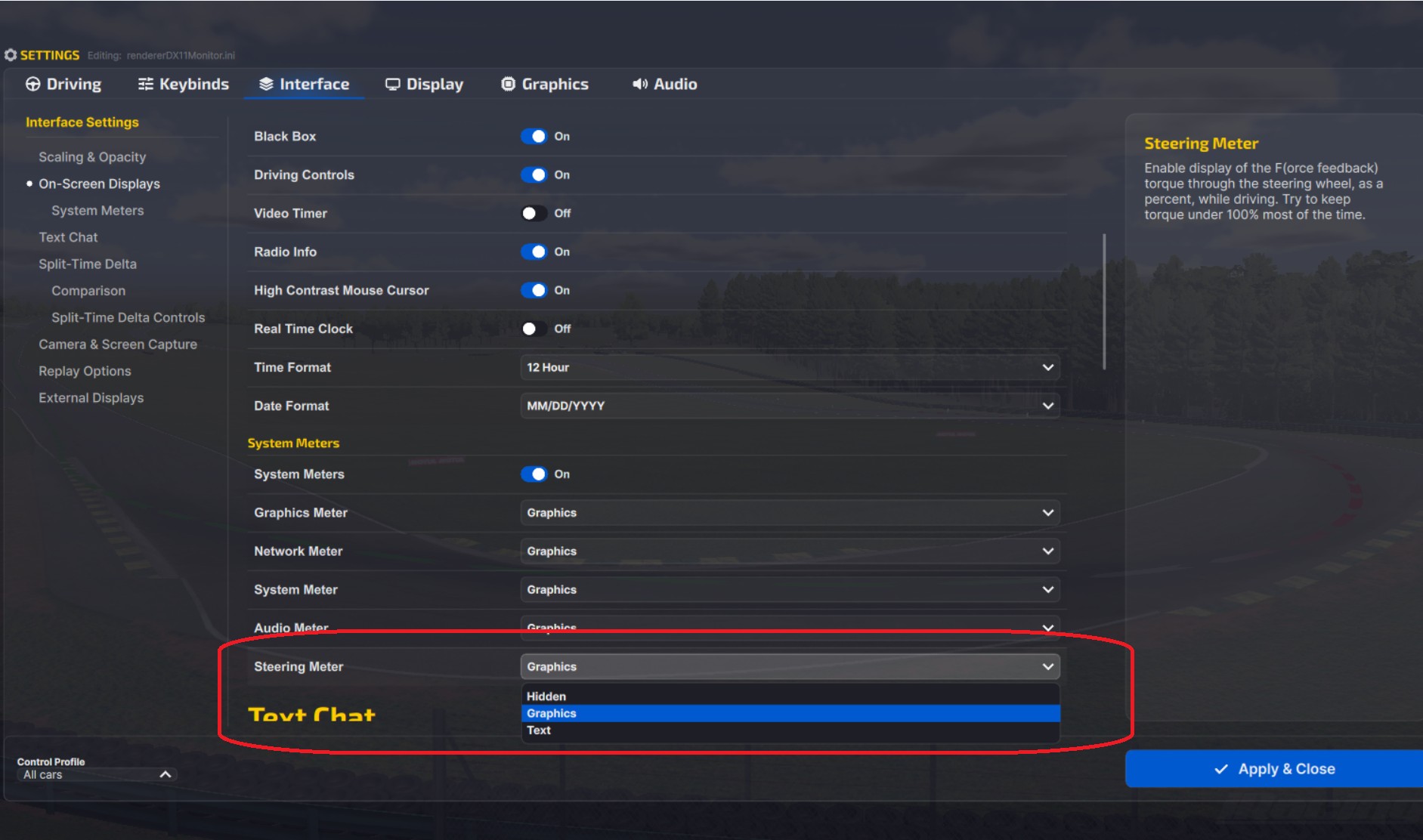
According to Simucube’s own documentation, clipping “in itself is not harmful to the device or to the driver”, but if it happens in normal driving, “FFB details are not felt on the wheel and vital information about tires and track are lost”. Both iRacing and Simucube say clipping over the odd kerb or big bump is fine, and Simucube goes as far as saying it “will actually work in your benefit”. In iRacing you can keep an eye on it with the F meter (the on-screen Steering Meter). To turn the meter on, head to Settings > Interface > On-Screen Displays > System Meters and set Steering Meter to Graphics. When the F bar fills up and turns orange, the wheel is at its maximum force, and iRacing’s tooltip says “Try to keep torque under 100% most of the time.”
Fanatec says too much torque “can mask detail, making everything feel uniformly heavy rather than nuanced”, and that pushing it too high can make the wheel “too heavy, exhausting, or even uncomfortable”. Lower settings make the wheel easier to turn, but in Fanatec’s words they “can also dull your sense of grip loss, oversteer, or understeer”.
Jarno Opmeer, Dan Suzuki and Jimmy Broadbent’s settings
Every setting below comes from a video the driver made himself, so it’s what he ran in that game in the year the video went up. Jarno Opmeer was the F1 Esports world champion when he posted his F1 2021 settings on his YouTube channel. Dan Suzuki streams iRacing and walked through his settings on his channel. Jimmy Broadbent is a sim racing YouTuber who also races in real life.
This is what they showed, along with the base each of them was using:
- Jarno Opmeer, F1 2021 (July 2021):
- Base: Simucube Ultimate (32 Nm), overall strength set to 25.1 Nm
- In F1 2021: Vibration & Force Feedback Strength 46 (he used to run 130 to 140 on his old Fanatec CSL Elite)
- Dan Suzuki, iRacing (February 2021):
- Base: Simucube 2 Pro at 100% (25 Nm)
- In iRacing: Wheel Force 25 Nm, max force around 50 (“about fifty percent force feedback”, in his words)
- Jimmy Broadbent (February 2025):
- Base: Moza R21 (21 Nm peak)
- EA SPORTS WRC: about 10% of what the R21 can give (around 2.1 Nm)
- Assetto Corsa, Toyota 86: 20 to 25%, “sometimes a bit less”
None of the three was running the game at full strength on a direct drive base. Opmeer kept the ceiling high on his Simucube Ultimate and turned F1 2021 down, because otherwise, as he puts it, “I will simply break my wrist”. At the maximum on a 32 Nm base, he says he’d be “exhausted after two laps”. Jimmy says he tends to run Assetto Corsa at 20 to 25% “to make sure I can move the wheel freely especially in … hairpin sections”.
That’s only three people, in videos posted between 2021 and 2025.
Is less force faster?
The only lap-time comparison we found is Jimmy’s 0% vs 100% force feedback test on his Moza R21, which he ran in three different sims.
His results in each one came out like this:
- EA SPORTS WRC, a Greek stage: 4:56.7 at 0%, 5:10.5 at 100%
- Assetto Corsa, Toyota 86 at Mount Akina: 3.48 seconds slower at 100%
- Le Mans Ultimate, BMW M Hybrid at Spa: about three tenths quicker at 100%
At 100% on the Greek rally stage in EA SPORTS WRC, he says he couldn’t turn the wheel as quickly as he needed to, and he couldn’t react to the bumps. At 0% he lost information instead – one of the car’s wheels was in a little ditch and, as he put it, “I didn’t feel it”. He’s also clear that 100% on a high-powered direct drive wheel “can be dangerous”.
It’s thin evidence, though, from one driver with one run at each setting, and he only tried the two extremes. As Jimmy says himself, “the real answer to this lies somewhere in between”. We didn’t find a controlled study of force feedback strength against lap time. Even so, in two of the three sims full strength on the 21 Nm Moza R21 cost him time, and if he had to pick one he’d go for 0% “just because you could drive for longer”.
Setting your own strength
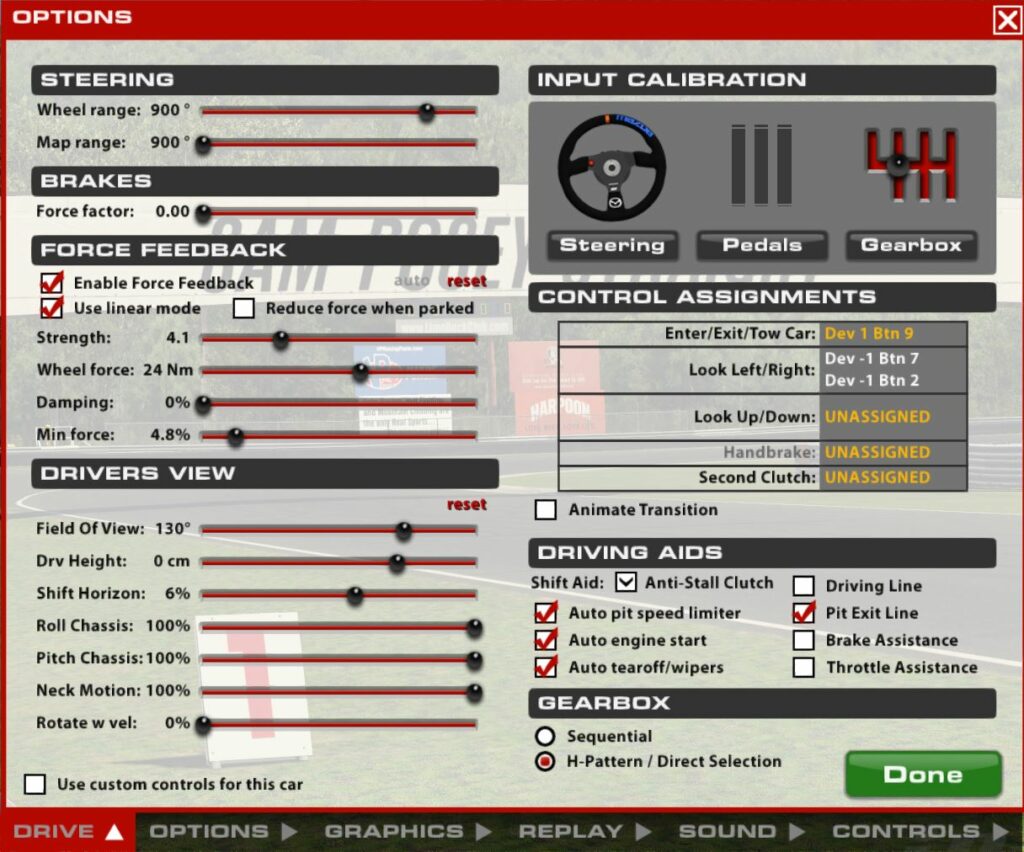
Start with the base and then move on to the sim, although the makers don’t agree on which of the two you should turn down. Simucube’s method is to set the base to the most force you’d want to feel suddenly in a crash, then lower the strength in the sim until you’re not clipping through corners. If it still feels weak and it’s clipping at the same time, raise the base and lower the sim. Fanatec’s FF setting in the Tuning Menu acts as a hard cap on the base. For iRacing, Fanatec suggests capping it around 60 to 80% (or lower on a stronger base), but for ACC it says to leave the base at 100% and tune the strength with the in-game Gain slider. In iRacing, Auto Detect Strength sets the strength to the highest value that doesn’t clip, but iRacing says it’s “often too strong when using more powerful direct drive wheels”.
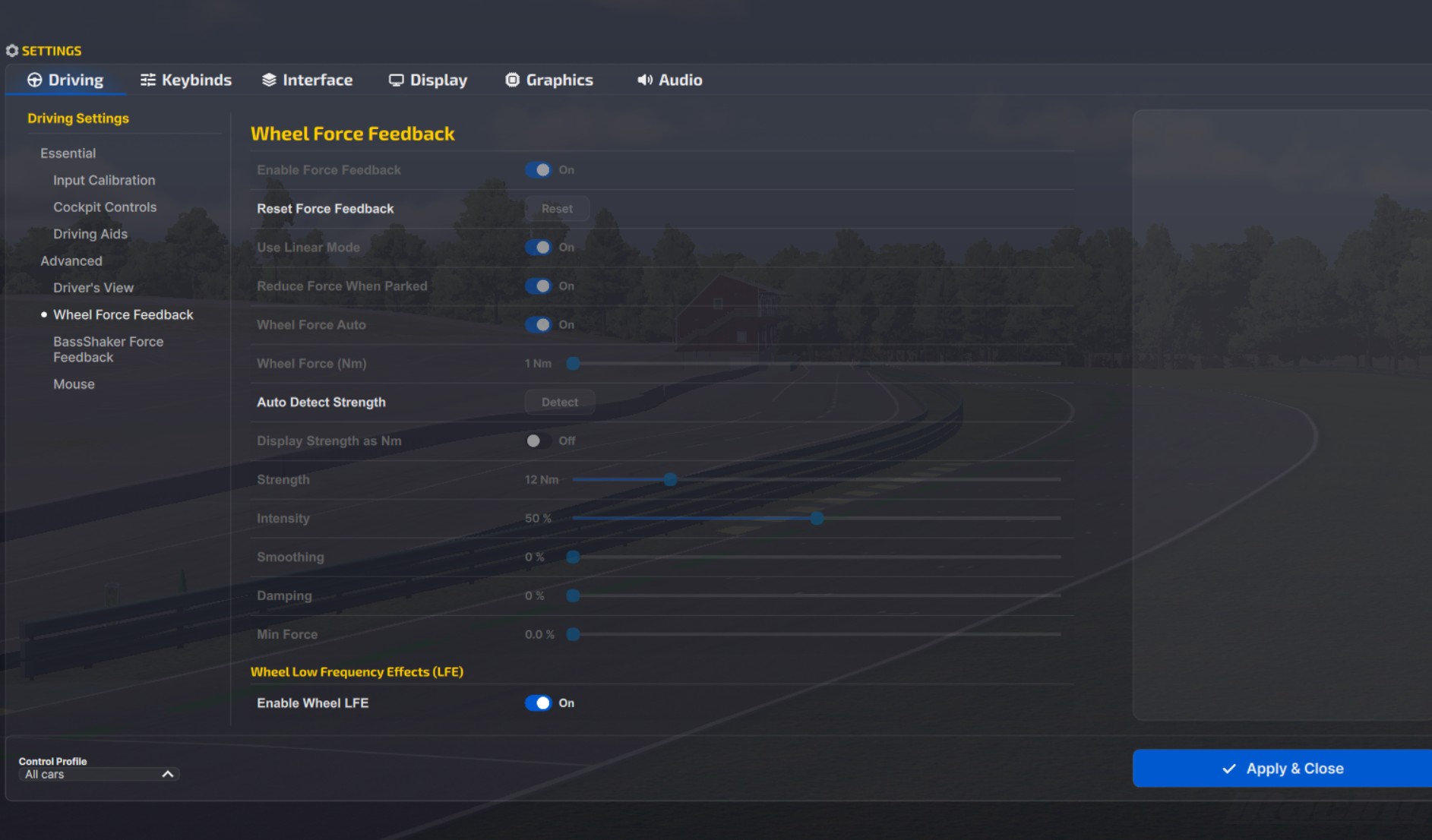
Whichever way round you go, iRacing is clear that “if you are using a direct drive wheel, it is important to limit the wheel force to prevent potential injury”, so set Wheel Force to your base’s rated torque. Put together, the advice from iRacing, Simucube and Fanatec comes down to this:
- The base (Simucube): the most force you’d want to feel suddenly in a crash
- The base (Fanatec FF): 60 to 80% for iRacing (lower on a stronger base), 70 to 85% for F1 24 on a high-torque base, 100% for ACC with the in-game gain doing the work
- In the sim: lower the strength until the force isn’t pinned at maximum through corners (in iRacing, keep the F bar under 100% most of the time)
- iRacing’s Auto: drive several laps first, then turn the result down if it’s too strong on a direct drive base
- Kerbs and big bumps: clipping there is fine
- Weak but clipping: raise the base, lower the sim (Simucube)
- iRacing’s Wheel Force: your base’s rated torque, for safety
Moza discount code: use SIMRACINGCOCKPIT at checkout for 3% off at mozaracing.com.
If you want the numbers game by game, the direct drive wheel settings guide has them, along with a Settings Finder for the sims it covers, and our iRacing FFB settings page covers iRacing in more detail. I’ll see you out on track!
Related Articles

Best Pimax VR Settings for F1 25 in 2026: A Damage-Control Guide

Best Pimax VR Settings for Le Mans Ultimate in 2026

Best Pimax VR Settings for Automobilista 2 in 2026

Best Pimax VR Settings for Assetto Corsa in 2026

iRacing VR Settings (2026): Meta Quest 3, PSVR2, Pimax and Valve Index

Assetto Corsa VR Settings 2026: Pimax, Quest 3, PSVR2 & More
Topic: Direct Drive Wheel Settings