

I’m a sim racer and amateur racer with a passion for Motorsport, good racecraft and the technical and setup aspect of sim racing.
Five weeks ago I reviewed the Pimax Dream Air Lighthouse, which I was very excited about as you know, and, I told you that base stations were the ones to have for a sim rig. I’d take it every time, I said. Pimax read that and sent me the SLAM version to compare, which is either very sporting of them or a polite way of saying “are you sure about that?”, and I’ve had both on the rig ever since. So this is me answering the question properly: Lighthouse, SLAM, or does it not matter – and why?
Disclosure: Pimax supplied the SLAM edition for this comparison. Nobody at Pimax has seen this before you have.
Quick Navigation
Jump directly to what you’re looking for:
The two boxes |
What SLAM is doing |
How the tracking feels |
The controllers |
Bits nobody mentions |
What’s still open |
Against the Lighthouse |
Who should buy which |
Pricing
Dream Air Lighthouse and Dream air SLAM are different devices (obviously!)
I keep seeing this one comment come up from time to time: that the two Dream Air versions are the same headset with a software switch, and if you’re clever enough you can flip it. You can’t. The box label is the easiest place to prove it. Mine reads Model: Dream Air Slam with SKU PVH00010230 on it, and the Dream Air sat in our affiliate database is PVH00010228. They’re different: different part numbers, different production items, and no amount of firmware fiddling is going to grow you four cameras.
You pick your tracking when you pay, and that’s that.
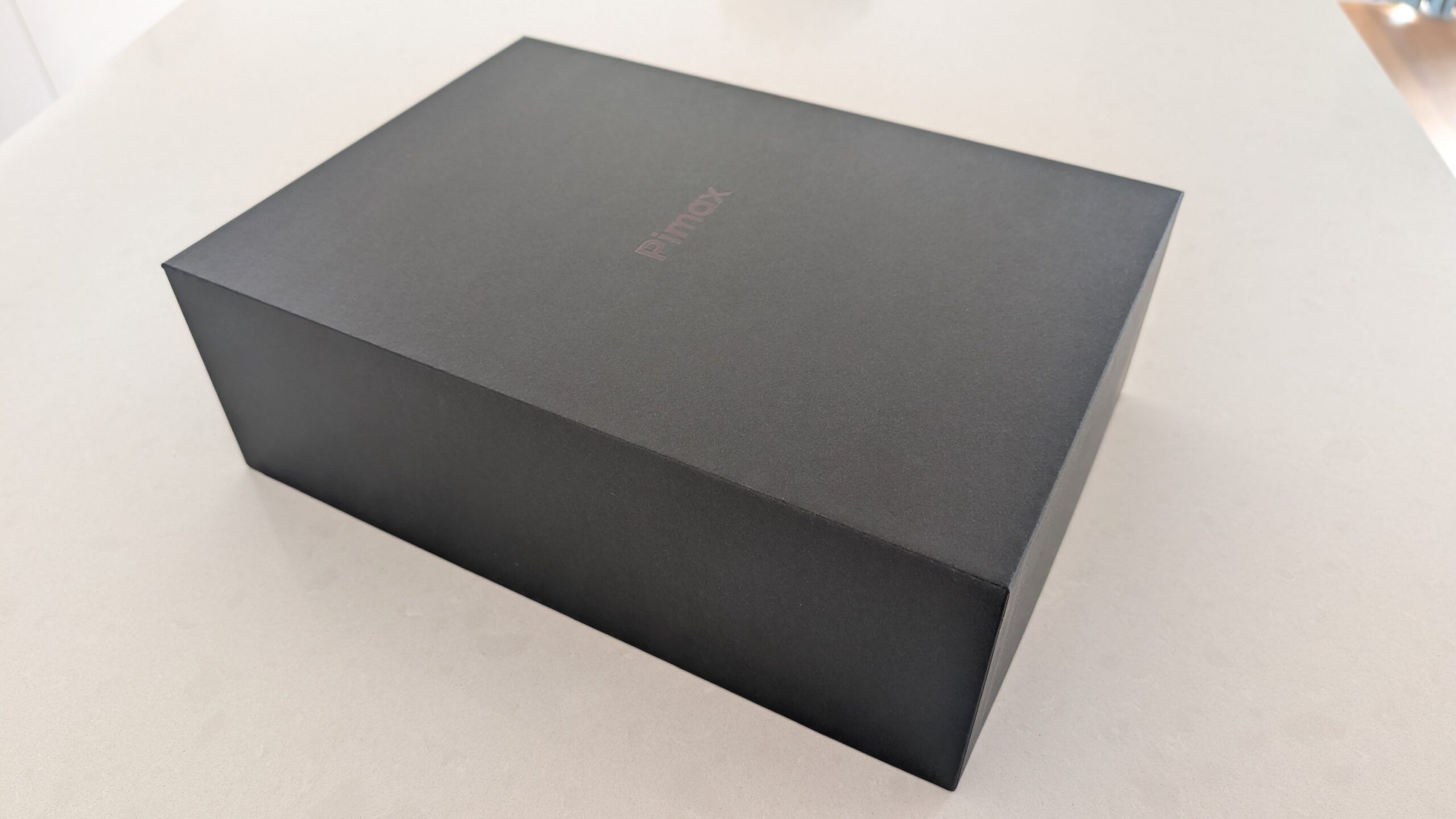
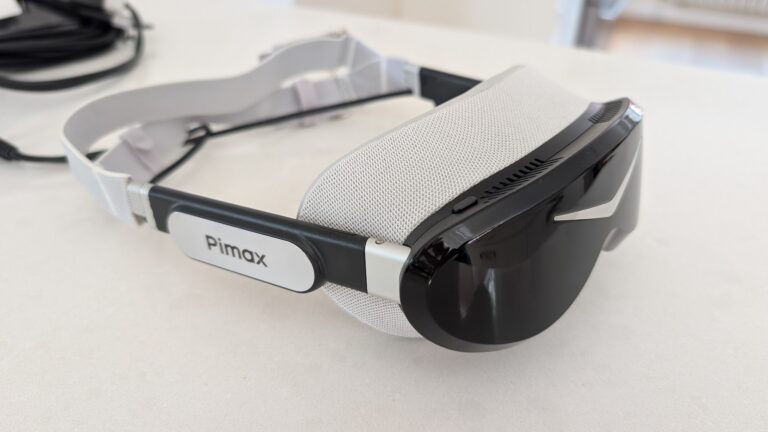
Behind the faceplate they’re pretty much the same to the millimetre, which is what makes this comparison worth doing at all. They use the same, excellent Sony micro-OLED panels at 3840 x 3552 per eye, with the same ConcaveView pancake lenses, same Tobii eye tracking driving the foveated rendering, the same IPD range, same pair of little fans, same split DisplayPort cable running down to that junction box at the back of your neck (or, through the seatbelt holes in your race seat if you have those.
I love the weight of these devices – under 170g for the visor and around 300g all in, once it’s all strapped together, which still catches me out every time I pick one up.
What you’re choosing between is the front of the headset and what’s in the box beside it.
The SLAM edition has four cameras looking out at the room and brings two 6DoF controllers along. The Lighthouse edition has the infrared sensor faceplate and wants one or two SteamVR base stations that you buy separately (I would recomend two). FYI: the SLAM version does passthrough and hand tracking and the Lighthouse version doesn’t, and the Lighthouse version supports SteamVR trackers while the SLAM version has no support for them at all. If you’re running Vive or Tundra trackers for full-body in VRChat (and some of you are), that last one makes the whole decision for you.
| Specification | Pimax Dream Air SLAM |
|---|---|
| Panel | Sony Micro-OLED |
| Resolution per eye | 3840 x 3552 (around 13.6MP per eye) |
| Refresh rate | 72Hz / 90Hz |
| Lenses | Pimax ConcaveView pancake, glass |
| Field of view (Pimax figure) | 110 degrees horizontal |
| Field of view (measured by SimHanger) | 113 x 89 degrees, 82% overlap |
| Pixel density | 53 PPD |
| IPD | 58-72mm, motorised automatic |
| Weight | Under 170g visor, around 300g assembled |
| Tracking | Inside-out SLAM, four onboard cameras, computed PC-side |
| Controllers | Two 6DoF controllers included |
| Eye tracking | Tobii, 120Hz, drives dynamic foveated rendering |
| Hand tracking | Integrated (SLAM edition only) |
| Passthrough | Supported, black and white, low resolution |
| SteamVR tracker support | Not supported (Lighthouse edition only) |
| Connection | DisplayPort 1.4a plus USB 3.0, 5m split cable |
| Audio | Integrated off-ear spatial audio |
| Cooling | Two active fans |
| Software | Pimax Play plus SteamVR, OpenXR |
| Price | $2,299 SLAM / $1,999 Lighthouse (around £1,774 in the UK) |
One line in that table is more interesting than it looks. SimHanger went to the trouble of measuring the field of view himself rather than repeating the brochure, and got 113 x 89 on the SLAM edition against 108 x 88 on the Lighthouse one he’d measured earlier. That’s a curious little gap between two headsets that are meant to be optically identical, and I wouldn’t buy on the strength of it, but I love that somebody bothered to check.
How the two systems work
It’s worth spending a moment on this becuase there are differences and you are parting with the best part of $2000.
Lighthouse is “outside-in”. The Lighthouse base station in the corner is a little box with spinning lasers in it, sweeping the room with infrared, over and over. Your headset is covered in photodiodes, and each one notes the precise moment the sweep washes over it. From the timing differences between those sensors, the system works out exactly where your head is. It’s a lovely bit of engineering, and very precise. What it needs, absolutely, is to see the base station. Lasers don’t bend round your shoulder or your sim racing monitor – problematic, in my opinion.
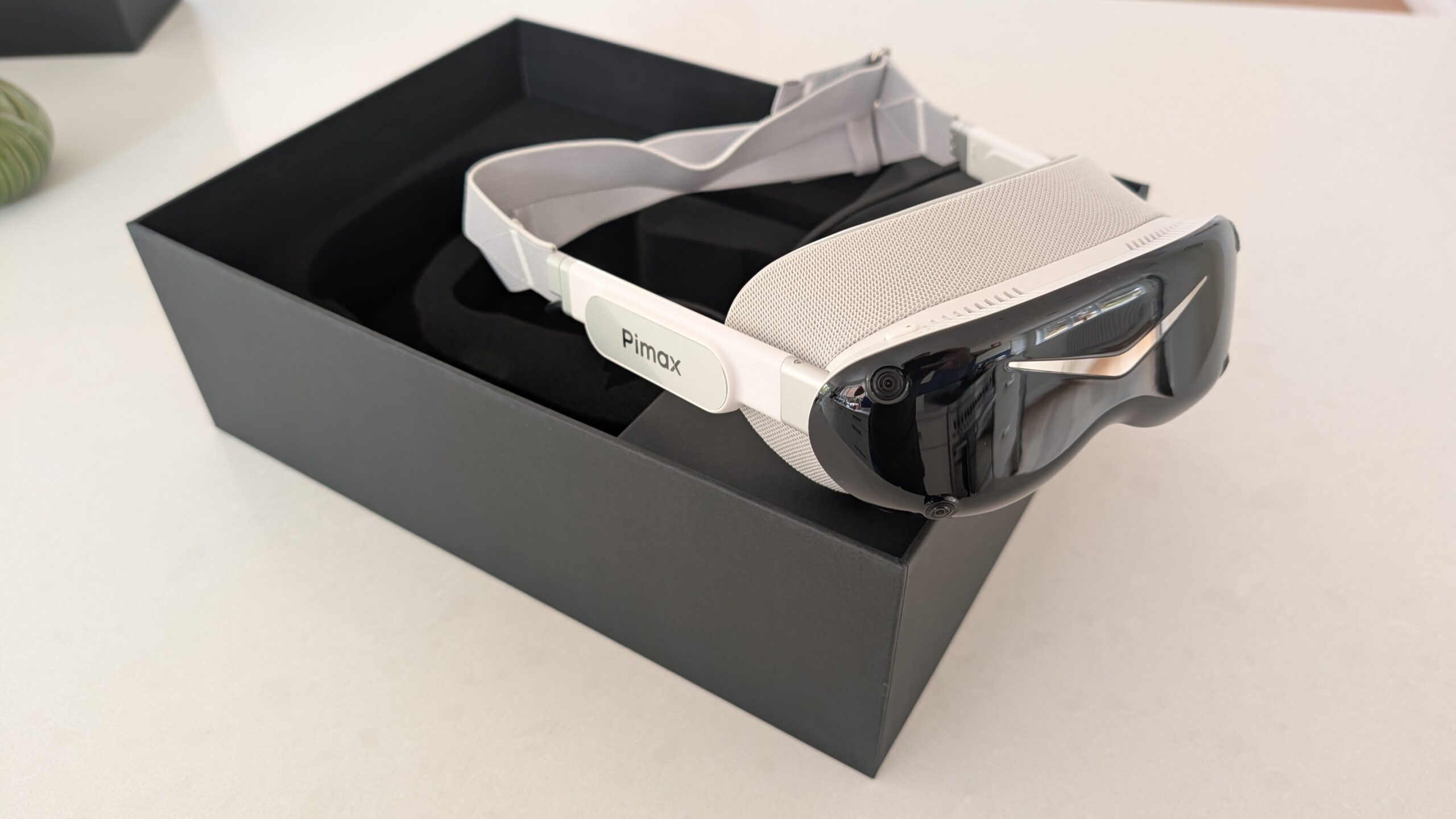
SLAM is “inside-out”. There’s no base station at all. The four cameras on the visor watch the room and pick out things easily measured, the corner of a monitor, the edge of a door frame, the pattern on the curtains, then work out where your head is from how all of that drifts as you move. It’s called simultaneous localisation and mapping because it’s building a rough map of your room and finding you on it, both at once, continuously. This solution is cleverer, and much more expensive to compute. It needs things to look at and enough light to see them by.
There’s a bit of a latency argument on these two technologies in teh forums but it doesn’t really hold. Neither of those systems is what’s keeping the world glued to your head moment to moment. That’s the gyro, running about a thousand times a second (1kHz), and it’s the same part in both editions. The lasers and the cameras are the slow layer underneath, ticking over in the tens of hertz, quietly correcting the drift the gyro accumulates. So you’re never sat waiting for a camera frame or a laser sweep before your view moves. I’d assumed SLAM would feel a fraction behind and there’s no good reason for it to, on either version.
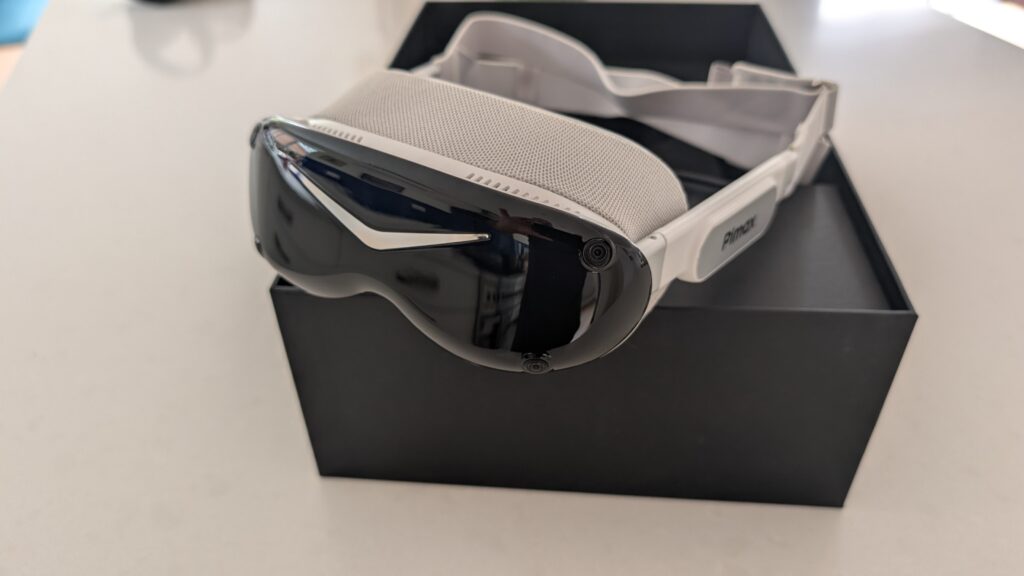
On this headset, the SLAM sums are done on your PC, not on the headset. Pimax say so plainly – “the headset and controller tracking is processed on the PC-side with our own SLAM algorithms in the runtime”. That’s why every discussion about SLAM ends up being a discussion about your PC hardware, and it’s why the answer isn’t the same for everybody. Pimax’s version of the OpenXR runtime is better than Steam’s so my intuitive vibe is that SLAM is probably the better bet for future firmware updates.
So the theory said, base stations were the safer bet in a cockpit, and I found that convincing in June. Lasers don’t care whether your lights are on. Cameras want things to look at, and a sim rig is an odd little world for a camera to live in. That was my reasoning, I think it’s “the” reasoning, and I still think it’s sensible reasoning. It just doesn’t seem to be what actually happens.
Swapping between the two: how the tracking feels
This is the bit I was most curious about, and it’s the one thing a spec sheet will never help you with. Two headsets, the same seat, the same wheel, the same sim, the same settings, one after the other. Whether the tracking “works” isn’t really the question, because both of them work. What you feel is whether the world stays welded in place while you’re driving, and that’s the difference between a headset you forget you’re wearing and one you keep noticing.
Swapping over: does the horizon sit as solidly when you turn your head into an apex? Yes. Any float or lag snapping to a mirror and back? No. Does the Buttkicker going nuts cause any problems with vibration? No. The difference is so difficult to articulate I won’t bother.
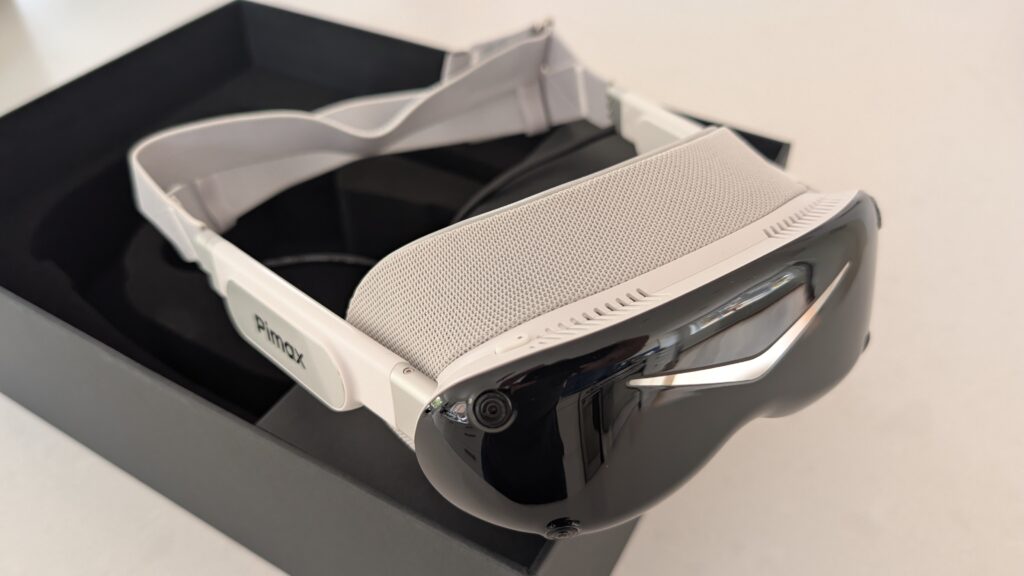
What I can tell you is why the case against SLAM stopped convincing me. I went back through every review of this headset I could find, hunting specifically for tracking complaints, and there are plenty of them. Every single one is about the controllers.
The obvious place to start is the two moves that traditionally trip inside-out tracking up. Look down, hard, into your own lap, which is the one where the cameras lose most of the room and you brace for the world to wobble. And sit facing something blank and featureless, which starves them of anything to hold onto in the first place. I’ve done both, more than a few times, waiting for the flinch. It doesn’t come. The horizon just sits where you left it.
The controllers are a different story, and it’s where every wobble I can find lives. Let one drift out of the cameras’ view, rest it on your knee or drop your hand to your side, and it goes a bit sticky on the way back. Nothing dramatic, and nothing you’d notice poking round a menu, but it’s there. Head fine, controllers sticky. That’s pretty much the whole shape of it, and it’s the same thing the flight sim crowd have been saying for months: if you’re sat predominantly still, inside-out is simply the easier life.
Then there’s the frame rate, which is the one I’d have bet money on. SLAM gets computed on your PC rather than on the headset, so it has to cost you something. Pimax have published their own benchmark on this, which you’d take with the appropriate pinch of salt except that it rather charmingly fails to prove their own point: their presenter expected a clear hit, said so on camera, then couldn’t find one across Half-Life Alyx, MSFS 2024, DCS World and ACC. What does show up is 5 to 6 per cent more CPU on the tracking process in MSFS and 6 to 8 per cent in ACC, which comes out at maybe a frame or two. So that’s the size of the tax. Smaller than I’d assumed, and on my 4090 I can’t feel it at all.
The good bit is where something finally breaks! Run it on an old laptop with an RTX 2080, both controllers going, and the tracking falls over completely. Hands freezing, stuttering back into life, unplayable. Switch one controller off and the other comes straight back. So it’s the controllers that want the CPU headroom, and especially both of them at once. The head tracking never faltered once, on either machine, in any test.
So that’s the penny dropping, and I felt a bit daft. SLAM’s weak spot is tracking two controllers on a CPU that’s already having a hard time. A sim racer has both hands welded to a wheel and the controllers in a drawer. The one failure everybody warns drivers about is the one failure that can’t reach a driver, and I managed to write a whole section in June recommending against it without spotting that.
There’s a second thing going on, and it took me a while to get it straight in my head. My first instinct was that SLAM might feel snappier because the headset is doing the work itself, but that isn’t how this one is built – Pimax compute it on your PC, same as the Lighthouse solve. And in both systems the thing keeping your view glued to your head between updates is the gyro, running at something like a thousand times a second. The lasers and the cameras are the slow layer, correcting drift underneath that. So neither of them is waiting on the optics to move your head, and I’d be surprised if you could feel a latency difference at all.
Where they genuinely differ is line of sight. Lighthouse needs to see its base station, continuously, and a sim rig is an awkward room to ask that of – there’s a wheel in the way, a monitor stand, a seat with wings on it and your own shoulders. I hit exactly this in June: a bit of stutter on the Lighthouse edition that only went away when I moved the base station up onto a high shelf, dead centre of my eyeline. That’s not a flaw in Lighthouse, it’s just geometry, and it’s geometry a lot of rigs get slightly wrong without ever knowing. SLAM doesn’t care. It’s looking at the whole room and it can’t be blocked by your own shoulder. So the fair way to put it isn’t that SLAM tracks better than Lighthouse, because it doesn’t. It’s that a well set up SLAM beats a marginally placed Lighthouse, and an awful lot of rigs are marginally placed.
The controllers you’re paying for and won’t use
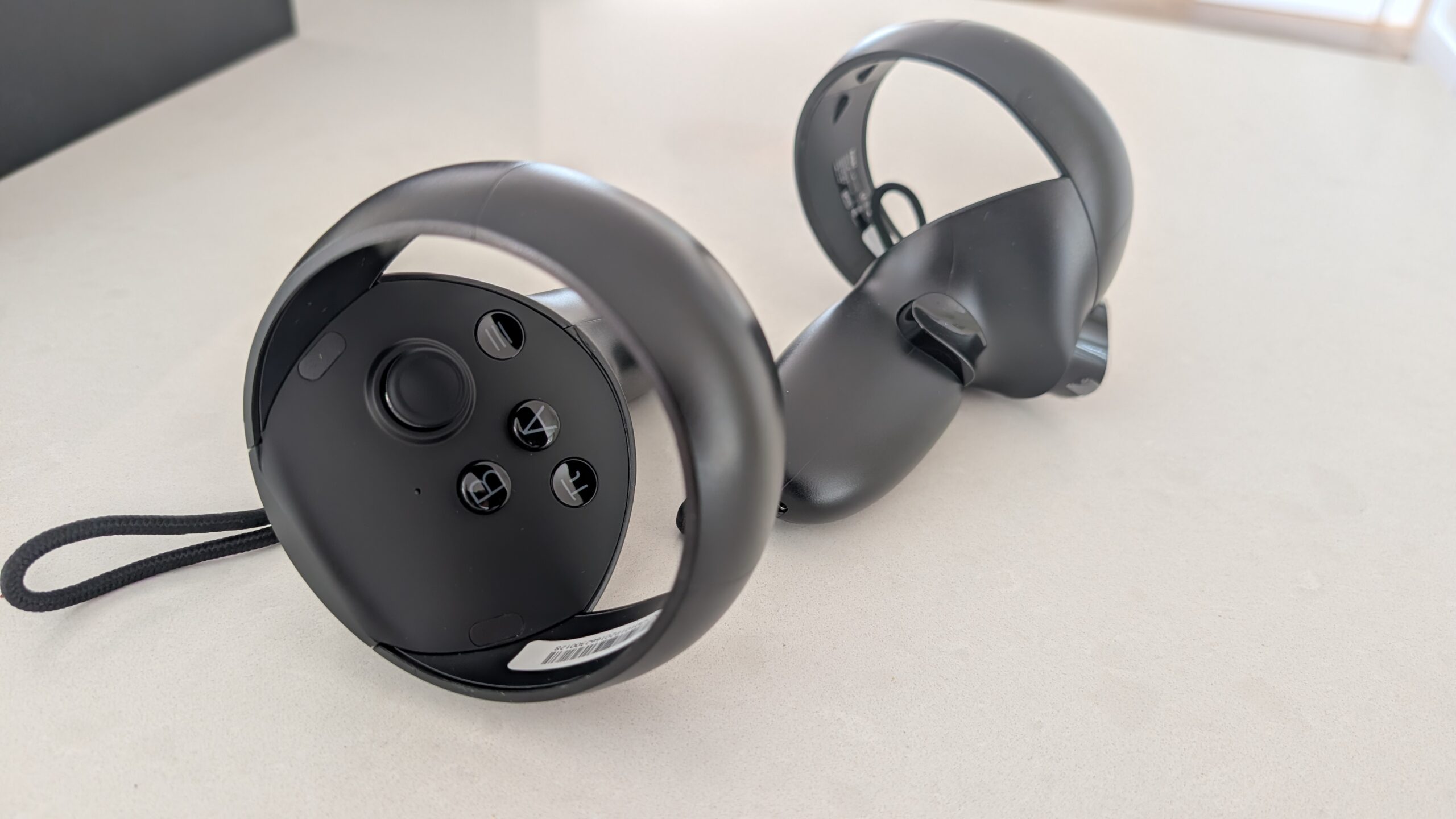
These come bubble-wrapped in the tray next to the headset and, if you’re buying this to race with, they’ll be in a drawer inside a fortnight. Worth a paragraph anyway, partly because you are paying for them in that $300 difference, and partly because this headset doesn’t only do racing in my house. Mine gets pulled into flight sim, and the odd evening of something daft with my nine year old, who is better at VR than I am and enjoys telling me so.
They’re pretty much fine. The disappointment, and it’s a fair one, is that Pimax showed a ringless controller design early on and then shipped these instead, so you get the big plastic hoops after all. They’re standard fare. Perfectly functional, tracked well enough, and a bit cheap in the hand for something bundled with a two grand headset. The only real tracking wobble I’ve found is a little jitter when you hold one right up in front of your face, which matters if you’re doing archery in VR and matters not in the slightest if you’re driving a car. Being honest I don;t care about the controllers – they are rarely part of my startup sequence.
Passthrough is the other thing this edition gives you and the Lighthouse one doesn’t, and I’d keep your expectations gentle. It’s black and white and pretty low resolution, so it isn’t doing mixed reality in any meaningful sense and I wouldn’t buy the headset hoping for it. For finding your drink without lifting the visor, or checking you’re reaching for the right button box, it does the job nicely.
Bits nobody else seems to mention
Two things came out of the reading that I’ve not seen made a fuss of anywhere, and both would have been useful to me before I bought.
The first isn’t mine to claim, but it’s super interesting: VR Flight Sim Guy has been through six of these Sony micro-OLED panels now, across a mix of Crystal Super OLEDs and Dream Airs, and reports not a single dead pixel or panel inconsistency in any of them. His comparison is the one that stings: he went through six Quest 3s before he found one clean enough to keep.
The other is about long stints, and it’s the reason for the small form factor that I’d not thought of. Everyone talks about the weight. What gets you an hour and a half into a race is heat: a big headset traps it, you get sweaty, and eventually the lenses fog. There’s so little of this thing sat against your face that it doesn’t build up the same way.
What’s still open
Something I didn’t expect while reading around. Five reviews, two of them over twenty minutes long, plus a manufacturer benchmark, and not one of them runs a racing sim. It’s all MSFS 2024, Half-Life Alyx, After the Fall and a round of mini golf. The flight sim coverage of this headset is superb, and those lads have properly done the work. The racing coverage simply isn’t there, which is a strange gap for a headset this many people are buying to race in.
So there are things I can’t tell you yet, and I’d rather list them than pretend the internet has it covered. Nobody has run SLAM on a motion rig, and that’s where I might expect trouble, because a moving cockpit means the entire room is moving relative to the cameras and that’s exactly the situation this sort of tracking hates. Mine’s a static rig, so I can’t answer it for you other than to say, I have no problems here!
Comparing against the Lighthouse version
So, the money, which is where this gets more interesting than I expected. The Lighthouse edition is $1,999 and arrives as a headset on its own. The SLAM edition is $2,299 with two controllers in the box. On the shelf the SLAM version is clearly the dearer one, and if you’ve already got base stations up and Index controllers in a drawer then it really is – you’d be paying $300 for tracking hardware you don’t need and handing back SteamVR tracker support to do it. Buy the Lighthouse. That’s a really easy call, and it’s the same call I made for myself in June with teh Lighthouse version.
Starting from nothing, you might want to think differently. Pimax lay this out in their own comparison and, to be fair to them, the numbers stand up against Valve’s list prices: a Lighthouse setup from scratch is $1,999, plus $279 for Index controllers, plus $298 for a pair of base stations, which lands at $2,576. The SLAM edition is $2,299 with the controllers included and nothing to screw to a wall.
I’d soften their maths slightly, mind, because one base station is genuinely enough for a fixed seated rig – I run mine that way and said so last time – so the real gap is narrower than they’d like you to think. You’re still buying a thing, powering a thing and finding somewhere sensible to put a thing, though.
And the convenience creeps up on you. It isn’t that the tracking is better, because it isn’t. It’s that there’s nothing to mount, nothing to align, nothing to power and nothing to find a shelf for. Solid head tracking is all a mostly static cockpit user needs, and swapping the aeroplane or an Apache Helicopter for a GT3 car doesn’t change things at all.
Against the Crystal Super, nothing much has changed since last time and I won’t go over it all again – the Super gives you a wider view, a swappable optical engine (we’re just reviewing the optical engine upgrade) and a properly solid feel, and asks you to wear about a kilo to get them. The Crystal Super review has the full story.
The one thing that has changed is that if you were leaning towards the Super because it tracks inside-out and you didn’t fancy base stations, that reason has quietly evaporated. You can have the light one and skip the base stations now, provided of course you;re willing to give up some FOV (which for flight simulation i recomend against, personally).
So: Lighthouse, SLAM, or does it not matter?
Buy Lighthouse if you already have base stations standing in the room, or you want SteamVR trackers for full-body, or your PC is a few years old, or you race in a properly blacked-out room. The first three are straightforward. The last one is the one I’d have said was decisive in June, and it’s the one I still can’t close out for you – see above. You also save $300, which isn’t nothing.
Buy SLAM if you’re starting without a base station to your name, because it works out cheaper as a complete setup and there’s nothing to mount, align or power. Also buy it if your room is awkward – a deep seat with wings, a big monitor stand, a triple rig, anywhere a base station would struggle to keep a clean view of you. And buy it if you fancy the passthrough and the hand tracking, though neither is why you’d spend this money.
And for a lot of you it won’t be the deciding factor at all. If you’re a seated driver with a reasonably modern processor and a room with the lights on, the tracking is not what separates these two headsets. It’s the same panel, the same lenses, the same weight and the same picture. What differs is what’s in the box and what’s already in your room. So work it out on that, and don’t let anyone tell you the tracking type is the important bit, because for the way most of us drive, it isn’t.
One thing that goes for both: this headset wants a serious graphics card. Pimax quote an RTX 3070 as the floor and their own presenter says he wouldn’t put anyone below a 4080 near it. I’m on a 4090 and it’s comfortable. Our graphics card guide and the gaming PC guide are the places to start if you’re not sure yours is up to it, and on this edition I’d give the CPU a look as well. You can’t just throw a high powered GPU at a lesser CPU and expect to get away with it. My i7-14700K handles the 4090 beautifully. If I could (I can’t just at the moment) I’d put a 5090 in it and forget all about performance!
Pricing, and a note on ordering
As I write this the SLAM edition is $2,299 and the Lighthouse edition $1,999, with UK pricing somewhere around £1,774. Pimax shuffle their prices and payment options about more than most manufacturers do, so check what it says at the checkout rather than trusting a figure in an article, including mine! The product tables on our site are live prioces updated daily – so use those not what I’ve written in case of a change.
Delivery times have been the standing worry with Pimax for years. They’ve been in touch to say they’re holding regional stock for the current range now, Dream Air included, with a shipping status page showing what’s where. Worth a look before you order.
Reader discount: use code simracingcockpit at the pimax.com checkout for 2% off, or simracingcockpit25 for $25 off. Whichever suits your basket better.
The reason I gave you in June for steering clear of the SLAM edition, that it’s the wrong sort of tracking for a cockpit, doesn’t quite hold up the way I put it. The wobble everyone talks about is in the controllers, and for a driver the controllers live in a drawer, powered down.
I’d never have worked that out without having both of them sat on the same rig, and I’m quite pleased to have been wrong in a direction that makes the decision easier rather than harder. If you want the numbers I’m running, my Dream Air iRacing baseline carries over to this edition unchanged, and the original Dream Air review goes into the headset itself in far more detail than I’ve repeated here.
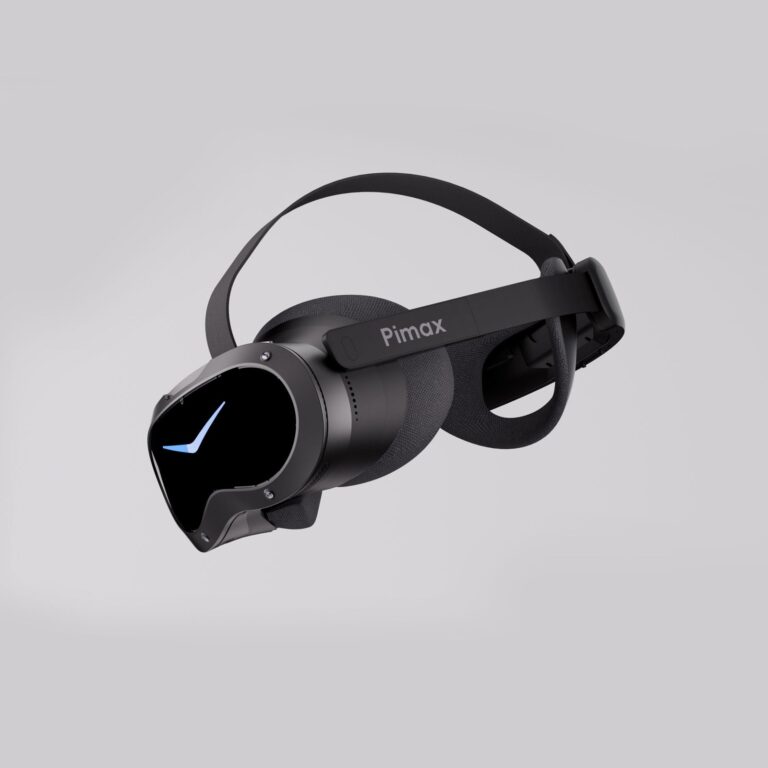
Should Sim Racers Wait for the Pimax Crystal Pro, or Buy Today?
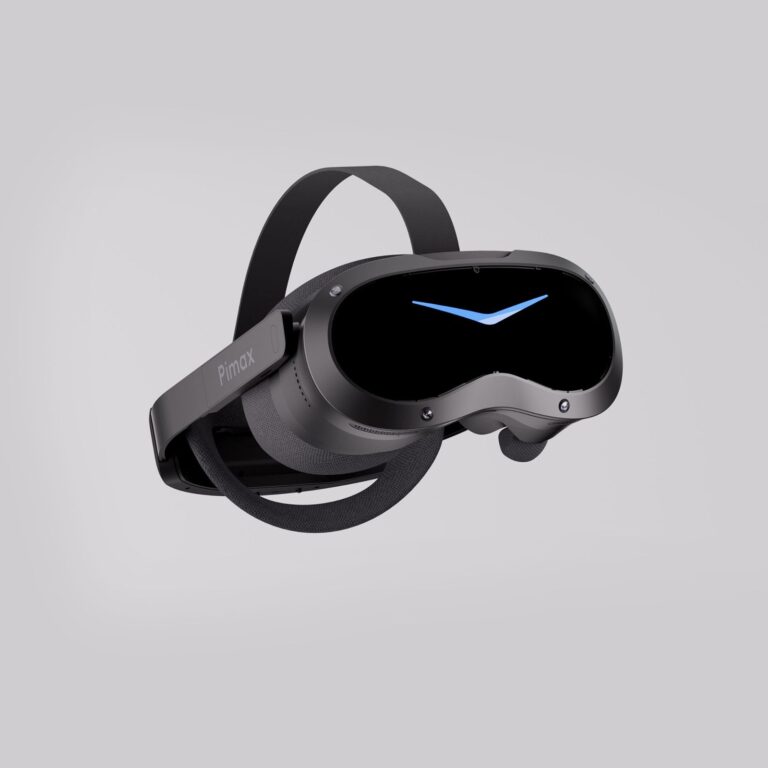
Pimax Crystal Pro: Everything We Know So Far
Bigscreen Beyond 2 for Sim Racing: What to Know in 2026
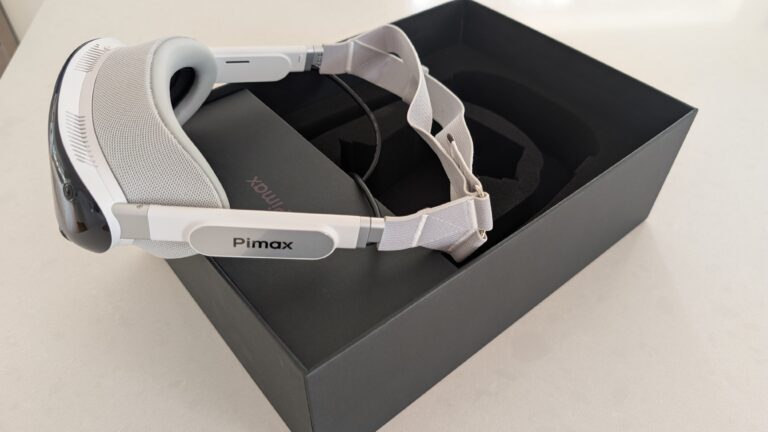
Pimax Dream Air vs Dream Air SE: Which Should a Sim Racer Buy?
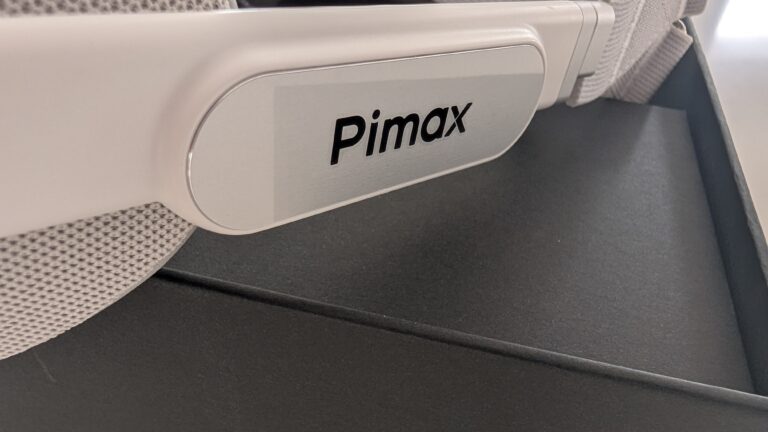
SteamVR Base Stations for Sim Racing: Lighthouse vs SLAM on the Pimax Dream Air
How to Install the SBoys3 Driver on the Pimax Dream Air Lighthouse
Topic: Pimax Dream Air