

I’m a sim racer and amateur racer with a passion for Motorsport, good racecraft and the technical and setup aspect of sim racing.
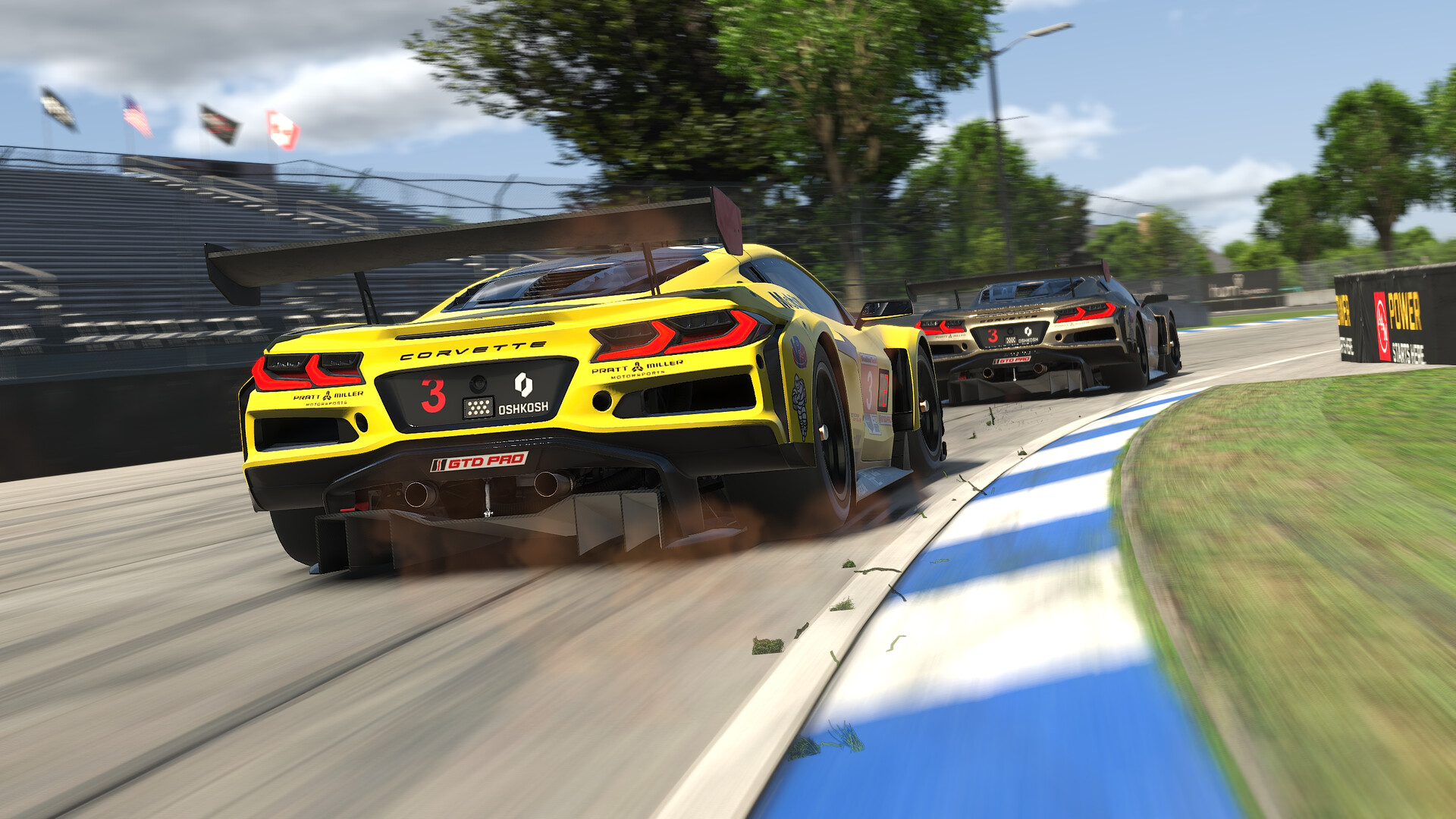
Featured image: a pair of Corvettes racing in iRacing (Image: iRacing)
You’ve got iRacing running on your wheel and you want a sensible place to start with the force feedback, base by base. Below are iRacing’s own settings and the ones each wheel maker has published for iRacing, in the order you’ll click through them, starting in the base’s own software and finishing in the sim.
Quick Navigation
Jump directly to what you’re looking for:
iRacing’s FFB menu |
Fanatec |
Moza |
Simucube |
Simagic |
Logitech |
Thrustmaster |
Asetek |
Alternative approach |
Fine-tuning
How iRacing’s force feedback settings work
iRacing’s force feedback (FFB) settings live in Settings, on the FFB tab. The Season 3 update on 9 June 2026 moved the advanced settings onto their own page and left the basics on the Driving tab as well. It also lets you swap control profiles from a dropdown, so you can keep a Baseline profile plus one for each car.
Wheel Force, Strength and Intensity all work together, and iRacing’s own setup guide explains the first two. Wheel Force is the ceiling iRacing thinks your base can produce, so set it to the maker’s rated torque and never lower, to prevent injury. Strength is how strong the force feedback actually is, and after a few laps the Auto button in the F9 black box sets it to the highest value that doesn’t clip. Clipping is the loss of force feedback detail you get when the sim asks for more force than the wheel is already giving at its maximum. Auto works very well on gear and belt driven wheels but is often too strong on a powerful direct drive base, so turn Strength down afterwards.
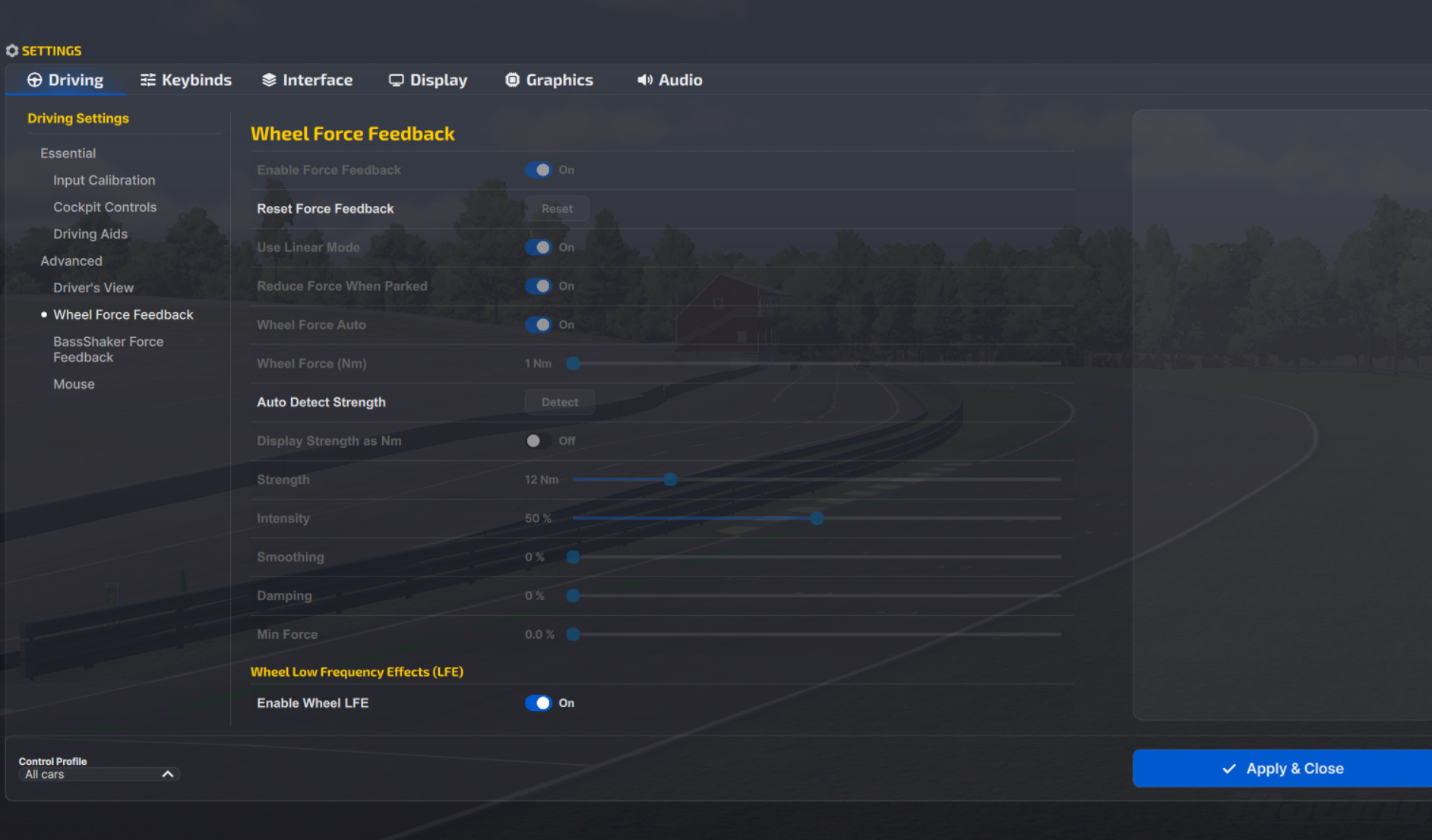
Intensity only changes what the Auto button does. At 100% Auto gives you the most force your wheel can produce, at 0% it lowers the forces and keeps heavier cars feeling heavier, and the default is 50%. Wheel Force Auto is a separate tick box that tries to detect your base’s maximum force. It can overestimate, though, and if it does, switch it off and set the peak yourself.
Tick Use Linear Mode on a direct drive base. Leaving it off boosts the smaller forces, which iRacing says makes gear-driven wheels like the G29, G920 and G923 feel more lively. Min Force lifts the small forces from bumps and kerbs, and it’s often needed on gear and belt wheels and on Fanatec’s CSL wheels. Damping and Min Force sit at 0% in every direct drive setup below, and so does Smoothing wherever a maker lists it.
The current build is 2026 Season 4 (released 9 September 2026), and its only force feedback change was 360 Hz support for Conspit wheels. iRacing’s setup guide dates from September 2025, and the makers’ numbers run from Fanatec’s 2019 forum baselines to Asetek’s guide of 28 August 2026 and Logitech’s RS50 screenshot from September 2026.
Fanatec settings
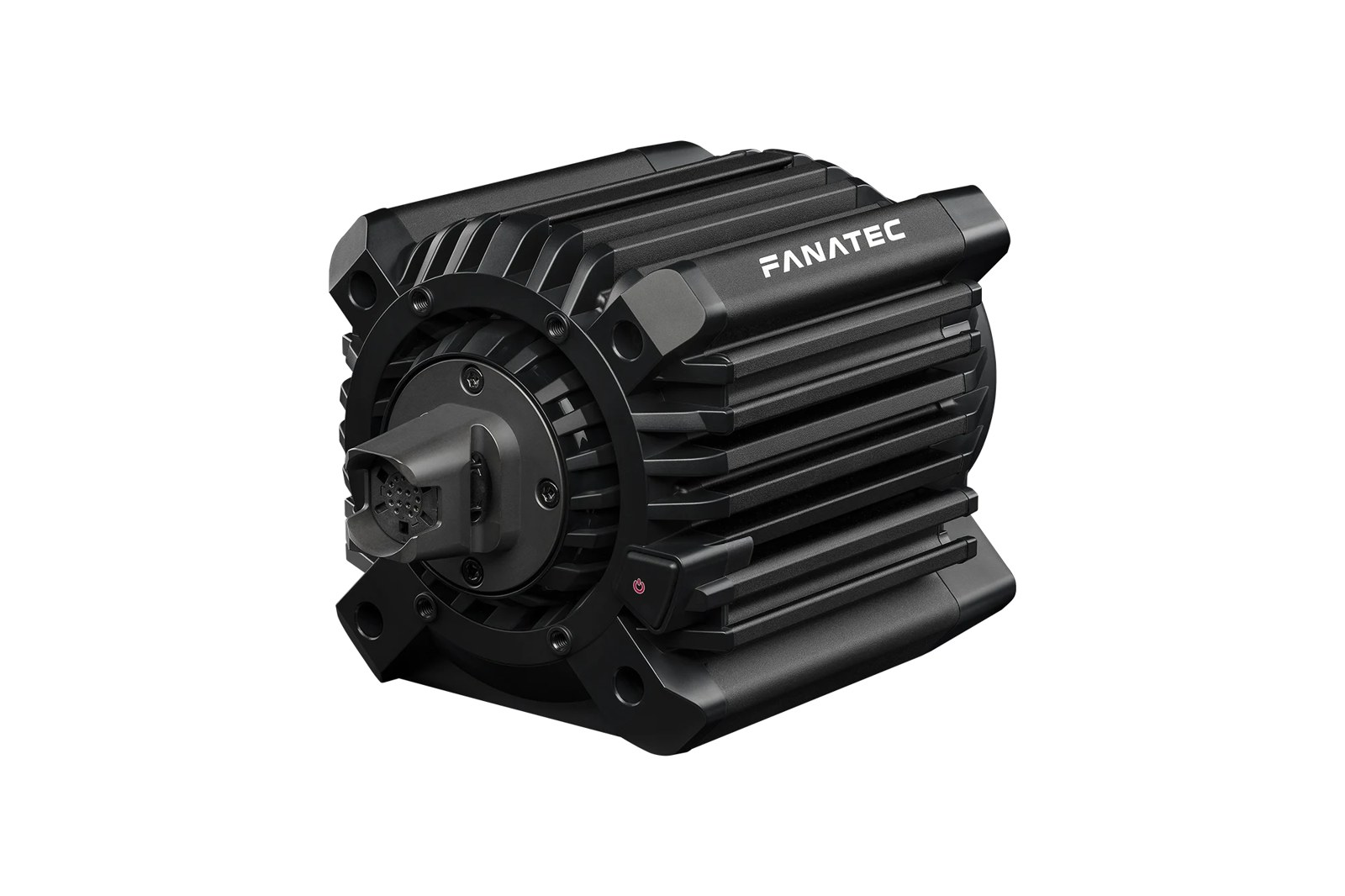
Fanatec’s iRacing recommended settings thread on its forum dates from 2019 and covers the Podium DD1, the Podium DD2 and the CSL DD. The newer explainer pages on Fanatec’s site deal with SEN, FF and FullForce. Fanatec hasn’t published iRacing tuning-menu values for the ClubSport DD, the ClubSport DD+, the current Podium DD or the Gran Turismo DD Pro, so on those it’s the iRacing settings below, with Wheel Force at the base’s rated torque.
Fanatec’s forum baselines and its newer pages disagree on SEN and FF. SEN is 1080 in the baselines but Auto on Fanatec’s SEN page, and on Auto, iRacing sets the steering angle for each car. FF is 90 to 100 in the baselines, whereas Fanatec’s FF explainer caps it at around 60-80% in iRacing, or lower on a stronger base. The list below carries both. For more on Fanatec alone, there’s a separate Fanatec iRacing settings guide.
In the base’s tuning menu, the Podium DD1 and DD2 first, then the CSL DD:
- Podium DD1 and DD2:
- SEN: Auto (1080 in Fanatec’s forum baselines)
- FF: 90 in Fanatec’s forum baselines, or 60-80% per Fanatec’s FF page (lower on stronger bases)
- FFS: Lin
- NDP: 16
- NFR: 2
- NIN: 8
- INT: 3
- FEI: 100
- FOR: 100
- SPR: 100 (no effect in iRacing by default)
- DPR: 100 (no effect in iRacing by default)
- SHO: 100
- CSL DD:
- SEN: Auto (1080 in Fanatec’s forum baselines)
- FF: 100 in Fanatec’s forum baselines, or 60-80% per Fanatec’s FF page
- FFS: Peak
- NDP: 15
- NFR: Off
- NIN: Off
- INT: 6
- FEI: 100
- FOR: 100
- SPR: 100 (no effect in iRacing by default)
- DPR: 100 (no effect in iRacing by default)
- SHO: 100
Then in iRacing’s force feedback settings:
- Enable Force Feedback: On
- Use Linear Mode: On
- Reduce Force When Parked: On
- Wheel Force (Nm): the base’s rated torque
- CSL DD: 5 Nm, or 8 Nm with the Boost Kit 180
- Gran Turismo DD Pro: 8 Nm
- ClubSport DD: 15 Nm
- ClubSport DD+: 18 Nm
- Podium DD1: 20 Nm
- Podium DD2: 25 Nm
- Podium DD: 25 Nm
- Strength: 6.0 on a Podium DD1 or DD2, 8.5 on a CSL DD, then adjust per car
- Damping: 0%
- Min Force: 0.0%
FullForce is Fanatec’s protocol for fusing vibration cues with the force feedback signal, and Fanatec’s What is FullForce? page carries its iRacing settings. It started on the ClubSport DD and ClubSport DD+, it’s on the 2026 Podium DD, and a free firmware update added it to the CSL DD and Gran Turismo DD Pro. iRacing was the first title to support it, through the Wheel LFE sliders. FUL in the tuning menu sets the overall strength of FullForce. Fanatec warns against running every slider at max, which tends to clip the output, and says some people run Engine and Road Texture much lower than these:
- Enable Wheel LFE: On
- Use Physics Effects: On
- Main Volume: 0 dB
- Car Body Impact: 0 dB
- Engine: 0 dB
- Gear Change: 10 dB
- Rev Limiter: 10 dB
- Rumble Strip: 10 dB
- Wheel Slip: 10 dB
- Road Texture: -25 dB
Fanatec discount code: use SIMRACINGCOCKPIT5 at checkout for 5% off at fanatec.com.
Moza settings
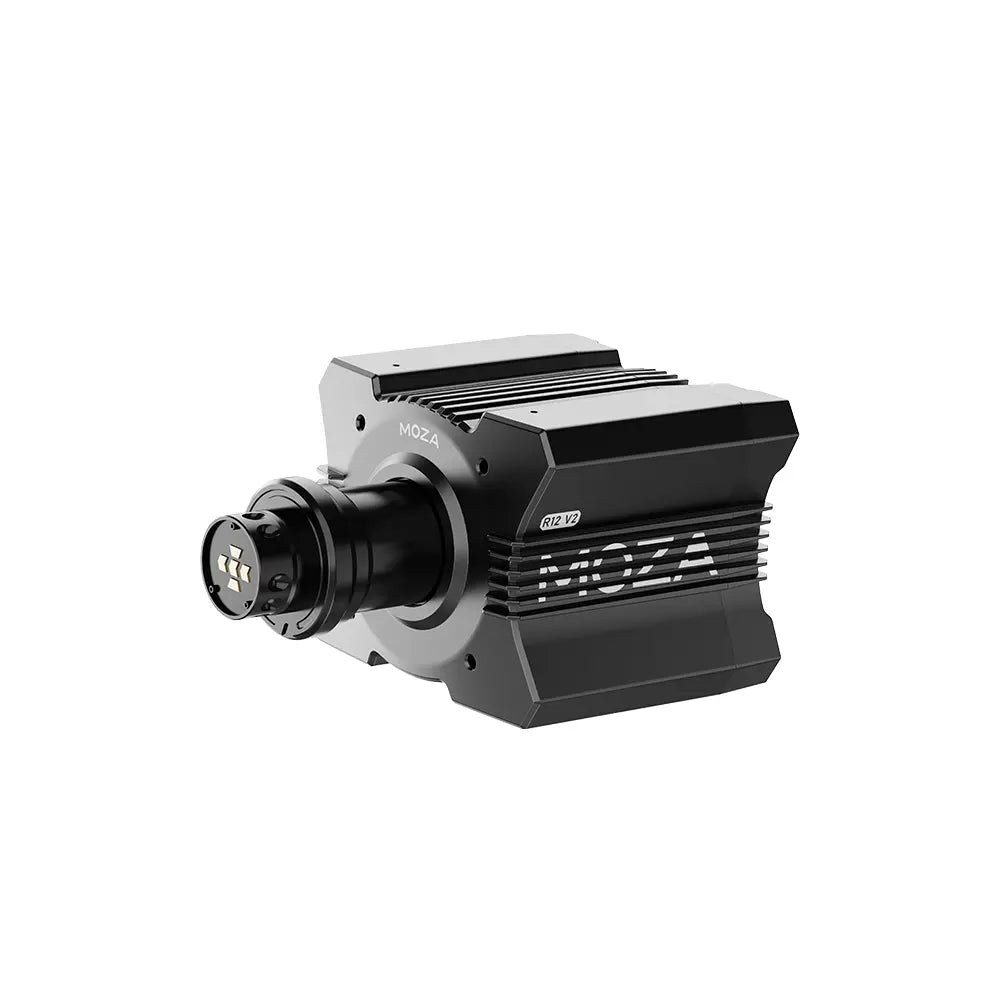
Moza’s own support page for iRacing says the force feedback doesn’t need any configuration. iRacing turns on 360 Hz and Wheel LFE for Moza bases by default, as long as the base firmware is 1.2.5.5 or later and Pit House is 1.3.1.50 or later.
The settings below are SimRacingPal’s own, from the MOZA Racing channel’s iRacing video for the Moza R5, which he made as part of the MOZA Creator Program in December 2024. His Road Sensitivity of 4 is his “sweet spot” on a 300 mm rim. On any other Moza base, set Wheel Force to its rated torque (12 Nm on the R12 V2, for example). The Moza guide has the rest of the range. There are settings for the R5, R9, R12, R16 and R21 on the Moza iRacing settings page, with MOZA’s advice where it gives any, and that page explains what 360 Hz and Wheel LFE do.
In Pit House, SimRacingPal’s Basic settings first and then the Advanced:
- Basic Settings:
- Road Sensitivity: 4 (3 with a smaller formula rim)
- Game Force Feedback Intensity: 100%
- Maximum Wheel Speed: maximum
- Wheel Spring Strength: 0%
- Wheel Damper: 0%
- Advanced Settings:
- Maximum Output Torque Limit: 100%
- Steering Wheel Inertia: the preset for your rim
- Natural Inertia: maximum
- Wheel Friction: maximum
- Speed-dependent Damping: 0%
- Force Feedback Curve: linear
- Soft Limit Stiffness: 5
And in iRacing itself:
- Enable Force Feedback: On
- Use Linear Mode: On
- Reduce Force When Parked: your preference
- Wheel Force (Nm): 5.5 Nm on the R5, otherwise the base’s rated torque
- Strength: Auto, for each car and track
- Intensity: 100%
- Smoothing: 0%
- Damping: 0%
- Min Force: 0.0%
Simucube settings
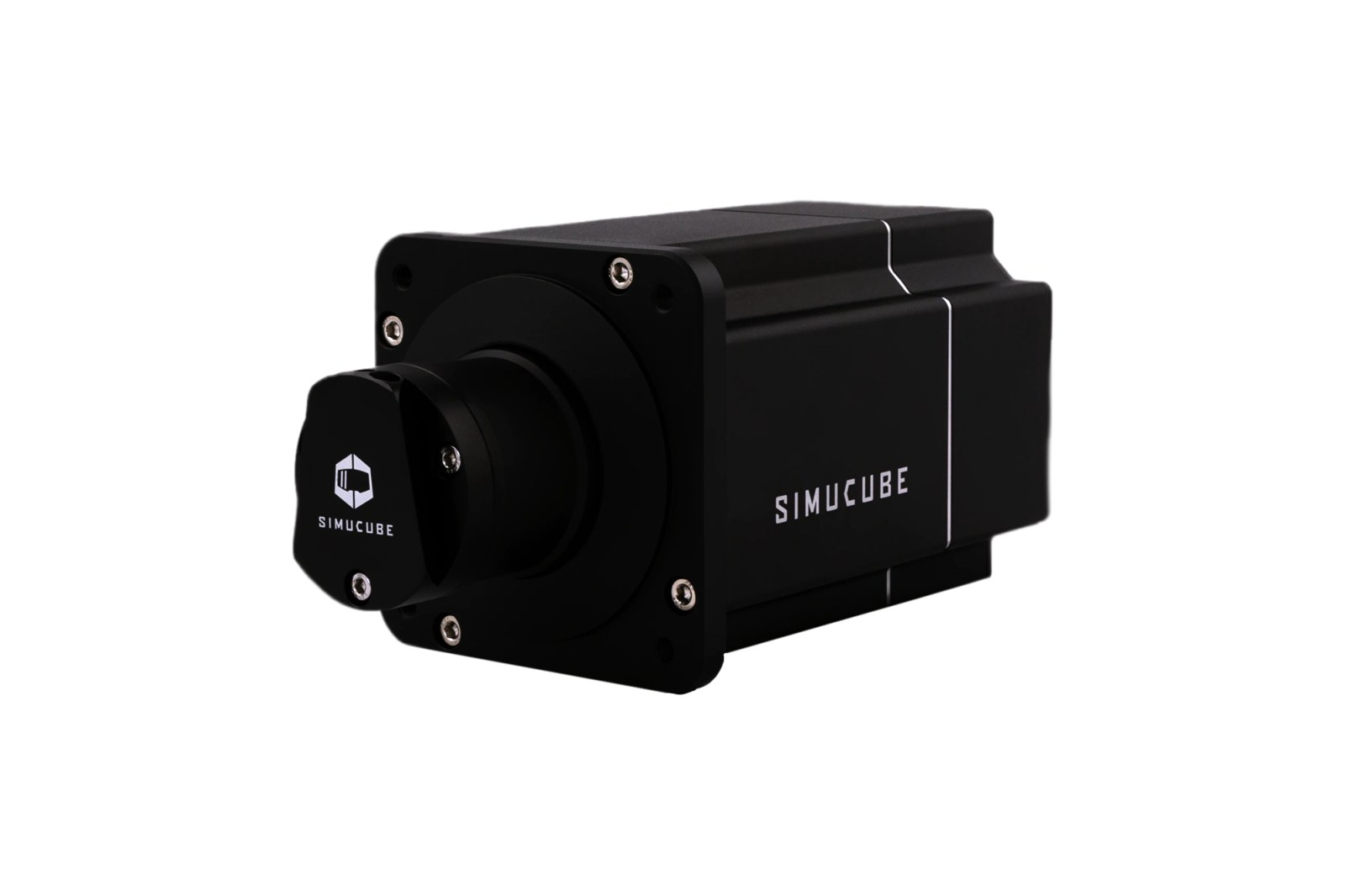
Simucube publishes a method rather than a list of iRacing values, and Simucube’s own documentation walks through it. First, set the maximum strength in Tuner to the most you’d want to feel suddenly in a crash, which Simucube calls critical for safety. It also notes that iRacing reduces the force a lot when the car hits a wall. Then tune the strength in iRacing so you aren’t sitting at the maximum through corners, although a bit of clipping on particular kerbs is fine. Some damping and friction are realistic, and they reduce the wheel’s tendency to oscillate if you let go of it.
In iRacing, Simucube has you show Strength in Nm, where a bigger number means less torque overall. Smoothing stays at 0% so the base’s own smoothness filters do that job instead. The Simucube bases are in the direct drive wheels guide. Alongside Simucube’s method in Tuner, the iRacing Simucube settings page has the Simucube 2 Pro profile I published in my 2021 review, which predates iRacing’s 360 Hz mode.
Start with the base in Tuner:
- Overall strength: the most you’d want to feel suddenly in a crash
- Damping and friction: a little (it reduces the tendency to oscillate with your hands off)
- Smoothness filters: set to taste, instead of iRacing’s Smoothing
- Torque saturation notification beeps: on, if you want to hear when it clips
Then in iRacing:
- Use Linear Mode: On
- Display Strength as Nm: On
- Wheel Force (Nm): the base’s rated torque (Simucube 2 Sport 17 Nm, Simucube 2 Pro 25 Nm)
- Strength: so you’re not at the maximum through corners (a bigger Nm number is lighter)
- Intensity: only matters if you use Auto
- Smoothing: 0%
- Damping: 0%
- Min Force: 0.0%
Simagic settings
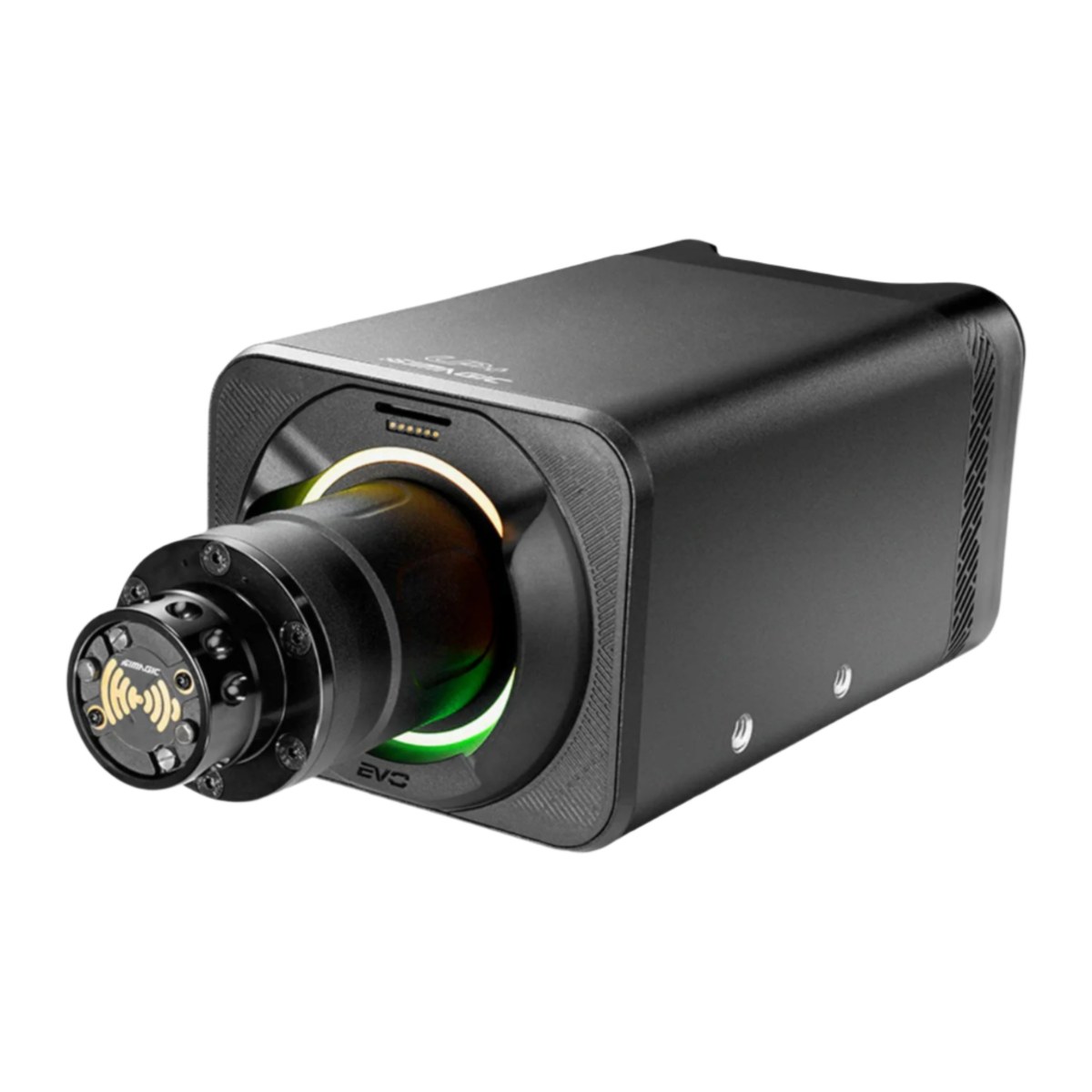
Simagic doesn’t publish an iRacing value list either. SimPro Manager comes preloaded with a separate profile for each game on its Games page, and Simagic says those settings were selected by its team and fine-tuned by experienced simulator engineers. Load the iRacing profile, then set iRacing up as below, with Wheel Force at your base’s rated torque. The Simagic guide covers the bases themselves. The older Alpha Mini (10 Nm), Alpha (15 Nm) and Alpha U (23 Nm) get their own section on the iRacing Simagic settings page, and they run the same iRacing settings as the Alpha EVO bases.
In iRacing:
- Enable Force Feedback: On
- Use Linear Mode: On
- Wheel Force (Nm): the base’s rated torque
- Alpha EVO Sport: 9 Nm
- Alpha EVO: 12 Nm
- Alpha EVO Pro: 18 Nm
- Alpha EVO Ultra: 28 Nm
- Strength: Auto after a few laps, then down a touch if it’s too strong
- Smoothing: 0%
- Damping: 0%
- Min Force: 0.0%
Logitech settings
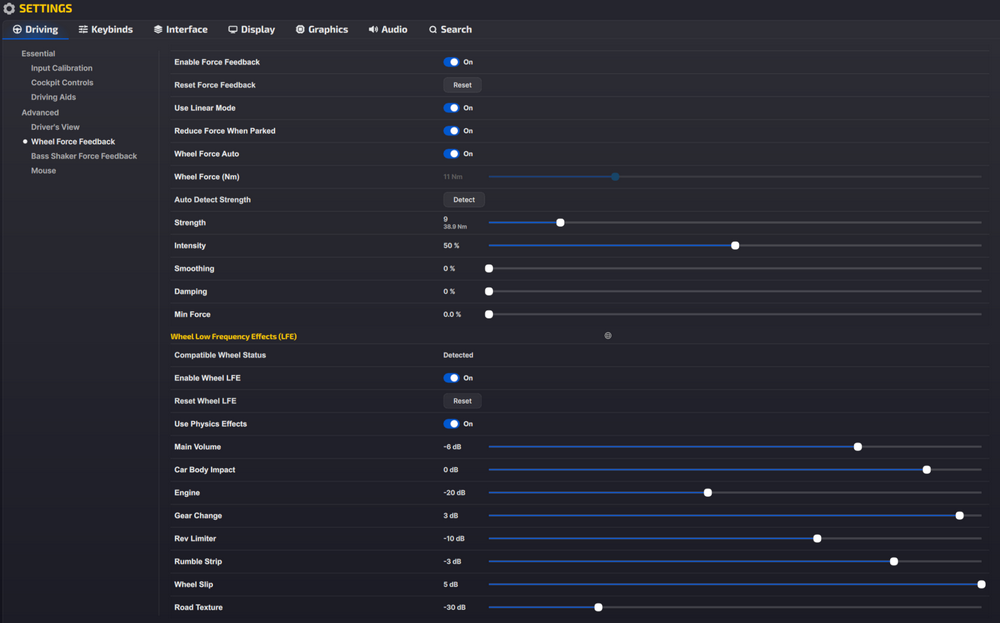
Logitech’s support pages carry an iRacing screenshot for each of its direct drive wheels, one for the RS50 with settings that assume 8 Nm and another for the PRO Racing Wheel, assuming 11 Nm. The two differ on Wheel Force Auto, which is on for the PRO and off for the RS50. The RS50 screenshot also shows Wheel Force at 9 Nm, even though Logitech’s page assumes 8.
Both leave Intensity at 50%. TrueForce comes through iRacing’s Wheel LFE sliders, so each list below carries those too.
For the Logitech RS50, in G HUB, then iRacing, then the Wheel LFE sliders:
- In G HUB:
- Compatibility Mode: RS
- FFB Filter: 1
- Dampener: Off
- TF Audio: 100
- Angle: 1080°
- In iRacing:
- Enable Force Feedback: On
- Use Linear Mode: On
- Reduce Force When Parked: On
- Wheel Force Auto: Off
- Wheel Force (Nm): 9 Nm in Logitech’s screenshot (its settings assume 8 Nm)
- Strength: 10 (33.2 Nm)
- Intensity: 50%
- Smoothing: 0%
- Damping: 0%
- Min Force: 0.0%
- Wheel LFE:
- Enable Wheel LFE: On
- Use Physics Effects: On
- Main Volume: -3 dB
- Car Body Impact: 0 dB
- Engine: -27 dB
- Gear Change: 3 dB
- Rev Limiter: -5 dB
- Rumble Strip: -3 dB
- Wheel Slip: 5 dB
- Road Texture: -30 dB
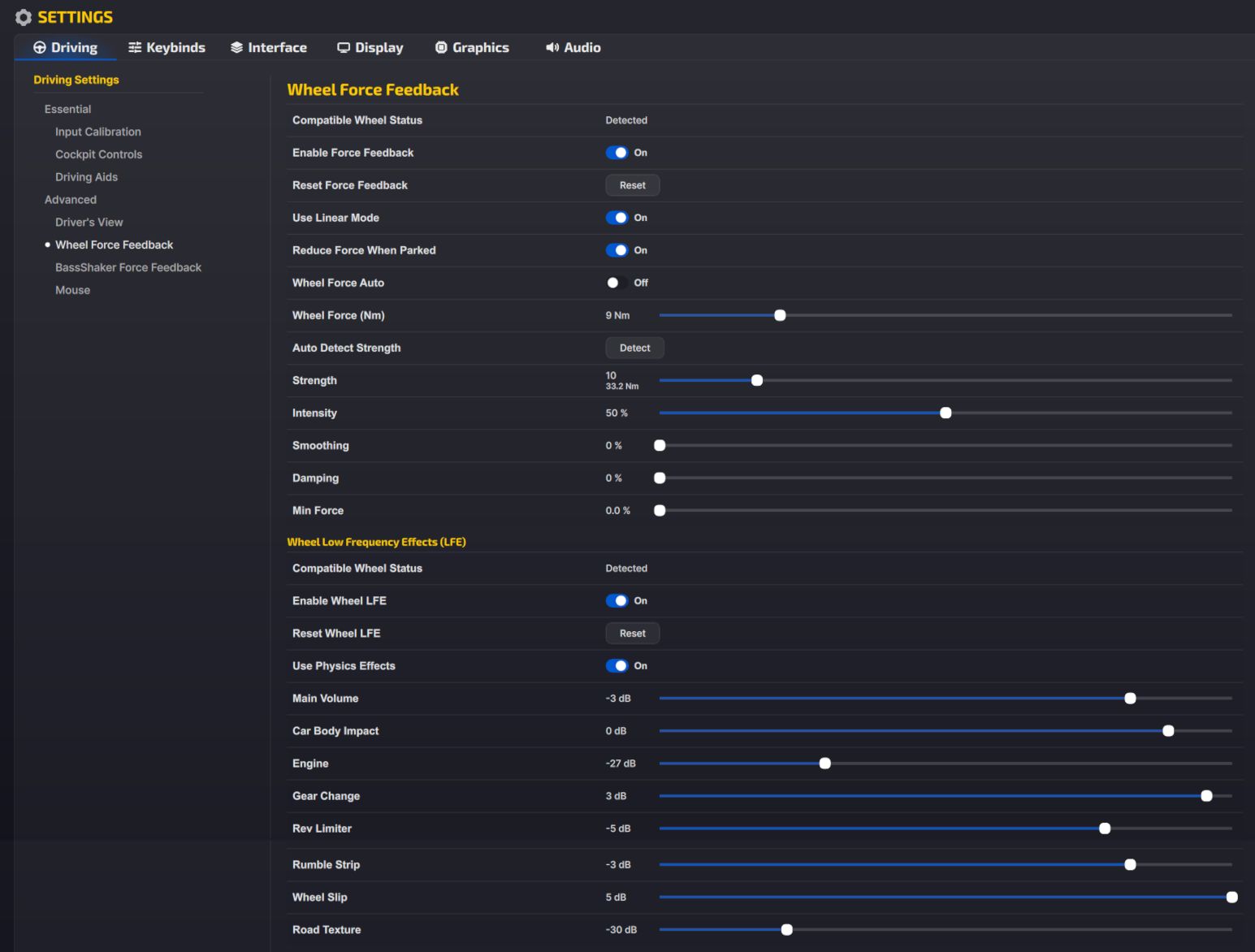
And for the Logitech PRO Racing Wheel, in the same order:
- In G HUB:
- Compatibility Mode: PRO
- FFB Filter: 1
- Dampener: Off
- TF Audio: 100
- Angle: 1080°
- In iRacing:
- Enable Force Feedback: On
- Use Linear Mode: On
- Reduce Force When Parked: On
- Wheel Force Auto: On
- Wheel Force (Nm): 11 Nm
- Strength: 9 (38.9 Nm)
- Intensity: 50%
- Smoothing: 0%
- Damping: 0%
- Min Force: 0.0%
- Wheel LFE:
- Enable Wheel LFE: On
- Use Physics Effects: On
- Main Volume: -6 dB
- Car Body Impact: 0 dB
- Engine: -20 dB
- Gear Change: 3 dB
- Rev Limiter: -10 dB
- Rumble Strip: -3 dB
- Wheel Slip: 5 dB
- Road Texture: -30 dB
Logitech G923, G29 and G920
For the gear-driven wheels, iRacing’s setup guide says to leave G HUB at its defaults (Restore Default Settings if you’ve changed anything), set Wheel Force to 2.2 Nm and leave Use Linear Mode off so the smaller forces get a boost. The full G HUB and iRacing walkthrough is on my G923 iRacing settings page.
Thrustmaster settings
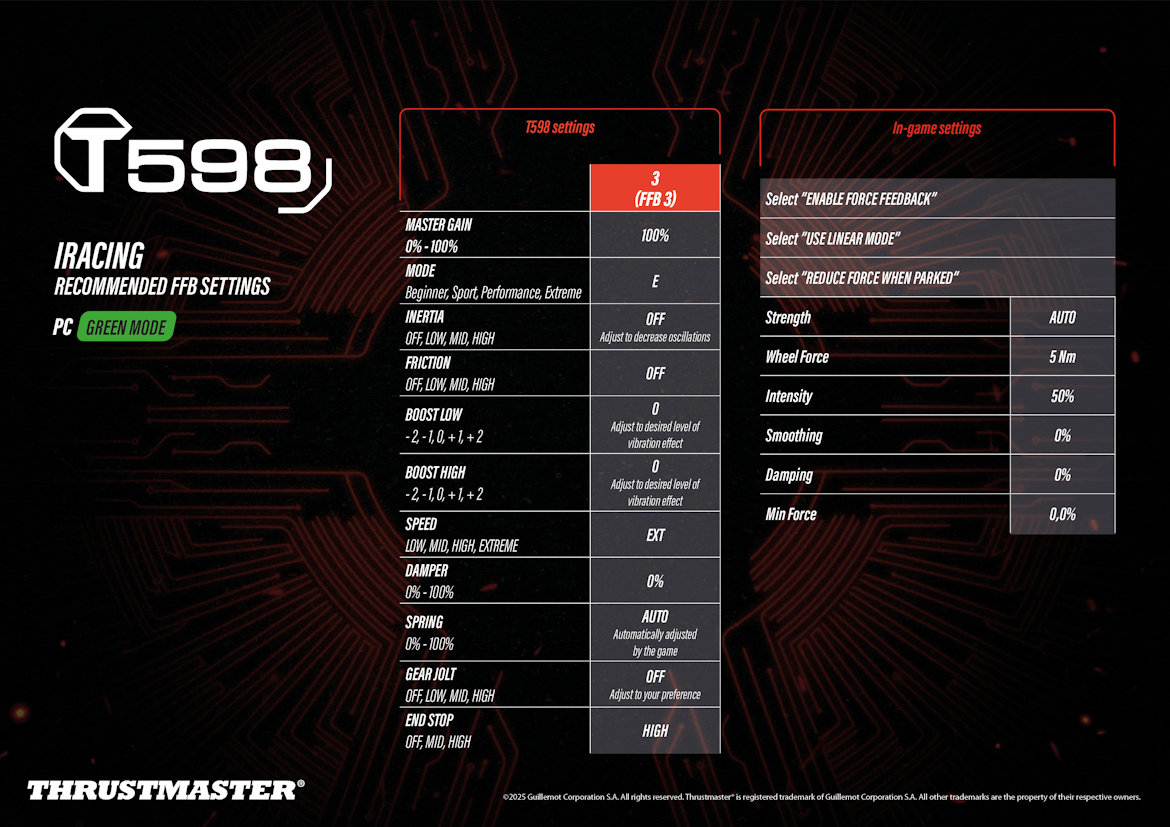
Thrustmaster’s support pages have iRacing preset sheets for two of its bases, the T598 (January 2025) and the T818 (2023, with settings the sheet credits to the T818 beta testers community). Both run Master Gain at 100% on the base. The T818 sheet gives a Strength for each car and rim, and says the right force depends on the rim, the car and the cockpit you’re using. The T598 sheet puts Strength on Auto.
For the T598, on the base and then in iRacing:
- On the base (profile 3, FFB 3, PC, Green mode):
- Master Gain: 100%
- Mode: E (Extreme)
- Inertia: Off (raise it to reduce oscillation)
- Friction: Off
- Boost Low: 0
- Boost High: 0
- Speed: EXT
- Damper: 0%
- Spring: Auto (set by the game)
- Gear Jolt: Off
- End Stop: High
- In iRacing:
- Enable Force Feedback: On
- Use Linear Mode: On
- Reduce Force When Parked: On
- Strength: Auto
- Wheel Force (Nm): 5 Nm
- Intensity: 50%
- Smoothing: 0%
- Damping: 0%
- Min Force: 0.0%
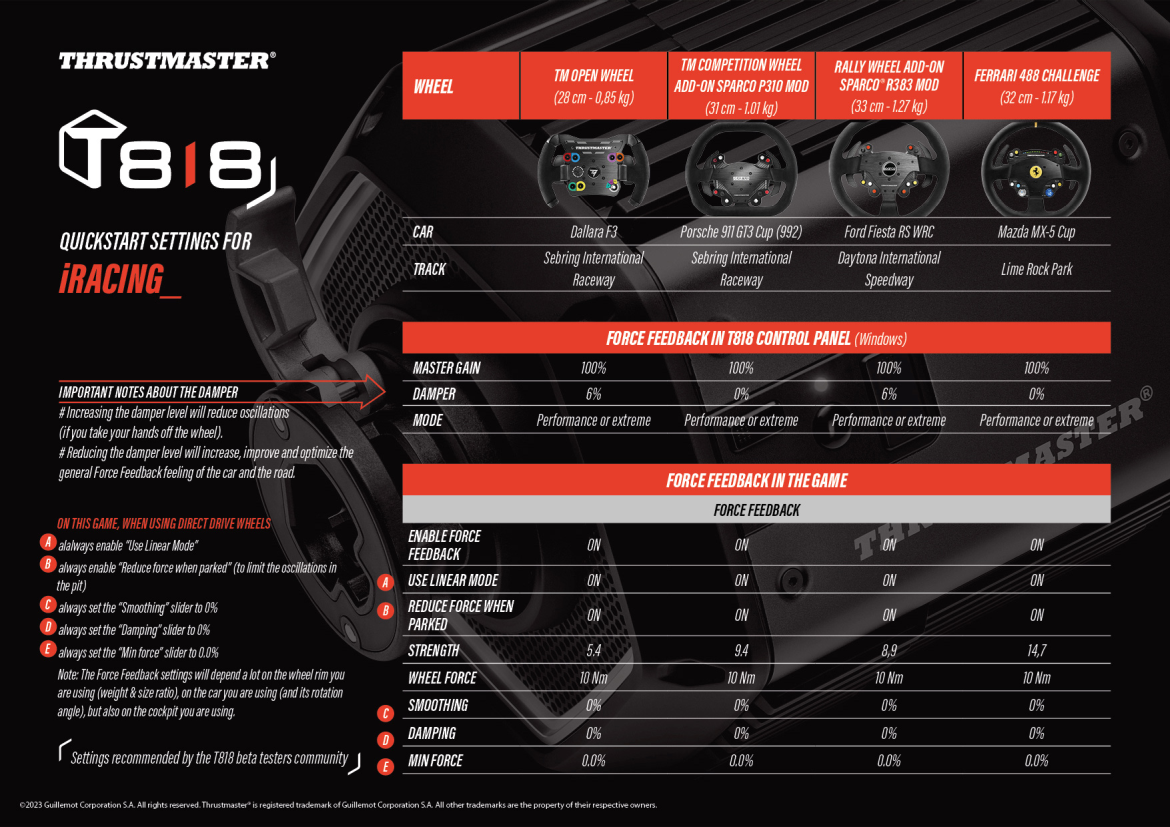
For the T818, in the T818 Control Panel and then in iRacing:
- In the T818 Control Panel:
- Master Gain: 100%
- Damper: 0% (Porsche 911 GT3 Cup, Mazda MX-5 Cup) or 6% (Dallara F3, Ford Fiesta RS WRC)
- Mode: Performance or Extreme
- In iRacing:
- Enable Force Feedback: On
- Use Linear Mode: On
- Reduce Force When Parked: On (it limits oscillation in the pits)
- Wheel Force (Nm): 10 Nm
- Strength: 5.4 (Dallara F3), 9.4 (Porsche 911 GT3 Cup), 8.9 (Ford Fiesta RS WRC), 14.7 (Mazda MX-5 Cup)
- Smoothing: 0%
- Damping: 0%
- Min Force: 0.0%
On the T818 sheet, a higher damper on the base reduces oscillation if you take your hands off the wheel, and a lower one improves the feel of the car and the road. On the T598, Boost Low and Boost High set how much vibration comes through.
Thrustmaster T300, T248 and other belt wheels
iRacing’s setup guide has recommended settings for most of Thrustmaster’s belt and gear wheels. Wheel Force is 4.4 Nm on a T300 or T500 and 2 Nm on a TX, TMX or T248, with Use Linear Mode off. On the base itself, iRacing’s guide sets these:
- Master Gain: 60%
- Constant: 100%
- Periodic and Spring: not used
- Damper: 0% (or more by feel if the wheel is too loose)
- Auto-Center: by the game
- Rotation: 900°
Asetek settings
Asetek’s iRacing guide starts in RaceHub, where you download the iRacing preset for your base (Asetek has separate presets per class, such as GT, formula, oval and dirt). Then go to Wheelbase > Force Feedback Settings, click the three dots next to Preset, and choose Import as new and Save to wheelbase. Asetek also recommends ticking 360 Hz in RaceHub’s Game Setup, though it’s optional.
In iRacing, Asetek switches Wheel Force Auto off, sets Intensity to 0-10%, then presses Auto in the black box and fine-tunes with the arrows. Strength changes by class, and so does Wheel Force on the Invicta, the Forte and, in dirt, the La Prima+. On those bases Asetek sets Wheel Force below the rated torque in some classes (24 Nm on the 27 Nm Invicta for GT, 15 Nm for dirt), which runs against iRacing’s instruction never to go lower.
For GT cars, Asetek uses these settings in iRacing:
- Enable Force Feedback: On
- Use Linear Mode: On
- Reduce Force When Parked: On
- Wheel Force Auto: Off
- Wheel Force (Nm):
- Invicta (27 Nm): 24 Nm
- Forte (18 Nm): 18 Nm
- La Prima+ (16 Nm): 16 Nm
- La Prima (12 Nm): 12 Nm
- Initium+ (8 Nm): 8 Nm
- Initium (5.5 Nm): 5.5 Nm
- Strength: 4, then Auto after a lap or two
- Intensity: 0-10%
- Smoothing: 0%
- Damping: 0%
- Min Force: 0.0%
Alternative approach: set the strength per car
Fanatec’s forum baselines say not to use Auto unless you only ever drive one car. Auto on every car makes them all put out the same steering torque, which means you lose the difference between car types. So instead you set Strength by hand for each car and save it in that car’s control profile. If you’d rather keep Auto, iRacing’s release notes say Intensity at 0% keeps some variation from car to car. The manual route goes like this:
- Strength: set by hand for each car (6.0 on a Podium DD1 or DD2, 8.5 on a CSL DD to start)
- Control profile: one per car, so each keeps its own Strength
- F meter: on, with the bar only rarely full (it turns orange when you’re clipping)
Fine-tuning
If something isn’t right once you’re driving, start here:
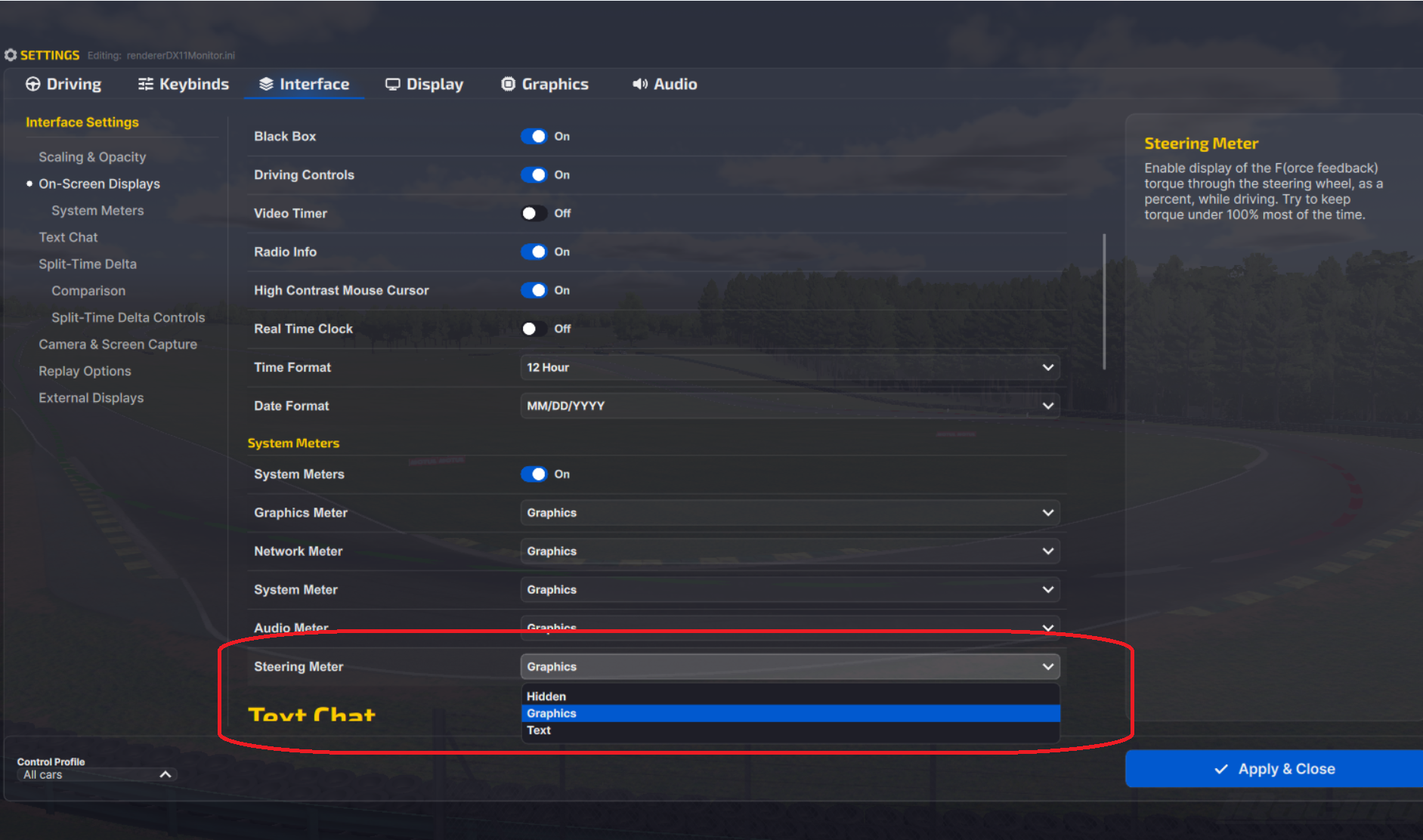
- If the F meter sits full and turns orange for long stretches, you’re clipping, so turn Strength down until it only fills on big bumps and kerbs (switch it on under Settings > Interface > On-Screen Displays > System Meters, where iRacing calls it the Steering Meter).
- When Auto comes out too strong on a big direct drive base, turn Strength down after pressing it, or lower Intensity.
- If the Auto button is greyed out or missing, either you haven’t driven enough laps yet or your Strength already matches what Auto would set.
- When kerb and wall jolts are the reason you keep turning the force feedback down, iRacing suggests Smoothing instead (start at 50% and drop to 25% if it’s too much), though Simucube would rather you used the base’s own filters.
- If small bumps and kerbs are hard to feel on a gear, belt or CSL wheel, raise Min Force.
- When the wheel oscillates with your hands off or in the pits, tick Reduce Force When Parked or add a little damper on the base (the T818 sheet goes up to 6%). On a Fanatec base that oscillates at speed in a car with heavy force feedback, Fanatec suggests higher NDP, NFR and NIN, or Speed Sensitive Damping in FanaLab.
- If Wheel Force Auto guesses too high and caps your strength, switch it off and set the base’s peak by hand.
- On a Simucube base that feels weak and clips at the same time, raise the strength in Tuner and lower it in iRacing.
- If a Moza base started buzzing at high frequency after the 360 Hz update, turn Wheel LFE down in iRacing, or set enableFFB360HzInterpolated=0 in the app.ini file in Documents\iRacing.
For each brand’s settings beyond iRacing, the direct drive wheel settings guide goes base by base, and its Settings Finder covers iRacing among other sims. If you’re still not sure what Wheel Force to set on your base, the iRacing torque settings explainer goes into it properly. I’ll see you out on track!
Related Articles

Best Pimax VR Settings for F1 25 in 2026: A Damage-Control Guide

Best Pimax VR Settings for Le Mans Ultimate in 2026

Best Pimax VR Settings for Automobilista 2 in 2026

Best Pimax VR Settings for Assetto Corsa in 2026

iRacing VR Settings (2026): Meta Quest 3, PSVR2, Pimax and Valve Index

Assetto Corsa VR Settings 2026: Pimax, Quest 3, PSVR2 & More
Topic: Direct Drive Wheel Settings