

I’m a sim racer and amateur racer with a passion for Motorsport, good racecraft and the technical and setup aspect of sim racing.
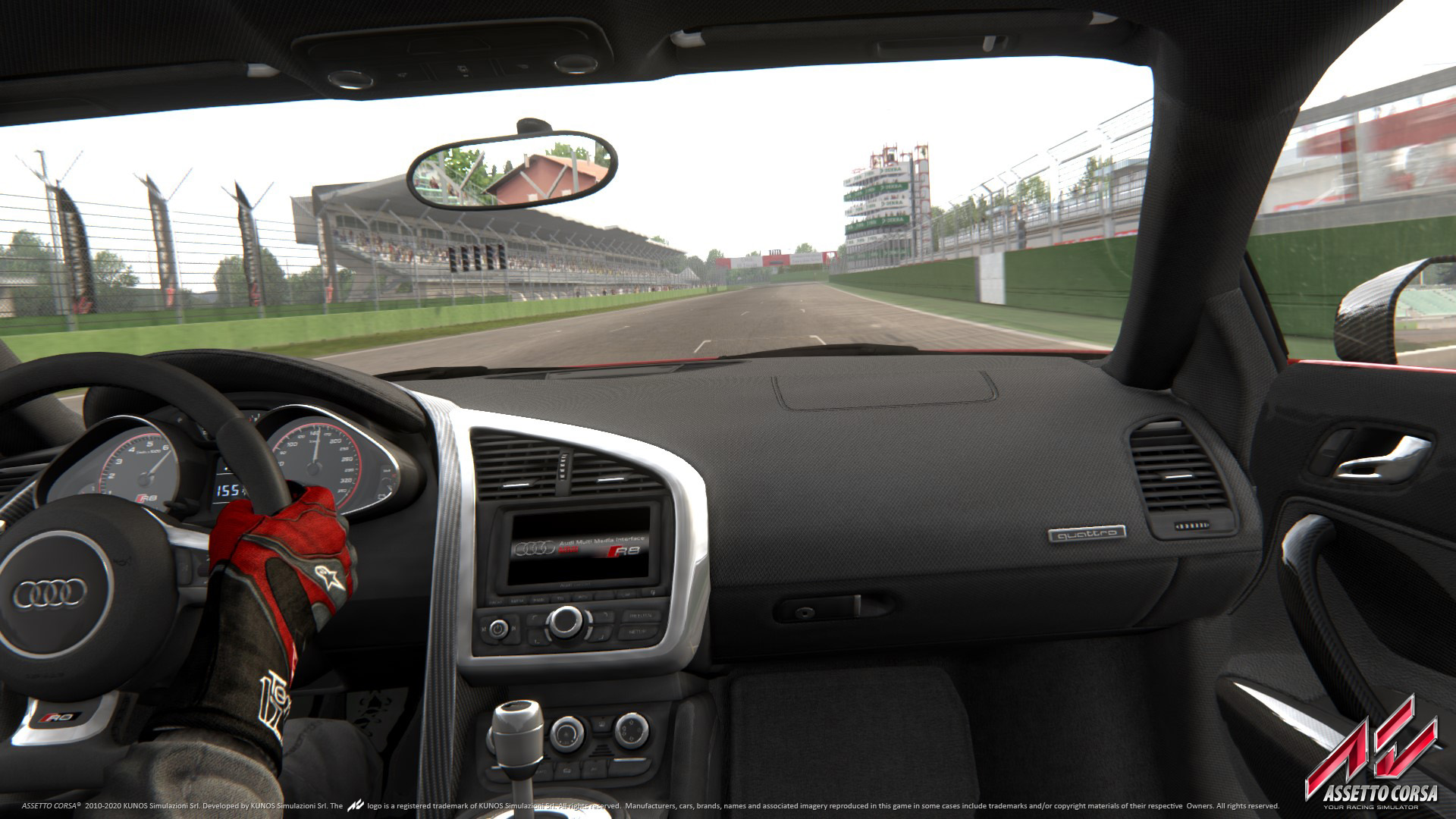
Featured image: the Audi R8’s cockpit in Assetto Corsa (Image: Kunos Simulazioni)
You’ve got Assetto Corsa running on a wheel, most likely through Content Manager, and now the force feedback needs sorting out. The trouble is that every guide you find gives a different set of numbers for the effects sliders, and some of them are miles apart. So here are the settings the wheel makers publish for Assetto Corsa, brand by brand, in the order you click through them (the wheel’s own software first, then the game), and what to use where a maker hasn’t published any.
Quick Navigation
Jump directly to what you’re looking for:
AC’s FFB menu |
Fanatec |
Moza |
Simucube |
Simagic |
Logitech |
Thrustmaster |
Asetek |
Fine-tuning
Assetto Corsa’s force feedback settings
In the original launcher, the FFB (force feedback) settings are under Options > Controls, on the Advanced tab. Content Manager is a replacement launcher for Assetto Corsa, and the same settings sit on its own tab under Settings > Assetto Corsa > Controls > Force Feedback, along with a few extras: Soft lock, the low speed FFB reduction, Damper gain and the experimental Gyroscopic effect. You can also change the FFB level per car while you’re driving with keypad + and – (Kunos added the FFB app in v1.3.4).
The game hasn’t had a patch since v1.16 in December 2017, which means none of the maker sheets below has gone out of date against it – where they differ, it’s down to the maker and the wheel. What Kunos did change came early on. v1.0 gave every car new FF gain values “to eliminate FF clipping” and advised raising your gain or adding a bit of minimum force to make up for it. Clipping is where the game asks for more force than the base is set to give, so the signal flattens out. v1.2 removed the user damper setting, which means damping is only used when the car is stationary. v1.3 added soft locks (a soft lock stops the wheel at the car’s own steering lock), and v1.5 added FFB post-processing.
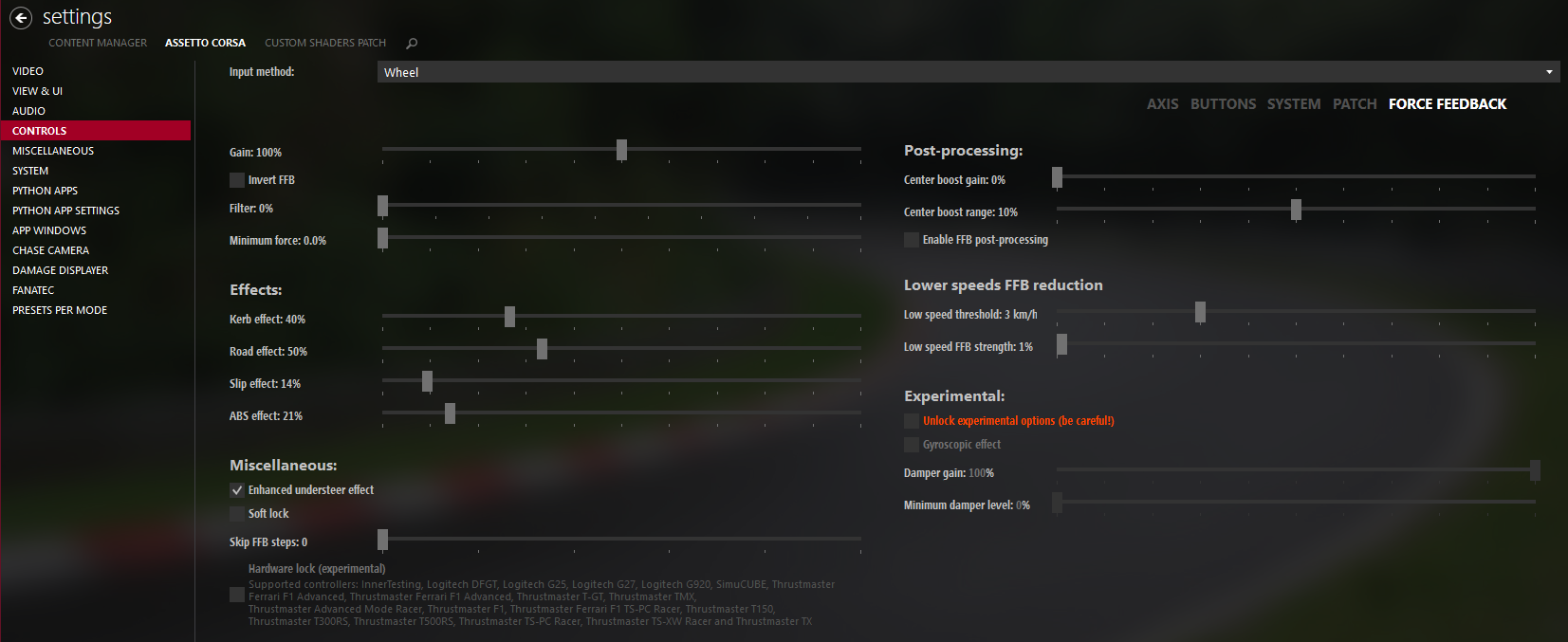
Kerb, Road, Slip and ABS are extra effects Assetto Corsa adds on top of the steering force, and they’re where the makers disagree most. Fanatec runs all four at 0%, Asetek at 8/0/18/8, Moza’s guide at 15/15/10/0 and Logitech’s RS50 screenshots at 40/50/14/21, while Thrustmaster’s T818 sheet goes as far as 110% Kerb and 80% Road. Back in Early Access, Kunos said to turn the effects down.
Enhanced Understeer Effect is off for Fanatec, Asetek, Moza and Logitech’s PRO wheel, but on in Logitech’s RS50 screenshots. Moza’s support page says that with it on, the FFB can suddenly go light at a certain steering angle.
Custom Shaders Patch has its own FFB Tweaks module, which its authors say includes a custom soft lock that’s smoother and less bouncy (on by default) and Range compression to make small forces easier to feel. Its Real Feel option is intended for direct drive users only, is off by default and asks for your wheel’s peak torque.
Fanatec settings
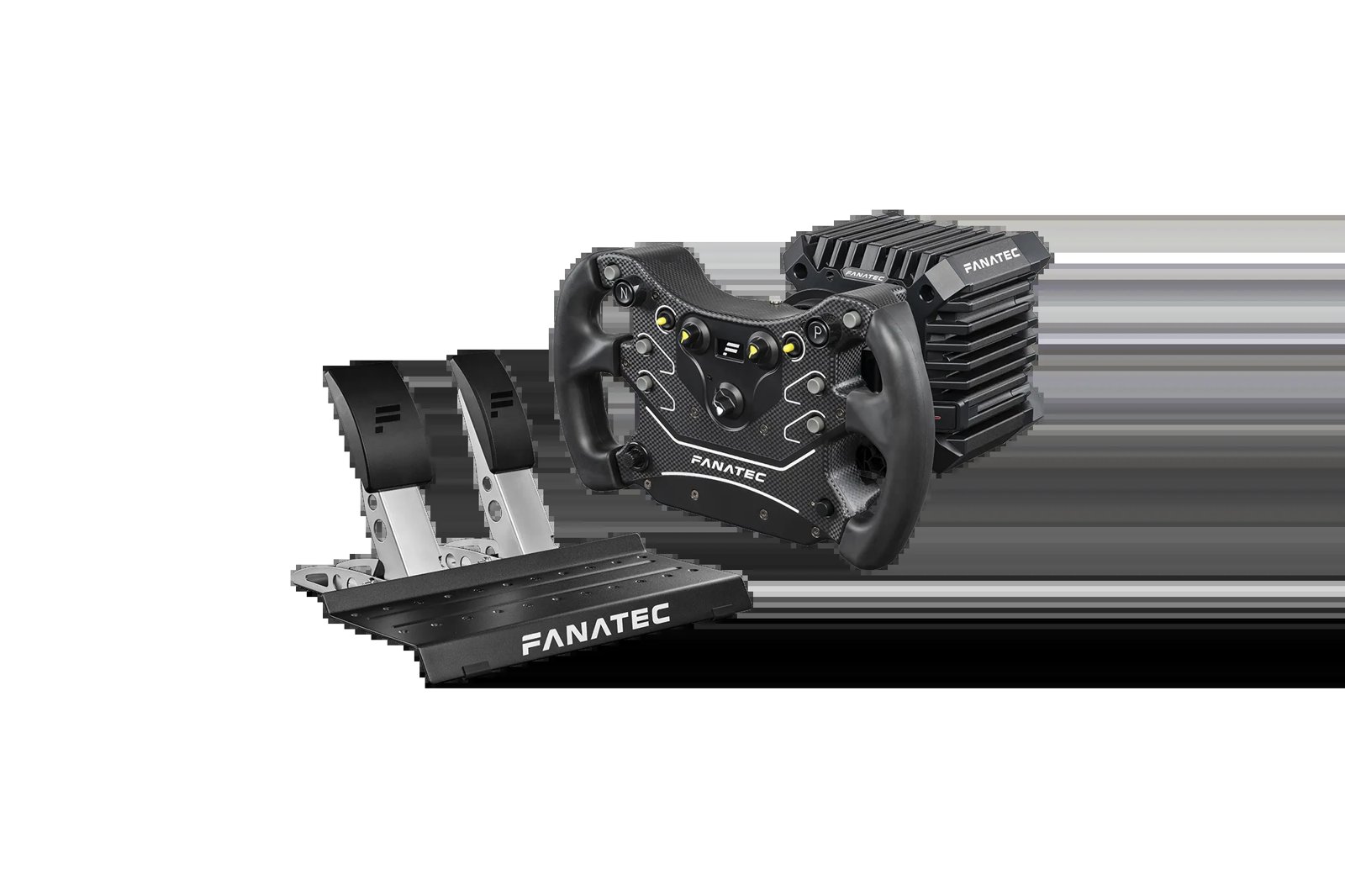
Fanatec’s staff posted their Assetto Corsa settings in a recommended-settings thread on the Fanatec forum back in March 2019, and added a CSL DD block later. Fanatec says to set the tuning menu and the in-game values together, on the latest firmware. The Podium values assume the Torque Key is fitted. The thread predates the ClubSport DD, ClubSport DD+, GT DD Pro and the current Podium DD, so there are no Fanatec values for those. I own a CSL DD, a DD2 and a Podium DD, and there’s more on the bases themselves in our Fanatec guide.
Start with these settings in the Fanatec tuning menu, first for the CSL DD in Compatibility Mode and then for the Podium DD1 and DD2:
- CSL DD (Compatibility Mode):
- Sensitivity (SEN): 1080
- Force Feedback Strength (FF): 100
- Force Feedback Scale (FFS): Peak
- Natural Damper (NDP): 15
- Natural Friction (NFR): Off
- Natural Inertia (NIN): Off
- FFB Interpolation Filter (INT): 4
- Force Effect Intensity (FEI): 100
- Force Effect Strength (FOR): 100
- Spring Effect Strength (SPR): 100
- Damper Effect Strength (DPR): 50
- SHO: 100
- Podium DD1 and DD2 (with the Torque Key):
- Sensitivity (SEN): 1080
- Force Feedback Strength (FF): 50
- Force Feedback Scale (FFS): Peak
- Natural Damper (NDP): 15
- Natural Friction (NFR): 3
- Natural Inertia (NIN): 5
- FFB Interpolation Filter (INT): 2
- FEI, FOR, SPR and DPR: 100
- SHO: 100
Then set these in the game, plus one line in its config file – they’re the same on every Fanatec base apart from Gain:
- Invert: off
- Gain:
- CSL DD, Podium DD1 and DD2: 50%
- ClubSport V2 and V2.5: 65%
- CSL Elite and CSL Elite+: 75%
- Filter: 0%
- Minimum Force: 0%
- Kerb Effects: 0%
- Road Effects: 0%
- Slip Effects: 0%
- ABS Effects: 0%
- Enhanced Understeer Effect: off
- Half FFB Update Rate: off
- Steering Settings:
- Gamma: 1.00
- Filter: 0.00
- Speed Sensitivity: 0.00
- In
system/cfg/assetto_corsa.ini:ENABLE_GYRO=1
Further down the same thread, Fanatec’s staff say Assetto Corsa generally feels best in the middle of the gain range, so anywhere between 50 and 75 works well. Running the base very high with the game very low didn’t feel as good to them. The effects at 0% are Fanatec’s call, and the other makers below add some back.
Fanatec discount code: use SIMRACINGCOCKPIT5 at checkout for 5% off at fanatec.com.
Moza settings
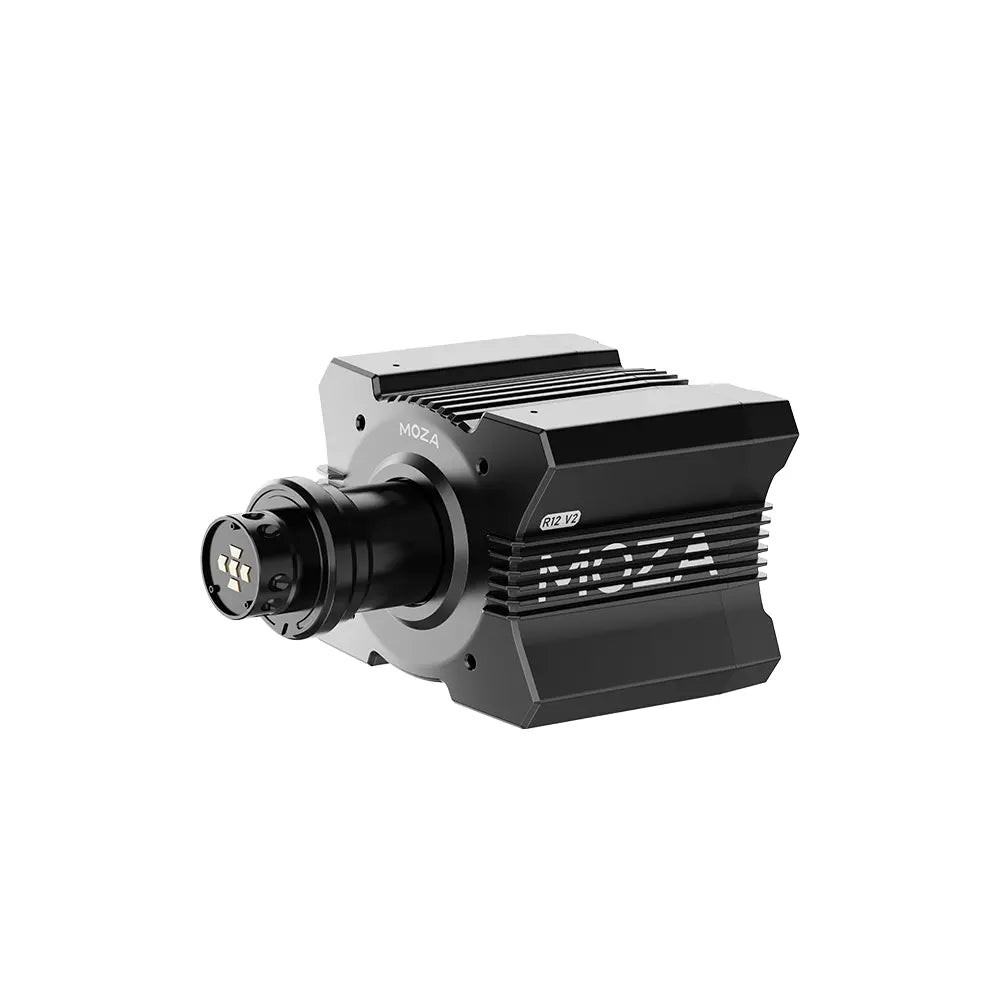
Moza’s support page says Assetto Corsa’s force feedback works on a Moza base without any extra configuration, and telemetry is set up by picking Assetto Corsa in Pit House’s game list. I’ve got an R21 and an R25 Ultra here, and our Moza guide goes through the range.
Moza’s Assetto Corsa guide on its blog (January 2025) gives Pit House values by base size, for the R3/R5, the R9/R12 and the R16/R21, plus a set of in-game values. Its screenshots don’t always match its text, and its Content Manager screenshot shows different effects values altogether. The lists below take the per-base values from its text and the rest of the Advanced settings from the screenshot, apart from Speed-dependent Damping, where you get both.
Start in Pit House with the Basic settings for your base size, then the Advanced settings:
- Basic Settings, R3 and R5:
- Maximum Steering Angle: 900°
- Road Sensitivity: 8
- Game Force Feedback Intensity: 100%
- Maximum Wheel Speed: 120%
- Wheel Spring Strength: 0%
- Wheel Damper: 60%
- Basic Settings, R9 and R12:
- Maximum Steering Angle: 900°
- Road Sensitivity: 9
- Game Force Feedback Intensity: 90-95%
- Maximum Wheel Speed: 120%
- Wheel Spring Strength: 0%
- Wheel Damper: 50%
- Basic Settings, R16 and R21:
- Maximum Steering Angle: 900°
- Road Sensitivity: 10
- Game Force Feedback Intensity: 70-80%
- Maximum Wheel Speed: 120%
- Wheel Spring Strength: 0%
- Wheel Damper: 40%
- Advanced Settings:
- Force Feedback Reversal: Off
- Maximum Output Torque Limit: 100% (R3, R5), 90% (R9, R12), 80% (R16, R21)
- Hands-Off Protection: Off
- Natural Inertia: 140% (R3, R5), 150% (R9, R12), 160% (R16, R21)
- Wheel Friction: 25% (R3, R5), 20% (R9, R12), 15% (R16, R21)
- Speed-dependent Damping: 0-20%, starting at 90 km/h (20% in Moza’s text, 0% in its screenshot)
Then set these in Assetto Corsa itself:
- Gain: 60-90% (by car type)
- Filter: 0%
- Minimum Force: 0%
- Kerb Effects: 15%
- Road Effects: 15%
- Slip Effects: 10%
- ABS Effects: 0%
Moza’s guide drops the steering angle to 540° for formula cars, and puts GT cars at 75-85% Gain.
Simucube settings
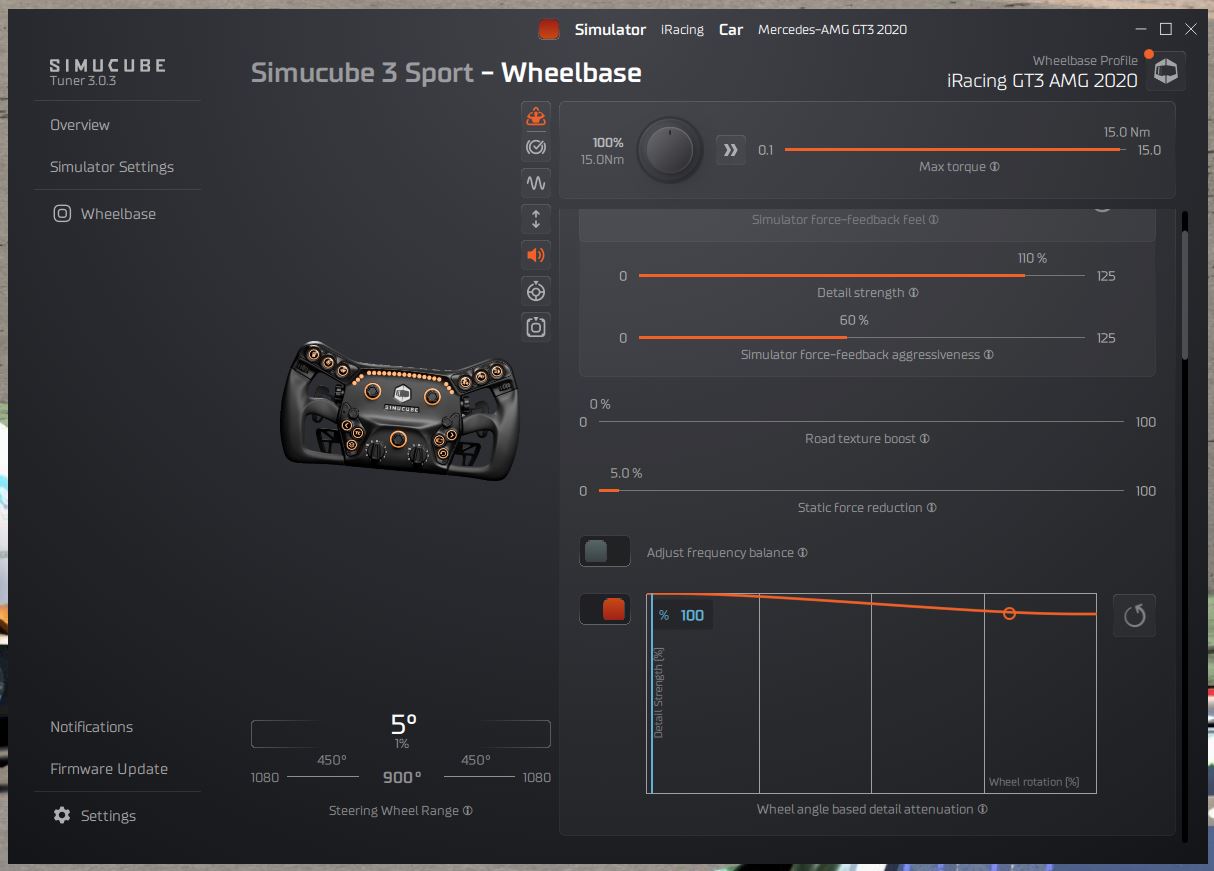
Simucube publishes no Assetto Corsa numbers, but its guide to setting FFB strength has a general method, and it covers Assetto Corsa’s per-car FFB level too. I have a Simucube 2 Pro myself, and our direct drive wheels guide has more on it.
Set it up in Tuner first, then in Assetto Corsa:
- In Tuner:
- Maximum strength: the most force you would accept suddenly in a crash (Simucube calls this critical for safety)
- Mechanical filters: some damping and friction first (they’re realistic, and they make the wheel less likely to oscillate if you let go of it), then the smoothing filters
- In Assetto Corsa:
- Gain: low enough that it clips on some kerbs at most, not constantly in corners
- Per-car FFB level: never 0 (0 means no FFB in that car)
Simagic settings
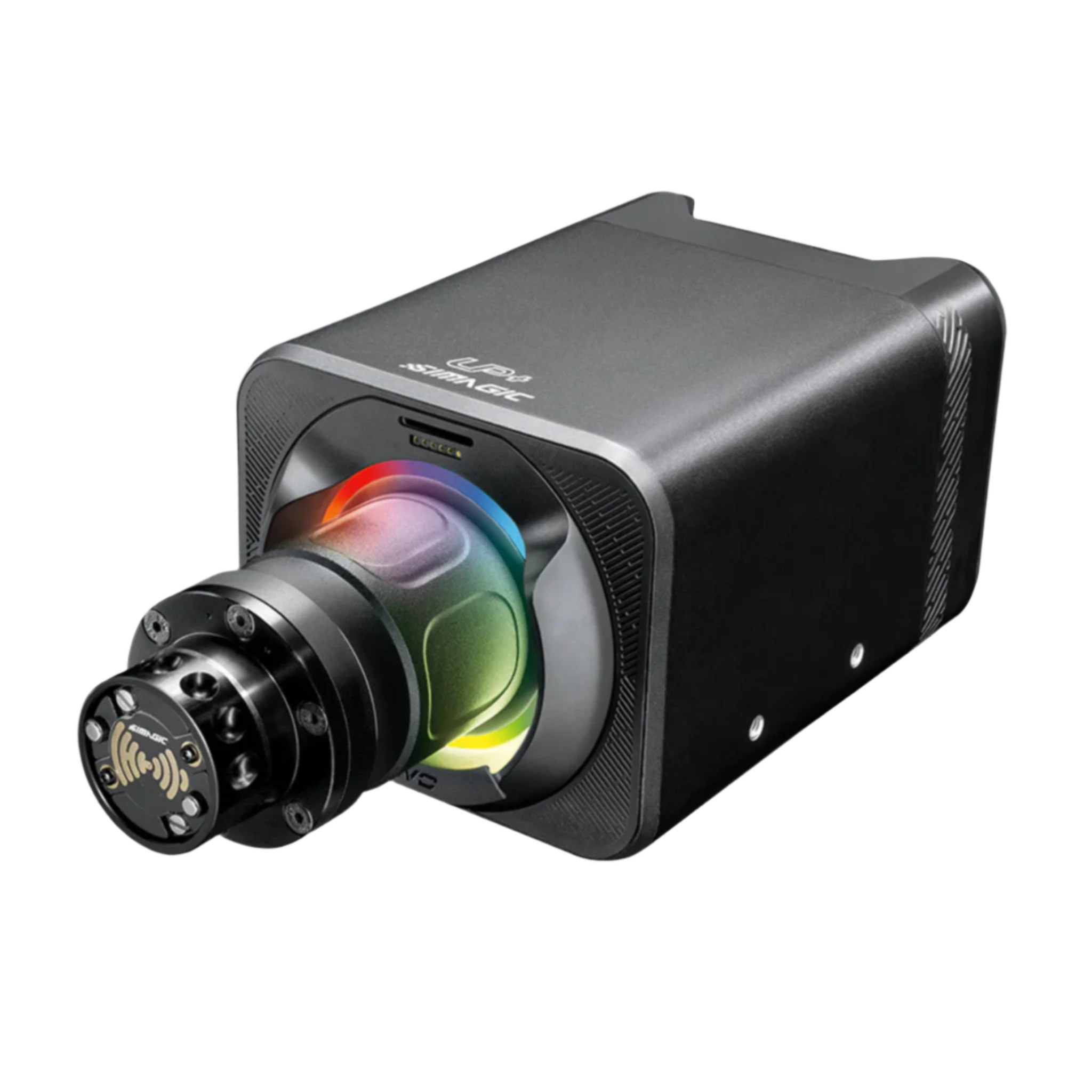
Simagic hasn’t published any settings for the original Assetto Corsa, so start from the in-game baseline the other makers share on a direct drive base (Filter 0%, Minimum Force 0%) and set the effects to taste from the split above. Simagic’s bases are in our Simagic guide.
Logitech settings
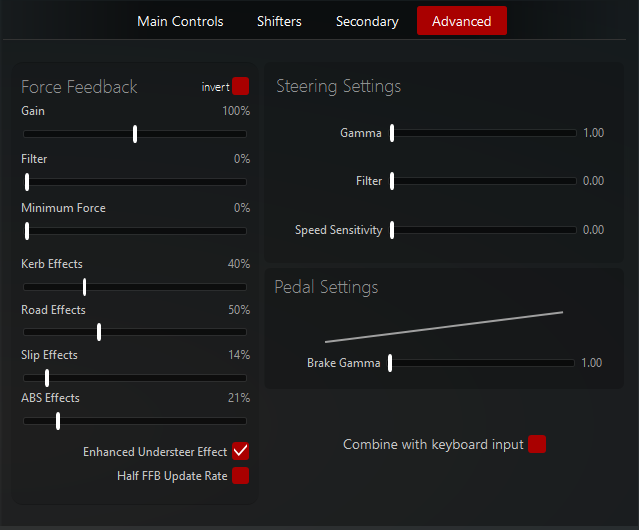
Logitech’s support pages cover two of its wheels in Assetto Corsa: the RS50, with settings that assume 8 Nm, and the PRO Racing Wheel at 11 Nm. Both pages link screenshots of their Assetto Corsa settings, and the RS50’s Content Manager screenshot is the one further up this page.
Logitech’s two pages don’t agree – the effects values, FFB Filter and Dampener in G HUB are all different between the two wheels, and so is Enhanced Understeer Effect.
For the RS50, set these in G HUB and then in the game:
- In G HUB:
- Compatibility Mode: RS
- FFB Filter: 5
- Dampener: 90
- Angle: 1080°
- In the game (the Advanced tab or Content Manager):
- Invert: off
- Gain: 100%
- Filter: 0%
- Minimum Force: 0%
- Kerb Effects: 40%
- Road Effects: 50%
- Slip Effects: 14%
- ABS Effects: 21%
- Enhanced Understeer Effect: on
- Half FFB Update Rate: off
- In Content Manager as well:
- Soft lock: off
- Skip FFB steps: 0
- Low speed threshold: 3 km/h
- Low speed FFB strength: 1%
- Damper gain: 100%
- Minimum damper level: 0%
The PRO wheel’s settings go in the same order, G HUB first:
- In G HUB:
- Compatibility Mode: PRO
- FFB Filter: 8
- Dampener: 30
- TF Audio: 25
- Angle: 1080°
- In the game (the Advanced tab or Content Manager):
- Invert: off
- Gain: 100%
- Filter: 0%
- Minimum Force: 0%
- Kerb Effects: 23%
- Road Effects: 23%
- Slip Effects: 25%
- ABS Effects: 23%
- Enhanced Understeer Effect: off
- In Content Manager as well:
- Soft lock: off
- Skip FFB steps: 0
- Low speed threshold: 3 km/h
- Low speed FFB strength: 1%
- Damper gain: 100%
- Minimum damper level: 0%
For the G923, G29 and G920, Logitech’s compatibility list just marks them as working with Assetto Corsa, with no values. Back at v1.0 in 2014, Kunos advised adding a bit of minimum force on the Minimum Force slider – 0.12 for Logitech wheels, and much lower for other wheels.
Thrustmaster settings
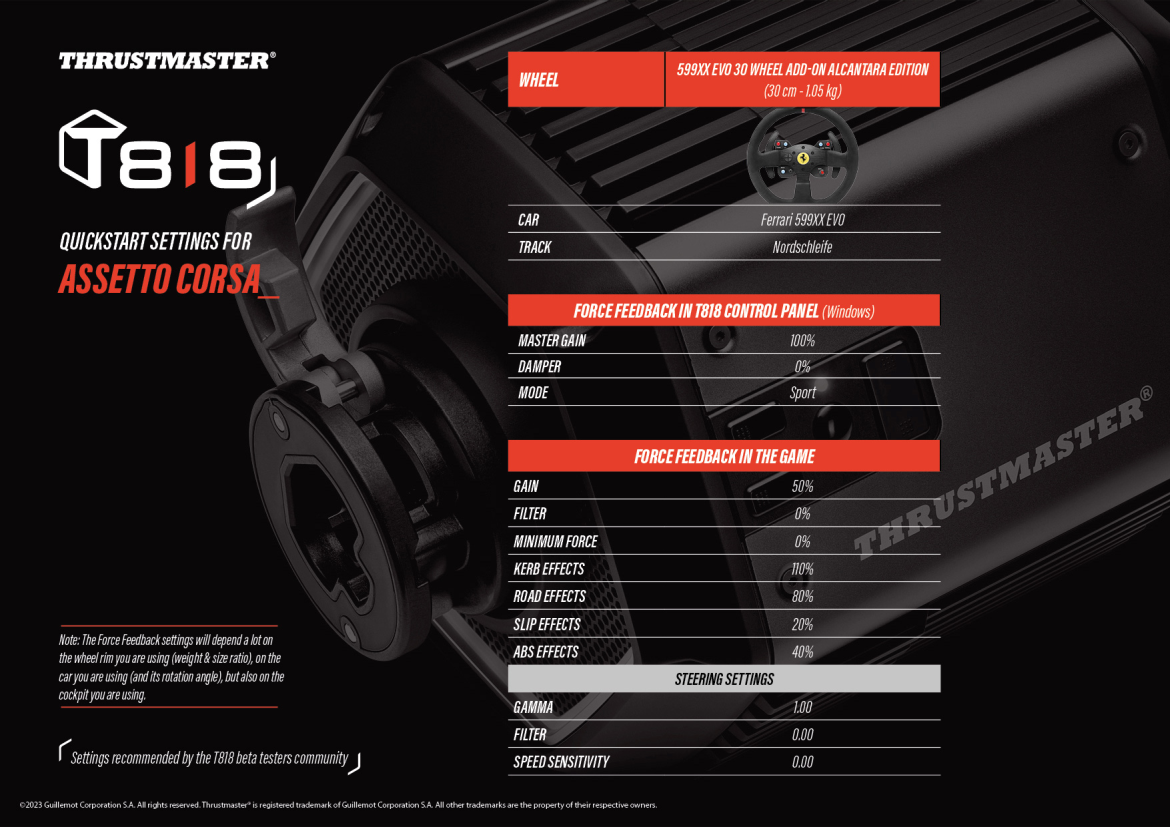
The T818 values come from the Assetto Corsa quickstart sheet on Thrustmaster’s support page, dated February 2023. The sheet says they’re from the T818 beta testers community, set with the 599XX EVO 30 wheel add-on in the Ferrari 599XX EVO at the Nordschleife. The T598, T300 RS, T248 and T-GT II support pages carry no sheet for the original Assetto Corsa.
Set these in the T818 Control Panel and then in the game:
- In the T818 Control Panel:
- Master Gain: 100%
- Damper: 0%
- Mode: Sport
- In the game:
- Gain: 50%
- Filter: 0%
- Minimum Force: 0%
- Kerb Effects: 110%
- Road Effects: 80%
- Slip Effects: 20%
- ABS Effects: 40%
- Steering Settings:
- Gamma: 1.00
- Filter: 0.00
- Speed Sensitivity: 0.00
The sheet itself says the settings depend a lot on the rim you’re using (its weight and size), on the car and its rotation angle, and on your cockpit.
Asetek settings
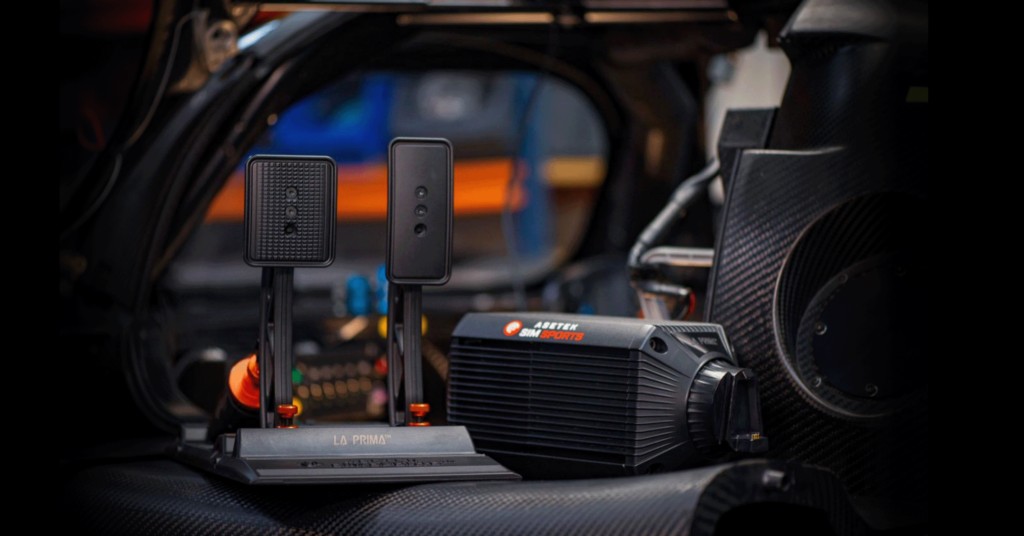
Asetek’s Assetto Corsa guide was updated on 28 August 2026, which makes it the newest maker’s guide here. Download Asetek’s AC preset for your base, then in RaceHub go to Wheelbase > Force Feedback Settings, click the three dots next to Preset, choose Import as new, pick the preset and click Save to wheelbase. For telemetry, start and close the game once, then go to RaceHub > Settings > Game Setup, find Assetto Corsa and check for the green tick.
Then set these on the game’s Advanced tab, where Gain changes with the base and the rest stays the same:
- Gain:
- Invicta (27 Nm): 34%
- Forte (18 Nm): 38%
- La Prima+ (16 Nm): 42%
- La Prima (12 Nm): 56%
- Initium+ (8 Nm) and Initium (5.5 Nm): 60-70%
- Degrees: 900°
- Gamma: 1.0
- Scale: 100%
- Auto-adjust Scale: off
- Filter: 0%
- Speed Sensitivity: 0%
- Minimum Force: 0%
- Kerb Effect: 8%
- Road Effect: 0%
- Slip Effect: 18%
- ABS Effect: 8%
- Enhanced Understeer Effect: off
- Soft Lock: off
- Skip FFB Steps: 0
Fine-tuning
If something still feels off once the settings are in, start here:
- If the wheel shakes on the straights, Kunos’s forum FAQ says the gain is usually too high, so lower Gain and then the effects, especially Road.
- When the wheel shakes while you’re parked and stops once you’re moving, set Low speed threshold to 3 km/h and Low speed FFB strength to 1% in Content Manager.
- If the wheel snaps back at full lock with Content Manager’s Soft lock on, turn it off, because the car’s own lock is smaller than your wheel’s angle (on a Moza base, Pit House’s softer limiter with synchronisation off does the job instead).
- When the FFB suddenly goes light or breaks at a certain steering angle, turn Enhanced understeer effect off.
- Can’t feel the tyres slip? Moza’s support page says to raise Slip effect to 40-50% or higher, which is a long way above the 10% in Moza’s guide.
- When one car has no FFB at all, check its per-car FFB level with keypad + and – or the FFB app, because it may be sitting at 0 (some third-party tools set it there).
- If the FFB feels flat and clips, lower the in-game Gain (and Game Force Feedback Intensity in Pit House on a Moza base). If it still feels weak while it’s clipping, raise the strength on the base and lower Gain in the game.
- On a Moza base that oscillates at high speed, add Wheel Damper, adjust Speed-dependent Damping and lower Maximum Wheel Speed in Pit House.
- If a Moza base feels too heavy, lower Game Force Feedback Intensity, Natural Inertia and Wheel Friction.
- If a Simucube gives you strange or distorted FFB, check you aren’t running a custom LUT file, which Simucube’s team says has sometimes been the cause in AC.
- If you want to reset your settings, rename the Documents\Assetto Corsa folder, and the game makes a fresh one.
- If small forces are hard to feel and you run CSP, set its Range compression above 1.0.
Each brand’s software is covered one by one in our direct drive wheel settings guide, and its Settings Finder carries Assetto Corsa alongside the other sims. If you’ve moved on to the newer game, the AC EVO wheel settings have their own page. I’ll see you out on track!
Related Articles

Best Pimax VR Settings for F1 25 in 2026: A Damage-Control Guide

Best Pimax VR Settings for Le Mans Ultimate in 2026

Best Pimax VR Settings for Automobilista 2 in 2026

Best Pimax VR Settings for Assetto Corsa in 2026

iRacing VR Settings (2026): Meta Quest 3, PSVR2, Pimax and Valve Index

Assetto Corsa VR Settings 2026: Pimax, Quest 3, PSVR2 & More
Topic: Direct Drive Wheel Settings