
I’m a sim racer and amateur racer with a passion for Motorsport, good racecraft and the technical and setup aspect of sim racing.
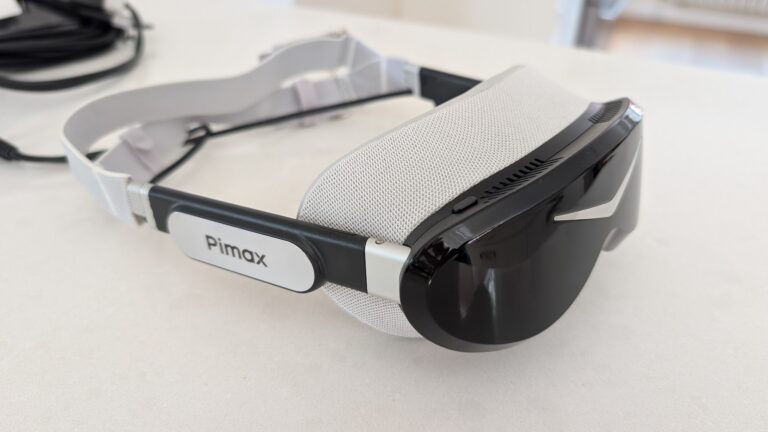
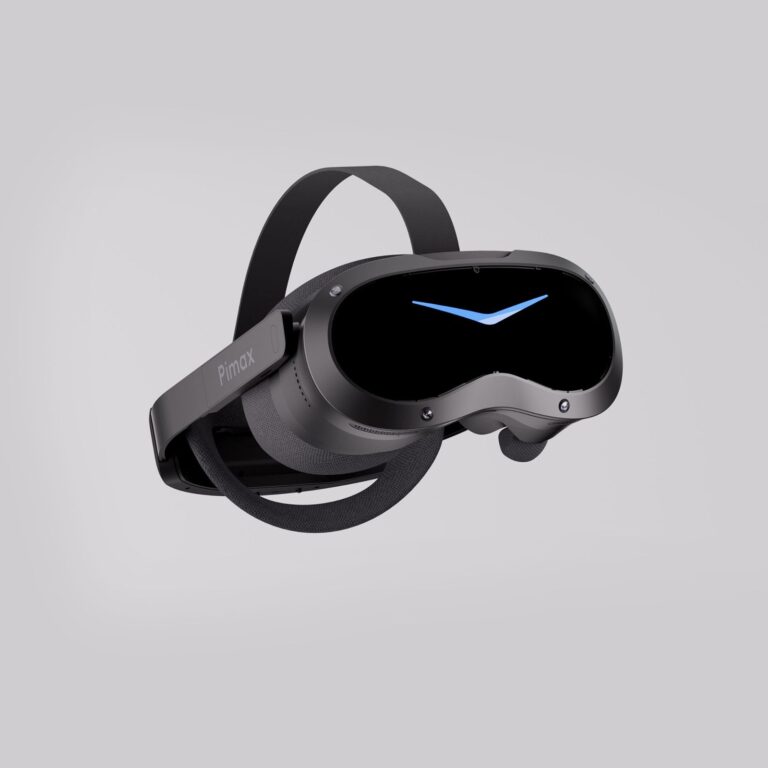
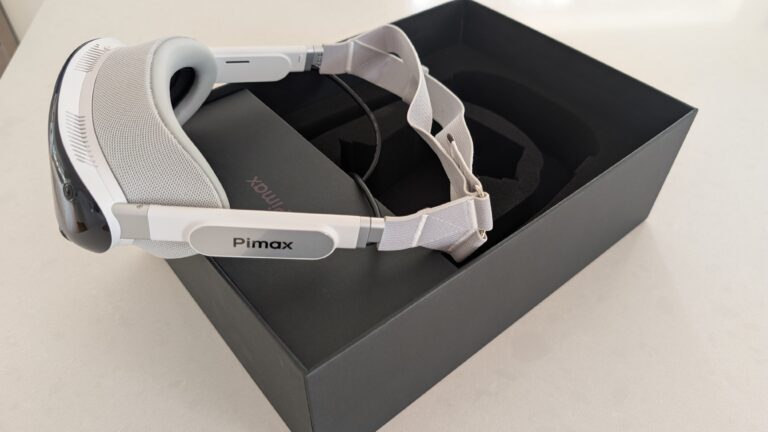
My pick for sim racing right now is the Sony panelled Pimax Dream Air. I race iRacing on the Dream Air SLAM, and for me the OLED screens are stunning and it’s a lot lighter and more comfortable than the Crystal series. The Dream Air SE is much less power hungry and still gives you a micro-OLED picture, so I’d look at it if your PC doesn’t have one of the latest high-end RTX cards. If FOV is what you’re after, the Crystal Super or the Crystal Light gives you a wider view, as long as your graphics card can keep up. The Quest 3 is where a lot of people start, and I’ve got one here too.
Featured image: my Dream Air from Pimax
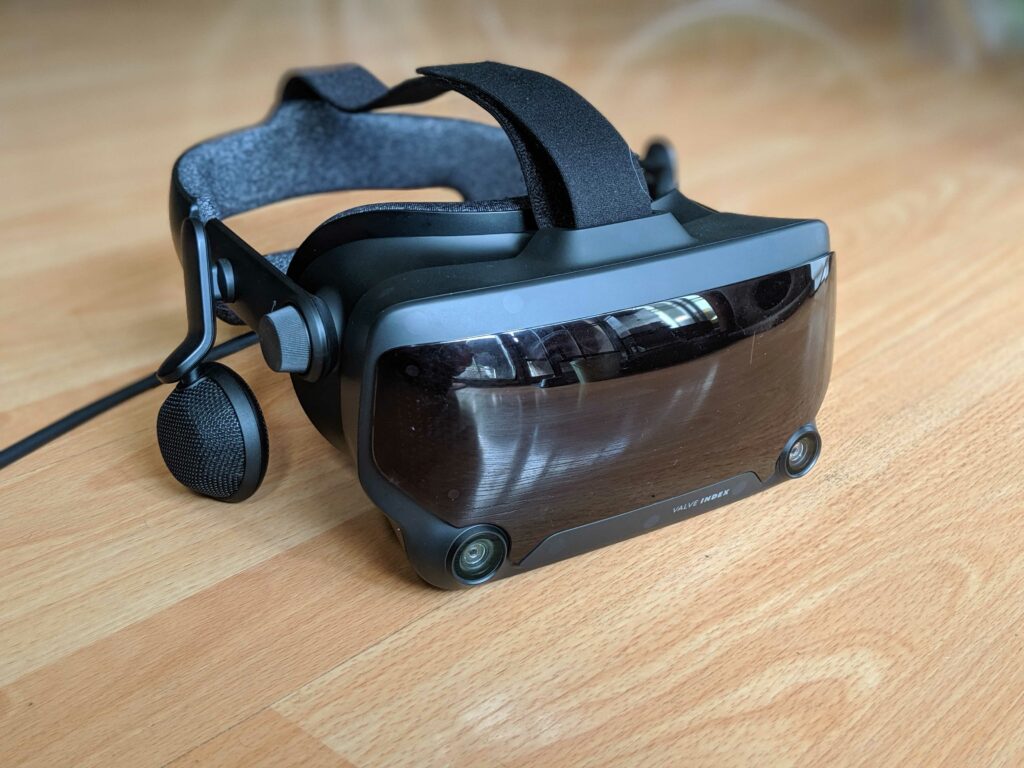
My VR started with a Valve Index back in 2020, and I still run triples alongside VR, so which one I use on a given day depends on whether I want a quick race or want to be properly inside the car. These days a Dream Air Lighthouse sits on my main sim with two Base Station 2.0s, and a Dream Air SLAM runs on my testing rig because it’s so much easier to set up.
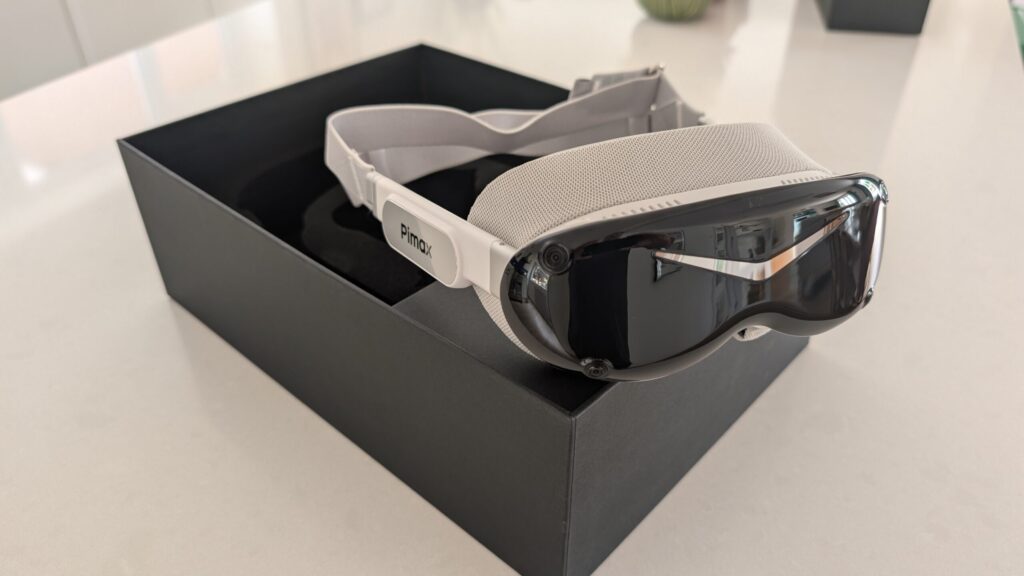
The Valve Index was discontinued in late 2025. If you’re still racing on one, I’d move to the Dream Air Lighthouse, because you keep your base stations (there’s more on that in my base stations guide). Valve’s Steam Frame went on sale on 14 September 2026. In my opinion it’s the high-end upgrade for Quest 3 users who are more into general gaming, and for now I’m sticking with the Dream Air on the sim (my Steam Frame vs Dream Air comparison goes through the differences).
Quick Navigation
Jump directly to what you’re looking for:
What to look at when buying |
How do VR headsets work? |
Why add VR to your sim? |
Are there any cons? |
What makes a great headset? |
The best VR headsets |
Pimax Dream Air |
Pimax Crystal Super |
Pimax Crystal Light |
Meta Quest 3 |
Bigscreen Beyond 2 |
PSVR2 with PC adapter |
Price and spec comparison |
Per-game VR settings
When I compare headsets for sim racing, I look at the picture first, which means the resolution, the refresh rate and the FOV (field of view, measured in degrees). After that it’s the tracking, and then the things you only notice over a long session, like comfort, weight and how easy the headset is to set up.

Pimax discount codes: use SIMRACINGCOCKPIT for 2% off, or SIMRACINGCOCKPIT25 for $25 off, at pimax.com.
What should you look at when buying a VR headset for sim racing?
Once the novelty of your first few races wears off, it’s the little things like these that start to bother you.
- Constantly having to reset tracking or recentre the HMD
- The headset loses charge (the original Pimax Crystal has an onboard battery, and I added a battery to the Meta Quest 3)
- Discomfort
- Too much weight
- Poor ventilation
- Needing to take the headset off constantly when you’re playing with the settings
- Cables!

Even a modern headset comes with a few of these. If you’re new to sim racing and not sure VR is right for you, have a read of my triple monitors vs VR headsets comparison. If that steers you toward triples, my triple monitors 1080p vs 1440p decision guide will help you pick a resolution your graphics card can drive.
In the early days, the Valve Index was, in my opinion among the easiest to set up (check out our graphics settings here) and among the best-performing headsets to use. It would, however lose tracking from time to time and worse, it could crash my PC before a race! This largely resolved itself with software and firmware updates, and when it worked (99% of the time), it was awesome.
How Do VR Headsets Work?
My original Pimax Crystal is a good example of what goes into a VR headset, so I’ll use it to explain the main parts.
In the Pimax Crystal, a combination of Mini-LED and QLED panels run at 2880×2880 pixels per eye with refresh rates of 72Hz, 90Hz, or 120Hz. That’s a lot of pixels to drive, and running the Crystal at full refresh will stretch most home gaming PCs. The newer Crystal Light offers QLED technology at the same resolution of 2880 x 2880 per eye with the same refresh rate options (72/90/120Hz).
The Pimax Crystal uses aspheric glass lenses to focus and magnify the display for each eye, and they give a field of view of up to 125° for the standard 35 PPD (pixels per degree) lenses. There’s an optional set of wider FOV lenses that increase the field of view to up to 140°. Some headsets support prescription lenses, including the Pimax Crystal Super, so short or long-sightedness needn’t get in the way.

A VR headset has to track your head so the view changes as you look around. The Pimax Crystal has 6 degrees of freedom (DoF) inside-out tracking, which means it uses its own built-in sensors. Not having to set up base stations is a real bonus. The Valve Index tracked itself from Lighthouse base stations mounted around the room, and the Dream Air Lighthouse still does.

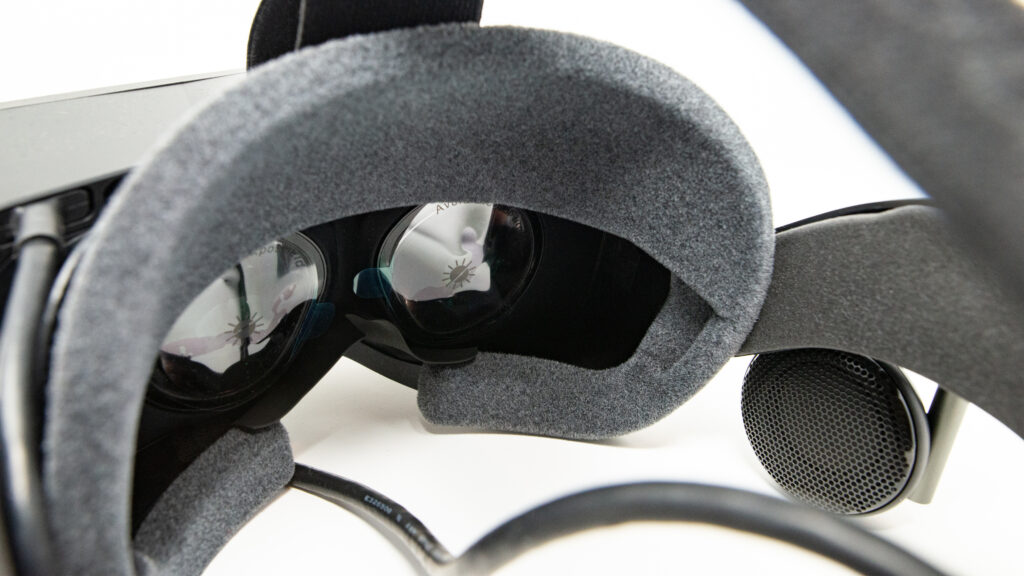
The Pimax Crystal has off-ear speakers (pictured) and three microphones, so you can talk to other drivers on Discord and still hear the tyres and the track. That’s information you rely on in a sim, especially over an endurance race.
The Crystal also features “auto IPD” (Interpupillary distance) adjustment. Put simply, the Crystal moves its lenses to line up with your pupils. This improves the clarity of the image and helps with minimising eye strain. On my Valve Index I had to set the IPD by hand. The Crystal Light does not feature auto IPD.

The Crystal will project a screen with crossed, green bars. It instructs you to focus on them as it adjusts the IPD. You can hear the little servo motors moving the lenses, as the image goes in and out of focus. It saves a lot of time, because doing it manually isn’t intuitive, especially when you’re new to VR.
So, why should you add VR to your sim racing setup?
Realism
Firstly, and probably most obviously, racing in VR feels real. The accidents, especially!
In iRacing when you leave the pits you often drive straight through another pitted car before you exit. Not a big deal, as it’s not an incident until you’re on the track. But with a VR headset on, the first time you drive through another car, you’ll jump out of your skin.
When you’re gridding up for a race start and look around you by turning your head, your competitors are all there, you’re surrounded. The immersion level is off the scale, especially when the headset has built-in speakers.
Vision
The discipline of using vision to find the best racing line through a corner is the same as driving a track car. As you approach the corner you’re setting a braking point in your peripheral vision because you’re focused on the apex. As you brake, all of your visual focus should be on the exit.
In real racing, you’ll move your head which makes you physically align yourself with the corner’s apex to the exit line.
Scott explains vision so much better than I do – the gist is that it’s exactly the same approach in VR. You are then, practising the habits you need to drive on a real track successfully.
Your sensitivity to track detail
VR enables you to “see” details in the circuit you might have missed on monitors. I realized this at Lime Rock Park in the Global Mazda Cup. In VR you can see the camber on the inside of this corner very clearly:

And of course, once you’re visually aware of a track detail, it’s probable that you can feel that detail, too. This brings me to the next benefit of VR.
Early warnings via extra sensory input
It’s easier to drive well with a VR headset because you get an earlier warning of what the car’s doing.
In sim racing, you rely on your ears to sense tyre slip and your eyes to sense rotation in the car. This is a little different to real-life motorsport, in circuit racing on a real track, you’ll sense rotation through your body.
There’s a delay in getting messages like this if you’re looking at monitors which makes catching an accident much more difficult. You start to learn to drive the car from memory, not from feel. This isn’t the case with VR – it seems I’m much more sensitive to smaller movements in the car at corner entry, so I’m already able to predict what the car is going to do.

It’s not magic, you’re just getting the information earlier as your eyes sense your entire environment rotating.
You also get a feel for undulations in the circuit. Using the camber example at Lime Rock Park above, in VR you’re just more aware that the car has climbed over a small hump. It’s a useful sensation once you become aware of it.
That early warning system makes the car easier to control, so you’re driving more consistently.
You drive more accurately
You are fully immersed in an environment and your eyes can feed your brain much more precise data about the way the car is moving.
I think that the way you translate this back into driving inputs is critical. If you know your line and the information you received is accurate, then your steering inputs will be correct. Have you ever approached a corner only to find you’re making last-second adjustments to the line you’re taking? Monitors, especially triple setups are a nightmare for this.
Driving with a monitor is not immersive, so you’re adjusting to a way of seeing things that don’t happen on the track, especially as your line of sight switches from your outside monitor to the one in front of you. Bezel correction is a little annoyance that VR doesn’t suffer from.
But are there any cons to VR Headset use?
Screen door and clarity can be an issue. Screen door is less of a problem in the newer headsets, where the fine lines separating pixels (or subpixels) become visible in the displayed image. Clarity remains an issue – where everything can sometimes feel a little bit out of focus. The Valve Index, as good as it was, came from a generation of headsets where the resolution wasn’t quite high enough.
The higher a headset’s PPD, the finer the detail it shows, so it’s the spec I’d check first for sharpness.

You can go a long way to improving the clarity of the image in your headset by making sure it’s adjusted properly for your face and, of course, that the PPD specification is as high as your budget will allow. But even after a lot of fiddling around it still isn’t perfect.
Because of issues like screen door and clarity, VR can make your eyes feel tired after prolonged use. Some days, it’s fine and I’ll do several races. But for others, I don’t fancy them as much. On that note, if you suffer from visually triggered migraines, I would advise you to steer clear of VR.
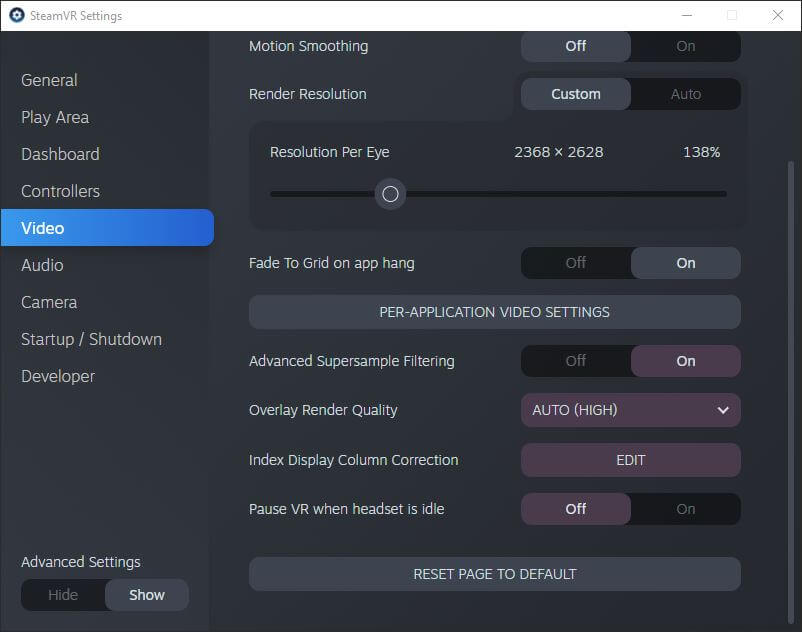
Graphics settings are initially difficult to come to terms with because what works on monitors might not be correct for your headset. I’ve written about settings for VR here, so take a look. Once you get a setup you like, this isn’t a problem. I’ve compiled some settings for Pimax users in this settings guide by GPU, and some iRacing-specific guidance for Pimax headsets.
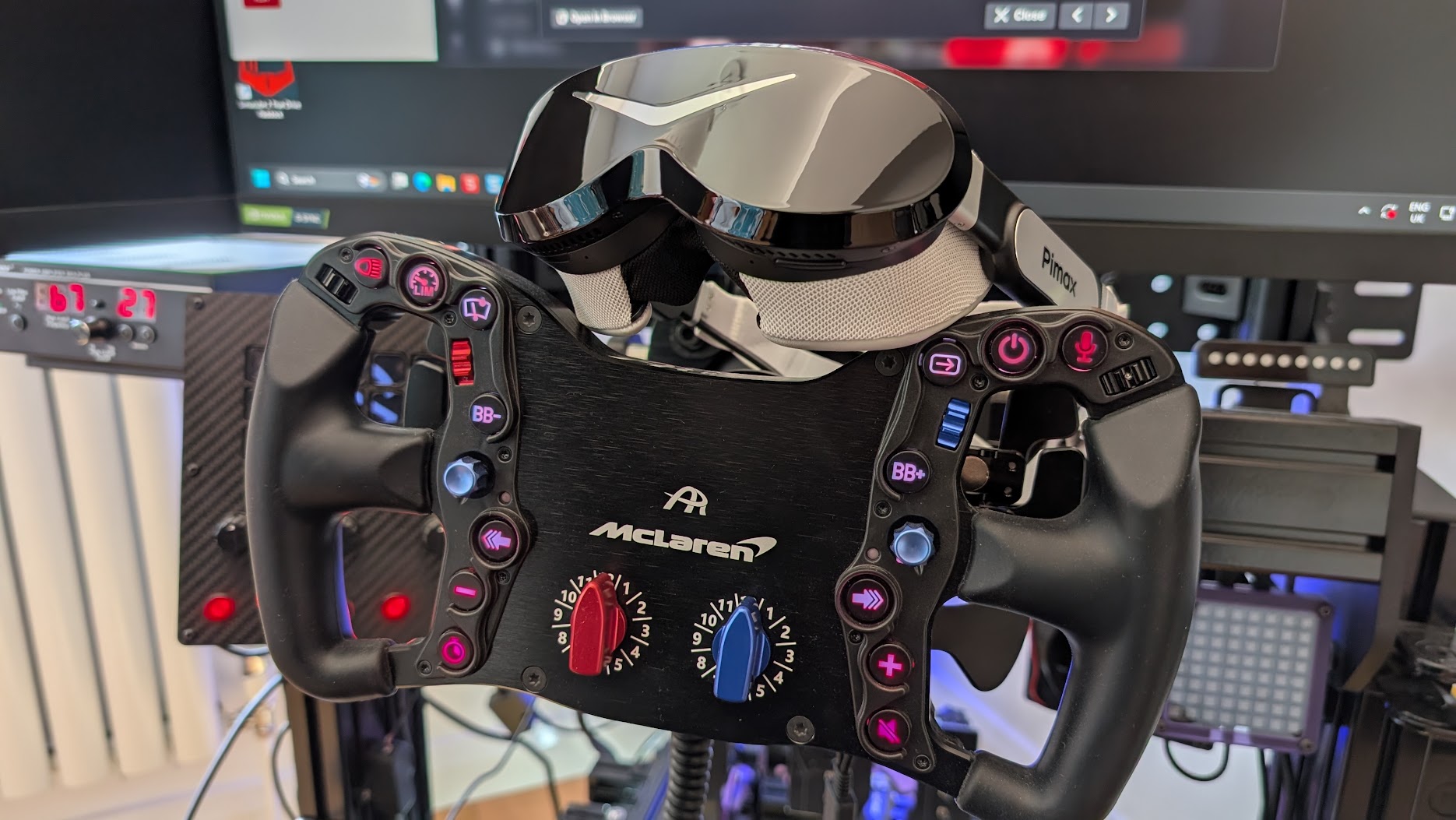
Also, don’t spend a huge amount of money on your sim racing wheel for its display and RGB lights, because you won’t see them in VR. If you’re shopping for a new one, look for a “VR friendly” design, where the buttons are easier to find without looking.
Finally, some people feel motion sickness. But not for long! I found after 2 laps I’d become used to the sensation of moving without moving. These days I don’t notice it at all.
What makes a great Sim Racing VR headset?
Most VR advice is written for standing up and waving controllers around a room. Sat in a cockpit, you care far more about how the picture looks at distance, how the weight feels over a long stint and how well the headset runs on your PC, and hardly at all about hand controllers or play space.
Will using VR in a racing simulator make you faster?
In my experience, yes. I’m faster in VR, and the good habits that come with a more realistic sense of space carry over to the real racetrack too. Most of the gain is in consistency. You can also turn your head to check for a car alongside you, just as you would in a real car.
With a headset on, you can’t see your wheel or a button box. I use the buttons on my GT wheel by feel, and while I’d like to make switches and add a dash, there’s absolutely no point.
What are the best VR Headsets for Sim Racing?
Whichever headset you choose, you really need to be aiming for a strong GPU, because VR headsets are very power hungry. The CPU spec is as important as the GPU spec, too, and even my old 12th-gen i9 held an RTX 4090 back a little at very high settings. My rig runs an i7-14700K and a 4090 now, and there’s more on the hardware side in my gaming PC guide for sim racing.
Below are my picks for racing and who each one suits. If you’d rather match a headset to your graphics card, the finder on my VR headset comparison does that, and it also has the full specs for every model.
Pimax Dream Air – my current pick
The Dream Air is the one I reach for first now. I’ve raced the Dream Air Lighthouse on my main sim and written a full hands-on review, and for sim racing it’s the best headset I’ve used.
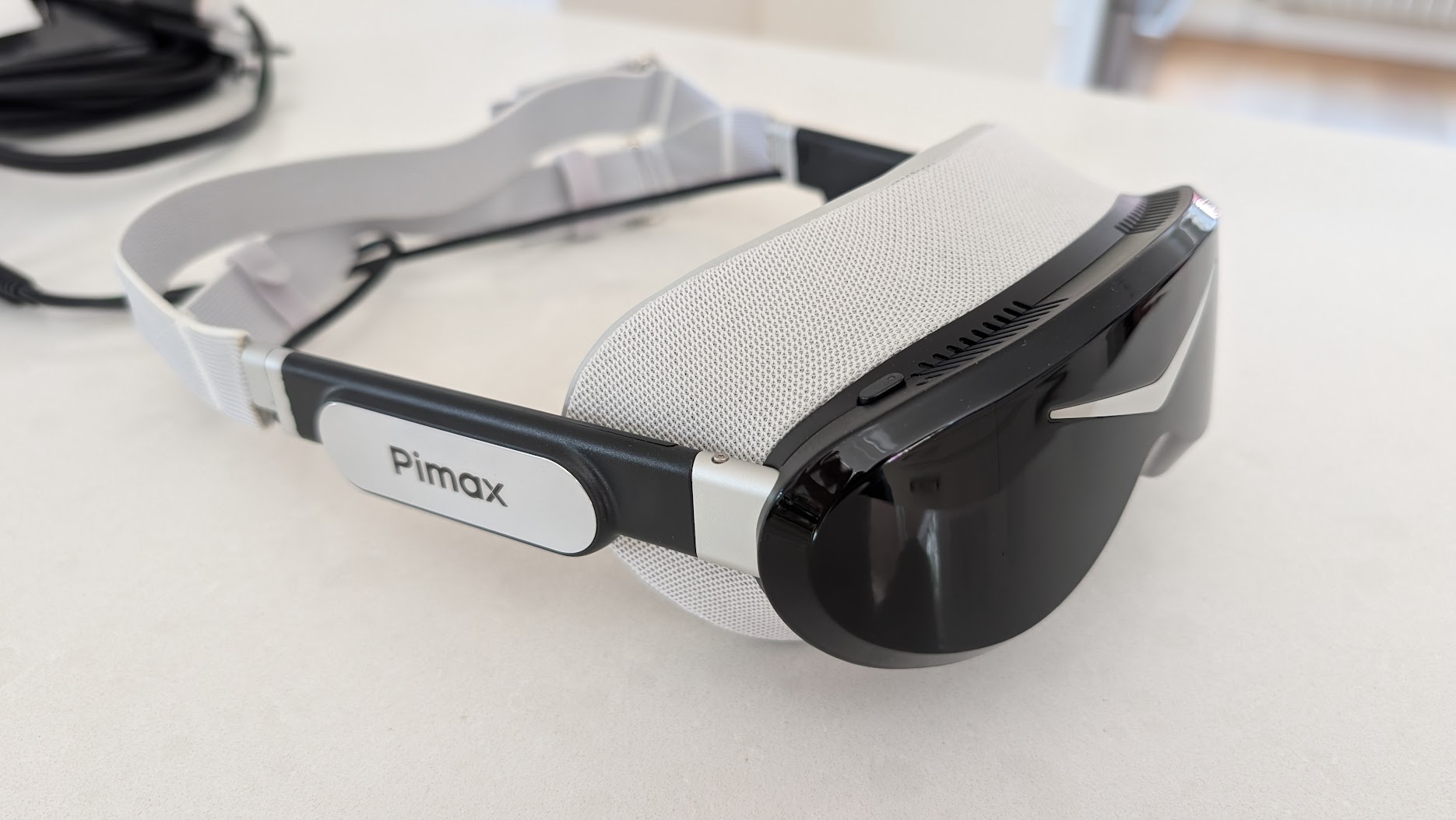
The Dream Air has Sony micro-OLED panels at 3840 x 3552 per eye, a 110° horizontal field of view and eye tracking for dynamic foveated rendering, and it weighs about 170 g. On track, the OLED blacks make night racing look right, where an LCD’s blacks go grey.
I don’t love the stock head strap, but I like the overall design and build. I go through the setup and the Lighthouse tracking in my review.
I’d point a racer at the Dream Air if they want a stunning micro-OLED picture in a light headset. It’s a bit GPU intensive, though, so they’ll need a strong graphics card to drive it. Its FOV is narrower than the Crystal Super’s, which some reviewers flag, but as a driver it doesn’t bother me. I’m used to wearing a helmet, so you can’t see all that much in real life anyway, and you’re driving, not looking up and down! Flight is a different story, because the vertical FOV counts when you’re looking around a cockpit in the air, and I cover that in my VR headsets for flight simulation guide.
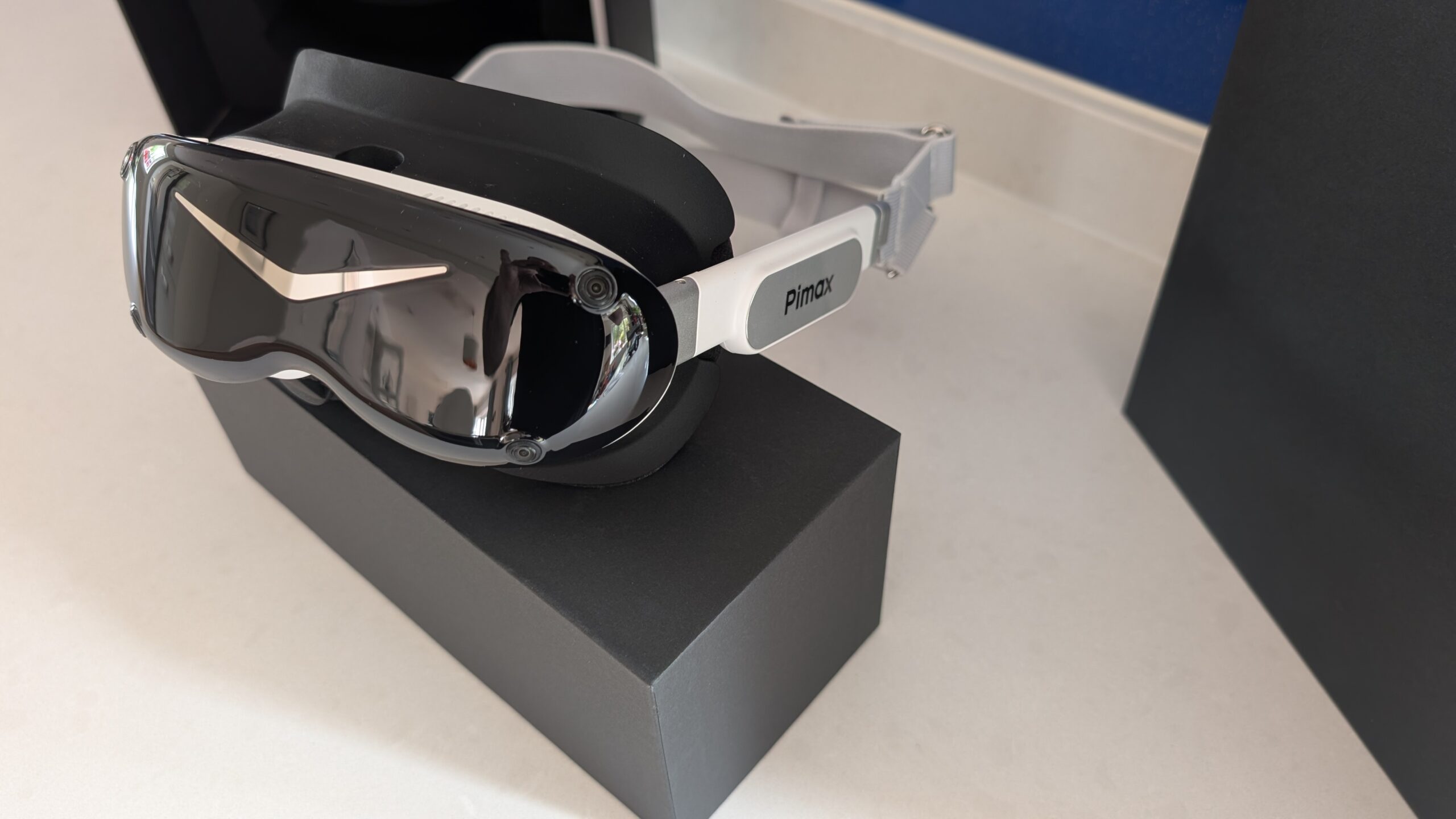
The Dream Air SE isn’t a cheaper Dream Air; it’s a different entry point for a different kind of sim racer. It uses a 2560 x 2560 per eye micro-OLED panel with eye tracking, weighs under 140 g and is much less power hungry. That puts it in the comfortable middle ground between sticking with your Quest 3 and the Sony panelled Dream Air, and it suits the hobbyist on a PC without the latest high-end RTX card who wants it to just work. If you’re a serious sim racer and you can stretch, I’d still get the Sony panelled Dream Air.
Pimax Crystal Super
The Crystal Super is built on the Crystal’s chassis, and like the Crystal Light it drops the battery and the standalone XR2 chip, but it keeps the eye tracking.
The Crystal Super has the clearest picture and the widest FOV in the Pimax range. Pimax sells it with a choice of optical engines. The QLED engines run 3840 x 3840 per eye, with a FOV of 106, 127 or 140 degrees depending on which one you pick, and there’s a Sony micro-OLED engine at 3840 x 3552 and 116 degrees too.
It’s a big, heavy headset, and at full resolution it will bring any graphics card to its knees. The eye tracking makes it runnable. It tells the GPU where you’re looking, and dynamic foveated rendering only draws that spot in full detail.
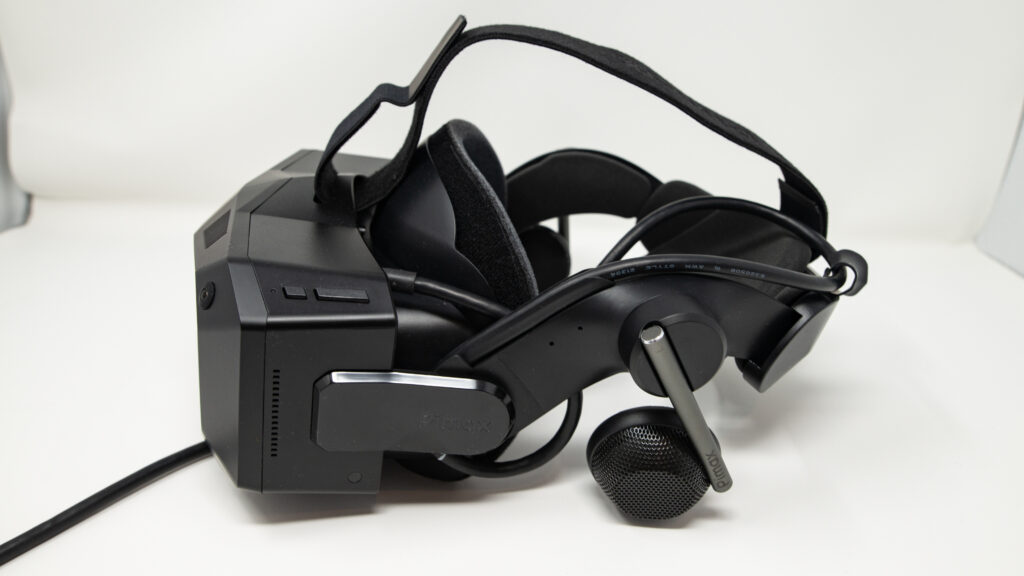
On my own rig the Dream Air has taken over for racing. The Crystal Super 57 PPD is still my flight sim pick for its superior FOV and less fiddly tracking. If it’s the widest view you’re after for racing, pick the 140-degree engine. My full thoughts are in the Crystal Super review.
Pimax Crystal Light
The Pimax Crystal Light was a welcome update from the original Crystal. It keeps the Crystal’s resolution and costs a lot less, because Pimax left out the battery pack, the auto IPD adjustment and the DMAS audio attachments.

There’s no standalone storage either, and foveated rendering is fixed instead of dynamic. All of it adds up to a saving of 317 g on the original Crystal’s 1,268 g, so the Crystal Light is about 25% lighter.
In my review it came out as the value pick of the Crystal range. It feels lighter, the cabling and extras are far less of a burden, and the clarity is excellent, very close to the full Crystal. The review also covers unboxing, installation and some early settings for better visual performance.
The original Pimax Crystal is out of stock at Pimax now, so if you were after its picture, the Crystal Light gives you the same 35 PPD. For flight sims the Crystal Light is still one of my picks, alongside the Crystal Super, for a wider FOV than the Dream Air’s.
Meta Quest 3
The Meta Quest 3 replaced the Quest 2, and it costs far less than the Dream Air or the Crystal Super, which opens VR up to a lot more sim racers.

The Quest 3 has pancake lenses and a sharper display than the Quest 2, at 2064 x 2208 per eye, which makes the screen door effect much less noticeable than on older headsets. Its mixed reality is no use in the sim, but it’s a nice party piece for when you need a break from hard racing.

The Quest 3 weighs around 515 g, which is about three times the weight of a Dream Air.
If you race wireless, the Quest 3’s battery won’t last a long session, so I fitted an aftermarket BOBOVR M3 head strap with a battery built in. On the Link cable your PC powers the Quest 3, so the battery isn’t an issue. The stock head strap is quite poor either way, though, and you will really need to upgrade it. The VR performance is generally superior with a direct cable connection and it really doesn’t work well enough over airlink. Get the cable!
The Quest 3 runs iRacing, ACC and the rest of the big sims, connected to your PC with a cable or over Wi-Fi. Either way the picture is streamed and compressed rather than sent natively over DisplayPort, and you see it on dashboard text and on braking markers at distance. Which sims work well in VR, and what each one needs, is covered game by game in my VR sim racing games guide.

Even so, the Quest 3’s picture is a clear step up on the Quest 2’s, and I’ve found it works really well in the sim.
If you’re not ready to spend a lot more on the next step up, the Quest 3 is the easiest way into VR sim racing (my review has the detail), and it’s the first headset I’d hand a newcomer.
Bigscreen Beyond 2
The Bigscreen Beyond 2 is the lightest headset here at 107 g, with 2560 x 2560 micro-OLED panels. It’s small and comfortable too, which counts over a long stint. The 2e version adds eye tracking.
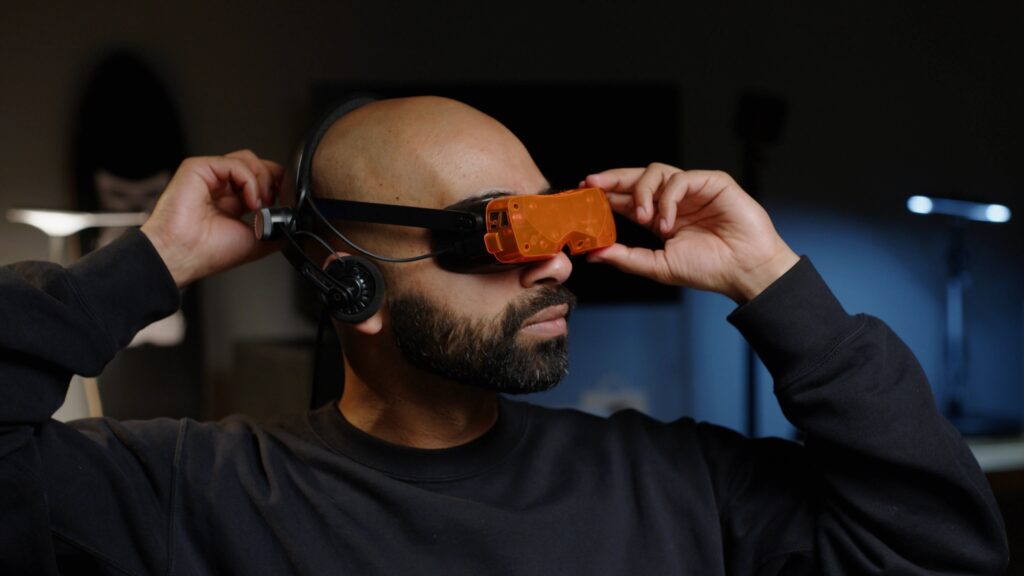
The Beyond 2 tracks on Lighthouse only, so you’ll need base stations, which is fine if you already own a pair from a Valve Index. Bright objects on a dark background show some glare.
PSVR2 with PC adapter
The PSVR2 has OLED panels at 2000 x 2040 per eye, so the blacks are good, and on a PS5 it’s the way to play Gran Turismo 7 in VR.
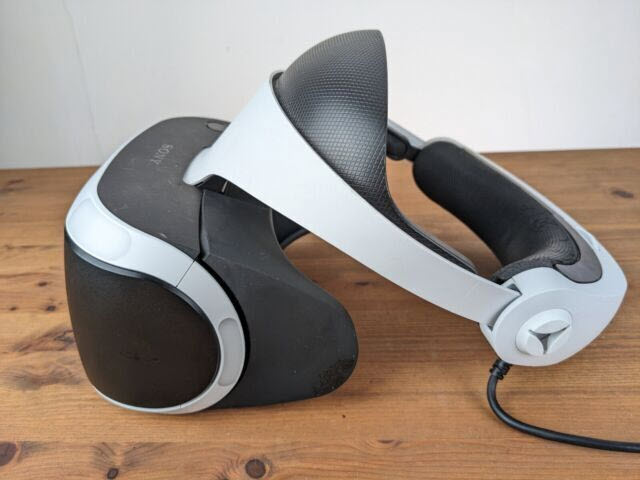
On a PC, the PSVR2 needs Sony’s PC adapter, and through that it loses eye tracking and HDR, so there’s no dynamic foveated rendering to lean on. Its resolution is a touch under a Quest 3’s 2064 x 2208 per eye. If you don’t already own a PS5, a headset built for the PC makes more sense.
Sim Racing VR Headsets: Price and Spec Comparison
The table below compares the headsets on the specs I’d look at for a cockpit.
| Headset | Panel | Resolution per eye | Horizontal FOV | Tracking | Best for | Buy |
|---|---|---|---|---|---|---|
| Pimax Dream Air (Sony panelled) | Sony micro-OLED | 3840 x 3552 | 110° | SLAM and Lighthouse | My pick for racing, with the GPU to drive it | Check price |
| Pimax Dream Air SE | Micro-OLED | 2560 x 2560 | 105° | Lighthouse or SLAM | A mid-range PC | Check price |
| Pimax Crystal Super | QLED or Sony micro-OLED engine | 3840 x 3840 (QLED) | 106° to 140° by engine | Inside-out, Lighthouse optional | The widest FOV, and flight sims | Check price |
| Pimax Crystal Light | QLED, local dimming | 2880 x 2880 | Wide (no official figure) | Inside-out, Lighthouse optional | Sharp PC VR for the money | Check price |
| Meta Quest 3 | LCD, pancake lenses | 2064 x 2208 | 110° | Inside-out | Your first headset, wireless | Price on Meta’s site |
| Bigscreen Beyond 2 | Micro-OLED | 2560 x 2560 | 108° | Lighthouse only | The lightest, for long stints | Bigscreen store |
| PlayStation VR2 | OLED | 2000 x 2040 | About 110° | Inside-out | PS5 owners | Price on PlayStation’s site |
Once you’ve picked your hardware, the next job is getting each sim to run well on it. My VR sim racing games guide goes through which sims work best in VR and what they ask of your PC, and the settings guides below cover the individual games.
Per-game VR settings
The first two guides below work with any headset, and the rest are Pimax deep-dives.
Assetto Corsa VR settings
OpenComposite + OpenXR runtime per headset, CSP “Single Pass Stereo”, Pure post-processing, and settings for Pimax, Quest 3, Beyond 2 and PSVR2.
iRacing VR settings
Native OpenXR since 2022 S3, eye-tracked DFR via XR_EXT_eye_gaze_interaction (2025 S4), per-headset MSAA + pixel density.
Pimax VR settings: AC Evo
Pimax Play 2.0 native OpenXR for AC Evo, Smart Smoothing, Quad Views, RTX 4070-to-5090 per-GPU recipes for Crystal Light and Super.
Pimax VR settings: Assetto Corsa
OpenComposite + Pimax Play 2.0 (the inverse of the iRacing call: Quad Views ON here, OFF in iRacing). CSP Single Pass Stereo, per-GPU recipes.
Pimax VR settings: iRacing
Pimax-tuned iRacing recipes: pixel density, eye-tracked DFR via Pimax Play 2.0, render-quality per Crystal Light / Super / Dream Air.
Pimax VR settings: Le Mans Ultimate
Embedded OpenComposite pipeline, V1.3 vehicle occlusion culling, the community-reported Pimax Play 1.43.9 rollback for stutter, and the KB5077181 Windows update problem.
Pimax VR settings: Automobilista 2
V1.6.9.5, native FFR (Quad Views OFF for standard), TJR Sim’s validated recipe, Detailed Grass OFF as the biggest single FPS lever.
Pimax VR settings: F1 25
F1 25’s EGO wobble bug is still open with EA (ticket 12214977), so this covers the XML blur fix, the helmet FOV hack and what each GPU can realistically run.
If you’re on a Pimax, start with my Pimax settings guide, sorted by GPU, then try the Pimax settings tool. Bear in mind that every sim gets its picture into the headset a different way. The original Assetto Corsa needs OpenComposite, Le Mans Ultimate has OpenComposite built in, iRacing runs native OpenXR and F1 25 is OpenVR only. So a recipe that works in one sim won’t carry across to another. Good luck, and I’ll see you out on track!
Related Articles
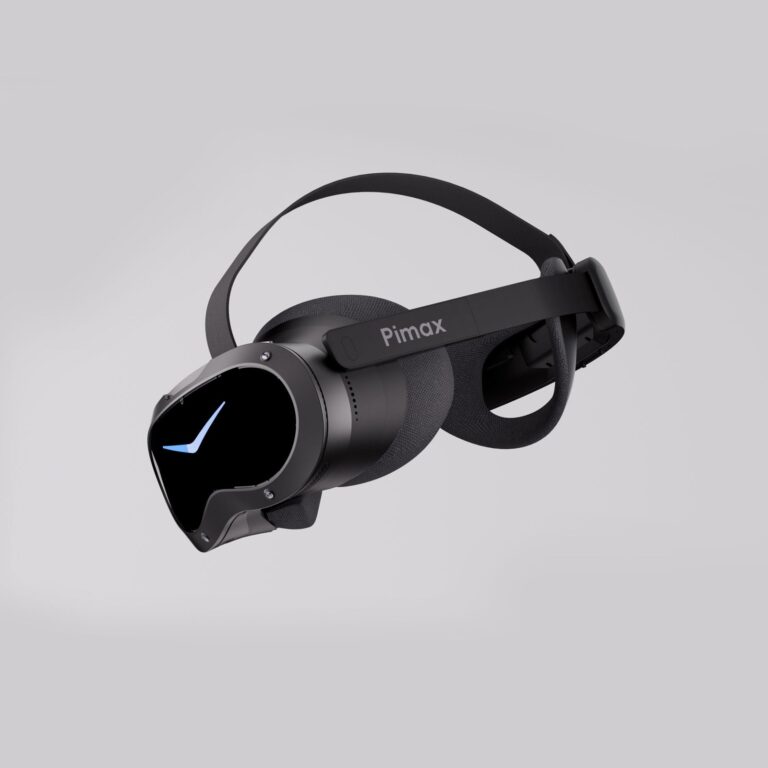
Should Sim Racers Wait for the Pimax Crystal Pro, or Buy Today?
Pimax Crystal Pro: Everything We Know So Far
Bigscreen Beyond 2 for Sim Racing: What to Know in 2026
Pimax Dream Air vs Dream Air SE: Which Should a Sim Racer Buy?
SteamVR Base Stations for Sim Racing: Lighthouse vs SLAM on the Pimax Dream Air