

I’m a sim racer and amateur racer with a passion for Motorsport, good racecraft and the technical and setup aspect of sim racing.
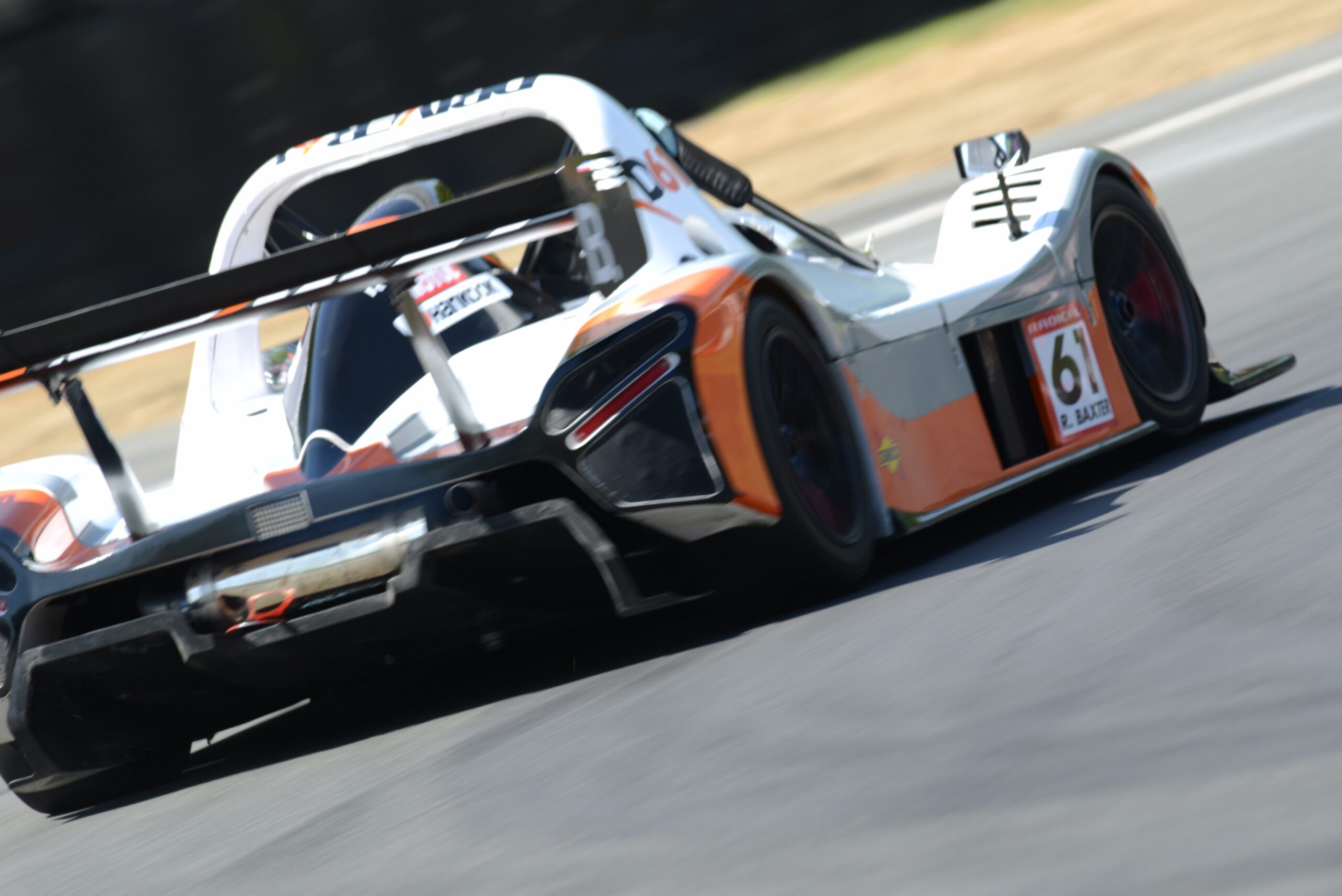
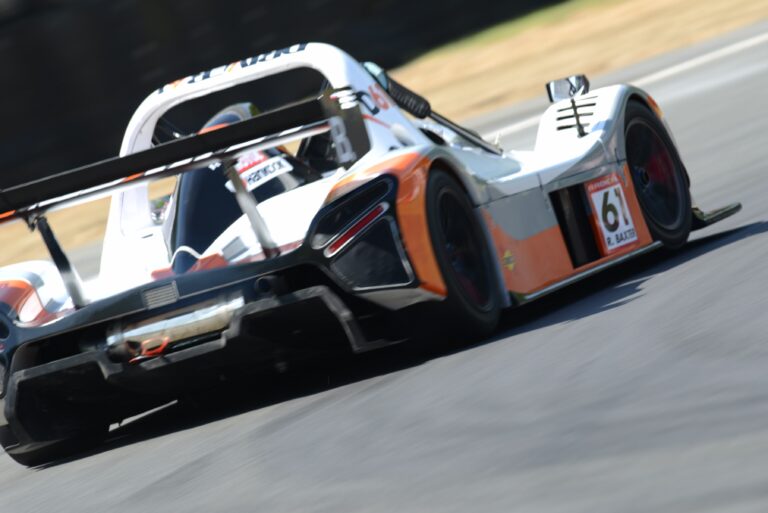
Featured Image: my Radical SR3 rsx at Brands Hatch
Learning a new track used to take me an evening. Now it’s more like 20 laps. The difference isn’t more talent or a faster wheelbase – it’s just that I stopped “brute-forcing” memorisation and started reading the track furniture. Danny Lee (who I am a big fan of as a cerator and you should subscribe to hist channel) made a video called “How to Learn a New Track Faster” that crystallised a lot of the habits I’d picked up without realising, and this article series is my take on the method after applying it over the last few years in iRacing, and of course, as a racing driver of some 10 years in the real world.
Quick Navigation
Jump directly to what you’re looking for:
The Problem With Brute-Force Learning |
The Two Questions That Matter |
Reading Brake Boards |
Reading Curbing |
Apex Curb Visibility |
Use Gear, Not Speedometer |
When The Rules Break |
How To Practise |
Common Mistakes |
Sources
The Problem With Brute-Force Learning
You load a new track. Send the first lap. Three corners in and you’ve no idea what’s coming, you miss a braking zone, run wide, lose the rear under power. Back to pits and start again – very inefficient! What most of us did as beginners – was stay out there for an hour, crashing over and over, slowly memorising the layout by pure repetition. Danny calls it “the slow and painful way”. He’s not wrong.
What changed my lap times more than any kit upgrade wasn’t a new pedal set or a stiffer wheelbase. It was realising that every track I drive on iRacing is leaving me clues, handing out free information and those on every corner. I was just ignoring them. If you’re still running the visible racing line in iRacing or ACC, no shame – we all start somewhere. But if you’re reading this, you probably want it off. Reading the track furniture is how you get there without spending 40 laps memorising a layout that a careful driver could learn in ten.
The Two Questions That Count
Danny breaks the whole problem down to two questions: which way does the next corner go, and how fast should I be going? Everything else – racing line, trail braking, throttle application – is downstream of those two answers. If you can answer them correctly before the corner arrives, you’re most of the way to a clean lap. If you can’t, you’re guessing.
What I like about this framing is how it collapses the anxiety. I used to think I had to hold an entire circuit map in my head. You don’t. You need to hold the next corner. Sometimes the next two. The track will tell you what’s coming if you pay attention to three things: brake boards, curbing, and how early you can see the apex.
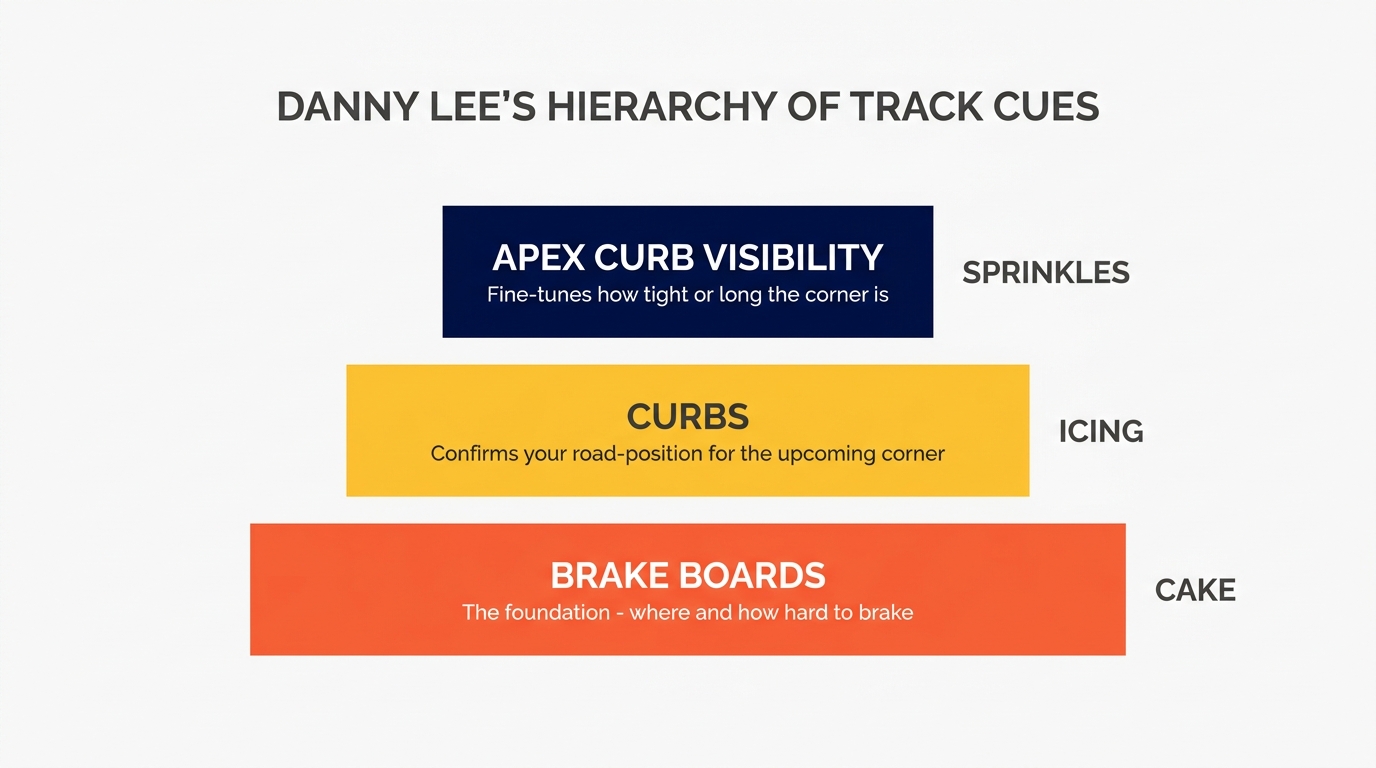
Reading Brake Boards (The Cake)
Brake markers have two jobs. The obvious one is telling you a braking zone is about to arrive. The less obvious one – the one that changes how you approach a new circuit – is that they’re almost always mounted on the side of the track you’re expected to be on. If the next corner turns right, the brake boards sit on the left. Next corner turns left? They sit on the right. That’s where the racing line starts on approach.
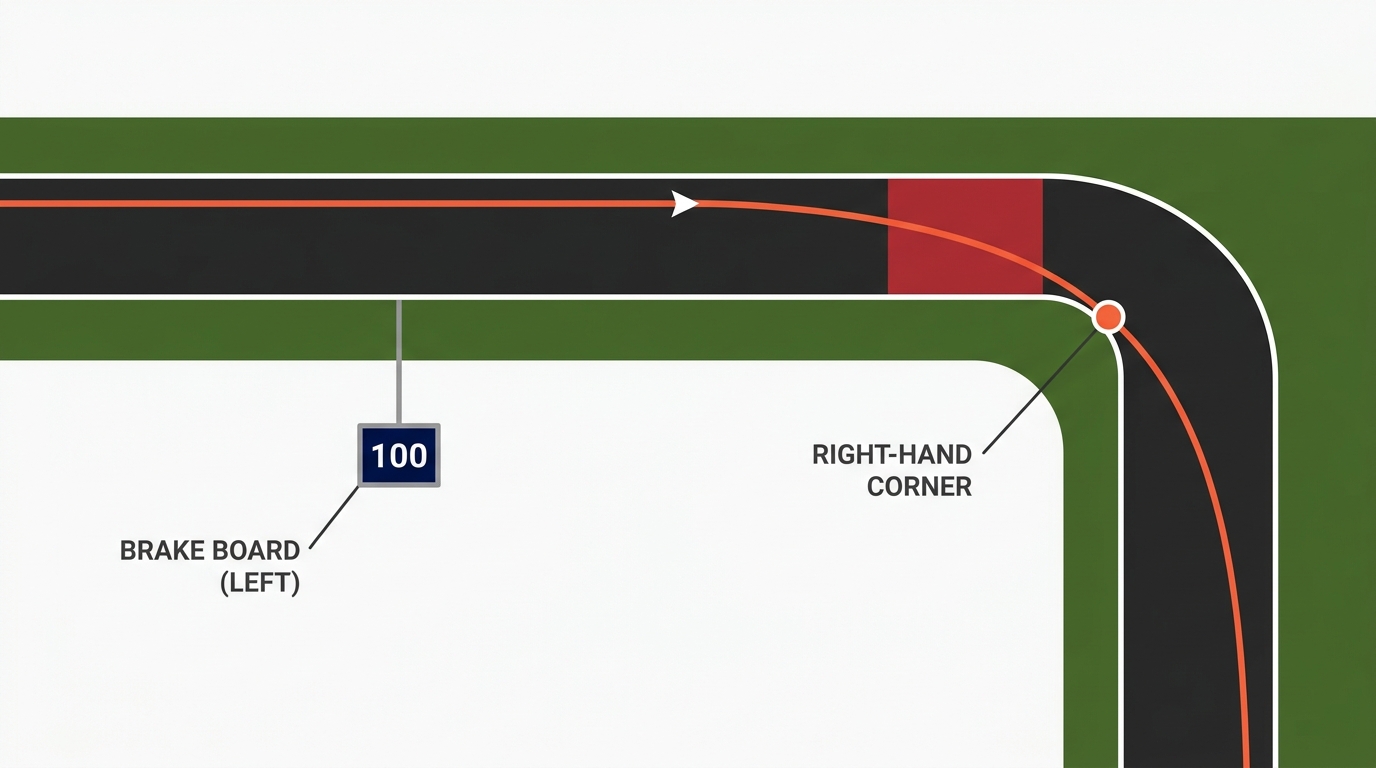
Monza is the cleanest place to see this. Turn 1 has the markers up on the left above the catch fence. Turn 3 moves them to the right because the Roggia chicane starts with a left. Della Roggia flips them back again. Five out of six corners on the iRacing version of Monza play by the rule, leaving only the Parabolica where the markers sit on both sides and you’ve got to memorise it yourself. That’s a massive chunk of the mental load gone before you’ve even learned the track names.
Quick note on kit. If your FOV is wrong, you’ll miss half the brake boards because they won’t be in your peripheral vision where they should be. Setting your FOV correctly is a prerequisite for any of this – you can’t read clues you can’t see.
Reading Curbing (The Icing)
Curbs get painted in specific places for a reason. They exist where cars are expected to run if they’re on the correct line – usually the apex of a corner, occasionally the exit. If kerbs suddenly appear on one side of a straight, that’s the track whispering the next move to you. Corner coming. Position there.
Visit Our Sponsors
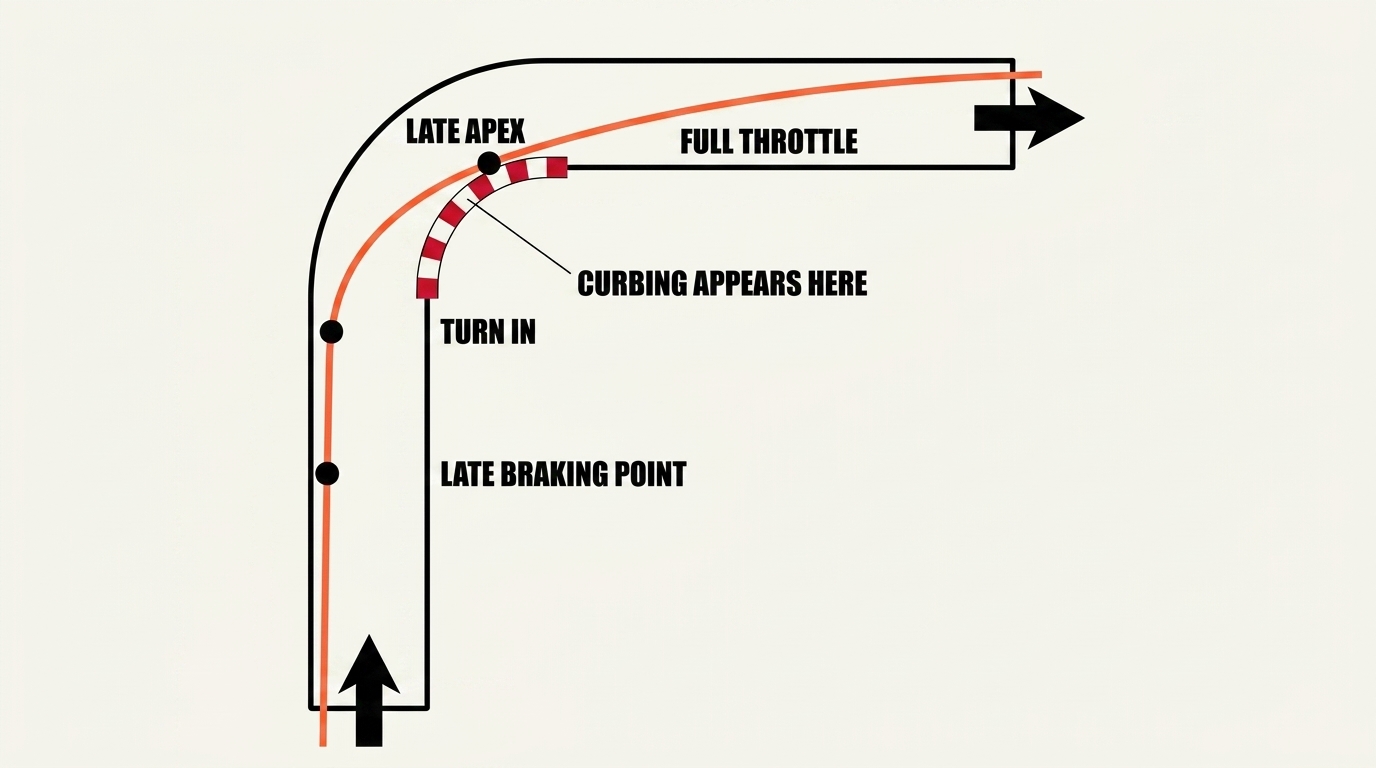
The Red Bull Ring is my personal favourite for this. The last sector runs you over a blind crest where you genuinely can’t see the next corner until you’re right on top of it. Brake boards sit on both sides so they’re no help. But there’s kerbing on the left before the crest. So the corner must go right. And you want to be on the left. It works. I’ve proved it to myself at Hungaroring, Spa and Brands Hatch – all tracks with generous, consistent curbing. World-class circuits reward this kind of reading because the designers were consistent.
Track furniture is doing half the job of driving a good racing line for you. All you’ve got to do is look at it.
Apex Curb Visibility (The Sprinkles)
Here’s the one that most sim racers miss, and it’s a little bit magic the first time you notice it. How early you can see the apex kerb from your approach position tells you how tight the corner is. See the kerb clearly at turn-in? Short tight corner. Second gear probably. Attack it. Can’t see the kerb from turn-in? Long sweeping corner. Be patient. Wind the steering in slowly or you’ll apex too early and get punted wide on exit.
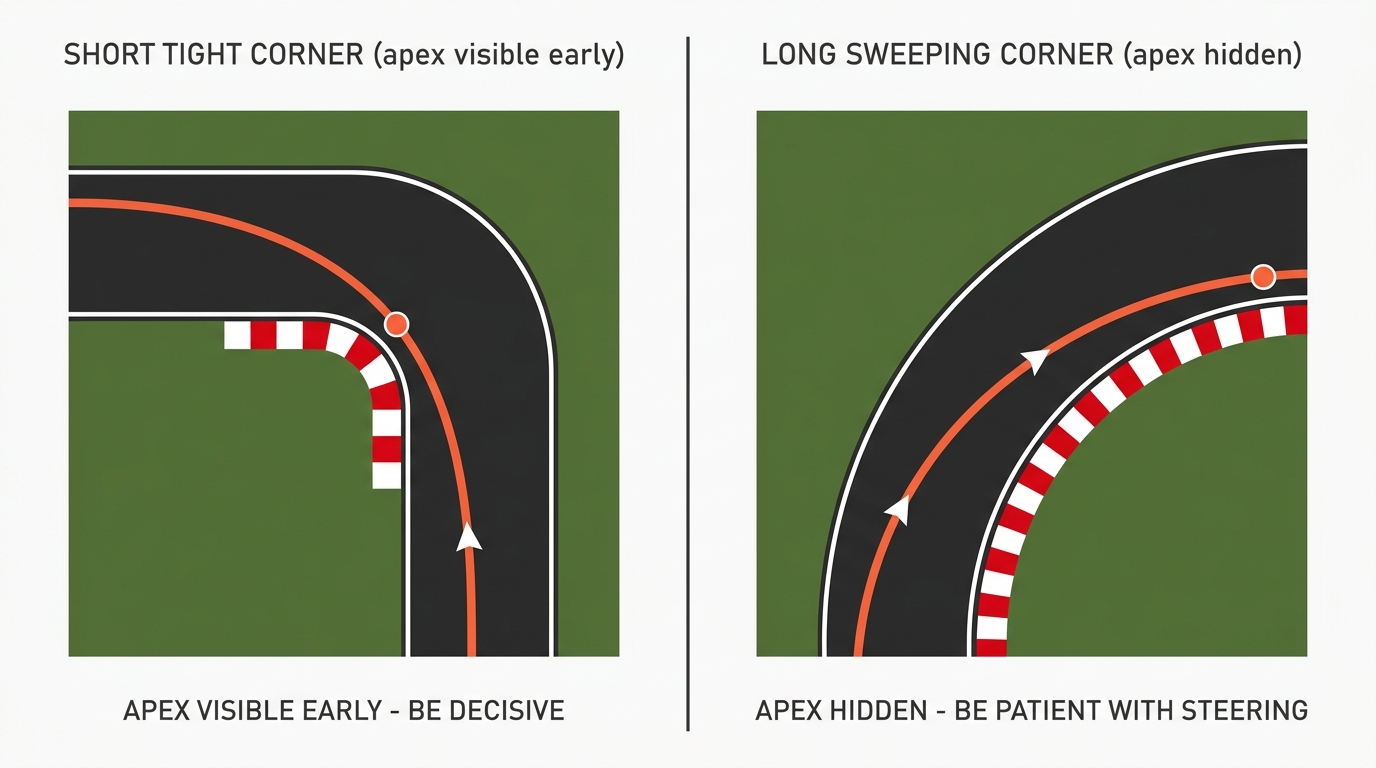
Turn 4 at the Red Bull Ring is a tight second-gear right where the apex kerb is visible from the braking zone. You turn in decisively and the corner works. Turn 5 is the one everyone gets wrong on their first attempt because the apex kerb isn’t visible from turn-in. It’s much further around the corner than feels right. Treat it like Turn 4 and you attack too hard, apex too early, and run out of track on exit. Every single time. I’ve done it so many times it’s embarrassing.
Danny’s summary of the hierarchy is the cleanest I’ve heard anywhere: “If brake boards are the cake and curbs are the icing, apex curbing distance is just for sprinkles on top.” All three cues matter, but they matter in that order.
Use Gear, Not Speedometer
Now the second question – how fast should I be going. The single biggest beginner mistake here is checking the speedometer on corner approach. Don’t do it. Danny puts it bluntly and he’s right. Your gear is the reference, not your speed in mph or kph.
The reason is simple. Most corners in most cars live in second, third or fourth gear. That’s it. Even at Spa with its huge speed range, you’re mostly working within a three-gear window. If you know a corner is “second gear” you know how much to slow down by feel, because you’ve made that many downshifts. Watching the speedo makes you late on the brakes and robs attention from where your eyes should really be – looking up the road for the next cue.
Brake boards are also a quick signal for how much slowing you need. Boards usually mean a distinct braking zone. No boards? You’re normally looking at a lift or a dab, not a full committed brake. The Nurburgring GP is the exception that proves the rule – turns 2, 3 and 4 feed into each other off Turn 1’s braking zone, so you get no fresh boards between them and still need to slow a meaningful amount at Turn 3. Most tracks are more consistent than that.
Once you’ve got the gear dialled in, you can start layering in the subtleties – trail braking for corners where you can carry entry speed, threshold braking for the heavy stops. But gear first. Everything else is a refinement on top of that.
When The Rules Break
None of this is watertight. Danny’s upfront about it, and I want to be too. Some corners have boards on both sides. Some tracks skip boards entirely and use cones – iRacing’s Sebring is like that on a bunch of corners, and Goodwood has a couple of weird ones where the markers are literally on the wrong side, for whatever reason. Apex curb visibility falls apart on blind crests and elevation-change corners where you can’t see anything at all until you’re already committed.
Sims also take liberties. iRacing’s rendition of a circuit isn’t always identical to real-world furniture placement. ACC is usually very close to the real-world reference, Le Mans Ultimate takes a few shortcuts, and older rFactor tracks often invented their own conventions. If you find yourself at a circuit where the rules don’t seem to apply, it might not be you – it might be the sim.
That said, Danny’s cake-icing-sprinkles hierarchy holds up surprisingly well across every circuit I’ve tried it on. Perfect is the enemy of good. You don’t need the rule to work on every corner. You need it to work on enough corners that you can spend your attention on the exceptions.
How To Practise This
Pick a circuit you’ve never driven. Resist the urge to look at a track map. Open the sim, join a private test session, and do ten laps where your only job is to call the next corner out loud before you can see it. “Right-hander coming. I’m on the left. Apex visible, so it’s a short one. Second gear.” You’ll be wrong sometimes. That’s fine. You’ll be right more often than you think, and the exercise trains your eyes to look for the cues automatically.
Scott Mansell at Driver61 suggests chunking – learning a circuit one sector at a time, nailing the flow through a section before linking it to the next. That pairs really well with the cue-reading method. Read the cues for one sector on lap one, commit them to memory on laps two through five, then move on. A couple of sessions in and you’ve got the whole track without ever consciously memorising it.
Martin Kronke at Virtual Racing School has a good point about session length. He reckons practising little and often beats long sessions. 45 minutes, two hour break, 45 minutes. Your brain plateaus after about two hours and you start repeating the same mistakes on autopilot. Short sessions feel less productive but the learning sticks better. I’ve found this to be true on my own rig – three one-hour sessions over a weekend teach me more than a single three-hour grind.
If you want to speed things up further, the Fanatec blog has a sensible tip about shadowing a faster driver. Drop into an open practice session, find someone 1-2 seconds a lap quicker, and glue yourself to their gearbox. You’ll see braking points that the track furniture alone wouldn’t reveal. Worth doing after you’ve got the basic layout down, not before.
Reading the track is one of those skills that seems small until you apply it, and then you can’t imagine learning a circuit any other way. Next time you load into iRacing on a layout you’ve never seen – Okayama, one of the dirt ovals, a recently-added European GT circuit – try calling the corners before you see them. It’ll make you faster, but more than that it’ll make learning new tracks fun instead of a grind. For more on cutting down lap times once you’ve got the layout nailed, my guide to improving your iRacing lap times is the natural next read.
Sources & Further Reading
- Danny Lee: How to Learn a New Track Faster – the primary source for this article. If any of the above landed, it’s because Danny’s framing is that clean.
- Driver61: Learn Circuits and Tyres Quickly in the Simulator by Scott Mansell – pairs the cue-reading method with chunking and delta-timer validation.
- Virtual Racing School: Practising by Martin Kronke – the short-sessions-beat-long-sessions argument, from a Blancpain GT factory driver turned iRacing coach.
- Fanatec: 5 Tips to Learn a Track More Effectively – solid overview, especially the “shadow a faster driver” tip.
Related Posts
Racing Line Explained: Late vs Geometric Apex (with diagrams)
Understeer vs Oversteer: What’s Actually Happening (and Why F1 Drivers Set Up for Each)
How to Learn a New Track Faster in Sim Racing
The Science of Tyre Warming in iRacing: Testing Shows Braking Beats Weaving
Le Mans Ultimate: How to Drive the LMGT3 and Hypercar
How to Pull off the Perfect Overtake / Pass in Sim Racing
Topic: Sim Racing Guides