

I’m a sim racer and amateur racer with a passion for Motorsport, good racecraft and the technical and setup aspect of sim racing.
Tom’s Hardware tested 23 graphics cards in Microsoft Flight Simulator 2024 in December 2024, and only the RTX 4090 managed 60 FPS at 4K Ultra, with 61. So whatever a mid-range card did for you in MSFS 2020, don’t expect it here. The cards to buy are a 16GB card such as the RX 9060 XT for 1080p, the RX 9070 XT for 1440p and the RTX 5080 for 4K with upscaling switched on. In VR, the card you need depends on how many pixels your headset pushes, and a Pimax Crystal Super pushes 3.5 times as many as a 4K monitor.
I fly MSFS 2024 on an RTX 4090 myself, in a PC with an i7-14700K. Start with the four cards below.
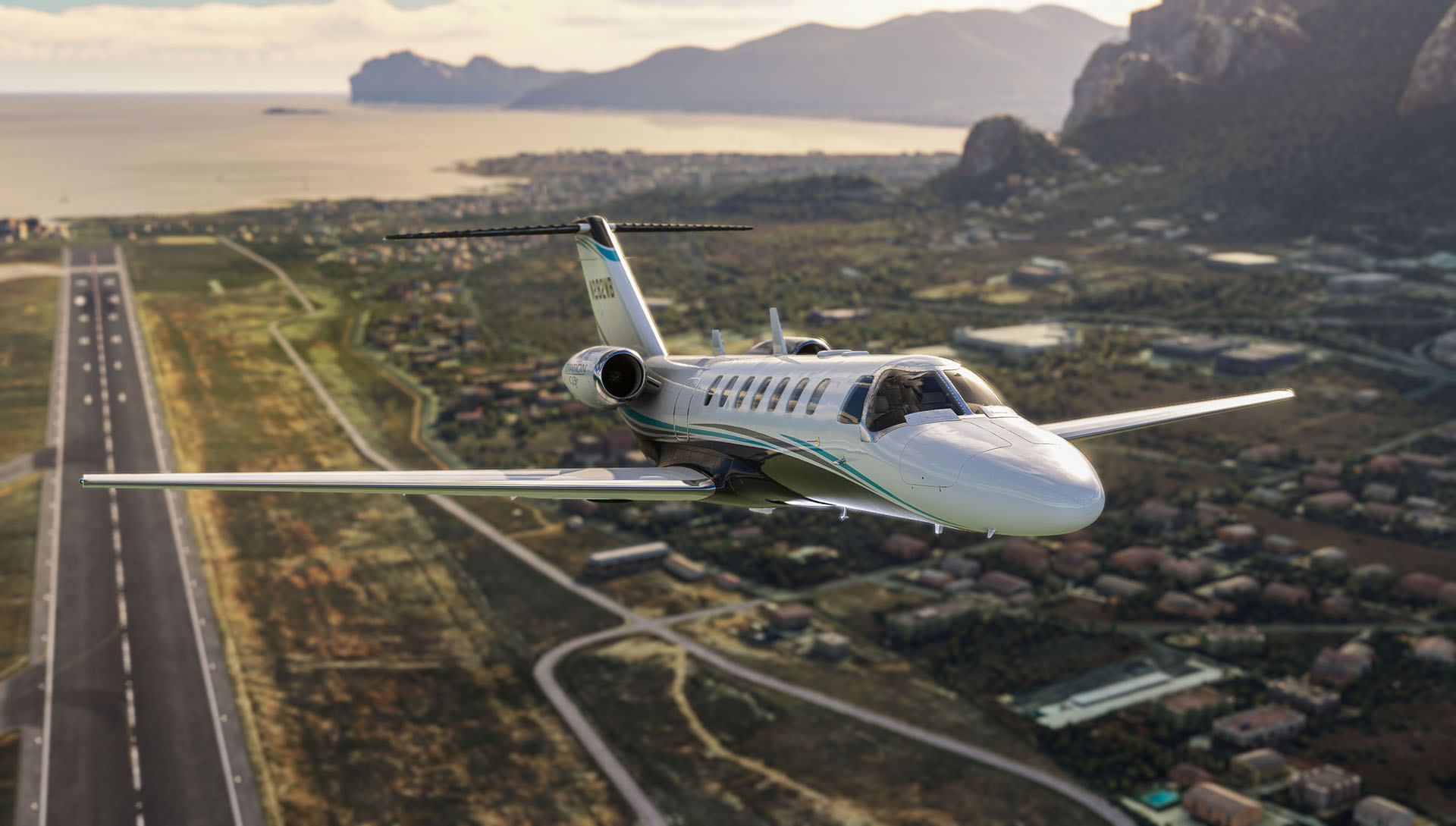
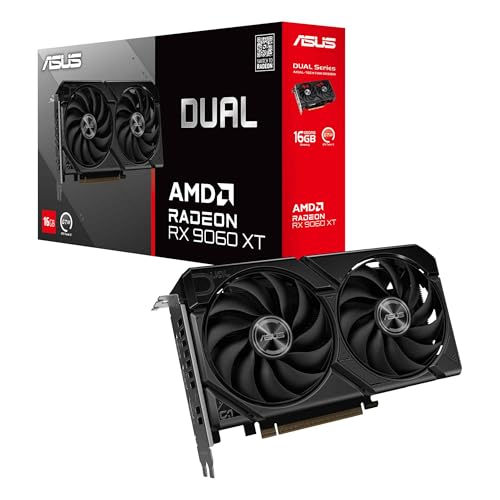


As an Amazon Associate, SimRacingCockpit earns from qualifying purchases. Prices accurate as of 10 Oct 2026 and may change.
Quick Navigation
Jump directly to what you’re looking for:
What MSFS 2024 asks of a GPU |
DLSS and FSR by sim |
Does DLSS blur the cockpit instruments? |
RTX 4090 vs RTX 5090 |
Which GPU do you need for VR flight? |
What about DCS World? |
The cards to buy |
CPU and RAM |
Final thoughts
What MSFS 2024 asks of a GPU
Jarred Walton at Tom’s Hardware found MSFS 2020 typically runs about 30 to 40 percent faster than MSFS 2024, which means a card that flew 2020 nicely can feel stretched in the new one. His test ran on a Ryzen 7 9800X3D with 2x16GB of DDR5-6000, using TAA at 100 percent render scale. TAA is the sim’s own anti-aliasing at native resolution, with no upscaling in play. Bear in mind the test predates the RTX 50 and RX 9000 cards and every MSFS 2024 sim update since.
The card you need for 60 FPS at Ultra climbs a long way with the resolution. At 1080p an RTX 4070 or an RX 7800 XT gets you there. At 4K only the RTX 4090 made it, and Walton said it “barely clears the mark with 61 FPS”. The next best card was the RX 7900 XTX at 51.6. Have a look at the chart below.
At 1440p, 60 FPS at Ultra took an RX 7900 GRE or an RTX 4070 Ti Super and up, with the RTX 4070 Super (56.3) and the RTX 3080 (52.1) falling short. VRAM is the memory on the graphics card itself. In that test the RTX 4060 Ti 8GB and 16GB were basically tied at 1080p and 1440p. At 4K with quality upscaling, though, the 8GB RTX 4060 Ti, RTX 4060 and RX 7600 dropped into a stuttering single-figure mess for a few seconds at a time. So for 4K, and for whatever the next sim updates ask of a card, 16GB is the safe buy.
DLSS, FSR and frame generation in each flight sim
Upscaling renders the sim at a lower resolution and rebuilds the image at your screen’s resolution, which buys back frames. Frame generation goes a step further and inserts generated frames between the ones your GPU actually renders. In MSFS 2024 both have moved on a lot since launch, when NVIDIA cards had DLSS 3 upscaling and frame generation and everyone else had FSR 2 upscaling and no frame generation at all. Sim Update 2 (15 May 2025) added DLSS 4 with Multi Frame Generation, plus FSR Frame Generation, which works on any brand of card. FSR 3 has been the sim’s FSR version ever since. Sim Update 6 (13 Aug 2026) made DLSS 4.5 the default upscaler and added Dynamic Frame Generation. FSR 4 was tried in that update’s beta and pulled before release.
On NVIDIA, DLSS Frame Generation (one generated frame, so 2x) runs on RTX 40 and RTX 50 cards. Multi Frame Generation, which goes to 3x and beyond, is RTX 50 only. DCS World has had DLSS, DLAA (Deep Learning Anti-Aliasing) and FSR 2 since version 2.9 in 2023, but no frame generation yet.
X-Plane 12 has no DLSS and no FSR 2 at all, because both need motion vectors from the renderer, and Laminar Research’s developers said that’s “something X-Plane does not provide”. Motion vectors tell the upscaler how each part of the image is moving from one frame to the next. So X-Plane 12 has FSR 1 only, which the 12.4.4 update (Sep 2026) made a little sharper. The NVIDIA app can’t help either, because its DLSS overrides only upgrade DLSS a sim already has. NVIDIA’s Smooth Motion adds driver-based frame generation on RTX 40 and 50 cards, but neither DCS nor X-Plane is on its list of compatible titles. OpenXR Toolkit was discontinued in 2024 and never supported X-Plane 12.
Does DLSS blur the cockpit instruments?
The cockpit instruments are the hardest test for an upscaler. They’re small, high-contrast numbers that keep changing, and that’s where a rebuilt image starts to smear. Mark at SimHanger Flight Simulation went through each mode at 4K in March 2025, with native TAA as his reference. DLSS Quality smeared the cockpit numbers less than it used to, but the smearing was still there.
TAA with 2x frame generation turned out to be the clearest of the boosted modes. He called the artefacts nominal and found it clearer than DLSS, with little if any smearing on the numbers compared with plain TAA. DLSS with 2x frame generation was another story. He saw a “fairly sizable and significant drop off in Clarity”, and the numbers went fuzzy and smeared. At 3x or 4x Multi Frame Generation he rated the image quality as very poor overall, and in his opinion the penalties in the cockpit outweigh any benefit.
So if you want more frames without fuzzy instruments, start with TAA and 2x frame generation, which on an RTX 40 or 50 card is DLSS Frame Generation. On any other card, MSFS 2024 has FSR Frame Generation instead, but Mark only tested NVIDIA’s. Multi Frame Generation on the RTX 50 cards came off worst of everything he tried. His test dates from March 2025, before Sim Update 6 made DLSS 4.5 the default upscaler, so the DLSS he judged was DLSS 4.
On an RTX 4090 you only get 2x frame generation. It makes the picture smoother, but the aircraft doesn’t respond any faster, because your inputs still run at the rendered frame rate. It’s most useful when the CPU is the limit, because that’s when upscaling barely adds any frames. Anything above your monitor’s refresh rate is wasted, though. It does add a little input latency, but a flight sim isn’t a fast shooter, so that’s fine. Reflex, which is NVIDIA’s low-latency technology, comes built into the sim’s DLSS Frame Generation. Any artefacts tend to show on propellers and jet engine animations. I go with what the reputable sources agree on, so that’s how I run frame generation on my 4090. In VR, frame generation in MSFS 2024 currently comes from a community mod, not the sim’s own setting. That mod is OFXR Bridge, which its developer still calls experimental.
RTX 4090 vs RTX 5090 in MSFS 2024
SimHanger’s Mark also put the RTX 5090 against the RTX 4090 in MSFS 2024, on an Intel i9-14900K with 64GB of RAM at 6,400 MHz (Wired2Fire, a UK PC specialist, loaned him the 5090). At 4K Ultra with TAA and no frame generation, the 5090 averaged 62 FPS to the 4090’s 50, a 24 percent uplift. At 1440p the gap shrank to 8 percent, 64 against 59, and he said the 5090 “will only stretch its legs” at high resolution.
The biggest gap came at 4K with TAA and 2x frame generation on both cards, where the 5090 was 34 percent ahead. With DLSS Quality at 4K, the difference disappeared altogether. Mark’s reading was that some CPU bottlenecking was probably holding the 5090 back.
The 5090 also drew about 100 W more than the 4090 at 4K. On upgrading from a 4090, Mark said “personally I’m not convinced”. On 10 Oct 2026 the 5090 was only on Amazon from third-party sellers, at $6,499.99 and up, against a $1,999 launch price. If you already own an RTX 4090 and fly on a flat screen, keep it. A 24 percent gain at native 4K that disappears once DLSS is switched on isn’t worth that kind of money.
Which GPU do you need for VR flight?
VR is the hardest job you can give a GPU in a flight sim. The Pimax Crystal Super runs 3840 x 3840 pixels per eye, and Pimax puts it at 29 million pixels, 3.5 times the resolution of a 4K monitor. PPD (pixels per degree) is how much detail lands in each degree of your view. The Crystal Super’s 57 PPD engine uses QLED and Mini-LED panels with local dimming. Pimax’s top GPU tier for it, Best Experience, starts at the RTX 4070 Ti and the RX 7900 XT. On an RTX 4090 rig, Pimax quotes 80-90 FPS in most DCS scenarios with its own optimised settings, quad views foveated rendering included. In its survey of more than 600 owners, around 80 percent ran an RTX 5090 or an RTX 4090.
For MSFS 2024 in VR, Corsten’s Hangar (as reported on Pimax’s blog) found the RTX 5090 28 percent faster than the RTX 4090 with TAA and 20 to 22 percent faster with DLSS 4, on a Quest 3. A headset with fewer pixels asks less of the card, and the Bigscreen Beyond 2 has about 44 percent of the Crystal Super’s pixels.
If you fly on a Quest 3, Meta’s Horizon Link recommends an RTX 20-series or RX 6000-series card, and Intel Arc isn’t supported. Maraksot78 ran MSFS 2024 in VR on a Quest 3 at Ultra with TAA, and the RX 9070 XT beat the RTX 5070 Ti over repeated runs, even though the 5070 Ti was 12 percent faster across his ten VR games. If you haven’t bought a headset yet, the Pimax Crystal Super is in the table below, on its own and in Pimax’s Mirage F1 add-ons bundle.
Pimax discount codes: use SIMRACINGCOCKPIT for 2% off, or SIMRACINGCOCKPIT25 for $25 off, at pimax.com.
My own headset is the Dream Air, which I run on my 4090 through Pimax Play 2.0. For flight, my verdict is that it has to be the Pimax Crystal Light for the superior FOV (field of view), if the widest, most open scenery on a very high powered machine is your goal, with the Crystal Super 57 PPD as my second choice. The Dream Air is actually a great bit of all round kit for both flying and racing if you like to generally game. I’m not feeling limited by my Dream Air at all and it transfers between the two well. The reduced vertical view in the Dream Air is the limiting factor, which is why the original Crystal units with the higher FOV are the better choice for flight sim.
What about DCS World?
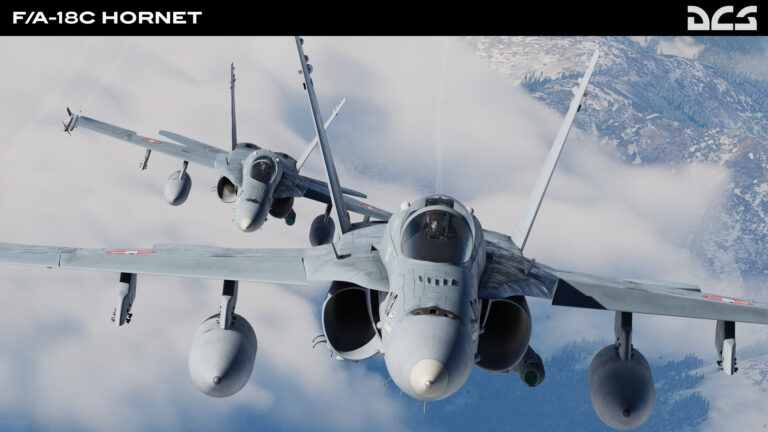
DCS World is already in decent shape for upscaling, and Eagle Dynamics updated its DLSS files again in 2.9.16 in May 2025. There’s no frame generation in any DCS 2.9 build up to 2.9.30 (6 Oct 2026), and Eagle Dynamics’ 2026 roadmap ties it to the Vulkan renderer, which it says is in late-stage development.
Until that arrives, DCS leans on raw GPU power, and in Pimax’s Crystal Super survey 57 percent of the DCS players were on an RTX 5090. For memory, Eagle Dynamics asks for 16GB of RAM as a minimum and recommends 32GB, or from 32GB for VR.
The cards to buy for MSFS 2024 in 2026
No launch price has officially changed, but on 10 Oct 2026 every card here cost more on Amazon than its launch price, the RTX 5080 by $641 and the RTX 5070 Ti by $481.
The 1080p pick is the RX 9060 XT 16GB. In Tom’s Hardware’s test 8GB was fine at 1080p, but 8GB cards such as the RTX 4060 stuttered at 4K with quality upscaling, so a 16GB card leaves room for a move up in resolution. It was $529.00 on Amazon on 10 Oct 2026. The RTX 5060 Ti 16GB is the NVIDIA alternative, but at $786.37 on the same day it costs a lot more. Neither card was in Tom’s Hardware’s December 2024 or March 2025 MSFS 2024 tests. The Arc B580’s only new Amazon listing was out of stock on 10 Oct 2026, and Meta’s Horizon Link doesn’t support Intel Arc, so don’t go chasing one.
The RX 9070 XT is the one to buy for 1440p. In Tom’s Hardware’s March 2025 numbers it managed 90.9 FPS at 1440p Ultra and 54.7 at 4K Ultra, ahead of both the RTX 5070 Ti and the RTX 5070. On 10 Oct 2026 it was cheaper than the RTX 5070 on Amazon too. Choose the RTX 5070 if you want DLSS 4.5, but it ran 60.4 at 1440p Ultra in the same test, about 30 FPS behind the RX 9070 XT. The RX 9070 GRE is the new, cheaper option with 12GB, though it isn’t in that March 2025 test or the December 2024 one.


As an Amazon Associate, SimRacingCockpit earns from qualifying purchases. Prices accurate as of 10 Oct 2026 and may change.
For 4K and VR, go with the RTX 5080, for its 16GB and DLSS 4.5. The 5080 wasn’t in Tom’s Hardware’s March 2025 chart, though, so the case for it rests on the spec rather than a benchmark. The RTX 5090 and RTX 4090 are what most Crystal Super owners in Pimax’s survey were running, but on 10 Oct 2026 Amazon only had them from third-party sellers, with the 4090 at about $4,499. If the 5080 is more than you want to spend, the RTX 5070 Ti below has the same 16GB for less.

As an Amazon Associate, SimRacingCockpit earns from qualifying purchases. Prices accurate as of 10 Oct 2026 and may change.
CPU and RAM for MSFS 2024
My rule for a sim PC is to buy for the GPU. A recent CPU is enough, because the graphics card is the constraint. Tom’s Hardware’s CPU testing backs that up at high settings. At 1080p Medium the Ryzen 7 9800X3D was 59 percent faster than an i9-12900K with an RX 7900 XTX, but at 4K Ultra the four CPUs tested sat within 1.5 percent of each other on that card and within 8 percent on the RTX 4090. Walton later found the 2024 release “tends to be more forgiving to Intel CPUs”. For RAM, Microsoft’s own specification for MSFS 2024 gives 16GB as the minimum, 32GB as recommended and 64GB as ideal.
Ozzy Safa‘s advice after a sim update is to clear the shader cache. The shader cache holds compiled graphics code so it doesn’t have to be built again. On NVIDIA cards, head to Graphics > Global settings > Shader cache in the NVIDIA App, and on other cards run Windows Disk Cleanup and choose DirectX Shader Cache. He deleted the rolling cache before updating too. That’s a different file, 16GB by default, where the sim keeps the world data it has already downloaded while you fly. On PC you clear it by deleting ROLLINGCACHE.CCC with the sim closed.
Final thoughts
If you only buy one card for MSFS 2024, make it the RX 9070 XT. It was $814.99 on Amazon on 10 Oct 2026, and its 16GB is the safe amount for 4K. If you’re still putting the rest of the setup together, the flight simulation guide is the place to start, and the VR headsets for flight simulation guide covers the headset side. Racing as well as flying? The sim racing graphics card guide and the gaming PC guide deal with the rest of the PC, and the force feedback for flight sims guide and the MOZA AB9 review cover the controls. Happy flying!
Related Articles
The Best VR Flight Games and Sims
Best Throttle for Flight Simulator 2026: MOZA, Honeycomb, Thrustmaster, WinCTRL Compared
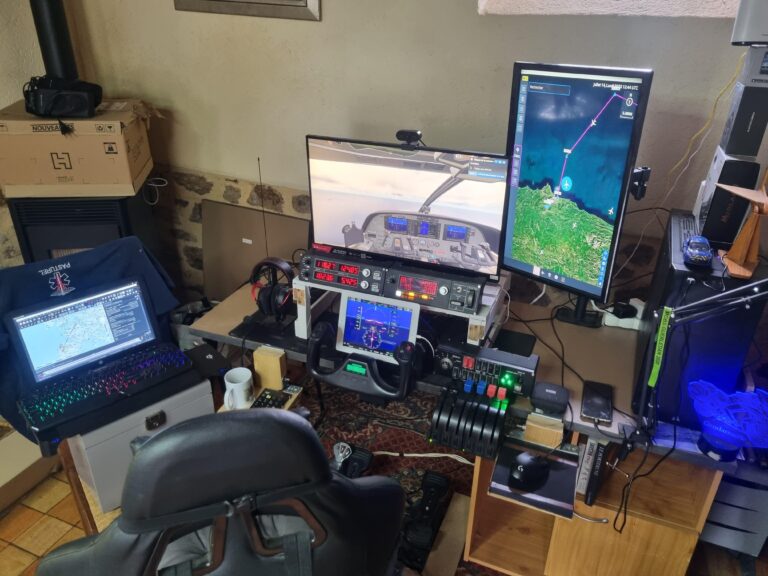
MOZA AY210 + MFY Yoke Review: The Autopilot-Moves-the-Yoke Setup That Earns Its $848
Force Feedback for Flight Simulation: What It Is, What It Costs, and When You Should Spend on It (2026)
MOZA AB6 vs AB9: Which Force Feedback Flight Base Should You Buy in 2026?
MOZA AB6 Review: Budget Force Feedback Flight Stick Bundle
Topic: Flight Simulation