

I’m a sim racer and amateur racer with a passion for Motorsport, good racecraft and the technical and setup aspect of sim racing.
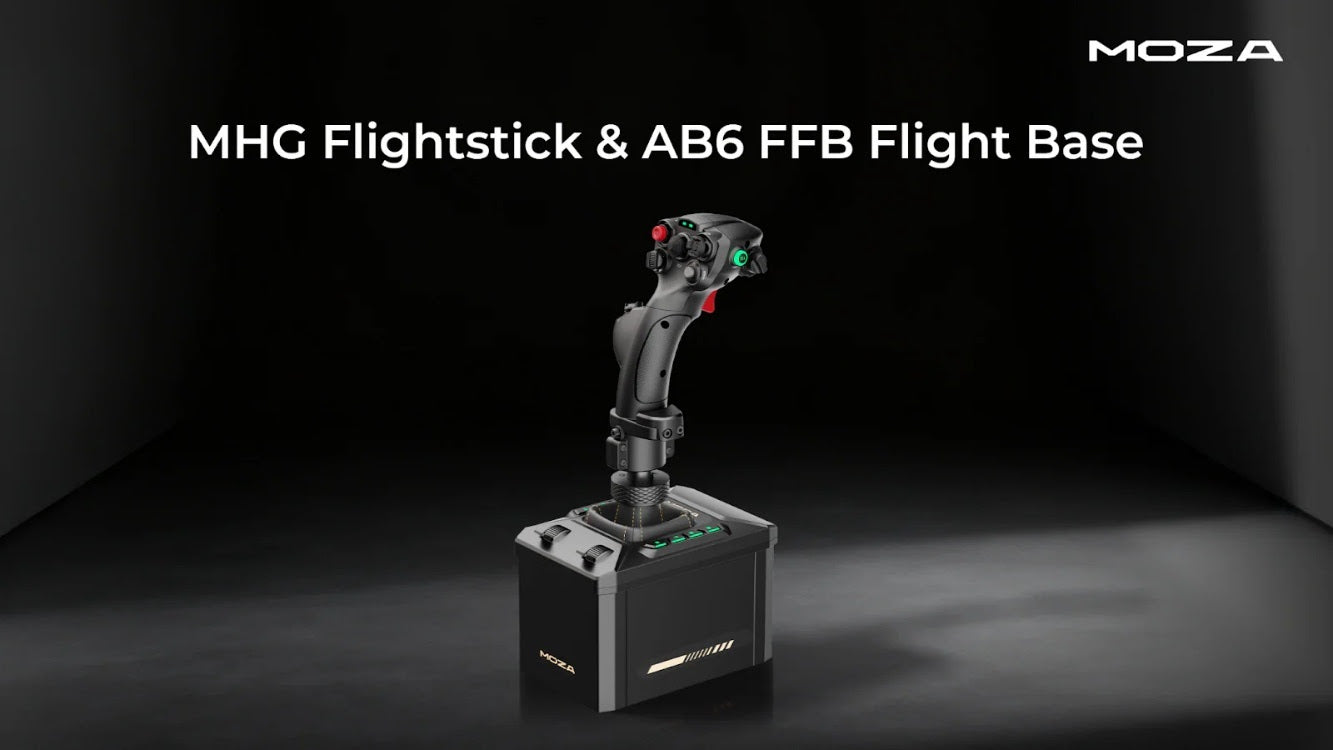
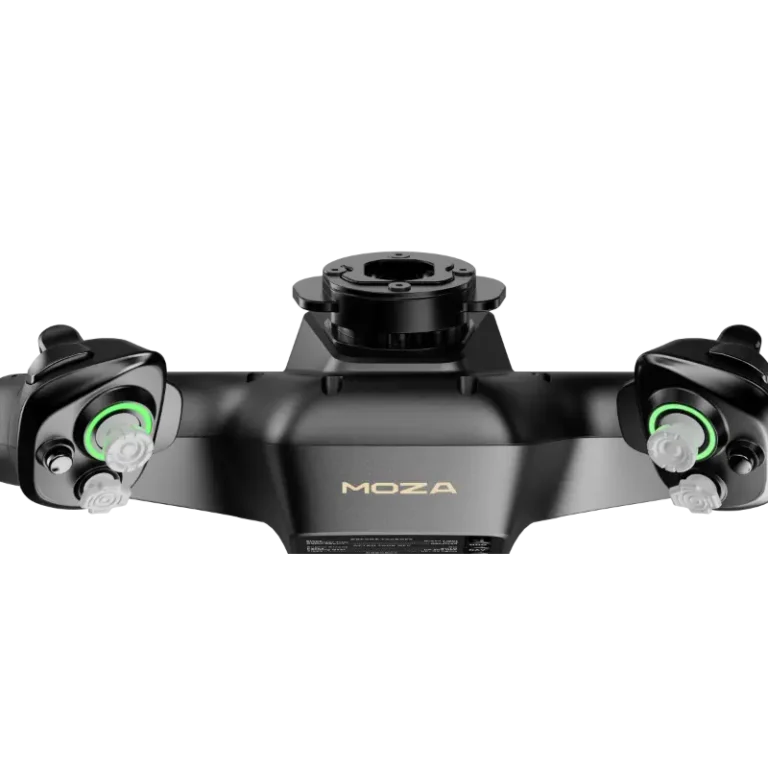
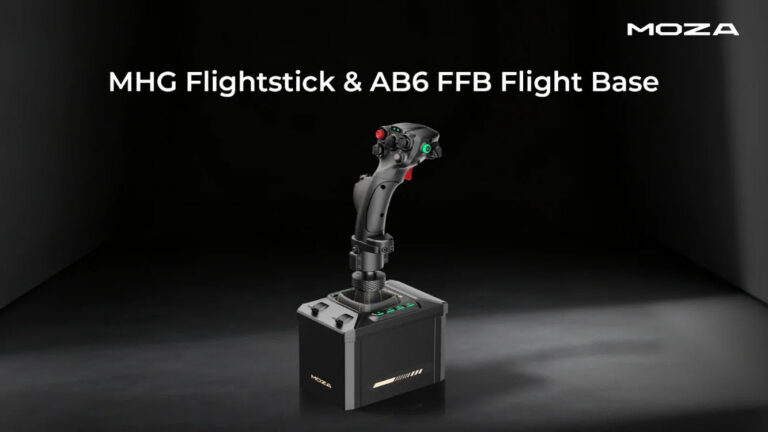
Featured image: the MOZA MHG Flightstick on the AB6 FFB Flight Base (image: MOZA Racing)
I’ve got a MOZA AB6 with the MHG grip on my bench for review, and it’s just so impressively built. The software ecosystem behind it is really mature, too. MOZA’s US store had the base, the MHG stick and a desk clamp at $399 on 2 October 2026, and that’s $248 less than an AB9 with the same stick and a MOZA clamp. Four of the five YouTube reviewers who’ve flown one recommend it, and MYSH would too if the retail units are smooth – his were pre-production. The catch three of them felt is a faint, gear-like texture in small corrections.
I fly MSFS 2024 and DCS myself, but the flying impressions of the AB6 here come from five YouTube reviewers, G-LOC MEDIA, laubox, MYSH, C.W. Lemoine and AirNOTT. MOZA sent four of them their review units, and laubox doesn’t say how he got his.
Moza discount code: use SIMRACINGCOCKPIT at checkout for 3% off at mozaracing.com.
Quick Navigation
Jump directly to what you’re looking for:
What is the AB6? |
Build and clamp |
How does it feel? |
The MHG grip |
Buttons and sliders |
MOZA Cockpit |
Which games? |
AB6 or AB9? |
Pros and cons |
Final thoughts
What is the MOZA AB6?
The MOZA AB6 is a force feedback flight stick base with two servo motors. Force feedback (FFB) means the motors push back through the stick, so it centres itself, gets heavier with airspeed and shakes in the buffet. MOZA rates it at 4.4 Nm continuous on the roll axis and 6 Nm peak combined, and it’s PC only. The base has eight RGB-backlit buttons and two analogue sliders, and it takes all MOZA flight sticks. MOZA builds the effects from telemetry, the data the sim sends out, with no plugin required. If FFB is new to you, start with force feedback for flight sim explained.
MOZA is owned by Gudsen, and they’re a deceptively large company. So they’re capable of iterating on their range at quite an alarming pace, and the kit is really inexpensive, I think, because of the economies of scale Gudsen can deliver.
| Spec | MOZA AB6 |
|---|---|
| Motors | Two servo motors, outrunner design |
| Continuous torque (roll axis) | 4.4 Nm |
| Peak torque (combined) | 6 Nm |
| Travel | ±20° roll, ±17° pitch |
| Encoder | 15-bit magnetic |
| USB polling rate | 1000 Hz |
| Power | 72 W |
| Housing | Aluminium alloy (MOZA) |
| Size and weight | 188 x 123 x 163 mm, 2.95 kg |
| Base controls | 8 RGB-backlit buttons, 2 analogue sliders |
| Stick in the bundle | MHG: carbon-fibre-reinforced composite, two-stage trigger, Hall-effect hat, mini-stick and lockable twist, 395 g |
| Other sticks | All MOZA flight sticks; select third-party sticks |
| Mounting | Desk clamp (included), baseplate (sold separately), direct hard mount |
| Platform | PC only |
| Sims (MOZA’s list) | MSFS 2024 and 2020, X-Plane 12/11/10, DCS, IL-2, War Thunder, Star Citizen |
Build, size and the desk clamp
The MOZA AB6 is much smaller than the AB9, as G-LOC MEDIA, MYSH and AirNOTT all found, and MYSH says it’s a lot lighter, too. The AB9 was too big to mount sideways in C.W. Lemoine’s DOF Reality motion rig, and he found the AB6 “the right size”. MYSH and G-LOC MEDIA describe a metal body with a plastic top, which MYSH puts down to saving weight and cost. laubox calls it “a full metal construction”, and MOZA’s product page says aluminium alloy and high-strength steel.
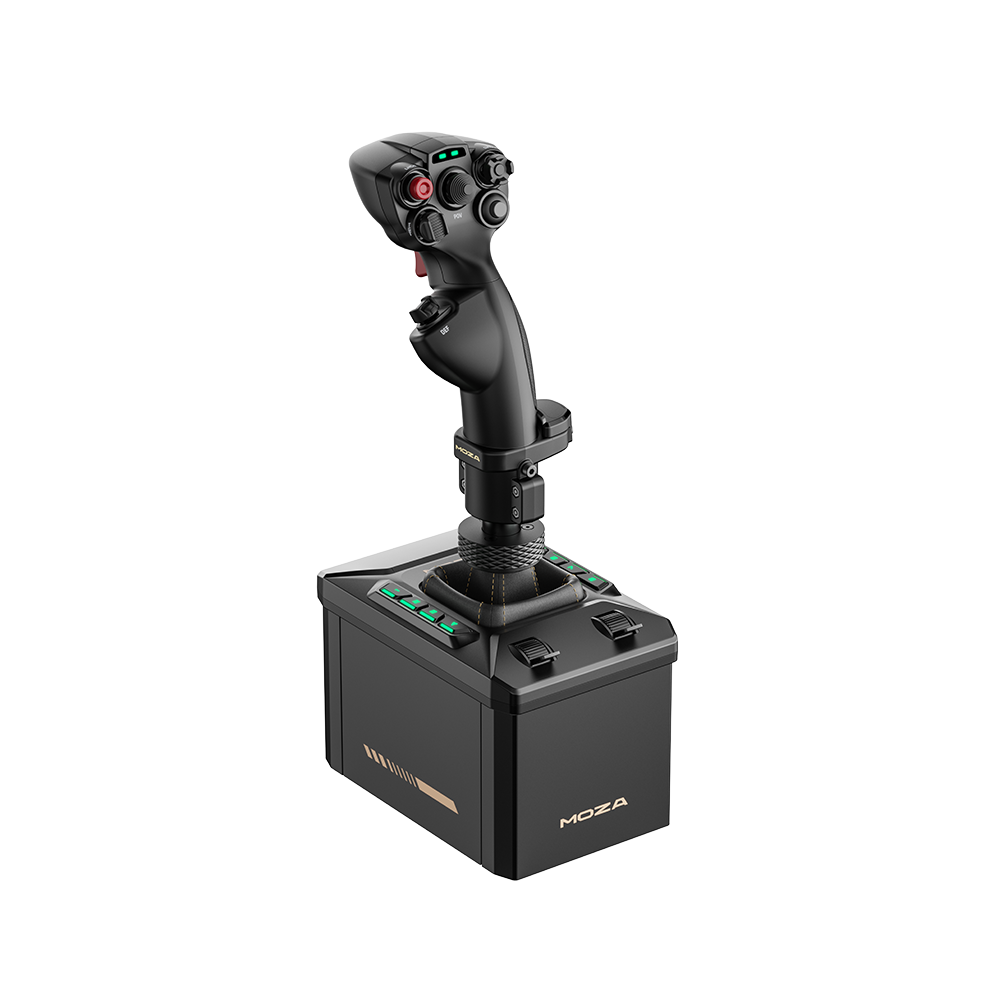
AirNOTT, laubox and MYSH all like the desk clamp, and MYSH says the double clamp holds the base firmly. For laubox it’s “very sturdy. It doesn’t move at all.” AirNOTT calls it “excellent”, with the stick lower and further out than his desk-mounted AB9, closer to a real Airbus sidestick. G-LOC MEDIA thinks it’s “a bit average”. The cables come out of the back, so the base has to sit a long way out on the clamp, and he reckons some of the force feedback is lost into it. For the price, though, he still calls it “absolutely adequate”.
MOZA’s guide says a slight flex in the desk mount under high force is normal, and that you should mount the base straight to a rig if you want it fully rigid.
How does the force feedback feel?
Three of the five reviewers felt some cogging in the MOZA AB6. Cogging is a faint, notchy, stepped texture you feel through the stick in small movements. G-LOC MEDIA calls it “a muted cogging” in both axes, a bit like a Logitech G29 wheel “but smoother and finer”. AirNOTT gets “a grindy, tickly sensation” in small adjustments, and on an Airbus final approach “you can almost feel the teeth of the gears”. MYSH felt “a bit of stepping from the motors, especially in the X-axis” on his pre-production units, while C.W. Lemoine didn’t feel it around the centre at all.
G-LOC MEDIA and AirNOTT both say it fades in big inputs, like fighter manoeuvring or the rotation on take-off. AirNOTT doesn’t see it as a dealbreaker, though it does “take away from the immersion” if you’re after a hyper-real Airbus. MOZA includes a Cogging Torque Calibration step in MOZA Cockpit, but none of the five reviewers mentions it.
G-LOC MEDIA says there’s “enough grunt” if you’re new to force feedback, but the heavy forces of a warbird or a GA (general aviation) aircraft favour the AB9. C.W. Lemoine found the AB6 didn’t really reproduce the heaviness of the OH-6, but he had “plenty of force” in the Tomcat. MYSH says the experience is “around the same as with the AB9, just toned down a little bit”, and he still feels stalls before they happen and the controls tightening in a dive.
The MHG grip
The MOZA AB6’s MHG grip has a carbon-fibre-reinforced composite body and weighs 395 g, according to MOZA. It has a two-stage trigger, so a half pull and a full pull can do different jobs. The hat, the mini-stick and the lockable twist axis are all contactless Hall-effect.
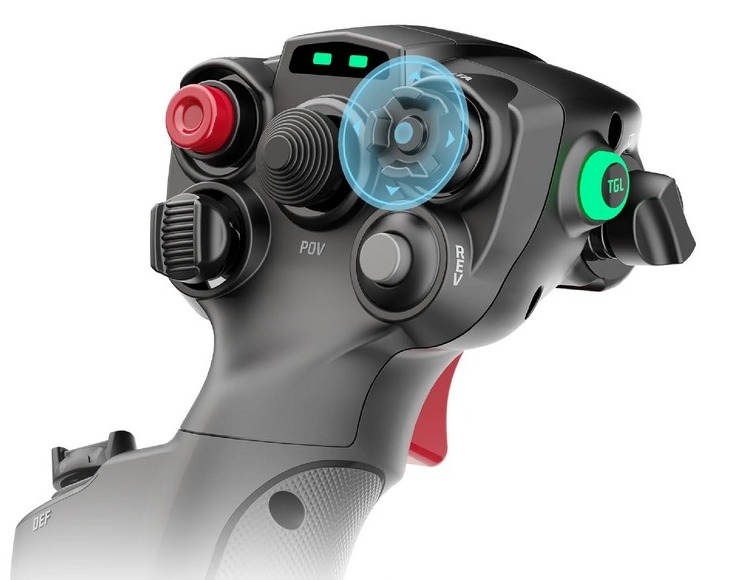
AirNOTT calls it “a very solid plastic. Not cheap at all, but definitely plastic.” G-LOC MEDIA rates it “slightly above average”, with buttons and a trigger that “punch above their weight”, but he and MYSH both point out there’s no brake lever.
G-LOC MEDIA finds the weight of the twist “just right”, and it locks off with the two screws at the base of the stick. MYSH says the twist bleeds into the other axes, and the centred mini-stick and the upper-right hat both need a big bend of the thumb. He also points out that the grip is held on by three bolts that take a proprietary hex key, so lose the key and you’re stuck. Once it’s fitted, it sits “rock solid”. AirNOTT wishes MOZA offered the MA3X Airbus grip as a bundle option.
The base buttons and sliders
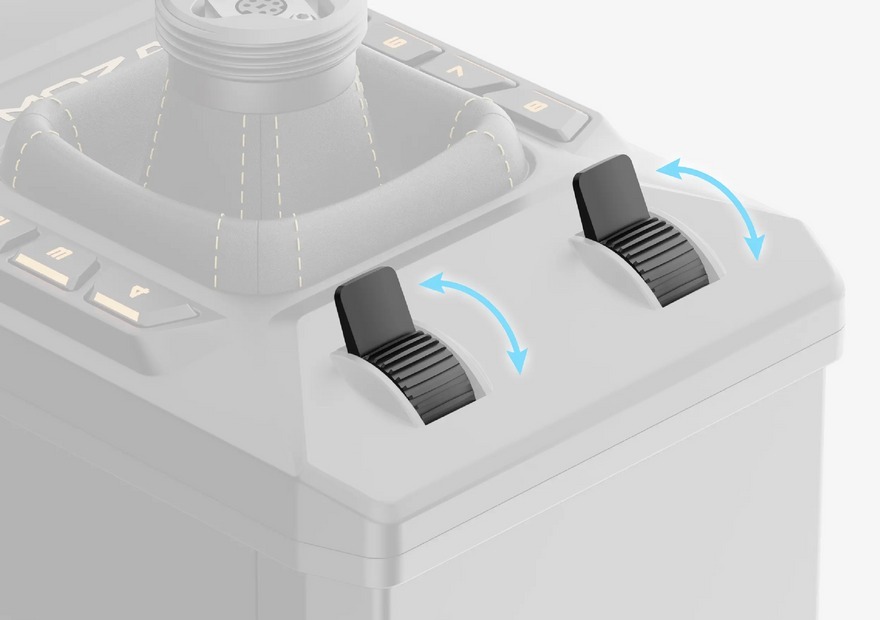
The MOZA AB6 base has eight RGB-backlit buttons on top, four either side of the grip mount as MYSH counts them. On the front are two analogue sliders, which MOZA suggests for the throttle, the airbrake or the camera view. For laubox they run the RPM, the airbrake and the camera, and he calls them “incredibly handy”.
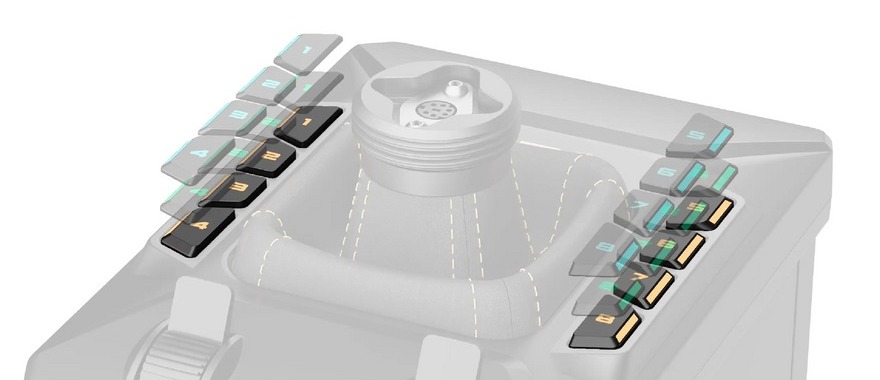
G-LOC MEDIA found the sliders “unbelievably smooth with a bit of weight to them”, and good for FOV (field of view) and zoom. MYSH says they work “absolutely fantastic” for twin engines or a wheel brake, but he found them “quite loose”, which made landing a Bf 109 in turbulence harder. In his view they “will never replace a dedicated throttle unit”. If you already own a throttle, G-LOC MEDIA and AirNOTT both reckon you may not use them.
MOZA Cockpit software
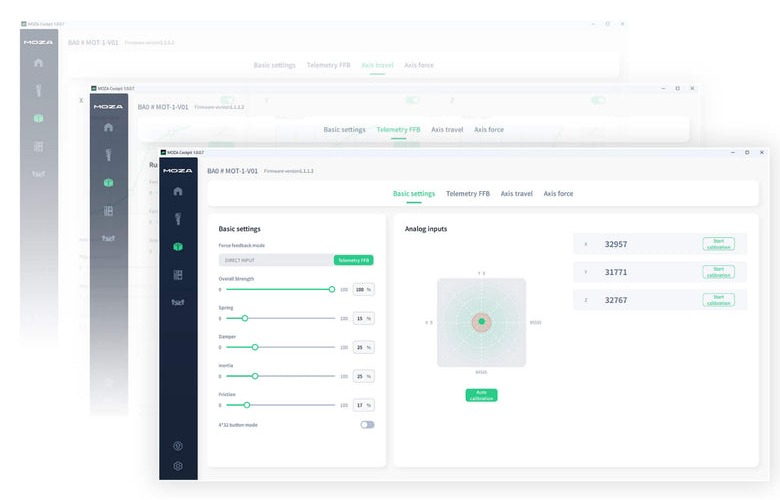
The MOZA AB6 is set up in MOZA Cockpit, which is a separate app from MOZA Pit House, the racing software. AirNOTT calls it “MOZA’s secret weapon”, because one click switches the profile from an Airbus to a Cessna, a helicopter or a warbird. MYSH finds it “stable and super intuitive”. laubox likes the “?” tooltip on every option and the setting that makes the stick follow your in-game trim, while G-LOC MEDIA found it deep enough to take “a few good hours” to learn.
C.W. Lemoine found the software “a little cumbersome” when he reviewed the AB6 in June 2026. It only had MSFS 2020 profiles then, so in MSFS 2024 you started from a blank profile or imported a 2020 one. He also turned off the helicopter stick shake, which was far too strong by default.
MYSH resets the base without the grip fitted so it runs its self-check and auto calibration, then fits the grip. He sets max torque and overall intensity to 100%, because the AB6 “doesn’t have too much power to begin with”, and then runs the spring at 60%, inertia at 15% and friction at 0%.
Which games work with the AB6?
MOZA lists MSFS 2020 and 2024, X-Plane, DCS, IL-2, War Thunder and Star Citizen for the AB6. MYSH runs it in integrated mode, which mixes the game’s own force feedback with telemetry, and G-LOC MEDIA points out that what you feel depends on what each game sends out.
DCS helicopters and force trim are where it earns its keep, according to C.W. Lemoine and laubox. Force trim means the stick stays where you trimmed it, the way a helicopter’s does. When laubox trims the F-14 or the Kiowa, the physical stick moves with the trim. C.W. Lemoine says the P-51 is “where it shines”, and in the Tomcat it stops him pulling through the buffet. DCS 2.9.29 added MOZA default profiles for the F/A-18, F-16C, AH-64D and F-15C.
In MSFS, G-LOC MEDIA likes the buffeting, autopilot and trim effects, and AirNOTT flew the Fenix A319 in MSFS 2024 on V1 Simulations’ community Airbus profile. MYSH flew the Kodiak in MSFS 2024 and a Bf 109 in IL-2. Nobody tested X-Plane beyond a passing mention. With MOZA’s optional Active Shifter Knob, the AB6 also has an Active Shifter mode, set up in MOZA Pit House.
AB6 or AB9?
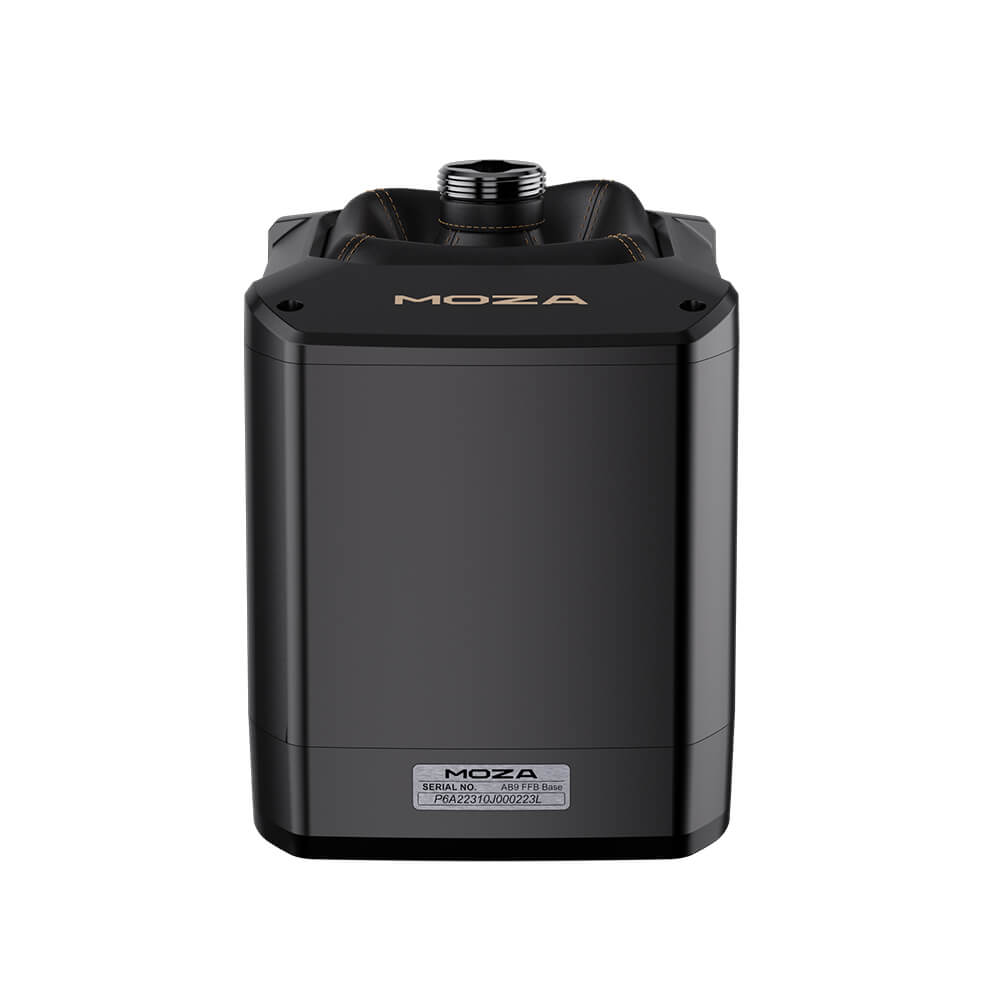
The MOZA AB9 makes 12 Nm peak, double the AB6’s 6 Nm, and 9 Nm constant in one direction. MOZA’s FAQ says the AB9 has “no gear sensation” and works with the Z-Axis module and the AY210 yoke, but it points you to the AB6 if you want the buttons and sliders built into the base for less money. On MOZA’s US store on 2 October 2026, the AB9 was $499 for the base alone. Add the MHG at $99 (or the MH16 at $149) and the $49 Flight Base Table Clamp, and it comes to $647, against $399 for the AB6 with the MHG and a clamp.
AirNOTT owns an AB9 and says it’s “smoother, it’s stronger, and it’s more refined”. There’s more in the AB9 review and the AB6 vs AB9 comparison, and the AB9 sits in the table below.
Pros and cons
Pros
- The MHG stick and a desk clamp come in the bundle
- Compact base with a metal body
- Eight buttons and two sliders on the base itself
- MOZA Cockpit switches profiles per aircraft
- Force trim moves the physical stick in DCS
- Takes MOZA’s other flight sticks
Cons
- Faint cogging in small corrections (G-LOC MEDIA, AirNOTT, MYSH)
- Less torque than the AB9 for heavy aircraft
- No brake lever on the MHG
- The clamp can flex on a weak desk
- PC only
Final thoughts
So is the MOZA AB6 the way into force feedback? For four of the five reviewers, yes. G-LOC MEDIA calls it a “solid effort” and at this price couldn’t recommend a standard stick over it, because “it’s just too much fun”. laubox says he can’t fly without force feedback any more, and C.W. Lemoine calls it “an absolutely awesome entry-level stick”, best for helicopters and stick-and-rudder flying. AirNOTT reckons it’s a good deal, but he still thinks the AB9 is better. His advice is to choose by the aircraft you fly and how you fly them, because the notches show most in precise Airbus flying. MYSH calls it “a purchase you probably won’t regret” if the retail units are smooth.
Prices move, so check what it says at the checkout rather than trusting a figure in an article, including mine!
If you’re still building out the rest of the cockpit, the flight stick and HOTAS guide and the flight VR guide are the next reads. Happy flying, and let me know how you get on!
Related Articles
The Best VR Flight Games and Sims
Best Throttle for Flight Simulator 2026: MOZA, Honeycomb, Thrustmaster, WinCTRL Compared
MOZA AY210 + MFY Yoke Review: The Autopilot-Moves-the-Yoke Setup That Earns Its $848
Force Feedback for Flight Simulation: What It Is, What It Costs, and When You Should Spend on It (2026)
MOZA AB6 vs AB9: Which Force Feedback Flight Base Should You Buy in 2026?
MOZA AB6 Review: Budget Force Feedback Flight Stick Bundle
Topic: Flight Simulation