

I’m a sim racer and amateur racer with a passion for Motorsport, good racecraft and the technical and setup aspect of sim racing.
Force feedback transformed sim racing five years ago, and it’s quietly doing the same thing to flight simulation right now. If you’ve ever felt a direct drive wheel base react to a tyre breaking traction on a wet kerb, you already know what FFB is and why it matters. The question for flight is whether the same principle – a motor pushing back against your hand with the forces an aircraft would generate in real life – is worth the price of admission for an A320 on ILS at Innsbruck or a Hornet pulling into a high-G turn at Nellis. Short answer: in 2026, finally, yes. Long answer below, including when it isn’t, what the four-or-five contenders actually do differently from each other, and how to think about the spend.
Quick Navigation
What force feedback is |
Why it matters for flight specifically |
What flight sims support it properly |
The 2026 FFB landscape |
Software and profiles |
When you should NOT spend on FFB |
The decision tree
What force feedback is
The textbook definition: a closed loop between the simulator’s physics engine and a motor in your control device, where the motor pushes back against your hand with the same forces an aircraft (or car) would generate in real life. The mechanical translation. The reason a real Cessna’s yoke gets heavier as airspeed builds and lighter as it drops, and the reason a fighter jet’s stick fights you as you load up the G in a turn. Spring centring – which is what every non-FFB stick and yoke does – gives you a constant resistance toward centre regardless of what the aircraft is doing. FFB gives you variable resistance based on what the aircraft is doing right now.
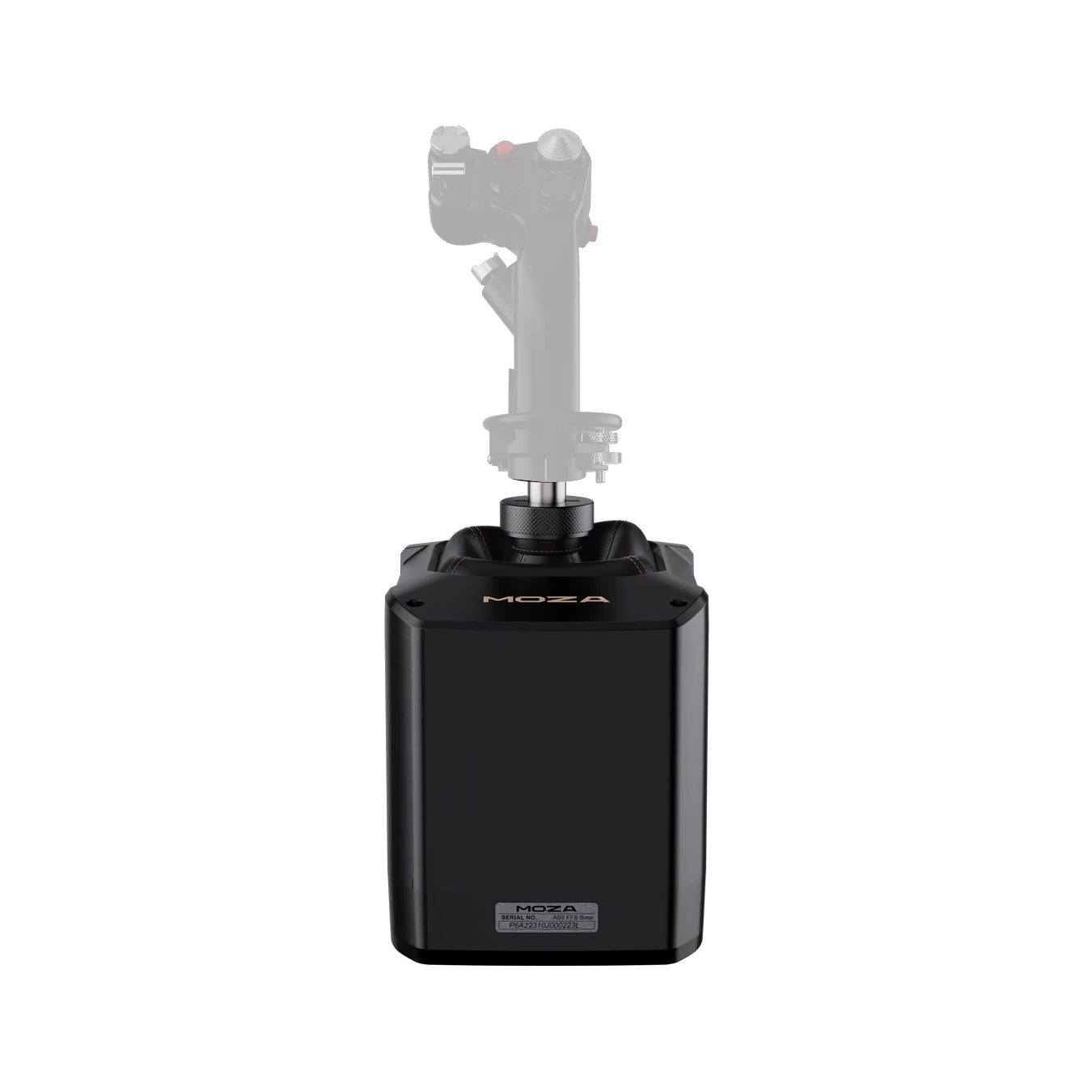
The difference, the first time you feel it, is surprising. You take off in an A320 on a non-FFB yoke and the stick feel doesn’t change from rotation through cruise. You take off on an AB9-driven yoke (or the MOZA MFY directly) and the elevator goes from very light at low airspeed to firm by 200 knots, the rudder loads up as the engines spool, and when you trim out the climb the yoke physically moves and finds its new neutral. The information channel through your hands becomes a third instrument in the cockpit alongside the airspeed indicator and the altimeter. Sim racers who switched from a Logitech G29 to a 12Nm direct drive know exactly what this transition feels like. Same brain rewiring.
FFB isn’t the same as “rumble” or “vibration effects”. Those are open-loop canned haptics – the device buzzes when something happens, without any real connection to the physics. A controller’s rumble motor when you crash into a wall is canned. FFB is the motor pushing your stick to a specific position because the aerodynamic forces would put it there. Two different things, often confused.
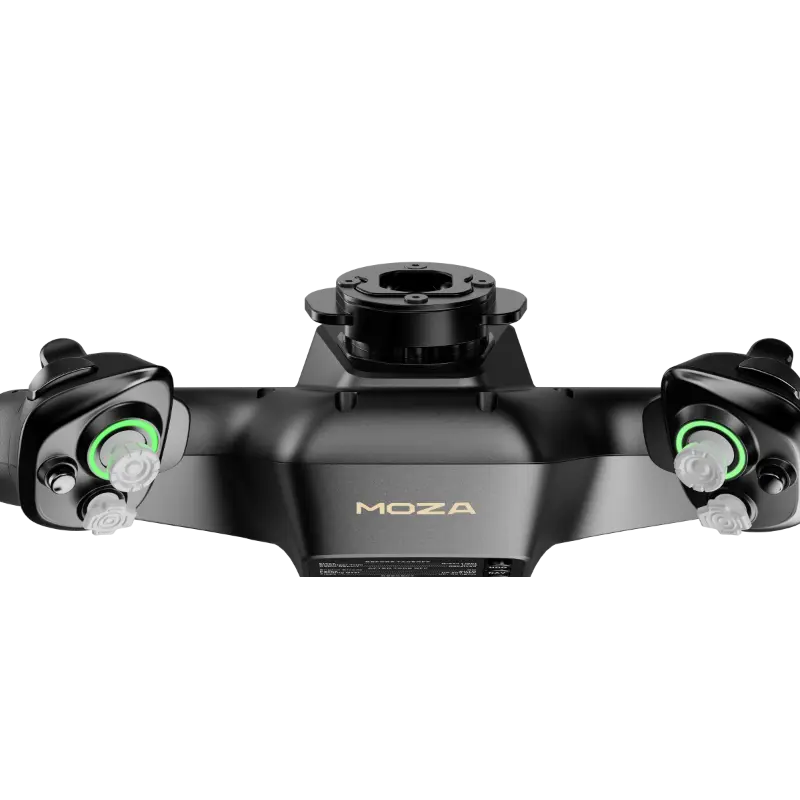
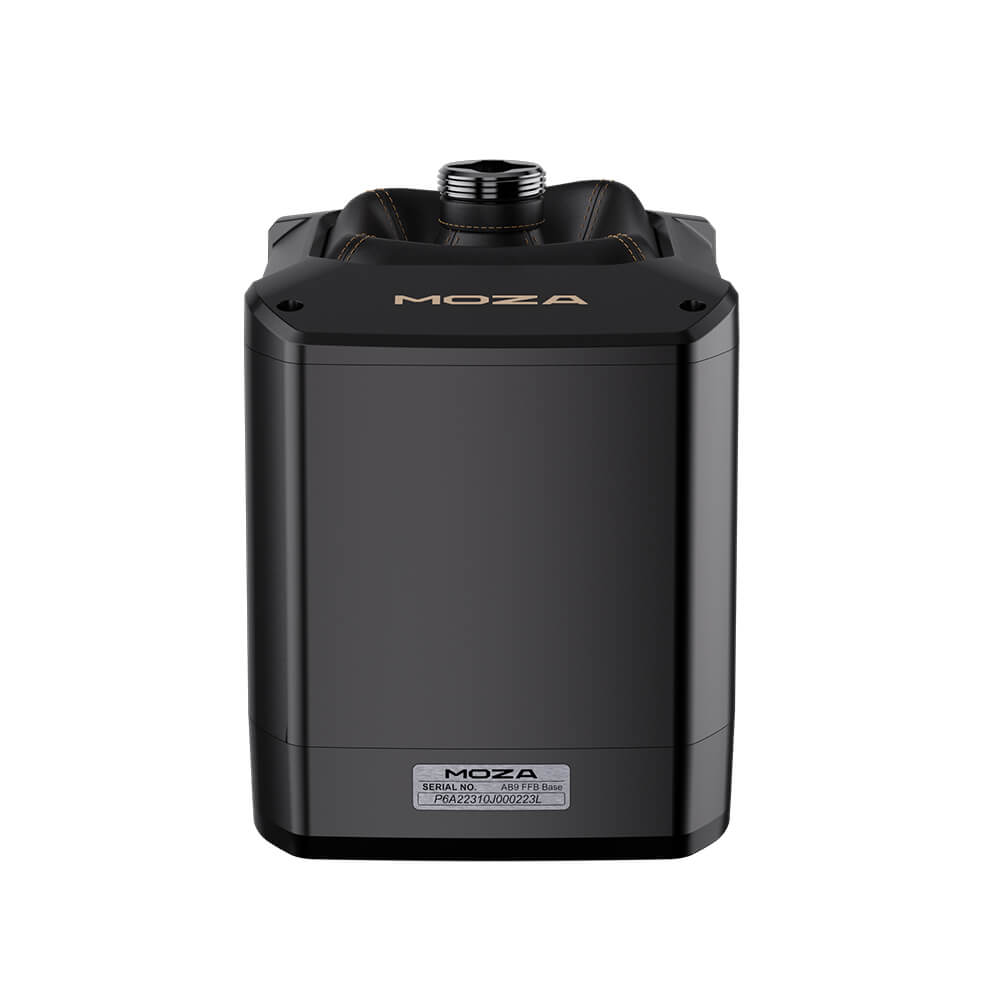
Two products that demonstrate this properly in 2026 – the FFB stick base (fighter, aerobatic, helicopter) and the FFB yoke base (airliner, GA). The hardware that turns the theory into something you feel in your hand.
Why it matters for flight specifically
Four big things FFB does for flight sim that you can’t get any other way.
- Control loading by airspeed. Real aircraft controls feel different at 80 knots than at 250 knots because more airflow over the control surfaces means more force needed to deflect them. FFB delivers this. Hand-flying an approach feels meaningfully different from hand-flying a cruise descent. Without FFB, the stick weight is the same regardless of regime.
- Stall buffet and aerodynamic warning. As an aircraft approaches stall, the airflow over the wings becomes turbulent and the controls vibrate as that turbulence hits them. FFB reproduces this through the stick. You get a physical warning a couple of seconds before the stall actually breaks – exactly like real aircraft, exactly when you need it. It’s one of the most underrated reasons FFB matters: the stall warning is in your hands, not in your ears.
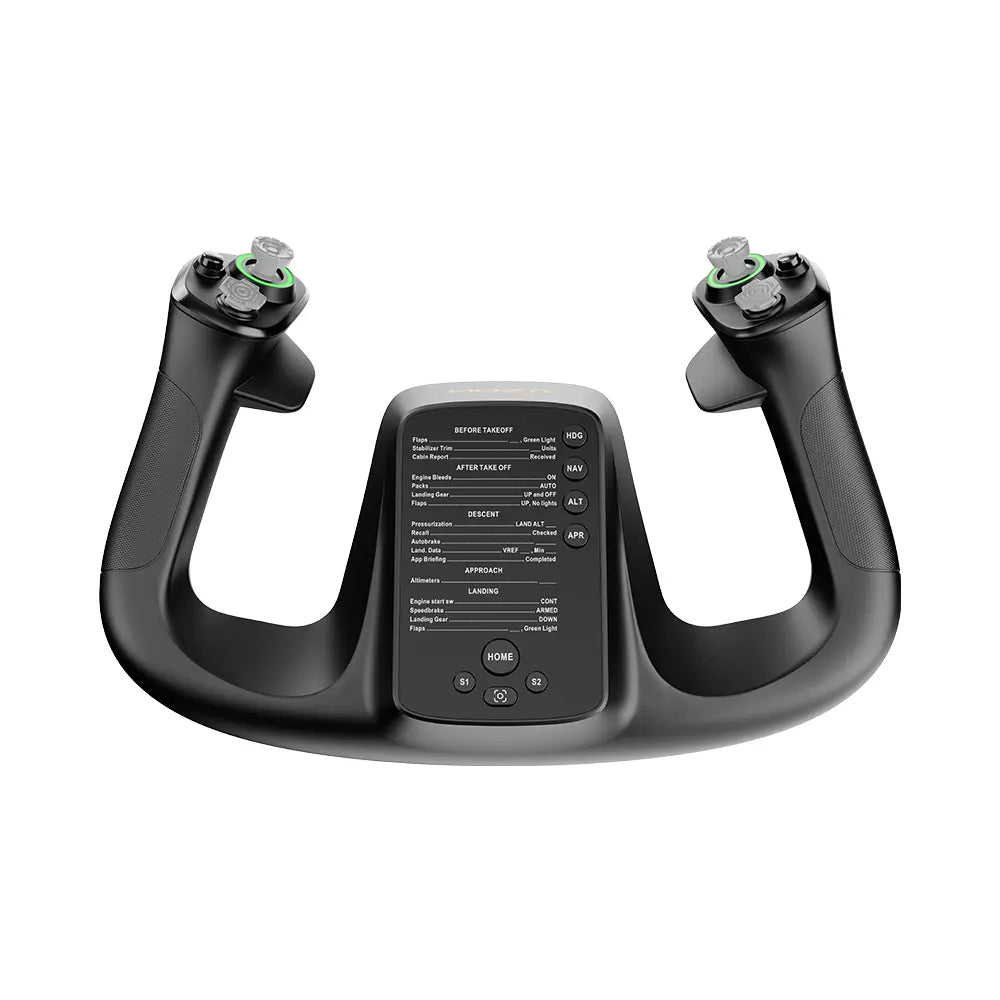
- Autopilot trim and behaviour. When autopilot trims an aircraft up or down in cruise, the elevator surface physically moves and on a real yoke you can feel it. FFB on the MOZA MFY yoke (paired with the AY210 base) recreates this exactly – the yoke physically moves to its new trim position while you watch. Same with autopilot bank corrections; the yoke turns with the aircraft. This single feature, when I first tried it, sold me on yoke FFB the way nothing else has.
- Trim and configuration changes generally. Lower flaps and the stick force changes. Drop the gear and the trim shifts. Run out of fuel in the left tank and the aircraft yaws. FFB makes all of this physical instead of purely visual.
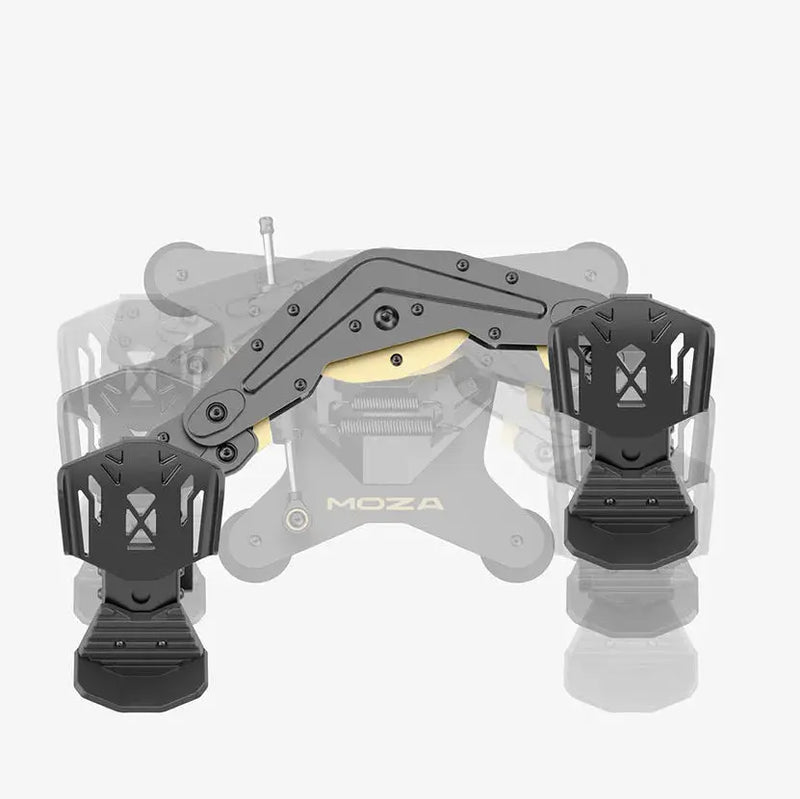
That’s the case for FFB in airliners and general aviation. For combat flight, the same principles apply but more aggressively – high-G turns load up the stick, gear and flap configuration changes register through your hand, weapon release shifts trim. The lesser-known case: FFB matters most in helicopters,
What flight sims support FFB properly
| Sim | FFB support | Notes |
|---|---|---|
| MSFS 2024 | Native (full) | Force feedback API exposed properly. MOZA Cockpit profiles work cleanly. Best general support of any sim. |
| MSFS 2020 | Yes via FSUIPC + plugins | Worked since launch with the right middleware. Native support added later. |
| X-Plane 12 | Native (full) | Best physics model + native FFB = arguably the technical gold standard for FFB experience. |
| DCS World | Native (full, per-module) | Quality varies by aircraft module. Hornet, Viper, Apache excellent. Older modules less detailed. |
| IL-2 Great Battles + Korea | Native (full) | Warbird stick feel is where FFB earns its money – heavy controls, aerodynamic loading, stall buffet. |
| War Thunder | Basic (arcade) | Limited – the game’s arcade roots show through. Better than nothing but not the FFB showcase. |
| Aces of Thunder | Native (full, VR-first) | Gaijin’s new VR-first combat sim. FFB integration good from launch, improving fast. |
| P3D / FSX legacy | Yes (legacy DirectInput) | Still works, getting long in the tooth. Most new buyers won’t be here. |
One thing I noticed setting up FFB across multiple sims: the quality of the integration varies more than the marketing suggests. Native support in a sim doesn’t automatically mean every effect is implemented. X-Plane 12 implements the full physics-to-force translation; MSFS 2024 implements most of it but trim feel on some payware aircraft still feels a bit synthetic. DCS varies wildly by module – the Hornet is fantastic, older modules feel mechanical. Worth understanding what your primary sim does well before spending.
The 2026 FFB landscape
Six contenders worth knowing about in 2026, sorted from accessible to specialised.
| Product | Price | Drive type / spec | Best for |
|---|---|---|---|
| MOZA AB6 Bundle | $399 | Gear-driven, 6Nm peak combined, bundle includes stick + clamp | Entry FFB, combat flight, mixed flying, anyone testing the water |
| MOZA AB9 Base | $499 base / $649 with MH16 stick | Belt-driven, 12Nm peak combined | Airliners, GA precision, the current consumer flagship |
| MOZA AY210 + MFY Yoke | $699 base + $149 yoke = ~$848 setup | Belt-driven yoke base, physical autopilot trim movement | Airliner and GA yoke pilots specifically (not stick) |
| FFBeast | ~$800 kit / more assembled | Open-source hobbyist design, varies by build | Tinkerers, DIY community, custom configurations |
| Brunner CLS-E | $1,499+ base only, $2,500+ bundles | Swiss premium, used in real flight schools | Pro-tier, professional training simulators, people whose day job involves real aircraft |
| VPforce Rhino | ~$1,200 | Premium hobbyist, well-regarded community support | DCS combat enthusiasts, people who want strong torque without going Brunner |
| WinCTRL Cyber Taurus FFB base | Shipping now (April/May 2026) | First WinCTRL FFB base post-rebrand from WinWing | The first credible mass-market competitor to MOZA’s AB9 – shipping in volume in 2026 |
For the overwhelming majority of new buyers in 2026, the decision is AB6 or AB9 with the question being which side of the airliner/combat divide you sit on. My AB6 vs AB9 comparison walks through that decision tree in detail. Brunner and FFBeast and VPforce are real products with real fans, but the AB6’s $399 economics and the AB9’s $499-649 flagship positioning will be where most of the next year’s flight FFB owners land. The wild card was the WinCTRL FFB base – and as of late April/May 2026 it’s shipping as the Cyber Taurus, making the category a genuine two-player race for the first time. MOZA has the ecosystem and the install base; WinCTRL is the rebrand of WinWing, who own the combat throttle and panel space. Worth comparing before buying.
Software and profiles
FFB hardware is half the story. The other half is the per-aircraft profile that tunes how the forces feel. A Boeing 737’s elevator feels nothing like a Spitfire’s elevator, and the FFB profile has to express that difference. Most modern FFB devices ship with a unified driver – MOZA Cockpit for MOZA kit, the Brunner Configurator for Brunner, vJoy + community plugins for FFBeast / VPforce.
The piece of community software I keep recommending is real-pilot Tony’s MOZA preset library – linked from MOZA’s own MFY review video description. Tony is a working airline pilot who has tuned per-aircraft profiles for the major payware fleet (Fenix A320, iniBuilds A350, PMDG 737 NG, FlightFactor 757) using his actual flight-deck muscle memory as the reference. Import in MOZA Cockpit, hand-fly an Innsbruck approach in the A320, and the difference between the default MOZA profile and Tony’s profile is the difference between “this feels like a simulator” and “this feels like a passable training aid”. Free. Day one.
One thing I noticed across multiple sims: the per-aircraft profile matters more on FFB than non-FFB hardware. With spring centring, you don’t have many sliders to tune anyway, so the default works. With FFB, the wrong profile makes a 12Nm AB9 feel like a noisy buzzsaw. The right one makes it feel like an Airbus. So budget some time for profile tuning, or import Tony’s and skip the learning curve.
When you should NOT spend on FFB
The honest counterargument. FFB is not the right purchase for everyone. Five cases where I’d actively talk you out of it.
- You’re brand new to flight sim and haven’t decided what you fly. Buy a $90 Thrustmaster T.Flight HOTAS One (or pair the Honeycomb Alpha and Bravo non-FFB bundle around $599 if your budget allows). Find out whether you love airliners, fighters, helicopters or GA. Then make the FFB decision. Spending $399-649 on FFB before you know what you fly is the most common over-spend in flight sim.
- Your primary sim is arcade-leaning War Thunder. The FFB integration there is basic. The 6Nm AB6 will work but you won’t feel the upside the way you would in DCS.
- You fly mostly on the road, mostly on a laptop. An AB9 weighs 6kg and a portable rig isn’t really the point of FFB. The HOTAS portability use case is where T.16000M FCS or similar shines.
- Total flight gear budget is $400 or below. A T.Flight Hotas X plus a decent set of rudder pedals plus payware aircraft will get you further than the AB6 alone at that budget. Add FFB next year.
- You already own a high-end non-FFB stick (VKB Gladiator NXT EVO, VIRPIL T-50CM2). The marginal gain of FFB over an excellent non-FFB stick is real but not transformative. The AB9 over a VKB Gladiator EVO is a quality-of-life upgrade, not a step change. Be honest with yourself about whether you’d actually feel the difference enough to justify it.
The decision tree
Compressed:
- New to flight sim, exploring? Skip FFB for now. Buy a $90 Thrustmaster T.Flight HOTAS One. Come back in 12 months.
- Combat sim primary (DCS / IL-2 / Aces of Thunder)? MOZA AB6 bundle at $399. The gear cogging is masked by fast inputs. 6Nm is enough.
- Airliner / GA primary (MSFS / X-Plane heavy iron)? MOZA AB9 base + MH16 stick at $649. Belt drive earns its premium on precision approaches.
- Yoke pilot specifically (PMDG 777, A320, Black Square Caravan)? MOZA AY210 base + MFY yoke. Skip the stick. The autopilot moving the yoke physically is the unique sell.
- Want maximum specialisation (training simulator, real pilot keeping current)? Brunner CLS-E. Twice the AB9’s price, twice the build quality, used in actual flight schools.
- Tinkering and DIY are part of the fun? FFBeast or VPforce Rhino. Community-supported, deeply configurable.
- Want the new WinCTRL alternative? The WinCTRL Cyber Taurus FFB base started shipping in late April/May 2026. First credible mass-market alternative to MOZA’s AB9. Worth comparing if you’re buying now in 2026.
The hub piece on the flight simulation guide contextualises FFB within the broader build-and-buy journey – it’s a Build-tier explainer in that corpus. For the detailed product-level decisions, read the MOZA AB9 review, the MOZA AB6 review, and the AB6 vs AB9 comparison.
Pimax flight bundle discount: if you’re pairing FFB with VR, use code SIMRACINGCOCKPIT at checkout on pimax.com for $25 off the Crystal Light or Crystal Super – both ship with free MSFS add-on bundles in 2026. The FFB + VR pairing is the closest a home cockpit gets to real.
Sources, credits and where to read next: the airliner-vs-combat distinction throughout this piece is drawn from first-hand testing of the AB6 and AB9. Tony’s MOZA preset library is the day-one Fly-tier resource I’d recommend to every FFB owner. The hub piece – flight simulation guide – threads this explainer. Other pieces worth pairing with it: my flight sim gear overview for the category-by-category view, the best joystick for flight simulator guide for non-FFB stick comparisons, and the VR headsets for flight page if you’re building the FFB + VR pairing into the broader corpus narrative.

The Best Rally Games in 2026

The Best PS5 Racing Games in 2026
The Best VR Flight Games and Sims

Best Pimax VR Settings for F1 25 in 2026: A Damage-Control Guide

Best Pimax VR Settings for Le Mans Ultimate in 2026

Best Pimax VR Settings for Automobilista 2 in 2026
Topic: Flight Simulation