I’m a sim racer and amateur racer with a passion for Motorsport, good racecraft and the technical and setup aspect of sim racing.
Keeping up with gaming PC hardware is hard work in 2026. New GPU generations every 18 months, DDR5 still rising in price because of AI demand, Gen5 NVMe SSDs at the high end, AMD’s X3D V-Cache changing the CPU conversation, DLSS 4 with Multi Frame Generation, Pimax Crystal Super pushing VR resolution past 24 million pixels per frame. It’s a moving target. So this article does something most “best gaming PC” lists don’t – it takes a state-of-the-art snapshot, then walks through six specific games with the machine that handles each on max settings, and asks the question the listicles avoid: do you actually need this gear yet?
The short answer for most readers, most of the time: no, you don’t need the top of the stack. The 2026 RTX 5090 is overspec for everything except 4K + path tracing + VR flight sim. The AMD 9800X3D is the rare exception – a CPU that’s worth its premium for gaming if you can afford it, even now the 9850X3D sits above it at the top of the stack. The rest of the conversation has more to it than that, and the game you play decides the answer. This article is a sceptic’s guide written from a 14900K + RTX 4090 + Pimax Crystal Light build that I’ve been running for two years.
Quick Navigation
Jump directly to what you’re looking for:
The 2026 state of the art at a glance |
Cyberpunk 2077 (path tracing) |
Microsoft Flight Simulator 2024 |
iRacing and ACC (sim racing) |
Counter-Strike 2 and Valorant (esports) |
Baldur’s Gate 3 |
Marvel Rivals (UE5 live-service) |
Per-game feature relevance matrix |
The component features that matter |
Component picks worth having on the radar |
Other hardware guides on SimRacingCockpit |
Sources
The 2026 state of the art at a glance
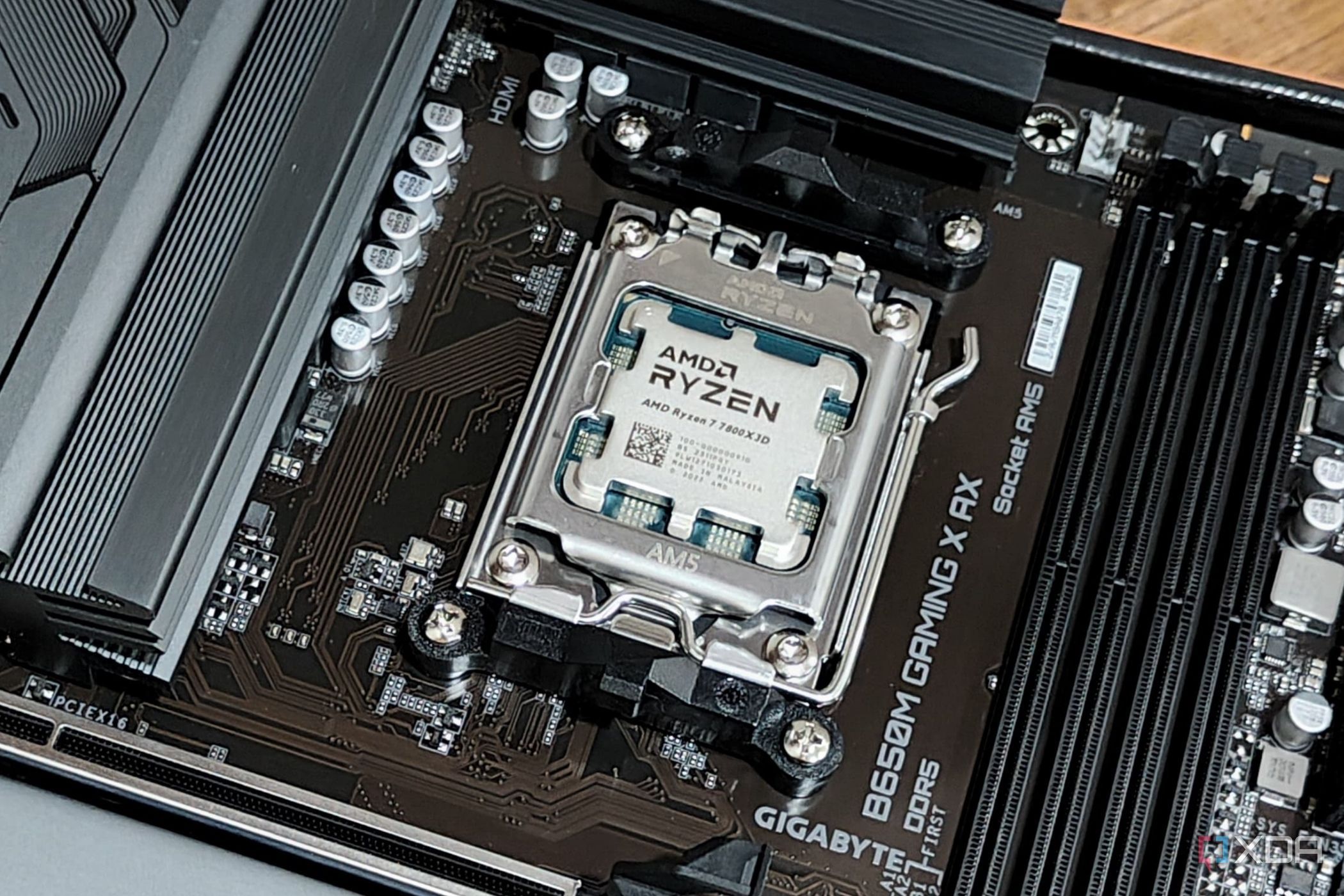
The current feature ceiling for a new gaming PC, mid-2026, runs roughly as follows. The GPU end is the RTX 5090 32GB or the AMD RX 9070 XT 16GB depending on whether you prioritise headroom or value. CPU is the AMD Ryzen 7 9800X3D for pure gaming, or the Intel Core Ultra 9 285K for gaming-plus-productivity. RAM is 32GB of DDR5-6000 CL30 for AMD, 32-64GB DDR5-6400 to 7200 for Intel. Storage is a 2TB PCIe Gen5 NVMe drive like the Corsair MP700 Elite or Samsung 9100 Pro. Cooling is a 360mm AIO from Corsair, Lian Li or NZXT. PSU is 850W 80+ Gold modular with the 12V-2×6 connector.
That stack ships you a machine capable of any modern AAA title at 4K Ultra with frame generation on, VR sim racing at high pixel densities, and creative work without compromise. It also costs around £3,500 to £4,000 built, and most readers don’t need any of it. The six game sections below show why.

Cyberpunk 2077 with path tracing – the headline 5090 use case

Cyberpunk 2077 with full path tracing remains the headline benchmark game in 2026, four years after launch. CD Projekt Red’s RT Overdrive mode with DLSS 4 Ray Reconstruction is the closest thing the industry has to a “this is what your GPU can really do” stress test. Tom’s Hardware and Hardware Unboxed both still use it as a benchmark anchor.
Target machine for 4K + path tracing + DLSS 4 Performance at 60-100 FPS:
GPU: Nvidia RTX 5090 32GB
CPU: AMD Ryzen 7 9800X3D or Intel Core Ultra 7 270K Plus
RAM: 32GB DDR5-6000 CL30
Storage: 2TB PCIe Gen5 NVMe
Honest version (90% of the experience at 30% less spend):
GPU: Nvidia RTX 5070 Ti 16GB (with DLSS 4 Performance + frame gen 2x)
CPU: AMD Ryzen 7 7800X3D
RAM: 32GB DDR5-6000 CL30
Storage: 2TB PCIe Gen4 NVMe
You lose 4K native and some of the path-trace fidelity. You gain about £1,500 in your pocket.
The “do you need this?” answer for Cyberpunk specifically: only if 4K and path tracing are non-negotiable. Path tracing on a 1440p panel with DLSS 4 Quality looks excellent on the 5070 Ti and barely differentiated from the 5090 to a non-pixel-peeping eye. The 5090’s headroom matters at 4K + RT Overdrive + frame gen 4x, and almost nowhere else for this game. Cyberpunk is the textbook case of “the headline benchmark drives the headline buy, and the headline buy is overspec for everyone who doesn’t read DigitalFoundry every weekend”.
Microsoft Flight Simulator 2024 – the case where the high-end pays off

Microsoft Flight Simulator 2024 is the rare game where the 2026 feature stack earns its money. Tom’s Hardware’s 23-GPU testing put it bluntly: at 4K Ultra with 100 percent scaling, only the RTX 4090 hits 60 FPS, and even then it “barely clears the mark with 61 FPS” (Jarred Walton’s words). The RTX 5090 lifts that ceiling but the gap to the 4090 is only around 24 percent at 4K and zero at 1440p where the CPU is the bottleneck.
Target machine for 4K Ultra at 60+ FPS:
GPU: Nvidia RTX 4090 24GB or RTX 5090 32GB (for VR especially)
CPU: AMD Ryzen 7 9800X3D
RAM: 64GB DDR5-6000 CL30 (premium add-on aircraft + scenery saturate 32GB)
Storage: 2TB PCIe Gen5 NVMe (asset streaming gains are measurable)
Honest version (1440p Ultra at 60 FPS, more flexible):
GPU: Nvidia RTX 5070 Ti 16GB with DLSS 4 + frame gen 2x
CPU: AMD Ryzen 7 9800X3D (no change – the X3D really does matter here)
RAM: 32GB DDR5-6000 CL30 (without premium add-ons)
Storage: 2TB PCIe Gen4 NVMe
The full breakdown is in the MSFS GPU guide.
The “do you need this?” answer for MSFS 2024: surprisingly, yes. This is the one mainstream game in 2026 where almost every feature in the state-of-the-art stack pays back. 64GB RAM matters because premium add-on aircraft saturate 32GB. Gen5 NVMe matters because the sim streams scenery tiles aggressively. X3D cache matters at 1440p where the engine is CPU-bound. VR with Pimax Crystal Super pushes the 5090 to its limit. MSFS 2024 is the answer to “what does a high-end gaming PC look like when fully exercised”.
iRacing and ACC – spend on CPU, save on GPU

Sim racing is the conversation where the conventional “spend 40-50 percent of budget on GPU” advice falls apart. iRacing has no DLSS and no XeSS, and only the older spatial FSR 1.0 from 2022 (not the modern temporal FSR 2/3/4) – effectively native rendering for any current upscaler comparison. ACC supports DLSS 3 but is fundamentally CPU-bound at race starts where 40 cars need their physics solved simultaneously. The X3D V-Cache on the AMD 9800X3D produces measurable real-world differences in both games that no GPU upgrade can match.
Target machine for 1440p triples at 144Hz in iRacing + ACC:
GPU: AMD RX 9070 XT 16GB or Nvidia RTX 5070 Ti 16GB
CPU: AMD Ryzen 7 9800X3D (non-negotiable)
RAM: 32GB DDR5-6000 CL30
Storage: 2TB PCIe Gen4 NVMe (Gen5 brings no benefit here)
Honest version (1440p single panel, still excellent):
GPU: Nvidia RTX 5070 12GB (or step up to 5070 Ti for VR)
CPU: AMD Ryzen 7 7800X3D (same architecture, less binned)
RAM: 32GB DDR5-6000 CL30 (no change)
Storage: 2TB PCIe Gen4 NVMe
The full sim racing GPU breakdown is in the sim racing GPU guide.
The “do you need this?” answer for sim racing: no, not the GPU side. The most common mistake I see in sim racing builds is people putting an RTX 5090 with a Core i5 and wondering why iRacing stutters at race starts. An RTX 5070 + Ryzen 9800X3D will out-perform an RTX 5090 + i5 in sim racing’s worst-case scenarios. The investment hierarchy for sim racing is: wheelbase > CPU > GPU > monitor, in that order. Everything I’d cut from a generic gaming PC’s GPU budget goes into the wheelbase. See the sim racing PC guide for the full build picture.
Counter-Strike 2 and Valorant – the monitor matters more than the GPU
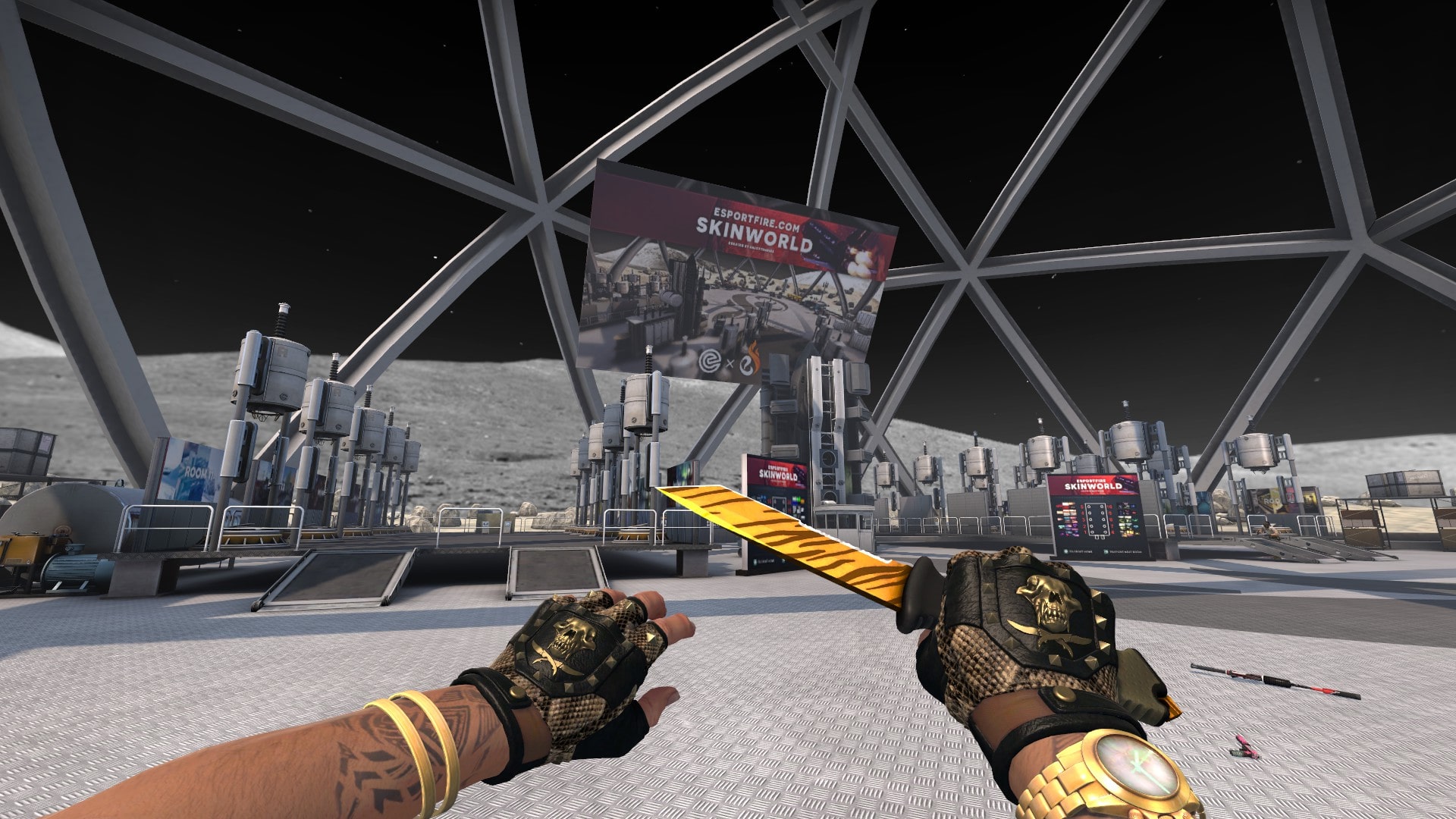
Competitive shooters are the most consistent “do you need it” story in modern gaming. CS2 and Valorant both run at over 300 FPS on entry-tier 2026 GPUs at 1080p. The bottleneck isn’t the GPU; it’s frame timing consistency, CPU single-thread performance for the network tick, and monitor refresh rate. A 4K 60Hz monitor is worse than a 1080p 360Hz panel for competitive play, no contest. The community consensus on r/buildapc and r/GlobalOffensive is uniform on this.
Target machine for CS2 / Valorant at 1080p 360Hz+:
GPU: Intel Arc B580 12GB or AMD RX 9060 XT 16GB – more than enough
CPU: AMD Ryzen 7 9800X3D (the X3D matters here – tick rate processing benefits from cache)
RAM: 32GB DDR5-6000 CL30
Monitor: 1080p OLED 360Hz+ (this is where the budget goes)
Honest version (almost identical experience):
GPU: AMD RX 9060 XT 16GB (£60 more than the B580, smoother long-term)
CPU: AMD Ryzen 7 7700X (non-X3D, still excellent for competitive play)
RAM: 32GB DDR5-5600 CL36
The monitor stays – the 1080p OLED 360Hz panel is the actual upgrade.
The “do you need this?” answer for competitive shooters: a 5060 Ti plus 9800X3D plus a 360Hz OLED monitor will beat a 5090 plus Core i5 plus a 4K 144Hz monitor for actual ranked-ladder performance. The headline GPU spec is the wrong axis to optimise on. Budget headroom should go into the monitor and the X3D CPU, not the GPU.
Baldur’s Gate 3 – the modern AAA baseline

Baldur’s Gate 3 is the well-optimised modern AAA exemplar. It scales beautifully across hardware tiers, doesn’t lean heavily on any single 2026 feature, and represents the workload most people are playing on most evenings. The bit that distinguishes it from less-optimised RPGs like Starfield is that it doesn’t punish the wrong build choice – it just runs slower.
Target machine for 4K Ultra at 90-120 FPS:
GPU: Nvidia RTX 5080 16GB or AMD RX 9070 XT 16GB
CPU: AMD Ryzen 7 9800X3D or Intel Core Ultra 7 270K Plus
RAM: 32GB DDR5-6000 CL30
Storage: 2TB PCIe Gen4 NVMe
Honest version (1440p Ultra at 60+ FPS, looks superb):
GPU: Nvidia RTX 5070 12GB or AMD RX 9070 16GB
CPU: AMD Ryzen 5 7600 or Ryzen 7 7700X
RAM: 32GB DDR5-5600 CL36
Genuine sweet spot for the cost-conscious build. The 60 FPS minimum is rock solid.
The “do you need this?” answer for Baldur’s Gate 3: this is the most generous game in 2026. A six-year-old RTX 3070 can run it at 1440p high. The state-of-the-art stack here buys you smoothness rather than playability. Most modern AAA RPGs and adventure games follow this pattern – they’re well-optimised and don’t push the hardware envelope. The Witcher 4 will probably be similar when it ships.
Marvel Rivals – the UE5 live-service problem

Marvel Rivals is the canonical Unreal Engine 5 live-service game of 2025-26 and it illustrates a feature most “best gaming PC” articles never discuss: shader compilation stutter and traversal stutter. UE5’s pipeline is brilliant when the shaders are pre-compiled and the level is fully streamed; it stalls noticeably when either condition isn’t met. Hardware features alone won’t fix this – the game needs to be patched – but better hardware does mask it.
Target machine for 1440p Ultra at 144 FPS:
GPU: Nvidia RTX 5070 Ti 16GB (DLSS 4 transformer model + frame gen 2x)
CPU: AMD Ryzen 7 9800X3D (UE5 likes the cache)
RAM: 32GB DDR5-6000 CL30
Storage: 2TB PCIe Gen5 NVMe (UE5 streaming benefits from Gen5)
Honest version (1440p Ultra with DLSS 4, traversal stutters present):
GPU: Nvidia RTX 5070 12GB with DLSS 4 Performance
CPU: AMD Ryzen 5 7600X3D (the cheaper X3D)
RAM: 32GB DDR5-6000 CL30
You get the same gameplay; the traversal stutters are a known game issue, not a hardware fix.
The “do you need this?” answer for UE5 live-service games: the feature that matters most is fast NVMe storage, not the GPU tier. UE5’s asset streaming is bandwidth-hungry and benefits from Gen5 in a way most other engines don’t. The 9800X3D’s cache helps with the shader pre-compilation phase. But none of the hardware solves the traversal stutter – that’s a game-engine maturity issue across the UE5 generation. Other UE5 games (Lords of the Fallen, Black Myth Wukong, Ark Survival Ascended) follow a similar pattern.
Per-game feature relevance matrix – the cheat sheet
The matrix below summarises the six game sections above into a single chart. Read it as “where to spend extra budget if this game (or genre) is your priority”. Green = transformative. Amber = noticeable. Red = minimal benefit.
The component features that matter
The game-by-game sections above are the actionable shape of this guide. The component-level explainers below give you the feature literacy to evaluate any new build or pre-built that lands in front of you. Treat these as the supporting reference rather than the main story.
GPU – VRAM, upscaler support, encoder
The VRAM floor in 2026 is 12GB, with 16GB the realistic minimum for any new build aimed at multi-year longevity. The upscaler conversation determines whether the headline spec applies to your games – DLSS 4 only matters if your titles support it, and several major sims (iRacing, DCS, X-Plane) don’t. The encoder matters specifically for Quest 3 wireless VR and streaming – Nvidia’s NVENC is still the safer choice on that front. Per-tier picks are in the sim racing GPU guide.
CPU – cache size beats core count for gaming
The AMD 9800X3D is the CPU that justifies its premium for pure gaming workloads, with the newer 9850X3D sitting just above it. The 64MB stacked V-Cache changes the calculus for CPU-bound games (iRacing, MSFS, MMOs, RTS). Intel’s response in 2026 is the Core Ultra 200-series with split P-core/E-core architecture – better for productivity, equivalent for gaming. The 7800X3D from the previous generation is the budget pick that still beats most Intel parts in gaming.
RAM – timings beat capacity
DDR5-6000 CL30 is the canonical AMD Ryzen 7000-series sweet spot (1:1 Infinity Fabric ratio). The Ryzen 9000-series memory controller holds the 1:1 ratio up to DDR5-6400, so a 6400 CL32 kit is the marginal step-up if you’re on a current AMD platform. Anything above 6400 on AMD wastes the headline number because the ratio drops to 2:1 and the penalty wipes out the speed gain. Intel scales further with DDR5-7200 to 8000 for productivity, but the gaming gap to 6000 is small and the price gap isn’t. 32GB is the realistic floor for 2026 gaming. 64GB matters only for flight sim with premium add-ons and creative work.
Storage – Gen4 is plenty for gaming, Gen5 is for the specific workloads
PCIe Gen4 NVMe (Samsung 990 Pro, WD Black SN850X) is the gaming sweet spot. Gen5 (Corsair MP700 Elite, Crucial T705) does measurably help MSFS 2024 asset streaming and UE5 live-service games, but it’s overspec for most use cases. 2TB is the realistic minimum capacity – modern AAA games install at 100GB+ each.
Cooling and case airflow – the silent performance killer
Per TechTimes’ 2026 hardware feature analysis, a positive-pressure airflow case keeps GPU temps around 65°C; restrictive cases hit 85°C. The 20°C delta translates to 5-10 percent sustained performance loss. A 360mm AIO is the default for Intel K-series and AMD 9800X3D; quality dual-tower air (Noctua NH-D15, Thermalright Phantom Spirit) is fine for lower-tier CPUs and cooler-running X3D parts.
PSU – the boring one people get wrong
850W 80+ Gold modular from Corsair, EVGA, Seasonic or Be Quiet is the canonical 2026 recommendation for any high-end GPU build. The feature lists never explain is transient spike handling – an RTX 5090 rated at 575W can pull 700W+ for microseconds during certain frame transitions. Cheap PSUs trip on those spikes; the major brands don’t. Buy ATX 3.1 for the native 12V-2×6 connector with the corrected pinout.
Motherboard chipset – the features people miss
USB BIOS Flashback is the chipset feature most worth checking before you buy. It lets you flash a new BIOS with no CPU installed – the difference between a working build and a paperweight when your CPU is too new for the shipped BIOS. PCIe Gen5 lane allocation matters because some boards split lanes oddly. Three M.2 slots is the realistic minimum. Mid-tier boards (MSI MAG Z890 Tomahawk for Intel, X870 Tomahawk for AMD, both around £200-£280) have everything most builds need.
Component picks worth having on the radar
The Corsair shortcodes above pull live affiliate pricing on the canonical RAM, AIO and Gen5 NVMe picks. For the GPU and the full breakdown by use case, the Amazon row below covers the sweet-spot 2026 pick that handles every game in this article at sensible settings.

GIGABYTE GeForce RTX 5070 Ti Gaming OC 16GB – the sweet spot 2026 gaming GPU
- 16GB GDDR7 – the realistic VRAM floor for new 2026 builds aimed at longevity
- DLSS 4 + Multi Frame Generation in supported titles (Cyberpunk, Marvel Rivals, BG3)
- Strong NVENC encoder for Quest 3 PCVR and OBS streaming
- Genuine sweet spot – the 5080 isn’t proportionally faster for the price gap

AMD Ryzen 7 9800X3D – the value gaming CPU pick of 2026 (the 9850X3D now sits above it)
- 96MB total L3 cache – the V-Cache is what makes the difference in CPU-bound games
- Wins in iRacing, MSFS 2024, ACC, CS2, WoW, Cities Skylines – any cache-sensitive workload
- 49-59% faster than a Core i9-12900K at 1080p in MSFS per Tom’s Hardware
- Justifies its premium across every game in this article, and the 9850X3D that launched in early 2026 is the only part above it
Other gaming hardware guides on SimRacingCockpit
- Gaming PC buyer’s guide for sim racing – the use-case-led version of this article, with sim-specific spec calls
- Best graphics card for sim racing – the explainer-led GPU guide with the per-sim DLSS / FSR / XeSS matrix
- Best graphics card for Microsoft Flight Simulator 2024 – the deep dive on the most demanding mainstream sim engine of 2026
- Gaming monitors guide – response time, OLED burn-in, VRR behaviour, matte vs glossy in a cockpit
- VR headset comparison 2026 – Crystal Super, Quest 3, Steam Frame, Beyond 2, PSVR2-on-PC
Sources and further reading
- Tom’s Hardware – MSFS 2024 PC performance testing across 23 GPUs (Jarred Walton) – the X3D vs Intel CPU benchmark numbers and the 4K Ultra VRAM ceiling analysis
- TechTimes – 6 PC hardware upgrades that actually improve gaming in 2026 – airflow / thermal headroom numbers, NVMe Gen5 case
- XDA Developers – The PC upgrades that actually matter in 2026 – thermal headroom enables sustained boost
- PC Guide – best DDR5 RAM 2026 – AMD 1:1 IF ratio mechanics, DDR5 timings emphasis
- PC Gamer – best gaming motherboards 2026 – chipset features overview
- Gamergalaxyco – Reddit consensus on pre-built gaming PCs 2026 – GPU budget allocation, PSU brand consensus
- r/buildapc – live community sanity-check for build choices in 2026
The thread that runs through all six game sections is the same one this article opened with: the features that matter aren’t the ones the listicles emphasise, and the games you play determine the answer more than the build’s headline cost. Flight sim and UE5 live-service games are the two workloads in 2026 where the top of the stack pays back. Everywhere else, the smart money is on the X3D CPU, the mid-tier GPU and the better monitor.
What’s Going On With Pimax?
Should You Upgrade From a Quest 3 to the Pimax Dream Air?
Ascher Racing 8-inch Dashboard Review: Recommended DDU
MOZA FCS Farming Control System Review

The Best Rally Games in 2026