

I’m a sim racer and amateur racer with a passion for Motorsport, good racecraft and the technical and setup aspect of sim racing.
The best flight sim throttle depends almost entirely on what you fly. For Airbus flying, the MOZA MTQ with the TQA Airbus levers added is the pick. Thrustmaster’s TCA Quadrant Airbus Edition costs less on its own, but once you add its Add-On for the flaps and speed brake, it comes to about the same money. If you fly Boeing, get the Honeycomb Bravo with a ProDeskSim add-on, because the MTQ’s four flap detents don’t line up with a 737’s flap lever. GA (general aviation) pilots are well looked after by the Bravo or the cheaper Bravo LITE. For combat it’s the MOZA MTP or the Thrustmaster HOTAS Warthog Dual Throttle, with WINCTRL, Virpil and VKB as the enthusiast step up. On Xbox it’s the TCA Quadrant Boeing Edition, and on a tight budget the Logitech G Flight Throttle Quadrant will get you started.
A throttle quadrant is a desk unit with several levers: thrust levers plus some mix of flaps, speed brake and, on light aircraft, mixture and prop. Which one you need comes down to the aircraft, because an Airbus throttle works from a handful of set positions, a 737’s flap lever has nine stops, and a fighter throttle needs a gate for the afterburner. I fly MSFS 2024 and DCS, and if you’re after a stick to go with your throttle, that’s in our joystick and HOTAS guide.
MOZA discount code: use SIMRACINGCOCKPIT at checkout for 3% off at mozaracing.com.
Quick Navigation
Jump directly to what you’re looking for:
Airbus, Boeing and fighter throttles |
What matters in a throttle |
MOZA MTQ |
Honeycomb Bravo and LITE |
ProDeskSim add-ons |
Thrustmaster TCA |
MOZA MTP and MTLP |
Warthog Dual Throttle |
WINCTRL, Virpil and VKB |
Budget and console |
Which throttle should you buy?
How Airbus, Boeing and fighter throttles differ
A detent is a mechanical notch the lever clicks into at a set position. An Airbus A320’s thrust levers have five of them, at reverse, IDLE, CL (climb), FLX/MCT and TOGA (take-off / go-around thrust). Airbus thrust levers don’t move under autothrust, so you set a detent and the computer does the rest. The flap lever has five positions too (0, 1, 2, 3 and FULL).
On a Boeing the thrust levers are back-driven, so they move on their own as the autothrottle works. Replica Boeing levers have a reverser you lift to arm. Reverse thrust directs the engines’ thrust forwards to slow the aircraft after landing. The bigger difference is the 737’s flap lever, which runs from 0 to 40 through nine positions (0, 1, 2, 5, 10, 15, 25, 30 and 40), so a flap axis with four detents can’t give you all of them.
HOTAS stands for Hands On Throttle And Stick. It’s the fighter-jet idea of putting the switches you need on the stick and throttle so your hands never leave them, and it’s what you’re after for DCS. A fighter throttle also has an afterburner gate, which you lift or push past to get into afterburner. A light GA aircraft is different again, with throttle, mixture and prop levers, and the Bravo’s GA lever set gives you all three.
| Throttle | Built for | Levers and axes | Detents | Platforms | Sensors |
|---|---|---|---|---|---|
| MOZA MTQ | Fighter (TQF in the box); Airbus TQA and Boeing TQB levers optional | 4 axes: 2 throttles, speed brake, flaps | 4 flap detents (not user-adjustable); lever-set detents | PC | Potentiometers (MOZA) |
| Honeycomb Bravo | Boeing, Airbus and GA (GA and commercial levers) | 6 levers, one with a TOGA button | Slight reverse detent; ProDeskSim add-ons add more | PC, Mac; Xbox with Alpha XPC and Xbox Hub | Not stated |
| Honeycomb Bravo LITE | GA, single to twin engine | 4 levers, trim wheel | Optional flap detents | PC, Mac | Not stated |
| Thrustmaster TCA Quadrant Airbus | Airbus (A320neo type) | 2 thrust levers (Add-On: flaps, speed brake) | Airbus detents, switchable off | PC | H.E.A.R.T contactless (Thrustmaster) |
| Thrustmaster TCA Quadrant Boeing | Boeing (787 inspired) | 4 levers on 3 axes | Not stated (lift-to-arm reverser on each lever) | Xbox One, Xbox Series X|S, PC | H.E.A.R.T 16-bit (Thrustmaster) |
| MOZA MTP (+ MTLP) | Fighter / DCS | Twin throttle, 27 switches (MTLP adds 25 switch signals) | Customisable afterburner and idle | PC | 15-bit magnetic encoder, Hall mini-stick |
| Thrustmaster Warthog Dual Throttle | A-10C replica | Twin throttle, 17 buttons | Idle and afterburner | PC | H.E.A.R.T Hall, 14-bit per throttle |
| WINCTRL URSA MINOR 32 | Airbus (A320 style) | 2 thrust levers | IDLE, CL, FLX/MCT, TO/GA, REV IDLE | PC | Not stated |
| WINCTRL Orion2 Throttle Base | Fighter (grip sold separately) | Twin throttle | 3 adjustable detents | PC | Not stated |
| Virpil MongoosT-50CM4 | Fighter | Twin throttle | Interchangeable detent plates | PC | Not stated |
| VKB STECS Mk.II | Fighter | Twin throttle | Detent frames (Standard has more) | PC | MaRS contactless |
| Logitech G Flight Throttle Quadrant | Budget, GA | 3 levers, 3 two-way toggles | Not stated | Not stated | Not stated |
Detents, sensors and axes – what matters in a throttle
The detents are a big part of what you’re buying on an airliner throttle, and they don’t all work the same way. MOZA Cockpit can add software button zones along the lever travel, and Thrustmaster lets you switch the TCA Airbus detents off if you’d rather have a smooth lever. On WINCTRL’s URSA MINOR 32, XP72 found the detent tension is user-adjustable. Reversers vary as well, with Boeing replicas lifting to arm, the MTQ’s Airbus levers going past idle with the finger lifts raised, and a latching reverse lever on the URSA MINOR 32.
A Hall effect sensor reads a magnet’s position without touching it, while a potentiometer is a contact sensor that can wear. Thrustmaster says its H.E.A.R.T sensors use “no potentiometers” and have an “unlimited lifespan”, and MOZA says the MTQ uses precision potentiometers. An axis is one analogue input, the travel of a single lever, so count them before you buy. The TCA Quadrant Boeing Edition, for example, has four levers on three axes, so only three of them can have an axis at the same time. A light quadrant like the MTQ will tip at the stops unless it’s clamped or bolted down.
MOZA MTQ – the best modular throttle for Airbus flyers
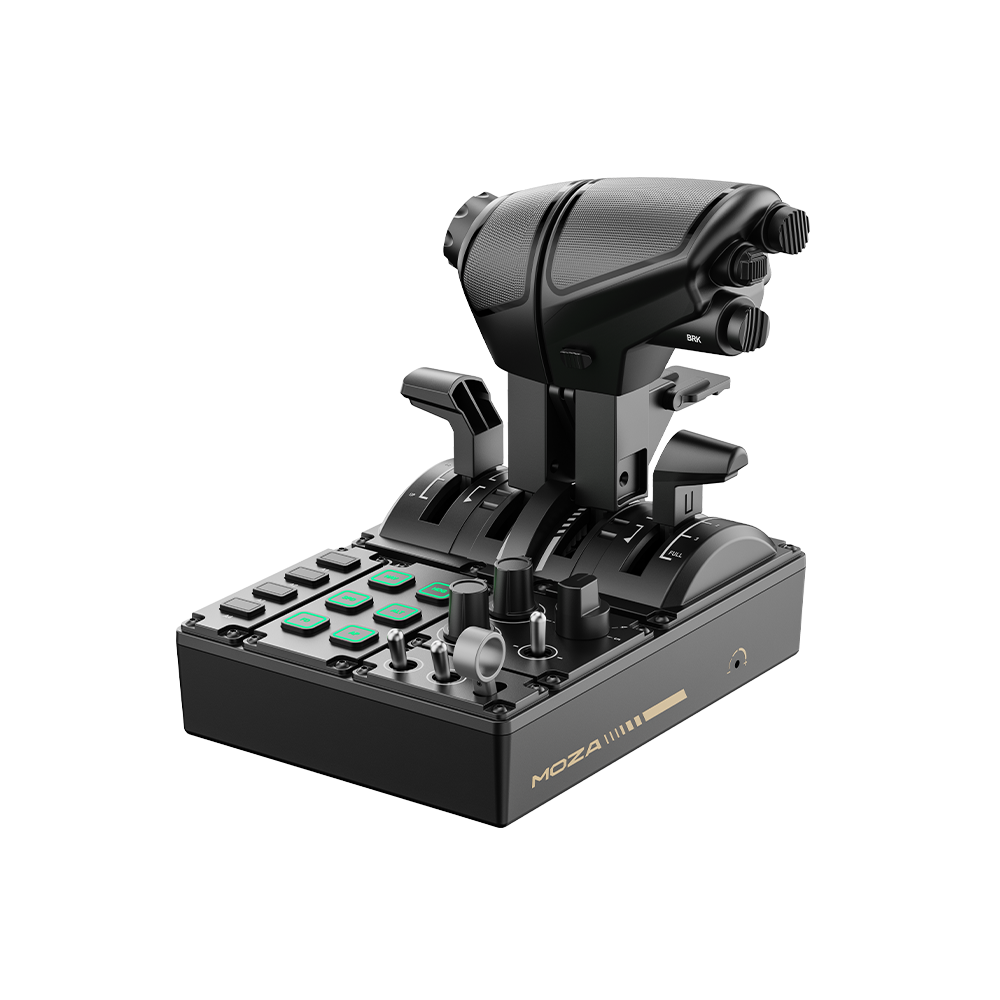
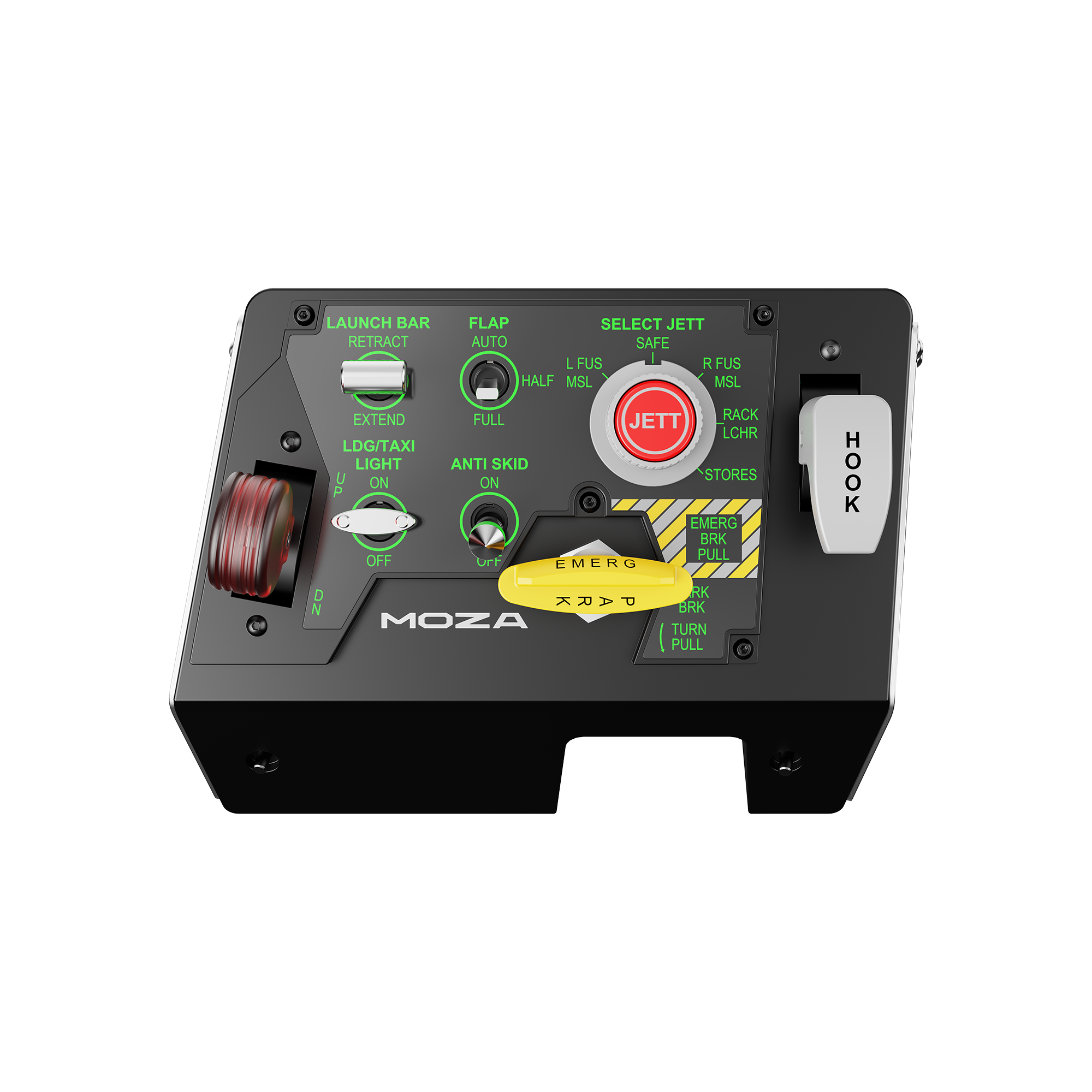
The MOZA MTQ is US$199 with the TQF fighter levers, and the Airbus-style TQA and Boeing-style TQB lever sets are US$39 each on MOZA’s US store at the time of writing. It has four independent axes (two throttles, speed brake and flaps) and 23 physical controls, including 10 buttons (six of them RGB-backlit), three rotaries, three toggles and a gear lever. It connects over USB to the PC, or by RJ11 to a MOZA flight base, and it runs in MOZA Cockpit on PC only. MOZA launched it at FlightSimExpo in June 2025.
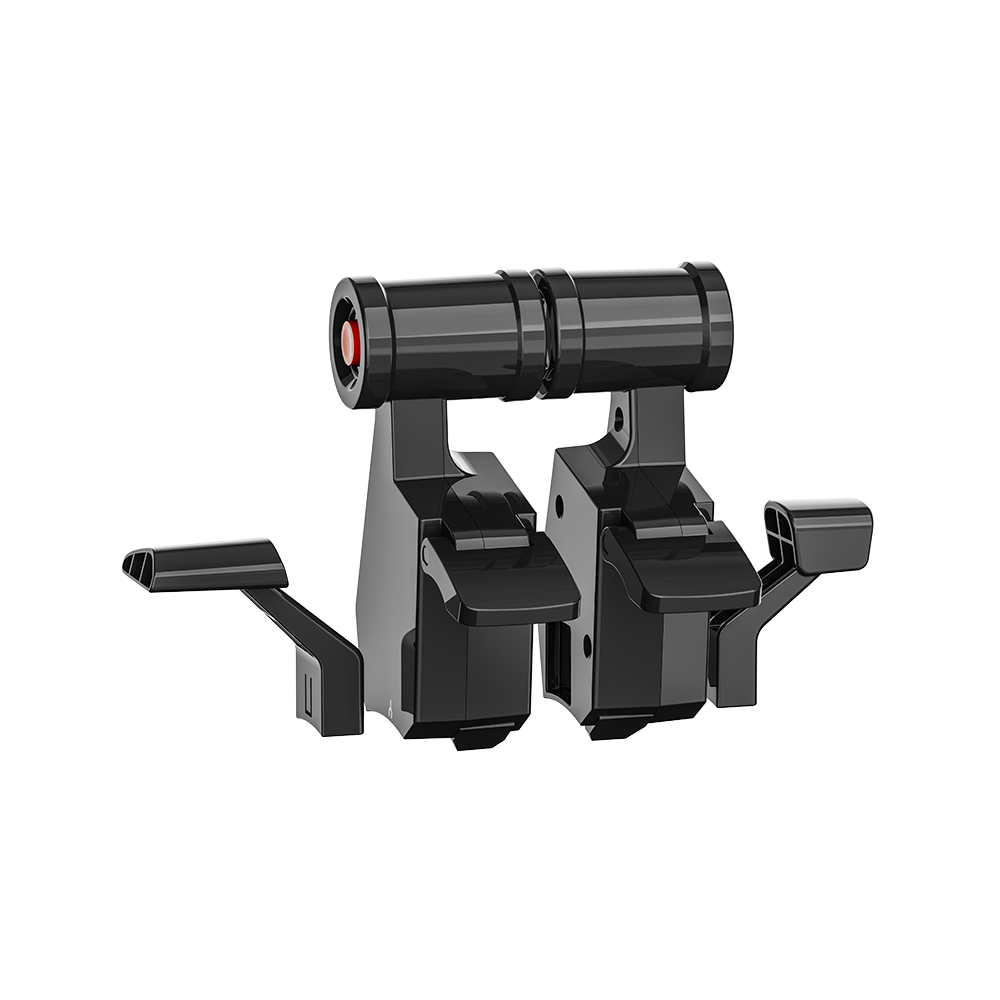
The flap axis is the problem for Boeing flyers, because MOZA’s spec gives it four detents. G-LOC MEDIA calls them “nonadjustable detents”, and MYSH‘s verdict is “great for Airbus, but not ideal for Boeing operation”. One buyer’s review on MOZA’s own store says Boeing needs detents at “AT LEAST 1, 5, 15, and 30”. Changing the detents means opening the base through MOZA Support, and MOZA’s manual says taking it apart yourself voids the warranty. Setting up software zones in MOZA Cockpit won’t change where the lever physically clicks.
The MTQ’s layout is easy to find blind in VR, and the fighter grip feels hollow next to the airliner levers. Nothing comes pre-mapped in the sim, so allow some time for setup. Aus Flight Simmer went three months without one problem, while MYSH, who opened one up, calls it “neither bad nor outstanding” and “a first generation product”.
Honeycomb Bravo and Bravo LITE – best for Boeing and GA
The Honeycomb Bravo Throttle Quadrant is US$299.99 at Honeycomb at the time of writing, and it comes with both GA and commercial lever sets in the box. It has six levers for flaps, spoilers and thrust reverser on single to four-engine aircraft, and one of the six carries a TOGA button. There’s a gear lever with LEDs as well. Above the levers sits an autopilot and annunciator panel with seven assignable switches and 14 indicator lights. It connects by USB-C and works with MSFS 2024, X-Plane 11 and 12 and Prepar3D. Honeycomb lists it for PC and Mac, and for Xbox only alongside its Alpha XPC and the Xbox Hub.
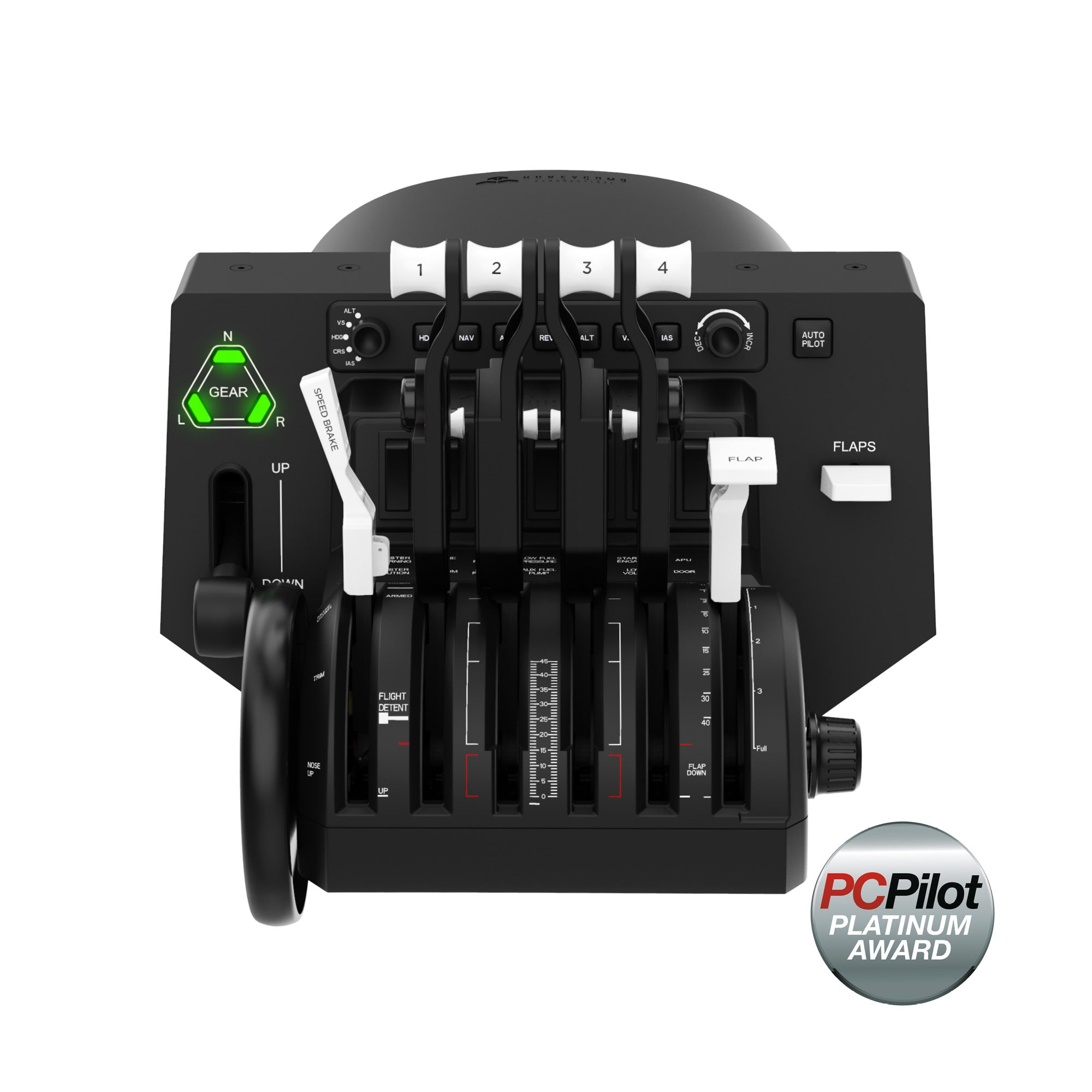
The Bravo’s catch is its detents, and as Capt. Frank says in his review, “There are no built-in detents. There is a slight detent between the reverse and the normal thrust position, but nothing else really.” Over two years of use, NDB AVIATION reports no failures, with one oddity in the trim wheel, which spins with no end stop. ProDeskSim’s add-ons are how you get detents on a Bravo.
The Bravo LITE is US$199.99 at Honeycomb at the moment, and it’s the smaller option if you don’t need six levers. It has four interchangeable levers with adjustable tension for single to twin-engine aircraft, optional flap detents, a built-in trim wheel and a parking brake lever, plus a gear lever with an LED. There’s no autopilot panel listed, and it’s PC and Mac only.
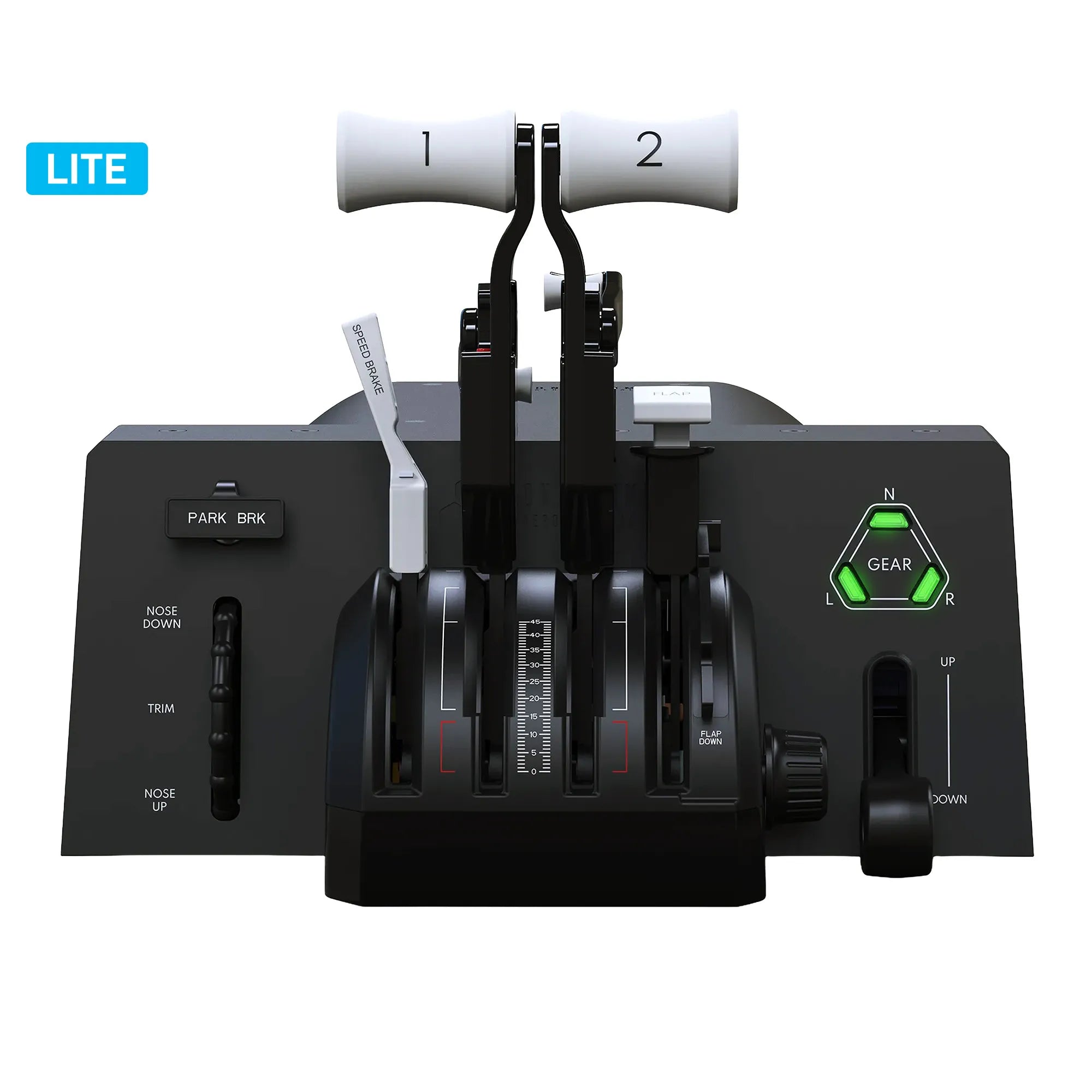
ProDeskSim add-ons – aircraft-specific levers for the Bravo
ProDeskSim makes aircraft-specific lever and gate sets for the Honeycomb Bravo. They aren’t a standalone product, so you need the Bravo first. ProDeskSim says each part “effortlessly snaps into place” with no screws. The A319-A321 set adds CLB, MCT and TOGA/Max detents, and the 737 Ultra puts AT (autothrottle) disconnect and TOGA on each lever along with multi-detent flaps.
On the ProDeskSim store at the time of writing, the A319-A321 set runs from US$82.45 for the throttles alone to US$167.45 for the full package with switches. The 737 Ultra starts at US$101.60, and the four-engine A380 pack is US$169. One thing to check if you fly X-Plane: the 737 Ultra needs FlyWithLua, whether you’re in the Zibo or the default 737.
Thrustmaster TCA Quadrants – the Airbus replica and the Boeing for Xbox
The Thrustmaster TCA Quadrant Airbus Edition is a replica of an A320neo-type throttle, and it’s US$129.99 on Thrustmaster’s US store at the moment. It has two thrust levers with Airbus detents you can switch off, a built-in thrust reverser and 16 buttons (8 physical, plus 8 virtual on the levers). Two quadrants link together to give you four levers for an A380-type aircraft. The sensors are Thrustmaster’s contactless H.E.A.R.T type, and it’s PC only. The TCA Quadrant Add-On Airbus Edition (US$109.99 at Thrustmaster) adds flaps and speed brake modules, a landing gear lever and a parking brake.
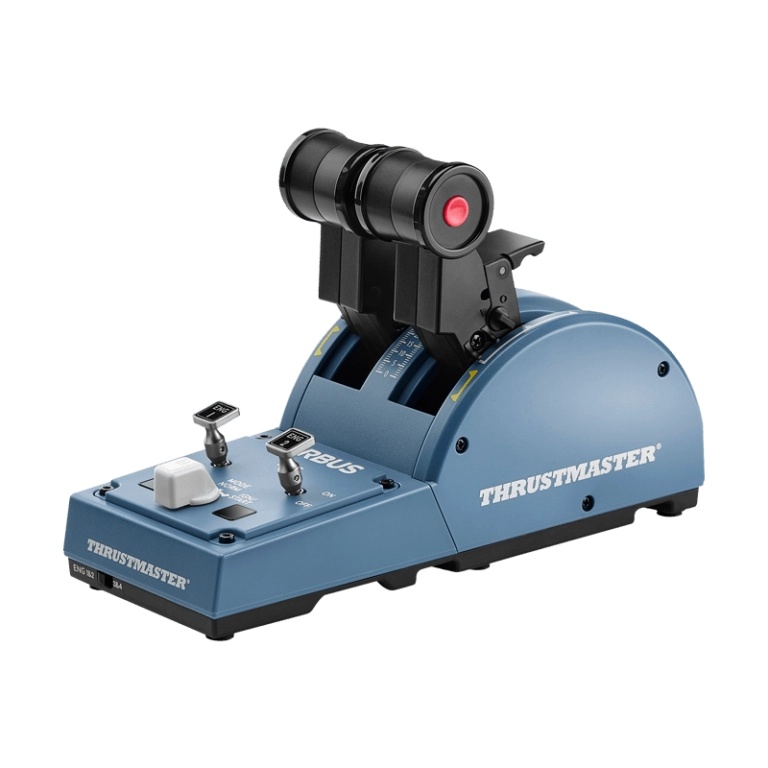
The TCA Quadrant Boeing Edition is US$169.99 at Thrustmaster, and it’s modelled on the 787 rather than the 737. It’s licensed by Boeing and Xbox, and it works on Xbox One, Xbox Series X|S and PC. It has four levers on three axes, a reverser on each thrust lever, 17 buttons and an autopilot rotary for altitude, speed and heading. As TechnicalGuideKV explains, with three axes “we have to lose one throttle or one thrust lever if we are planning to combine the speed brakes and flaps.”
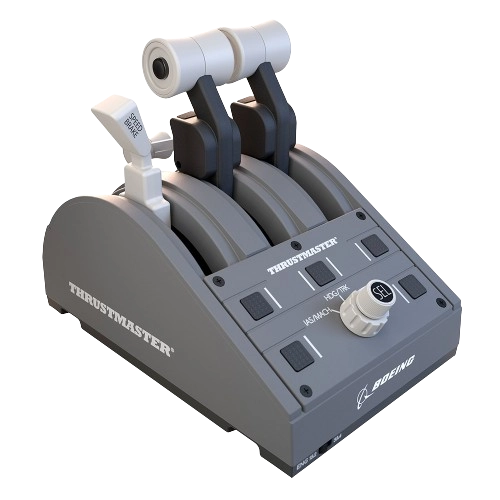
If you’re in Canada, Advanced Sim Racing stocks the Airbus quadrant and the Add-On, but the Boeing Edition is out of stock there at the moment.
MOZA MTP and MTLP – the fighter throttle (and MTQ vs MTP)
So, MTQ or MTP? If you fly airliners as well as fighters, it’s the MTQ, a four-axis quadrant with swappable airliner and fighter levers for US$199. If it’s all combat flying, the MTP is a dedicated twin fighter throttle at US$299 (regular price US$329) on MOZA’s US store at the time of writing. MOZA says the MTP is “inspired by carrier-based throttle panels”, and it has a CNC aluminium grip, 27 programmable switches and a Hall effect mini-joystick. The afterburner and idle lockout detents are customisable, and space sim pilots can add centre detents. Vibration motors give you cues for stall warnings, overspeed and combat hits.
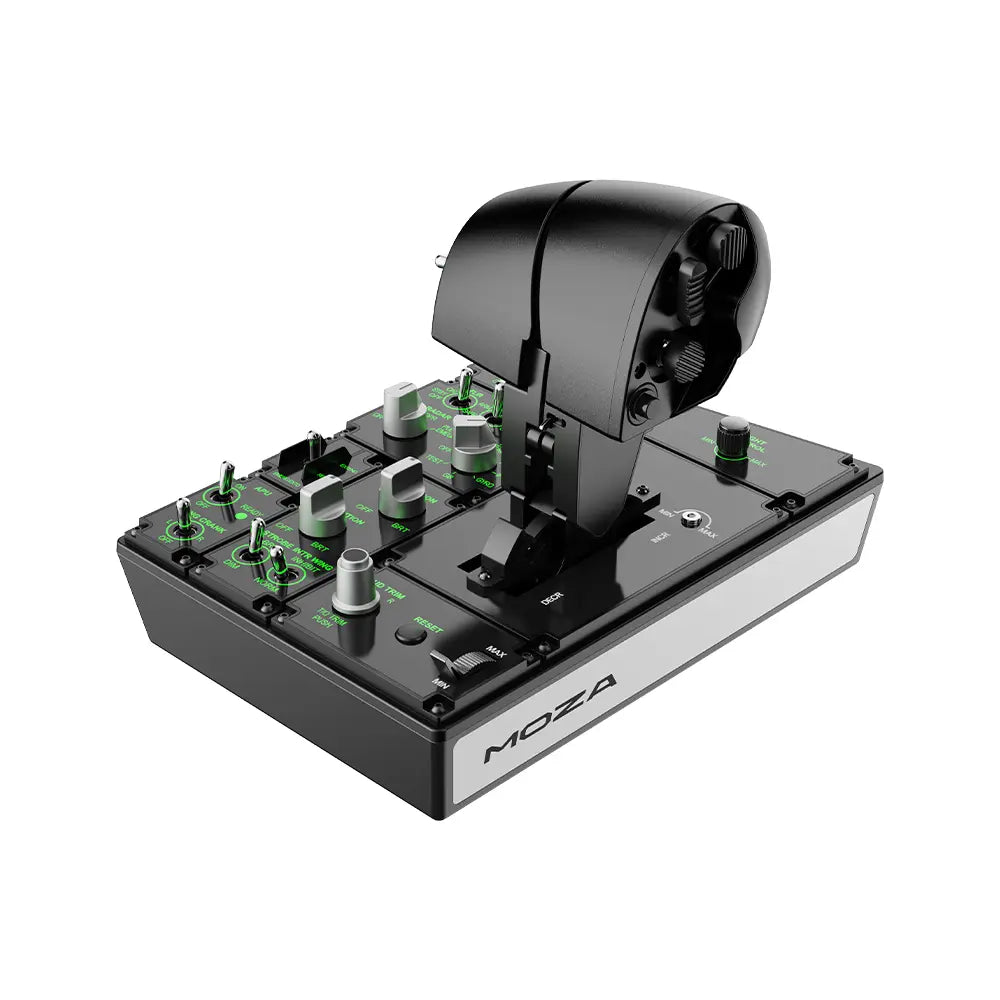
The MTLP is a US$149 panel modelled on the F/A-18 landing panel, and it bolts to the MTP. It has 25 switch signals, Hall sensors and a parking brake lever. DCS ONE ran the pair for a couple of months and rates them for a Hornet pilot. He flies a lot of different aircraft, though, so his answer on whether they’re worth it is “For me, definitely not.” He also found the MTP lifts off the desk when you pull the panel levers, unless it’s mounted.
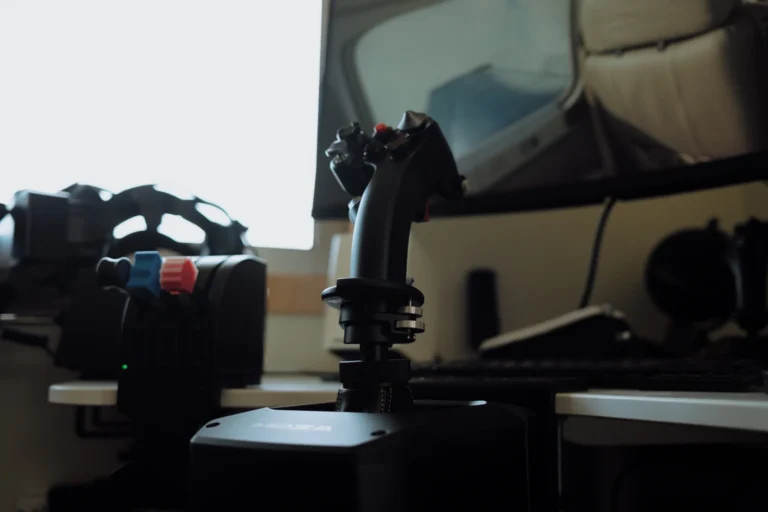
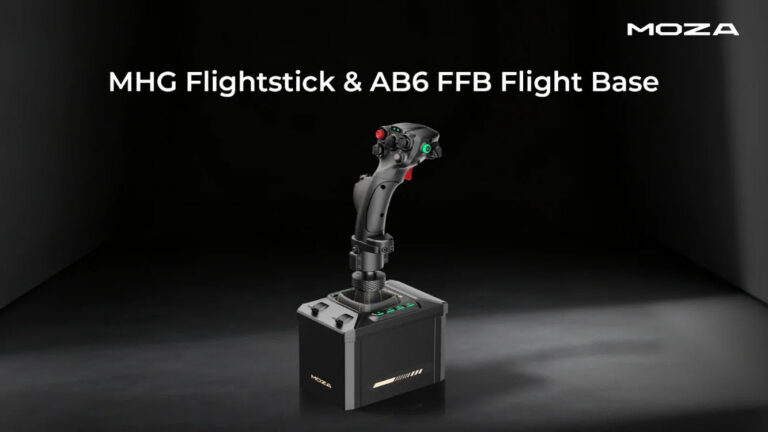
I’ve got MOZA’s AB6 (a force feedback stick base with the MHG grip) on the bench for review at the moment. It’s just so impressively built, and the software ecosystem is really mature. The AB6 has its own write-up in our joystick and HOTAS guide, and it runs in the same MOZA Cockpit software as the MTQ and the MTP.
Thrustmaster HOTAS Warthog Dual Throttle – the A-10C replica
The Thrustmaster HOTAS Warthog Dual Throttle is a replica of the A-10C throttle, licensed by the US Air Force. There are 17 buttons, a slew mini-stick and a hat, plus idle and afterburner detents, and you can disengage the afterburner one. The two levers can be locked together or split, there’s a friction wheel, and the base panel carries its own switches and a trim wheel. Thrustmaster uses its H.E.A.R.T Hall sensors here, at 14-bit per throttle.
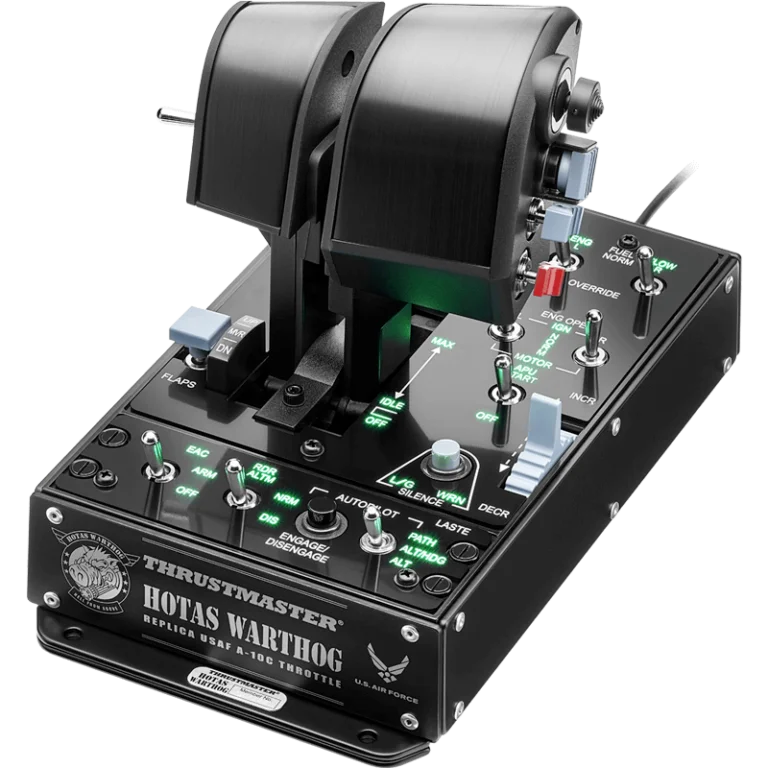
Bought separately, the Dual Throttle is US$349.99 on Thrustmaster’s store at the moment, and it’s PC only. It’s also part of the new HOTAS Warthog MKII set at US$599.99, which adds an F-16 VIPER grip and a redesigned base. The MKII set is in our joystick guide.

Thrustmaster HOTAS Warthog Dual Throttle
The Warthog’s A-10C throttle on its own, for pairing with a stick you already own.
As an Amazon Associate, SimRacingCockpit earns from qualifying purchases.
WINCTRL, Virpil and VKB – the enthusiast throttles
WINCTRL is WinWing’s new name, and it makes throttles for airliner and fighter flyers alike. For Airbus, the URSA MINOR 32 Throttle Metal (US$131.79 on WINCTRL’s store at the time of writing) has detents for IDLE, CL, FLX/MCT, TO/GA and REV IDLE, a reverse latching lever and vibration in both levers. The Orion2 Throttle Base is US$222.43 before you add a grip (F-15E, F/A-18, F-16 or Ka-50) and has three independently adjustable detents. The URSA MINOR Combat Throttle Metal.EX is US$211.05 on pre-order, with Hall sensors, an afterburner detent and vibration in each grip. TrailingEdge, a few days in, said “I don’t think I’ve seen or heard of another throttle with this combination of features at this price”, though it “does wobble at times, especially when you’re pushing it into the afterburner”.
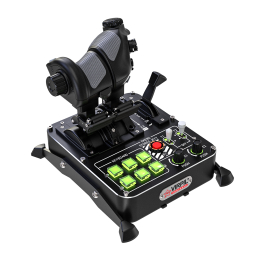
Virpil’s MongoosT-50CM4 throttle is US$369.95, built from duralumin, with interchangeable detent plates, and its detent lifts sit at the front of the handles. The CDT-VMAX is US$269.95 and the VMAX Prime is US$499.95, and all three were on back-order at Virpil’s US store on 29 September 2026. The older CM3 throttle is no longer listed there.
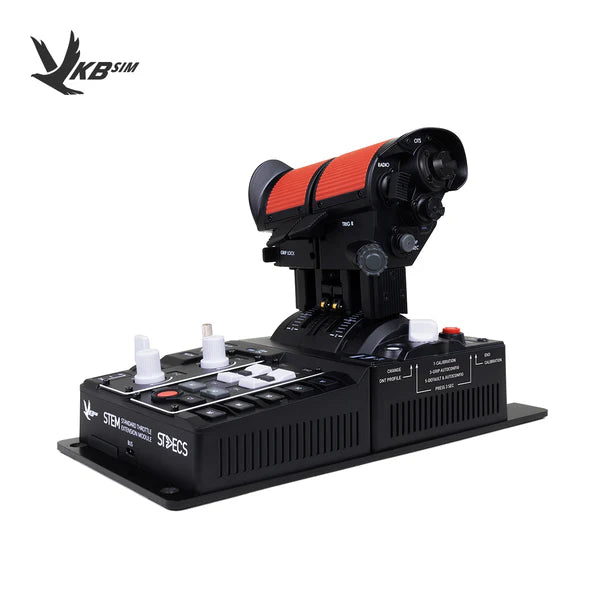
VKB’s STECS Modern Throttle Mk.II comes in several versions, the Mini, the Mini Plus and the Standard among them. The Mini (US$209) is a bare base for rig or chair mounts, and the Standard (US$289) adds a steel desk base plate, more detents and the STEM module. The Standard uses VKB’s contactless MaRS sensors and shares the Warthog throttle’s hole pattern. Both were sold out on VKB’s US store on 29 September 2026.
Budget and console throttles
If you just want some levers on the desk, the Logitech G Flight Throttle Quadrant is US$69.99 at Logitech and in stock at the time of writing. You get three levers and three two-way toggles (Logitech counts nine commands in all), and one comes in the box with every Logitech G Flight Yoke System. The Thrustmaster TWCS is the throttle half of the T.16000M FCS HOTAS, with 80 mm of travel on rails, 14 buttons and a pedal port, but it was out of stock at Thrustmaster US on 29 September 2026.
On Xbox, the TCA Quadrant Boeing Edition is licensed for the console, and the Honeycomb Bravo works with the Alpha XPC and the Xbox Hub. There’s also the Turtle Beach VelocityOne Flight, a yoke system with its own quadrant that works on Xbox and PC, at US$399.99 from Turtle Beach. On PS5, it’s the Thrustmaster T.Flight Hotas 5 Microsoft Flight Simulator Edition, which works on PC, PS4 and PS5 and has a detachable throttle. Our joystick guide has it alongside the other T.Flight sticks.
Which flight sim throttle should you buy?
Airbus flyers should go for the MOZA MTQ with the TQA levers, because its four flap detents suit an A320’s flap lever. The URSA MINOR 32 and the TCA Quadrant Airbus Edition give you Airbus-style thrust levers for less, though the TCA needs its Add-On for the flaps and speed brake. For Boeing, the Honeycomb Bravo with ProDeskSim’s 737 Ultra gives you a multi-detent 737 flap lever, and on Xbox the TCA Quadrant Boeing Edition is the one to buy. GA flyers should look at the Bravo, or the Bravo LITE if they don’t need six levers or an autopilot panel. For DCS and combat flying, the MOZA MTP and the Warthog Dual Throttle are the mainstream choices, and WINCTRL, Virpil and VKB are where to go for detents you can adjust or swap. And for the least money, the Logitech G Flight Throttle Quadrant covers the basics.
Whatever you choose, the throttle is only half of the setup, so have a read of our joystick and HOTAS guide for the stick, and the flight simulation guide if you’re building out the rest of the cockpit. Happy flying.
Related Articles
The Best VR Flight Games and Sims
Best Throttle for Flight Simulator 2026: MOZA, Honeycomb, Thrustmaster, WinCTRL Compared
MOZA AY210 + MFY Yoke Review: The Autopilot-Moves-the-Yoke Setup That Earns Its $848
Force Feedback for Flight Simulation: What It Is, What It Costs, and When You Should Spend on It (2026)
MOZA AB6 vs AB9: Which Force Feedback Flight Base Should You Buy in 2026?
MOZA AB6 Review: Budget Force Feedback Flight Stick Bundle
Topic: Flight Simulation