

I’m a sim racer and amateur racer with a passion for Motorsport, good racecraft and the technical and setup aspect of sim racing.
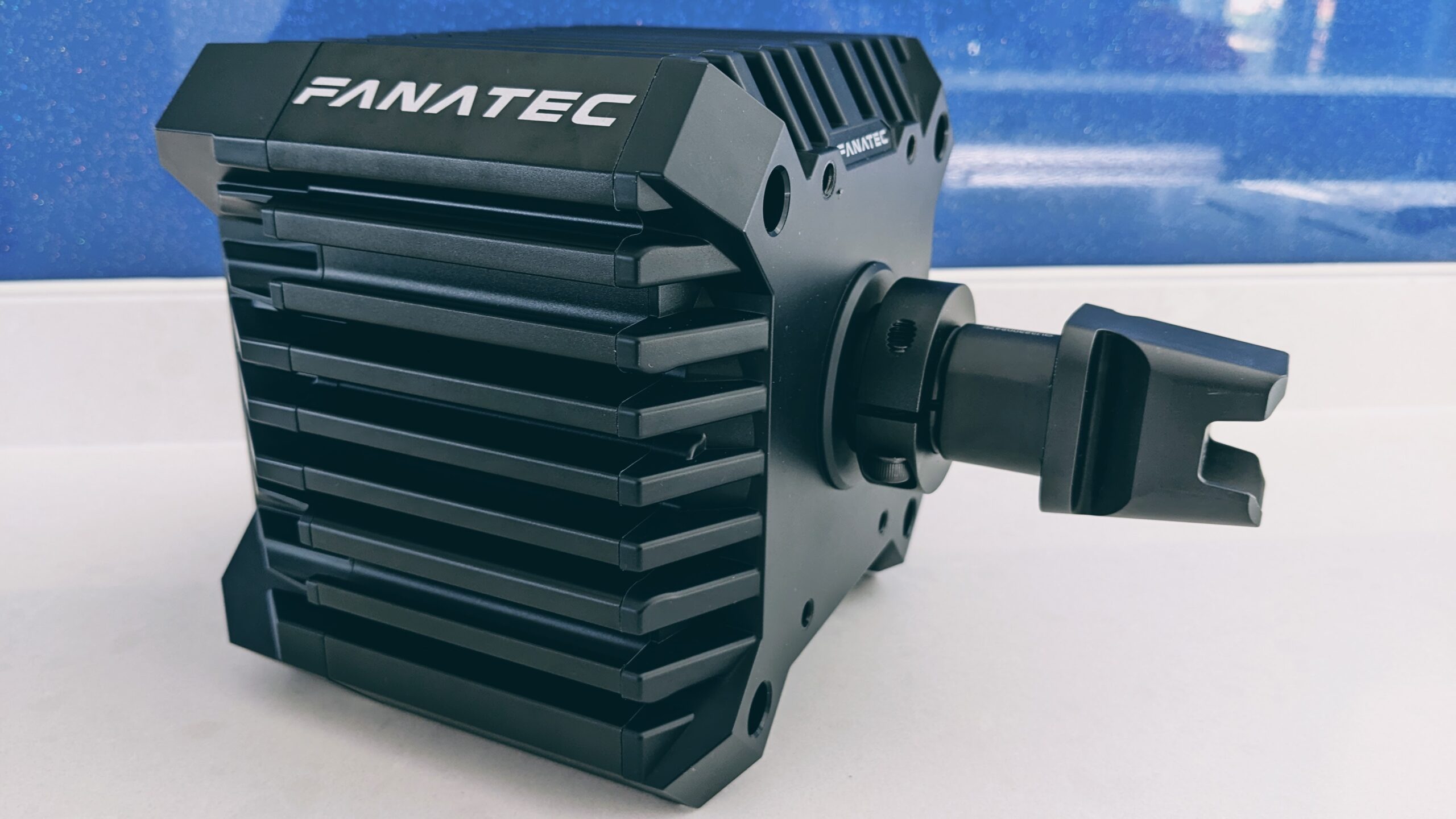
There’s nothing quite like catching a slide, feeding in the power, and then the wheel goes dead in your hands. The force feedback cuts, the paddles stop responding, and you’re a passenger into the gravel. I run a CSL DD on one of my rigs, so I’ve had this happen, and the good news is that a CSL DD or GT DD Pro dropping out mid-race almost always comes down to one of a small handful of causes. One of them – the steering shaft working loose – fixes the large majority of cases and costs nothing. Here’s how I’d work through it, most likely culprit first.
Quick Navigation
Jump to what you need:
Work out which fault you have |
The shaft reseat (the big one) |
USB drops |
Power and the brick |
Overheating |
Firmware and settings
First, work out which fault you’ve actually got
Before you change anything, watch what happens at the moment it drops, because there are two different faults that feel similar and have different fixes. Either the wheel rim cuts out but the base stays alive, or the whole base power-cycles.
If the FFB dies, the buttons and paddles on the rim go unresponsive, but the base is still powered and your pedals (if they’re plugged into the base) still work – and in the Fanatec App the steering wheel icon vanishes while the base stays detected – that’s a connection problem between the wheel and the base. Nine times out of ten that’s the shaft, covered next. If instead the entire base reboots, the power light blinks or goes out and everything dies at once, that points at power or heat, further down. Knowing which one you’ve got saves you a lot of wasted effort.
The shaft reseat: the fix for most mid-race dropouts
This is the one most people never think to check, and it’s the single most common cause. The CSL DD’s steering shaft slots into the base and is held by one bolt clamping around it. The data and power for the wheel run through that shaft. Under hard cornering loads – and it’s worse with the 8Nm boost kit or a heavy metal QR2 – the repeated pull on the wheel can let the shaft creep outward by a millimetre or two. That’s all it takes to break the internal contact, and the wheel drops. Let go, the shaft settles back, and it works again, which is exactly why this one drives people mad: it’s intermittent and it only shows up under load.
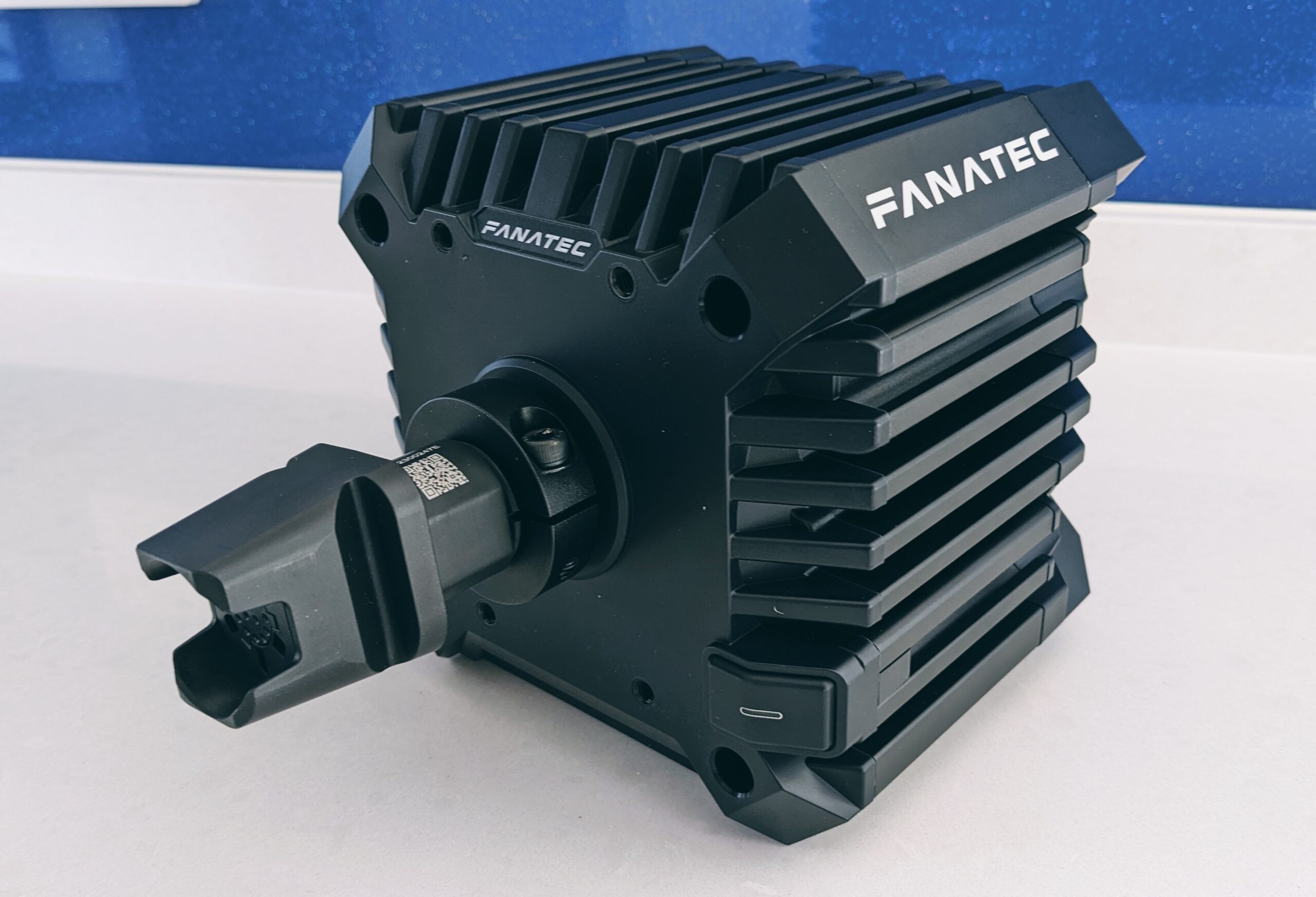
The fix is quick. Power down, loosen the bolt on the base’s shaft clamp, and push the shaft firmly all the way into the base until there’s no gap at all. Line the slot in the clamp up with the flat on the shaft, then tighten the bolt up properly – noticeably tighter than hand-tight. Don’t guess at a torque figure; check the value in your CSL DD manual and do it up to that. The whole job takes two minutes and it’s the first thing to do if your symptom was “wheel drops, base stays alive”.
Visit Our Sponsors
If it keeps creeping loose even after a firm reseat, the longer-term answer that the community has settled on is to replace the single-bolt clamp with an aftermarket two-piece collar that clamps the shaft with two bolts. It holds far better under high-torque use. Worth it if you’re running 8Nm and racing hard, but try the proper reseat first – it fixes most cases on its own.
If it’s dropping the USB connection
If you hear the Windows disconnect-and-reconnect chime when it happens, or the base briefly vanishes from Device Manager, that’s the USB link rather than the shaft. A few things to sort, in order.
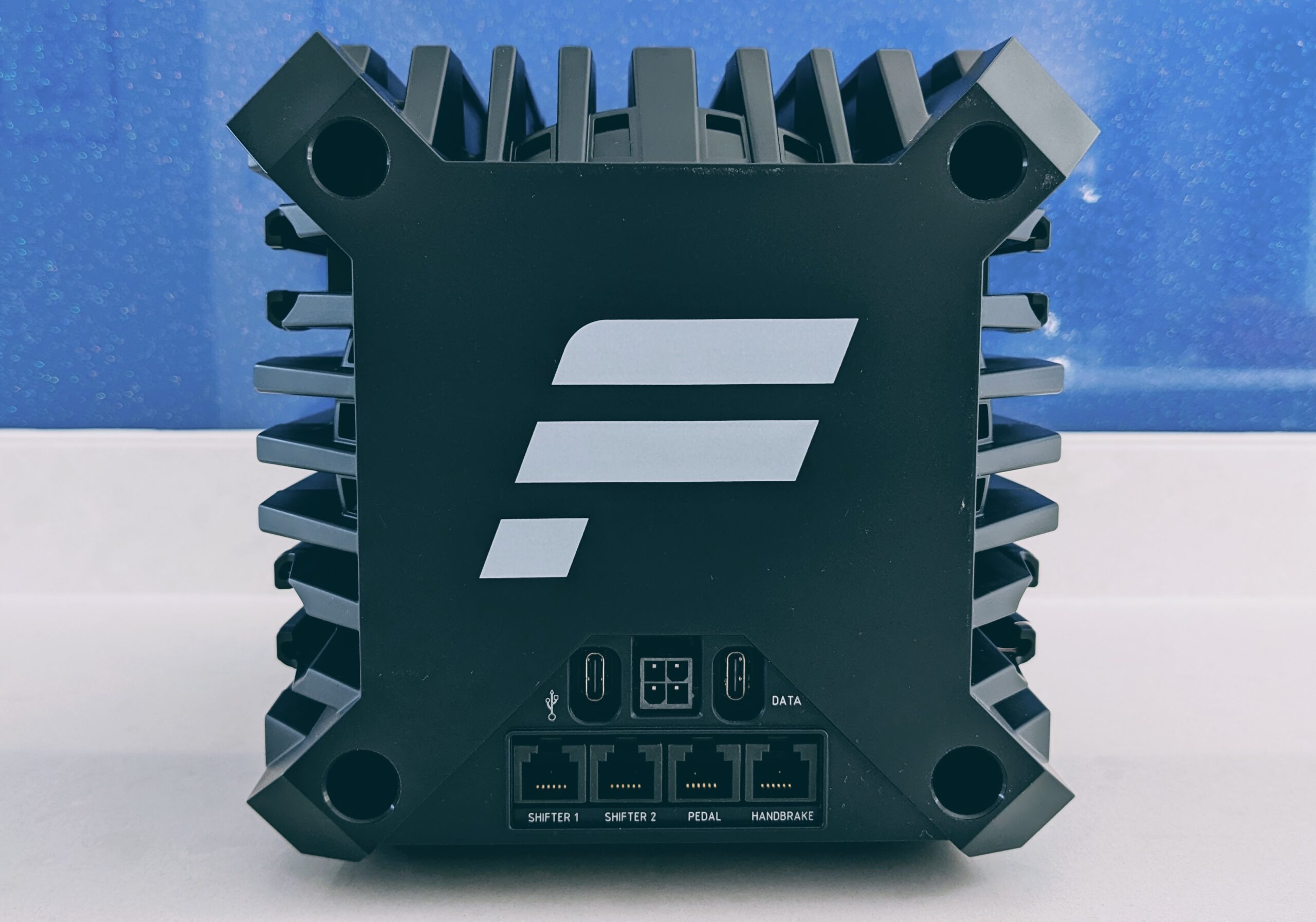
- Go straight to the motherboard. Plug the base’s USB-C cable into a rear USB port on the motherboard itself, not a front-panel case port and definitely not a hub. This alone clears a lot of drops.
- Turn off USB selective suspend. In Windows, Edit Power Plan, Change advanced power settings, USB settings, and set USB selective suspend to Disabled. This stops Windows cutting power to the port to save energy mid-session.
- Stop Windows powering down the USB hubs. In Device Manager, under Universal Serial Bus controllers, open each USB Root Hub, go to the Power Management tab, and untick “Allow the computer to turn off this device to save power”.
- Clear the clutter. Unplug USB devices you’re not using – phone chargers, spare controllers, tablets. They’ve been known to interrupt the polling enough to drop the base.
If the whole base power-cycles: the brick
If the entire base reboots rather than just losing the wheel – usually right when you catch a big snap or slam a kerb and the motor pulls peak current – you’re looking at the power side. The supply browns out under the sudden load and the base’s protection trips.
Two things matter here. First, get the power brick off your metal rig and sat on its own somewhere. Interference and grounding issues from the brick pressed against a metal chassis genuinely cause both FFB drops and USB hiccups, and simply moving it has fixed it for plenty of people. Second, plug the kettle lead straight into a wall socket rather than a busy extension or surge strip, and make sure the connector at the back of the base is fully seated and not hanging under the weight of the cable. If you’re on the lower-powered supply and pushing 8Nm hard, an underpowered or failing brick is a prime suspect.
If the FFB fades after half an hour: heat
Different pattern, different cause. If the wheel feels great for the first stint and then the FFB goes muddy or quietly drops off after 30 to 45 minutes, and the base casing is hot to the touch, that’s thermal throttling. The CSL DD is passively cooled – those ridges on the case are the heatsink – so running the 8Nm kit flat out in a heavy car will eventually cook the motor controller, and it pulls the FFB back to protect itself.
The trick that helps most is to leave the FFB strength at 100% in the Fanatec App but drop the gain in the game itself to around 70 to 80%. That stops the base constantly clipping at peak loads, which is what generates the heat, and you lose almost nothing in feel. If you’re doing long endurance stints at 8Nm, give it a cooldown between sessions, and plenty of people strap a small PC fan to the side of the base to keep it honest. If you’re weighing whether the base has the headroom you need at all, our Fanatec wheel guide covers where the CSL DD sits in the range.
Firmware and the settings that cause cutouts
Since the Corsair acquisition, Fanatec has moved everything into a single unified Fanatec App in place of the old Driver plus FanaLab split. If your dropouts started right after a software update, the likely cause is a firmware mismatch between the base, the motor and the wheel/QR. Open the Fanatec App, go to the firmware section, and make sure nothing’s flagged with a warning – flash any component that’s out of step so they’re all on the same version.
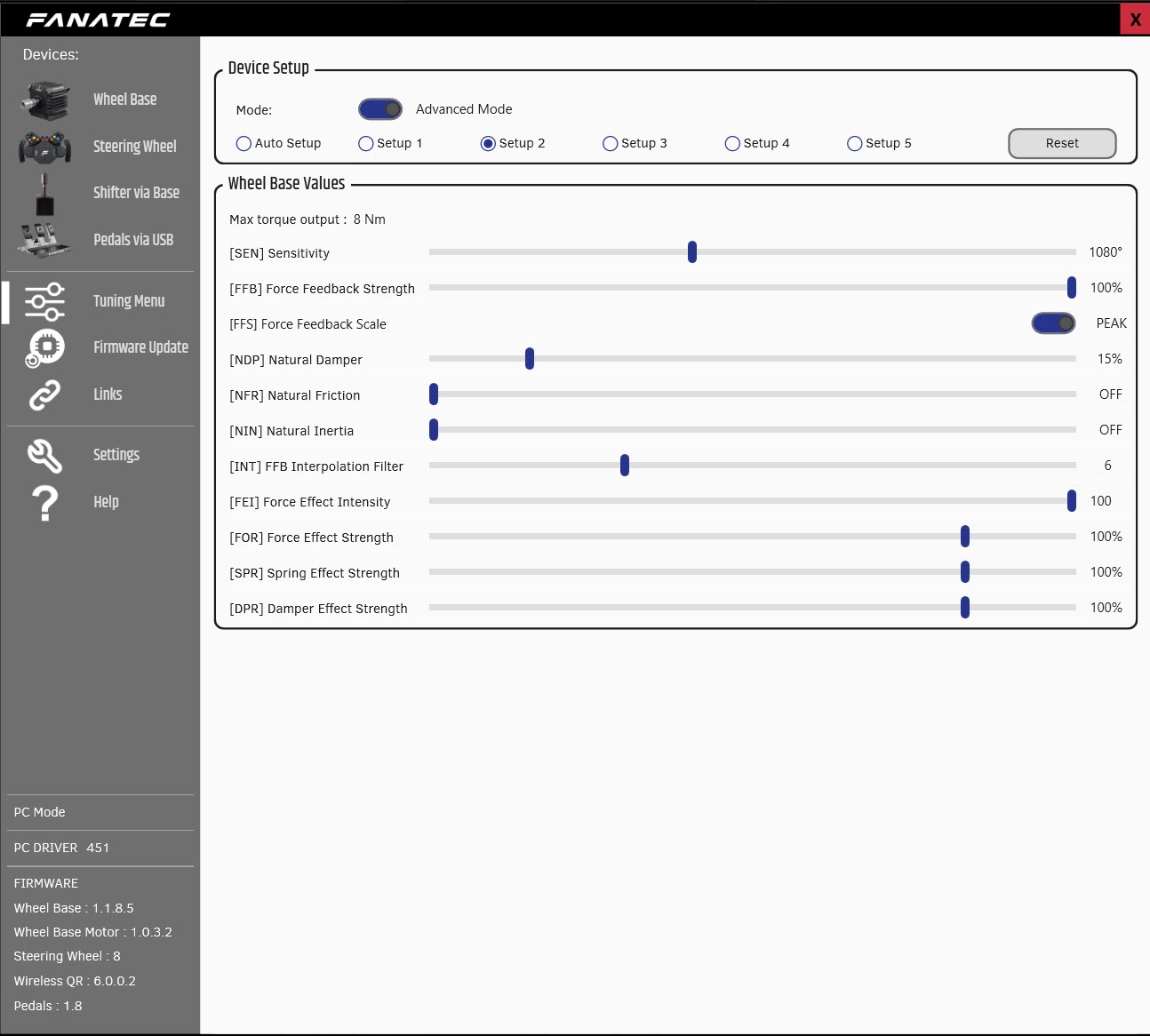
Two more, both worth doing. Map a Reset FFB button on your wheel in the app – if the force feedback ever hangs from a software stutter mid-race, a press restarts it without rebooting the base or the game. And if your cutouts happen specifically on harsh kerbs or violent inputs, it’s the motor being overwhelmed by sharp telemetry spikes: in the tuning menu, raise the INT (FFB interpolation) a step or two to smooth the signal, and bring FEI (force effect intensity) down to around 80 to 90. That softens the spikes enough to stop the protection tripping, and it’s especially worth trying in older or heavily modded titles.
Work through it in that order and a CSL DD that kept dying mid-race will, in nearly every case, settle down. Reseat the shaft first, sort the USB and power, then deal with heat and firmware if they apply. If your base won’t be detected at all rather than dropping under load, that’s a different problem – our guide to a Fanatec base that won’t be detected after a firmware update covers that one, and the wider direct drive wheels hub has more on getting the most from a DD base.
Related guides
How to Set Up Triple Screens in Le Mans Ultimate (LMU)

iRacing VR Settings (2026): Meta Quest 3, PSVR2, Pimax and Valve Index

Assetto Corsa VR Settings 2026: Pimax, Quest 3, PSVR2 & More

Forza Horizon 5 Wheel Settings: FFB for Logitech, Thrustmaster and Moza

EA SPORTS WRC Fanatec Settings for the CSL DD and ClubSport DD+