

I’m a sim racer and amateur racer with a passion for Motorsport, good racecraft and the technical and setup aspect of sim racing.
Featured image: a McLaren 720S leading a Jaguar XJ220 on a wet desert road in Forza Horizon 5 (Image: Playground Games)
You’ve got Forza Horizon 5 running with a wheel, and now the force feedback (FFB) needs sorting out. Below is Playground’s own advice, slider by slider, followed by the settings Logitech, Thrustmaster and Moza publish for their bases, in the order you’d set them.
Quick Navigation
Jump directly to what you’re looking for:
FH5’s FFB |
Logitech |
Thrustmaster |
Moza |
Other wheels |
Fine-tuning
Forza Horizon 5’s force feedback settings
In the game, head to Settings > Advanced Controls, which is where the force feedback, steering and deadzone settings live. The bottom of the list depends on your platform. PC has Steering Sensitivity, and Xbox and PS5 have Steering Rotation, Steering Lock Multiplier and Steering Speed Sensitivity instead. Those three came to Xbox with Series 19 in March 2023, two years before FH5 reached PS5. On PC, your wheel’s own software sets the rotation.
Playground’s own wheel guide says to begin from the defaults in your wheel’s software and in the game, gain and rotation included, and then change one setting at a time. It also warns you never to turn Force Feedback Scale to zero, which Playground calls “the most common mistake wheel users make”. If you want more overall force, turn up the gain in your wheel’s software instead, and our force feedback guide covers how that gain works.
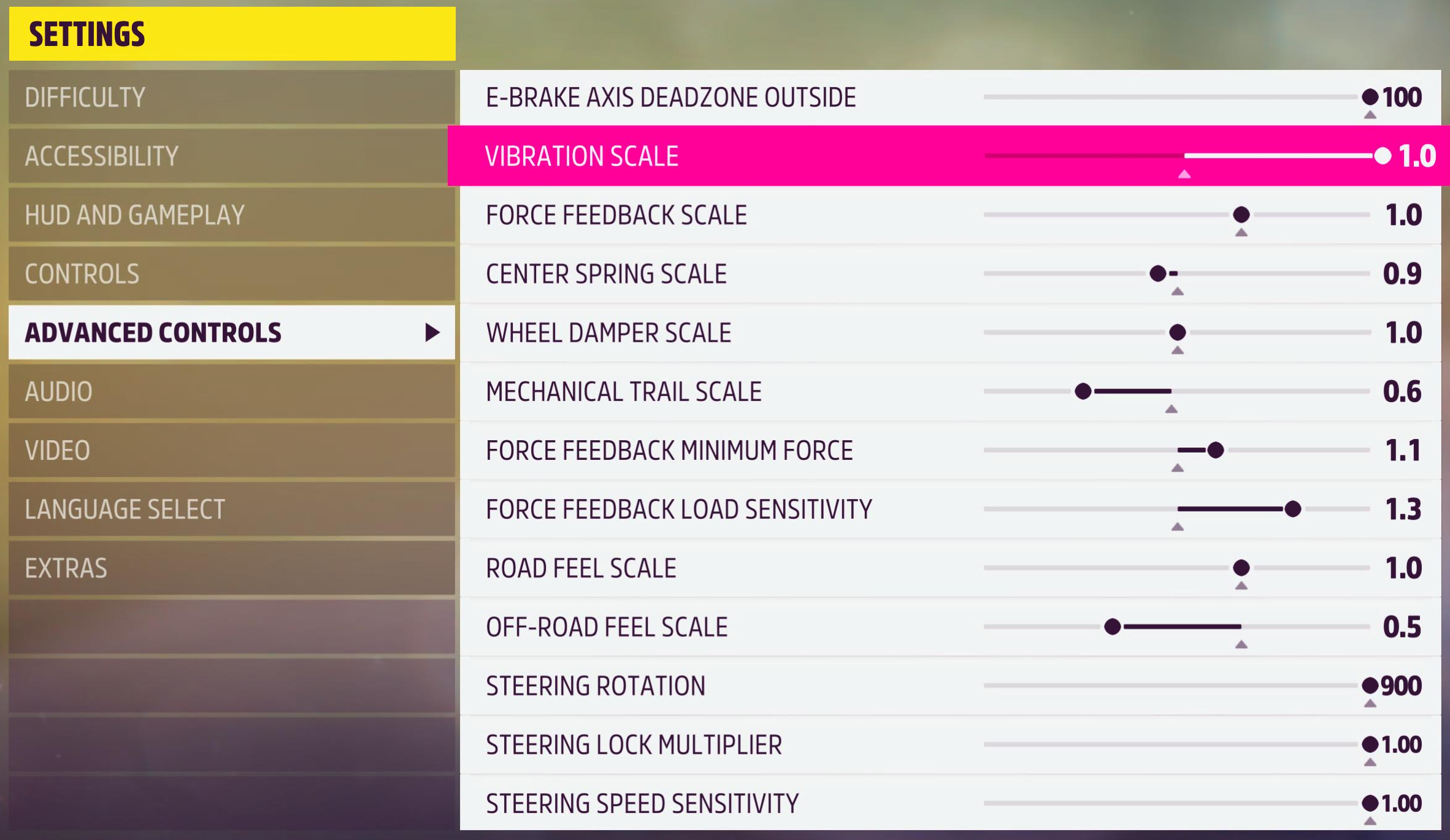
The makers part company with Playground on three sliders. Playground says leave Center Spring Scale alone or turn it down. Logitech’s RS50 sheet and Thrustmaster’s T598 sheet do turn it down, to 0.9 and 0.2, but Logitech’s PRO sheet runs it up at 1.5. Playground also says leave Mechanical Trail Scale at the default, and all three sheets lower it, the PRO to 0.8, the RS50 to 0.6 and the T598 to 0.9. Lower values make understeer easier to feel through the wheel, with less alignment torque overall. On Wheel Damper Scale, Playground says higher-torque wheels such as Thrustmaster’s benefit from some damper, yet the T598 sheet runs it at 0.0, against 0.8 on the PRO and 1.0 on the RS50. All of this is for FH5, not Forza Horizon 6, which came out on 19 May 2026. FH5’s last update on PC and Xbox was the 17 February 2026 build, and its notes (“performance and stability fixes”) mention nothing on wheels. So the makers’ sheets, dated from 2022 to September 2025, should still apply.
Playground’s guide explains each slider like this:
- Force Feedback Scale: the default, and never zero (it doesn’t scale the damper or spring)
- Center Spring Scale: leave it alone or turn it down (too high reduces the feel from the tyres; too low can cause oscillation)
- Wheel Damper Scale: some on higher-torque wheels such as Thrustmaster and Fanatec; little to none on a Logitech G920 or G29 (it slows the wheel, which makes drifting harder)
- Mechanical Trail Scale: the default (drifters may run it higher for more alignment force)
- Force Feedback Minimum Force: lower reduces oscillation but makes the centre vaguer; higher gives a heavier, more aggressive response
- Force Feedback Load Sensitivity: higher if grippy cars get heavy too soon; lower for a car with little grip
- Road Feel Scale and Off-Road Feel Scale: the tyre detail on tarmac and off-road (no effect on the alignment torque strength)
- Vibration Scale: the vibration intensity
- Steering Linearity: 50 (a linear mapping)
- Steering Sensitivity (PC): change this or the wheel’s rotation in its software, not both (Playground suggests 900° on the base; it only works above 30 mph)
- Steering Rotation (Xbox and PS5): the wheel’s degrees of rotation (it doesn’t change the car’s steering lock)
- Steering Lock Multiplier (Xbox and PS5): lower for less steering lock
- Steering Speed Sensitivity (Xbox and PS5): 1.0, the default, keeps the lock the same at every speed; lower cuts the lock at high speed
Logitech settings
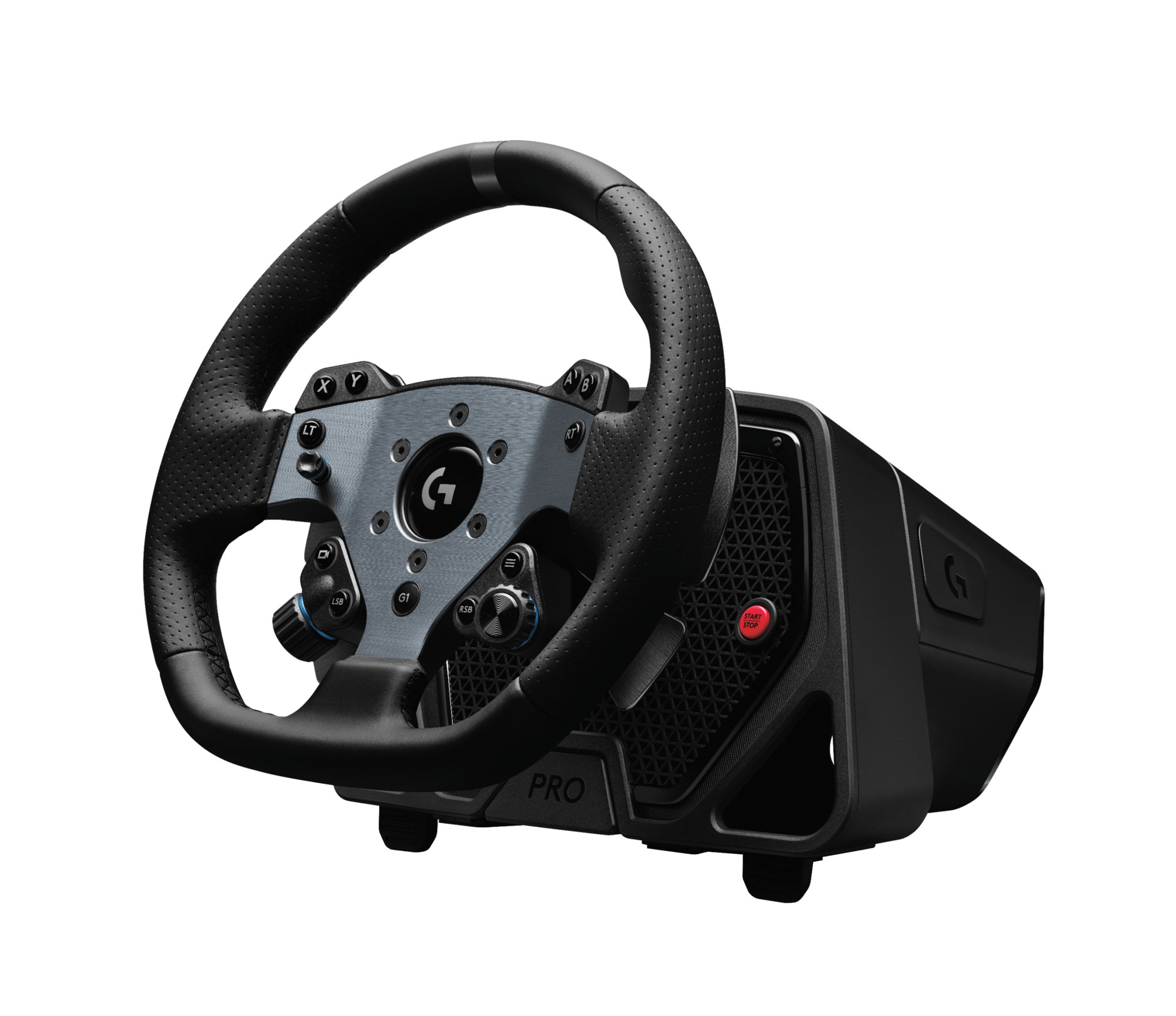
Logitech’s support pages carry FH5 values for two bases, the PRO Racing Wheel and the RS50, with G HUB settings and a screenshot of Advanced Controls for each. The PRO’s settings assume 11 Nm and the RS50’s assume 8 Nm, and Logitech says to set the dampener lower if you run the base at less than that.
On PC, both run in a compatibility mode, so the game sees the PRO as a G923 and the RS50 as a PRO. Logitech says an RS50 in PRO mode needs its pedals reassigning, so head to the game’s Controls screen, map the accelerator, brake and clutch again and save the custom profile. If you run the RS50 in other console games too, there’s our RS50 settings for consoles.
In G HUB, Logitech sets the PRO Racing Wheel up like this on PC and Xbox:
- Compatibility Mode: G923 on PC, PRO on Xbox
- FFB Filter: 8
- Dampener: 30
- Angle: 900° on PC, 1080° on Xbox
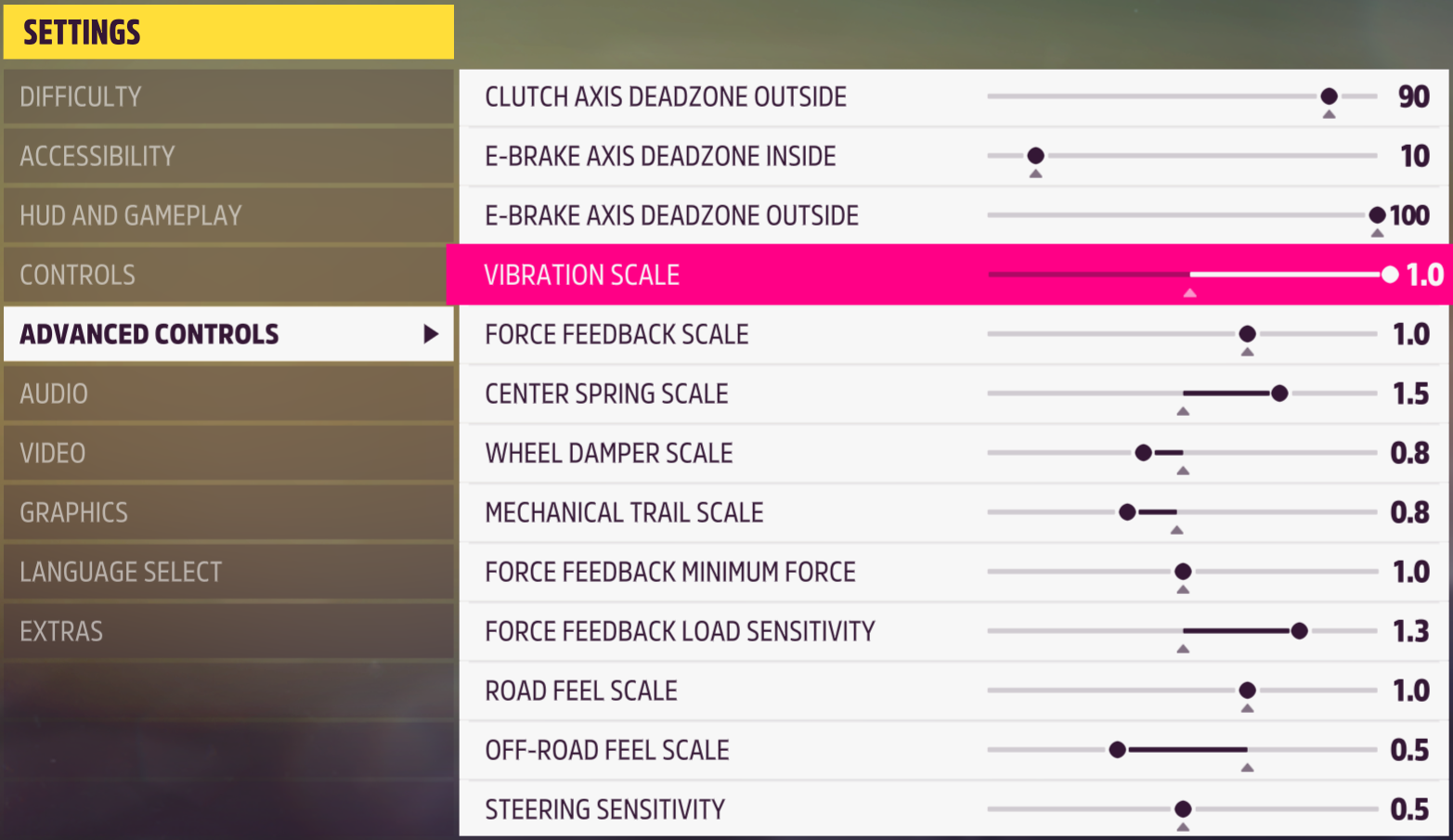
Then in FH5’s Advanced Controls on PC, Logitech’s sheet for the PRO has:
- Vibration Scale: 1.0
- Force Feedback Scale: 1.0
- Center Spring Scale: 1.5
- Wheel Damper Scale: 0.8
- Mechanical Trail Scale: 0.8
- Force Feedback Minimum Force: 1.0
- Force Feedback Load Sensitivity: 1.3
- Road Feel Scale: 1.0
- Off-Road Feel Scale: 0.5
- Steering Sensitivity: 0.5
For the RS50, Logitech’s G HUB settings on PC, PS5 and Xbox are:
- Compatibility Mode: PRO on PC, RS on PS5 and Xbox
- FFB Filter: 6 on PC and Xbox, 9 on PS5
- Dampener: 30
- Angle: 900°
And in the game’s console Advanced Controls menu, the RS50 sheet reads:
- Vibration Scale: 1.0
- Force Feedback Scale: 1.0
- Center Spring Scale: 0.9
- Wheel Damper Scale: 1.0
- Mechanical Trail Scale: 0.6
- Force Feedback Minimum Force: 1.1
- Force Feedback Load Sensitivity: 1.3
- Road Feel Scale: 1.0
- Off-Road Feel Scale: 0.5
- Steering Rotation: 900
- Steering Lock Multiplier: 1.00
- Steering Speed Sensitivity: 1.00
The G923, G29 and G920 are a different story, because Logitech publishes no FH5 values for them. That includes the G923 I own. For those three, Playground’s guide is the only official advice, and it says that on a G920 or G29 you may want to turn both Wheel Damper and Center Spring down “to get more feel from the tire”.
Thrustmaster T598 settings
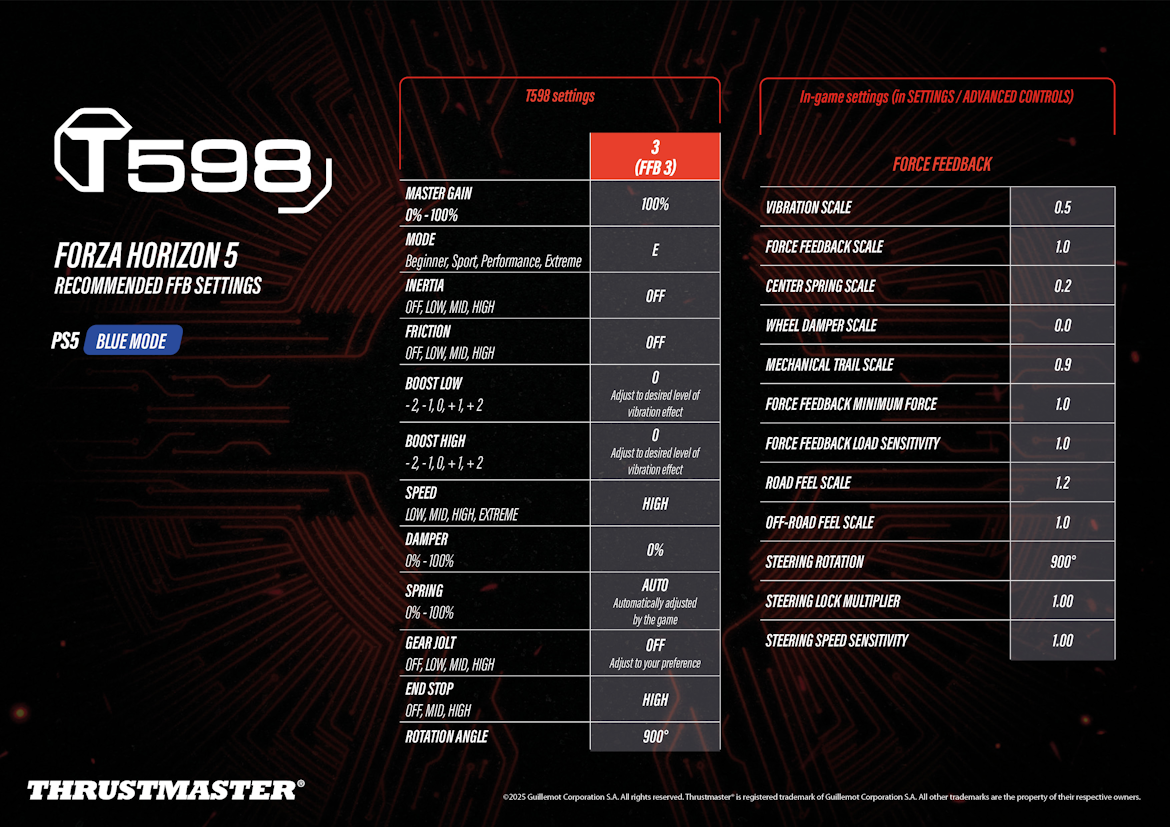
Thrustmaster publishes one FH5 force feedback sheet, for the T598 on PS5 in Blue mode, and you’ll find it on Thrustmaster’s support page. Playground’s supported list has the T598 as PS5 only. Thrustmaster has no FH5 force feedback preset for the T818, T248, T300, TX, T-GT II, T128 or TMX. Our Thrustmaster wheels guide compares the T128, T248, T300, TX and T818, along with the T598. Playground also still lists an open known issue where Thrustmaster wheels get no force feedback, only the centring spring.
On the T598 itself, Thrustmaster’s settings are:
- FFB 3, PS5 Blue mode:
- Master Gain: 100%
- Mode: E
- Inertia: Off
- Friction: Off
- Boost Low: 0 (adjust for the level of vibration you want)
- Boost High: 0 (adjust for the level of vibration you want)
- Speed: High
- Damper: 0%
- Spring: Auto (set by the game)
- Gear Jolt: Off (to your preference)
- End Stop: High
- Rotation Angle: 900°
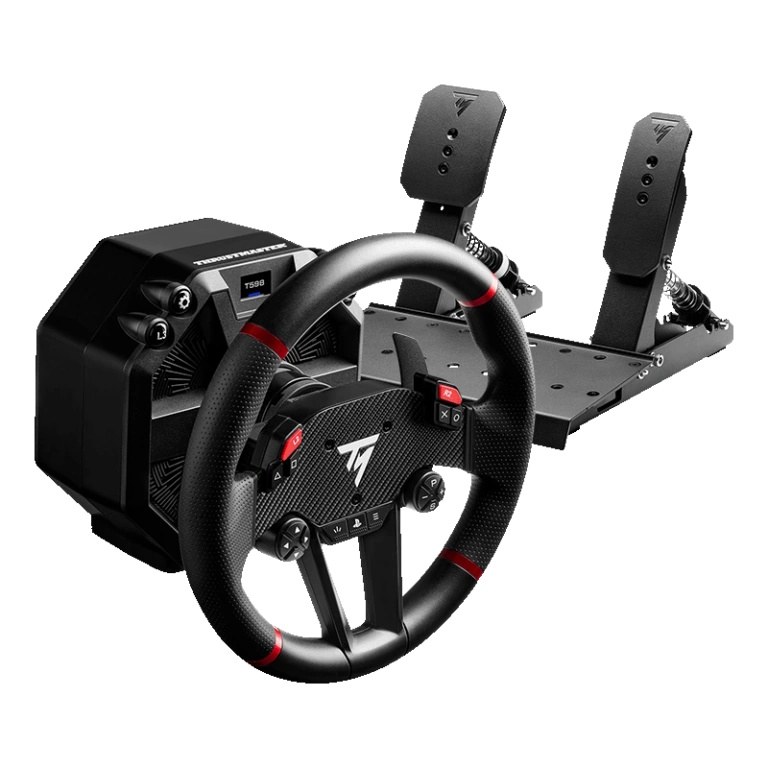
And in FH5’s Advanced Controls on PS5, the sheet sets:
- Vibration Scale: 0.5
- Force Feedback Scale: 1.0
- Center Spring Scale: 0.2
- Wheel Damper Scale: 0.0
- Mechanical Trail Scale: 0.9
- Force Feedback Minimum Force: 1.0
- Force Feedback Load Sensitivity: 1.0
- Road Feel Scale: 1.2
- Off-Road Feel Scale: 1.0
- Steering Rotation: 900°
- Steering Lock Multiplier: 1.00
- Steering Speed Sensitivity: 1.00
Moza settings
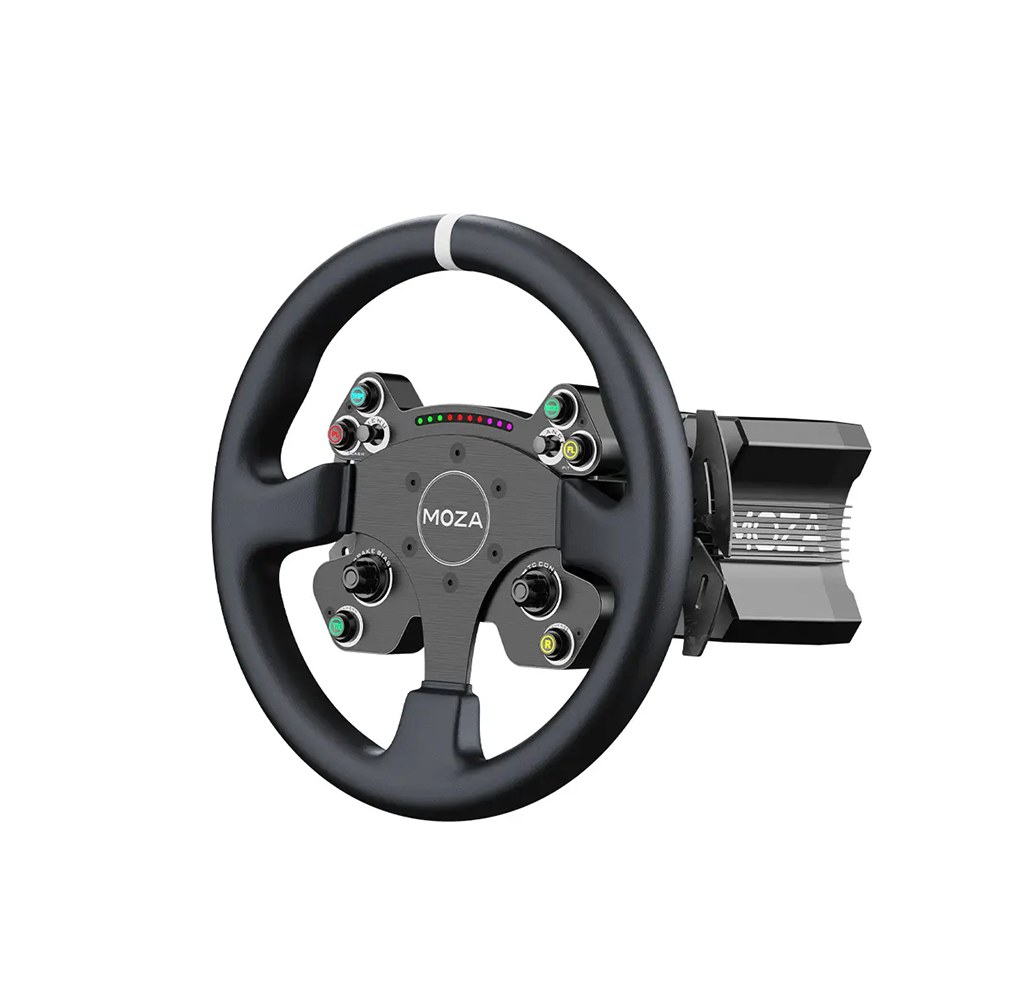
Moza’s FH5 guide covers Forza Horizon 4 and 5, and it’s PC only. Pit House 1.3.1.37 and later has a one-click setup for Forza Horizon, which sets up the wheel, pedals, steering angle and various force feedback settings for you. If the force feedback part fails because of PC write permissions, Moza gives you a manual config file to copy in instead.
The Pit House values below are Moza’s example setup, shown on an R16/R21. That setup puts the steering angle at 540°, but Moza’s own tips say “900 ° is recommended”, and Playground also says 900 degrees on PC. Invert Force Feedback has to be off, because Moza says the direction is reversed by default. I own a Moza R21 and an R25 Ultra, and if you’re weighing up a Moza base, our Moza wheel guide covers the range.
In Pit House, Moza’s example setup is:
- Basic:
- Maximum steering angle: 540° (Moza’s tips recommend 900°)
- Synchronous: On
- Road sensitivity: 10
- Game force feedback intensity: 50%
- Maximum wheel speed: 10%
- Wheel spring strength: 0%
- Wheel damper: 65%
- Advanced:
- Force feedback reversal: Off
- Maximum output torque limit: 100%
- Hands off protection: On
- Steering wheel inertia: select the steering wheel you’re using
- Natural inertia: 250%
- Wheel friction: 45%
- Speed-dependent damping: 0%
- Start point of speed-dependent damping: 0 km/h
- Effect equalizer:
- Body bumps: 100%
- 80 km/h kerb effects: 150%
- ABS vibration: 200%
- 80 km/h grass effects: 200%
- 60 km/h sand effects: 200%
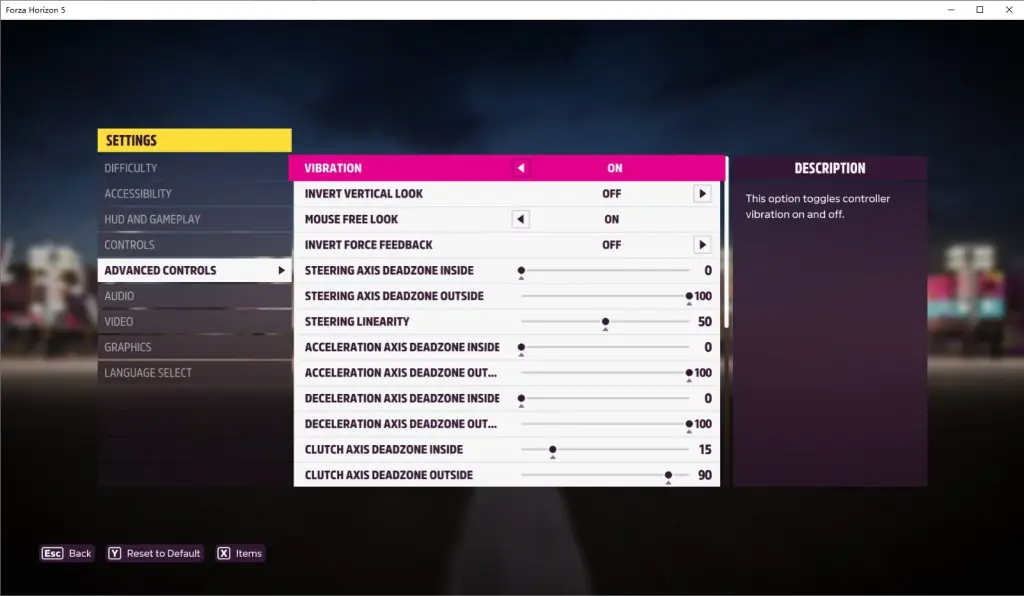
In the game, Moza doesn’t give values for the force feedback sliders, only these:
- Invert Force Feedback: Off
- Steering Linearity: 50
- Steering, Acceleration and Deceleration Axis Deadzone: Inside 0, Outside 100
- Clutch Axis Deadzone: Inside 15, Outside 90
- Data Out, under HUD and Gameplay: On, IP address 127.0.0.1, port 20055 (for the RPM lights and dash)
Moza discount code: use SIMRACINGCOCKPIT at checkout for 3% off at mozaracing.com.
Fanatec and the other wheels
Fanatec publishes no FH5 values. Its recommended-settings page is for Forza Horizon 6, and its forum has staff settings for FH4 but not FH5. Playground’s damper tip does name Fanatec alongside Thrustmaster, saying wheels with more built-in torque “actually benefit from some damper scale”. Playground’s supported list has the CSL DD, DD1 and DD2 on Xbox and PC and the GT DD Pro on PS5. Our Fanatec guide goes through the current direct drive bases and how to get a deal on one.
Simucube and Simagic haven’t published anything for FH5 either, and Simucube’s docs only have telemetry pages for Forza Horizon 6 and Forza Motorsport.
Fine-tuning
If something still doesn’t feel right, these are the fixes Playground and the makers give for the usual problems.
- If the wheel feels weak, raise the gain in your wheel’s own software and leave Force Feedback Scale at its default.
- When the wheel oscillates, check you haven’t dropped Wheel Damper Scale or Center Spring Scale too low, or try Force Feedback Minimum Force at its minimum, which helps reduce oscillation but makes the centre vaguer.
- Feeling the centring force and not the tyres points to Center Spring Scale set too high, so leave it at the default or turn it down.
- If the game doesn’t pick up pedals that plug in separately over USB, create a custom wheel profile in the game, and Playground recommends you don’t run them through a USB hub.
- A grippy car where the force feedback gets too heavy too early wants more Force Feedback Load Sensitivity, and a car with little grip wants less.
- For drifting, Playground says Wheel Damper Scale slows the wheel down, which makes drifting harder, and that drifters may run Mechanical Trail Scale above the default.
- On PC, if the steering ratio feels wrong, change the rotation in your wheel’s software or Steering Sensitivity in the game, not both. Playground suggests setting the base to 900 degrees and doing the tuning in Steering Sensitivity.
- A wheel without force feedback, like the Thrustmaster T80, can lock up, and the fix is Steering Rotation at its maximum in Advanced Controls.
- If the force feedback pulls the wrong way on a Moza, turn Invert Force Feedback off. On Steam, there’s also the DInputFFBInvertAxis setting in the input profile, which flips the force feedback direction.
For the brand-by-brand explainer, our direct drive wheel settings guide is the next stop, and its Settings Finder covers the other sims, though not FH5. If you’re still choosing a wheel, start with the Xbox wheel guide. I’ll see you out on track!
Related Articles

Best Pimax VR Settings for F1 25 in 2026: A Damage-Control Guide

Best Pimax VR Settings for Le Mans Ultimate in 2026

Best Pimax VR Settings for Automobilista 2 in 2026

Best Pimax VR Settings for Assetto Corsa in 2026

iRacing VR Settings (2026): Meta Quest 3, PSVR2, Pimax and Valve Index

Assetto Corsa VR Settings 2026: Pimax, Quest 3, PSVR2 & More
Topic: Direct Drive Wheel Settings