

I’m a sim racer and amateur racer with a passion for Motorsport, good racecraft and the technical and setup aspect of sim racing.
Featured image: a Cadillac GTP on the Le Mans pit straight at night in Forza Motorsport (Image: Turn 10 Studios)
You’ve got Forza Motorsport installed, a wheel bolted to the rig, and a page of sliders to work through before the force feedback (FFB) feels right. Turn 10 wrote its own guide to those sliders and Logitech publishes values for its RS50 and PRO direct drive wheels, but none of the other wheel makers publishes force feedback values for this game, so on any other brand’s base, Turn 10’s guide is where you start.
Quick Navigation
Jump directly to what you’re looking for:
Forza Motorsport’s FFB |
Turn 10’s guide |
Logitech |
Other brands |
Fine-tuning
Forza Motorsport’s force feedback settings
The wheel settings live on the Advanced Wheel settings page, in the game’s settings menu. There’s a second layer in each car’s tuning menu, which carries its own Force Feedback Scale and steering lock, and Turn 10 points out that those values are “specific to that car in your garage and are not saved with the tune file”. Turn 10’s starting rule is to begin with the defaults, both in the game and in your wheel’s own software (the overall gain and rotation included), get a feel for how the wheel works with the game, and then change one setting at a time. If you want the background on what each effect is doing, our force feedback guide covers it.
Update 20, on 5 May 2025, was the last update to change the force feedback. It added steering wheel calibration and car-specific lock-to-lock, which Turn 10 says is most noticeable in race cars, because they typically have fewer degrees of lock. It also reset Steering Sensitivity and each car’s Steering Lock Range. The default force feedback changed for most wheels too, though Turn 10 says the new defaults don’t replace a force feedback setup you’d already tuned.
Update 22 (15 September 2025) was the last numbered update, and on 16 December 2025 Turn 10 said there would be no new cars, tracks, features or regular bug fixes, while the servers stay up. So the values below are for the game as it is now, apart from Logitech’s PRO sheet, which is older than Update 20.
Turn 10’s advanced wheel settings
Turn 10’s Advanced Wheel Tuning guide describes nearly every slider on that page (Degrees of Rotation came after it was written), but it gives very few numbers. It does cover every brand of wheel, though. It still uses a few older names (Wheel Damper Scale for what the game now calls Wheel Damping Scale, and Aligning Torque Scale for Steering Self Alignment), so if you open it alongside the game, not every label will match.
Turn 10’s guide describes each slider like this, under the name the game gives it:
- Force Feedback Scale: the default, which Turn 10 sets to a neutral value that "generally shouldn’t clip" (it scales every force, the spring and damper included, but not the vibration)
- Vibration Scale: sets the vibration intensity (turning it down doesn’t change the road feel)
- Steering Self Alignment: the overall aligning torque from the mechanical and pneumatic trail (not the spring or damper)
- Mechanical Trail Scale: higher gives a smoother force with less fidelity (good for drifting, but it can overpower lockup and understeer)
- Pneumatic Trail Scale: lower it to reduce the tyre’s dynamic effects (this is the force that fades as the tyre slips)
- Road Feel Scale: turns rumble strips and cobbles up or down without affecting the aligning torque
- Load Sensitivity: lower for a smoother wheel, at a cost of fidelity
- Wheel Damping Scale: some on higher-torque wheels such as Thrustmaster and Fanatec; little to none on a Logitech G920 or G29 (too low can cause oscillation)
- Center Spring Scale: leave it alone or turn it down (too high reduces the feel from the tyres; too low can cause oscillation)
- Dynamic Damper Behavior: the standard setting eases the damper off as the tyres slide; lower makes it more linear
- Steering Sensitivity: higher makes the steering more responsive (it sets the ratio of your wheel’s rotation to the front wheels)
- Steering Linearity: 50 (a linear mapping)
- Use Gamepad Steering Filters: Off on a force feedback wheel (Turn 10: best for gamepads, joysticks and non-force feedback wheels)
- Invert Force Feedback: only if the wheel pulls in the direction you’re turning instead of resisting
Back in the car’s tuning menu, Turn 10 describes that per-car Force Feedback Scale as “an overall scale of all force effects specific to the currently loaded car”. It says the Steering Lock Range in there is most useful for reducing the input steering angle on race cars with a larger turning radius.
Logitech settings
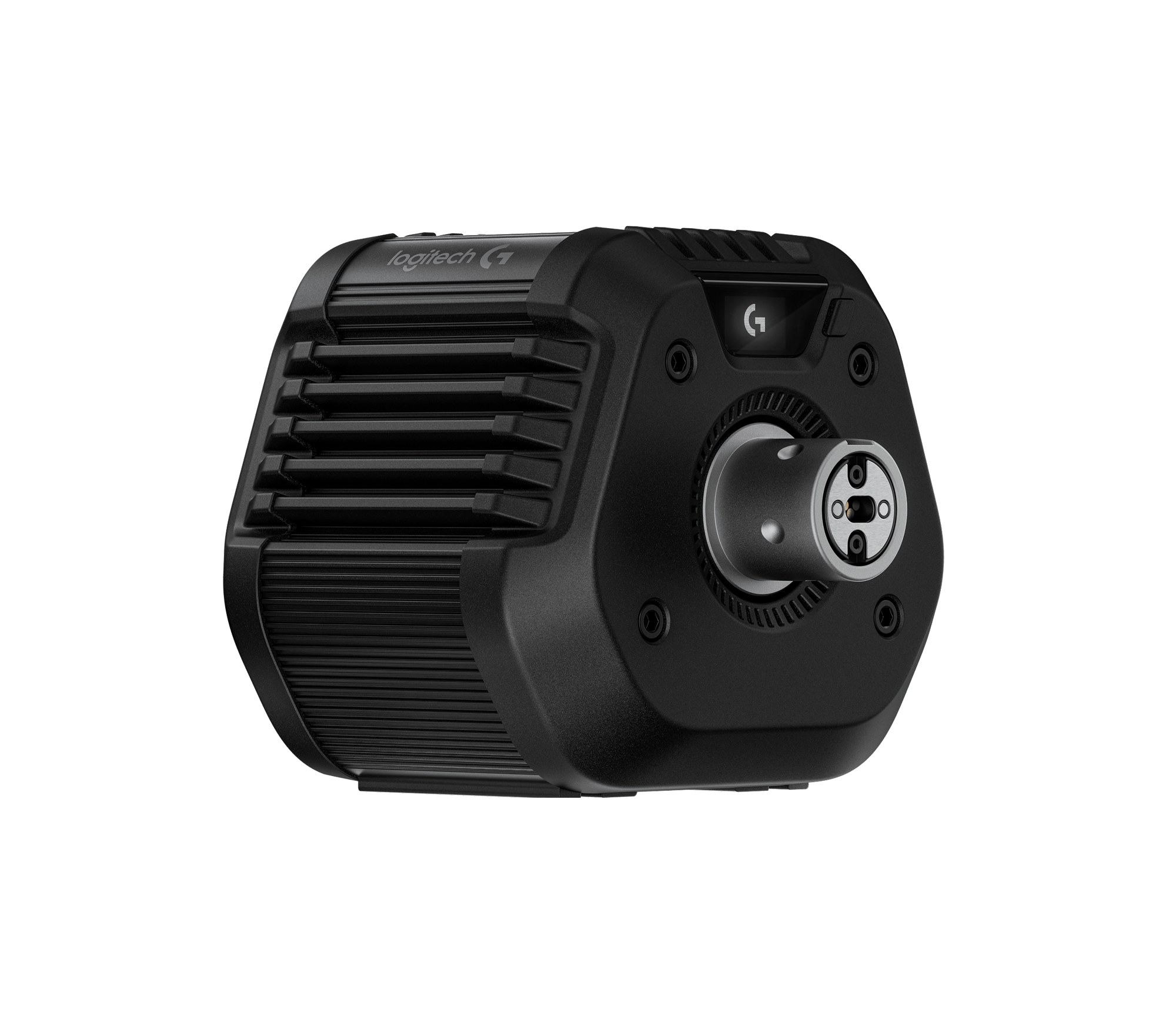
Logitech is the only wheel maker that publishes Forza Motorsport values, on two support pages, one for the RS50 and one for its PRO wheels. Each gives the settings for the base itself, as they appear on the wheel’s settings display, and a screenshot of the game’s wheel page. The numbers assume the RS50 is running at 8 Nm and the PRO at 11 Nm, and if you run yours at a lower strength, Logitech says you can set the dampener lower. If you run the RS50 in other games as well, our RS50 settings for PC and console carry Logitech’s values for those too.
The two in-game sheets come from different eras. The RS50 screenshot is from September 2025, after Update 20, and includes the TrueForce block that Update 11 added in August 2024; the PRO screenshot is from October 2023, the launch build, before Update 20 changed the defaults. So when the RS50 sheet runs Force Feedback Scale at 130 and Wheel Damping Scale at 100 where the PRO sheet has 100 and 80, you’re looking at a different base on a different version of the game.
On the RS50, Logitech sets the base up differently for PC and Xbox:
- Compatibility Mode: PRO on PC, RS on Xbox
- FFB Filter: 1 on PC, 8 on Xbox
- Dampener: Off on PC, 15 on Xbox
- TF Audio: 40 on PC, 100 on Xbox
- Angle: 1080° on PC, 2700° on Xbox
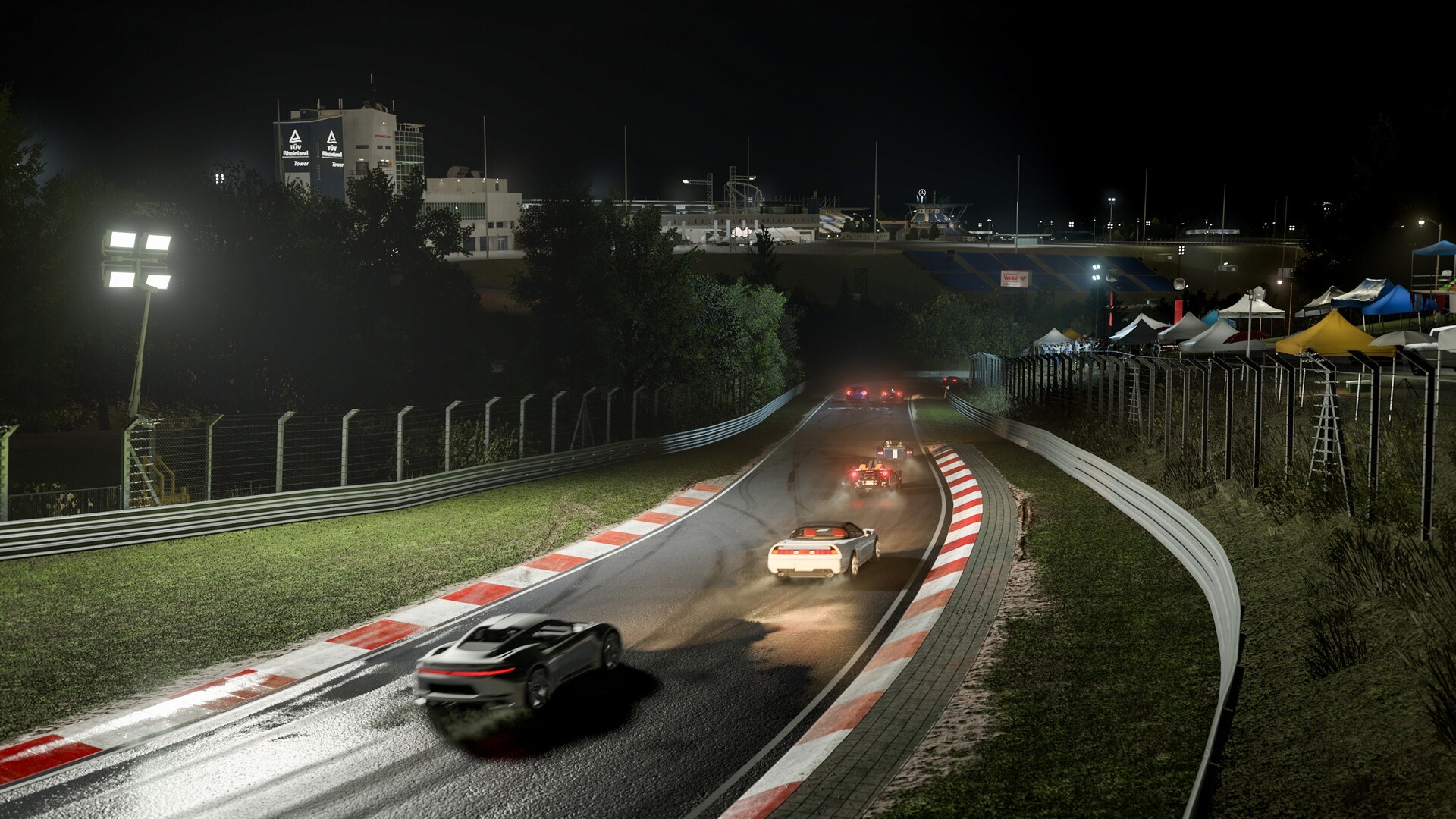
Then, in the game’s Advanced Wheel settings, Logitech’s RS50 sheet sets the sliders and the TrueForce block like this:
- Degrees of Rotation: 1,080
- Vibration Scale: 40
- Force Feedback Scale: 130
- Steering Self Alignment: 80
- Mechanical Trail Scale: 70
- Pneumatic Trail Scale: 110
- Road Feel Scale: 60
- Load Sensitivity: 50
- Wheel Damping Scale: 100
- Center Spring Scale: 85
- Dynamic Damper Behavior: 100
- Steering Sensitivity: 50
- Steering Linearity: 50
- Use Gamepad Steering Filters: Off
- Logitech TrueForce:
- TrueForce: On
- Engine: 50
- Tires: 80
- Rumble Strip: 80
- Collision: 50
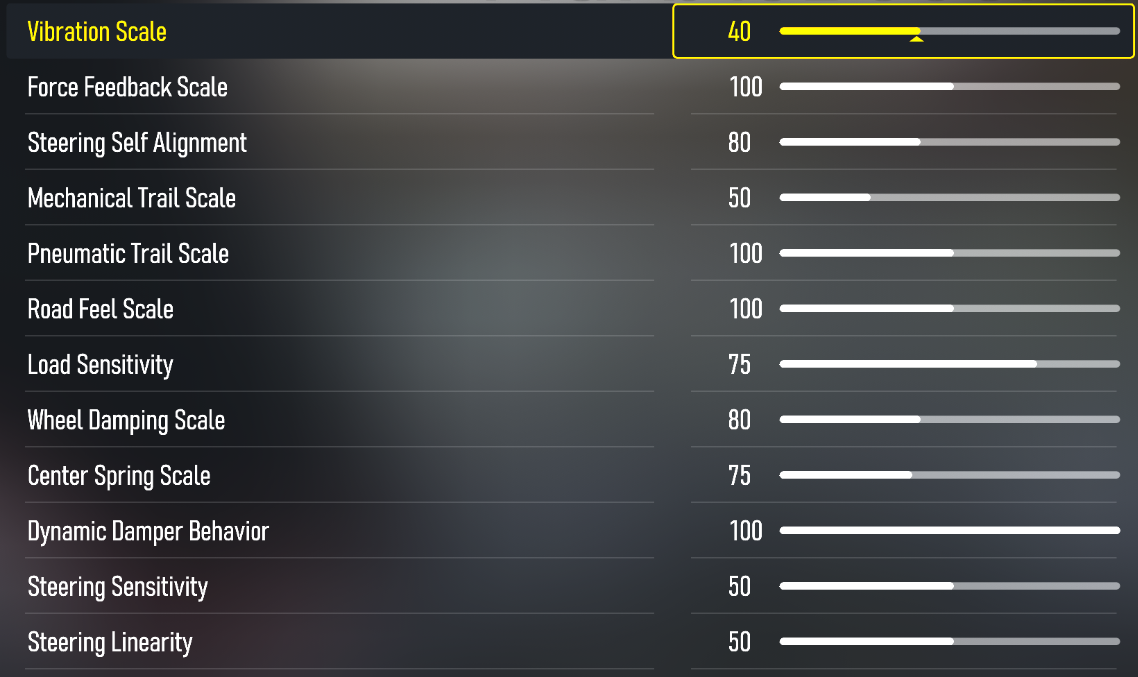
The PRO Racing Wheel’s base settings are the same on PC and Xbox:
- Compatibility Mode: PRO
- FFB Filter: 8
- Dampener: 15
- TF Audio: 100
- Angle: 1080°
In the game, Logitech’s PRO sheet sets the sliders like this:
- Vibration Scale: 40
- Force Feedback Scale: 100
- Steering Self Alignment: 80
- Mechanical Trail Scale: 50
- Pneumatic Trail Scale: 100
- Road Feel Scale: 100
- Load Sensitivity: 75
- Wheel Damping Scale: 80
- Center Spring Scale: 75
- Dynamic Damper Behavior: 100
- Steering Sensitivity: 50
- Steering Linearity: 50
Logitech publishes no Forza Motorsport values for the G923, the G29 or the G920. Turn 10’s guide is the only advice for them, and on a G920 or G29 it suggests turning the Wheel Damping and Center Spring down “to get more feel from the tire”. The tip names those two wheels and doesn’t mention the G923.
Fanatec, Moza, Thrustmaster and Simucube
What Fanatec, Moza, Thrustmaster and Simucube publish for Forza Motorsport is mostly about compatibility, lights and telemetry, so on these bases you’re working from Turn 10’s guide above.
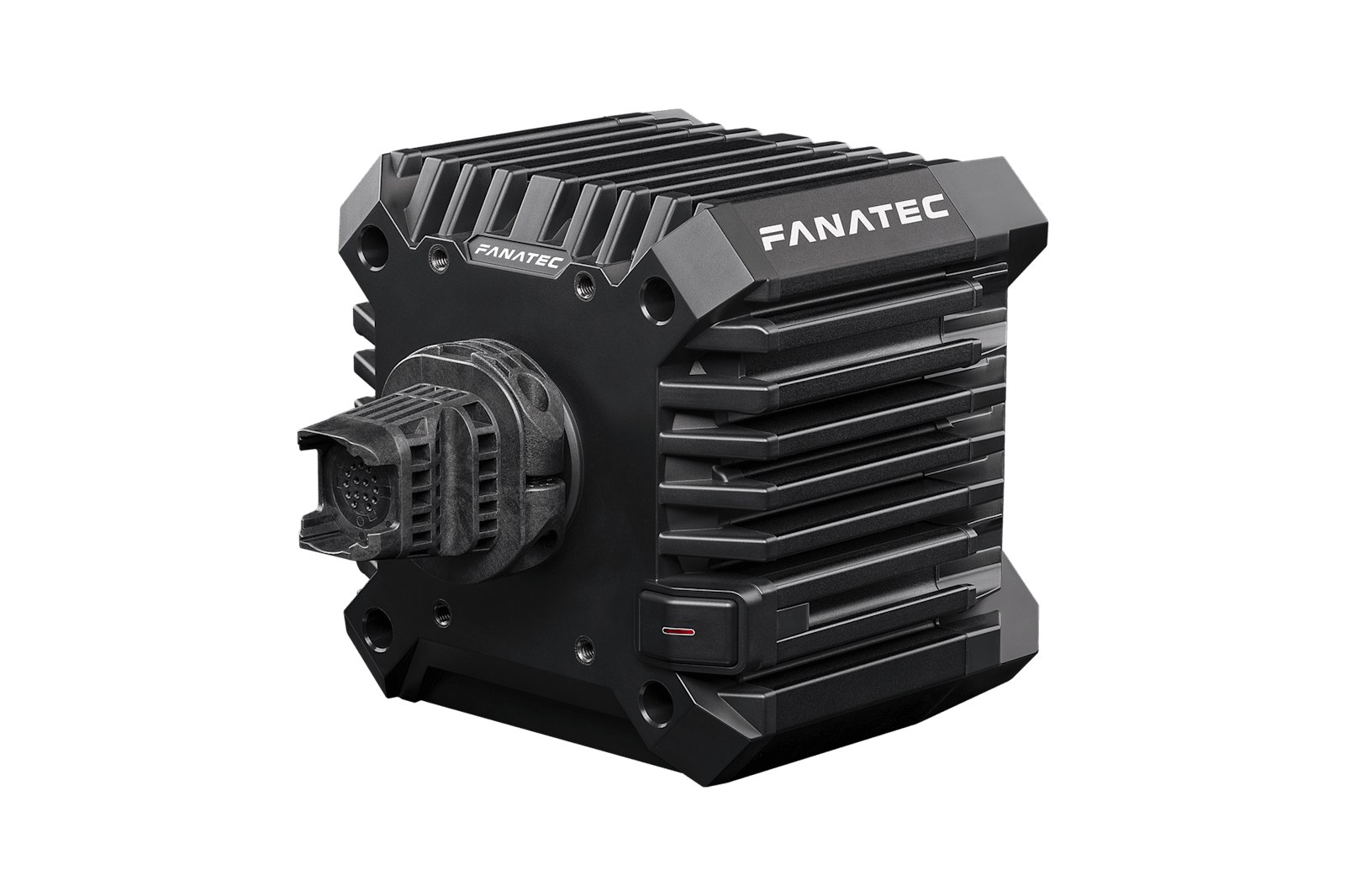
Fanatec publishes no Forza Motorsport settings. A user asked why on Fanatec’s forum, and in December 2024 one of Fanatec’s staff replied that the recommended settings hadn’t been done yet. Turn 10’s damper tip does name Fanatec, saying higher-torque wheels like Thrustmaster’s and Fanatec’s “benefit from some damper scale”. On Xbox, Fanatec’s Driver 467 lets its Xbox-licensed wheels use their RevLEDs and displays, and Fanatec says Forza Motorsport supports both. Turn 10’s supported list has the ClubSport V1, V2 and V2.5, CSL, DD1, DD2 and CSL DD on Xbox, and adds the CSR, CSR Elite and GT DD on PC. Our Fanatec deals page has a section on the direct drive bases.
Thrustmaster’s support pages carry force feedback presets for other games on the T818 and T598, but there are none for Forza Motorsport on any of its bases. Our Thrustmaster wheels guide covers the range, and Turn 10’s damper tip above names Thrustmaster as well.
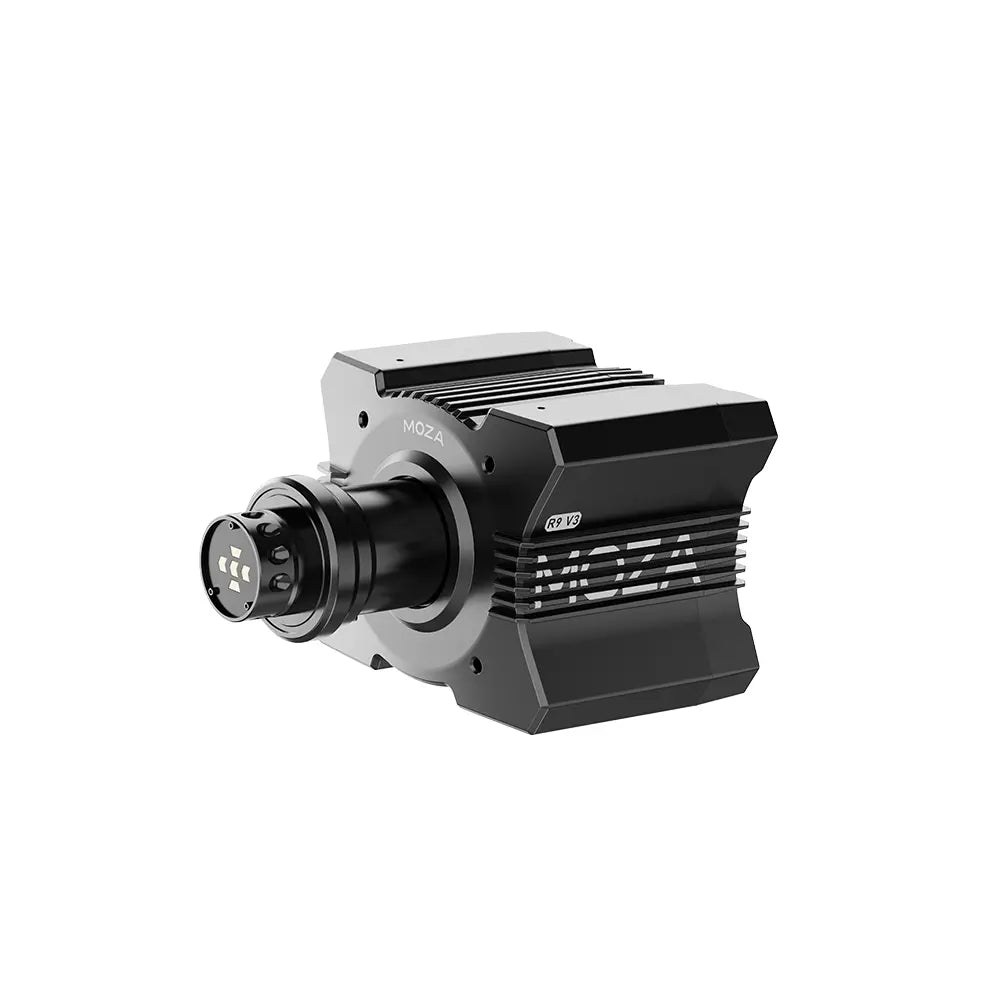
Moza’s compatibility list marks Forza Motorsport as “Plug and Play for R3-R25” on PC, through Steam, but Moza publishes no force feedback values for it. Turn 10’s supported list names only the Moza R9 (with the CS or GS wheel), on PC. The only Moza setting documented for the game is telemetry. Our Moza wheel guide covers Moza’s rims and which base each one suits.
Simucube’s page for the game only covers sending telemetry to Simucube Tuner. Simagic’s presets are for Forza Horizon 6, not this game. Moza and Simucube use different ports, and Simucube’s FAQ points out that only one app can listen on a port at the same time. To send the telemetry to either app, open Settings > Gameplay & HUD > UDP Race Telemetry and set the following:
- Data Out: On
- Data Out IP Address: 127.0.0.1
- Data Out IP Port: 8000 for Moza, 9876 for Simucube Tuner
- Data Out Packet Format: Car Dash (Moza calls it the vehicle dashboard format)
Moza discount code: use SIMRACINGCOCKPIT at checkout for 3% off at mozaracing.com.
Fine-tuning
If something still feels off once you’re driving, look for what you’re feeling in the list below, where each fix comes from Turn 10 or Logitech.
- If the wheel clips (the force the game asks for is more than the base will give, so it flattens out at the top), bring Force Feedback Scale down, because Turn 10 says that’s the slider that can “saturate forces and cause your wheel to clip”.
- When the wheel oscillates, Wheel Damping Scale or Center Spring Scale has probably gone too low, since Turn 10 warns that lowering either too much “may cause steering oscillation”.
- If the wheel only seems to want to centre itself and you’ve lost the feel from the tyres, Center Spring Scale is probably too high, so turn it down (Turn 10’s advice is never to turn it up significantly).
- If the rumble strips and cobbles are too loud or too quiet, change Road Feel Scale, which Turn 10 says leaves the aligning torque alone.
- If lockups and understeer feel masked, lower Mechanical Trail Scale, the “caster feel” that Turn 10 says can “overpower feelings like lockup and understeer”. You feel the onset of lockup and understeer through the pneumatic trail, which Turn 10 says “decreases as the tire slips”. Turning Pneumatic Trail Scale down reduces the effects of the tyre deforming.
- On a Logitech G920 or G29 that feels numb, turn Wheel Damping and Center Spring down. On an RS50 or PRO running below the 8 Nm or 11 Nm Logitech assumes, set the base’s dampener lower.
- If the steering ratio feels wrong after you’ve changed the rotation in your wheel’s software, Turn 10’s guide says to adjust it with the Steering Sensitivity slider in Advanced Wheel settings.
- When the wheel pulls in the direction you’re turning instead of resisting, toggle Invert Force Feedback.
- If the wheel isn’t recognised on PC, Turn 10’s supported devices page asks for the latest drivers and firmware, the base in PC mode rather than Xbox mode, and a dedicated USB 3.0 port with no USB switch in between.
For the brand-by-brand explainer, head to our direct drive wheel settings guide, where the Settings Finder covers the other sims (Forza Motorsport isn’t one of them). If you’re still choosing a wheel, have a look at our Xbox wheel guide. I’ll see you out on track!
Related Articles

Best Pimax VR Settings for F1 25 in 2026: A Damage-Control Guide

Best Pimax VR Settings for Le Mans Ultimate in 2026

Best Pimax VR Settings for Automobilista 2 in 2026

Best Pimax VR Settings for Assetto Corsa in 2026

iRacing VR Settings (2026): Meta Quest 3, PSVR2, Pimax and Valve Index

Assetto Corsa VR Settings 2026: Pimax, Quest 3, PSVR2 & More
Topic: Direct Drive Wheel Settings