
I’m a sim racer and amateur racer with a passion for Motorsport, good racecraft and the technical and setup aspect of sim racing.
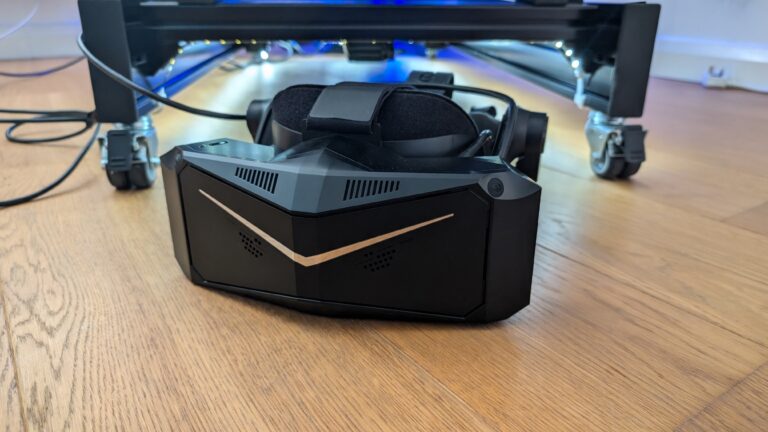
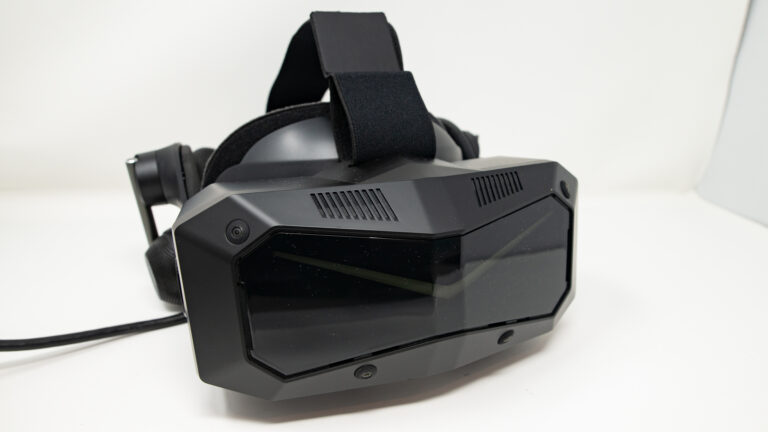
Featured image: (my) Pimax Crystal Light VR Headset
I’ve been casually flying with VR since my Valve Index days, and as I tested the headsets for racing, teh hobbyist in me had to try flight too. I very much prefer flight in VR – the head movements make more sense as does teh FOV. and for whetever reason, cables bother me less. Obviously VR changes flight simulation completely. Monitors give you a window into the cockpit. VR immerses you inside it. I switch between monitors and VR as I often mention, but ofr in-simulation work, VR wins every time.
VR is so much more immersive than monitors for flight simulation. You look left and the wing stretches out beside you. Glance up and the overhead panel is right there. The experience is like you’re actually sitting in the cockpit of a Cessna 172 or an Airbus A320. You’re fully immersed in the flight sim environment, and that depth perception transforms everything from instrument approaches to formation flying. Love it!
Quick Navigation
Jump directly to what you’re looking for:
Pimax Crystal Super |
Pimax Dream Air |
Pimax Crystal Light |
Meta Quest 3 |
Pimax Crystal |
Meta Quest 2 |
Bigscreen Beyond 2 |
Samsung HMD Odyssey+ |
HTC Vive Pro 2
In this article, I’m going to cover what actually matters for flight sim VR: display clarity (can you read the gauges?), FOV (how much of the cockpit and outside world you see), comfort for long sessions, tracking, compatibility with MSFS 2024, DCS World, X-Plane 12, and the other major flight sims, plus the practical stuff like weight, setup hassle, and whether you’ll need to remortgage for a GPU upgrade.

When you’re considering a VR headset for flight simulation
There are a lot of things to consider before you buy, and flight sim has some specific requirements that differ from other VR use cases.
Every VR headset comes with its pros and cons. Don’t fall for the old “which is better” trick when it comes to resolution and maximum refresh rate. For flight sim, instrument readability (measured in PPD, or Pixels Per Degree) matters more than raw pixel count, and comfort for long sessions matters more than peak refresh rate.
Things that can start to become a problem after the novelty of a new VR headset wears off include:
- Constantly having to reset tracking or recentre the HMD
- The Headset loses charge (Pimax Crystal has an onboard battery, and I added a battery to the Meta Quest 3)
- Discomfort
- Too much weight
- Poor ventilation
- Needing to take the headset off constantly when you’re tweaking settings
- Not being able to see your keyboard, HOTAS, or yoke (muscle memory helps, but it’s a real adjustment)
- Cables!

Clearly, VR has advantages, but as my list shows above, there’s always a small cost with modern headsets. If you’re also into sim racing and you’re weighing up VR vs monitors, I’ve written about triple monitors vs VR headsets separately. For flight sim specifically, the trade-off is between immersion and the practical ability to interact with your physical controls.
In the early days, the Valve Index was, in my opinion among the easiest to set up (check out our graphics settings here) and among the best-performing headsets to use. The HP Reverb G2 then became the flight sim community’s favourite for a couple of years, thanks to solid resolution at a reasonable price. Unfortunately, Microsoft deprecated Windows Mixed Reality, and the G2 is being phased out. That’s pushed most flight simmers towards Pimax headsets or the Meta Quest 3.

How Do VR Headsets Work?
I’m going to take a look at the main features and components that do all the “heavy lifting” on a VR headset, using my Pimax Crystal as an example.
Display: In the Pimax Crystal, a combination of Mini-LED and QLED panels run at 2880×2880 pixels per eye with refresh rates of 72Hz, 90Hz, or 120Hz. This is considered a very high resolution for a gaming VR headset – the Crystal operating at full refresh at this resolution, will stretch the limits of most home gaming PCs. The newer Crystal Light offers QLED technology at the same resolution of 2880 x 2880 per eye with the same refresh rate options (72/90/120Hz).
Lenses: VR headsets use specially designed lenses to focus and magnify the display for each eye. The Pimax Crystal features aspheric glass lenses, which provide a wide maximum field of view (FOV) of up to 125° for the standard 35 PPD (pixels per degree) lenses. There’s an optional set of wider FOV lenses that increase the field of view to up to 140°. Some VR headsets support prescription lenses, meaning you don’t have to worry about issues with short or long-sightedness. This includes the Pimax Crystal Super, which you can read more about here. Prescription lens support is particularly valuable for flight simmers who wear glasses, since headset comfort over long flights matters enormously.
Tracking: To communicate the change in perspective as you look around the VR environment, VR headsets must track your head movement. The Pimax Crystal features 6 degrees of freedom (DoF) inside-out tracking, which means it uses built-in sensors to monitor the user’s position and orientation without the need for external base stations. This is really nice – not having to set up external tracking hardware is a real bonus. Older headsets used tracking towers (like the Valve Index). The Varjo Aero remains compatible with the tracking towers making the Aero a sensible upgrade for Valve Index owners.

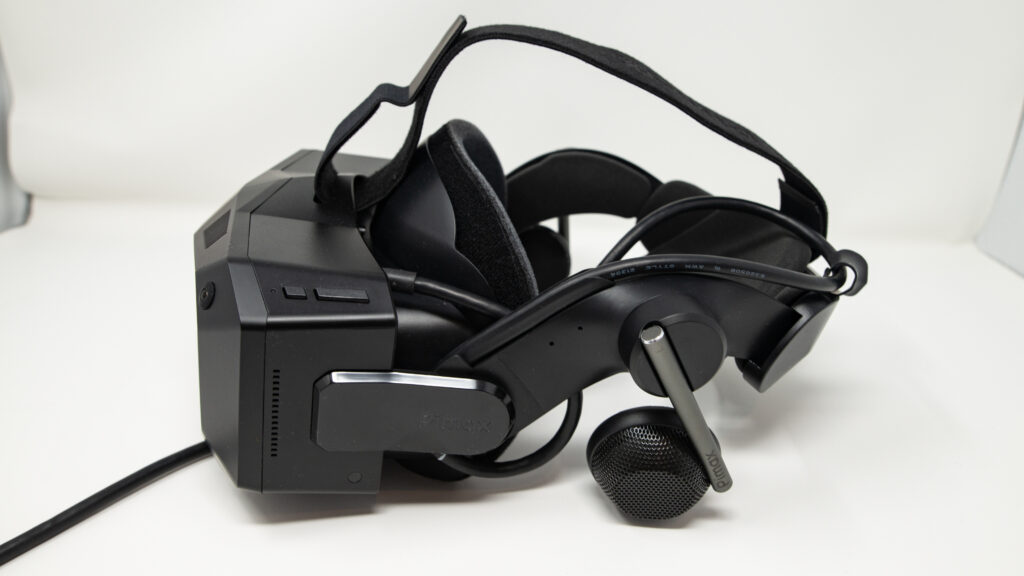
Audio: Good audio helps produce a convincing, deep VR experience. The Pimax Crystal has triple microphones and off-ear speakers (pictured). You can communicate on VATSIM or Discord whilst flying in VR, and audio cues like engine tone, wind noise, and ATC calls become much more immersive with decent built-in speakers. Off-ear designs let you hear your surroundings too, which is handy for long flights.
Processing: Powerful processing is essential for rendering complex VR environments. The Pimax Crystal is powered by a Qualcomm Snapdragon XR chip and Pimax’s customized PC VR engine (see Pimax Play), ensuring smooth performance and compatibility with a wide range of VR gaming content.
The Crystal and Varjo Aero also feature “auto IPD” (Interpupillary distance) adjustment. Put simply, the headset’s lenses automatically align with your pupils. This improves the clarity of the image and helps with minimising eye strain. As a feature, the automated nature of IPD adjustment is quite new. I had to manually adjust IPD with my Valve Index, just a few years ago. The Crystal Light does not feature auto IPD.
The Crystal will project a screen with crossed, green bars. It instructs you to focus on them as it adjusts the IPD. You can hear the little servo motors moving the lenses, as the image goes in and out of focus. The end result is quite a time saver, as it’s a non-intuitive procedure to do this manually, especially as a new VR user.
Best VR Headsets for Flight Simulation

Meta Quest 3 512GB — 4K Infinite Display
- 30% sharper resolution with 4K Infinite Display
- 2X graphical processing power (Snapdragon XR2 Gen 2)
- 2+ hours battery life with 8GB RAM
- Full-colour high-fidelity passthrough for mixed reality

Meta Quest 2 — Advanced All-In-One Virtual Reality Headset — 256GB
- 3D positional audio with hand tracking and haptic feedback
- Over 250 titles across gaming, fitness and entertainment
- Wireless headset with intuitive controls and built-in battery
- No PC or console needed for standalone gaming
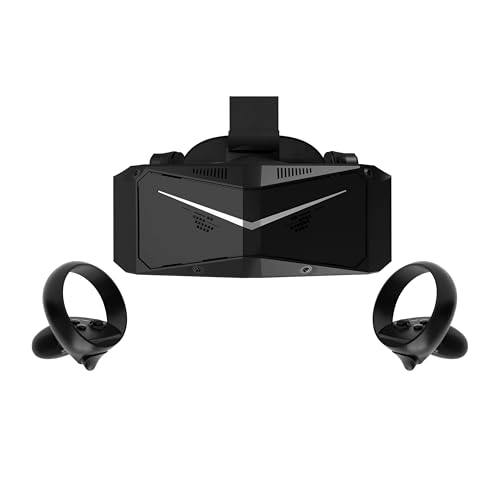
Pimax Crystal Light VR Headset — 8K QLED with Controllers
- Ultra HD 2880×2880 per eye with 35 PPD razor-sharp clarity
- Optimised for flight and racing sims (MSFS, iRacing)
- 30% lighter than Crystal with balanced weight distribution
- Advanced local dimming for deeper blacks and higher contrast

HTC Vive XR Elite with Deluxe Pack — Mixed Reality Headset
- 3840 x 1920 combined resolution with 110° field of view
- Low-latency PC VR gaming via DisplayPort connection
- Hot-swappable battery for up to 2 hours continuous use
- Includes Deluxe Pack: Face Gasket, Strap, Temple Clips, MR Gasket
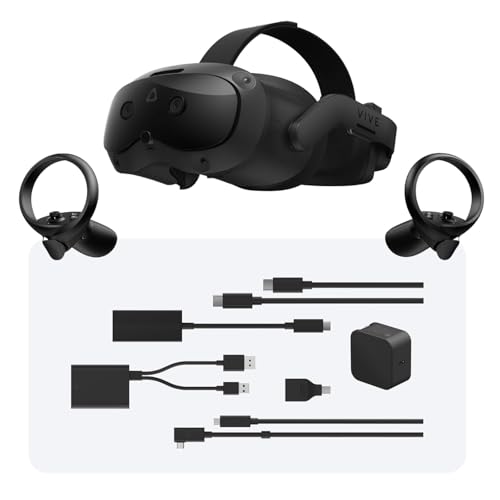
HTC Vive Focus Vision Wired Bundle — XR Headset with DisplayPort
- 5K resolution (2448 x 2448 per eye) with 120° FOV
- Built-in eye tracking and low-light hand tracking
- DisplayPort mode for lossless, high-fidelity PC VR
- 3D spatial audio with open-back dual-driver speakers
So, why should you add VR to your flight sim setup?
Cockpit immersion
Firstly, and probably most obviously, flying in VR feels real. The turbulence, especially.
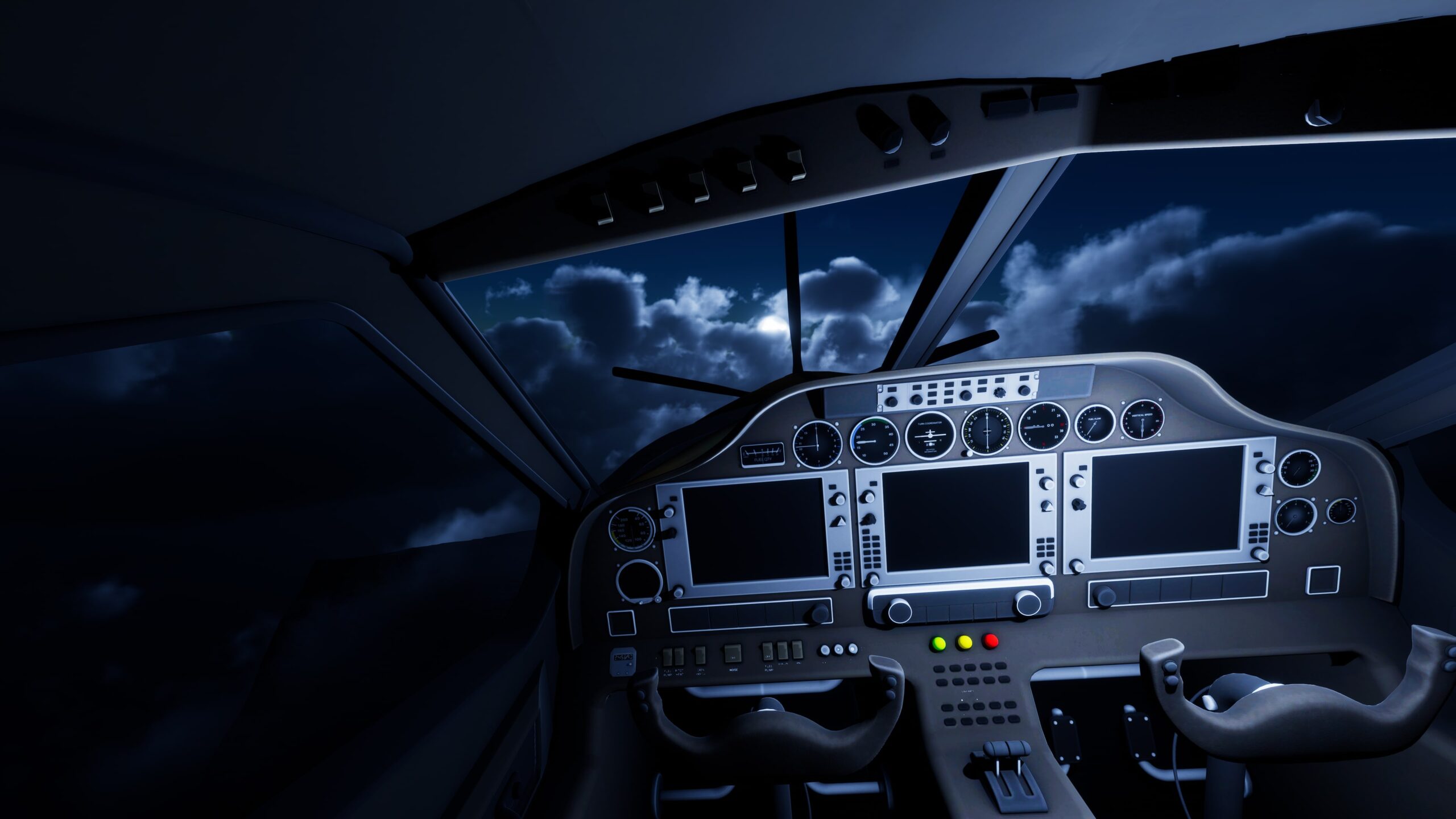
In MSFS 2024, the first time you sit in a Cessna 172 cockpit in VR and look around, you genuinely feel the scale of it. Glance left at the wing, look right to check for traffic, lean forward to read the panel. It’s a completely different thing from staring at a monitor. DCS World is even more dramatic. Sitting in an F/A-18 cockpit in VR, the canopy arching above you, the HUD projected onto the glass, the MFDs glowing either side of your knees. It’s extraordinary.
When you’re on final approach and you look out the side window to check your alignment with the runway, or you crane your neck to spot traffic in the pattern, the immersion is off the scale. Flight simulation was practically made for VR.
Instrument scanning
Real pilots are trained to constantly scan their instruments. You move your eyes from the attitude indicator to the altimeter, across to the airspeed, glance outside, check the heading, back to the PFD. In VR, this scan pattern works naturally because the instruments are physically positioned around you, just as they would be in a real cockpit.
On a flat monitor, you’re looking at a 2D representation of a 3D instrument panel. Your eyes don’t move the same way. You don’t develop the muscle memory of knowing where each gauge is by feel. VR fixes that.
If you’re a student pilot or you fly real aircraft, the transfer of instrument scan habits from VR to the real cockpit is genuinely useful. Several flight instructors on the MSFS forums have commented that students who practise in VR develop better scan patterns than those who only use monitors.
Terrain and weather detail
VR lets you appreciate scenery and terrain detail that flat monitors simply can’t convey. In MSFS 2024, flying low over mountainous terrain in VR is breathtaking. You get a genuine sense of depth and scale that a monitor flattens out. Cloud layers, weather systems, the way fog sits in a valley below you. None of this hits the same way on a screen.
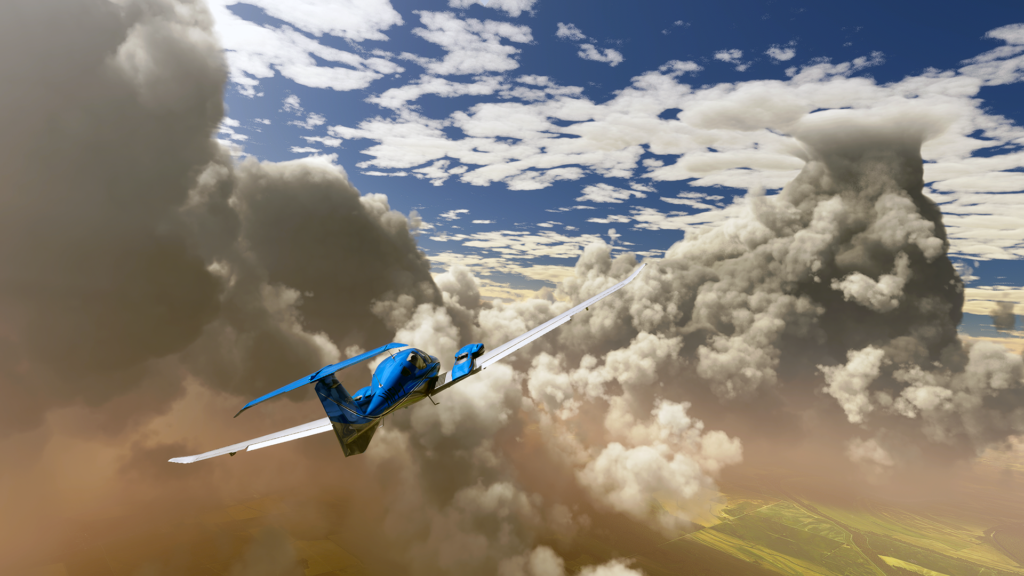
Landing is where the depth perception really shines. Judging your flare height, feeling the perspective of the runway expanding as you descend. On a monitor, you’re guessing. In VR, you can actually perceive the distance to the ground. It’s a completely different experience.
Spatial awareness and depth perception
Spatial awareness in VR completely changes how you fly. You can judge distance, altitude, and closure rate naturally, the way you would through real windows.
Formation flying in DCS or IL-2 becomes viable because you can actually perceive how far away your wingman is. On a flat monitor, formation flying is a guessing game. In VR, you maintain position using the same visual cues a real pilot would use.
Air-to-air refuelling, close formation work, visual approaches. These all rely on depth perception that monitors can’t replicate. Your brain processes stereoscopic 3D naturally, so you’re not fighting the display to understand where things are in space.
Checking your six in a combat sim is another revelation. Instead of fumbling with hat switches or keyboard shortcuts to pan the view, you just turn your head. Spotted a bandit high and left? You’re already tracking it.
Traffic awareness during VFR flight works the same way. Scanning for other aircraft becomes natural head movement rather than a camera control exercise.
The cumulative effect is that you fly more instinctively. Your situational awareness improves because you’re processing visual information the way you would in a real cockpit, not through an abstraction layer.

You fly more precisely
You are fully immersed in the cockpit environment and your eyes can feed your brain much more precise data about the aircraft’s attitude and position.
I think the way you translate visual cues back into control inputs is critical. Landing is the obvious example. Judging your flare height on a flat monitor is genuinely hard, and most flight simmers end up relying on callout altitude rather than visual reference. In VR, you can actually see the ground approaching and judge the flare naturally. The same applies to taxiing, where judging wingtip clearance on a monitor is almost impossible.
Flying with monitors compresses depth in a way that VR doesn’t suffer from. Even triple monitor setups can’t replicate the natural head movement and parallax that VR provides. And for those of you who’ve been using TrackIR, VR is the next step up. Head tracking gives you look-around, but not depth.
But are there any cons to VR Headset use?
Screen door and clarity can be an issue. “Screen door” is a problem solved in the newer headsets, where the fine lines separating pixels (or subpixels) become visible in the displayed image. Clarity remains an issue – where everything can sometimes feel a little bit out of focus. The Valve Index, as good as it was, came from a generation of headsets where the resolution wasn’t quite high enough.
Display quality is mostly determined by the PPD number (Pixels Per Degree) – you can see the difference between the PPD values of different headsets below:

You can go a long way to improving the clarity of the image in your headset by making sure it’s adjusted properly for your face and, of course, that the PPD specification is as high as your budget will allow.
Because of issues like screen door and clarity, VR can make your eyes feel tired after prolonged use. Some days, it’s fine and I’ll fly for a couple of hours without thinking about it. But for others, I don’t fancy them as much. On that note, if you suffer from visually triggered migraines, I would advise you to steer clear of VR. This is particularly relevant for flight sim, where sessions tend to be much longer than sim racing stints.
Graphics settings are initially difficult to come to terms with because what works on monitors might not be correct for your headset. Flight sims are more GPU-demanding than racing sims in VR, so expect to turn things down. MSFS 2024 and DCS World are particularly hungry. I’ve written about settings for VR here and compiled some settings for Pimax users in this settings guide by GPU. Many flight simmers use OpenXR Toolkit to fine-tune render resolution and foveated rendering separately for cockpit and external views.
A real consideration for flight simmers is keyboard and mouse access. In sim racing your hands stay on the wheel. In flight sim, you need to interact with your keyboard for ATC, flight plan entries, and system toggles. Many simmers map everything they can to HOTAS buttons, develop keyboard muscle memory, or use passthrough features on headsets like the Quest 3 to peek at their physical controls. It’s a genuine learning curve, but most people adapt within a week or two.
Finally, some people feel motion sickness. The good news for flight simmers is that it’s generally less of an issue than in racing. You’re mostly flying straight and level, and the cockpit frame provides a strong visual reference. Turbulence and aerobatic manoeuvres can trigger it, though. DCS combat with aggressive manoeuvring is probably the worst case. Most people adjust within a few sessions, and maintaining 40+ FPS helps enormously. The community consensus is that stable frames matter more than peak framerate. A locked 40 FPS with reprojection beats a fluctuating 55-35 FPS every time.
What makes a great Flight Sim VR headset?
There are plenty of options when it comes to picking a VR headset, but you can narrow it down quite substantially for flight simulation in particular. The priorities are different from gaming VR or even sim racing VR. Before I dive in and show you the best models available, I want to address the specific requirements that matter for flight sim.
Will using VR in a flight simulator make you a better pilot?
Decide for yourself, but as we’ve discussed above, you will have a better perception of depth and spatial awareness, which genuinely improves your ability to judge altitude, distance, and closure rate. Plus, you’ll get a natural 360° view of the cockpit and surrounding airspace. Several real-world pilots and flight instructors have noted that instrument scan patterns developed in VR transfer well to real flying. The depth perception during landings and formation work is something monitors simply can’t replicate. You’ll feel like you’re actually sitting in a real cockpit.
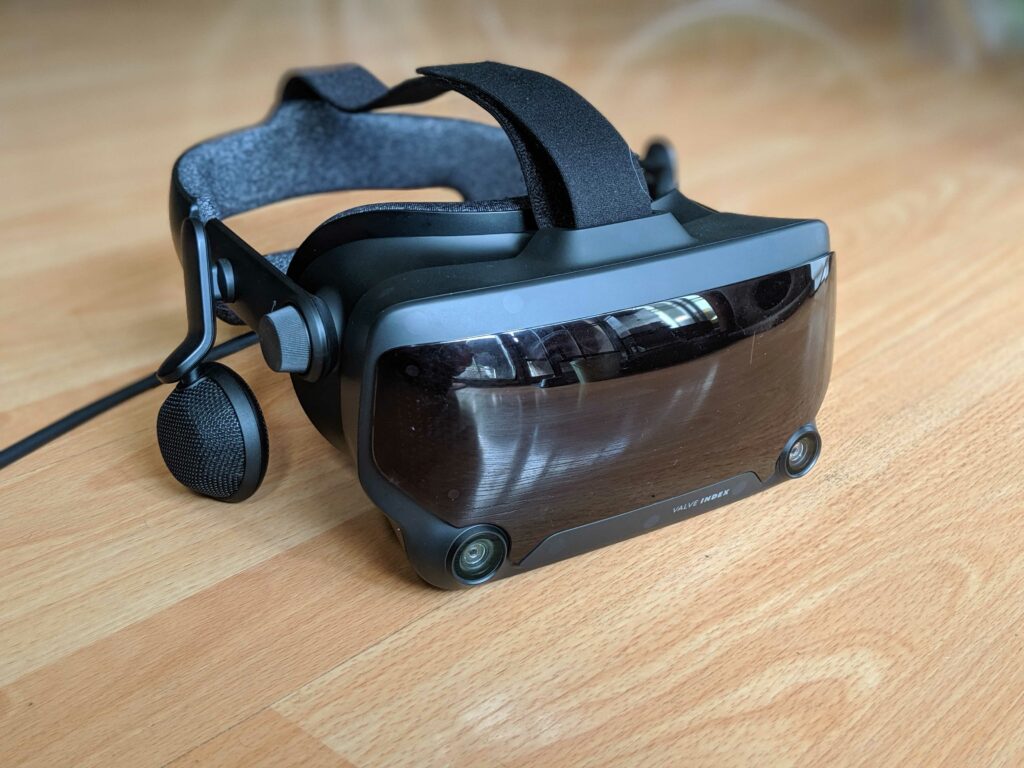
VR headsets make it hard to interact with physical controls you can’t see. If you use a complex HOTAS setup with lots of buttons, or you regularly reference a keyboard for ATC commands, consider that before you invest. Many flight simmers map critical functions to HOTAS buttons and learn keyboard positions by feel. The Quest 3’s passthrough feature helps here, but it’s still a compromise.
Worth knowing: some flight simmers with both VR and TrackIR alternate between them depending on what they’re flying. Short VFR hops and combat missions in VR, long-haul IFR flights with charts on TrackIR. It’s not a binary choice.
No matter how great or immersive VR is, current technology for headsets can’t match the graphic quality of a 4K gaming monitor. MSFS 2024 on a good monitor genuinely looks better than MSFS 2024 in VR, especially for scenery detail. But you’ll have the ability to turn your head naturally, judge depth, and scan instruments as you would in a real aircraft.
So, what is the best VR headset for flight simulation? While there’s no single answer, factors such as the items below really count. We’ll be looking at these in more detail:
- Display and sound quality
- Design and overall comfort
- Field of View (FOV)
- Position tracking and range of motion
- Compatibility
- Price
What are the best VR Headsets for Flight Simulation?
Here are some of what I consider to be the best picks for flight simmers, in no particular order. All of these headsets work with MSFS 2024, DCS World, X-Plane 12, and most other major flight sims via either OpenXR or SteamVR. If you don’t want to stomach the price of a brand-new one, these units can usually be found on eBay. If you’re buying 2nd hand, there may not be a warranty, so study the images closely for a clean, barely used-looking device.
Pimax Crystal Super
Pimax has taken the chassis of the Crystal and supercharged the visuals while trimming the fat. By removing the battery and standalone XR2 chip, similar to the Light – but keeping the advanced eye-tracking, they have created a bit of a PCVR powerhouse.
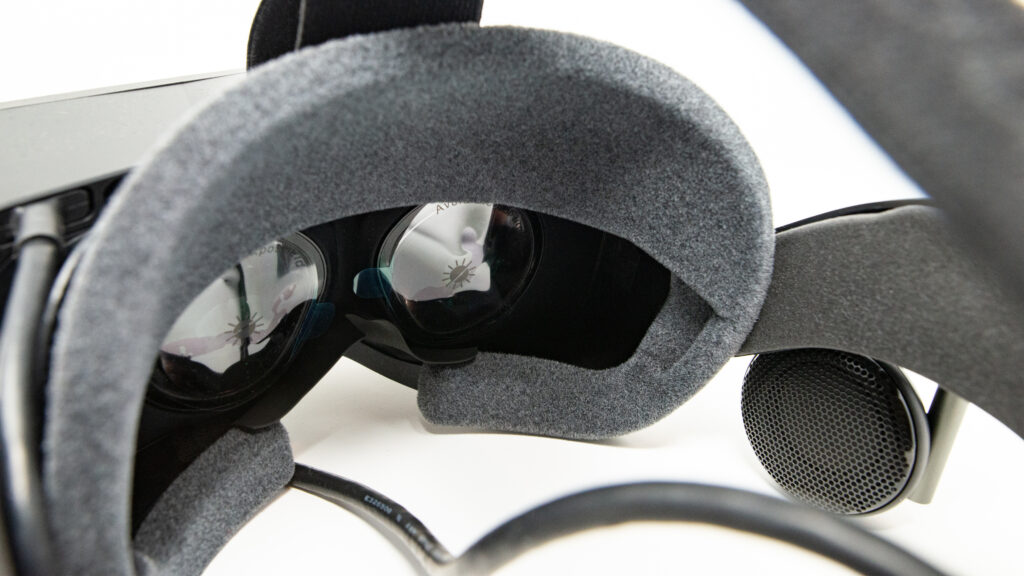
Pimax Crystal Super – (my review here). The resolution takes a massive leap to 3840 x 3840 per eye, offering significantly more pixel density than the Crystal Light. It features the world’s first interchangeable optical engine (QLED or Micro-OLED) and a significantly wider FOV. Crucially for flight simmers, it retains Dynamic Foveated Rendering (eye-tracking), which is essential to drive this resolution in demanding titles like MSFS 2024 and DCS World. At 50 PPD, this is the headset where cockpit instruments become genuinely sharp. You can read every gauge, every dial without needing to lean in. The removal of the battery reduces the weight compared to the original Crystal, aiming for a form factor similar to the Light but with “super” specs.
Verdict: The New Benchmark (For The Few)
The Pimax Crystal Super is a triumphant, if uncompromising, achievement in VR engineering. It delivers a visual experience that is, quite simply, generations ahead of the competition. The 3840 x 3840 resolution per eye eliminates the “screen door effect” entirely, rendering glass cockpit displays, MFDs, and even the small text on switch labels with a crispness that finally matches the fidelity of high-end monitors. For IFR flying, this is the first headset where you can genuinely read everything without squinting.
However, this clarity comes at a steep cost – and not just the £1,735 ($1,783) price tag.
Who is this for? This is a specialist tool designed exclusively for the serious flight sim enthusiast. It is for the pilot who:
- Already owns (or plans to buy) an RTX 4090.
- Values instrument clarity and cockpit readability above all else.
- Is willing to tinker with settings (Foveated Rendering, GPU upscaling, OpenXR Toolkit) to get the perfect VR flight experience.
Who is this NOT for? If you are running anything less than an RTX 4070 ti, or if you prefer the “plug-and-play” simplicity of a Quest 3, the Crystal Super will likely be a frustrating experience. The sheer pixel count demands hardware that is priced significantly above the budgets of most people.
The Bottom Line: If you have the budget and the PC horsepower, the Pimax Crystal Super offers the best visual experience in flight simulation VR today, period. For instrument-heavy flying in MSFS 2024 or DCS World, nothing else comes close to this level of cockpit clarity. Just be prepared to pay for the privilege.
Pros:
- Unmatched Resolution: 29.5 million pixels deliver monitor-like clarity.
- Modular Design: Future-proof optical engine (switch to Micro-OLED later).
- Flight Sim Focus: Inside-out tracking is rock solid for seated cockpit use. 50 PPD means every instrument is readable.
- Audio: Decent DMAS off-ear speakers included (currently).
Cons:
Lenses: Glass aspheric lenses still have some edge distortion compared to pancake optics.
Hardware Heavy: Demands an RTX 4090 for native resolution in titles like MSFS 2024 and DCS World.
Price: A significant investment compared to the Crystal Light.
Pimax Dream Air
Pimax (I appreciate this article is incredibly Pimax heavy but their product development iteration seems to be in 6 monthly cycles!) has completely reconfigured their design into a slim, stripped down format.
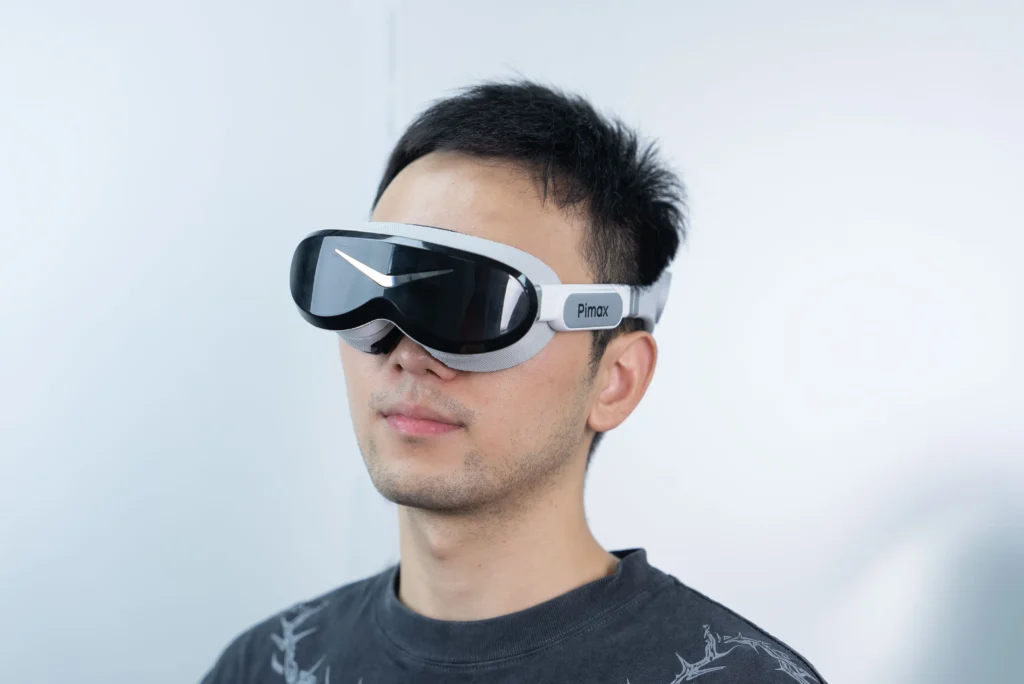
Standalone capability is removed, with an emphasis focused more on PCVR performance, this is an ultra comfortable high-resolution headset, ideal for long flight sessions. The Dream Air weighs under 170 grams. That’s lighter than most aviation headsets!
Resolution reports at 3840 x 3552 per eye using Sony Micro-OLED panels. That’s over 27 million pixels with those deep blacks and vibrant colours that OLED is associated with. The Dream Air features a 110° horizontal FOV using Pimax’s new “ConcaveView” pancake lenses, which early testers at CES 2026 praised for delivering “breathtaking” clarity with minimal chromatic aberration.
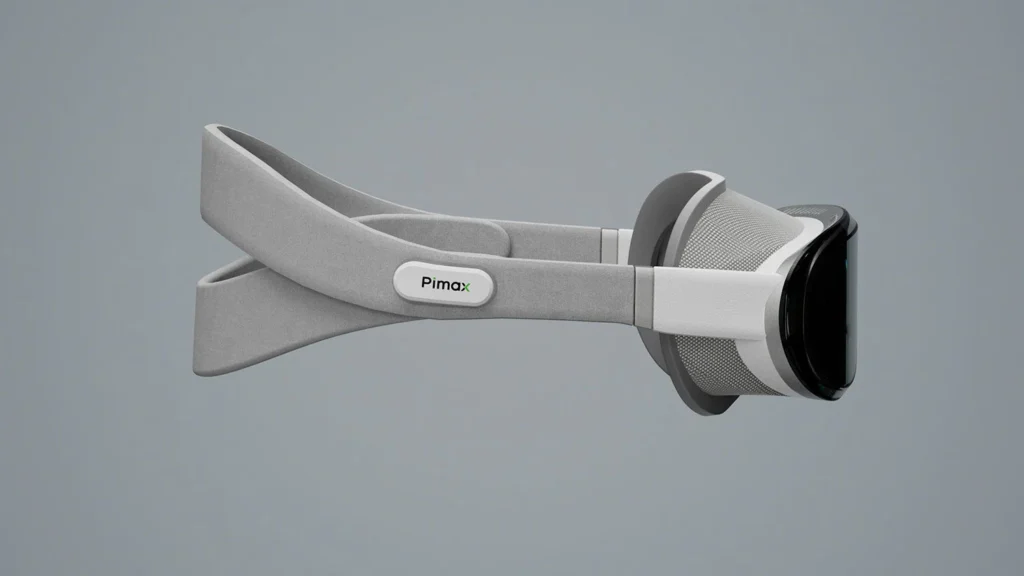
Teh Dream Air retains 90Hz Tobii eye-tracking for Dynamic Foveated Rendering, essential when you’re pushing this kind of pixel count.
Be warned that this is a pre-order product, evidently with some development left to tackle. Demos revealed the facial interface wasn’t final, for example. Some testers noted they had to overtighten the strap to achieve full FOV. Pimax has acknowledged that feedbnack which may delay launch.
Who is this for?
Flight simmers who:
- Values comfort and a cool looking device
- Expect OLED’s motion clarity
- Runs at least an RTX 4070 Ti (4090 or higher recommended for native resolution)
- Has the patience to wait for a pre-order delivery
Who is this NOT for?
It’s not available just yet so there’s that! Also If you’re running older GPU hardware, you’ll struggle. I really don’t think anything less than a 4090 will find running these things easy, we’re compromising on settings enough as it is with Pimax’s current range.
Pros:
- Featherweight Design: Under 170g
- Sony Micro-OLED: True blacks and vibrant colours
- Motion Clarity: OLED’s instant pixel response keeps instruments sharp during head scanning
- Lighthouse Option: Rock-solid tracking for seated cockpit use (SLAM also available)
- Eye-Tracking: 90Hz Tobii DFR
Cons:
- Pre-Order Uncertainty: Facial interface not finalised
- GPU Demands: Needs RTX 4070 Ti minimum, 4090, or higher for full native resolution
- Brightness Questions: Early demos might show dimmer panels than expected
- Price Structure: Slightly unusual “Prime payment” model adds complexity vs straight purchase
Pimax Crystal Light
- Compatibility: Windows 10 and 11 with SteamVR tracking supported (Inside-out tracking, Lighthouse optional) Display: QLED (Mini-LED optional)
- Resolution Per Eye: 2880 x 2880
- Refresh Rate: 60, 72, 90, 120 Hz
- FOV: Approximately 103° horizontal and vertical
- Lenses: Glass aspheric, 35 PPD
- IPD Range: 58-72mm (manual adjustment only)
- Tracking: Inside-out (Lighthouse optional)
- Audio: Integrated, 3.5 mm jack, 2x microphone
- Connectivity: Pimax 4.5m DP cable
- Weight: Approximately 951g (with DAS headphones)
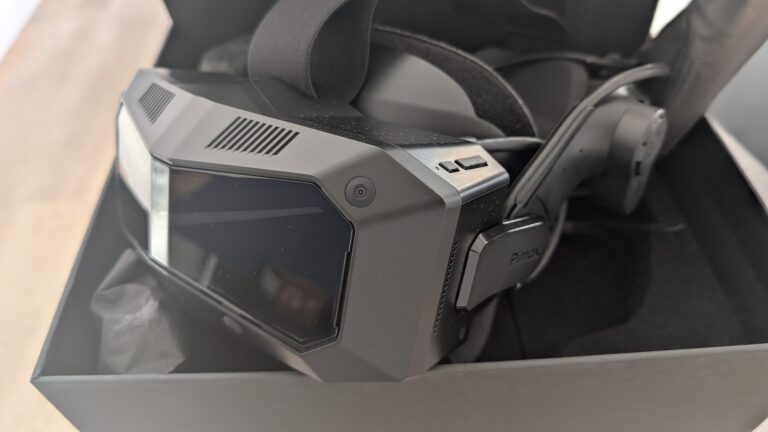
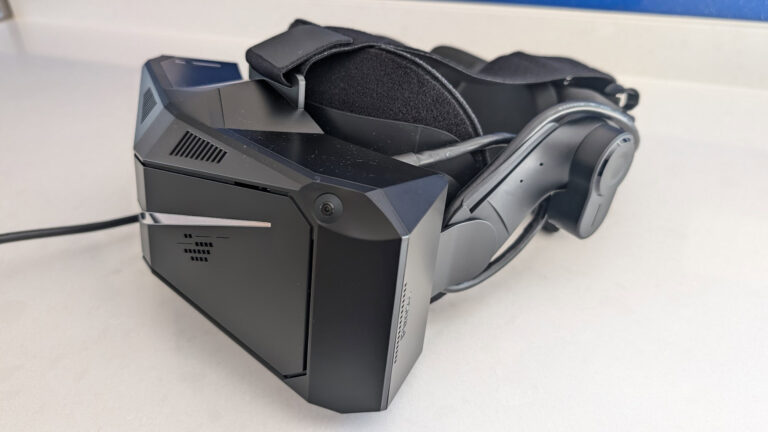
The Pimax Crystal Light was a welcome update from the original Crystal. It takes the best of the Crystal, removes some of the more, adventurous features and leaves us with the bare bones of a good VR headset, removing about a third of the weight of the Crystal.
Pimax has drastically reduced the price of the Light by removing the battery pack, auto IPD adjustment and the DMAS audio attachments.

Standalone storage and foveated rendering are now fixed, instead of dynamic. All of this contributes to a weight saving of 317g (down from 1268g), which is approximately a 25% decrease in weight from the original Crystal to the Crystal Light.
I’ll update this page with the test results, however, I am pleased with the outcome. Cable bulk and weight are reduced which makes it easier to work with. The clarity and overall definition is unchanged from its more expensive counterpart. Here are my initial impressions of the Pimax Crystal Light including a guide to unboxing, installation and some early settings for better visual performance.
Meta Quest 3
The spiritual successor to the Quest 2, the Meta Quest 3 is a versatile virtual reality headset that’s gained plenty of attention in the flight sim community. Released in late 2023, it offers several improvements over its predecessor, the Quest 2, but really, it’s the price that keeps my attention: $649 for the 512gb version. That’s less than half of the price of some of the “higher-end” VR headsets on this page, which makes VR far more accessible for flight simmers on a budget.

Meta Quest 3 512GB — Premium VR Headset
- 30% sharper resolution with stunning 4K display
- 2X graphical processing (Snapdragon XR2 Gen 2)
- Full-color mixed reality with dual RGB cameras
- 8GB RAM and 512GB storage for premium performance
The Quest 3 features pancake lenses and a higher resolution display over the Quest 2, providing clearer visuals and a wider field of view (FOV). With a resolution of 2064×2208 per eye, the increased pixel density helps reduce the ‘screen door effect’ that was more noticeable in previous generations. The headset’s mixed reality capabilities, while not directly applicable to flight simulation, are a nice party piece too. One genuine caveat for flight simmers: at 25 PPD, the Quest 3 struggles with small cockpit text and gauge readability. You’ll find yourself leaning in to read MFDs and switch labels, which gets tiresome on longer flights. It’s absolutely fine for VFR flying and general aviation where you’re mostly looking outside, but IFR work with steam gauges can be frustrating.

For flight simmers, the Quest 3’s improved performance when connected to a PC via the Link cable is worth knowing about. The 3 supports a refresh rate of up to 120Hz. The headset is light too, weighing around 515 grams, which matters when you’re flying for several hours at a stretch.
However, a meaningful downside for flight simmers is battery life. If you use wireless connectivity, the Quest 3’s battery typically lasts 1.5 hours. That’s barely enough for a short hop. To extend battery life I installed an aftermarket head strap with a 5200mah battery. Obviously, this is a non-issue with the link cable, as your PC powers the headset, but the OEM head strap is quite poor. You will really need to upgrade this, and on the newer 3S too. The wireless compression also softens instrument text further, which is already a weakness at this PPD level. Get the cable!
In terms of compatibility, the Quest 3 works well via the link cable with MSFS 2024, DCS World, X-Plane 12 and IL-2 Sturmovik. You’ll run it through SteamVR or (in the case of MSFS) OpenXR via the Meta link software. With any VR setup, optimisation is key. A moderately powerful gaming PC is always recommended to take full advantage of this headset’s capabilities in demanding flight sims, particularly MSFS 2024 which is brutally GPU-hungry.

While opinions vary, many flight simmers find the Quest 3 to be a solid entry point for VR flying. I’ve found the improved clarity and wider field of view over the Quest 2 are genuinely noticeable, even if it can’t match the instrument readability of higher-PPD headsets.
If you’re not keen to invest upwards of $1500 for the next technological step up, the Quest 3 ticks a lot of boxes. It’s not as cooling as the Varjo Aero below (to be fair the Aero has fans built in!) but for comfort and lightness, it beats most of the other headsets hands down. For VFR flying and general aviation in MSFS, it’s a genuinely enjoyable experience. For instrument-heavy IFR or DCS cockpits, you’ll probably want higher PPD. Still, at $640/£615, it’s the cheapest way to find out whether VR flying is for you.
Pimax Crystal
Technical Specifications:
- Compatibility: Windows 10/11 with Steam VR / WMR compatibility
- Display: QLED+MINI LED panel combination
- Resolution Per Eye: 2880 x 2880
- Refresh Rate: 120 HZ (even at native resolution)
- Read my In-Depth Review
The Pimax Crystal VR Headset sits firmly in the high-end performance / power-hungry space.

Upon unboxing, the Pimax Crystal features that all too familiar Pimax minimalist aesthetic, with its packaging devoid of excessive labelling, simply adorned with the “Pimax” logo. The headset showcases a signature angular design, which serves more than just aesthetic purposes: it distributes weight evenly, enhancing user comfort. The design aims to offer an ergonomic, comfortable wearing experience. The weight distribution is well balanced, so (I found) wearing it for long periods of time was not a problem.

The setup process for the Pimax Crystal is user-friendly, with the Pimax Play software guiding users step by step. From charging the controllers to connecting the headset and initiating Steam VR, the entire process is intuitive and hassle-free, taking mere minutes.1
The Pimax Crystal boasts an impressive 2880 x 2880 resolution per eye, ensuring crisp and highly realistic visuals. Combined with the advanced QLED+MINI LED panel, this headset delivers impressive clarity, with the graphics displaying detailed output. It’s this kind of advantage that should appeal to flight simmers, because flying is fundamentally about reading instruments and scanning the environment. The Crystal operates with a 125° diagonal field of view (115° horizontal) and overall, this has been a favourite of mine since the long-gone days of owning a Valve Index. At 35 PPD it matches the Crystal Light for instrument readability, and the wider FOV gives you better peripheral awareness of your panel layout.
The Pimax Crystal further enhances the user experience with features like eye-tracking, auto IPD adjustment, and a choice between two lens options, offering varying degrees of FOV (the lens supplied with the Pimax offers 115° of FOV.
Bigscreen Beyond 2
Technical Specifications:
- Compatibility: Windows 10/11 – SteamVR
- Display: Dual 1-inch Micro-OLED
- Resolution Per Eye: 2560 × 2560
- Refresh Rate: 75 Hz / 90 Hz
- FOV: 116° diagonal (108° horizontal, 95° vertical)
- Weight: 107 grams (headset only)
The Bigscreen Beyond 2 represents a radical departure from traditional VR headset design philosophy. At just 107 grams, it’s the lightest PC VR headset on the market by a considerable margin, weighing less than half what a Valve Index controller weighs on its own. This isn’t just a party trick. For flight simmers who routinely fly 2-4 hour sessions (and sometimes much longer), that minimal weight transforms VR from an endurance test into a genuinely comfortable experience.
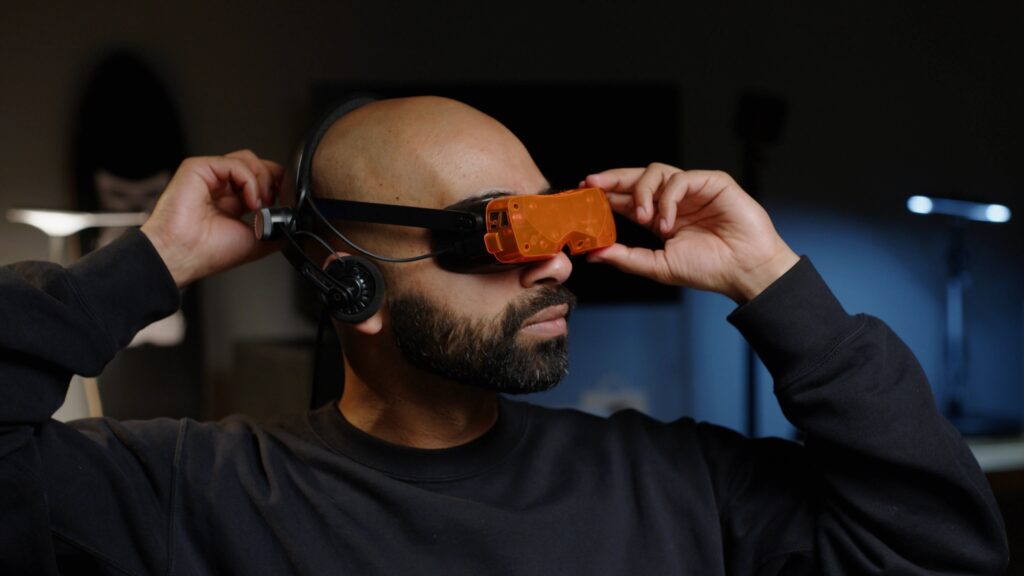
The dual 1-inch Micro-OLED displays are the technical centrepiece. Running at 2560×2560 per eye with an exceptional 500,000:1 contrast ratio, they deliver true, inky blacks that LCD-based headsets simply cannot match. The pixel density is extraordinary – at 7.2µm per pixel, the screen door effect is virtually eliminated. Text on dashboards and MFDs appears sharp and legible, which is critical when you’re trying to read nav frequencies or check engine parameters in a glass cockpit. The true blacks are particularly striking for night flying in MSFS or DCS – dark cockpits look genuinely dark, not washed-out grey.
Some engineering trade-offs exist around the refresh rate options. At 75Hz, you get the full native 2560×2560 resolution. At 90Hz, the headset employs Display Stream Compression to transmit a 1920×1920 signal that’s then upscaled to the display’s native 2560×2560 resolution. It’s visually lossless for most content, though pixel-peepers might notice a subtle softness with very fine text. The Micro-OLED’s sub-microsecond response time partially compensates – the clarity during fast head movements feels smoother than the refresh rate alone would suggest.
The pancake lens system contributes significantly to the compact form factor whilst delivering excellent edge-to-edge clarity. Traditional Fresnel lenses require substantial depth; pancake optics fold the light path, allowing the Beyond 2 to sit remarkably close to your eyes. The 116° diagonal field of view (approximately 108° horizontal) provides sufficient peripheral awareness for cockpit work – you can see most of your instrument panel without excessive head movement, though it’s not the absolute widest FOV available in the enthusiast VR space.
At $1,019 USD for the Beyond 2 (or $1,219 for the Beyond 2e with eye-tracking), plus required accessories, you’re looking at $1,500-2,000 for a complete setup. That positions it firmly in the high-end enthusiast category, competing with headsets that offer integrated audio, controllers, and wireless options.
It’s a headset designed for flight simmers who already own the SteamVR tracking ecosystem, value comfort over wireless freedom, and demand the absolute best visual quality that tethered PC VR can deliver. If you’re spending 10+ hours weekly in VR cockpits and your neck complains about it, the Beyond 2 might be the single biggest comfort upgrade you can make. The OLED panels are particularly suited to night flying and dark cockpit conditions.
Meta Quest 2
Technical Specifications:
- Compatibility: Windows 10 / 11 / Steam VR
- Display: 1 x 5.46” diagonal
- Resolution Per Eye: 1832×1920
- Refresh Rate: 90 Hz
- FOV: 115°
The first thing that people fuss about with the Oculus (Meta) headsets is knowing whether you need a Facebook account to run one. You don’t need a Facebook account after the V28 update. However, you do need to sign up for a Meta account, which is free of any social media tether.
Oculus Quest and Oculus Quest 2 users can no longer use a Facebook account to log into their VR headsets. Instead, users will need to make a new Meta account that is separate from any social media presence. Thanks, Android Central!

Meta Quest 2 — Advanced All-In-One Virtual Reality Headset — 256 GB
- 1832 x 1920 pixels per eye high-resolution display
- Blazing-fast processor with top hand-tracking
- Anti-slip controller grips included
- Adjustable knuckle straps for hands-free control
Ross recently wrote a setup guide for Meta Quest 2 owners wanting to get the most out of their headset. The principles apply whether you’re racing or flying, so take a look at that article if you’re considering picking up a classic Quest 2.

The V29 update brought updates to all sorts of areas but critically, stability improvements to Air Link and also gives us 120 hz refresh rate support for Air Link.
Check you’re running V29 by heading to the settings > about tab and make sure you’re running the latest version. 120hz refresh is available in “experimental features”
The Oculus Quest 2 is very easy to set up and get flying. I found that it feels light while wearing and it renders frames smoothly during use on my PC. It also suits gaming PCs that might be considered a little underpowered by modern standards, as it runs perfectly well on older NVIDIA 20 series cards. For flight simmers, the lower resolution is the main compromise. You’ll be fine for VFR flying in MSFS or general combat in DCS, but reading cockpit instruments requires leaning in. It’s a solid budget entry point to find out if VR flying suits you.
Samsung HMD Odyssey+
Technical Specifications:
- Compatibility: Windows 10 / 11
- Display: Dual 3.5″ AMOLED Displays
- Resolution Per Eye: 1440×1600
- Refresh Rate: 90 Hz
- FOV: 110°
The Samsung Odyssey+, while now discontinued, offers a 90hz refresh rate in comparison to its predecessor, the Quest, at 72hz. You can pick good condition used examples of the Odyssey+ on eBay very cheaply. However, there’s a significant caveat for flight simmers: the Odyssey+ runs on Windows Mixed Reality, which Microsoft removed from Windows 11 24H2. WMR reaches end-of-life in November 2026, so buying one now means accepting a shrinking support window.

Despite its age and the fact it is no longer available, there are always opportunities to pick up a bargain on eBay, usually for around $200.
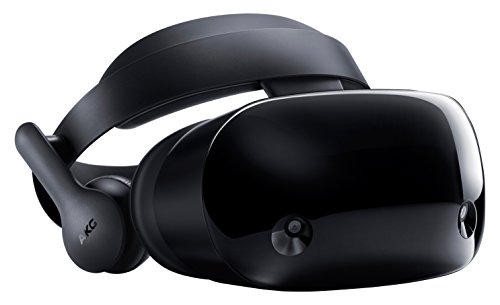
Samsung HMD Odyssey+ Windows Mixed Reality Headset
- Premium built-in AKG headphones with 360° spatial sound
- Integrated microphone array for clear communication
- Includes 2 wireless motion controllers
- Windows Mixed Reality compatible with immersive experiences
The Odyssey+, according to these Redditors, “is the best OLED HMD on the market, period.” So, if you’re tight on budget and you can find a good one of these on the second-hand market, grab yourself a bargain (just make sure it comes in good condition, boxed with controllers and working!).
HTC Vive Pro 2
Technical Specifications:
- Compatibility: Windows 10/11 – Steam VR
- Display: 2 x 3.5” diagonal
- Resolution Per Eye: 2448 × 2448
- Refresh Rate: 90 – 120 Hz
- FOV: 120°
VIVE Pro 2 from HTC is the successor to the hugely popular HTC VIVE Pro, also an excellent VR headset. It’s a powerful, immersive headset with access to SteamVR base stations for content, and a high-end pair of AMOLED screens running at a combined 4896 x 2448px resolution..

The Pro 2 also comes with spatial audio and a comfortable ergonomic design to make sure you won’t start feeling it during a long flight. The wide 120° FOV is genuinely useful for cockpit work, giving you better peripheral coverage of instrument panels compared to narrower headsets.
Some of the VIVE Pro 2 from HTC features include an ergonomic design with IPD adjustment and an optimised centre of gravity for headset weight management.

HTC Vive Pro 2 Headset Only
- 5K resolution (4896 x 2448 combined) clarity
- 120-degree field of view for immersion
- 120Hz refresh rate for seamless visuals
- IPD adjustment dial for comfort
It features high-resolution spatial audio and a pair of high-per-eye resolution AMOLED screens running at a 120 Hz refresh rate. Like the Meta Quest 2, it’s a wireless design, although it runs at a slightly lower resolution and refresh rate in wireless mode.
A standout feature is the 120-degree FOV. There’s no need for cables (provided the battery is charged it’ll run for around 4 hours), though you will need the SteamVR 2.0 base stations to access Steam and SteamVR content through VIVE. To access the full potential of this headset, however, you will need to use the supplied cable. While this unit is several years old (a “gen 2” VR headset in my opinion), I thought it was a better headset than the Valve Index.
VR Headsets: Price and Feature Comparision
Click on the products to display technical details:
Related posts:
Pimax Play 2.0: Is the ‘Fiddle Factor’ Finally Vanishing for Sim Racers?
Pimax Crystal Light & Crystal Super Settings Guide for Sim Racing & Flight Simulation
Best VR Headsets for Flight Simulation
Pimax Crystal Super and Light Settings Guide: A Complete Guide Sorted by GPU
Pimax Crystal Super Review