


Sim racing and esports journalist. Occasional Motorsport photographer, eSports competitor and distinctly average cyclist.
Half the reason to own BeamNG.drive is the mods. The soft-body physics are extraordinary out of the box, but the community layer on top – real-world cars, huge off-road maps, drift playgrounds, multiplayer – is what turns it into a bottomless sandbox.
This is the full rundown: the best BeamNG mods to install in 2026, where to download them safely, and exactly how to install them – the one-click way and the manual way. Everything here is current on the latest builds (BeamNG is on the v0.38/v0.39 branch now, with a PS5 version and official multiplayer both on the way).
Quick Navigation
Jump directly to what you’re looking for:
What’s new in 2026 |
The best BeamNG mods |
Where to download safely |
How to install (in-game) |
Manual install & mods folder |
FAQ

What’s new in BeamNG in 2026
A couple of things have shifted this year worth knowing before you start modding. The v0.39 update brought a new Direct3D 12 renderer, HDR display support and volumetric clouds, so the game looks noticeably better than it did a year ago, and mods get to ride on top of that. BeamNG is also coming to PS5 and PS5 Pro later in 2026, which is pulling a wave of new players in.
The other big one: the developers have confirmed an official multiplayer mode is in active development, but they’ve been clear it’s “still far from ready”. So for now, if you want to play with friends, the community BeamMP mod is still the way – it tops the list below.
The best BeamNG mods in 2026
There are thousands of mods, and plenty are half-finished or broken on the current version, so it pays to start small – grab a couple, not thirty, because BeamNG gets unstable if you leave too many active at once. These are the ten I’d install first, all checked and current on the latest builds.
BeamMP – multiplayer
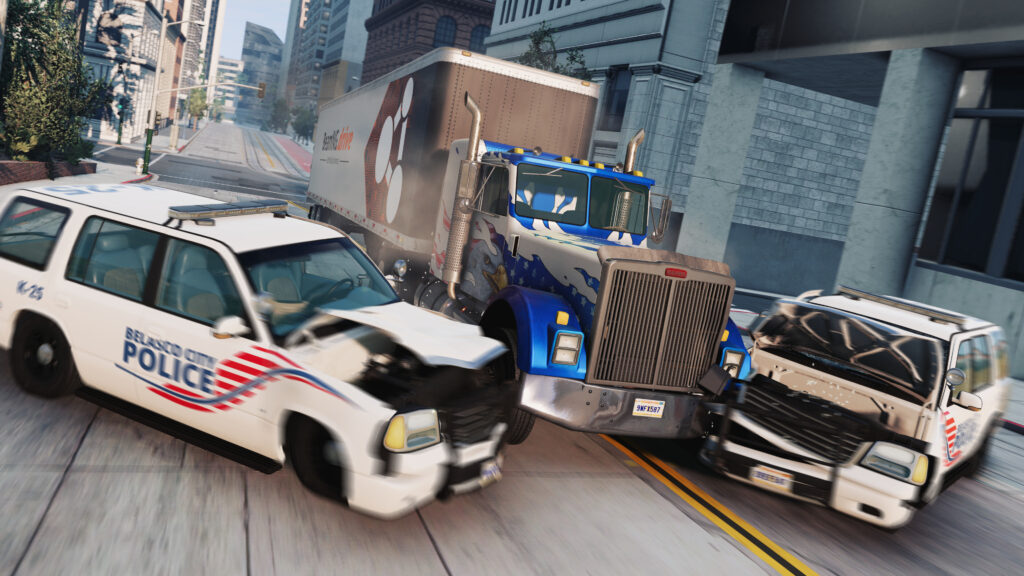
BeamMP is the most important mod of the lot, because it adds multiplayer to a game built as a single-player experience. Official multiplayer is on the way but “still far from ready”, so BeamMP remains how you play with other people – and it’s actively maintained and fully working on the 2026 builds. The mod team have done a stellar job of syncing BeamNG’s fiendishly complicated physics and crash damage across dedicated servers. Stability suffers if too many players and props load at once, but the hilarity of a full lobby makes that a price worth paying. It installs a little differently from a normal mod – you run a launcher alongside the game.
BeamMP: Download
Silver Lake Michigan Dunes – map
The off-road crowd’s current favourite, and a brilliant reason to fire up your Baja rig. Silver Lake is a big, modern dune map with proper physically-based textures and sand physics, so climbing and cresting the dunes feels like proper work. It’s the fresh replacement for the older, increasingly broken desert playgrounds, and it’s become the go-to spot for rock-crawling and dune-bashing in 2026. Pair it with an SP Dunekicker or a lifted D-Series and you’ll lose an evening to it.
Silver Lake Michigan Dunes: find it on the official Repository.
Toyota Celica GT-Four (ST205) – car
One of the standout real-world car mods of 2026, and a treat if you love 90s rally. The ST205 Group A Celica has meticulous JBeam work under it, so the four-wheel-drive handling and weight transfer feel genuinely convincing rather than arcadey. Take it onto a gravel stage or a touge run and it’s a joy. As with all real-world replicas, the safe route is the official forums rather than a random download site – the in-game repository sticks to BeamNG’s own fictional brands for copyright reasons.
Toyota Celica GT-Four ST205: find it via the official Repository and forums.
Hirochi CCF – car
Loosely based on the Mazda MX-5, the Hirochi CCF is widely regarded as one of the most believable cars in BeamNG – that compliant-but-playful roadster handling, with a lovely motorsport-focused Cup variant if you want something sharper. It’s stayed current, too: the CCF2 remaster picked up a June 2026 update to align with BeamNG’s newer driver-assist and brake-glow systems, so it’s one of the best-maintained cars going.
Hirochi CCF: Download
Nürburgring Nordschleife – map
No driving sim is complete without the Nordschleife, and BeamNG’s laser-scan-derived version – based on the Assetto Corsa iteration, with Kunos credited – is a convincing Green Hell. A “Nordschleife + GP” overhaul brought it up to date with multi-layer PBR textures, fixed AI pathing and working time trials on the current version, plus the adjoining Grand Prix circuit and the ever-popular Touristenfahrten layout.
Nürburgring Nordschleife: Download
Hammerhead Eagle i-Thrust – car
For the left-field slot, this one’s hard to beat. It recreates the gloriously awful boxy electric car Jeremy Clarkson and co built on Top Gear, and it’s the sort of daft, culturally-aware mod BeamNG does so well. The joke is that underneath the terrible exterior it’s surprisingly well engineered, so it’s genuinely entertaining to drive rather than just a novelty spawn. It’s a much better bit of fun than the ancient aircraft mods people used to run.
Visit Our Sponsors
Hammerhead Eagle i-Thrust: find it on the official Repository.
Car Jump Arena – map
No BeamNG mod collection should be without Car Jump Arena, and it’s been fully rebuilt for the current version. It’s a cornucopia of car destruction – loop-de-loops, bridges and a couple of massive ramps perched on a cliff – and the perfect place to crash-test your builds. Cars that make it to the bottom get a dip in a strategically placed swimming pool. Lovely. For an odder challenge, you can drive inside a giant glass ball and settle once and for all whether it’s possible to drive a bog-standard 90s hatchback upside down. It usually isn’t.
Car Jump Arena: Download
Off-Road Open Desert Trails – map
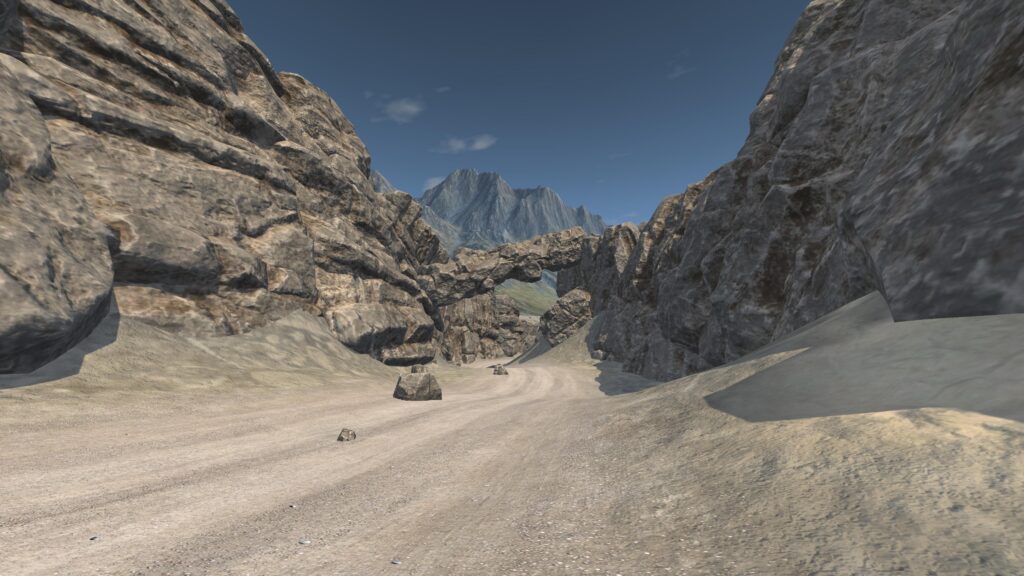
A gargantuan 4096×4096 Baja-style map that adds around 31 miles of drivable desert trails. It first appeared back in 2018, but a v1.8.2 revival fixed the missing terrain textures and collision bugs that had crept in, so it runs properly again on the current builds. Its whole point is scale – it can take the better part of 40 minutes just to explore the dirt roads – and it’s the ideal companion to BeamNG’s Baja-inspired vehicles like the SP Dunekicker and the Autobello Autobuggy.
Off-Road Open Desert Trails: Download
Monster Trucks
Monster trucks are a perfect fit for BeamNG’s over-the-top physics, and there are custom maps built for reverse poppers, nose wheelies, backflips and pogoes. The team at Beam Monsters have authentically recreated Monster Jam-style trucks, liveries and tracks, and the CRD truck is the pick – still actively supported into 2026 with breakable tie-rods and four-wheel steering, and a stack of authentic liveries, Grave Digger among them. You’ll need a free Beam Monsters account; there’s more over at Sim Monsters too.
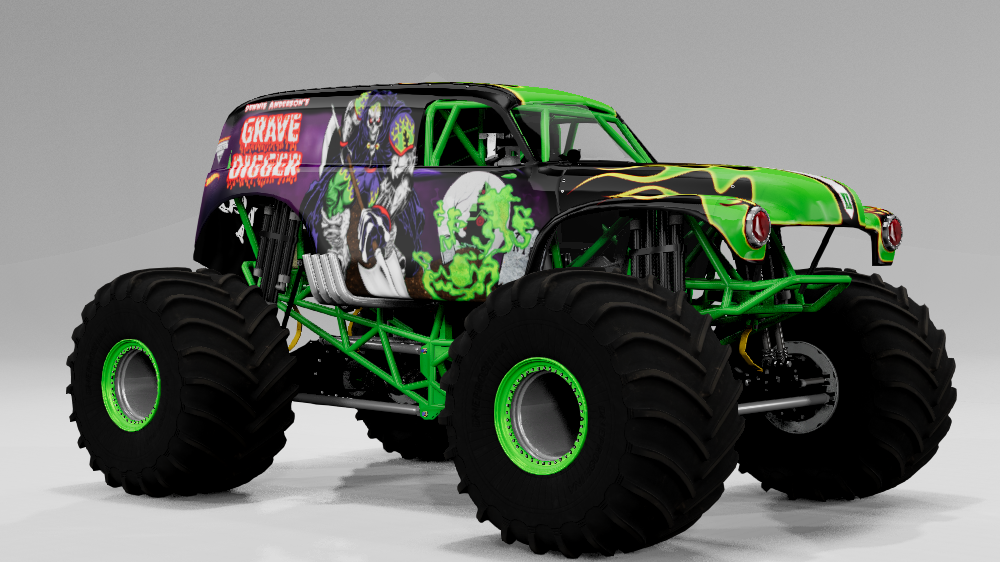
Beam Monsters CRD Monster Truck: Download
Universal Weapons
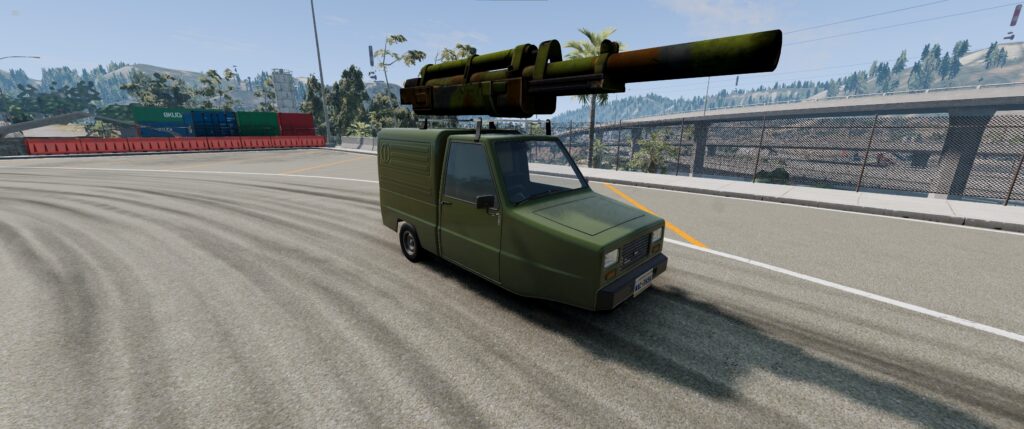
To finish, Universal Weapons turns BeamNG into a vehicular combat sim in the spirit of Twisted Metal. It bolts guns – up to and including a minigun and a Howitzer – onto any car with a roof bar, and it works single-player and online through BeamMP, with AI vehicles hunting you down in a deadly game of cat and mouse. Check the mod page for the full setup, since there’s a bit more to it than a normal install.
Universal Weapons: Download
Where to download BeamNG mods safely (and where not to)
This part matters more than it used to. There are three places worth using, and a couple you should avoid.
The official in-game Repository (safest). Accessed straight from the main menu, this is the gold standard. Every mod here is vetted, installs with a single “Subscribe” click, and updates itself automatically when the game patches. If you’re new to modding, start and mostly stay here.

The BeamNG website repository and forums. The website mod section mirrors the in-game repository and is easy to browse. The official forums are where you’ll find the more experimental stuff, including most real-world car replicas. That’s worth knowing: the in-game repository only carries BeamNG’s own lore-friendly fictional brands for copyright reasons, so if you specifically want a real BMW or Toyota, the community forums are the safe route to it – not a random download site. Forum mods can be unfinished and often break when a new version drops, so expect the odd issue.
Where not to go. Give unmoderated third-party sites like Modland and ModDB a wide berth. Through 2026 there’s been a real problem with bad actors hiding malware inside “car mod” zip files on those sites. The rule is simple: a genuine BeamNG mod is a .zip you drop into a folder – it never asks you to run an .exe. If a “mod” wants you to run an installer, it’s malware. Delete it.
How to install BeamNG mods: the in-game Repository
This is the easy way, and the one I’d use for almost everything. Open the Repository from the main menu, find a mod, and hit Subscribe. The game downloads and enables it for you, and keeps it updated from then on.

Subscribing works from the website too. Hit Subscribe on a mod on the BeamNG site while the game’s installed, and it’ll hand off to the game to finish the job. The big advantage over manual mods is that subscribed mods update themselves every time BeamNG patches, so they don’t quietly break on you.

Manual install and where to find your mods folder
For forum mods and anything not in the repository, you install manually – a bit more effort, but straightforward. Each mod downloads as a .zip, and it goes into your BeamNG user folder, not the Steam install folder. And leave it zipped – don’t extract it.
The easiest way to find the right folder is from the game itself. Launch BeamNG, click Manage User Folder, then Open in Explorer. That drops you into the user folder (by default it’s under %localappdata%\BeamNG.drive\[version]\). If there isn’t a mods folder there already, create one, and drop your zip files straight in.

Once the zip is in place, the mod shows up in the in-game Mod Manager, where you can enable or disable it and see whether it’s had a recent update. Enabled cars appear in the vehicle list; enabled maps appear in the environments list. Keep the active count sensible – the developers recommend against running too many at once, so switch off anything you’re not using to keep things stable.

There’s entertainment value in caning a Volvo 240 into a wall, too. Poor wall.
BeamNG mods FAQ
Are BeamNG mods free? Yes. Everything in the official repository and on the forums is free. You never need to pay for a BeamNG mod, and any site charging for “premium” downloads is one to avoid.
Are BeamNG mods safe? From the in-game repository and the official website, yes – they’re vetted. The risk comes from unmoderated third-party sites. Stick to official sources and never run an .exe that claims to be a mod.
Will there be mods on the PS5 version? BeamNG is coming to PS5 later in 2026, but console mod support hasn’t been confirmed in the same open form as PC. For the full, unrestricted modding experience, PC remains the place to be for now.
Can I play BeamNG mods in multiplayer? Yes, through BeamMP, which supports mods on the servers that allow them. Official multiplayer is on the way but isn’t ready yet.
My mods stopped working after an update. That’s normal for manually installed forum mods – they often need updating when a new BeamNG version lands. Repository mods you subscribed to update themselves, which is exactly why the one-click route is worth using where you can.
More BeamNG and sim racing
For everything else BeamNG, there’s our complete guide to BeamNG.drive and the career mode explainer. Want to make your own clips? Here’s how to create spectacular videos in BeamNG. And if BeamNG has pulled you towards proper sim racing, our best sim racing games guide covers where to go next.

The Best Rally Games in 2026

The Best PS5 Racing Games in 2026

The Best VR Flight Games and Sims

Best Pimax VR Settings for F1 25 in 2026: A Damage-Control Guide

Best Pimax VR Settings for Le Mans Ultimate in 2026

Best Pimax VR Settings for Automobilista 2 in 2026
Topic: BeamNG Drive