


I’m a sim racer and amateur racer with a passion for Motorsport, good racecraft and the technical and setup aspect of sim racing.
If you’re shopping for a formula-style sim racing wheel this year, you’ve picked an interesting moment to do it. The manufacturers have been busy gravitating towards newer designs and brand partnerships – and the better ones, I’ve noticed, tend to emphasise the materials they’ve used to better their opponent’s latest offering. The Simagic GT NEO, the Ascher Racing McLaren Artura Pro and a few Cube Controls wheels have all had their time on my rig, and the picks that follow run by price, cheapest first, with the complexity of each wheel pointed out as we go. Not everyone wants every function of an F1 car sat under their thumbs.
Quick Navigation
Jump directly to what you’re looking for:
What to look for |
Simagic GT NEO |
Fanatec Formula V3 |
Conspit MAX-01 |
Cube F-Pro |
Ascher Artura |
Cube CSX-3 |
Sim-Lab AMG |
Beginner bundles
What to look for in an F1 wheel
Two years or so ago, reviewing the VPG wheels, we were making observations about composite as this really interesting new concept – as opposed to an aluminium or even steel CNC-machined chassis. That observation has rather come true – there are a lot of composite wheels now. The wheels worth your hard earned money tell you what they’re made of, are well reviewed in multiple sources, and ideally have silent paddles.
For fit, look at the shape of the grip before you worry about what it’s made of. Remember – the texture of a wheel rim disappears the moment you put gloves on; while the sculpt of the grip doesn’t. Just this week, I actually got a blister from using the F-Pro without gloves – such was the torque level mixed with a deceptively grippy grip – the rubber literally wore through my hands. In F1 racing with high torques configured, you need to wear gloves – so ergonomics beats everything.
Check the grip length, too – a grip that ends too soon leaves your palm pushing on a corner of the wheel. Around 300mm is the versatile size that suits most cars, formula included. The authentic F1 size is 280mm, made for a narrow open-wheeler cockpit and quick steering inputs. Glamorous paddles are nice to look at, but for a launch off the grid you want a long-travel clutch you can modulate, ideally with an adjustable bite point. A light wheel is a functional advantage as well – it flatters a smaller wheelbase while giving you much lower rotational inertia.

A built-in screen is lovely if you race on monitors. In VR it’s money down the drain, because you’ll never see it with the headset on. New to VR? Our VR headset guide covers it.
An F1 driver’s workload during a lap is very, very high. Brake bias, diff entry and exit settings, “strat” mode, engine settings, shift cues – and that’s barely scratching the surface! This video from Mercedes AMG Petronas is worth a watch if you want to understand just how much an F1 driver is doing during a single lap:
As for complexity, I race in real life, in the historic and sports prototype world, where we’ve got a few buttons to play with at the most – and obviously absolutely nothing in a historic car. There is such a thing as too many buttons, and you can overwhelm yourself. Daniel Morad liked the PSE ES Pro when he tested it on his YouTube channel, and even he said he wouldn’t use a quarter of its 109 functions. So I always buy the wheel whose controls I’ll actually reach mid-corner. This is why for me, I’m not such a GSI fan.
Stiff encoders and bare fingers don’t mix, just like I learned with bare hands on a (hard) rubber grip, so budget for a pair of sim racing gloves on the premium wheels.
Every price below is what the retailers were asking on 28 September 2026. Prices move, so check what it says at the checkout before you trust a figure in an article, mine included.
Simagic GT NEO – the budget benchmark
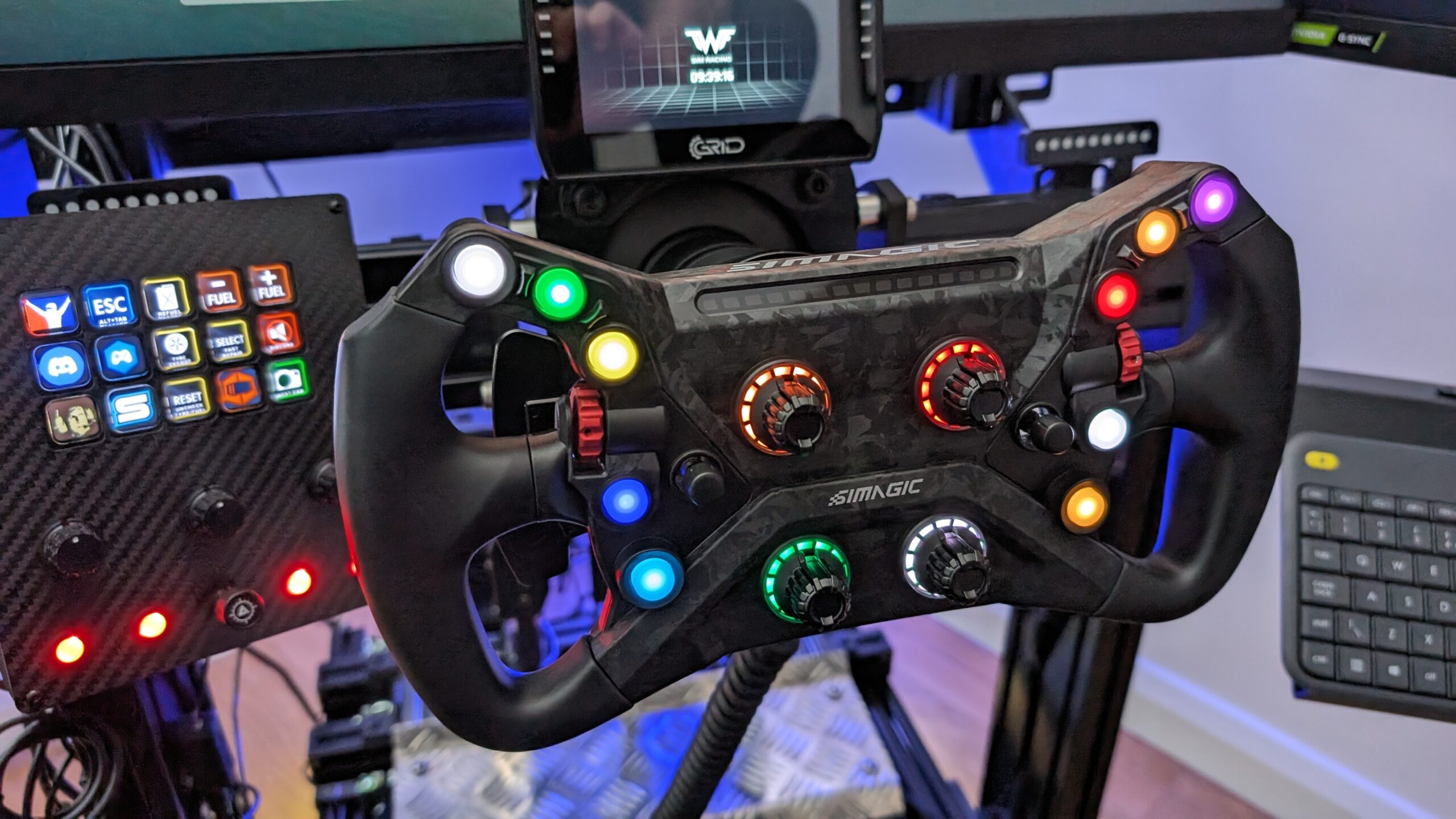
I’m a big advocate of the GT NEO, and I’ll happily tell you why: this is a budget wheel that took a lot of the development we observed in the later VPG items – and copied it, really, if I’m being perfectly honest with you. It’s still the best budget wheel I’ve used (although I currently have every Conspit wheel in-house for testing as I write this). Pick up the GT NEO and the stiffness hits you immediately – this thing doesn’t flex, and it communicates FFB well because of it.
I reviewed it at $269 as a standalone hub, and Trak Racer now has it on its own for $239 USD. It also comes bundled with a Simagic base, at $635.55 with the 9Nm Alpha EVO Sport or $749.55 with the 12Nm Alpha EVO, and both bases are direct drive. Either bundle solves two purchases in one box. The GT NEO itself has 10 RGB buttons, two 7-way switches, four rotary encoders and two thumb encoders, so there’s nothing on it to overwhelm you. The rubber grips are on the stiff side over a long session. I did a full review of the GT NEO and came away properly impressed.
Fanatec ClubSport Formula V3 – the ecosystem classic
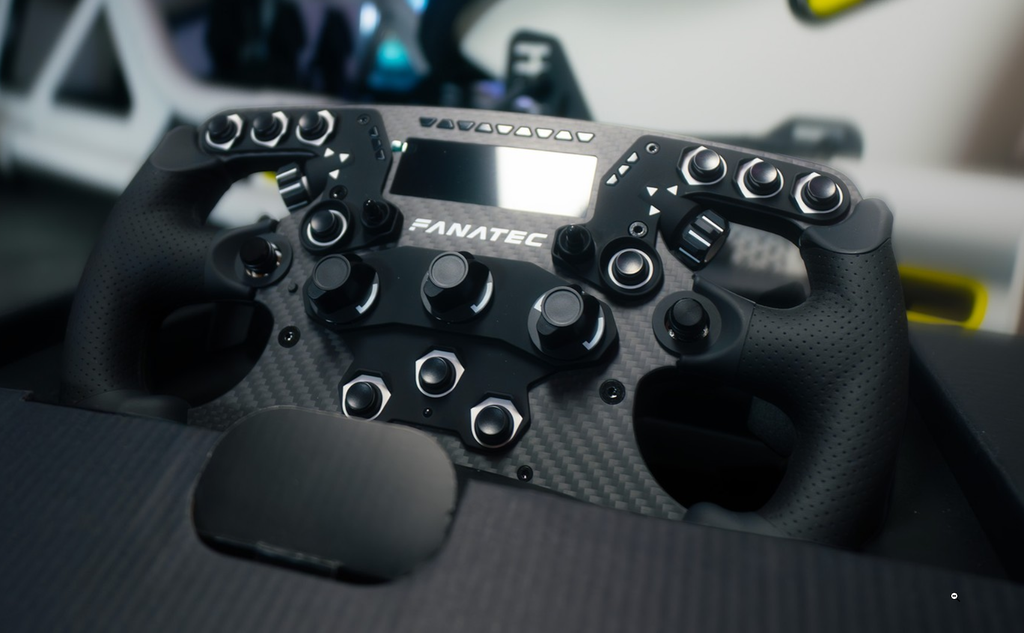
The Fanatec ClubSport Formula V3 is $349.99 USD at Fanatec, and it’s in stock. You’ll need a Fanatec hub and wheelbase to run it, and it’s PC and PlayStation only; Xbox racers are out of luck here. This is the wheel for the racer already invested in the Fanatec product catalogue, who wants a proper formula rim without leaving it. The complexity of Fanatec gear is low to moderate, which makes it ideal for an “I just want to race” session in your new F1 cockpit. For a lot of people it’s the one to just buy and stop agonising over.
Fanatec discount code: use SIMRACINGCOCKPIT5 at checkout for 5% off at fanatec.com.
Conspit CP105 MAX-01 – the modern value pick
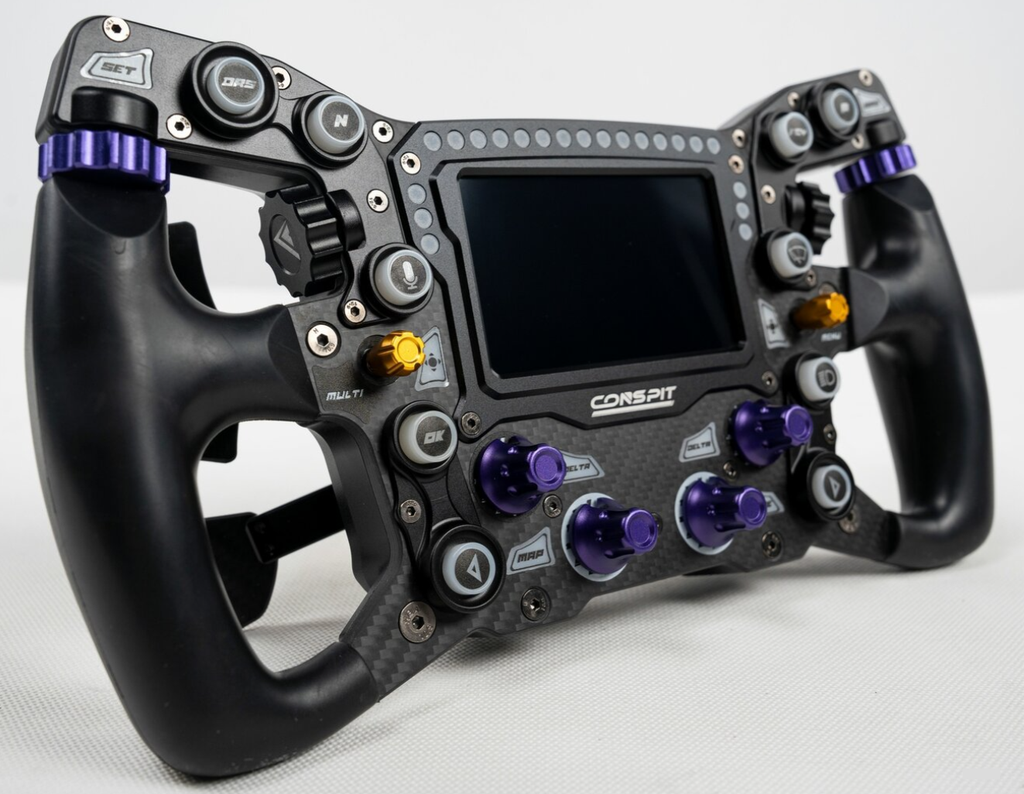
The Conspit CP105 MAX-01 is $729 USD at Trak Racer, and it’s in stock. For that you get a screen and LEDs, a metal chassis with a carbon front plate and a 300mm diameter, which is kit you’d usually pay a lot more for. In his YouTube test of seven wheels, Daniel Morad put its clutches on a par with wheels at two or three times the price, with slightly less resistance, and found the grip a bit plasticky bare-handed but fine in gloves. Complexity is middle of the road on the MAX-01 – there’s the screen to set up as well as the usual encoders and the “magic buttons” on the rear. Conspit’s cheaper 300GT was Morad’s overall winner in that same test.
Cube Controls F-Pro – the classic
The F-Pro is still my classic favourite, and the classics like this are absolutely good enough today. It’s solid in the hand with no noticeable flex, and at 282mm grip to grip it’s built for formula driving. The thick gloss carbon fibre with that logo is one of my favourite touches on any wheel, and probably my favourite era of sim racing. A newcomer would have a lot to map on it, with 12 backlit buttons, two toggle switches, four front and two thumb rotary encoders and a pair of multidirectional joysticks. For now it’s out of stock at all three of our partners – EUR 1,052 at Res-Tech, $999.99 USD for the wireless version at Advanced Sim Racing and $1,200 USD at Apex Sim Racing. So it’s a wait for a restock, or if you’d rather not wait, the Cube Controls CSX-3 further down is in stock. The build quality of the F-Pro is very high, and it did well in the review.

Ascher Racing McLaren Artura – the Verstappen Sim Racing wheel
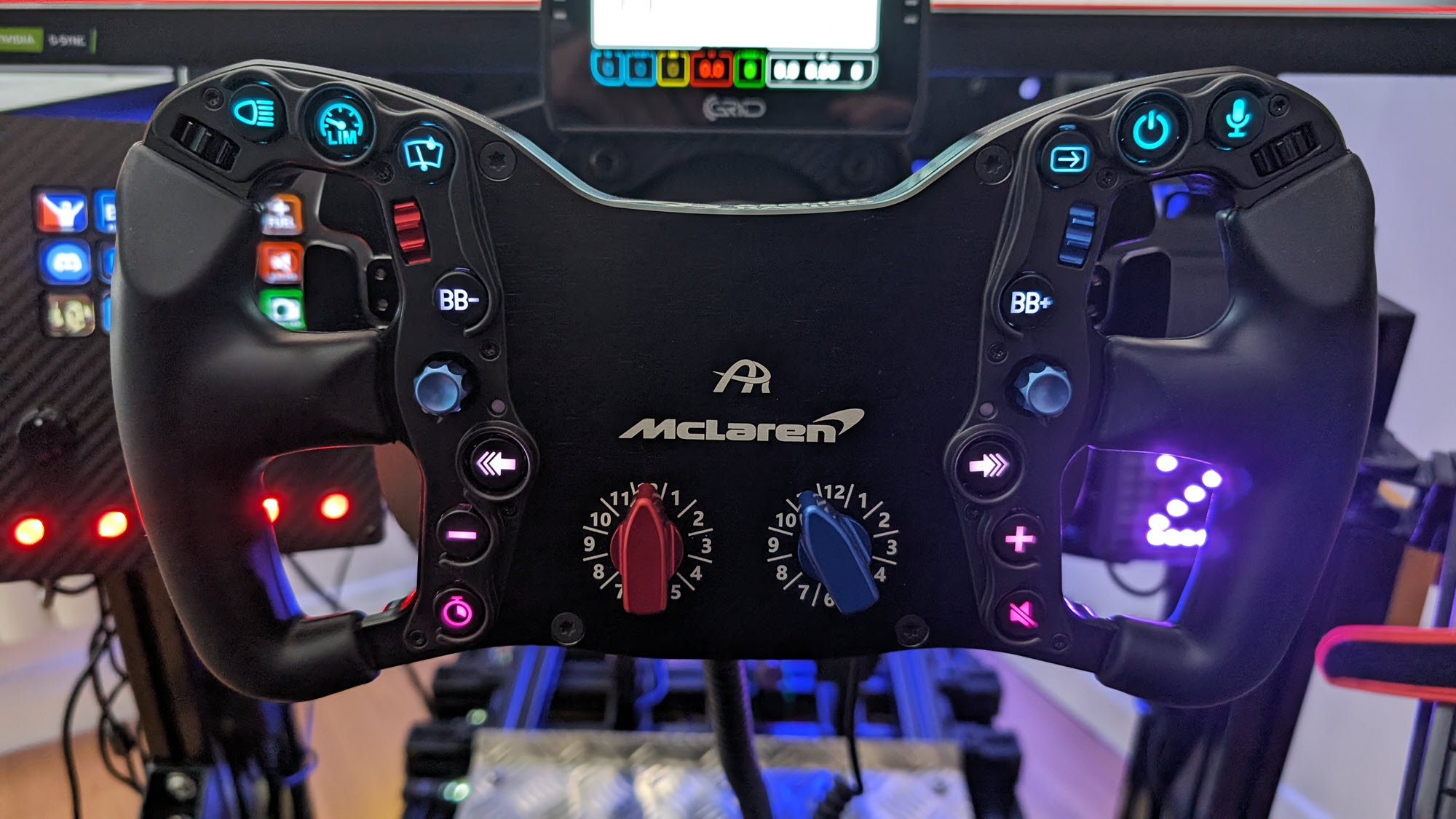
The Artura Pro is the wheel still bolted to my rig most of the time – Ascher Racing sent me one to review, and I liked it so much while testing it, I bought it. The paddles are difficult to describe, other than silky smooth, predictable and sublime to work with, and the buttons and rotaries are the same motorsport-grade components you’ll find on the original McLaren track car’s wheel.
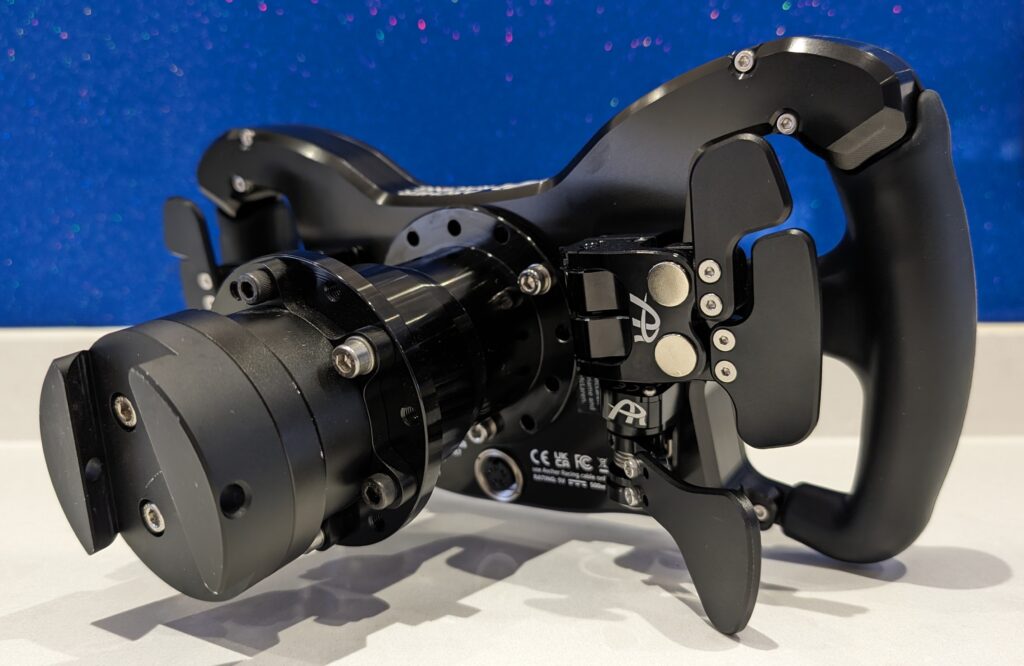
While I admit to finding it a little on the heavy side, there’s something about the ergonomics that makes the wheel adapt to you, rather than you adapting to the wheel. Ascher are partnered with Verstappen Sim Racing, and the team uses the Artura Pro and Ultimate – which I think is quite an important testimonial to be aware of. It’s PC only, no console, but there you are. At Advanced Sim Racing the family runs from the Sport at $899.99 USD to the Ultimate at $1,499.99 USD. The Pro I run is $1,249.99 USD and out of stock, and the GT4 is $1,301.99 USD. The Artura can be as involved as you want it to be, with 10 to 14 buttons depending on the model, and it’s just excellent out of the box.
Cube Controls CSX-3 – the flagship
The Cube Controls CSX-3 is the company’s flagship, and Res-Tech has it in stock at EUR 1,557. It pairs a carbon faceplate with an aluminium chassis, and there are up to six paddles on the rear (my CSX-3 review goes into all of it in more detail).

The 4-inch touchscreen is bright and colourful, and dashboards, telemetry and configuration all live on the wheel rather than in a configurator tab. There’s plenty to assign on the CSX-3 across two 7-way funky switches, 12 buttons and eight rotaries (four front, four thumb), and the calibration takes some getting used to. Apart from the lower-budget wheels, I’ve always enjoyed the Cube Controls stuff, and I still throw one on from time to time.

Sim-Lab Mercedes-AMG PETRONAS F1 wheel – the real thing
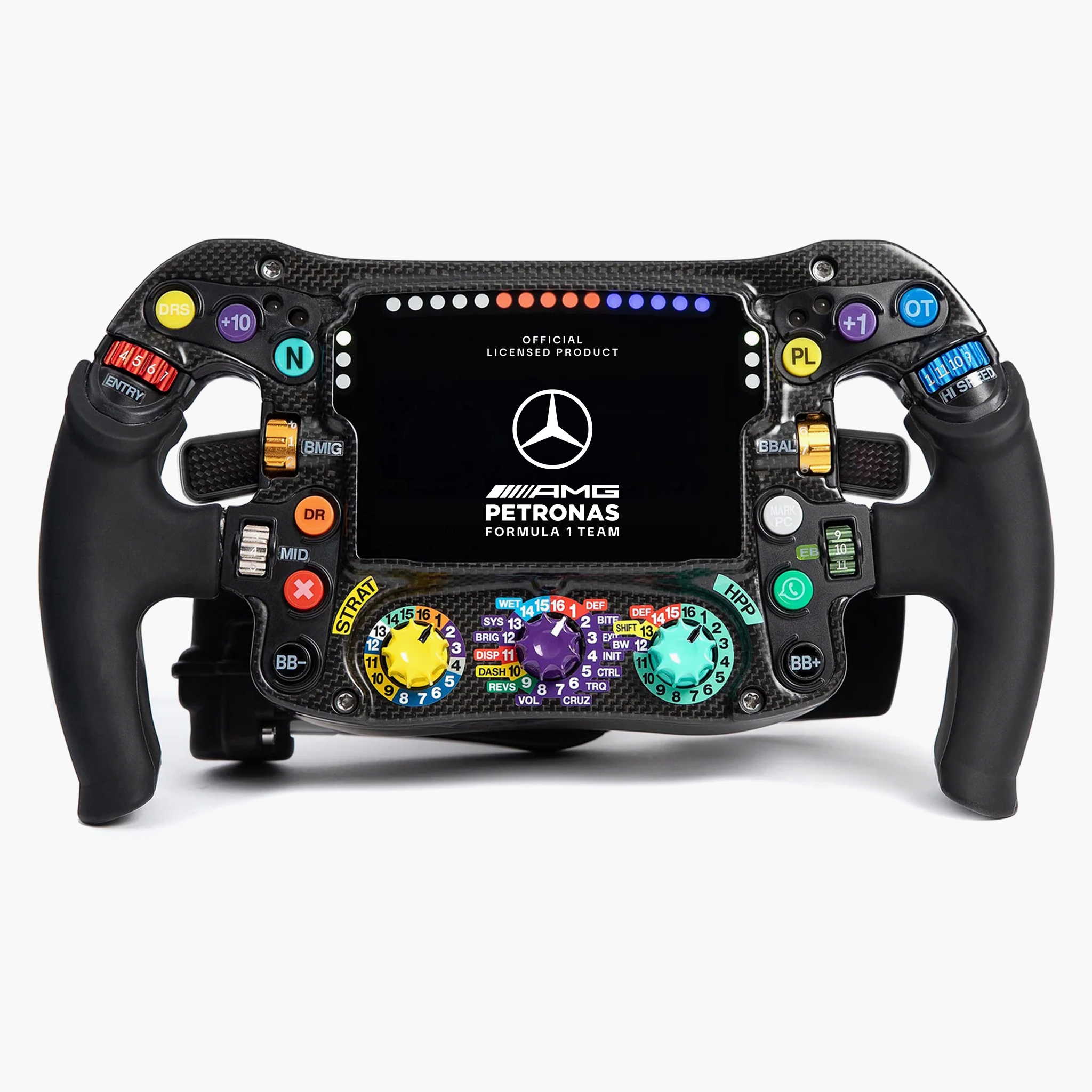
The Sim-Lab Mercedes-AMG PETRONAS F1 wheel is built from the actual F1 wheel’s CAD data, in genuine carbon with Grayhill encoders. It’s 280mm across and weighs 1,129g, or 1,240g with the hub. Sim-Lab sells it direct for EUR 2,670 and has it in stock.
Everything about it is function over polish: it’s more of a performance car part, not a gaming peripheral. The nine encoders are stiff enough that gloves are strongly recommended. There’s no funky switch, because the real car has none – so menu navigation requires a different approach – but it’s easy enough to set up. The single clutch (dual isn’t allowed in F1) has enormous travel, which is exactly what you want for launches. One more thing to watch out for: it ships with a forced 65mm spacer, so the wheel ends up closer to you than your other rims. This is the wheel for the F1 fan and sim racing buyer paying for (official) authenticity over refinement.
Sim-Lab discount code: use SIMRACINGCOCKPIT at checkout for 5% off at sim-lab.eu.
Best F1 beginner bundles
If you’re starting from nothing, the quick-start route is a bundle. The GT NEO hub-and-base packages further up do that job for a first PC setup. Fanatec’s F1 Esports bundles in the table below are the other route, with base, wheel and pedals from the same catalogue. Neither of those Fanatec bundles will work on a console out of the box. The CSL DD base isn’t compatible with PlayStation and the F1 Esports V2 wheel isn’t compatible with Xbox, so check your platform before you order.
If you already own a wheelbase, the Acelith Ace Morph Zero is a cheap way to put a formula-style rim on it. The rim and its electronics come together for EUR 185, and it’s in stock at the moment. It’s 300mm, mounts on a standard 70mm PCD quick release and it’s PC only.
Logitech’s RS Formula Wheel McLaren Racing Edition is a lovely F1-style rim, but it is just a rim, and it needs Logitech’s RS Wheel Hub and a PRO or RS50 direct drive base under it before it does anything. If you already own that Logitech setup it’s a great swap, and if you don’t, it’s the wrong place to start.
So, where does that leave us? On a budget, the GT NEO is still the wheel I’d point you to. The F-Pro remains a personal favourite, if not a little nostalgic these days, stock permitting. If you want a proper screen on the wheel for well under Cube Controls money, the Conspit MAX-01 at $729 is the one to look at. If you’re building around one of these, our F1 cockpit guide, direct drive wheelbase guide and sim racing pedals guide will get the rest of the rig right. I’ll just leave this here with a simple sign-off: whichever of these ends up on your rig – enjoy!
Related Articles
Sim Racing Wheel Stands and Folding Cockpits: Why I’d Skip One, and What to Buy Instead
The Best Direct Drive Sim Racing Bundles (2026)
Best Thrustmaster Wheel and Pedal Mods (2026)
ButtKicker and Tactile Feedback for Sim Racing: The Highest-ROI Upgrade You Shouldn’t Skip (2026 Beginner’s Guide)
Sim Racing Motion Platforms: A Beginner’s Guide to Adding Motion to Your Rig (2026)
D-Box Sim Racing: The FIA-Supplier Haptic System Explained (2026 Buyer’s Guide)
Topic: Sim Racing Wheels