I’m a sim racer and amateur racer with a passion for Motorsport, good racecraft and the technical and setup aspect of sim racing.
I run a MOZA R21 Ultra, and the hardware is superb – the faults that turn up are almost all software, and they cluster tightly: Pit House won’t open, the base drops off boot mode after a firmware update, the pedals go dead, the base overheats and loses force feedback, or the wheel shakes side to side at rest. Here’s every fix that works, quickest first.
Nearly all of these are model-agnostic across the MOZA range (R3, R5, R9, R12, R16, R21) because they share the Pit House software and the same connection design. Where a fix is specific to a base or a pedal set, it’s flagged. If you want the full hands-on picture of the flagship bases, my R21 and R25 Ultra review covers what they’re like to drive; this page is about getting a misbehaving one working again.
Rule this out first: update offline, and mind the Windows GameInput service. A large share of MOZA “not detected” and “boot mode” cases come from an online firmware update dropping connection mid-flash – doing updates through the offline Firmware Manager avoids it. And if Pit House itself won’t launch, the Windows GameInput service being stuck is the usual culprit (fix below). Always connect the base direct to a rear motherboard USB port, never a hub or front-panel port.
Quick Navigation
Jump to the fix you need:
Pit House won’t open |
Wheelbase not detected or stuck in boot mode |
Pedals or clutch not working |
Overheating and force feedback fade |
Wheel shakes side to side at rest |
HGP shifter not calibrating |
When it’s a warranty claim |
FAQ
Pit House won’t open – how to fix it
Pit House refusing to launch, or opening and crashing straight away, is the most common MOZA complaint, and it’s almost always the Windows GameInput service stuck in the wrong state, freezing Pit House during start-up. Press Win+R, type services.msc, find GameInput Service, right-click for Properties, and change the Startup type from Manual to Automatic. Restart the PC. That clears the large majority of launch freezes on its own.
If it still won’t open, the install is corrupted from a previous update. Use a deep uninstaller to remove Pit House and clear its leftover registry keys, then delete the MOZA Pit House folder from %AppData%\Roaming to wipe the local cache, and reinstall the current version. It’s worth checking your antivirus or anti-cheat hasn’t quietly blocked Pit House’s telemetry ports too – Riot Vanguard and an over-zealous Defender have both been known to.
Wheelbase not detected or stuck in boot mode – how to fix it
A base that Pit House won’t see, or that’s flashing and won’t boot, is nearly always the aftermath of an online firmware update that dropped connection mid-flash, leaving the base (or the wheel) in boot mode. It looks alarming but it’s recoverable. First, connect the base directly to a rear motherboard USB port – unpowered hubs and front-panel ports cause the power dips that trigger this in the first place.
Then reflash it offline. In Pit House, open the firmware upgrade area and click Firmware Manager to launch the standalone offline tool. Uncheck Online Update, download the correct .bin firmware file for your base from MOZA support, and drag it onto the wheelbase icon. Let it run – the base will restart several times. The one absolute rule: never unplug the USB or the power while it’s flashing, because interrupting a bare-metal firmware write is the one thing that permanently bricks the board. Doing your updates this offline way from now on is the surest way to avoid the boot-mode loop entirely.
Pedals or clutch not working – how to fix it
Two things account for most dead-pedal reports, and both are connection issues rather than faults. The first is a double connection: the pedals plugged into the wheelbase by the RJ cable and into the PC by USB at the same time. Pick one method – if they’re on the wheelbase by RJ, unplug the USB, and vice versa. The second is a compatibility mismatch: R3 and R5 bundles ship with the SR-P Lite pedals (the coffin-shaped faceplates) and their RJ12 Lite clutch, which won’t communicate with a standard SR-P set, and vice versa. Check you’ve paired the right clutch to the right pedals.
Visit Our Sponsors
With the connection sorted, if a pedal registers but the travel is wrong, a firmware update has reset its bounds – open the Pedals tab in Pit House, fully press the pedal and click Set Max, release and click Set Min. One small hardware caution: forcing an RJ11 plug into an RJ45 socket bends the pins, so match the cable to the port.
Overheating and force feedback fade – how to fix it
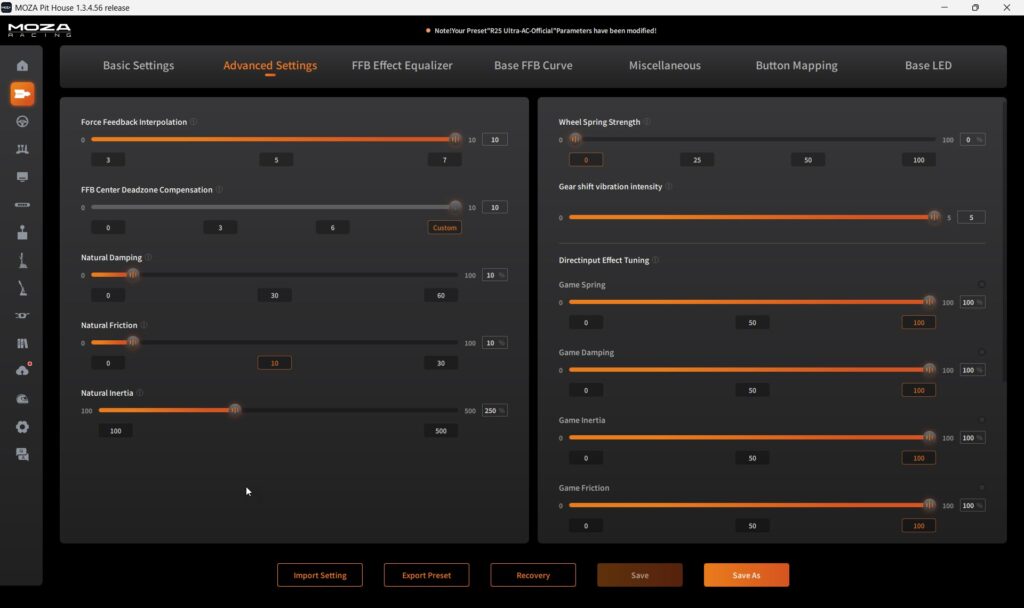
If your force feedback is strong at first and fades to a fraction of itself after 45 minutes or so, with the base warm to the touch, that’s thermal throttling – the firmware deliberately cuts force feedback to protect the motor. There are two levers. In Pit House base settings, change the Temperature Control Strategy to “Radical”, which raises the threshold before the base backs off. And drop your in-game force feedback to around 65-70% while leaving Pit House at 100% for headroom, so the motor isn’t running flat out continuously.
The fix that genuinely eliminates the fade, though, is airflow: a cheap USB desk fan pointed at the base’s aluminium housing keeps it in its comfortable range indefinitely, and it’s what I’d reach for before anything else. Leave opening the case for thermal paste to people who don’t mind voiding the warranty; you shouldn’t need to.
Wheel shakes side to side at rest – how to fix it
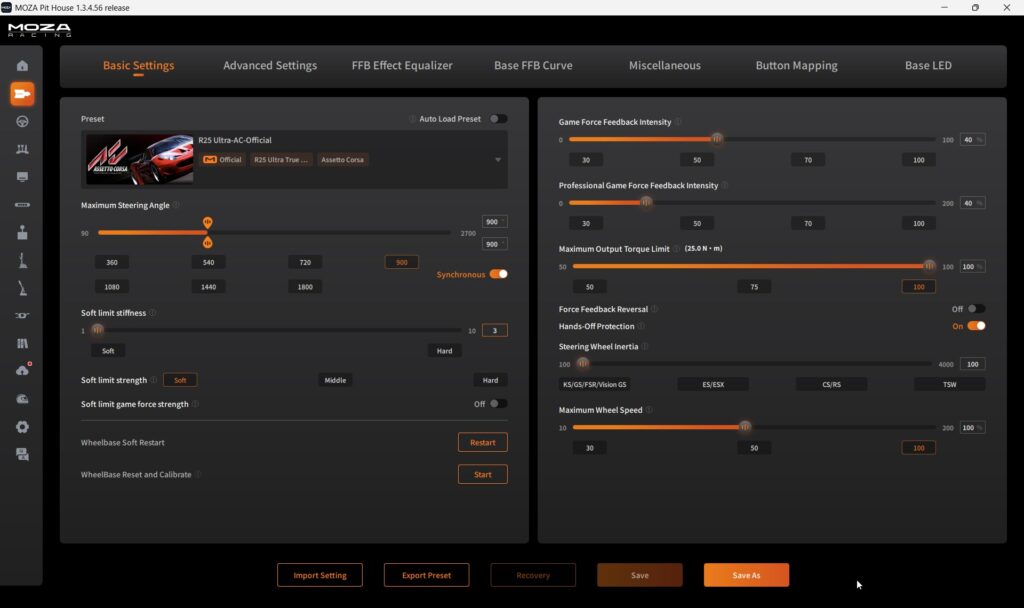
A direct drive wheel that shakes left and right at dead centre when you’re not touching it looks like a fault, but it’s the motor overcorrecting in a feedback loop. On MOZA bases the culprit is often Hands-Off Protection, which is meant to be a safety feature but backfires and drives the oscillation in some titles.
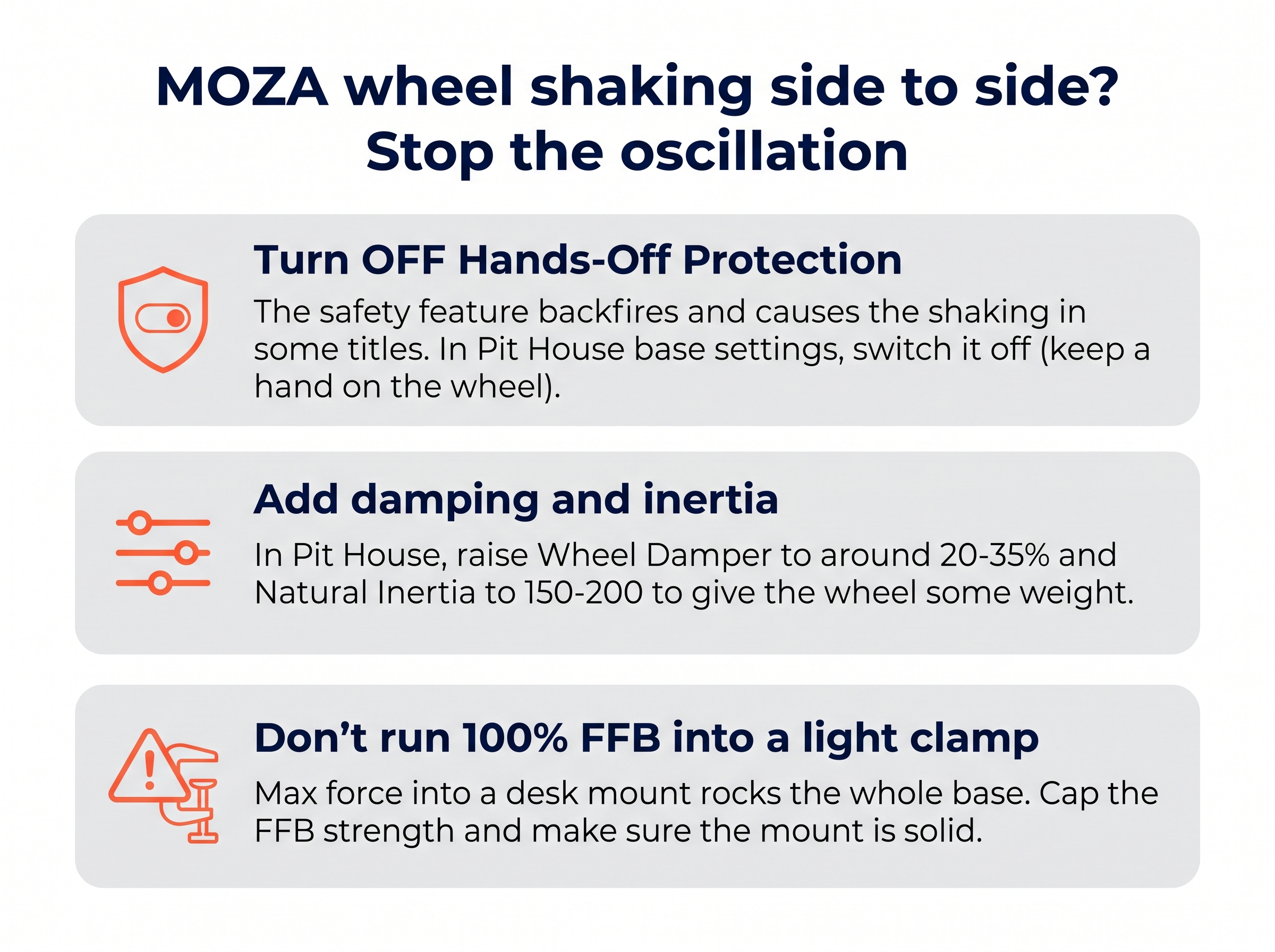
Turn Hands-Off Protection off in Pit House – I recommend it anyway if you feel a slightly “disconnected” sensation at the wheel centre on an R21, because the safety sensor can dampen small vibrations even with your hands on the rim. Then give the wheel some weight so it stops hunting: raise the Wheel Damper into the 20-35% range and Natural Inertia to somewhere around 150-200, and switch the base force feedback curve from Linear to Exponential to soften the centre forces that trigger the wobble. And make sure you’re not running maximum force feedback into a light desk clamp – a base that can rock in its mount will always feel worse. Keep a hand on the wheel while you sort it; a full-torque R16 or R21 slamming lock to lock can hurt.
HGP shifter not calibrating or skipping gears – how to fix it
The MOZA HGP H-pattern shifter throws two faults that look like hardware failures but aren’t. If it won’t calibrate, or 1st reads as reverse, the cause is nearly always the calibration itself: the shifter has a mechanical lockout gate for reverse, so you have to physically push the knob down and hold it depressed through the whole calibration sweep. Skip that and the internal axis map is truncated, which is the number-one reason a new HGP looks broken out of the box – just recalibrate holding it down.
If instead the odd gears are fine but the even ones (2nd, 4th, 6th) randomly drop to neutral, that’s a firmware bug rather than a mechanical fault – roll the firmware back to the prior version in Pit House and recalibrate with the push-down method. Don’t RMA for this one. And if Windows just shows an “Unknown USB Device”, install Pit House before you plug the shifter in, so Windows doesn’t assign it a generic driver.
When it’s a warranty claim, not a fix
Most MOZA problems are software, but a couple are genuinely hardware. If a base won’t recover from boot mode even with a clean offline flash, or the motor makes grinding noises and the force feedback is erratic in a way no Pit House setting touches, that’s a hardware fault – raise a support ticket with MOZA rather than opening the case, which voids the warranty. One genuine plus with MOZA is that they’ve started shipping user-replaceable internal boards for some parts, so certain repairs don’t need a full return of the base. But a failed motor or encoder is where a repair stops being worth it against the base’s value.
Frequently asked questions
Why won’t MOZA Pit House open or why does it crash on startup?
The usual cause is the Windows GameInput service being stuck. Open services.msc, find GameInput Service, set its Startup type to Automatic and restart the PC. If it still fails, fully uninstall Pit House, delete the leftover MOZA Pit House folder in %AppData%\Roaming, and reinstall the current version.
Why isn’t my MOZA wheelbase detected, or why is it stuck in boot mode?
An online firmware update that dropped connection leaves the base in boot mode. Connect it directly to a rear USB port, open the offline Firmware Manager in Pit House, uncheck Online Update, and drag the correct .bin file onto the base. Never unplug during the flash. Doing updates offline avoids the boot-mode loop in the first place.
Why aren’t my MOZA pedals or clutch working?
Most often it’s a double connection – the pedals plugged into the wheelbase by RJ cable and into the PC by USB at the same time. Pick one method. Also check compatibility: R3 and R5 bundles use the SR-P Lite clutch (RJ12), which won’t talk to a standard SR-P set. Then recalibrate the travel in Pit House.
Why does my MOZA R9 overheat and lose force feedback?
The base thermally throttles after long sessions and cuts force feedback to protect the motor. In Pit House base settings, set the Temperature Control Strategy to Radical, drop your in-game force feedback to around 65-70%, and point a small desk fan at the housing. The fan is what actually stops the fade.
Why does my MOZA wheel shake side to side at rest?
That oscillation is the motor fighting itself, and MOZA’s Hands-Off Protection often makes it worse. Turn Hands-Off Protection off in Pit House (keep a hand on the wheel), then raise the Wheel Damper to around 20-35% and Natural Inertia to 150-200 to give the wheel weight. Don’t run full force feedback into a light desk clamp.
Why won’t my MOZA HGP shifter calibrate or why does it skip gears?
Calibration fails if you don’t push the knob down through the whole sweep – the shifter has a lockout gate for reverse, so hold it depressed throughout. If even gears drop to neutral, that’s a firmware bug: roll the firmware back in Pit House and recalibrate. If Windows shows an unknown device, install Pit House before plugging the shifter in.
Nearly every MOZA fault lives in Pit House, not the hardware – which is a good sign for a base you’re going to keep for years. Once yours is sorted, the MOZA buyer’s guide covers the wider range and my R21 and R25 Ultra review digs into the flagships, while the GT7 and F1 25 settings pages have MOZA baselines. On a different brand? The Fanatec, Logitech and Thrustmaster troubleshooting hubs cover those.
Pimax Troubleshooting: Every Fix That Works
Simagic Troubleshooting: Every Fix That Works

MOZA Troubleshooting: Every Fix for Pit House, Detection, Pedals and Wheel Shake
Fanatec Troubleshooting: Every Fix for Drifting, Detection, Firmware and Pedal Faults
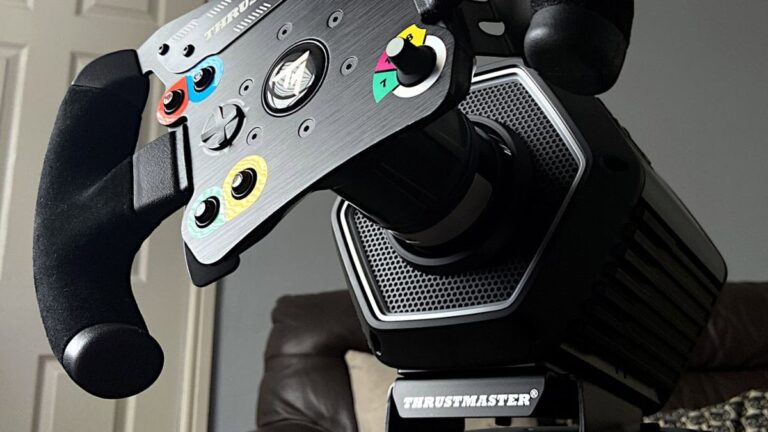
Thrustmaster Troubleshooting: Every Fix for the Control Panel, Force Feedback and Detection Faults