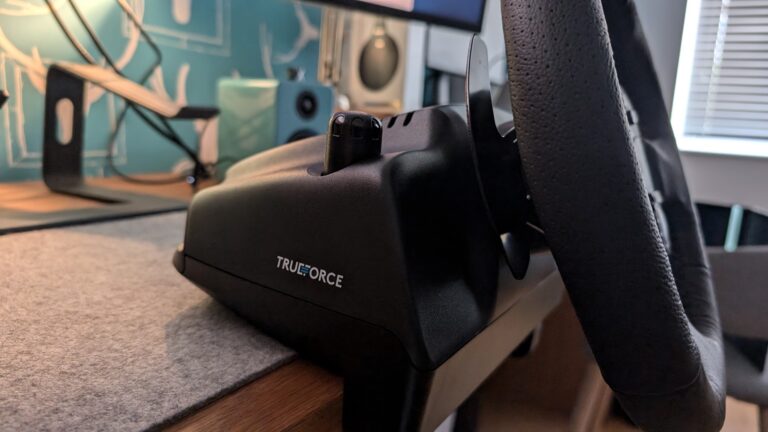
I’m a sim racer and amateur racer with a passion for Motorsport, good racecraft and the technical and setup aspect of sim racing.
I run a Fanatec CSL DD, and for all the stick the software gets, the wheel itself is rock-solid – the faults that do turn up are a predictable set: the centre drifts off, a firmware update hangs at 53%, the base isn’t detected, or the pedals go dead. Almost all of it traces back to two things: the shaft connection inside the base, and Fanatec’s software. Here’s every fix that works, quickest first.
Most of these apply across the CSL DD, GT DD Pro, ClubSport DD and Podium range, since they share the same shaft-and-Quick-Release architecture and the same unified app. Where a fix is specific to a base or a pedal set, it’s flagged. If you’d rather read the deep dives, the standalone base not detected and CSL DD disconnect / FFB fixes go further on those two symptoms; this page is the map to all of them.
Rule this out first: use the current Fanatec App, not old drivers. Since the Corsair takeover, the legacy Control Panel and FanaLab track has given way to the unified Fanatec App (1.4.x / 1.5.x). Guides telling you to grab legacy drivers v450-474 through FanaLab are stale for 2026, and mixing legacy drivers with the new App corrupts the firmware stack. Run the current App unless you’re doing a deliberate, temporary rollback (which is a real recovery step for a stuck update – see the firmware section).
Current issue (mid-2026): CSL DD and GT DD Pro shutting down after the FullForce update. Fanatec App V1.5.1 rolled FullForce and a revised 8Nm torque profile onto the CSL DD and GT DD Pro for free – but it introduced torque overshoots that tripped the power supply’s protection and shut the base down mid-session. Fanatec acknowledged it officially and shipped a hotfix (App 1.5.2.x). Update to the latest firmware. If a CSL DD or GT DD Pro still shuts down on the current version, Fanatec asks you to raise a support ticket with FITS-501 in the subject line.
Quick Navigation
Jump to the fix you need:
First, the 30-second checks |
Wheel not detected |
Drifting or off-centre |
No force feedback or mid-race shutdown |
Firmware update stuck at 53% |
Pedals not working |
Handbrake not recognised |
Wheel shakes at rest |
When it’s a warranty claim |
FAQ
First, the 30-second checks
- Update the Fanatec App and all firmware (base, wheel, pedals) to the current version – a mismatched stack is behind a large share of detection and FFB faults.
- Plug the base straight into a rear motherboard USB port, no hubs or extensions, and disconnect non-essential USB clutter (RGB controllers, webcams) that can interfere with firmware flashing.
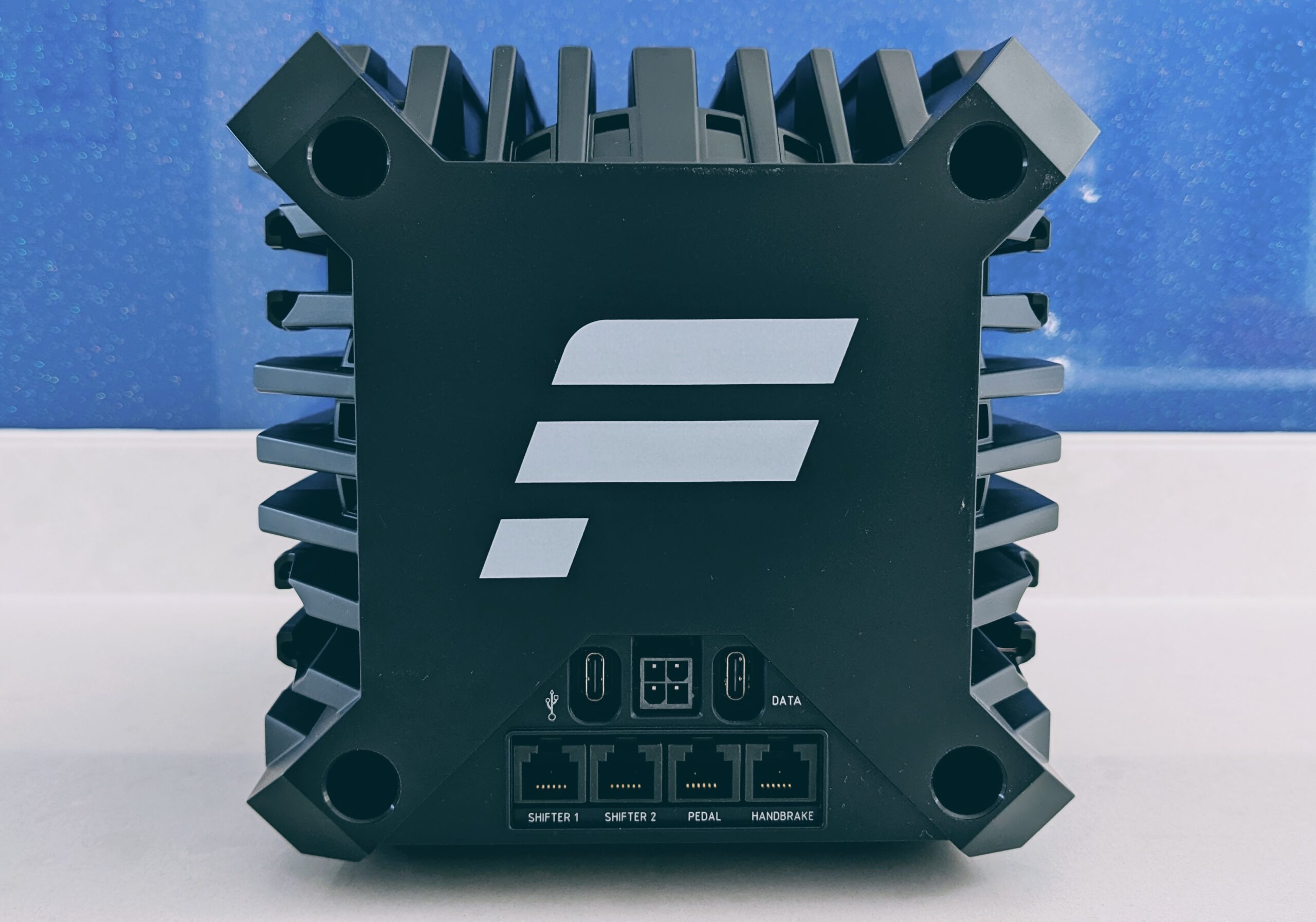
- Check the shaft is fully seated. Power off, and if the centre has drifted or a wheel/rim has stopped responding, the internal USB-C shaft connection is the first suspect – covered below.
- Connect pedals by RJ12 into the Pedal port, or by USB – never both, and never use a generic telephone RJ12 cable.
Wheel not detected – how to fix it
A base that the app or PC won’t see splits two ways. If the base works on console but the PC just won’t pick it up, it’s a software conflict from the 2026 driver transition. If the base itself is dead or the attached rim isn’t recognised, it’s the shaft connection or a stuck firmware state.
For the software side, do a clean purge: disconnect the hardware, uninstall the Fanatec App and any legacy drivers, then open Device Manager, choose View > Show hidden devices, and remove the greyed-out Fanatec entries under USB and HID. Restart, install the current Fanatec App, and reconnect to a rear USB port. That clears the residual driver conflict that survives a normal reinstall. The full walkthrough, with the recovery order that matters, is in the base not detected guide.
Drifting or off-centre – how to fix it
This is the most-searched Fanatec fault, and there are three separate causes hiding under the one word. Work out which you’ve got before you touch anything – one of them is a setting you turned on yourself.
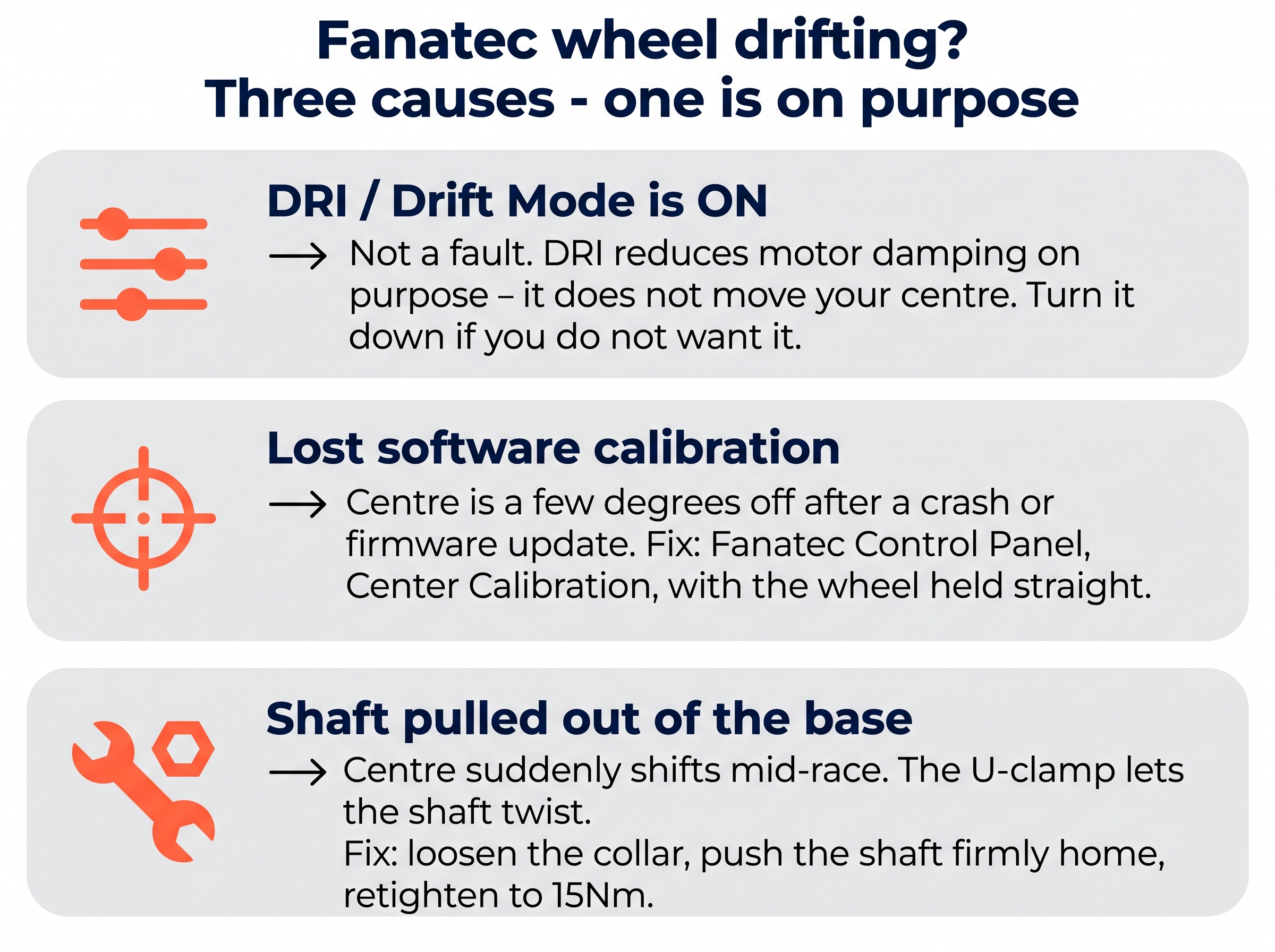
First, rule out DRI (Drift Mode) in the tuning menu. It reduces motor damping on purpose and doesn’t move your centre point – if the car feels loose rather than off-centre, that’s DRI, and you just turn it down. If instead the straight-ahead is consistently a few degrees off after a PC crash, a firmware update, or hot-swapping a rim while powered, that’s lost software calibration. Power on, hold the wheel at visual dead-centre, and run Center Calibration in the Fanatec App (on console, hold the Tuning Menu button plus the rim’s calibration button). One quirk to know: if you’ve just fitted a QR2 base-side, the centre can register 180 degrees out because the QR2 has no fixed mechanical centre – just turn the wheel the right way up and re-run calibration.
The one that actually matters is a centre that suddenly shifts mid-race, sometimes taking the FFB or the rim buttons with it. That’s the shaft physically pulling or twisting out of the base’s internal USB-C plug, because the stock single-bolt collar clamp doesn’t grip tightly under torque. Power off, fully loosen the collar bolt, push the shaft firmly back in until it hits a hard stop, rotate it so the clamp gap doesn’t line up with the shaft’s slit, and retighten firmly to about 15Nm. The permanent fix is a dual-bolt aluminium split-collar or the official QR2 base-side. Ignore the old advice to jam tape or printed spacers into the shaft – it doesn’t fix the root cause and can damage the housing. And don’t confuse any of this with the harmless “magnetic resting” where an unpowered wheel sits a few degrees tilted; that’s just motor cogging, and it drives dead straight in-game.
No force feedback or a mid-race shutdown – how to fix it
Total FFB loss with the rim buttons also dead is the same shaft-connection fault as the drift above – reseat the shaft first, because a physical disconnect defeats every software fix. If the base is detected and buttons work but there’s simply no force, do the clean driver purge from the detection section, then reflash the base firmware from the current app.
Visit Our Sponsors
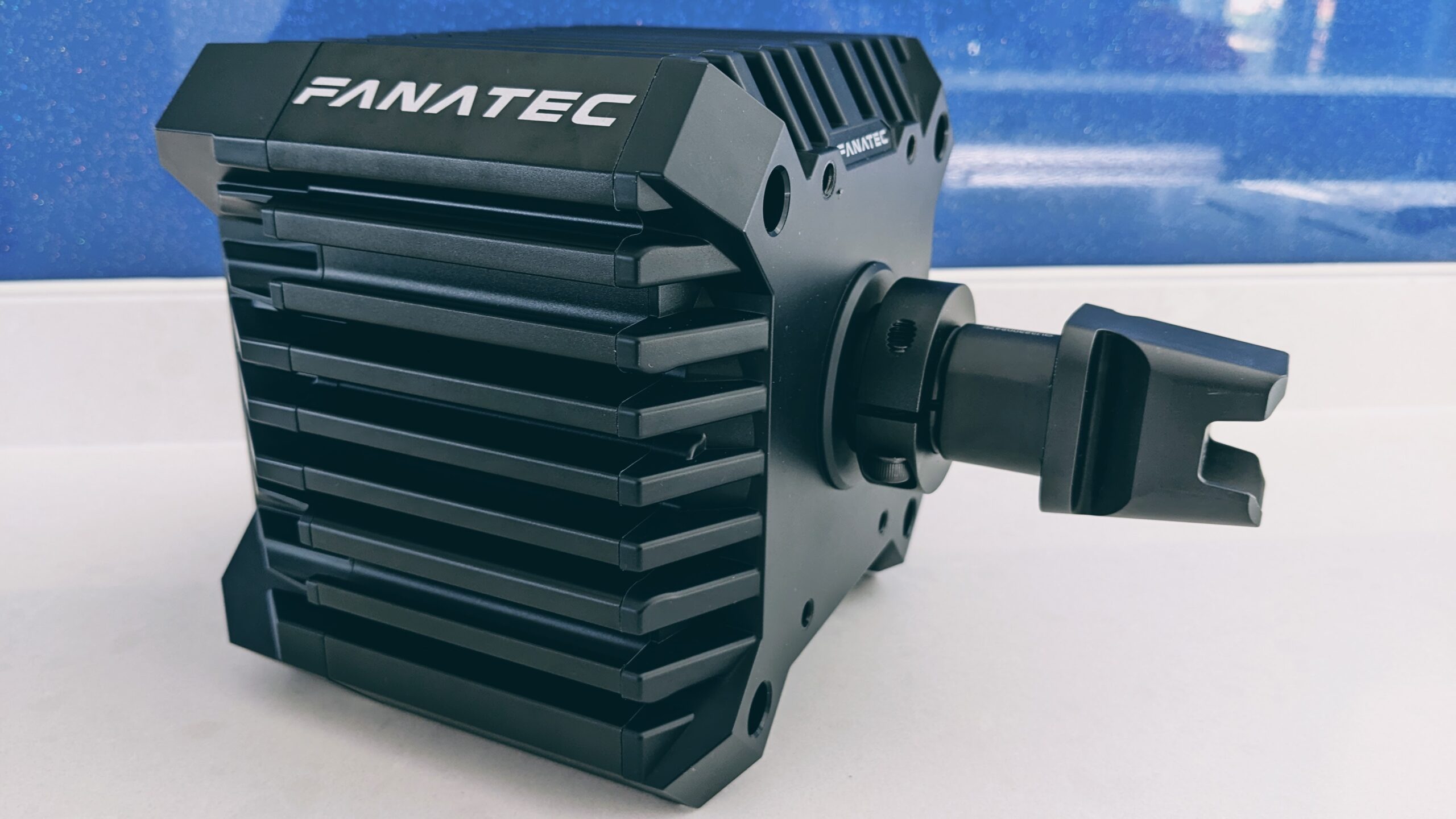
The one to know about right now is the shutdown, not a fade: if your CSL DD or GT DD Pro cuts out entirely mid-session after the FullForce update, that’s the V1.5.1 8Nm torque-overshoot issue flagged at the top of this page. Update to the current firmware, which contains Fanatec’s hotfix, and if it still trips on the latest version, raise a ticket quoting FITS-501. As a stopgap while you update, dropping your in-game FFB strength keeps the overshoots below the power supply’s cut-out threshold.
Firmware update stuck at 53% – how to fix it
A hang at 53% is almost always the update failing at the Quick Release stage – and it’s highly recoverable, so don’t panic. The first move is mechanical, because a physical disconnect beats every software step: power off, unplug USB, loosen the collar clamp fully, push the shaft firmly in until it hits a hard stop to reconnect that internal USB-C, retighten to about 15Nm, then reconnect and retry.
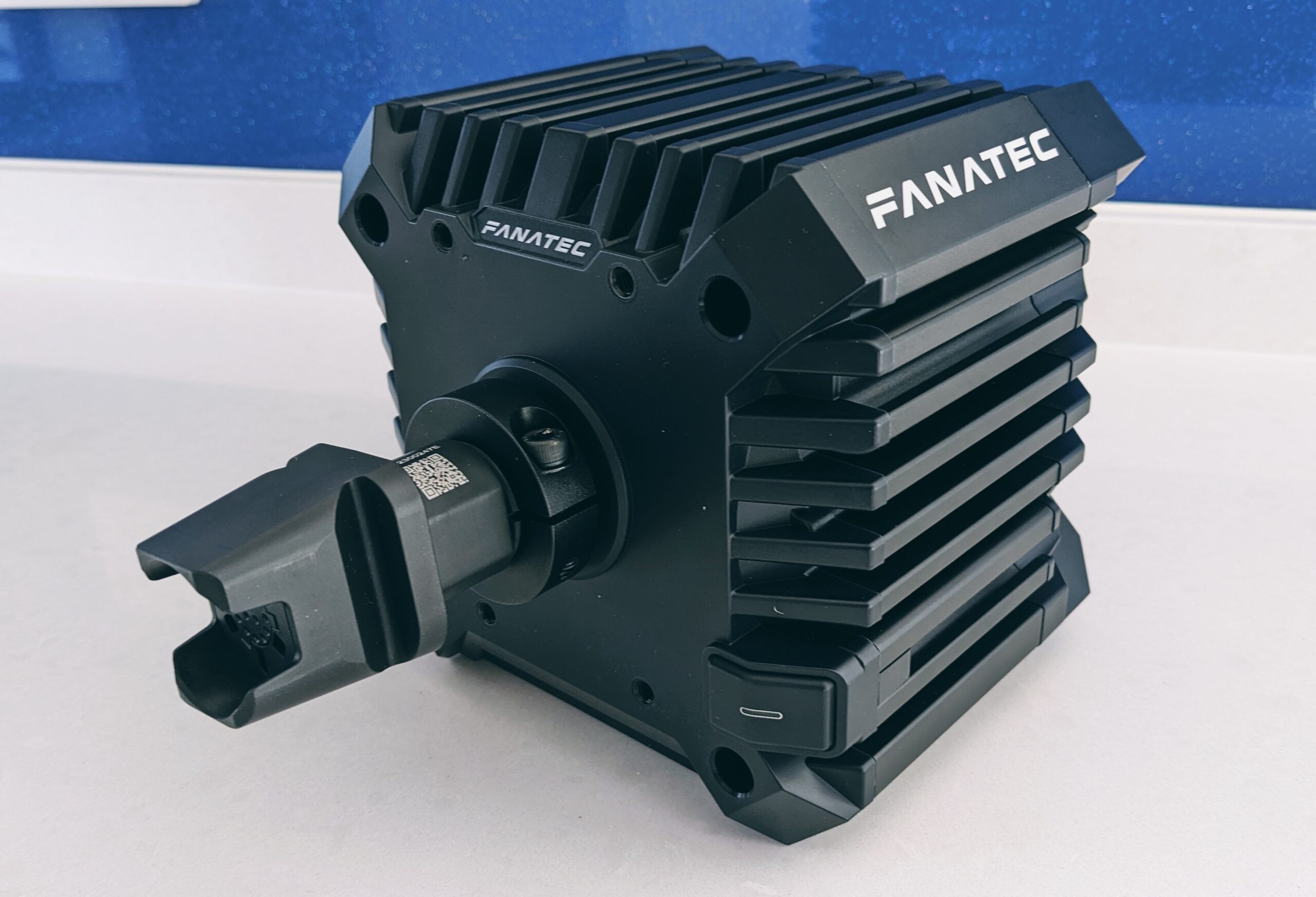
If the shaft’s seated and it still hangs, recover with the legacy driver. Power the base off, remove the rim, uninstall the current software, and clear the hidden Fanatec devices in Device Manager as before. Install Driver 474 (legacy) with the base off, restart, and connect to a rear USB port. Enter bootloader mode by holding the base power button for about eight seconds until the LED flashes and the firmware updater launches, then update the base first and don’t attach the rim until it prompts you. Two hard rules throughout: if it’s frozen, wait ten to fifteen minutes before acting, and never pull the power brick from the wall while it’s actively flashing – that’s the single thing that genuinely bricks the motor controller.
Pedals not working – how to fix it
Before anything else, get the connection right, because the wrong one doesn’t just stop the pedals working – it can permanently kill them.
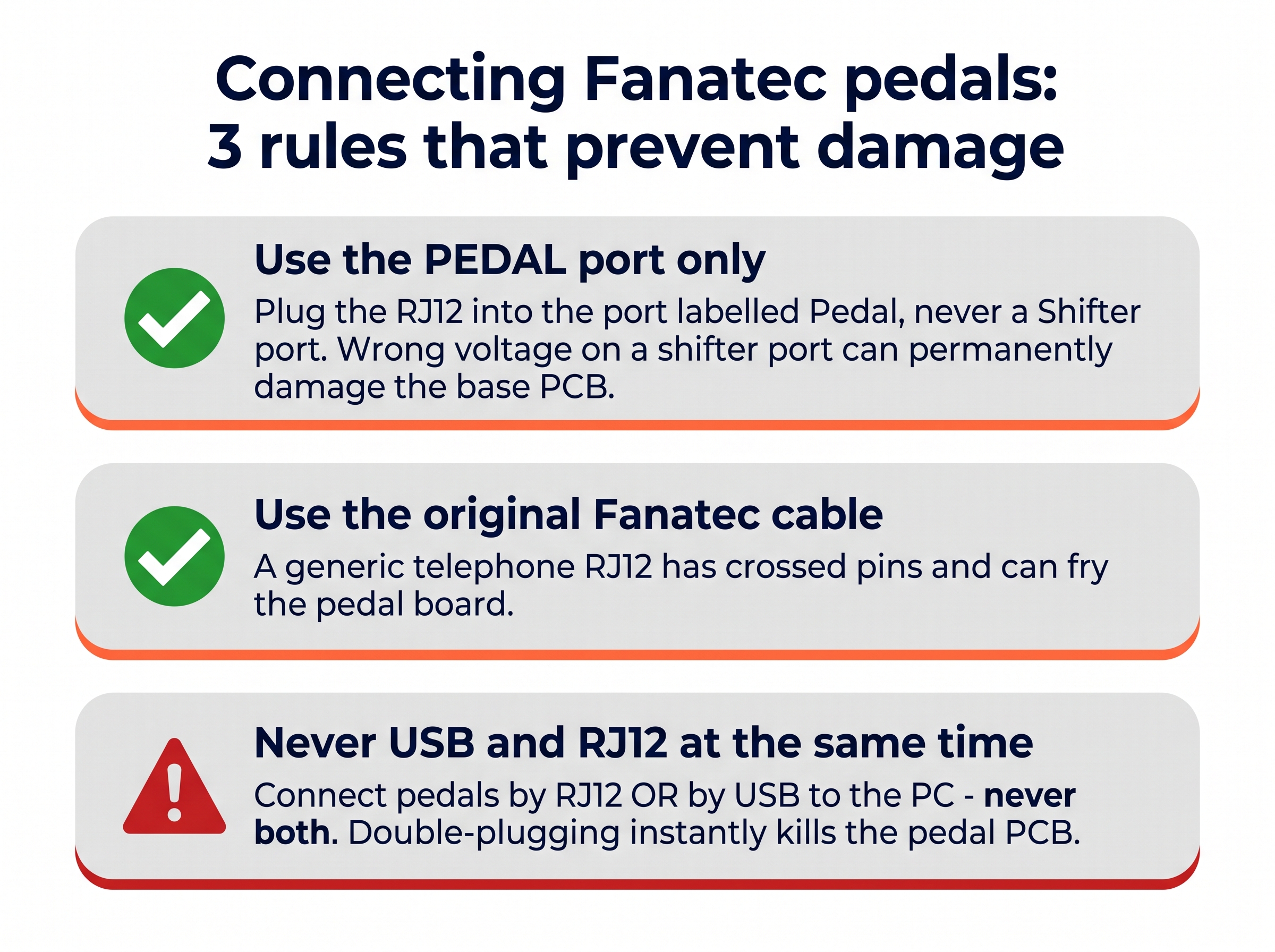
With the cabling sorted, most remaining pedal faults are software or a loose sensor. If the pedals work on console but not PC, or dropped out after an update, run the same deep driver purge and then reflash the pedal firmware. If the brake reads 0% when pressed or needs superhuman force for 5%, the Brake Force (BRF) value has defaulted to maximum – open Pedal Tuning in the app, drop BRF to 40-50, toggle Manual Calibration on, and set your min and max. And if a throttle or clutch on a ClubSport V3 or CSL set flickers or sticks low, it’s the tiny grub screw on the pedal’s magnet housing working loose from vibration; realign the magnet housing with the pedal arm and gently tighten it with the exact 1.5mm Allen key – don’t over-torque or you’ll strip it.
One less obvious one on load-cell brakes: a brake that randomly spikes to 100% or dies under hard press is usually a pinched load-cell wire inside the brake cylinder, chafed by the arm under load. It means opening the elastomer stack to inspect and reroute the thin wires – common after swapping to aftermarket elastomers.
Handbrake not recognised – how to fix it
This is the number-one reason people think a new Fanatec handbrake is dead out of the box, and it isn’t broken at all. Plugged into the wheelbase or pedals by RJ cable, the handbrake has no device page of its own – it shows up as an extra axis bar at the bottom of the Pedals tuning page. Open that page and look for the extra axis, not a separate device. It only gets its own page if you run it through the optional standalone USB adapter. If a ClubSport V2 feels stiff and only reads half-travel, remember it’s a load cell measuring pressure rather than travel – set a manual min/max deadzone rather than fighting it. And the one warning that matters: never plug a handbrake into a Shifter port to test it – the wrong voltage there can permanently damage the base PCB.
Wheel shakes side to side at rest – how to fix it
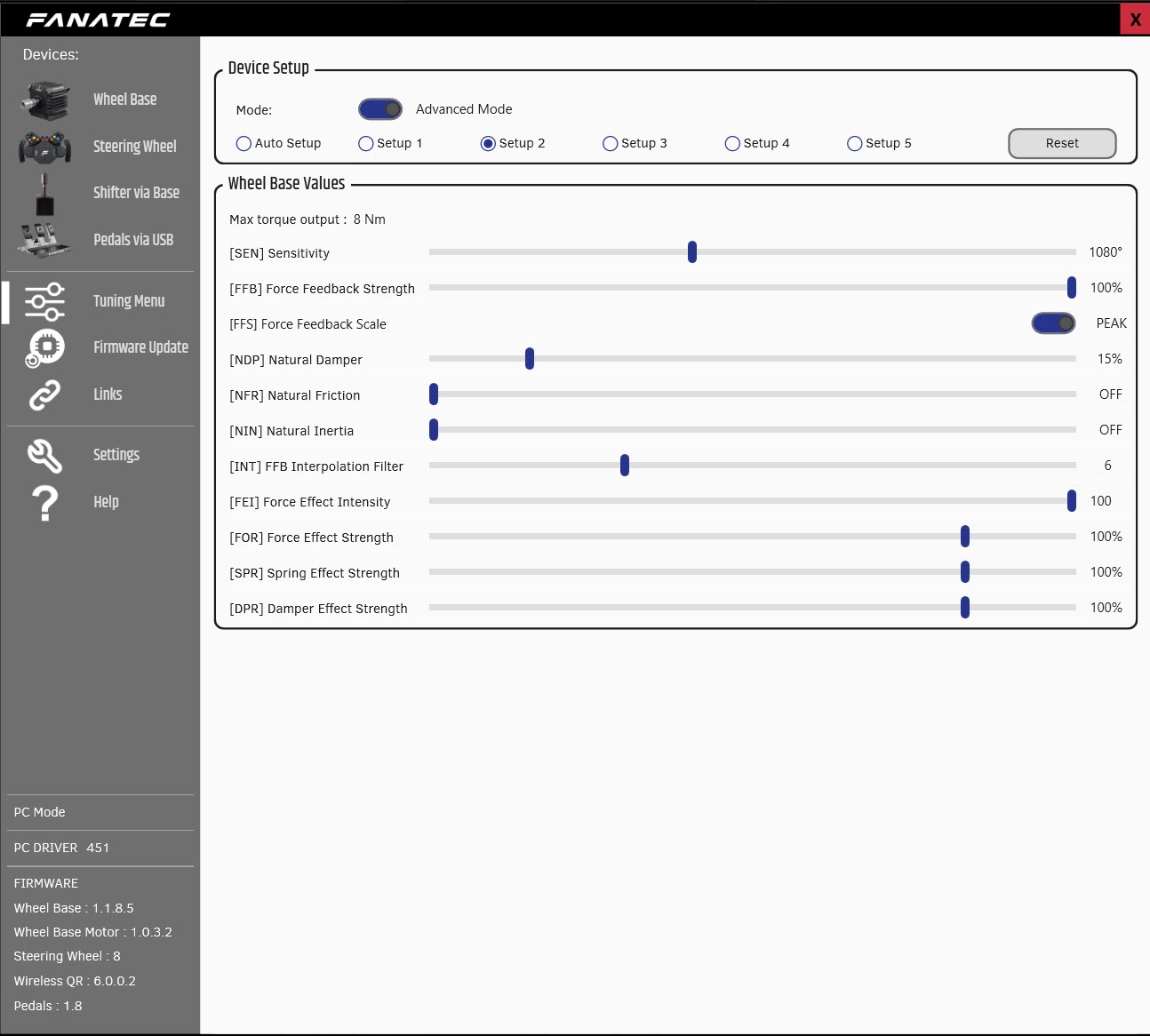
A direct drive base that oscillates left and right at dead centre when you’re not touching it looks alarming, but it’s the motor fighting itself in a feedback loop, not a fault. The fix is in the app, not the hardware: raise the damping (NDP) and natural inertia (NIN) a few points so the motor stops hunting around centre, and make sure you’re not running maximum FFB strength into a light desk clamp that lets the whole base rock. A small increase settles it without dulling the detail – this applies to any Fanatec DD base, from the CSL DD to the Podium.
When it’s a warranty claim, not a fix
A few Fanatec faults are genuinely hardware and worth stopping for. If calibration repeatedly fails, the steering axis jumps in the app while you’re not touching the wheel, or the base spins aggressively to the lock-stops on boot, that’s an internal Hall sensor failure – and opening the rear casing voids the warranty, so raise an RMA with Fanatec rather than chasing a YouTube teardown. The good news is that Corsair’s ownership has genuinely improved the support and RMA turnaround, so a warranty claim is far less painful than the Fanatec of a couple of years ago. Out of warranty, the shaft reseat, pedal grub-screw and load-cell-wire fixes are all within reach of anyone with a hex key and a bit of patience, but a failed servo or Hall sensor is the point where a repair stops making sense against the base’s value.
Frequently asked questions
Why does my Fanatec wheel drift off-centre?
Three things cause it. DRI (Drift Mode) in the tuning menu is intentional and doesn’t move your centre. A centre that’s a few degrees off after a crash or update is lost software calibration – run Center Calibration in the app. And a centre that suddenly shifts mid-race is the shaft pulling out of the base: loosen the collar, push the shaft home, retighten to 15Nm.
Why does my Fanatec firmware update get stuck at 53%?
A hang at 53% is the Quick Release firmware stage failing because the shaft has crept out of the base’s internal USB-C. Power off, loosen the collar, push the shaft firmly home, retighten and retry. If it still hangs, recover with legacy Driver 474 in bootloader mode. Never pull the power brick while it’s actively flashing.
Why did my CSL DD or GT DD Pro shut down after the FullForce update?
Fanatec App V1.5.1 added FullForce and a revised 8Nm torque profile that caused torque overshoots, tripping the power supply’s protection and shutting the base down mid-session. Fanatec has released a hotfix – update to the latest firmware. If a CSL DD or GT DD Pro still shuts down on the current version, open a support ticket with FITS-501 in the subject.
Why aren’t my Fanatec pedals working?
Check the cabling first: the RJ12 goes into the Pedal port (never a Shifter port, which can fry the base), use the original Fanatec cable, and never connect the pedals by USB and RJ12 at the same time. If the brake reads 0% or needs huge force, reset the Brake Force (BRF) value in the app’s pedal tuning and run manual calibration.
Why doesn’t my Fanatec handbrake show up in the app?
It’s not broken. A handbrake plugged into the wheelbase or pedals by RJ cable has no device page of its own – it appears as an extra axis bar at the bottom of the Pedals tuning page. It only gets its own page with the optional standalone USB adapter. Never test it in a Shifter port; the wrong voltage can damage the base.
How do I stop my Fanatec direct drive wheel shaking at rest?
That side-to-side oscillation at dead centre is the motor fighting itself, not a fault. Raise the damping and natural inertia settings in the app (NDP and NIN), and make sure you’re not running full FFB strength into a light desk clamp. A small increase settles it without dulling the feel.
Nearly every Fanatec fault comes back to the shaft connection or the software – both of which you can sort at the desk in a couple of minutes. Once yours is behaving, the Fanatec buyer’s guide covers the wider ecosystem, my Podium DD review digs into the flagship, and the GT7 and F1 25 settings pages have Fanatec baselines to dial in the feel. On a different brand? The Logitech and Thrustmaster troubleshooting hubs cover those.
Pimax Troubleshooting: Every Fix That Works
Simagic Troubleshooting: Every Fix That Works

MOZA Troubleshooting: Every Fix for Pit House, Detection, Pedals and Wheel Shake
Fanatec Troubleshooting: Every Fix for Drifting, Detection, Firmware and Pedal Faults
Thrustmaster Troubleshooting: Every Fix for the Control Panel, Force Feedback and Detection Faults