

I’m a sim racer and amateur racer with a passion for Motorsport, good racecraft and the technical and setup aspect of sim racing.
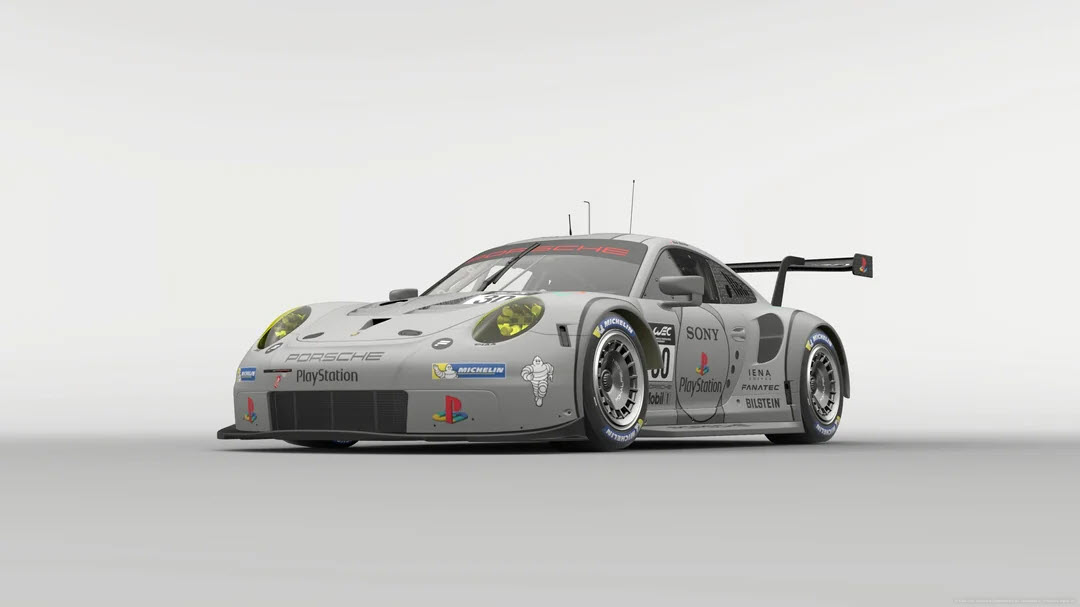
Featured image: a Porsche 911 RSR from Gran Turismo 7 (Image: Polyphony Digital)
You’ve got a wheel plugged into a PS5, Gran Turismo 7 is loaded, and you want a sensible place to start with the FFB (force feedback). Below are the settings Fanatec, Logitech and Thrustmaster publish for GT7, brand by brand, in the order you’ll click through them – the wheel’s own settings first, then the game’s.
Quick Navigation
Jump directly to what you’re looking for:
GT7’s FFB menu |
Fanatec |
Logitech |
Thrustmaster |
Moza |
Fine-tuning
How GT7’s force feedback settings work
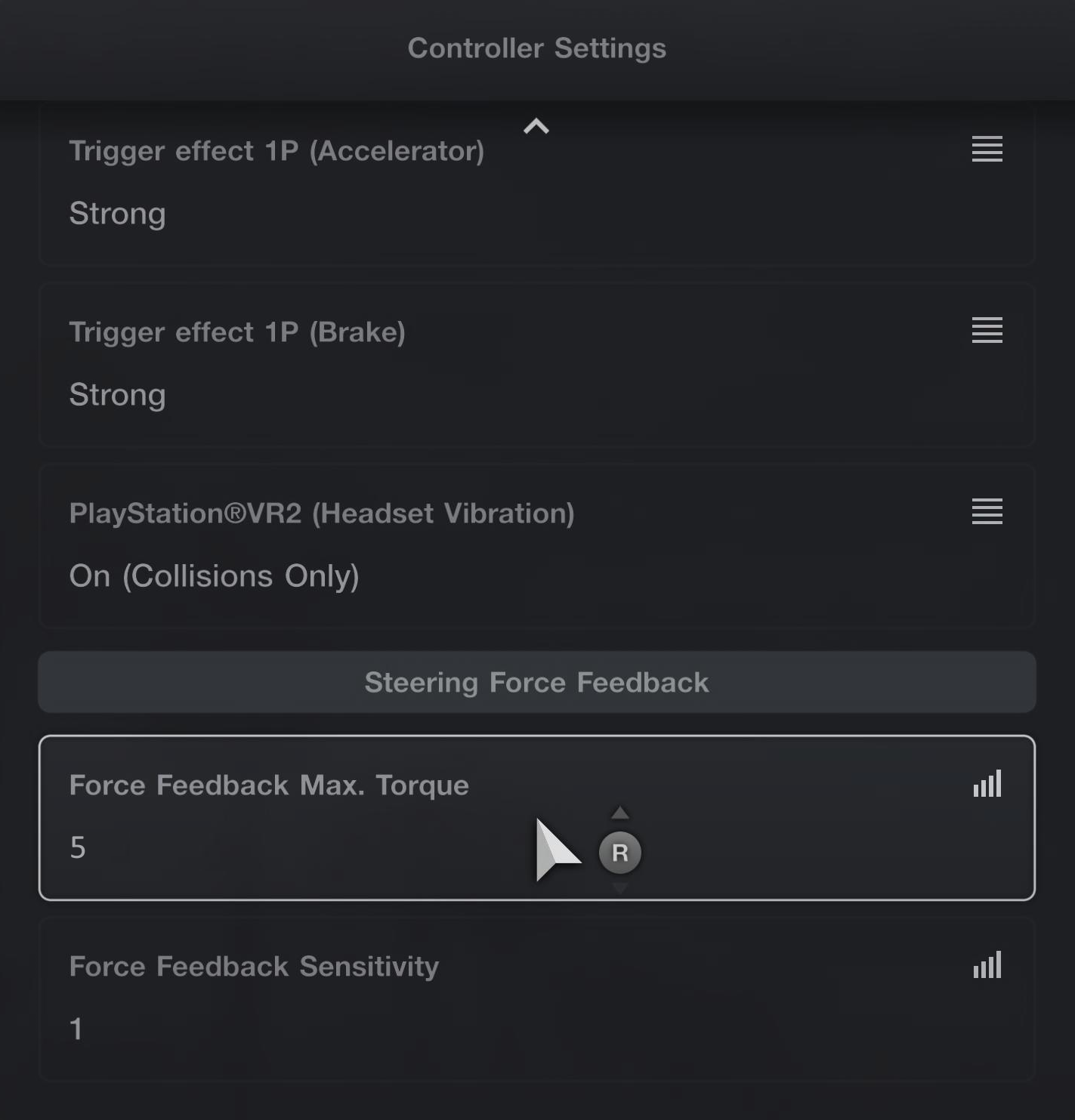
GT7 keeps its force feedback in two sliders, and to find them you head to Settings > Controller Settings in the Quick Menu that comes up before each race, then look under Steering Force Feedback. Everything else for the wheel, the vibration and the button layouts included, sits under Options > Controllers in the GT Menu. Polyphony Digital supports wheels from three makers: the Thrustmaster T-GT, T-GT II, T248, T300RS, T500RS (PS4 only), T150, T80 and T598, the Logitech Pro, G29 and G923, and the Fanatec CSL Elite, Gran Turismo DD Pro / Extreme and Podium.
According to Polyphony’s online manual, the higher you set Force Feedback Max. Torque, the duller the response from the tyres when you’re cornering hard, and the lower you set it, the more responsive the car becomes. Force Feedback Sensitivity is the resistance you feel when you start to turn the wheel. Higher makes the steering more responsive to changes, while lower makes it gentler in a straight line.
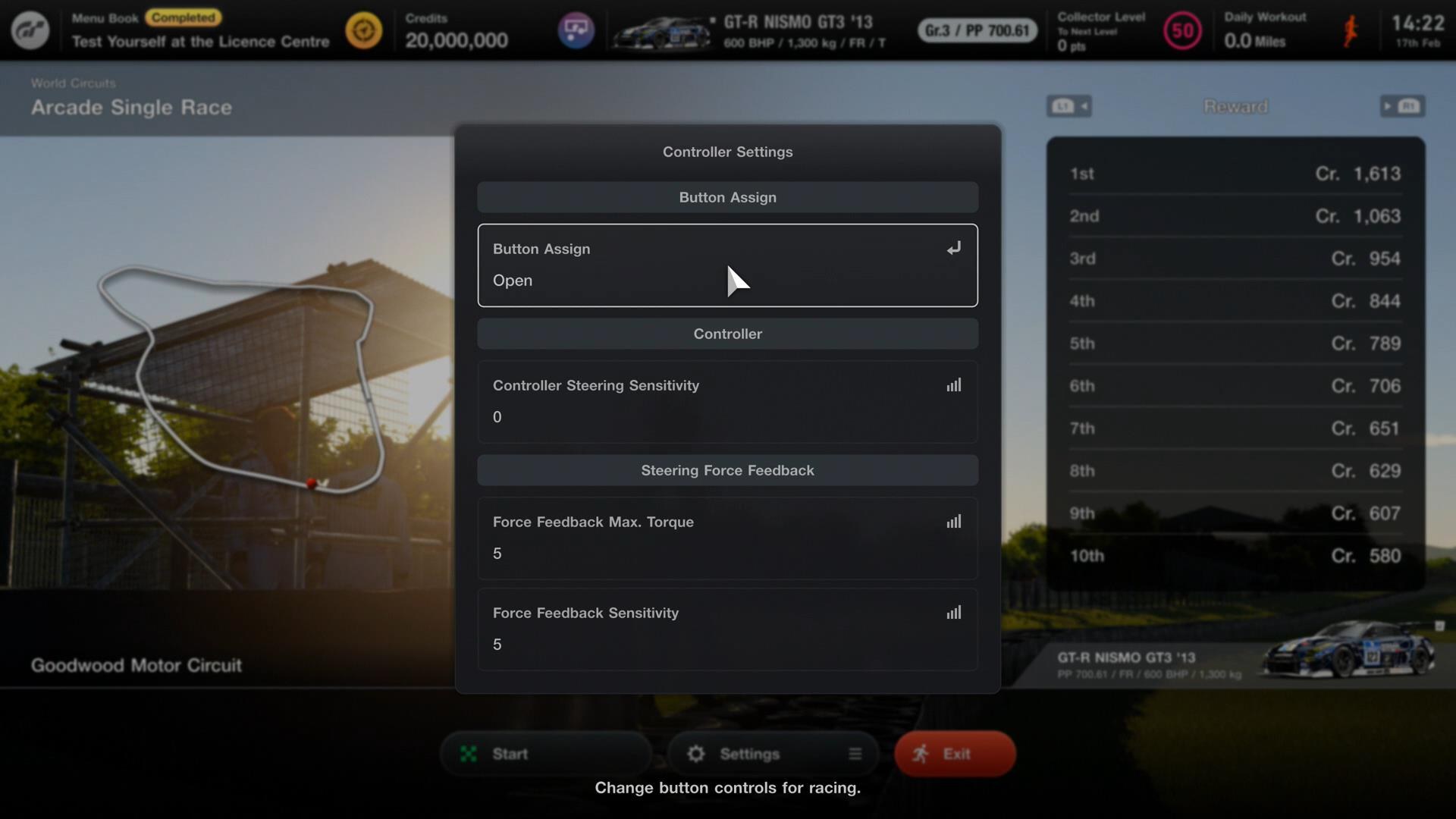
Fanatec, Logitech and Thrustmaster all set Force Feedback Sensitivity to 1. They don’t agree on Max. Torque, though. Fanatec runs it at 5, Logitech at 10 on road cars and 5 on Gr. cars, and Thrustmaster changes it with the car’s PP (performance points). Each brand’s own numbers are in its section below.
The current build is v1.71, released on 20 August 2026, and it changed a lot for wheels. It revised the force feedback torque strength and friction, refined the vibration you get during understeer, reworked the tyre physics and each car’s steering geometry, and revised Auto Setup on the GT DD Pro, GT DD Extreme and Podium. It also added FullForce to the GT DD Pro. FullForce enhances the force feedback with telemetry-based vibration effects. The makers’ own settings are all older than v1.71. Fanatec’s values date from March 2022, Thrustmaster’s T598 sheet was written for v1.66 and last updated in December 2025, and Logitech’s screenshots run from 2023 to 2026. The Spec IV update comes next, in two parts, in October and December 2026.
Fanatec settings
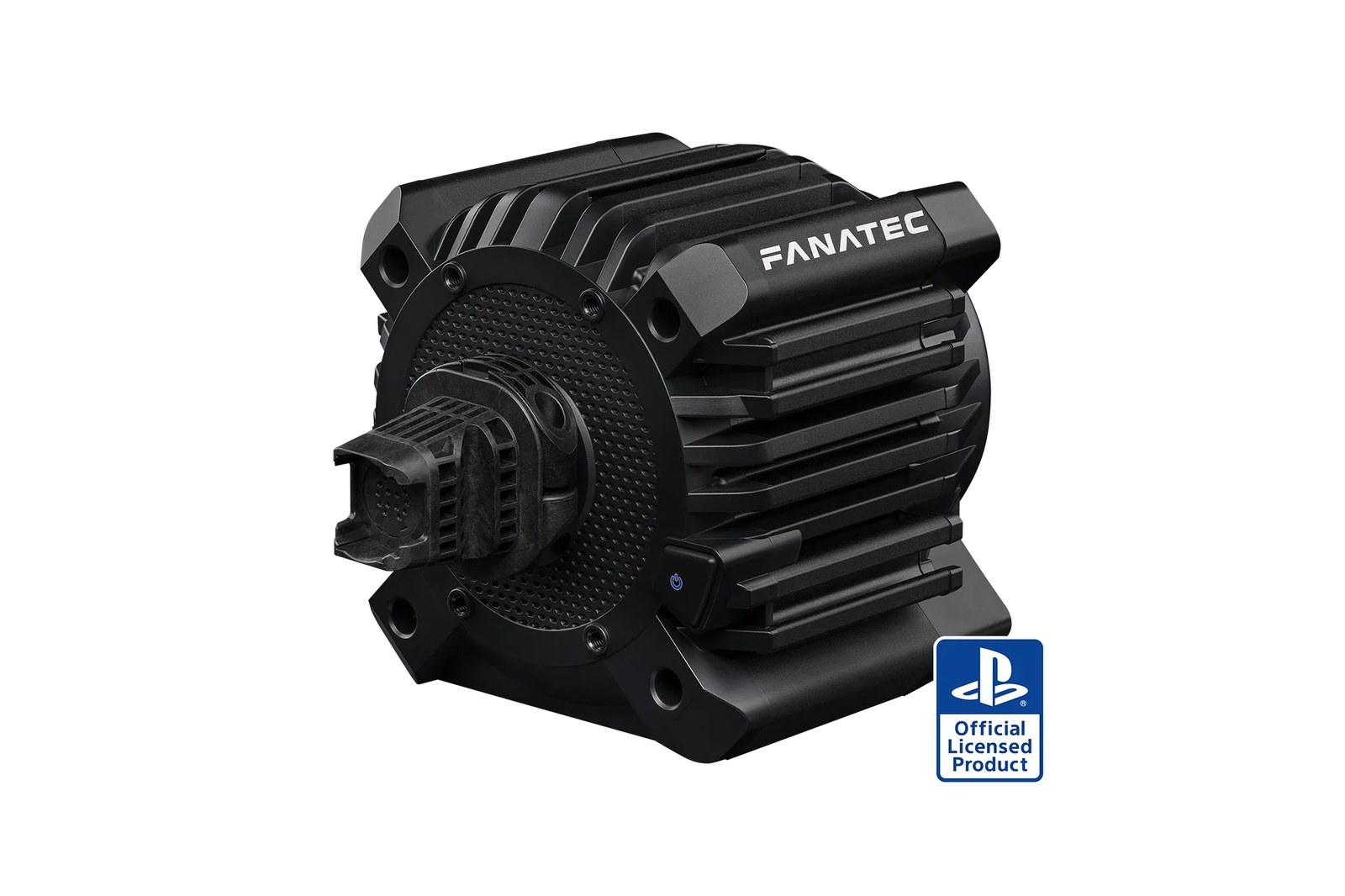
There are two ways to set up a Fanatec base for GT7. The first is Auto Setup, which is Polyphony’s own set of Tuning Menu values, applied by the game when you select AS or A SET. Since v1.71 it applies new values on the GT DD Pro, the ClubSport DD+ and the Podium DD1 PS4. Fanatec says that if you’ve always left the Tuning Menu on A SET, you may notice the force feedback feels different after the update. The second is to set the Tuning Menu by hand with Fanatec’s GT7 settings, which are in the lists below. Our Fanatec guide covers the bases themselves.
Fanatec says to set the Tuning Menu values and the in-game values together. The GT DD Pro values work at 5 Nm, and at 8 Nm if you’ve fitted the Boost Kit 180. You’ll need the Advanced Tuning Menu to see every setting: short-press the Tuning button once, then press and hold it for about four seconds.
To use Auto Setup, set this in the Tuning Menu:
- Setup: AS / A SET (Auto Setup)
- Works on: the Gran Turismo DD Pro, ClubSport DD+ and Podium DD1 PS4
- Podium in High Torque mode: set by hand (below)
To set the GT DD Pro by hand, these are Fanatec’s Tuning Menu values:
- Sensitivity (SEN): Auto
- Force Feedback strength (FF): 100
- Force Feedback Scaling (FFS): Peak
- Natural Damper (NDP): 38
- Natural Friction (NFR): Off
- Natural Inertia (NIN): Off
- FFB Interpolation Filter (INT): 2
- Force Effect Intensity (FEI): 100
- Force Effect Strength (FOR): 100
- Spring Effect Strength (SPR): 100
- Damper Effect Strength (DPR): 100
Then set these in GT7 itself:
- Assist Settings > Countersteering Assistance: Off
- Controller Settings > Force Feedback Max. Torque: 5
- Controller Settings > Force Feedback Sensitivity: 1
FullForce strength on the GT DD Pro is set with FUL in the Tuning Menu. Straight after v1.71, some GT DD Pro bases disconnected, lost force feedback or shut down, and Fanatec’s interim advice on 28 August was to bring FUL below 100. Fanatec App V1.5.4.1 followed on 3 September and fixed those v1.71 stability issues on the CSL DD and GT DD Pro, so update first. If a disconnection still happens after that, lower FUL further or set it Off.
The Fanatec Podium in High Torque mode
Polyphony configured Auto Setup on the Podium for Low Torque mode, so if you run High Torque mode you set the Tuning Menu by hand. Fanatec’s values for the Podium Racing Wheel F1 assume High Torque mode, and in Low Torque mode you use the same values with a higher FF:
- Tuning Menu (Podium Racing Wheel F1, High Torque mode):
- SEN: Auto
- FF: 42
- FFS: Peak
- NDP: 35
- NFR: 3
- NIN: Off
- INT: 1
- FEI: 100
- FOR: 100
- SPR: 100
- DPR: 100
- In GT7:
- Countersteering Assistance: Off
- Force Feedback Max. Torque: 5
- Force Feedback Sensitivity: 1
Fanatec discount code: use SIMRACINGCOCKPIT5 at checkout for 5% off at fanatec.com.
Logitech settings
Logitech has GT7 settings for two of its wheels on its support site. The RS50 page is written for 8 Nm of strength, and the page for the Logitech Pro (the PRO Racing Wheel) assumes 11 Nm. Both split road cars from Gr. cars on Max. Torque, run TF Audio at 100 and leave the angle to the game, which sets it per car.
Logitech hasn’t published GT7 values for the G29 or the G923, so for either of those, start from Polyphony’s descriptions of the two sliders and the Sensitivity of 1 on Logitech’s RS50 and Pro pages.
Logitech’s GT7 values for the RS50 are:
- On the wheel:
- Strength: 8 Nm (what Logitech’s numbers assume)
- Compatibility Mode: RS
- FFB Filter: 6
- Dampener: 20
- TF Audio: 100
- Angle: set by the game for each car
- In GT7:
- Force Feedback Max. Torque: 10 on road cars, 5 on Gr. cars
- Force Feedback Sensitivity: 1
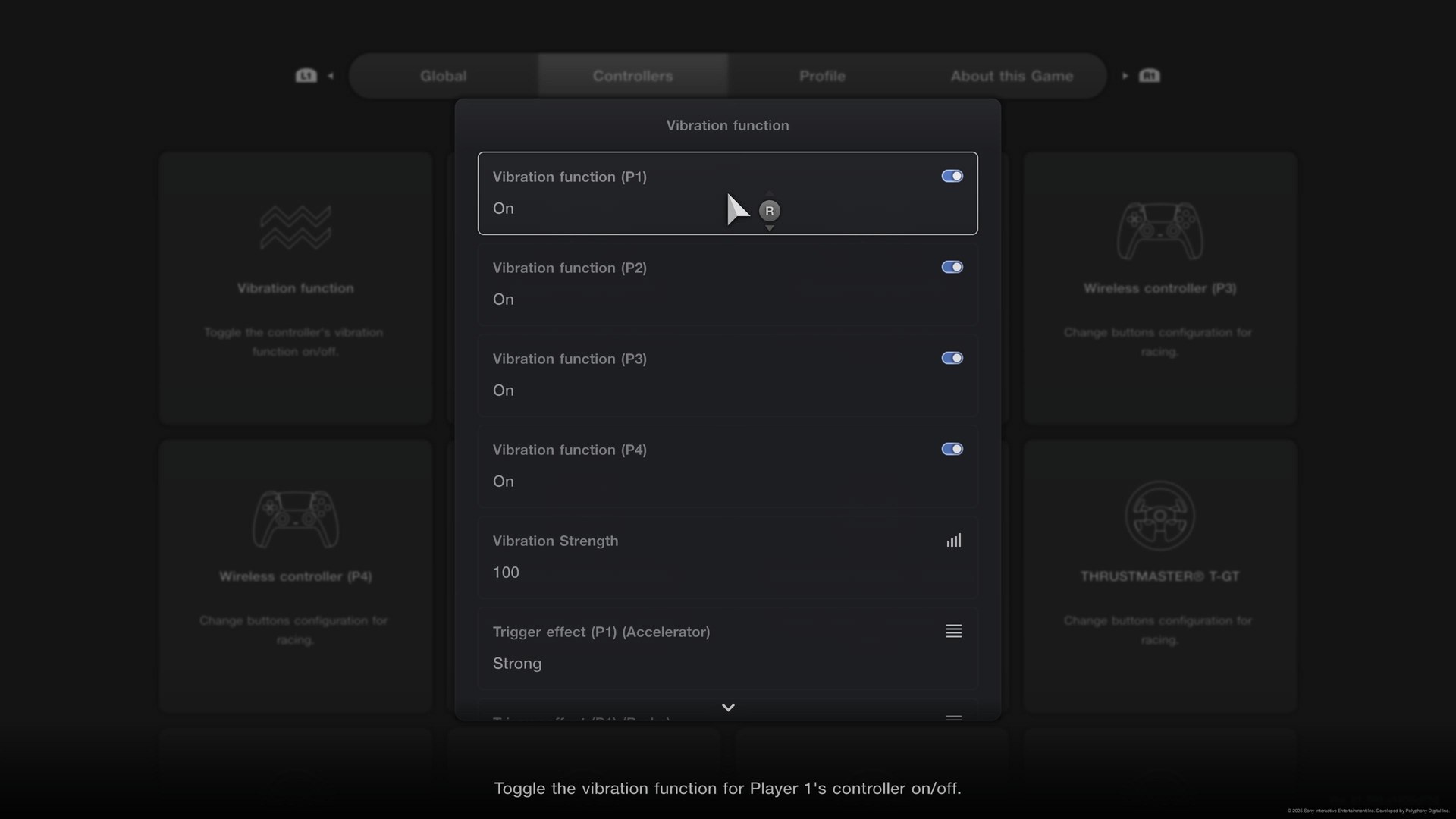
- Options > Controllers > Vibration function > Vibration Strength: 100
And for the Logitech Pro, the values are:
- On the wheel:
- Strength: 11 Nm (what Logitech’s numbers assume)
- Compatibility Mode: PRO
- FFB Filter: 8
- Dampener: 15
- TF Audio: 100
- Angle: set by the game for each car
- In GT7:
- Force Feedback Max. Torque: 10 on road cars, 5 on Gr. cars
- Force Feedback Sensitivity: 1
- Options > Controllers > Vibration function > Vibration Strength: 35
Logitech’s two pages don’t agree on Vibration Strength. The RS50 page has it at 100 and the older Pro page has it at 35.
Thrustmaster settings
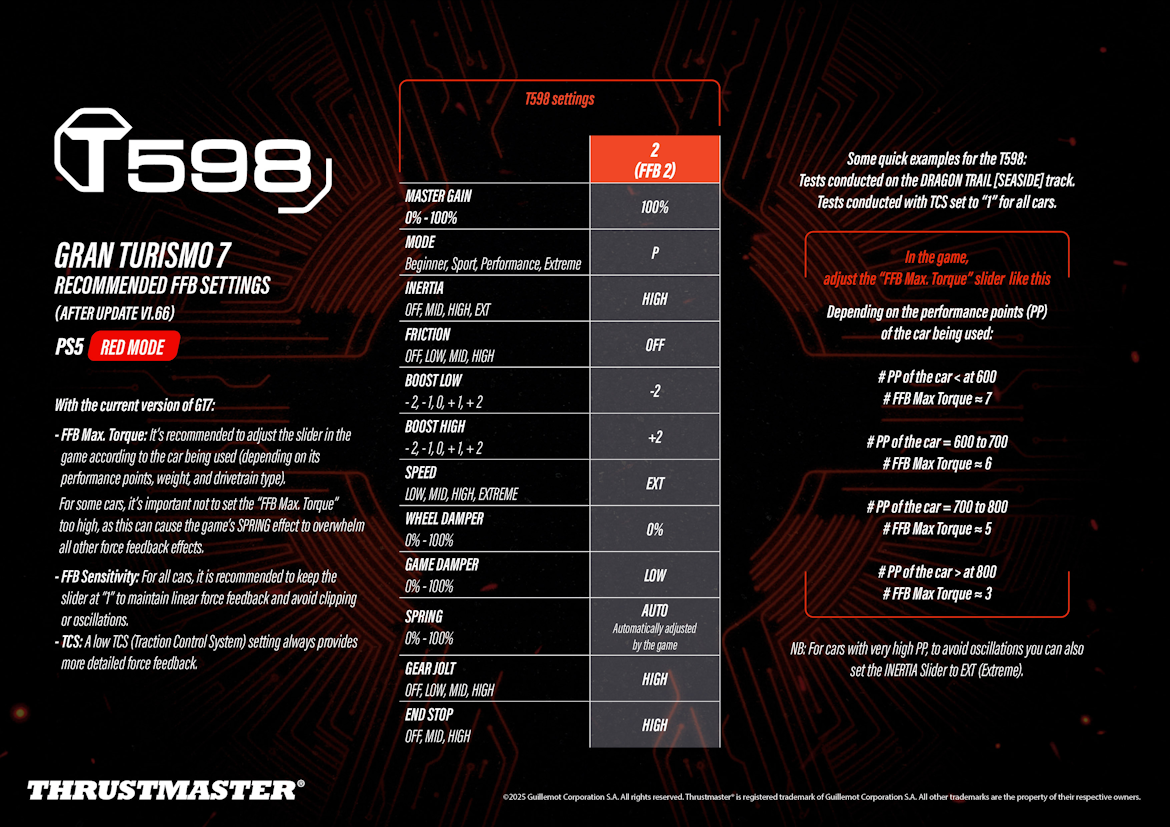
Thrustmaster’s support pages carry a GT7 settings sheet for the T598 and a page on the T-GT II. For the T248, T300RS, T-GT, T150 and T80, Thrustmaster only publishes GT7 button mappings, not force feedback values. On those, work from what Polyphony’s manual says the two sliders do and keep Sensitivity at 1, as the T598 sheet does. The T248 runs in GT7 as a T-GT-compatible controller.
Thrustmaster’s sheet is written for the T598 in Red Mode on PS5, and in GT7 it keeps Force Feedback Sensitivity at 1 on every car “to maintain linear force feedback and avoid clipping or oscillations”.
Set the T598 up like this, the base first and then GT7:
- On the base (PS5 Red Mode, FFB 2 preset):
- Master Gain: 100%
- Mode: P (Performance)
- Inertia: High
- Friction: Off
- Boost Low: -2
- Boost High: +2
- Speed: EXT
- Wheel Damper: 0%
- Game Damper: Low
- Spring: Auto (set by the game)
- Gear Jolt: High
- End Stop: High
- In GT7:
- Force Feedback Max. Torque, by the car’s PP:
- Under 600 PP: about 7
- 600 to 700 PP: about 6
- 700 to 800 PP: about 5
- Over 800 PP: about 3
- Force Feedback Sensitivity: 1
- TCS: low
- Force Feedback Max. Torque, by the car’s PP:
Thrustmaster tested those Max. Torque numbers on Dragon Trail Seaside, with TCS (traction control) set to 1 on every car.
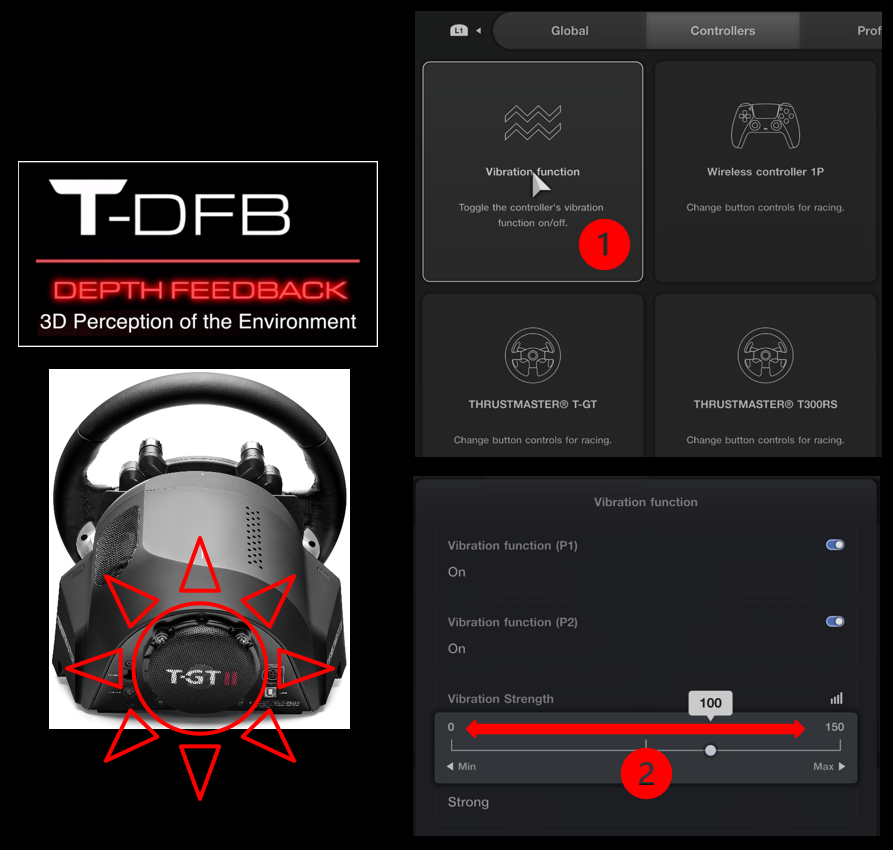
T-DFB is Thrustmaster’s name for the T-GT II’s depth feedback effects. You set their strength in GT7 itself, under Options > Controllers > Vibration function, on the Vibration Strength slider, which runs from 0 to 150. Thrustmaster shows you where it is but doesn’t give a number.
Moza on PS5
There’s no Moza wheel on Polyphony’s supported list for GT7. Moza announced its first officially licensed PlayStation 5 wheels at Tokyo Game Show on 17 September 2026: the R5S Pro Racing Simulator, the R16S Ultra Racing Simulator and the R16S Ultra Direct Drive Wheel Base. Moza says they’ll support GT7 natively and will work on PS5 subject to Sony’s final approval. It hasn’t announced pricing or a launch date, and there are no GT7 settings for them yet.
Fine-tuning
If something still doesn’t feel right, these are the fixes the makers and Polyphony publish:
- If the wheel vibrates violently, lower Force Feedback Max. Torque or Force Feedback Sensitivity.
- To check FullForce is working on the GT DD Pro, turn FUL on and sit at idle, and you should feel the engine vibrating.
- When the GT DD Pro feels light or a car oscillates, raise NDP and NFR, which slows the rotation speed and can cost you some fine detail.
- Where the understeer vibration makes a mechanical noise (it’s worst on the belt-driven CSL Elite Wheel Base+), lower FEI, but only as far as you need to – Fanatec recommends keeping it as high as possible.
- When a very high-PP car oscillates on the T598, set Inertia to EXT.
- If the spring effect swamps everything else on the T598, bring Force Feedback Max. Torque down.
- For more detail through the T598, run a low TCS setting.
- If you run a Logitech wheel at less strength than Logitech assumes (11 Nm for the Pro, 8 Nm for the RS50), set the dampener lower.
The direct drive wheel settings guide goes deeper on each brand’s wheelbase settings, though its Settings Finder only covers PC sims. If you’re still putting together a PlayStation rig, the PS5 sim racing guide covers the kit. I’ll see you out on track!
Related Articles

Best Pimax VR Settings for F1 25 in 2026: A Damage-Control Guide

Best Pimax VR Settings for Le Mans Ultimate in 2026

Best Pimax VR Settings for Automobilista 2 in 2026

Best Pimax VR Settings for Assetto Corsa in 2026

iRacing VR Settings (2026): Meta Quest 3, PSVR2, Pimax and Valve Index

Assetto Corsa VR Settings 2026: Pimax, Quest 3, PSVR2 & More
Topic: Direct Drive Wheel Settings