

I’m a sim racer and amateur racer with a passion for Motorsport, good racecraft and the technical and setup aspect of sim racing.
Featured image: gloved hands on a GT steering wheel in rFactor 2 (Image: Studio 397)
You’ve got rFactor 2 running on a wheel, the FFB (force feedback) needs sorting, and the Calibrate Controls menu has its own labels. So I’ve pulled together Studio 397’s own notes and the rFactor 2 settings each wheel maker publishes, brand by brand, with the wheel’s own software first and then the settings in the game.
Quick Navigation
Jump directly to what you’re looking for:
rFactor 2’s FFB menu |
Moza |
Fanatec |
Simucube |
Simagic |
Logitech |
Thrustmaster |
Asetek |
Fine-tuning
rFactor 2’s force feedback settings
In rFactor 2, the force feedback is the car’s calculated steering torque. Each car has a nominal maximum steering torque set in its physics. Fanatec’s note on the game points out that this raw signal can generate significant mechanical noise on some wheelbases, and that how much depends a lot on the car.
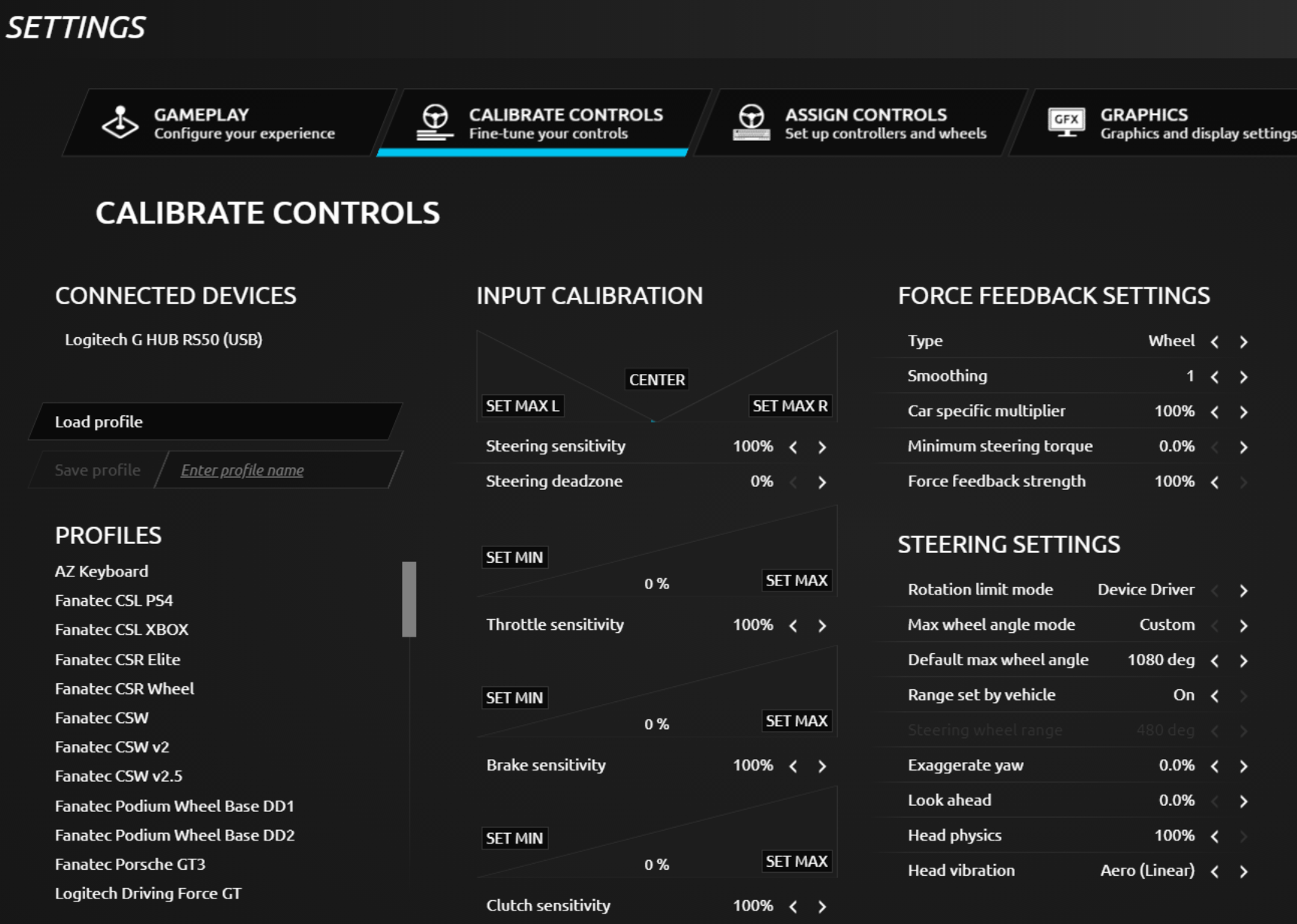
To find the settings, click the gear icon at the top right of the main menu, then open the Calibrate Controls tab. There are two blocks on that screen, Force Feedback Settings (Type, Smoothing, Car specific multiplier, Minimum steering torque and Force feedback strength) and Steering Settings (Rotation limit mode, Max wheel angle mode, Default max wheel angle and Range set by vehicle). Range set by vehicle means the game sets the steering range per car. Every maker that publishes in-game values sets Minimum steering torque to 0, and every one that shows Range set by vehicle has it On. Profiles load and save from the same screen.
One more setting lives outside the menu, in UserData\player\Controller.JSON, where the “Steering torque capability” line (2.5 by default) tells the game your wheel’s peak torque in Nm. rFactor 2’s Build 906 release note, from December 2014, says that if it’s set properly, and it’s higher than a car’s nominal maximum steering torque, you get a 1:1 match between the calculated torque and the actual FFB torque. The same note adds that power steering isn’t modelled, so the calculated torque is stronger than it should be on some cars. One of the game’s developers, replying on the same forum that month, said a standard wheel doesn’t need it set. None of the makers’ sheets below touch it either, so even on a strong direct drive base it’s optional.
Smoothing is one of the settings the makers disagree on, with 5 in Asetek’s list, 0 on Thrustmaster’s sheets, 1 on Logitech’s RS50 and 3 on its PRO wheel, while Fanatec leaves it to user preference. Fanatec’s advice is to keep Smoothing to a minimum for the most detail, though adding a lot, even above 10, is reasonable on some cars to take the noise out. Thrustmaster also sets Force feedback strength negative where Logitech and Asetek run it positive, and a negative value simply reverses the direction of the force.
The last build of rFactor 2 came out in August 2024, and no patch note since November 2022 has touched the force feedback, so the older sources here still match the game. Only the wheel makers’ software has moved on. Le Mans Ultimate has its own page.
Moza settings
Moza’s support page says rFactor 2’s force feedback doesn’t need any configuring, but telemetry does, which means copying the two plugin files from Pit House’s GameConfigs\rFactor 2\Plugins folder into rFactor 2’s Bin64\Plugins folder. Moza’s compatibility list has one-click presets for the R9, R16 and R21 (and the R25 Ultra), though you may need to pick yours by hand.
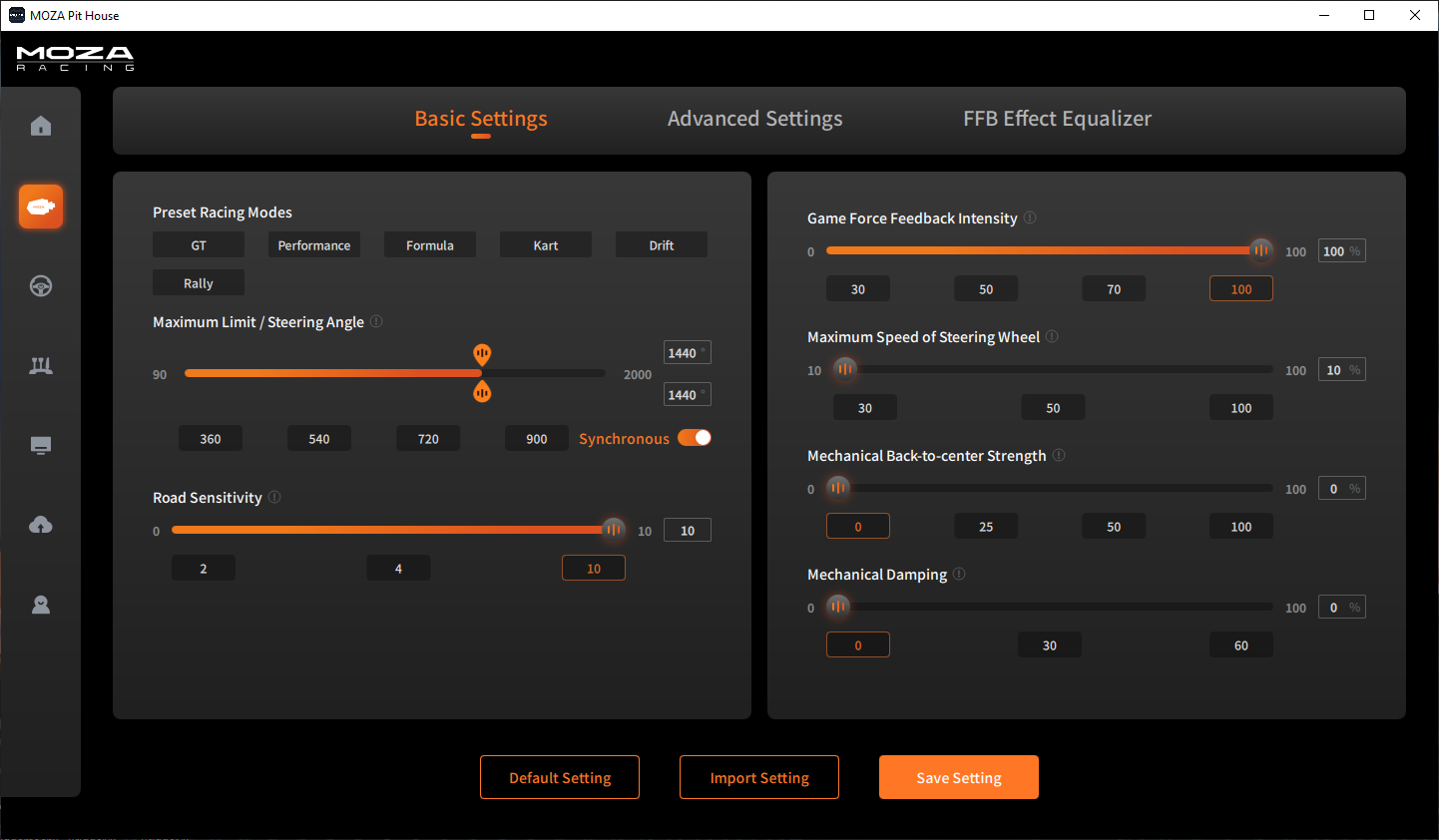
The Pit House values below come from Studio 397’s own Moza guide, written in April 2022 alongside its rFactor 2 controller profiles for the R21, R16 and R9. The base goes to 1440, the most rFactor 2 allows, so the game can limit the angle per car, and the damping is handled in the rFactor 2 profile rather than in Pit House. Pit House labels have changed since 2022, so some may read slightly differently now. Neither Moza nor Studio 397 publishes anything specific to the Moza R5. I own an R21 and an R25 Ultra (and had an R5 before them). If you’re still deciding between Moza’s bases, head to our Moza guide.
Set these in Pit House, Basic Settings first and then Advanced Settings:
- Basic Settings:
- Maximum Limit / Steering Angle: 1440°
- Road Sensitivity: 10
- Game Force Feedback Intensity: 100%
- Maximum Speed of Steering Wheel: 10% (the lowest, so not limited)
- Mechanical Back-to-centre Strength: 0
- Mechanical Damping: 0 (the rFactor 2 profile handles it)
- Advanced Settings:
- Professional Game Force Feedback Intensity: 100% (use it to scale everything to taste)
- Reversal Game Force Feedback: Off
- Maximum Output Torque Limit: 100%
- Natural Inertia: 100%
- Mechanical Friction: 0
- Speed-dependent Damping: 0
- Hands-off protection: worth turning on for safety
- Everything else: off
- FFB Effect Equalizer: every band at 100%
Studio 397 gives no in-game strength or smoothing numbers for Moza, so in Calibrate Controls there are only two things to set:
- Profile: detect it, or load the one for your base by hand (R21, R16 or R9)
- Range set by vehicle: as the profile sets it (a software limit that changes per car)
Studio 397 calls Road Sensitivity a bit of a personal setting, so feel free to try values lower than 10. On the Moza R9, Sim Racing Corner (YouTube, 2022) found the saved controller preset reported 16 Nm, and his fix is to edit that line to 9.
Moza discount code: use SIMRACINGCOCKPIT at checkout for 3% off at mozaracing.com.
Fanatec settings
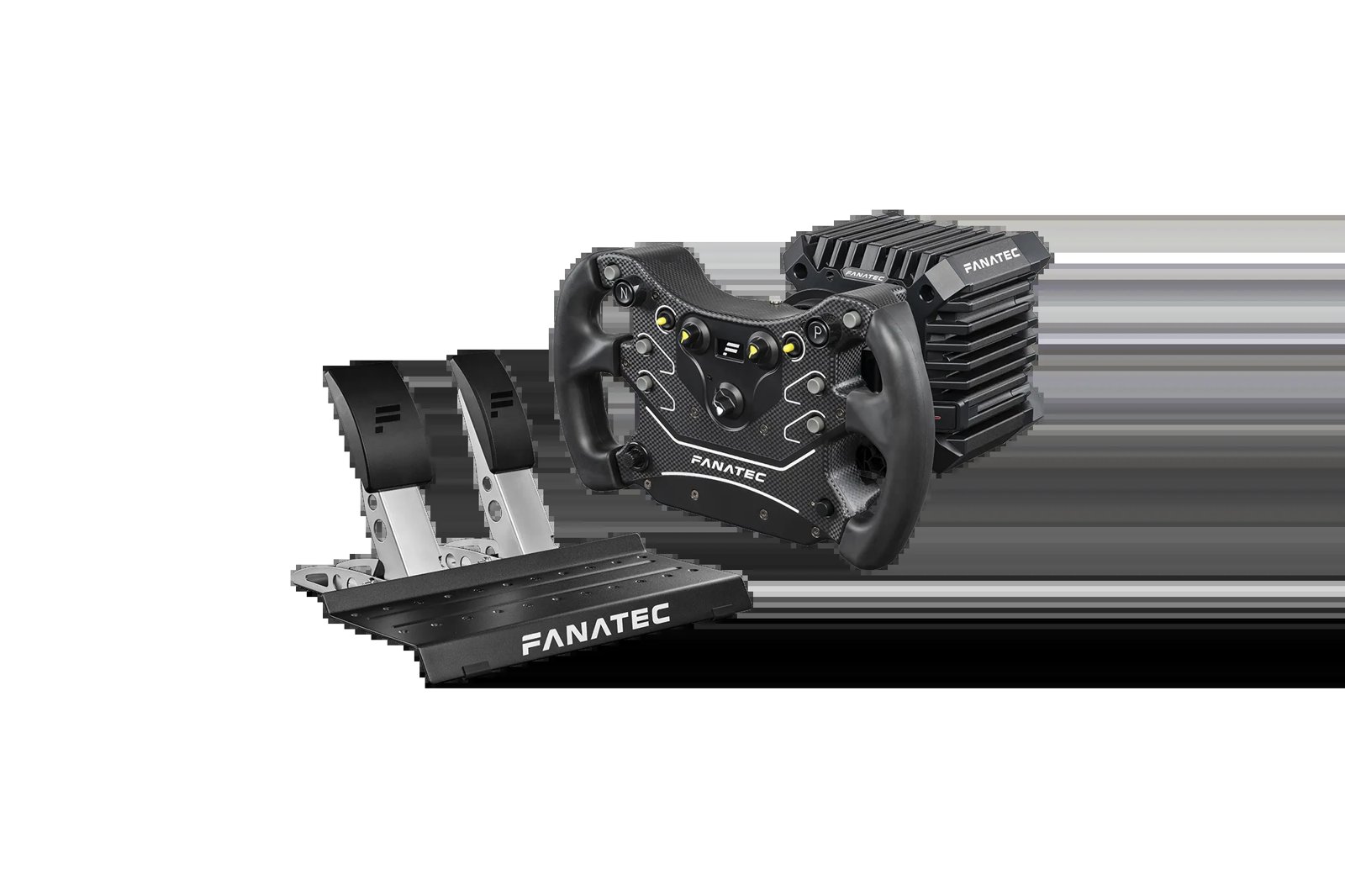
The Fanatec values come from Fanatec’s own recommended-settings thread, posted in March 2019 by Dominic Brennan, Fanatec’s community manager. The CSL DD and GT DD Pro block was added later, with values that suit both 5 and 8 Nm. The Podium values assume High Torque Mode; in Low Torque Mode, the same settings work with a higher FF value. There are no Fanatec values for the ClubSport DD, the ClubSport DD+ or the current Podium DD. I’ve got a CSL DD, a DD2 and a Podium DD, and the Fanatec guide goes into Fanatec’s bases in more depth.
Set these in the Fanatec tuning menu (for the Advanced Tuning Menu, short-press Tuning, then hold it for about four seconds):
- Podium DD1 and DD2 (High Torque Mode):
- Sensitivity (SEN): AUT
- Force Feedback Strength (FF): 45
- Force Feedback Scale (FFS): Lin
- Natural Damper (NDP): 16
- Natural Friction (NFR): 2
- Natural Inertia (NIN): 8
- FFB Interpolation Filter (INT): 5
- FEI, FOR and SPR: 100
- Damper Effect Strength (DPR): Off
- CSL DD and GT DD Pro (Compatibility Mode):
- Sensitivity (SEN): AUT
- Force Feedback Strength (FF): 100
- Force Feedback Scale (FFS): Lin
- Natural Damper (NDP): 25
- Natural Friction (NFR): 3
- Natural Inertia (NIN): Off
- FFB Interpolation Filter (INT): 6
- FEI, FOR and SPR: 100
- Damper Effect Strength (DPR): Off
Then in Calibrate Controls, for every Fanatec base:
- Car specific multiplier: 50-75 (works well for most cars)
- Smoothing: to taste
- Minimum steering torque: 0
The Car specific multiplier is a per-car strength, and Fanatec’s thread says to adjust it with the clipping tool, which gets the most dynamic range out of the FFB but loses some of the difference between car types. Fanatec also says it’s very important to find the right value for each car.
Simucube settings
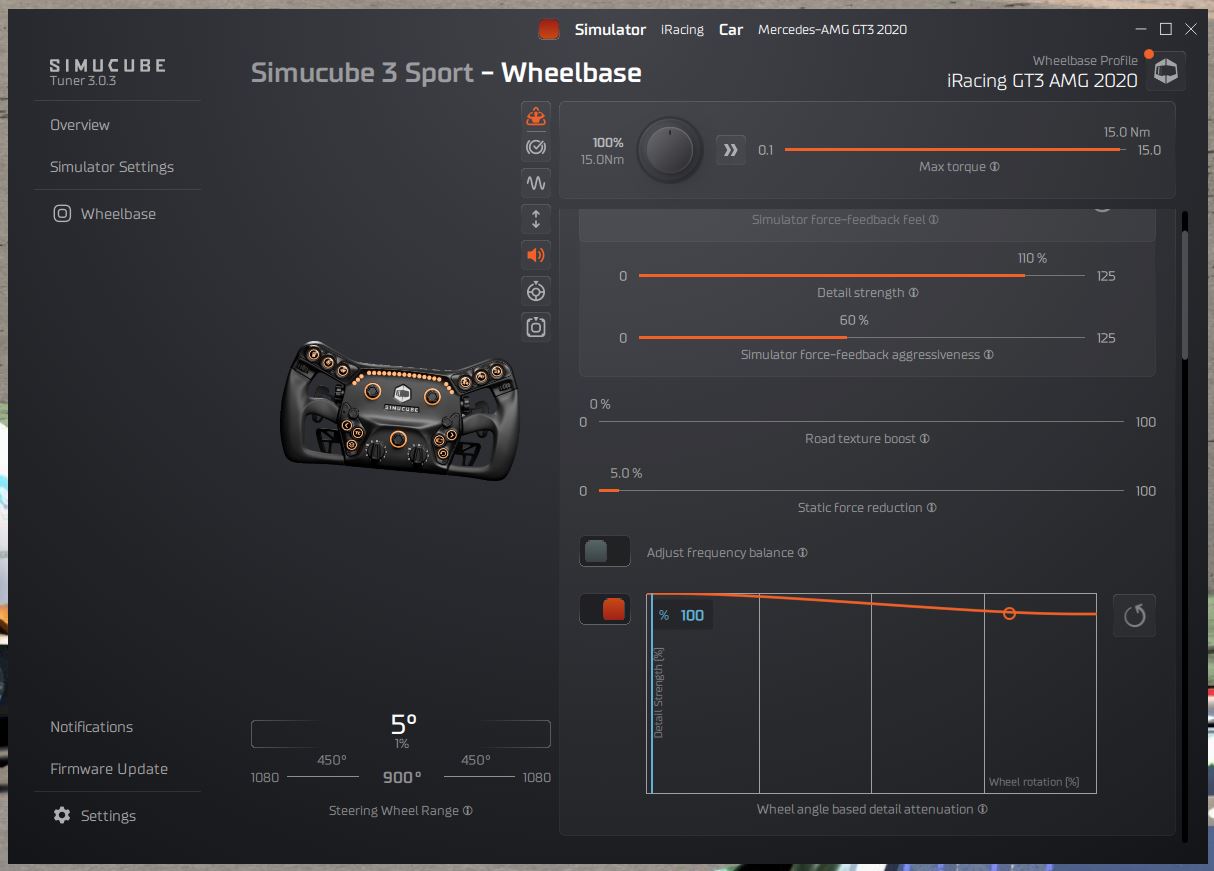
Simucube publishes no rFactor 2 values. Simucube’s docs only cover the plugin, and to install it you copy sc-rfactor2-plugin-x64.dll from Tuner’s data\game_plugins folder into the game’s Bin64\Plugins folder. So the list below is the general advice for a strong direct drive base, drawn from the Controller.JSON notes above and the other makers’ lists. The direct drive wheels guide has more on the Simucube 2 Pro and its rivals.
Set these in Controller.JSON first, and then in Calibrate Controls:
- In Controller.JSON:
- Steering torque capability: your base’s peak Nm (optional on a strong base; a standard wheel doesn’t need it)
- In Calibrate Controls:
- Minimum steering torque: 0
- Smoothing: low, raised per car only for noise
- Car specific multiplier: set per car with the clipping tool
- Range set by vehicle: On
Simagic settings
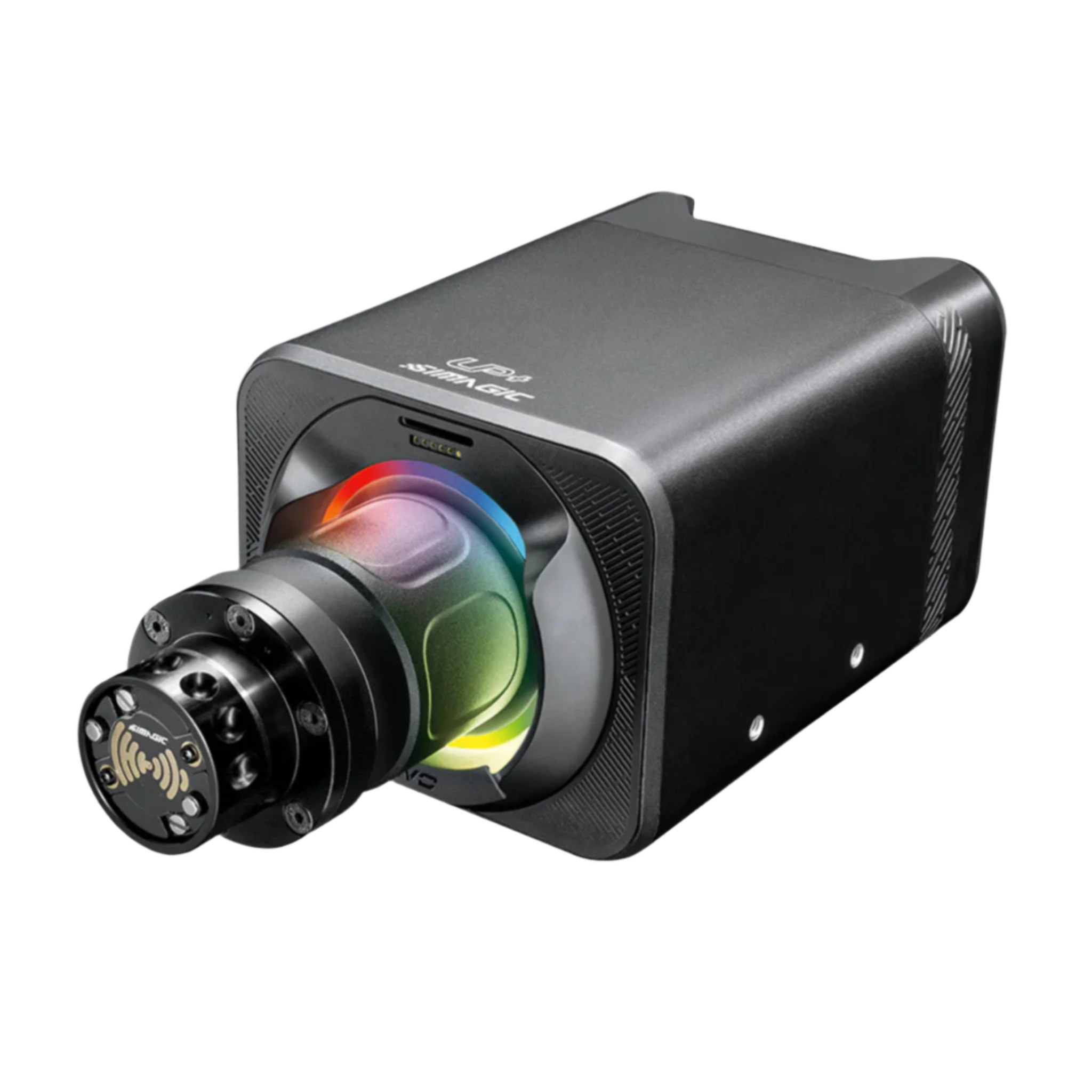
Simagic doesn’t publish an rFactor 2 profile either, so there are no Simagic numbers here. Use the same general advice as the Simucube list above. The Simagic guide covers Simagic’s bases.
Logitech settings
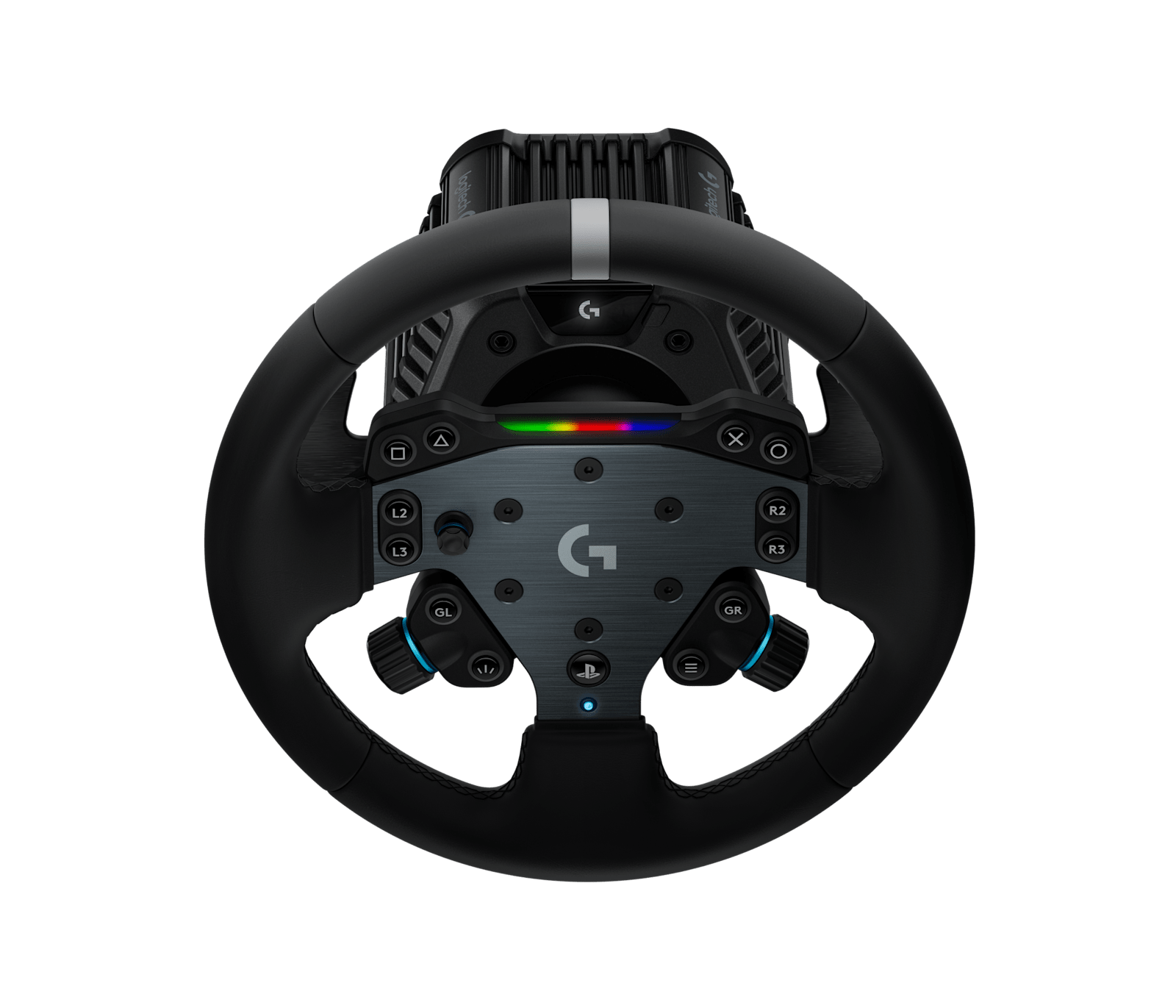
Logitech’s support pages have an rFactor 2 row for two wheels, the Logitech RS50 (8 Nm) and the PRO Racing Wheel (11 Nm), each with a linked Calibrate Controls screenshot. The RS50’s is from September 2025 and sits near the top of this page; the PRO wheel’s is from 2022. The two disagree on FFB Filter, Dampener, Smoothing and rotation mode, so use the list for your own wheel. rFactor 2 has no TrueForce, so TF Audio doesn’t apply. There are no Logitech or Studio 397 values for the G923, the G29 or the G920.
For the Logitech RS50, set these in G HUB and then in the game:
- In G HUB:
- Compatibility Mode: RS
- FFB Filter: 1
- Dampener: Off
- Angle: set per car
- In Calibrate Controls:
- Type: Wheel
- Smoothing: 1
- Car specific multiplier: 100%
- Minimum steering torque: 0.0%
- Force feedback strength: 100%
- Rotation limit mode: Device Driver
- Max wheel angle mode: Custom
- Default max wheel angle: 1080°
- Range set by vehicle: On
For the PRO wheel, start in G HUB again and then move to the game:
- In G HUB:
- Compatibility Mode: PRO
- FFB Filter: 10
- Dampener: 35
- Angle: 1080°
- In Calibrate Controls:
- Type: Wheel
- Smoothing: 3
- Car specific multiplier: 100%
- Minimum steering torque: 0.0%
- Force feedback direction: Positive (the older menu’s label)
- Rotation limit mode: Software
- Max wheel angle mode: Custom
- Default max wheel angle: 1080°
- Range set by vehicle: On
Thrustmaster settings
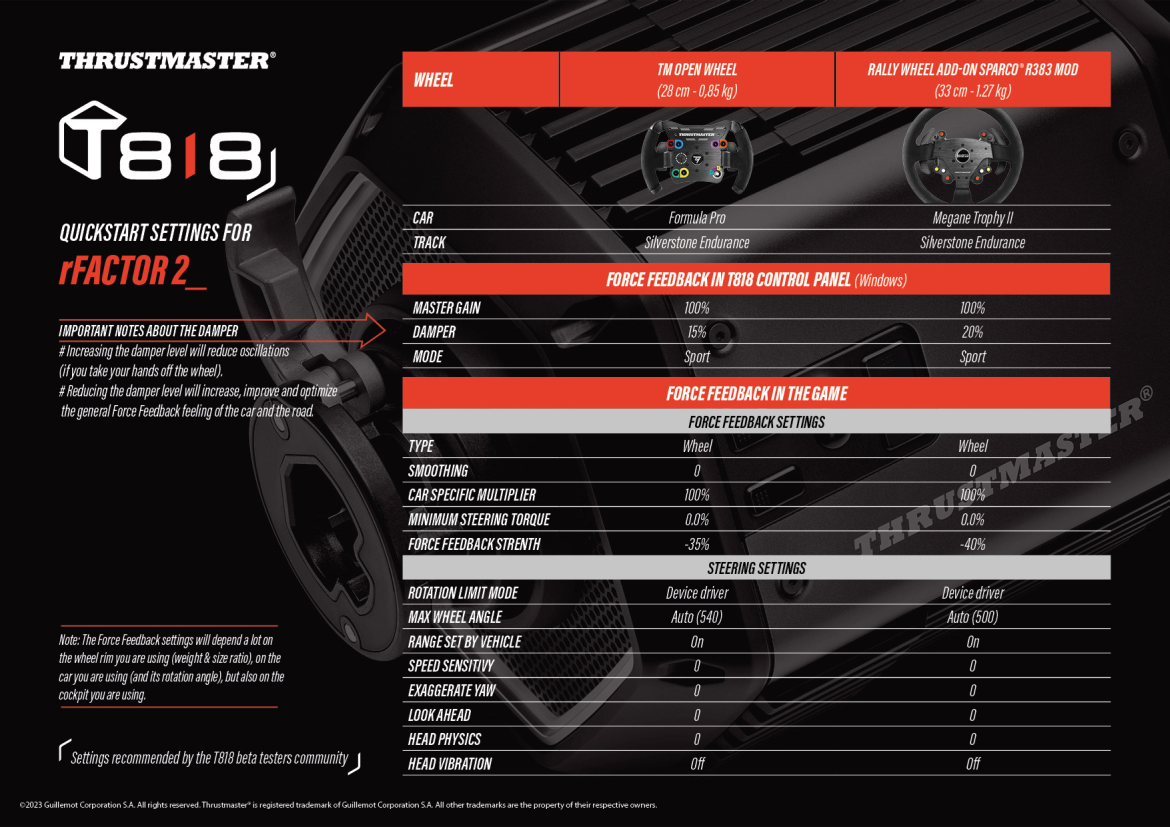
Thrustmaster’s support pages carry two rFactor 2 sheets. The T818 quickstart is from February 2023, with settings recommended by the T818 beta testers community. It covers two rims, the TM Open Wheel in a Formula Pro and the Sparco R383 in a Megane Trophy II, both at Silverstone. The T598 sheet, from January 2025, is for Green mode on profile 3. Both run the base at 100% and set a negative Force feedback strength in the game. There’s no rFactor 2 sheet for the T300 RS, the T248, the T-GT II, the TS-PC Racer or the TS-XW.
For the T818, set these in the T818 Control Panel and then in the game, with a value for each rim where they differ:
- In the T818 Control Panel:
- Master Gain: 100%
- Damper: 15% (TM Open Wheel) or 20% (Sparco R383)
- Mode: Sport
- In Calibrate Controls:
- Type: Wheel
- Smoothing: 0
- Car specific multiplier: 100%
- Minimum steering torque: 0.0%
- Force feedback strength: -35% (TM Open Wheel) or -40% (Sparco R383)
- Rotation limit mode: Device driver
- Max wheel angle: Auto (540 on the TM Open Wheel, 500 on the Sparco R383)
- Range set by vehicle: On
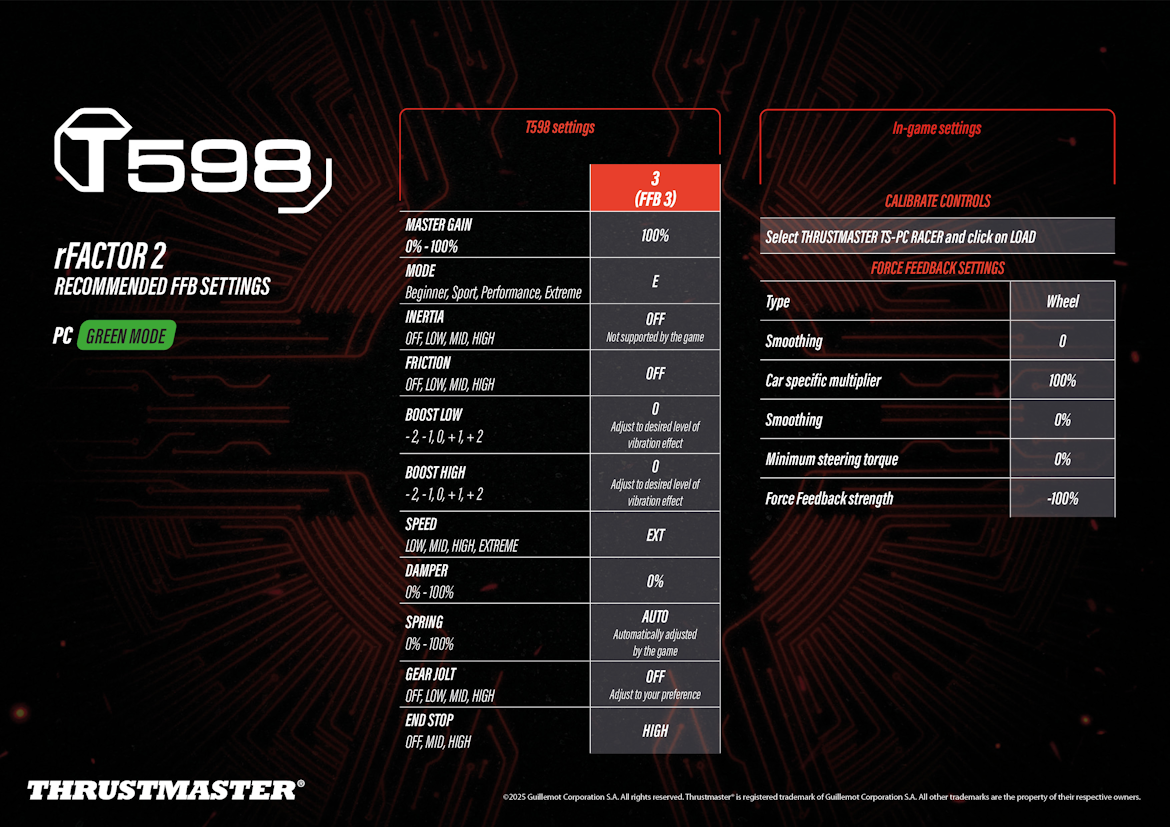
For the T598, on the base first and then in Calibrate Controls:
- On the base (profile 3, FFB 3):
- Master Gain: 100%
- Mode: E (Extreme)
- Inertia: Off (not supported by the game)
- Friction: Off
- Boost Low: 0 (to taste for vibration)
- Boost High: 0 (to taste for vibration)
- Speed: EXT
- Damper: 0%
- Spring: Auto (set by the game)
- Gear Jolt: Off
- End Stop: High
- In Calibrate Controls (load the THRUSTMASTER TS-PC RACER profile):
- Type: Wheel
- Smoothing: 0
- Car specific multiplier: 100%
- Minimum steering torque: 0%
- Force feedback strength: -100%
The T818 sheet says more damper reduces oscillations if you take your hands off the wheel, and less damper improves the general FFB feel of the car and the road. It also says the settings depend a lot on the rim, the car and its rotation angle, and even the cockpit.
Asetek settings
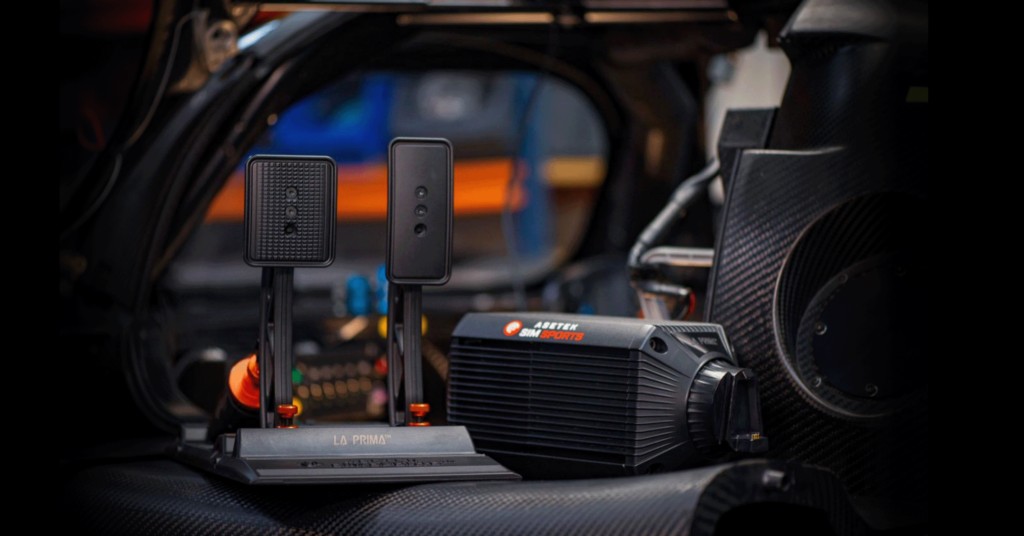
Asetek’s rFactor 2 guide was updated on 28 August 2026, which makes it the newest maker’s guide here. Download the rFactor 2 preset for your base from that guide, then in RaceHub go to Wheelbase > Force Feedback Settings, click the three dots next to Preset, choose Import as new, pick the preset and click Save to wheelbase. For telemetry, close the game, go to RaceHub’s Settings > Game Setup > rFactor 2 > Install Plugin, then turn the RaceHub plugin on in rFactor 2’s Settings > Gameplay tab. Asetek prints each base’s strength as the torque plus a percentage.
Then in Calibrate Controls, the settings are the same for every base apart from the strength:
- Smoothing: 5
- Minimum steering torque: 0%
- Force feedback strength:
- Invicta: 22 Nm, 40% (its preset runs the 27 Nm base at 81%)
- Forte: 18 Nm, 45%
- La Prima+: 16 Nm, 55%
- La Prima: 12 Nm, 62%
- Initium+: 8 Nm, 70%
- Initium: 5.5 Nm, 70%
- Rotation limit mode: Software
- Max wheel angle mode: Custom
- Default max wheel angle: 1080°
- Range set by vehicle: On
Fine-tuning
If something still doesn’t feel right, these are the fixes Studio 397, the wheel makers and Sim Racing Corner give for it:
- If the FFB is grainy or rattly on a direct drive base, Fanatec’s fix is to raise INT in the Fanatec tuning menu (lower FEI on a belt base) and raise Smoothing in the game, going above 10 on some cars.
- When forces clip or go flat in heavy corners, lower the Car specific multiplier for that car, using the clipping tool.
- If a strong direct drive base makes light cars too heavy, set Steering torque capability in UserData\player\Controller.JSON to your base’s peak Nm so the lighter cars scale down, and leave it alone on a consumer wheel.
- When a Thrustmaster wheel pushes the wrong way, use a negative Force feedback strength, as Thrustmaster’s own sheets do.
- If the T818 oscillates when you let go, add a little Damper in the T818 Control Panel, bearing in mind that less Damper gives more road feel.
- When the steering lock doesn’t follow the car, check Range set by vehicle is On, and if it still sticks, reset or reassign the controller profile.
- If the Moza R9’s FFB feels off, Sim Racing Corner’s fix is to check that the torque line in your saved controller preset reads 9, not 16.
- If the T598 vibrates too much, turn down Boost Low and Boost High, which are its vibration controls (the sheet leaves both at 0).
- When an R25 Ultra shows up in the game as an R16, that’s expected, because it shares the R16 and R21 product ID.
The direct drive wheel settings guide goes base by base across the other sims too, and its Settings Finder carries rFactor 2 alongside the rest. If you’re newer to the game itself, the rFactor 2 beginner’s guide is the place to start. I’ll see you out on track!
Related Articles

Best Pimax VR Settings for F1 25 in 2026: A Damage-Control Guide

Best Pimax VR Settings for Le Mans Ultimate in 2026

Best Pimax VR Settings for Automobilista 2 in 2026

Best Pimax VR Settings for Assetto Corsa in 2026

iRacing VR Settings (2026): Meta Quest 3, PSVR2, Pimax and Valve Index

Assetto Corsa VR Settings 2026: Pimax, Quest 3, PSVR2 & More
Topic: Direct Drive Wheel Settings