

I’m a sim racer and amateur racer with a passion for Motorsport, good racecraft and the technical and setup aspect of sim racing.
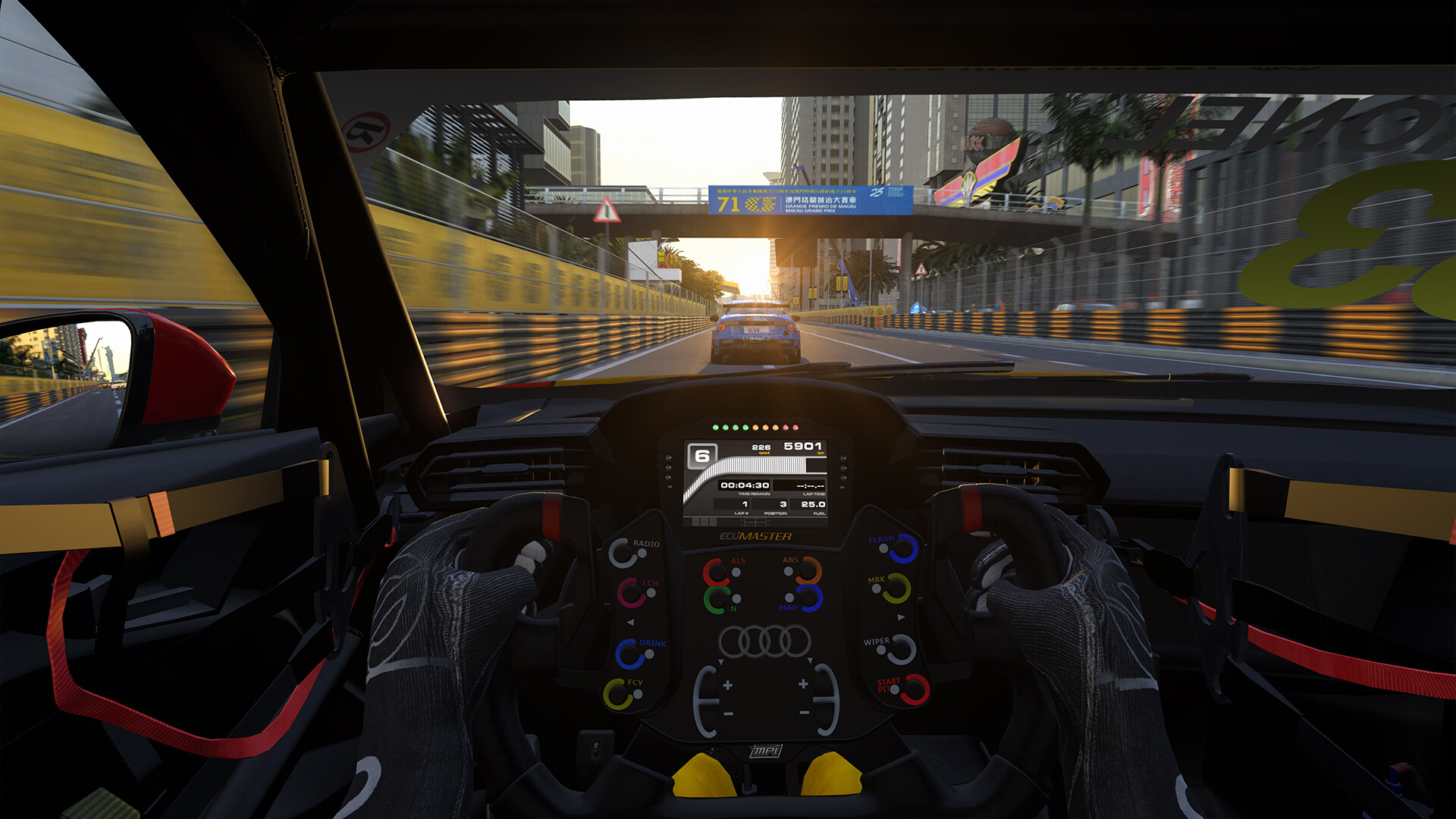
Featured image: an Audi touring car’s cockpit at Macau in RaceRoom Racing Experience (Image: KW Studios)
You’ve got RaceRoom Racing Experience running on a wheel and the FFB (force feedback) needs sorting, but plenty of the older guides still name sliders the game doesn’t have any more. So here are KW Studios’ own starting points and each wheel maker’s RaceRoom settings, brand by brand, in the order you’d click through them, which means your wheel’s own software first and then the game. Where a maker publishes nothing for RaceRoom, you’ll get KW’s guidance or a named creator’s profile to work from.
Quick Navigation
Jump directly to what you’re looking for:
RaceRoom’s FFB menu |
FFB Multiplier |
Moza |
Fanatec |
Simucube |
Simagic |
Logitech |
Thrustmaster |
Asetek |
Fine-tuning
RaceRoom’s force feedback settings
From the main menu, click the gear icon (top right), then head to Controls > Force Feedback, and you’ll find all of RaceRoom’s FFB settings on that one tab. Essential has the Force Feedback on/off toggle and Inverted Force Feedback, and underneath are the key bindings for the FFB Meter, FFB Multiplier + and FFB Multiplier -. Physics based holds FFB Strength, FFB Minimum Force, FFB Maximum Force and Stationary Friction, and Immersion holds Engine Vibrations, Bump Amplification and Gearshift Effects.
As the help text next to each slider explains, FFB Strength scales the final output just before it goes to your wheel, and keeping it at maximum suits most wheels, though on a direct drive base you might turn it down depending on how much torque it can deliver. FFB Minimum Force raises the zero torque to the percentage you pick. Most mid to high-end wheels shouldn’t need it at all, and most low-end wheels work well with just 2-3%. If you get a rumble on a straight or a notch when you weave, it’s set too high. FFB Maximum Force is the clipping point. Clipping is when the signal asks for more force than the wheel will give, so the peaks flatten out. Maximum Force only cuts off anything above the set percentage and doesn’t scale the forces at all, which is FFB Strength’s job. Stationary Friction only does anything when the car is stationary or very slow, and it uses the damper effect, so damping has to be allowed in your wheel’s driver.
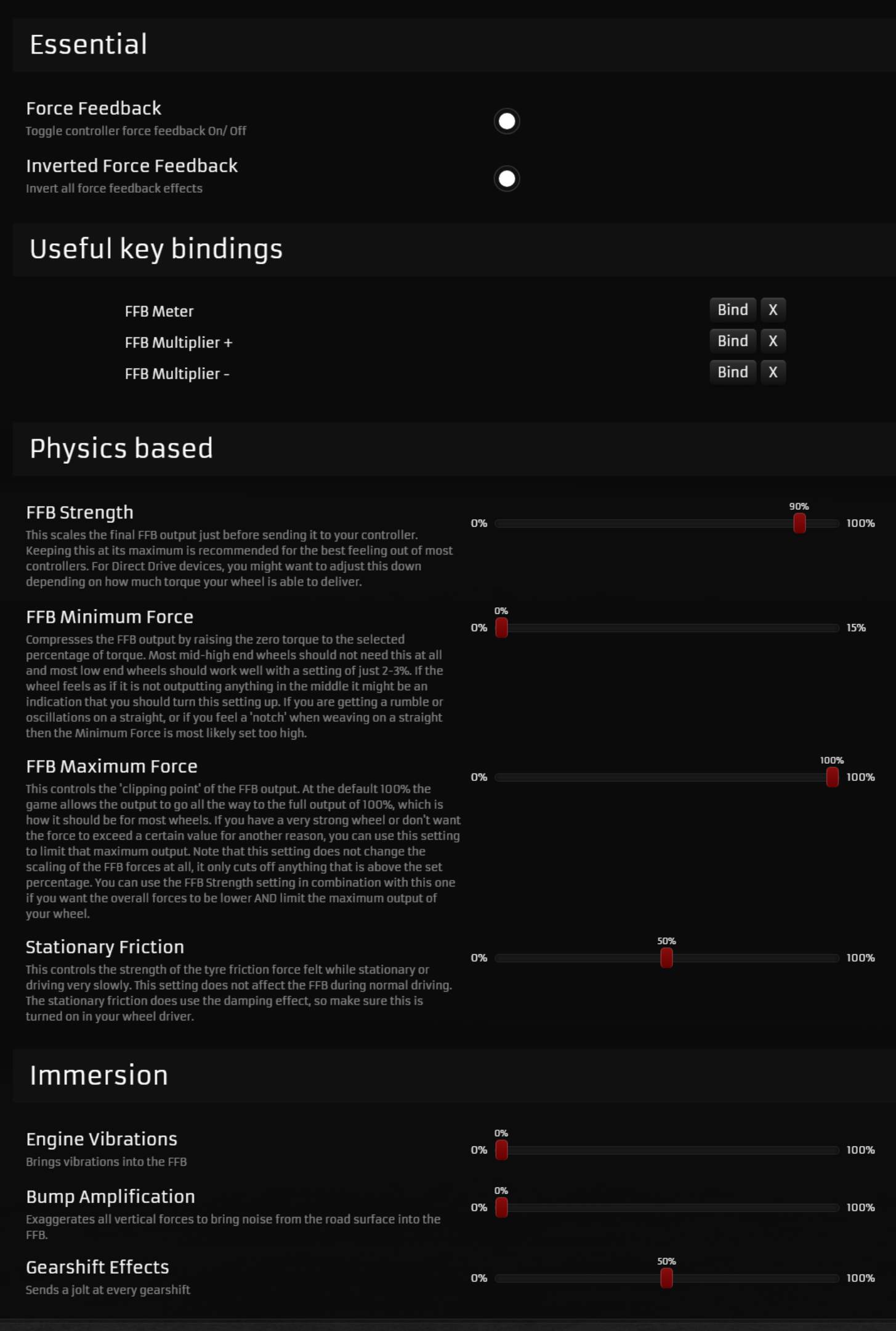
KW Studios’ developer guide says the Immersion effects give no useful information about what the car is doing, and they’re off by default. Be especially careful with Bump Amplification, which works a lot like bump steer and can really affect the handling of the car. KW’s FFB guide from June 2021 suggests testing it at the Nordschleife, where it can get out of control quickly.
The current build is Client 0.9.8.25 (11 September 2026). KW rebuilt the FFB in June 2021 and removed FFB Linearity in May 2023, so any guide that still lists a Linearity value is out of date. In March 2026, Steering Rotation became AUTO for Fanatec, Logitech, Moza and Thrustmaster wheels and MANUAL for everything else (match it to the maximum rotation in your wheel’s driver), with steering range and FFB soft lock now adjusting automatically per car. The August 2026 HUD update added an FFB Graph that shows your FFB output and any clipping. Most of the maker lists further down were published before March 2026, but that March update only changed how you set the rotation and left the FFB sliders as they were.
KW’s own starting points depend on how much torque your wheel has:
- FFB Strength: 100% on a wheel under 10 Nm, below 100% above 10 Nm
- FFB Minimum Force: 0% above 5 Nm, 2% at 3-5 Nm, 3% under 3 Nm (the game has defaulted to 5% under 3 Nm since June 2023)
- FFB Maximum Force: 100% on a wheel under 10 Nm, below 100% above 10 Nm
- Stationary Friction: 50% on any wheel
The per-car FFB Multiplier
On top of the global FFB Strength, every car has its own FFB Multiplier, which you can change in the car setup screen. As KW’s developer guide explains, each car’s strength is the global FFB Strength multiplied by that car’s multiplier. Bind FFB Multiplier +, FFB Multiplier – and the FFB Meter, then open the meter in a heavily loaded corner. With a good multiplier the trace sits close to the red clipping line but hovers around 10-20% below it on average, and a few peaks over it on kerbs and compressions are fine.
If the car clips a lot, turn its multiplier down, and if there’s lots of headroom on a weaker wheel, turn it up. Check a few tracks before you settle on a number. The HUD’s FFB Graph shows the clipping while you drive, too. Fanatec’s recommended-settings thread says its baseline output is conservative per car, and tells you to check the meter and adjust the multiplier.
Moza settings
Moza’s support page for RaceRoom has no values in it, and says its bases support the game’s FFB directly with no configuration needed. It does give one tip, which is never to set Engine Vibrations, Bump Amplification or Gearshift Effects to 0 on a Moza base, or the FFB behaves abnormally. RaceRoom’s own default Moza profiles have inverted the FFB correctly since June 2023, and Moza wheels use Steering Rotation AUTO.
If you’re here for Moza R3 settings, there’s nothing R3-specific on Moza’s support pages, blog or YouTube channel. The closest you’ll get is Sock Racer‘s Moza R5 setup from his YouTube channel (September 2024), which is what the lists below give. He’s a Moza brand ambassador. I own an R21 and an R25 Ultra and have had an R3 and an R5 as well. Our Moza guide covers the whole range.
Start with these settings in Pit House, Basic first and then Advanced:
- Basic Settings:
- Maximum Steering Angle: any (it adjusts to the game)
- Road Sensitivity: 8
- Game Force Feedback Intensity: to taste
- Maximum Wheel Speed: 40%
- Wheel Spring Strength: 0
- Wheel Damper: 35
- Advanced Settings:
- Natural Inertia: 250
- Wheel Friction: 50% (lower for a lighter wheel)
- Speed-dependent Damping: 0
- Start Point of Speed-dependent Damping: 0
- FFB Effect Equalizer: leave as it is
Then set these in RaceRoom’s Force Feedback tab:
- FFB Strength: 39%
- FFB Minimum Force: 7%
- FFB Maximum Force: 100%
- Stationary Friction: 50%
- Engine Vibrations: about 5% (never 0 on a Moza base)
- Bump Amplification: about 5%
- Gearshift Effects: about 5%
- Steering Rotation: AUTO
The 7% FFB Minimum Force in the R5 profile is the outlier on a direct drive base. KW’s guide says 0% above 5 Nm, so if you get a rumble on the straights, that’s the setting to drop. Sock Racer keeps FFB Maximum Force at 100, otherwise you’ll clip.
Moza discount code: use SIMRACINGCOCKPIT at checkout for 3% off at mozaracing.com.
Fanatec settings
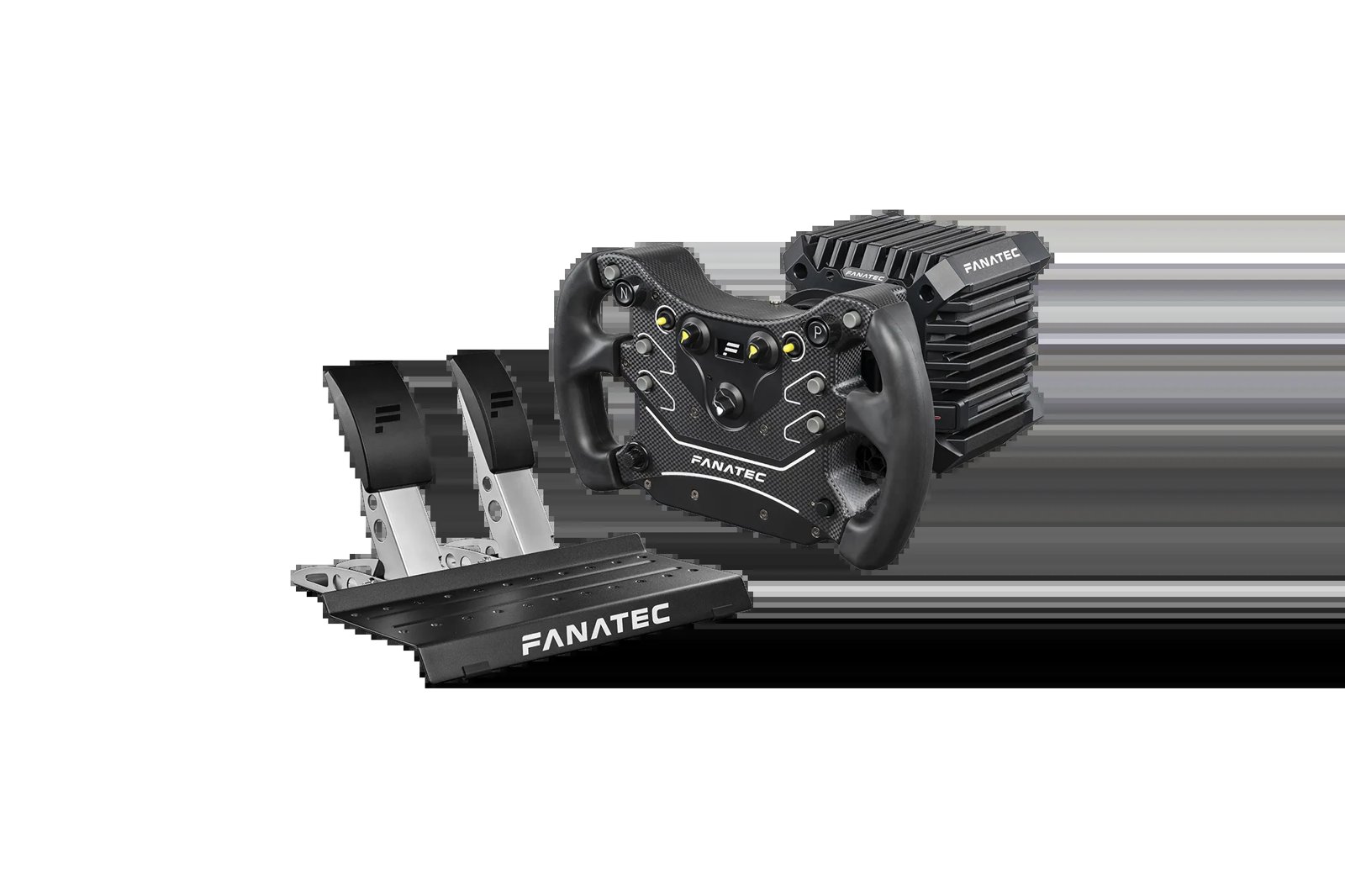
Fanatec’s values come from its own recommended-settings thread on the Fanatec forum, posted by its community manager and updated for the new FFB around August 2021. Fanatec’s thread still gives an FFB Linearity value, but the game no longer has that slider, so skip it. There are no Fanatec values for the ClubSport DD, ClubSport DD+, GT DD Pro or the current Podium DD; the CSL DD and DD1/DD2 lists are the nearest. As it happens, I own a Podium DD, as well as a CSL DD and a DD2.
Fanatec’s in-game list has Inverted Force Feedback checked, where Asetek’s and Thrustmaster’s leave it unchecked.
Set these in the Fanatec tuning menu for your base:
- CSL DD (Compatibility Mode):
- Sensitivity (SEN): AUT
- Force Feedback Strength (FF): 100
- Force Feedback Scale (FFS): Peak
- Natural Damper (NDP): 20
- Natural Friction (NFR): Off
- Natural Inertia (NIN): Off
- FFB Interpolation Filter (INT): 2
- FEI, FOR, SPR and DPR: 100
- SHO: 100
- Podium DD1 and DD2 (with the Torque Key):
- Sensitivity (SEN): AUT
- Force Feedback Strength (FF): 45
- Force Feedback Scale (FFS): Peak
- Natural Damper (NDP): 25
- Natural Friction (NFR): 5
- Natural Inertia (NIN): 0
- FFB Interpolation Filter (INT): 4
- FEI, FOR, SPR and DPR: 100
- SHO: 100
Then set these in RaceRoom:
- Controls > Advanced:
- Speed Sensitive Steering: 0
- Steering Sensitivity: 50
- Force Feedback: on
- Inverted Force Feedback: on
- FFB Strength: 80 (CSL DD, ClubSport V2 and V2.5, CSL Elite) or 70 (Podium DD1 and DD2)
- FFB Minimum Force: 0
- FFB Maximum Force: 100
- Stationary Friction: 50
- Engine Vibrations: 0
- Bump Amplification: 0
- Gearshift Effects: 0
- Countersteer assist (Assists menu): Off
- Steering Rotation: AUTO
Fanatec keeps FFB Strength at 80 or below because higher values clip too much in high-downforce cars. It leaves the Immersion effects at 0 too, and says you can raise them slightly if you want them, though they’re an exaggerated effect. The thread also has you turn on Match Setup under Video > Advanced > Steering Animation for automatic wheel range, but that step dates from before the March 2026 rotation change. Since then, Fanatec wheels use Steering Rotation AUTO.
Simucube settings
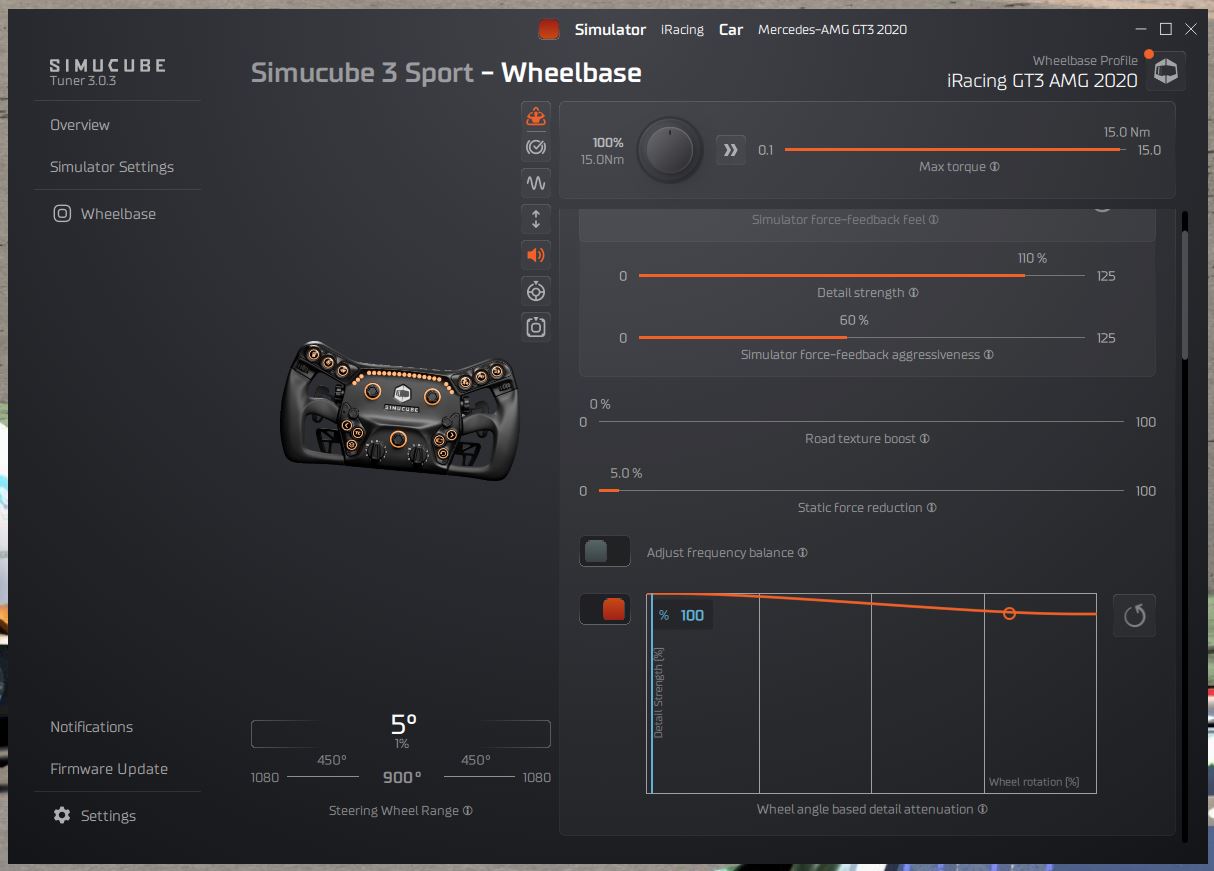
Simucube publishes no RaceRoom FFB values, and Simucube’s docs list RaceRoom telemetry as automatic in Tuner. So on a Simucube, start from KW’s own guidance for a strong direct drive base. In Simucube Tuner, allow damping so Stationary Friction works, keep the filters minimal and add a small amount of friction, which KW suggests for direct drive. Simucube isn’t on the AUTO rotation list, so set Steering Rotation to MANUAL and match it to the rotation in Tuner. The bases themselves are in our direct drive wheels guide.
In RaceRoom, start from these:
- FFB Strength: below 100% (KW’s high-torque direct drive profiles start at 50%)
- FFB Minimum Force: 0%
- FFB Maximum Force: 100% (or lower to cap a strong wheel)
- Stationary Friction: 50%
- Steering Rotation: MANUAL, matched to Tuner
Simagic settings
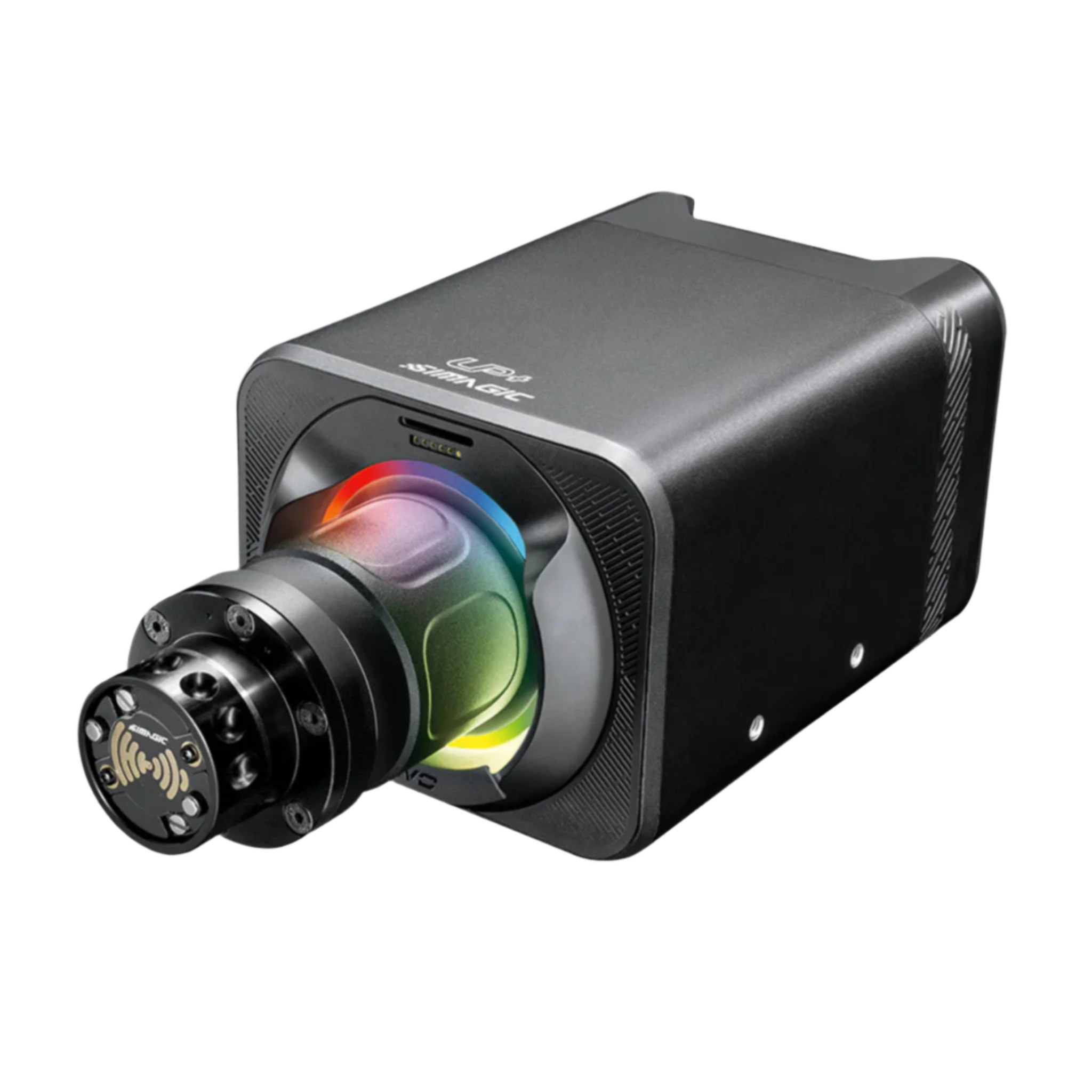
Simagic’s settings come from its own YouTube channel, Simagic Official, in a RaceRoom guide for the Alpha EVO range published in June 2025. Simagic’s video gives no in-game strength numbers, and says to follow the game’s recommended values (KW’s torque-based starting points, listed above) with FFB Maximum Force at maximum to avoid clipping. It also has you bind hotkeys so you can adjust the FFB while watching the output. The Steering Animation step it gives under Graphic > Cockpit predates the March 2026 rotation change. RaceRoom doesn’t set a Simagic base’s rotation automatically, so set Steering Rotation to MANUAL and match it to the rotation in SimPro Manager.
In SimPro Manager, set these before you launch the game:
- FFB preset: RaceRoom’s, loaded automatically before you launch
- FFB strength: 100%
- Wheel rotation: 900°
Then in RaceRoom:
- Controls > Advanced:
- Speed Sensitive Steering: off
- Steering Sensitivity: 100%
- Force Feedback: on
- FFB Maximum Force: 100%
- Engine Vibrations: minimal
- Bump Amplification: a small amount
- Gearshift Effects: to taste
- Steering Rotation: MANUAL, matched to SimPro Manager
If a car feels unstable with strong FFB, Simagic’s advice is to lower the wheel speed in SimPro Manager for more steering friction, and if there’s too much high-frequency feel, lower SimPro Manager’s force feedback detail setting.
Logitech settings
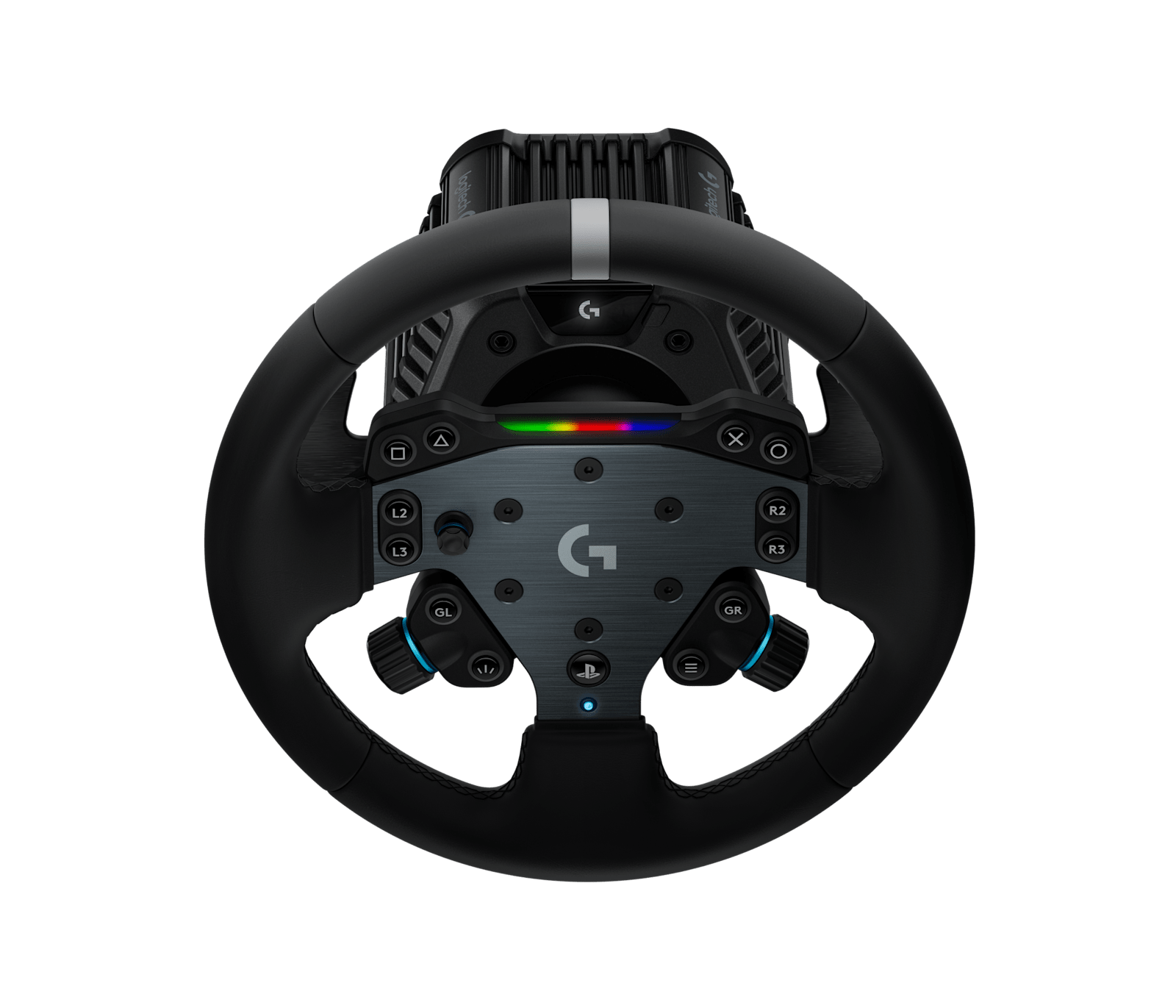
Logitech’s support pages carry RaceRoom settings for two bases: the RS50, with settings that assume 8 Nm, and the PRO Racing Wheel at 11 Nm. Each has a RaceRoom row with a linked in-game screenshot. The RS50’s is from September 2025, and it’s the same Force Feedback page pictured further up. The PRO wheel’s screenshot is from 2022 and still shows FFB Linearity, which the game no longer has. Its 100% FFB Strength at 11 Nm is also higher than KW’s advice, which is below 100% on anything over 10 Nm.
For the G923, G29 and G920 there are no Logitech RaceRoom values, so start from the game’s default profile for your wheel. FFB Minimum Force has defaulted to 5% on wheels under 3 Nm since June 2023 (KW’s 2021 guide said 3%), and KW’s guide puts FFB Strength and FFB Maximum Force at 100% and Stationary Friction at 50% on a low-torque wheel like these.
For the Logitech RS50, start with these in G HUB and then in RaceRoom:
- In G HUB:
- Compatibility Mode: RS
- FFB Filter: 9
- Dampener: Off
- Angle: set per car
- In RaceRoom:
- FFB Strength: 90%
- FFB Minimum Force: 0%
- FFB Maximum Force: 100%
- Stationary Friction: 50%
- Engine Vibrations: 0%
- Bump Amplification: 0%
- Gearshift Effects: 50%
- Steering Rotation: AUTO
For the PRO wheel, use these in G HUB and then in RaceRoom:
- In G HUB:
- Compatibility Mode: PRO
- FFB Filter: 12
- Dampener: 40
- Angle: set per car
- In RaceRoom:
- FFB Strength: 100%
- FFB Minimum Force: 0%
- FFB Maximum Force: 100%
- Stationary Friction: 50%
- Engine Vibrations: 5%
- Bump Amplification: 0%
- Gearshift Effects: 10%
- Steering Rotation: AUTO
Thrustmaster settings
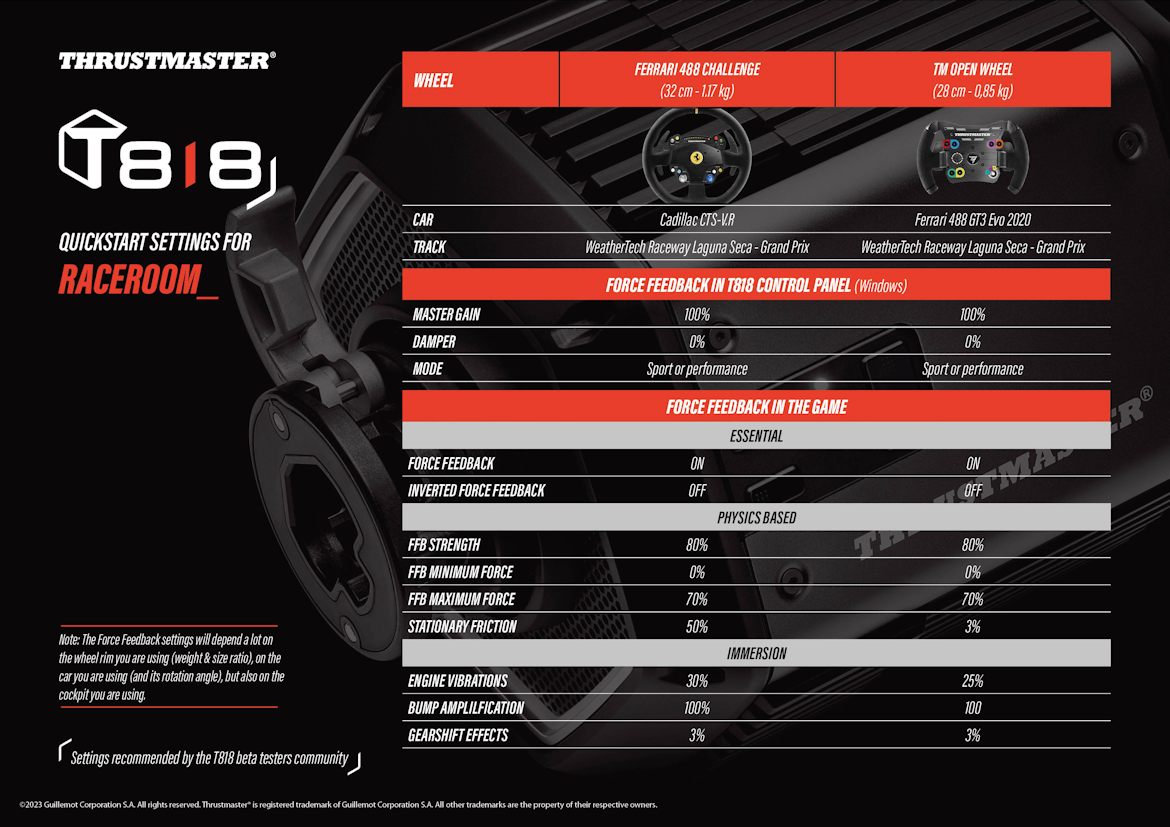
Thrustmaster’s support page for the T818 carries a quickstart sheet for RaceRoom (May 2023), with settings recommended by the T818 beta testers community. It gives two setups at Laguna Seca: the Ferrari 488 Challenge rim in a Cadillac CTS-V.R, and the TM Open Wheel rim in a Ferrari 488 GT3 Evo 2020. Both set FFB Maximum Force at 70% and Bump Amplification at 100%, which runs against KW’s own caution on Bump Amplification. There’s no RaceRoom FFB sheet for the T598, T248, T300 RS or T-GT II, so use KW’s torque classes near the top of the page. Whichever base you have, RaceRoom has needed the latest Thrustmaster app since the December 2025 SDK update.
Set these in the T818 Control Panel and then in RaceRoom:
- In the T818 Control Panel:
- Master Gain: 100%
- Damper: 0%
- Mode: Sport or Performance
- In RaceRoom:
- Force Feedback: on
- Inverted Force Feedback: off
- FFB Strength: 80%
- FFB Minimum Force: 0%
- FFB Maximum Force: 70%
- Stationary Friction: 50% (Ferrari 488 Challenge rim) or 3% (TM Open Wheel)
- Engine Vibrations: 30% (Ferrari 488 Challenge rim) or 25% (TM Open Wheel)
- Bump Amplification: 100%
- Gearshift Effects: 3%
- Steering Rotation: AUTO
The sheet itself says the settings depend a lot on the rim you’re using (its weight and size), the car and its rotation angle, and your cockpit.
Asetek settings
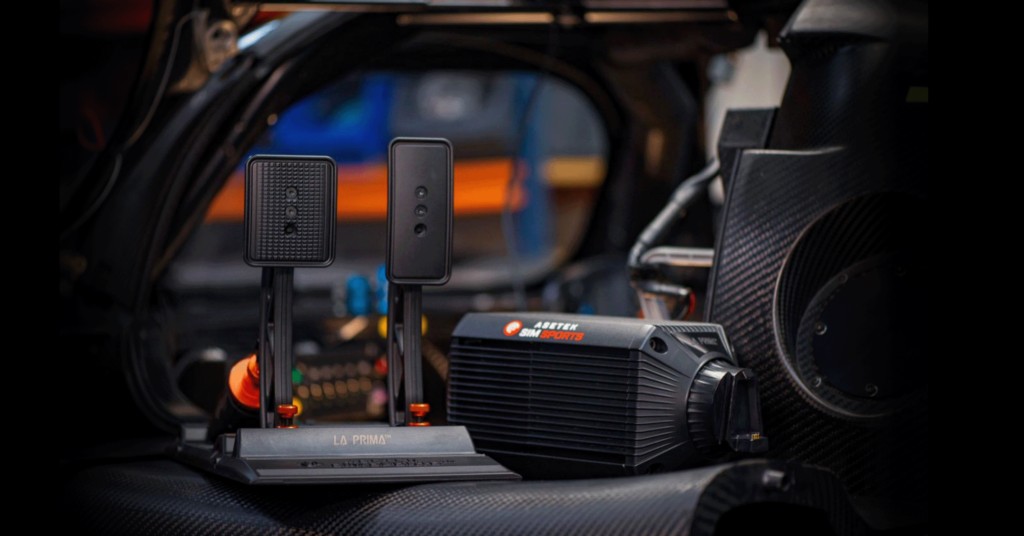
Asetek’s RaceRoom guide was updated on 28 August 2026, which makes it the most recent of the makers’ guides. In RaceHub, download the RaceRoom preset for your base, then go to Wheelbase > Force Feedback Settings, click the three dots next to Preset, choose Import as new, pick the preset and Save to wheelbase. For telemetry, go to RaceHub > Settings > Game Setup > RaceRoom Racing Experience and check for the green tick (start and close the game once first). Asetek bases aren’t on RaceRoom’s AUTO list either, so set Steering Rotation to MANUAL and match it to the rotation in RaceHub. The Immersion effects don’t appear in Asetek’s guide at all.
Then set these in RaceRoom’s Force Feedback tab for your base:
- Force Feedback: on
- Inverted Force Feedback: off
- FFB Strength:
- Invicta (27 Nm): 55%
- Forte (18 Nm): 70%
- La Prima+ (16 Nm): 72%
- La Prima (12 Nm), Initium+ (8 Nm) and Initium (5.5 Nm): 80%
- FFB Minimum Force: 0%
- FFB Maximum Force:
- Invicta: 80%
- every other base: 100%
- Stationary Friction: 50%
- Steering Rotation: MANUAL
Fine-tuning
If something still feels off once you’re driving, these are the fixes for the usual symptoms:
- If the wheel feels heavy and numb and the detail goes in fast corners, the car is clipping, so open the FFB Meter or the HUD’s FFB Graph and lower that car’s FFB Multiplier until the trace sits about 10-20% under the red line.
- When a car feels light and vague and the meter shows lots of headroom, raise the FFB Multiplier for that car.
- If every car is too strong on a high-torque direct drive base, lower FFB Strength, which scales everything, or cap the peaks with FFB Maximum Force, which only cuts.
- A rumble or oscillation on a straight, or a notch when you weave, means FFB Minimum Force is set too high.
- If a low-torque wheel seems to output nothing around the centre, raise FFB Minimum Force; 2-3% is typical, and KW suggested another 1-2% on weaker wheels when the Linearity slider went.
- When the FFB feels grainy or rough, use a little of the wheel driver’s interpolation or smoothing filter (KW otherwise recommends Minimum or Off), and on a Simagic base, lower SimPro Manager’s force feedback detail.
- If there’s no resistance when the car is parked, allow damping effects in the wheel driver, because Stationary Friction uses the damper effect.
- If the FFB on a Moza base behaves abnormally, make sure Engine Vibrations, Bump Amplification and Gearshift Effects aren’t at 0.
- When the handling feels odd over bumps, especially at the Nordschleife, lower Bump Amplification, which works like bump steer.
- If the wheel angle doesn’t match the car, set Steering Rotation to AUTO on a Fanatec, Logitech, Moza or Thrustmaster wheel, or MANUAL on anything else, matched to the maximum rotation in your driver.
- If a Thrustmaster base has telemetry or firmware trouble, install the latest Thrustmaster app, which RaceRoom has needed since the December 2025 SDK update.
- When a car feels unstable with strong FFB on a Simagic base, lower the wheel speed in SimPro Manager for more steering friction.
If you want more on each base, the direct drive wheel settings guide goes into them properly, and its Settings Finder carries RaceRoom alongside the other sims. If you’re new to the game itself, start with the RaceRoom beginner’s guide. I’ll see you out on track!
Related Articles
Best Pimax VR Settings for F1 25 in 2026: A Damage-Control Guide
Best Pimax VR Settings for Le Mans Ultimate in 2026
Best Pimax VR Settings for Automobilista 2 in 2026
Best Pimax VR Settings for Assetto Corsa in 2026
iRacing VR Settings (2026): Meta Quest 3, PSVR2, Pimax and Valve Index
Assetto Corsa VR Settings 2026: Pimax, Quest 3, PSVR2 & More
Topic: Direct Drive Wheel Settings