

I’m a sim racer and amateur racer with a passion for Motorsport, good racecraft and the technical and setup aspect of sim racing.
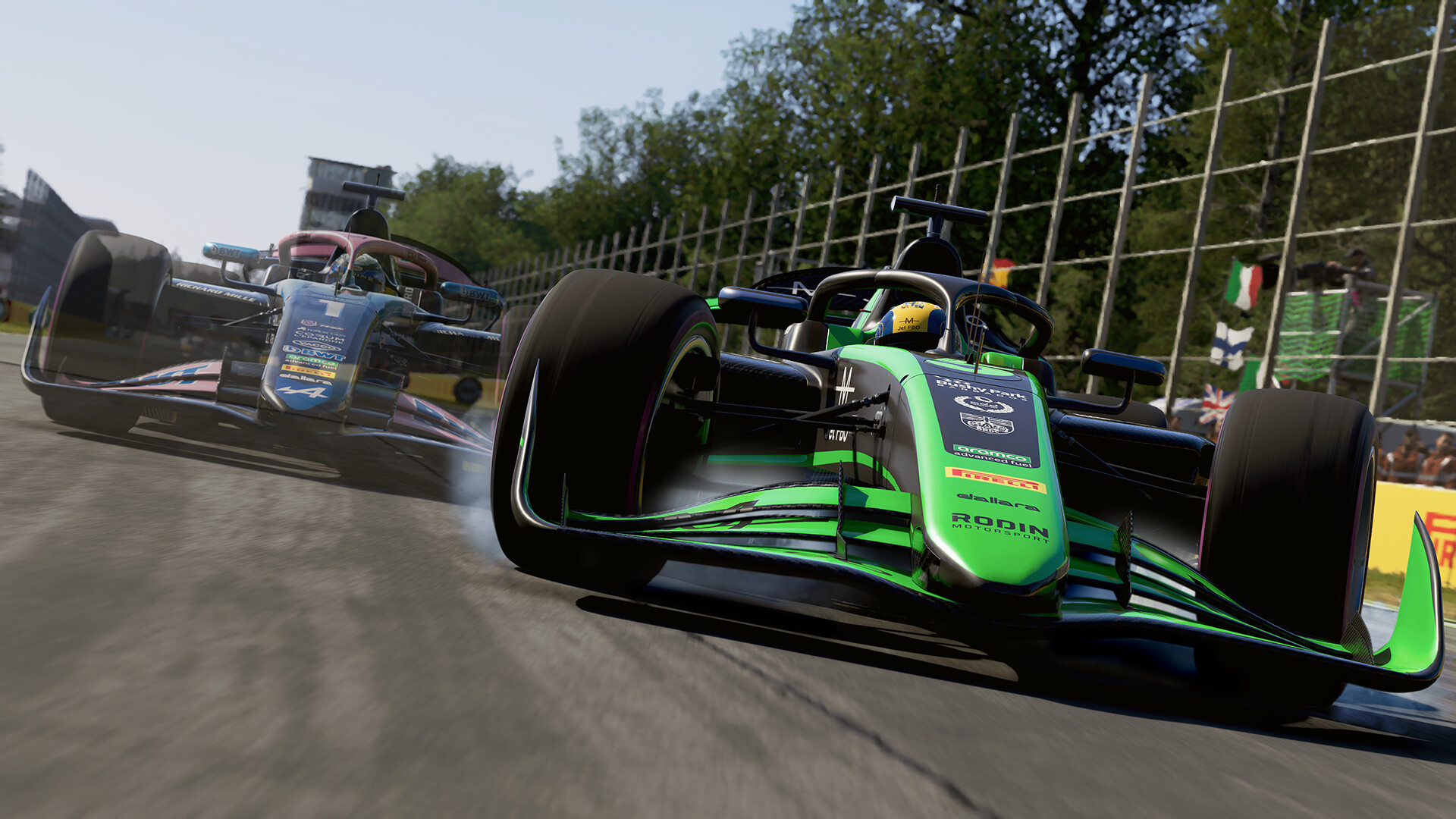
An F1 car’s front end is one of the strangest steering experiences in motorsport. Almost no weight relative to a GT3, an aggressive caster angle, a 360° lock, and a chassis that wants to dart on every change of camber. Translating that into a sim wheel is hard, and the default Moza Pit House setup in F1 24 doesn’t quite manage it – the wheel feels too light, too disconnected, like the front tyres aren’t really there. The fix is one slider: Natural Inertia at 150. Suddenly the front end has the weight an F1 chassis would actually carry through your hands, the darty feel becomes purposeful rather than nervous, and the apex commitment moments feel like decisions rather than gambles.
Beyond Natural Inertia, the rest of the Moza-on-F1-24 setup follows the EGO engine playbook: Pit House at 100% Intensity, Wheel Damper scaling with motor size (15 on R5, 20 on R12+), Friction at 10, in-game Vibration & FFB Strength dropped per base to prevent clipping. Understeer Enhance off, Centre Spring off, Steering Linearity at 0 – those three are universal across every brand and every F1 game.
Pit House setup for F1 24
| Setting | R5 (5.5Nm) | R9 (9Nm) | R12 (12Nm) | R16 (16Nm) | R21 (21Nm) |
|---|---|---|---|---|---|
| Steering Angle | 360° | 360° | 360° | 360° | 360° |
| FFB Intensity | 100 | 100 | 100 | 100 | 100 |
| Wheel Damper | 15 | 15 | 20 | 20 | 20 |
| Natural Inertia | 150 | 150 | 150 | 150 | 150 |
| Friction | 10 | 10 | 10 | 10 | 10 |
| Road Sensitivity | 9 | 9 | 9 | 9 | 9 |
Steering Angle at 360° matches the current-spec F1 cars in the game. Pit House lets you set this globally – if you swap from F1 24 to ACC in the same evening, save two Pit House profiles because ACC wants 1080° instead.
In-game F1 24 settings
| Setting | R5 | R9 | R12 | R16 | R21 |
|---|---|---|---|---|---|
| Vibration & FFB Strength | 80% | 75% | 70% | 65% | 60% |
| On Track Effects | 25 | 25 | 25 | 25 | 25 |
| Rumble Strip Effects | 35 | 35 | 35 | 35 | 35 |
| Off Track Effects | 20 | 20 | 20 | 20 | 20 |
| Wheel Damper | 0-5 | 0-5 | 0-5 | 0-5 | 0-5 |
| Understeer Enhance | OFF | OFF | OFF | OFF | OFF |
| Centre Spring | OFF | OFF | OFF | OFF | OFF |
| Steering Linearity | 0 | 0 | 0 | 0 | 0 |
Why Natural Inertia at 150 matters for F1
Worth the deeper explanation because most Moza users default to lower Natural Inertia values (50-100) and never realise what’s missing on F1 specifically.
An F1 car carries very little weight on its front axle relative to a GT3 – maybe 200kg per front wheel in race trim, versus the 350kg+ a GT3 carries. That low weight, combined with the aggressive front-wing-driven downforce, gives the steering rack a particular character: the wheel itself feels light, but the inputs are decisive and the chassis responds instantly. Translating that into a sim wheel is genuinely difficult because a direct drive motor at default Natural Inertia 50 feels like a light, free-spinning wheel without the chassis mass response to back it up. You make a turn-in input and the wheel moves; nothing pushes back.
Natural Inertia at 150 in Moza Pit House adds simulated rotational mass – the wheel feels like it has a chassis attached to it rather than spinning freely. Crucially this isn’t about heaviness (the in-game Gain handles that) – it’s about response. Turn-in feels purposeful, mid-corner commitment feels like a decision, the front end feels connected. The numbers above are R5 through R21 because the call doesn’t change with motor torque – the Natural Inertia is simulating chassis mass, not motor strength.
Common Moza + F1 24 mistakes
- Natural Inertia below 100. The front end feels disconnected. 150 in Pit House is the F1-specific call.
- Vibration & FFB Strength at 100% on the R21. Clips at Pouhon, Eau Rouge, Suzuka Esses. 60% on the R21 is the upper limit.
- Understeer Enhance ticked. Gamepad assist. Off on any wheel, every F1 game.
- Centre Spring above 0 on the R-series. Robotic centre rattle on any DD.
- Steering Angle locked at 540° or 900°. F1 cars use 360°. Set Pit House to 360°, save a separate profile for non-F1 sims.
The same Moza settings transfer to F1 23 and F1 25 because the EGO engine FFB hasn’t shifted across the generation. The multi-brand F1 24 matrix is F1 24 wheel settings, the wider Moza R-series picture is in our Moza buyer’s guide, and the hub is the direct drive wheel settings guide.
Sources: r/F1Game Moza F1 24 setup threads, Moza Racing official Discord F1 channel, SimRacingSetup Moza F1 24 guide.
Related Posts
Pimax Dream Air Settings for iRacing: My Baseline

Best Pimax VR Settings for F1 25 in 2026: A Damage-Control Guide

Best Pimax VR Settings for Le Mans Ultimate in 2026

Best Pimax VR Settings for Automobilista 2 in 2026

Best Pimax VR Settings for Assetto Corsa in 2026

iRacing VR Settings 2026: Pimax, Quest 3, PSVR2 & More
Topic: Direct Drive Wheel Settings