
I’m a sim racer and amateur racer with a passion for Motorsport, good racecraft and the technical and setup aspect of sim racing.
My 2026 picks at a glance: the one I now reach for first is the Pimax Dream Air – a featherweight Sony Micro-OLED headset that, after living on my rig, is the best VR I’ve raced in (full review here). If you want the highest pixel count and the GPU to feed it, the Pimax Crystal Super is the resolution benchmark. The Pimax Crystal Light is where most committed sim racers land on value. The Meta Quest 3 is the right entry point if you’re new to VR. The Bigscreen Beyond 2 is the answer when weight matters more than wireless. Each is covered in detail below. Worth a read alongside this guide: my VR specs explainer walks through what PPD, foveated rendering and pancake lenses actually mean for sim racers.
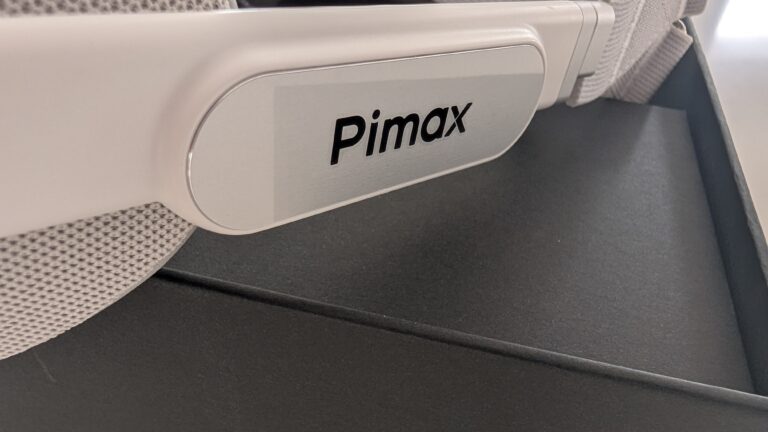
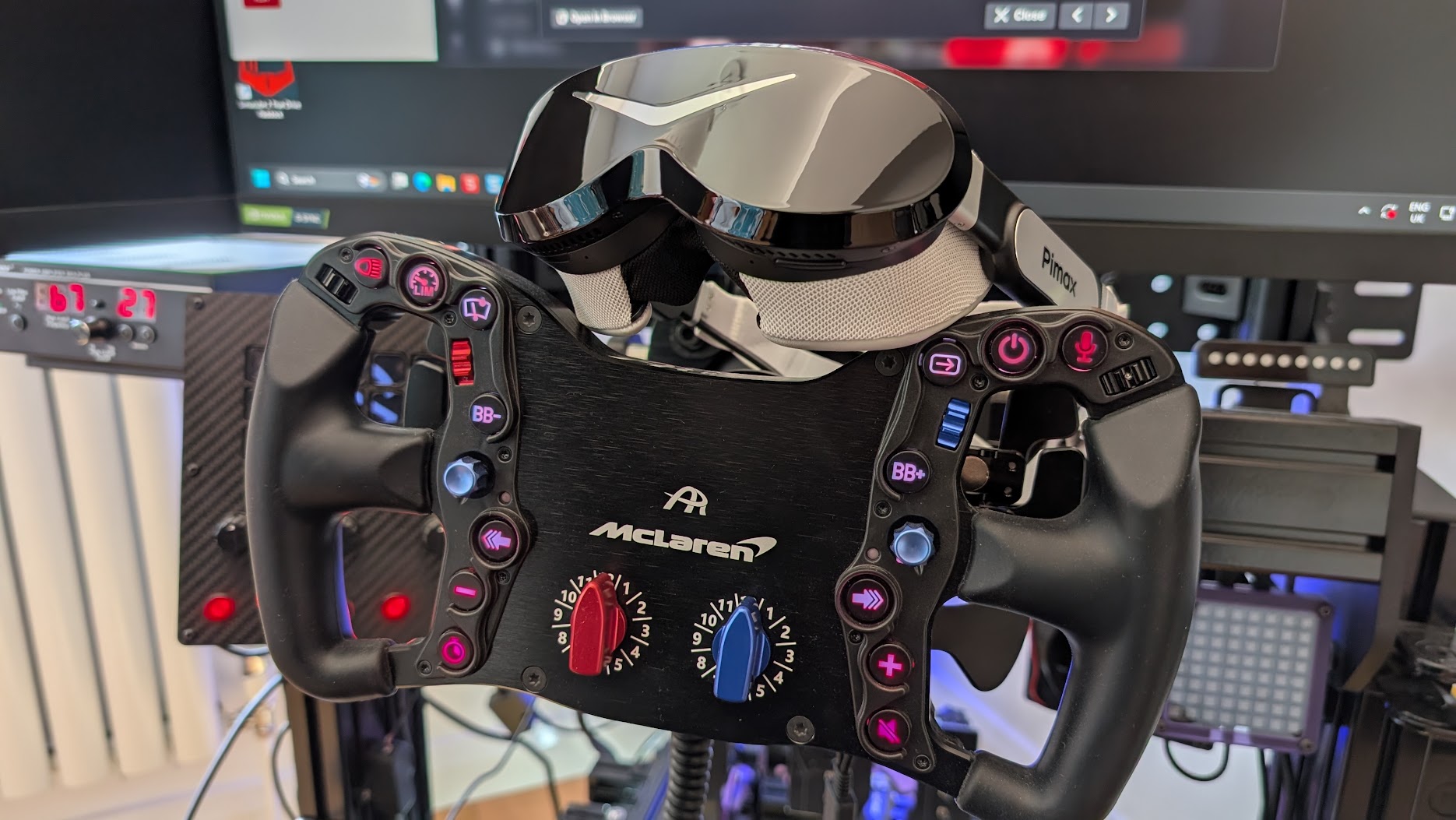
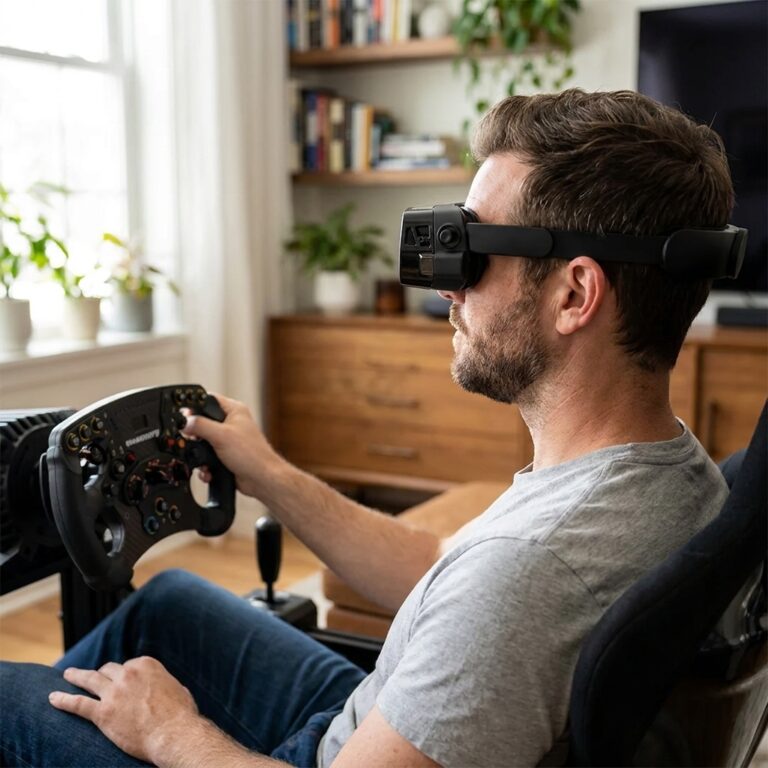
Featured image: my Dream Air from Pimax
I’ve been racing in VR since the original Valve Index. It’s a different experience to racing on monitors, and I’m drawn to it when I want a break from triples. More than anything, I tend to switch to VR when I have a real motorsport race coming up – the depth perception practice transfers in ways flat screens just can’t replicate.
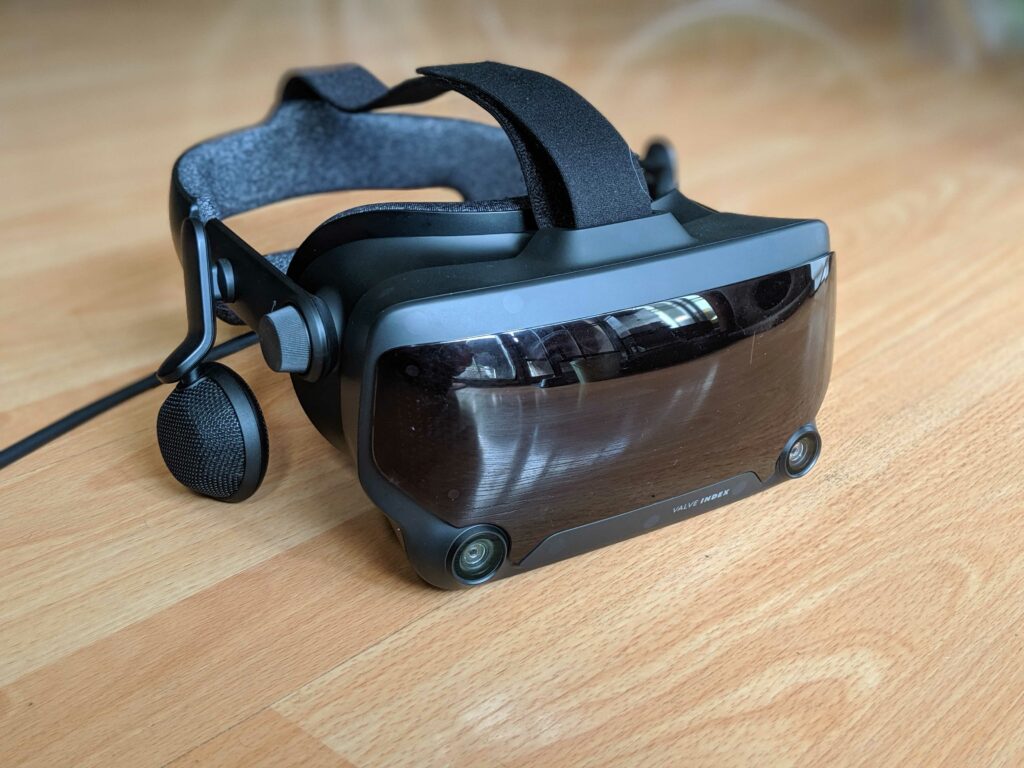
The Valve Index, where my VR journey started, was discontinued in late 2025 and is no longer in the roster below. If you find a clean one second-hand (there are still plenty of barely used units about), it’s a fine plug-and-play SteamVR option for a fraction of new-headset money. Valve’s successor, the Steam Frame, has been announced but isn’t shipping yet – it’s covered further down.
VR is so much more immersive than monitors. In a race, you look left and there’s a competitor car alongside you. You can fully focus on the track ahead. The experience is like you’re sitting in the cockpit of your car. You’re fully immersed in the sim racing environment – it’s the most realistic way to go sim racing. VR can be amazing in the sim.
On this page: Pimax Dream Air | Pimax Crystal Super | Pimax Crystal Light | Meta Quest 3 | Bigscreen Beyond 2 | Somnium VR1 | Valve Steam Frame | PSVR2 with PC adapter | Price and feature comparison
Below I cover compatibility, display quality (resolution, refresh), FOV (the width of the available display measured in degrees), tracking technology and the softer variables that matter just as much for sim racing: comfort, weight, ease of setup, and the per-headset trade-offs.

What should you look at when buying a VR headset for sim racing?
There are a lot of things to consider before you buy.
Every VR headset comes with its pros and cons. Don’t fall for the old “which is better” trick on resolution and maximum refresh rate as there are many more things to take into account before you buy.
Things that can start to become a problem after the novelty of a new VR headset wears off include:
- Constantly having to reset tracking or recentre the HMD
- The Headset loses charge (Pimax Crystal has an onboard battery, and I added a battery to the Meta Quest 3)
- Discomfort
- Too much weight
- Poor ventilation
- Needing to take the headset off constantly when you’re playing with the settings
- Cables!

Clearly, VR has advantages, but as my list shows above, there’s always a small cost with modern headsets. If you’re new to sim racing and you’re not sure if VR is right for you, read this article comparing triple monitors vs VR headsets – and if the verdict steers you toward triples, my triple monitors 1080p vs 1440p decision guide takes the next step into resolution and GPU bands.
In the early days, the Valve Index was, in my opinion among the easiest to set up (check out our graphics settings here) and among the best-performing headsets to use. It would, however lose tracking from time to time and worse, it could crash my PC before a race! This largely resolved itself with software and firmware updates, and when it worked (99% of the time), it was awesome.
How Do VR Headsets Work?
I’m going to take a look at the main features and components that do all the “heavy lifting” on a VR headset, using my Pimax Crystal as an example.
Display: In the Pimax Crystal, a combination of Mini-LED and QLED panels run at 2880×2880 pixels per eye with refresh rates of 72Hz, 90Hz, or 120Hz. This is considered a very high resolution for a gaming VR headset – the Crystal operating at full refresh at this resolution, will stretch the limits of most home gaming PCs. The newer Crystal Light offers QLED technology at the same resolution of 2880 x 2880 per eye with the same refresh rate options (72/90/120Hz).
Lenses: VR headsets use specially designed lenses to focus and magnify the display for each eye. The Pimax Crystal features aspheric glass lenses, which provide a wide maximum field of view (FOV) of up to 125° for the standard 35 PPD (pixels per degree) lenses. There’s an optional set of wider FOV lenses that increase the field of view to up to 140°. Some VR headsets support prescription lenses, meaning you don’t have to worry about issues with short or long-sightedness. This includes the Pimax Crystal Super, which you can read more about here.
Tracking: To communicate the change in perspective as you look around the VR environment, VR headsets must track your head movement. The Pimax Crystal features 6 degrees of freedom (DoF) inside-out tracking, which means it uses built-in sensors to monitor the user’s position and orientation without the need for external base stations. This is really nice – not having to set up external tracking hardware is a real bonus. Older headsets used tracking towers (like the Valve Index). The Varjo Aero remains compatible with the tracking towers making the Aero a sensible upgrade for Valve Index owners.

Audio: Good audio helps produce a convincing, deep VR experience. The Pimax Crystal has triple microphones and off-ear speakers (pictured). You can talk with other drivers (via Discord) while in VR, or just be highly aware of the car’s performance (tyre slip, track noises – it’s all extremely important information for sim racing) – this is a meaningful upgrade for endurance racing and special events.
Processing: Powerful processing is essential for rendering complex VR environments. The Pimax Crystal is powered by a Qualcomm Snapdragon XR chip and Pimax’s customised PC VR engine (see Pimax Play), ensuring smooth performance and compatibility with a wide range of VR gaming content.
The Crystal and Varjo Aero also feature “auto IPD” (Interpupillary distance) adjustment. Put simply, the headset’s lenses automatically align with your pupils. This improves the clarity of the image and helps with minimising eye strain. As a feature, the automated nature of IPD adjustment is quite new. I had to manually adjust IPD with my Valve Index, just a few years ago. The Crystal Light does not feature auto IPD.
The Crystal will project a screen with crossed, green bars. It instructs you to focus on them as it adjusts the IPD. You can hear the little servo motors moving the lenses, as the image goes in and out of focus. The end result is quite a time saver, as it’s a non-intuitive procedure to do this manually, especially as a new VR user.
So, why should you add VR to your sim racing setup?
Realism
Firstly, and probably most obviously, racing in VR feels real. The accidents, especially!
In iRacing when you leave the pits you often drive straight through another pitted car before you exit. Not a big deal, as it’s not an incident until you’re on the track. But with a VR headset on, the first time you drive through another car, you’ll jump out of your skin.
When you’re gridding up for a race start and look around you by turning your head, your competitors are all there, you’re surrounded. The immersion level is off the scale, especially when the headset has built-in speakers.
Vision
The discipline of using vision to find the best racing line through a corner is the same as driving a track car. As you approach the corner you’re setting a braking point in your peripheral vision because you’re focused on the apex. As you brake, all of your visual focus should be on the exit.
In real racing, you’ll move your head which makes you physically align yourself with the corner’s apex to the exit line.
Scott explains vision so much better than I do – the gist is that it’s exactly the same approach in VR. You are then, practising the habits you need to drive on a real track successfully.
Your sensitivity to track detail
VR enables you to “see” details in the circuit you might have missed on monitors. I realized this at Lime Rock Park in the Global Mazda Cup. In VR you can see the camber on the inside of this corner very clearly:

And of course, once you’re visually aware of a track detail, it’s probable that you can feel that detail, too. This brings me to the next benefit of VR.
Early warnings via extra sensory input
It’s easier to drive well with a VR headset because you get an earlier warning of what the car’s doing.
In sim racing, you rely on your ears to sense tyre slip and your eyes to sense rotation in the car. This is a little different to real-life motorsport, in circuit racing on a real track, you’ll sense rotation through your body.
There’s a delay in getting messages like this if you’re looking at monitors which makes catching an accident much more difficult. You start to learn to drive the car from memory, not from feel. This isn’t the case with VR – it seems I’m much more sensitive to smaller movements in the car at corner entry, so I’m already able to predict what the car is going to do.
It’s not magic, you’re just getting the information earlier as your eyes sense your entire environment rotating.
You also get a feel for undulations in the circuit. Using the camber example at Lime Rock Park above, in VR you’re just more aware that the car has climbed over a small hump. It’s a useful sensation once you become aware of it.
That early warning system makes the car easier to control, so you’re driving more consistently.

You drive more accurately
You are fully immersed in an environment and your eyes can feed your brain much more precise data about the way the car is moving.
I think that the way you translate this back into driving inputs is critical. If you know your line and the information you received is accurate, then your steering inputs will be correct. Have you ever approached a corner only to find you’re making last-second adjustments to the line you’re taking? Monitors, especially triple setups are a nightmare for this.
Driving with a monitor is not immersive, so you’re adjusting to a way of seeing things that don’t happen on the track, especially as your line of sight switches from your outside monitor to the one in front of you. Bezel correction is a little annoyance that VR doesn’t suffer from.
But are there any cons to VR Headset use?
Screen door and clarity can be an issue. “Screen door” is a problem solved in the newer headsets, where the fine lines separating pixels (or subpixels) become visible in the displayed image. Clarity remains an issue – where everything can sometimes feel a little bit out of focus. The Valve Index, as good as it was, came from a generation of headsets where the resolution wasn’t quite high enough.
Display quality is mostly determined by the PPD number (Pixels Per Degree) – you can see the difference between the PPD values of different headsets below:

You can go a long way to improving the clarity of the image in your headset by making sure it’s adjusted properly for your face and, of course, that the PPD specification is as high as your budget will allow.
Because of issues like screen door and clarity, VR can make your eyes feel tired after prolonged use. Some days, it’s fine and I’ll do several races. But for others, I don’t fancy them as much. On that note, if you suffer from visually triggered migraines, I would advise you to steer clear of VR.
Graphics settings are initially difficult to come to terms with because what works on monitors might not be correct for your headset. I’ve written about settings for VR here, so take a look. Once you get a setup you like, this isn’t a problem. I’ve compiled some settings for Pimax users in this settings guide by GPU, and some iRacing specific guidance in this article.
Also, Don’t spend a huge amount of money on your sim racing wheel, becuase a VR headset makes the display and RGB lights pretty useless, if you are shopping for a new one, the phrase you’re looking for is “VR friendly” where the button surrounds tend to be easier to find.
Finally, some people feel motion sickness. But not for long! I found after 2 laps I’d become used to the sensation of moving without moving. These days I don’t notice it at all.
What makes a great Sim Racing VR headset?
There are plenty of options for picking a VR headset, but you can narrow it down quite substantially for sim racing in particular. Before I dive in and show you some of the best models available on the market, I’d like to address some of the issues and myths that are often brought up concerning VR and sim racing.
Will using VR in a racing simulator make you faster?
Decide for yourself, but as we’ve discussed above, you will have a better perception of depth and movement, which will improve your ability to judge the distance of cars and objects and make car control corrections far earlier. Plus, you’ll get a near 360° view of cars and the track in a 1:1 ratio which will enhance the realism of the game and help you feel like you’re actually in a real car.
VR headsets can make it nearly impossible to use button boxes, so if you use a button box regularly consider that before you decide to splash any cash on a new headset.
Another thing is you will not be able to see your steering wheel or any of your rig setup for that matter, so if you’ve just invested in a fancy-looking piece of kit, you won’t be able to enjoy its aesthetically pleasing looks if you’re wearing a VR headset.
No matter how great or immersive VR is, current technology for headsets can’t match the graphic quality of a gaming monitor. But still, you’ll have the ability to turn your head and aim for the apex when cornering, so you’ll get more of a feel for driving.
So, what is the best VR headset for sim racing? While there’s no single answer, factors such as the items below really count. We’ll be looking at these in more detail:
- Display and sound quality
- Design and overall comfort
- Field of View (FOV)
- Position tracking and range of motion
- Compatibility
- Price
What are the best VR Headsets for Sim Racing?
A quick note before the headsets: VR sim racing rewards equipment quality more than any other format. The headset is one of three things that have to come together – the headset, the GPU, and the wheelbase. If you’re spec-ing the full rig, the direct drive wheels buyer’s guide covers the wheelbase decision and the gaming PC buyer’s guide covers the matched CPU + RAM. None of the headsets below shine without those two in place.
Here are some of what I consider to be the best picks for sim racers, in no particular order. If you don’t want to stomach the price of a brand-new one, these units can usually be found on eBay. If you’re buying 2nd hand, there may not be a warranty, so study the images closely for a clean, barely used-looking device.
Pimax Dream Air – my current pick
This is the one I now reach for first. I’ve had the Dream Air Lighthouse on my rig, raced in it, and written a full hands-on review – and for sim racing it’s the best headset I’ve used. Pimax stripped the design down to a featherweight Sony Micro-OLED unit, and the result is the rare piece of sim kit that’s genuinely lovely to put on.
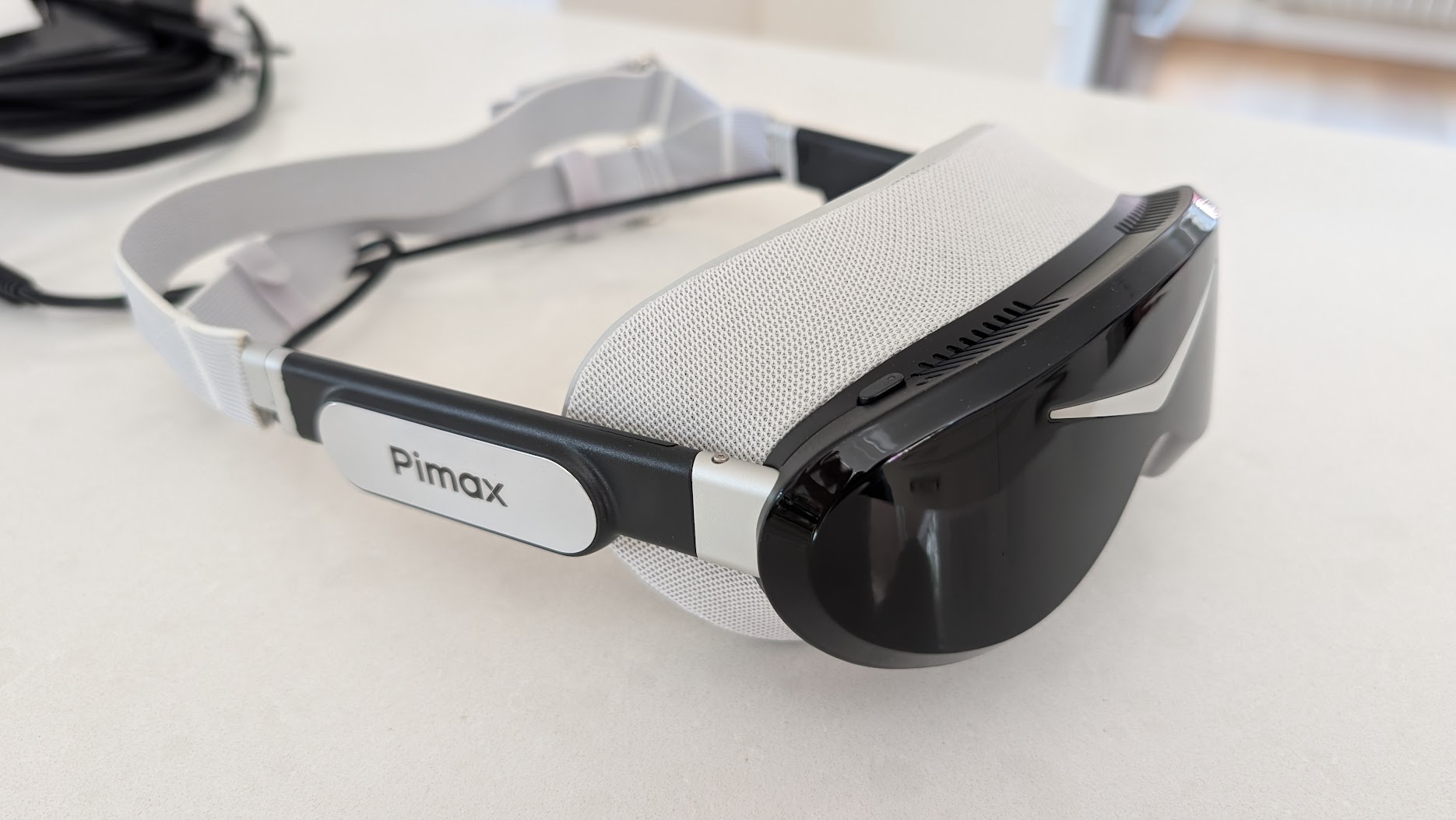
The panel is 3840 x 3552 per eye of Sony Micro-OLED behind Pimax’s ConcaveView pancake lenses, with a 110° horizontal field of view and 90Hz Tobii eye-tracking driving dynamic foveated rendering. The visor weighs under 170g – around 300g once the strap and audio arms are on, against the best part of a kilo for a strapped-up Crystal. On track the OLED is the story: black is black, night races transform, and because the narrower field of view pushes far fewer pixels than the wide Crystal Super, a strong high-end card can drive it.
It isn’t flawless. The field of view is trimmed next to the Super (a non-issue for me as a driver – you look where you’re going anyway – but worth knowing), the stock strap took some fiddling before the fit came good, and these early units shipped with a few non-final parts that Pimax is replacing free for early buyers. None of it stops the Dream Air being the headset I keep coming back to. The review goes deep on setup, the lighthouse tracking, and dialling in the picture.
Reader discount: use code SIMRACINGCOCKPIT for 2% off, or SIMRACINGCOCKPIT25 for $25 off, at checkout on pimax.com – on a headset at this price the 2% usually beats the flat $25.
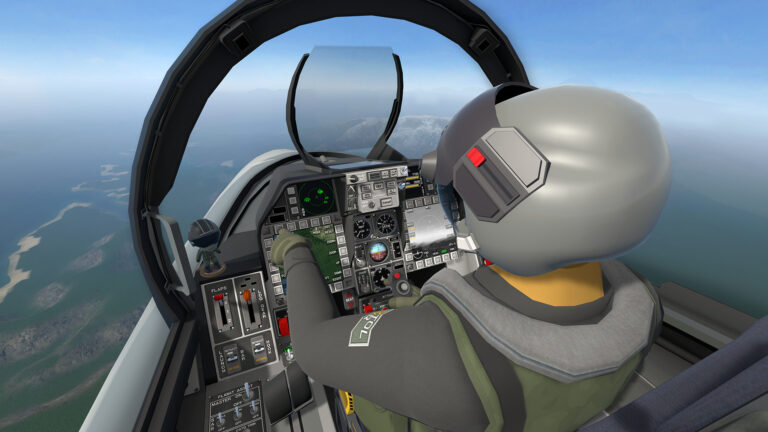
Who it’s for: sim racers who want the best image quality in the lightest package, run a lighthouse-tracked rig and a strong GPU (a 4090 for native; a 3070 Ti will get you in with foveated rendering), and value OLED contrast and comfort over the widest possible FOV. One honest caveat: for flight simulation I’m not certain the Dream Air is the right pick. Flight sim leans on a wide field of view harder than racing does, so depending on your GPU you may be better served by the wider FOV of the Crystal Super below – I get into that properly in the VR headsets for flight simulation guide.
Pimax Crystal Super
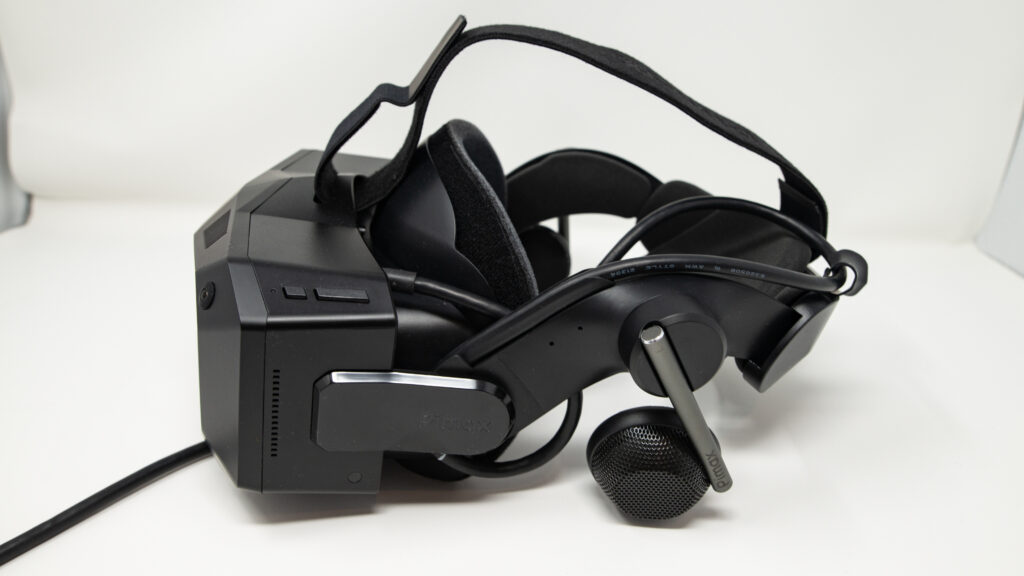
Pimax has taken the chassis of the Crystal and supercharged the visuals while trimming the fat. By removing the battery and standalone XR2 chip, similar to the Light – but keeping the advanced eye-tracking, they have created a bit of a PCVR powerhouse.
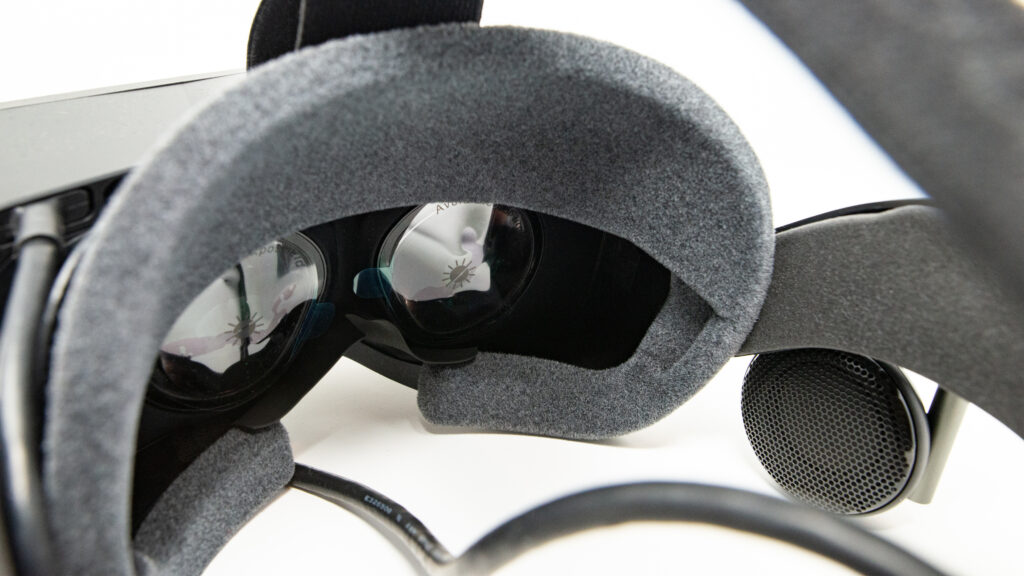
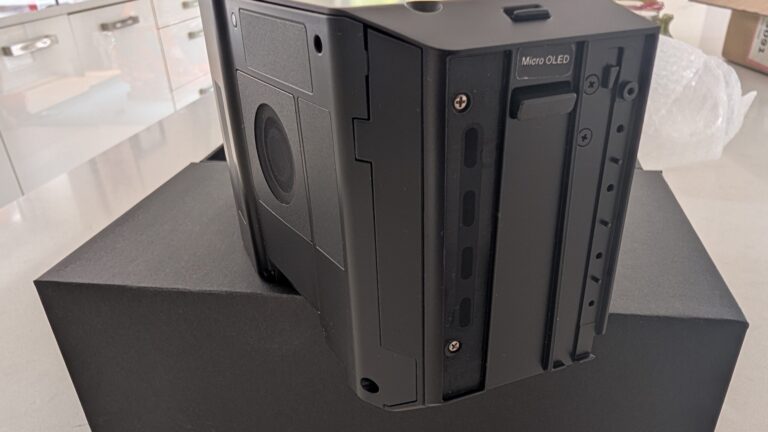
Pimax Crystal Super – (my review here). The resolution takes a massive leap to 3840 x 3840 per eye, offering significantly more pixel density than the Crystal Light. It features the world’s first interchangeable optical engine (QLED or Micro-OLED) and a significantly wider FOV. Crucially for sim racers, it retains Dynamic Foveated Rendering (eye-tracking), which will be essential to drive this resolution. The removal of the battery reduces the weight compared to the original Crystal, aiming for a form factor similar to the Light but with “super” specs.
Verdict: the resolution benchmark (for the few)
The Crystal Super is an uncompromising bit of VR engineering. The 3840 x 3840 resolution per eye is the highest pixel count in this guide, and it kills the screen-door effect outright – brake markers and dashboard text read with a crispness that finally matches a good monitor.
That clarity comes at a cost, and not just the $1,599 (about £1,260) price tag for the 50 PPD engine.
Who is this for? This is a specialist tool designed exclusively for the hardcore sim racing enthusiast. It is for the racer who:
- Already owns (or plans to buy) an RTX 4090.
- Values clarity and long-distance visibility above all else.
- Is willing to tinker with settings (Foveated Rendering, GPU upscaling) to get the perfect lap.
Who is this NOT for? If you are running anything less than an RTX 4070 ti, or if you prefer the “plug-and-play” simplicity of a Quest 3, the Crystal Super will likely be a frustrating experience. The sheer pixel count demands hardware that is priced significantly above the budgets of most people.
The bottom line: if you have the budget and the PC horsepower, the Crystal Super gives you the highest-resolution image in sim racing today. For sheer pixel count, nothing here beats it – just be prepared to pay for it, and to feed it a 4090.
Pros:
- Unmatched Resolution: 29.5 million pixels deliver monitor-like clarity.
- Modular Design: Future-proof optical engine (switch to Micro-OLED later).
- Sim Racing Focus: Inside-out tracking is rock solid for seated cockpit use.
- Audio: Decent DMAS off-ear speakers included (currently).
Cons:
Lenses: Glass aspheric lenses still have some edge distortion compared to pancake optics.
Hardware Heavy: Demands an RTX 4090 for native resolution in titles like ACC.
Price: A significant investment compared to the Crystal Light.
Pimax Crystal Light
- Compatibility: Windows 10 and 11 with SteamVR tracking supported (Inside-out tracking, Lighthouse optional) Display: QLED (Mini-LED optional)
- Resolution Per Eye: 2880 x 2880
- Refresh Rate: 60, 72, 90, 120 Hz
- FOV: Approximately 103° horizontal and vertical
- Lenses: Glass aspheric, 35 PPD
- IPD Range: 58-72mm (manual adjustment only)
- Tracking: Inside-out (Lighthouse optional)
- Audio: Integrated, 3.5 mm jack, 2x microphone
- Connectivity: Pimax 4.5m DP cable
- Weight: Approximately 951g (with DAS headphones)
The Pimax Crystal Light was a welcome update from the original Crystal. It takes the best of the Crystal, removes some of the more, adventurous features and leaves us with the bare bones of a good VR headset, removing about a third of the weight of the Crystal.
Pimax has drastically reduced the price of the Light by removing the battery pack, auto IPD adjustment and the DMAS audio attachments.

Standalone storage and foveated rendering are now fixed, instead of dynamic. All of this contributes to a weight saving of 317g (down from 1268g), which is approximately a 25% decrease in weight from the original Crystal to the Crystal Light.
In the review it came out as the value sweet spot of the range. It genuinely feels lighter, the cabling and extras are far less burdensome, and the clarity is excellent – very close to the full Crystal. Of the Pimax line-up it’s the one I’d point most committed sim racers at, which is why it sits where it does in this guide. That review covers unboxing, installation and some early settings for better visual performance.
Note on the original Pimax Crystal: the Crystal Light replaces it as the go-to Crystal-series headset for sim racers. Same 35 PPD panels and similar FOV, two-thirds the weight, no internal battery, plug-and-play DisplayPort. If you’re shopping the original Crystal at the same price band, the Crystal Light is the smarter buy and gets the active product attention from Pimax.
Meta Quest 3
The spiritual successor to the Quest 2, the Meta Quest 3 is a versatile virtual reality headset that’s gained a lot of attention in the sim racing and modding community. Released in late 2023, it offers several improvements over its predecessor, the Quest 2, but really, it’s the price that keeps my attention: $599 for the 512GB version (Meta raised the 512GB MSRP from $499 back to $599 in April 2026, citing storage-component cost spikes). That’s less than half of the price of some of the “higher-end” VR headsets on this page, which makes VR far more accessible for sim racers.

The Quest 3 features pancake lenses and a higher resolution display over the Quest 2, providing clearer visuals and a wider field of view (FOV). With a resolution of 2064×2208 per eye, the increased pixel density helps reduce the ‘screen door effect’ that was more noticeable in previous generations. The headset’s mixed reality capabilities, while not directly applicable to sim racing, are a nice party piece too; you know – for when you need a break from hard racing.

For sim racers, the Quest 3’s improved performance when connected to a PC via the Link cable is a good thing to be aware of. The 3 supports a refresh rate of up to 120Hz. The headset is light too, weighing around 515 grams.
However, a small downside is battery life. If you use wireless connectivity, the Quest 3’s battery typically is good for 1.5 hours. To extend the battery life I installed a aftermarket head strap with a 5200mah battery). Obviously, this is a non-issue with the link cable, as your PC will power the headset, but the OEM head strap is quite poor. You will really need to upgrade this, and on the newer 3S too. The VR performance is generally superior with a direct cable connection and it really doesn’t work well enough over airlink. Get the cable!
For compatibility, the Quest 3 works well with the link cable on all popular racing titles like iRacing, Assetto Corsa Competizione, and rFactor 2. Ross recently wrote about the best VR sim racing games (and, he happens to run a Quest 2 so he knows what he’s talking about!). With any VR setup, optimisation is key – luckily we’ve looked at setting up the Quest 2, the principles for which apply to the Quest 3, too. A moderately powerful gaming PC is always recommended to take full advantage of this headset’s capabilities in demanding sims.

While opinions vary, many sim racers find the Quest 3 to be a solid choice for VR racing. I’ve found the improved clarity and wider field of view work really well.
If you’re not ready to spend four figures on the next step up, the Quest 3 still ticks most of the boxes – light, comfortable, wireless when you want it, and the easiest way into VR sim racing at $599/£579. The one thing that’s shifted since I reviewed it: the Crystal Light’s price drop has narrowed the value gap, so if you’re set on a wired PCVR picture it’s worth weighing the two. As a first headset, though, the Quest 3 is still the one I’d hand a newcomer.
Bigscreen Beyond 2
Technical Specifications:
- Compatibility: Windows 10/11 – SteamVR
- Display: Dual 1-inch Micro-OLED
- Resolution Per Eye: 2560 × 2560
- Refresh Rate: 75 Hz / 90 Hz
- FOV: 116° diagonal (108° horizontal, 95° vertical)
- Weight: 107 grams (headset only)
The Bigscreen Beyond 2 represents a radical departure from traditional VR headset design philosophy. At just 107 grams, it’s the lightest PC VR headset on the market by a considerable margin, weighing less than half what a Valve Index controller weighs on its own. This isn’t just a party trick – that minimal weight transforms long sim racing sessions from endurance tests into properly comfortable experiences.
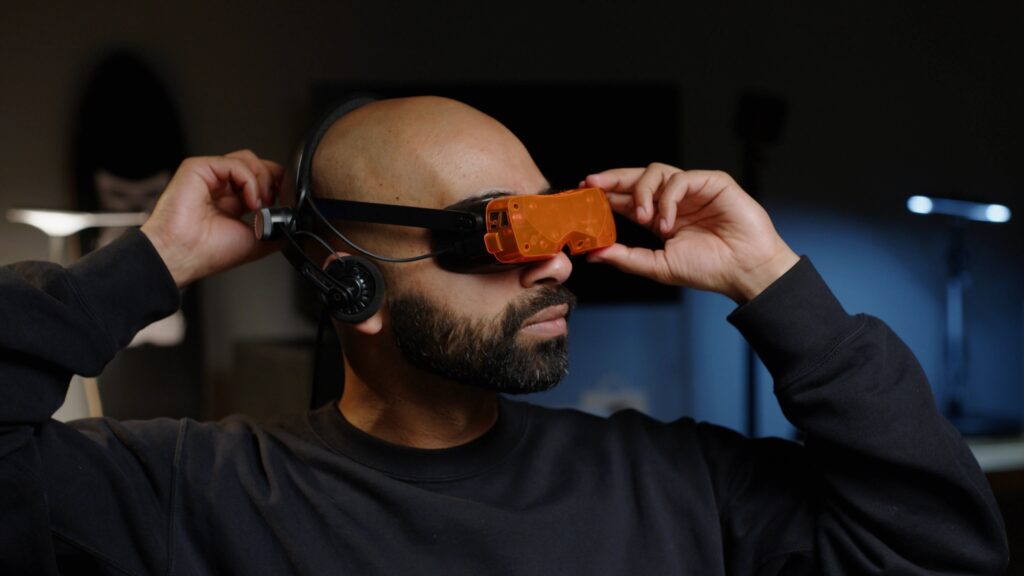
The dual 1-inch Micro-OLED displays are the technical centrepiece. Running at 2560×2560 per eye with an exceptional 500,000:1 contrast ratio, they deliver true, inky blacks that LCD-based headsets simply cannot match. The pixel density is extraordinary – at 7.2µm per pixel, the screen door effect is virtually eliminated. Text on dashboards and MFDs appears sharp and legible, which is critical when you’re trying to read brake bias adjustments mid-corner.
Some engineering trade-offs exist around the refresh rate options. At 75Hz, you get the full native 2560×2560 resolution. At 90Hz, the headset employs Display Stream Compression to transmit a 1920×1920 signal that’s then upscaled to the display’s native 2560×2560 resolution. It’s visually lossless for most content, though pixel-peepers might notice a subtle softness with very fine text. The Micro-OLED’s sub-microsecond response time partially compensates – the clarity during fast head movements feels smoother than the refresh rate alone would suggest.
The pancake lens system contributes significantly to the compact form factor whilst delivering excellent edge-to-edge clarity. Traditional Fresnel lenses require substantial depth; pancake optics fold the light path, allowing the Beyond 2 to sit remarkably close to your eyes. The 116° diagonal field of view (approximately 108° horizontal) provides sufficient peripheral awareness for racing – you can track competitors alongside without excessive head movement, though it’s not the absolute widest FOV available in the enthusiast VR space.
At $899 USD for the Beyond 2 (or $1,099 for the Beyond 2e with eye-tracking), plus required accessories, you’re looking at $1,400-1,900 for a complete setup. That positions it firmly in the high-end enthusiast category, competing with headsets that offer integrated audio, controllers, and wireless options.
It’s a headset designed for sim racers who already own the SteamVR tracking ecosystem, value comfort over wireless freedom, and demand the absolute best visual quality that tethered PC VR can deliver. If you’re spending 10+ hours weekly in VR and your neck complains about it, the Beyond 2 might be the biggest upgrade available.
Somnium VR1
Technical Specifications:
- Compatibility: Windows 10/11, SteamVR (Lighthouse base stations required)
- Display: Fast LCD with QLED Mini-LED backlight, local dimming
- Resolution Per Eye: 2880 × 2880
- Refresh Rate: 90 Hz / 120 Hz
- FOV: 130° horizontal, 105° vertical
- Lenses: Glass aspheric, 35 PPD
- Tracking: SteamVR Lighthouse (base stations sold separately)
- Price: From €2,999 (~$3,090) Visionary Edition (entry-level base model since the Classic Edition was discontinued in January 2025)
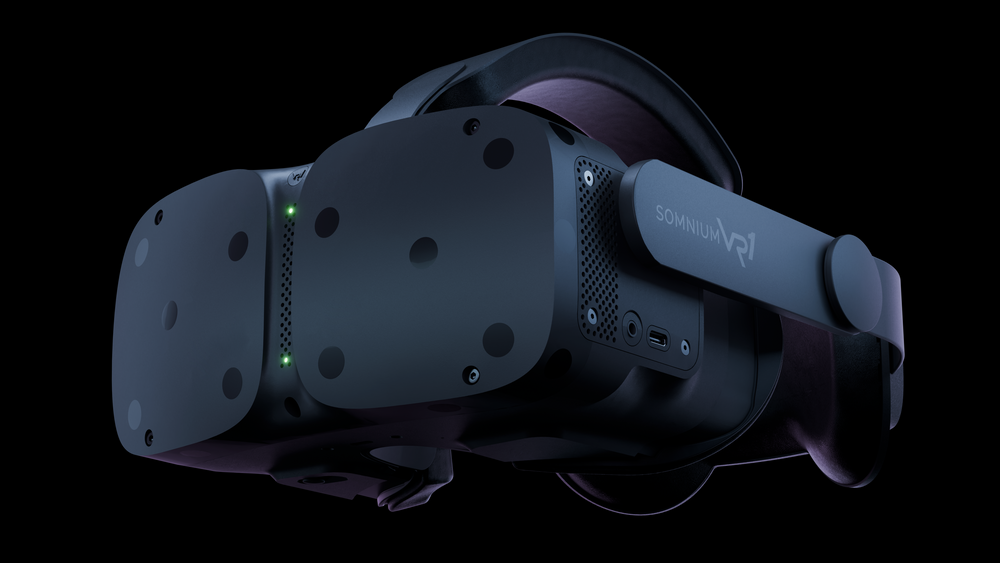
The Somnium VR1 is the headset that quietly does what Valve never finished. It’s a Lighthouse-tracked enthusiast PCVR headset with 35 PPD glass aspheric lenses, a 130° horizontal FOV, and a QLED Mini-LED panel that delivers the kind of inky contrast Beyond 2 owners rave about. The current entry-level model is the Visionary Edition at €2,999 (about $3,090) after Somnium reorganised the line-up in January 2025 and discontinued the older Classic Edition.
For sim racing, the spec sheet is genuinely interesting. The 130° horizontal FOV is the widest in the current shipping high-end roster – wider than the Crystal Light, wider than the Beyond 2, wider than the Quest 3. The Mini-LED contrast is closer to OLED than to Fast LCD, which matters more than the marketing copy lets on when you’re looking at a night race grid at Le Mans. SteamVR Lighthouse tracking is rock-solid for cockpit use because there’s nothing in your hands to track – the base stations just need to see the headset.
The catch is the same as every premium Lighthouse headset: you need to factor in base stations (around $300 a pair for Valve Lighthouse 2.0) on top of the €3,000 headset. And the Somnium retail experience is still very much enthusiast-tier – imported from Europe with the delivery and support friction that implies. VR Flight Sim Guy’s nine-month long-term review in January 2025 framed it well: “What is it like living with one of the best VR headsets on the market? I give you my verdict using the Somnium VR1 Ultimate Edition.” The verdict in that video is broadly positive on visuals and tracking, with caveats on weight (around 800g loaded) and the absolute price.
If you’re already deep in the Lighthouse ecosystem from a Valve Index or original Vive, the Somnium VR1 is the upgrade that doesn’t waste your base stations. For everyone else, the Crystal Light at one-third the price covers most of the same sim racing use case.
Valve Steam Frame (imminent, not yet shipping)
Status: announced November 2025, not yet shipping. Valve has confirmed a delay past the original early-2026 window because of RAM and storage component shortages. They still expect to ship later this year.
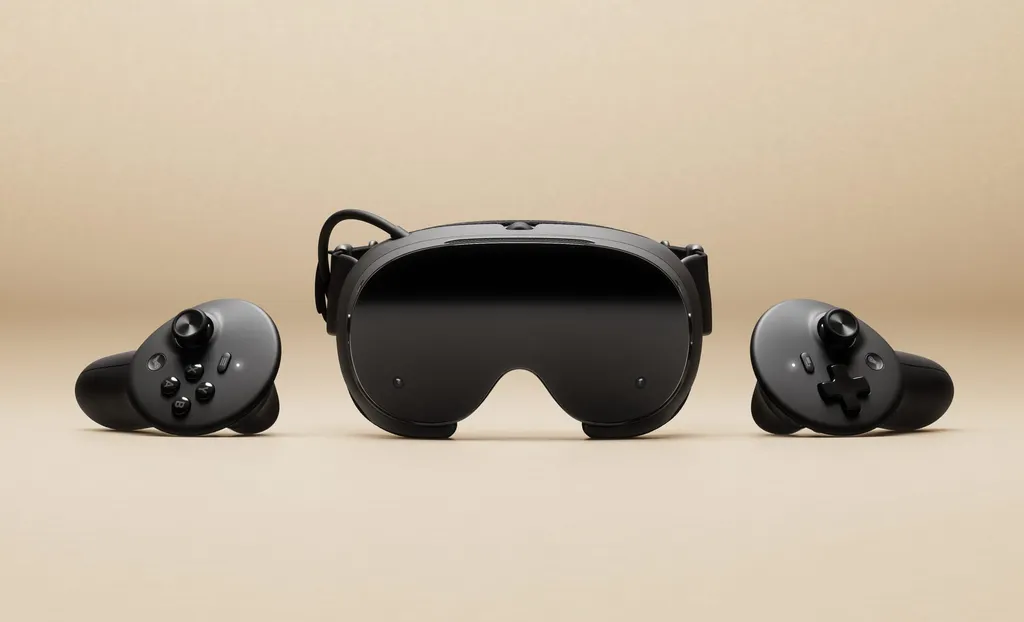
The Steam Frame is Valve’s return to VR hardware after the Index, and it’s a different beast to what most sim racers expected. It’s a streaming-first standalone headset running SteamOS on an ARM64 chip, with Wi-Fi 7 dual radios on the headset side (paired with a Wi-Fi 6E PC adapter dongle) as the primary use case. There’s foveated streaming, dual eye-tracking, and a new generation of TMR magnetic-thumbstick controllers that look like a clear answer to Quest’s pinch-grip Touch Plus pads.
For sim racing specifically, the streaming-first design is the question mark. Wired DisplayPort is what Pimax Crystal Light owners default to because it’s lower latency and lossless. Wi-Fi 6E PCVR streaming through Steam Link is competent on Quest 3 today, and Steam Frame’s Wi-Fi 7 radios should beat it on raw bandwidth and engineering polish – but it’s still streaming, and a hardwired headset will always win on the absolute clarity-and-latency metrics that matter at Spa.
Ben Lang’s hands-on preview at Road to VR in November 2025 set the framing well: “An ambitious new headset that aims to be a portal to a user’s entire Steam library, while also catering to an audience of hardcore PC VR users.” Whether the hardcore PCVR audience for sim racing maps to a streaming-first product remains to be seen. Pricing is expected in the $899-1,000 range, undercutting the full Index kit but landing close to the Crystal Light.
My take: worth tracking, but don’t hold your buying decision for it if you’re shopping today. I’ll update this section the moment Steam Frame ships and we can race in it for real.
PSVR2 with PC adapter
Technical Specifications:
- Compatibility: PS5 native, plus PC via Sony’s official PSVR2 PC adapter (released 7 August 2024)
- Display: OLED, HDR
- Resolution Per Eye: 2000 × 2040
- Refresh Rate: 90 Hz / 120 Hz
- FOV: Approximately 110° horizontal
- Tracking: Inside-out, 4 cameras
- Price: Around $399 headset + $59.99 PC adapter (Sony permanently dropped the PSVR2 from $549 to $399 in March 2025)
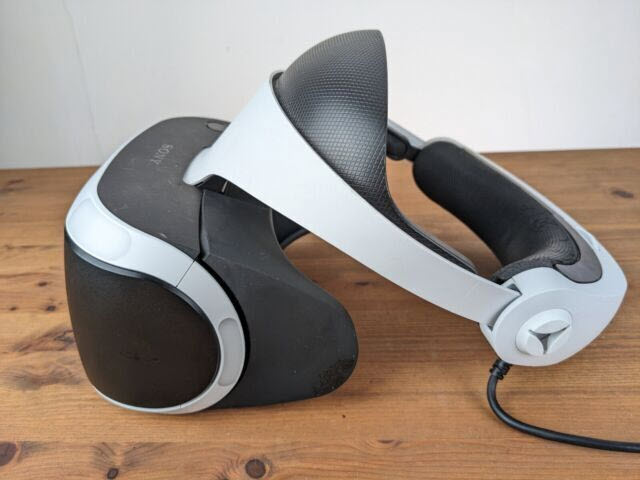
The PSVR2 went from PlayStation-exclusive curio to credible PC sim racing option when Sony released the official PSVR2 PC adapter in August 2024. The headset itself was always quietly excellent for sim racing – OLED panels with HDR, sub-130g shell, and inside-out tracking that just works. What was missing was a way to use it with iRacing, AC, ACC, and the rest of the PCVR sim racing catalogue. The PC adapter fixed that.
The OLED display matters more than the spec sheet makes it look. Headlights at a night race look like actual headlights, not LCD-grey approximations of them. The Crystal Light and the Beyond 2 (Micro-OLED) are the two headsets in this guide with comparable contrast, but the PSVR2 lands below both on price by a wide margin if you’ve already got a PS5 in the house.
The PC adapter implementation isn’t flawless. There’s no support for eye-tracked foveated rendering on PC (it works on PS5 native), no headset feedback or adaptive triggers (those are DualSense controller features), and the supported game list grows by patch rather than by leap. MartydudeVR’s one-year review in August 2025 caught what mattered for sim racers: “I mostly play sim racing and I may be one of a few who prefers the PSVR2 for sim racing. Feels light and no compression at all!” No streaming compression because the adapter is a DisplayPort bridge, not a wireless link.
If you’ve already got a PS5 and play Gran Turismo 7 in VR, the PC adapter unlocks the rest of the sim catalogue for less than the price of a Quest 3. If you don’t already own a PS5, the maths is harder – you’re effectively buying a $500 console to access a $399 headset, plus the adapter. The Crystal Light is the better-positioned purchase as a standalone PCVR investment.
VR Headsets: Price and Feature Comparison
Headsets covered in this guide, side by side:
| Headset | Resolution per eye | PPD | FOV (H) | Refresh | Tracking | Price (USD) |
|---|---|---|---|---|---|---|
| Pimax Dream Air | 3840 × 3552 (Micro-OLED) | ~50 | ~110° | 90 Hz | Lighthouse (or SLAM SE variant) | $1,999 (SE $899) |
| Pimax Crystal Super | 3840 × 3840 (QLED 50 PPD engine) | 50 | ~127° | 90 Hz | Inside-out (Lighthouse optional) | ~$1,599 (50 PPD engine) |
| Pimax Crystal Light | 2880 × 2880 (QLED) | 35 | ~105° | 60 / 72 / 90 / 120 Hz | Inside-out (Lighthouse optional) | ~$899 |
| Meta Quest 3 | 2064 × 2208 (LCD) | 25 | ~110° | 72 / 90 / 120 Hz | Inside-out (standalone or PCVR) | ~$599 |
| Bigscreen Beyond 2 | 2560 × 2560 (Micro-OLED) | ~32 | ~108° | 75 / 90 Hz | Lighthouse (base stations required) | $899 / $1,099 (2e) |
| Somnium VR1 | 2880 × 2880 (QLED Mini-LED) | 35 | 130° | 90 / 120 Hz | Lighthouse (base stations required) | €3,000 (~$3,200) |
| Valve Steam Frame (imminent) | TBC (streaming-first) | TBC | TBC | TBC | Inside-out + dual eye-tracking | ~$899-1,000 (expected) |
| PSVR2 + PC adapter | 2000 × 2040 (OLED HDR) | ~19 | ~110° | 90 / 120 Hz | Inside-out, 4 cameras | $399 + $59.99 adapter |
Prices shift more often than they should. The Pimax Crystal Super promo, the Dream Air per-variant pricing, and the Bigscreen Beyond 2e premium for eye-tracking are the three most volatile entries – check each manufacturer’s page before purchase. Once you’ve picked the hardware, my best sim racing PC games guide covers what to play in VR or on flat screens, and the best PS5 steering wheel buyer’s guide is the place to start if you went the PSVR2 route.
Per-game VR settings
Picking the headset is half the job. The other half is the per-game configuration: the pipeline (OpenXR runtime, OpenComposite hop, native vs translated), the foveated rendering options, the per-headset clarity profile that genuinely delivers in that sim. I’m building these out one game at a time, focused on the two sims most VR sim racers spend the most time in first.
Assetto Corsa VR settings
OpenComposite + OpenXR runtime per headset, CSP “Single Pass Stereo”, Pure post-processing, Pimax/Quest 3/Beyond 2/PSVR2/Somnium calls.
iRacing VR settings
Native OpenXR since 2022 S3, eye-tracked DFR via XR_EXT_eye_gaze_interaction (2025 S4), per-headset MSAA + pixel density.
Pimax VR settings: AC Evo
Pimax Play 2.0 native OpenXR for AC Evo, Smart Smoothing, Quad Views, RTX 4070-to-5090 per-GPU recipes for Crystal Light and Super.
Pimax VR settings: Assetto Corsa
OpenComposite + Pimax Play 2.0 (the inverse of the iRacing call: Quad Views ON here, OFF in iRacing). CSP Single Pass Stereo, per-GPU recipes.
Pimax VR settings: iRacing
Pimax-tuned iRacing recipes: pixel density, eye-tracked DFR via Pimax Play 2.0, render-quality per Crystal Light / Super / Dream Air.
Pimax VR settings: Le Mans Ultimate
Embedded OpenComposite pipeline, V1.3 vehicle occlusion culling, Pimax Play 1.43.9 rollback for stutter, the KB5077181 Windows gotcha.
Pimax VR settings: Automobilista 2
V1.6.9.5, native FFR (Quad Views OFF for standard), TJR Sim’s validated recipe, Detailed Grass OFF as the biggest single FPS lever.
Pimax VR settings: F1 25
The honest guide for an unfixed engine: EGO wobble bug (EA ticket 12214977 open), XML blur fix, helmet FOV hack, per-GPU realistic verdicts.
Pimax owners: the AC card above covers the OpenComposite pipeline that makes vanilla AC sing on Crystal Light and Super; for cross-sim recipes the Pimax Crystal settings sorted by GPU guide (RTX 3060 through 5090 recipes) and the interactive Pimax settings tool that builds a settings card for your exact rig. For game-picking rather than tuning, the 2026 VR sim racing games guide sits alongside this hub.
ACC, EA WRC and the rally pair (DiRT Rally 2.0, RaceRoom) are next on the build list – if there’s a sim you’d like covered ahead of the queue, drop a comment and I’ll prioritise it. Each sim’s pipeline differs more than you’d expect (vanilla AC needs OpenComposite, LMU has it embedded, iRacing is native OpenXR, F1 25 is OpenVR-only with anti-cheat-blocked workarounds), so the per-headset and per-sim recipes don’t trivially transfer.
Pimax discount codes: use SIMRACINGCOCKPIT for 3% off, or SIMRACINGCOCKPIT25 for $25 off, at checkout on pimax.com – on a Crystal Light or Super the 3% usually beats the flat $25. The shortcode below shows the current Pimax line-up with live pricing:
Related posts:
What’s Going On With Pimax?
Should You Upgrade From a Quest 3 to the Pimax Dream Air?
Bigscreen Beyond 2 Review
Best VR Headsets for Flight Simulation
Pimax Crystal Super Micro-OLED Upgrade: How to Swap the Optical Engine